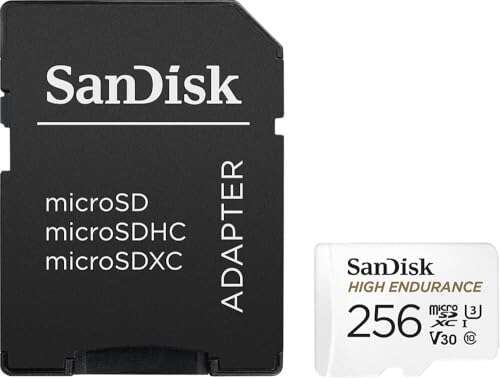
The SanDisk 256GB High Endurance card is my top pick for compatible Eufy cameras that record often.
A camera can miss a key moment when its memory card is slow, worn, or fake. I have seen this happen after months of nonstop clips, especially when a card is made for phones instead of security cameras. The best micro SD card for Eufy camera use should handle repeated writes, support the camera’s size limit, and survive heat and cold. Before buying, check your exact Eufy model because some Eufy cameras use microSD storage, while others store clips in HomeBase or the cloud.
SanDisk 256GB High Endurance microSD Card

The SanDisk 256GB High Endurance card is the strongest all-around choice in this group for a compatible Eufy camera. Its high-endurance design suits systems that write video again and again. That matters because a security camera may save many short clips each day. A normal phone card can work for a while, but it may wear out sooner under this steady workload.
The included adapter makes setup easy on a computer or card reader. The 256GB size also gives more room than a 32GB or 64GB card, though you must confirm that your Eufy model accepts 256GB. I like this card for indoor cameras and other Eufy models with local microSD recording. Format it in the camera when possible, then test playback before trusting it with important footage.
Pros:
- Built for repeated video recording
- Large 256GB capacity for longer clip storage
- Includes a full-size SD adapter
- Strong fit for cameras that record often
- Well-known flash memory brand
- Useful for local recording without a monthly fee
Cons:
- Some Eufy cameras may not support 256GB
- Costs more than basic phone cards
- Capacity may be excessive for light motion recording
My Recommendation
I recommend this card to homeowners who want dependable local recording and have confirmed that their Eufy camera supports its capacity. It is especially suitable for a camera near a busy door, driveway, or hallway where motion events happen all day. The high-endurance build gives it a better chance of lasting through repeated write cycles than a basic card. In my view, it is the best micro SD card for Eufy camera buyers who want extra space and a security-focused design. Availability is usually broad, but always check the current Amazon listing and your camera manual before ordering.
| Best for | Why |
|---|---|
| Frequent motion events | High-endurance design handles repeated video writes. |
| Longer local storage | 256GB offers more space than small cards. |
| Homeowners who want one strong pick | It balances brand trust, capacity, and camera use. |
SanDisk 128GB High Endurance Video Card

This 128GB SanDisk High Endurance card is a practical match for Eufy cameras with a 128GB limit. Many buyers do not need the largest possible card. They need a reliable card that fits the camera and does not waste money on unused space. This model focuses on video use, so it makes more sense for surveillance than a random low-cost card made for music or phone photos.
The 128GB capacity can hold a useful history of motion clips, depending on resolution, event length, and how often the camera records. A busy outdoor view will fill it faster than a quiet room. I would choose this card when the Eufy manual lists 128GB as the maximum supported size. It is also a smart option for buyers who want the best micro SD card for Eufy camera recording without paying for a larger card that may not work.
Pros:
- Good capacity for many compatible Eufy cameras
- Designed for continuous or repeated video writing
- Includes a convenient adapter
- Strong choice for motion-event recording
- Less costly than many larger endurance cards
- Simple fit for users who want a known brand
Cons:
- 128GB may fill quickly with frequent high-resolution clips
- Not ideal if your camera supports and needs more storage
- Actual storage time changes with camera settings
My Recommendation
I would buy this SanDisk card for an Eufy camera that supports up to 128GB and records a moderate number of events. It is a better size choice than 256GB when the camera has a lower limit. It also offers a sensible middle ground for apartments, porches, and indoor rooms. If your goal is the best micro SD card for Eufy camera compatibility rather than maximum capacity, this model deserves a close look. Confirm the model limit, format the card in-camera, and replace it if the camera reports errors.
| Best for | Why |
|---|---|
| 128GB-compatible Eufy cameras | The capacity matches a common camera limit. |
| Moderate daily activity | It offers useful storage without excessive cost. |
| Security-focused buyers | Its high-endurance design suits repeated video writes. |
Moric 128GB Two-Pack microSD Cards

The Moric two-pack offers a lot of storage for the price. You get two 128GB cards, which can help if you own more than one compatible Eufy camera. You can also keep one card as a spare, and that is useful when a card fails at an inconvenient time. Its Class 10 and A1 markings suggest general fast storage, but those marks do not alone prove long-term endurance for security recording.
I see this set as a budget choice rather than my first pick for nonstop recording. It may work well in a camera that saves short motion clips instead of recording all day. The two adapters also make it easy to prepare or review cards with a computer. For shoppers seeking the best micro SD card for Eufy camera value, this pack is appealing, but I would keep backups and check the card often.
Pros:
- Includes two 128GB cards
- Useful for two compatible cameras
- Provides a spare card for quick replacement
- Class 10 rating suits ordinary Full HD recording
- A1 rating supports general device performance
- Often costs less per card than premium endurance models
Cons:
- Not clearly marketed as a high-endurance surveillance card
- Brand track record may be less established than SanDisk
- Long-term nonstop recording needs closer monitoring
My Recommendation
I recommend this Moric pack to budget buyers with two Eufy cameras or anyone who wants a ready spare. It is best for light or moderate motion recording, not for a camera that writes video without pause. Test both cards as soon as they arrive and watch for playback errors. If you value endurance above price, choose one of the SanDisk options instead. Still, this is a useful value pick when you need two cards and your Eufy model supports 128GB.
| Best for | Why |
|---|---|
| Two-camera homes | The pack supplies one card for each compatible camera. |
| Budget shoppers | Two cards can reduce the cost per camera. |
| Keeping a spare | A second card helps reduce downtime after a failure. |
SanDisk 512GB High Endurance Card

This 512GB SanDisk card targets buyers who want very large capacity and high-endurance construction. It can be attractive for cameras that record many events or save long clips. The endurance label is more important here than the impressive number on the package. A large card is like a deep bucket: it gives you more room, but it does not help if the camera cannot use it.
Compatibility is the key concern. Many Eufy cameras have a stated maximum capacity that may be lower than 512GB, and some do not accept a microSD card at all. I would only buy this for a model whose current Eufy documentation clearly supports 512GB. If supported, it may reduce how often you need to manage or replace stored clips. If not, the camera may reject it or fail to use its full space.
Pros:
- Very large storage capacity
- High-endurance design for frequent writing
- Useful for high activity and long retention needs
- Includes an adapter
- Can reduce the need for frequent card maintenance
- Suitable for other compatible security devices too
Cons:
- Many Eufy cameras may not support 512GB
- Higher purchase price
- Extra space is wasted if the camera has a smaller limit
- Large cards can take longer to scan or format
My Recommendation
I recommend this card only for advanced users who have verified 512GB support in their exact Eufy model. It is best for heavy recording, long retention, or a camera placed in a busy area. For most users, 128GB or 256GB offers safer compatibility and better value. That makes this a specialist option, not my default best micro SD card for Eufy camera choice. Buy it for a confirmed need, not simply because the capacity is larger.
| Best for | Why |
|---|---|
| Supported high-capacity cameras | It provides a very large local storage pool. |
| Heavy recording | High endurance suits repeated video writes. |
| Longer clip retention | More space can delay overwriting older footage. |
32GB High-Speed microSD Card

This 32GB card is the smallest option in the group. Its listed read and write speeds are enough for many basic Full HD tasks, and its compact size may suit an Eufy camera with a low storage limit. A small card can also be useful for testing whether local recording works before spending more money. However, speed numbers do not tell the whole story for a security camera.
Capacity is the main limit. A busy camera may overwrite older clips quickly, so this card makes more sense for a quiet indoor view or short event recording. I would not choose it for a front door that sees constant movement. As a low-cost test card, it has a place, but it would not be my best micro SD card for Eufy camera use when long retention matters.
Pros:
- Low purchase cost
- Small capacity may suit basic camera limits
- Listed read speed supports quick file access
- Includes an adapter
- Easy to use as a test or spare card
- Works with many general portable devices
Cons:
- 32GB fills faster than larger cards
- Not presented as a high-endurance security card
- Limited value for busy cameras
- Actual speed can vary by device and file size
My Recommendation
I recommend this card for a low-traffic indoor Eufy camera, a temporary test, or a buyer who needs the lowest upfront cost. It is not the right choice when you need days of stored video or frequent recording. Check the camera’s storage limit and use the Eufy app to confirm that clips save and play correctly. For serious security use, spend more on a high-endurance 128GB or 256GB card.
| Best for | Why |
|---|---|
| Testing local storage | Its low cost makes setup testing less risky. |
| Quiet indoor cameras | Fewer events reduce how fast 32GB fills. |
| Emergency spare use | It can provide short-term storage when needed. |
TeamGroup GO Card 256GB

The TeamGroup GO Card offers 256GB capacity with U3 and V30 markings. Those labels are useful for sustained video work and show that the card targets action cameras and 4K recording. For a compatible Eufy camera, the extra capacity can hold more motion clips before the system loops over old files. The included adapter adds a simple way to move files or format the card.
This is a capable general video card, but it is not specifically labeled as a security-camera endurance model. That distinction matters because a camera may write small files for months, while an action camera may write in shorter sessions. I would use it in an Eufy model that confirms 256GB support and has moderate recording demands. It is a reasonable alternative, but the SanDisk endurance card remains the safer pick for nonstop use.
Pros:
- 256GB capacity gives useful room for video clips
- U3 and V30 ratings suit sustained video tasks
- Includes a full-size adapter
- Good fit for users with mixed camera needs
- Supports high-resolution video workloads
- Can reduce frequent file transfers
Cons:
- Not marketed mainly for continuous security recording
- 256GB may exceed some Eufy camera limits
- Action-camera ratings do not guarantee surveillance lifespan
My Recommendation
I recommend the TeamGroup GO Card for users who also use action cameras, drones, or similar devices and want one card type for several jobs. It is best in a compatible Eufy camera that records motion events rather than nonstop video. Confirm the camera limit first, then test it under normal use. If your only goal is the best micro SD card for Eufy camera reliability, choose a purpose-built high-endurance model instead.
| Best for | Why |
|---|---|
| Mixed device owners | Its video ratings suit cameras, drones, and action devices. |
| High-resolution clip storage | U3 and V30 support steady video writing. |
| 256GB-compatible Eufy cameras | The capacity gives a useful local clip buffer. |
Amazon Basics 128GB microSDXC Card

The Amazon Basics 128GB microSDXC card is a straightforward option for compatible Eufy cameras. Its listed read speed can make file access and transfers feel quick, although read speed is not the same as endurance. The card includes an adapter and works with many everyday devices. For a camera that saves short motion clips, the 128GB size can provide a useful amount of local storage.
I would treat this as a general-purpose card, not a dedicated surveillance card. A security camera writes data in a steady cycle, so long-term reliability depends on more than the headline speed. It may be a good value choice for light use, but I would monitor the Eufy app for card warnings and playback problems. Buyers who want the best micro SD card for Eufy camera recording should compare its price with a high-endurance alternative.
Pros:
- Practical 128GB capacity
- Includes a useful adapter
- Listed read speed supports quick file transfers
- Works with many phones, tablets, and cameras
- Simple choice for light motion recording
- Often offers accessible pricing
Cons:
- Not specifically designed for nonstop surveillance writes
- Read speed does not prove high write endurance
- Some Eufy models may require a different capacity
My Recommendation
I recommend this card for casual users who need local storage for a compatible Eufy camera and want a general card at a reasonable price. It fits a guest room, small office, or low-traffic hallway better than a busy outdoor entrance. Test recording after installation and replace it at the first sign of corruption. For long-term peace of mind, I would still rank a high-endurance SanDisk card above it.
| Best for | Why |
|---|---|
| Light motion recording | 128GB gives useful space for occasional clips. |
| General device use | The card can serve phones, tablets, and cameras. |
| Value-focused buyers | It offers basic capacity without premium features. |
Gigastone 32GB Five-Pack

The Gigastone five-pack is built around quantity and low cost. It includes five 32GB cards, which can help people who manage several compatible cameras or want several replacement cards on hand. The cards carry Class 10, UHS-I, U1, and A1 markings. Those specifications fit basic Full HD recording, but the 32GB capacity remains the main trade-off.
I see this pack as a practical backup set rather than a premium long-term solution. A card can fill quickly when an Eufy camera sees constant activity, and swapping cards may become part of your routine. On the other hand, five cards can be useful for testing, rotating storage, or short-term use. It is not my first choice for the best micro SD card for Eufy camera buyers who want maximum endurance.
Pros:
- Five cards provide strong quantity value
- Useful for several compatible cameras
- Class 10 suits basic Full HD video
- A1 rating supports general device tasks
- Includes adapters for easy computer access
- Convenient supply of spare cards
Cons:
- Each card has only 32GB of capacity
- Frequent swapping may be needed
- Not clearly a high-endurance surveillance product
- More cards mean more labels and file management
My Recommendation
I recommend this pack for users with several low-traffic cameras, short recording needs, or a tight budget. It also works well as a test set when you want to learn how quickly your Eufy camera fills a card. I would not rely on it as the only storage plan for a busy security view. Keep one or two cards sealed as backups, and consider a high-endurance 128GB card for your main camera.
| Best for | Why |
|---|---|
| Several compatible cameras | Five cards make multi-camera setup easier. |
| Short-term recording | Small cards suit light or temporary use. |
| Backup storage | Extra cards can reduce downtime after failure. |
Amazon Basics 256GB microSDXC Card

This Amazon Basics 256GB card gives you twice the capacity of the 128GB version. It is aimed at action cameras, drones, tablets, smartphones, and Full HD devices. That broad use makes it flexible for a home with many gadgets. For a compatible Eufy camera, the extra space may keep older motion clips available for longer before loop recording replaces them.
Still, the card is a general memory product rather than a card built specifically for constant surveillance writing. The listed read speed is useful when copying files, but a camera needs stable writes over time. I would use it for moderate event recording after checking Eufy’s capacity limit. If you need the best micro SD card for Eufy camera endurance, compare this option with SanDisk High Endurance pricing before deciding.
Pros:
- Large 256GB storage capacity
- Useful for many types of devices
- Includes an adapter
- Good space for moderate motion recording
- Listed read speed supports fast file access
- Can reduce frequent clip management
Cons:
- Not a dedicated high-endurance security card
- May exceed the capacity accepted by some Eufy models
- Large capacity does not guarantee longer card life
My Recommendation
I recommend this card to buyers who want 256GB and also plan to use the card in other devices. It is best for moderate Eufy recording, not a camera that writes nonstop every day. Confirm support before purchase because a camera cannot use capacity beyond its stated limit. For simple value and broad device use, it is attractive. For the most demanding local security setup, a high-endurance card remains the wiser choice.
| Best for | Why |
|---|---|
| Moderate recording | 256GB provides a generous clip buffer. |
| Homes with many devices | The card works across several device types. |
| Fewer storage checks | More space can delay overwriting older clips. |
Gigastone 128GB 4K Video Card
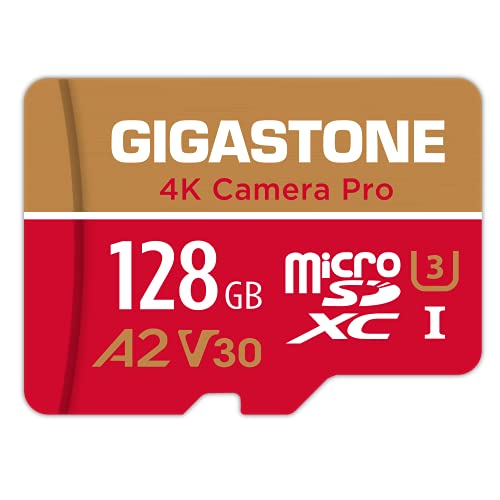
The Gigastone 128GB card carries U3, A2, V30, and Class 10 ratings. Those marks indicate a card designed for demanding video and app workloads, and the listed read and write speeds are suitable for many 4K devices. It also includes a promise of five years of free data recovery service, subject to the seller’s terms. That extra service may offer comfort if a card develops a problem.
For an Eufy camera, the 128GB size is the most important point. The performance class is more than enough for many Full HD security clips, but the card is not marketed solely for continuous surveillance. I would consider it a strong general video card for a compatible model. Buyers searching for the best micro SD card for Eufy camera use may like its speed ratings, but should still favor a dedicated endurance card for heavy daily recording.
Pros:
- 128GB capacity fits many camera setups
- U3 and V30 ratings support video work
- Listed write speed suits demanding recording tasks
- Includes A2 and Class 10 markings
- Offers five years of advertised data recovery service
- Includes an adapter
Cons:
- Recovery service may have conditions and limits
- Not focused only on nonstop security cameras
- Actual performance depends on the host camera
My Recommendation
I recommend this card for users who want one 128GB card for an Eufy camera and other video devices. Its ratings make it a versatile pick for action cameras, drones, and Full HD systems. It suits moderate recording well, but I would not assume that a V30 mark equals high endurance. Confirm the Eufy model limit and test the card before use. It is a good alternative when the price is right and the recovery offer matters to you.
| Best for | Why |
|---|---|
| Mixed video devices | Its video ratings work across several camera types. |
| 128GB Eufy cameras | The capacity offers a useful balance of space and cost. |
| Buyers wanting recovery support | The advertised recovery service adds a safety net. |
How to Choose a microSD Card for Eufy
The first step is checking the exact Eufy product. Eufy Indoor Cam models and some other wired cameras may support local microSD storage, while battery-powered SoloCam models often use internal storage, cloud storage, or HomeBase rather than a card slot. HomeBase models can have different storage methods as well. The product name alone is not enough, so check the current Eufy manual or support page for your model.
Confirm the Maximum Capacity
Do not assume that a 512GB card is better. If your camera supports only 128GB, a larger card may not work correctly. Some cameras accept microSDHC cards up to a set size, while others accept microSDXC cards with a larger limit. Matching the camera’s stated capacity is more important than chasing the biggest number.
Pick High Endurance for Heavy Recording
Security cameras write data far more often than phones. A high-endurance card uses flash memory designed for repeated recording and rewriting. That does not make it indestructible, but it is a better match for surveillance. I prefer high-endurance cards for cameras that record all day or see frequent motion.
Understand the Speed Marks
Class 10 is a basic speed class. U1 and U3 show minimum sequential write levels under the right test conditions. V30 is a video speed class that indicates a sustained write level for supported workloads. These marks help, but they do not tell you how long a card will survive in a security camera. Endurance, capacity, heat, firmware, and recording pattern all matter.
Choose Capacity Based on Activity
A quiet room may use little space. A front porch can fill a card much faster because people, cars, pets, and shadows trigger events. Higher resolution also creates larger files. Loop recording normally deletes old clips as new ones arrive, so a larger card gives a longer window. It does not create permanent storage.
Buy From a Trusted Seller
Fake memory cards remain a real problem. A counterfeit card may report a large capacity but fail after you write past its true limit. Buy from a trusted seller and inspect the package. After installation, record and replay several clips. You can also test a card with a trusted capacity tool on a computer, but a successful test still does not prove years of camera endurance.
Format the Card in the Camera
A card may arrive with a file system that your Eufy camera does not prefer. If the Eufy app or camera offers a format command, use it after saving any needed files. Formatting erases the card, so back up first. Check the app after formatting and confirm that new clips appear and play smoothly.
Plan for Card Replacement
Even a good high-endurance card will eventually wear. Camera placement, temperature, clip length, and write volume affect its life. I check local recordings from time to time instead of waiting for an important event. If the camera shows card errors, clips fail to play, or recording stops, replace the card and investigate the cause.
Do Not Confuse Local Storage With Backup
A microSD card inside the camera can be stolen, damaged, or lost with the camera. It is convenient local storage, not a complete backup plan. If footage matters, export key clips to a computer, network drive, or another secure location. A card is one layer in a security plan, not the whole plan.
Installation and Setup Tips
Turn off the camera or follow the Eufy instructions before inserting the card. Push it in gently until it clicks. Never force the card because the slot is small and easy to damage. Open the Eufy app and look for local storage, recording, or storage management settings.
Enable the recording mode you need. Motion recording uses less space than continuous recording, while continuous recording may not be available on every model. Set the correct video quality and clip length. Then trigger motion in front of the camera and confirm that the clip saves to the card.
I also suggest checking night footage. Infrared scenes can create important clips, and playback should remain smooth in both day and night conditions. Let the camera run for several days before relying on it. This simple test can reveal a card problem while the setup is still fresh.
Why Endurance Matters More Than Peak Speed
A card’s peak read speed looks impressive on a product page, but security cameras spend more time writing than reading. The camera saves clips in a loop. It writes new data, removes older data, and repeats the cycle. That process creates wear over time.
A high-endurance card is like a work boot. It may not look faster on a shelf, but it is made for repeated use. A phone card is more like a casual shoe. It can work well for normal tasks, yet it may not be the right tool for a camera that never rests.
This is why my main pick is the SanDisk 256GB High Endurance card, assuming the Eufy model supports it. If the camera limit is 128GB, the SanDisk 128GB High Endurance Video card becomes the better match. Capacity must come first, and endurance should follow closely behind.