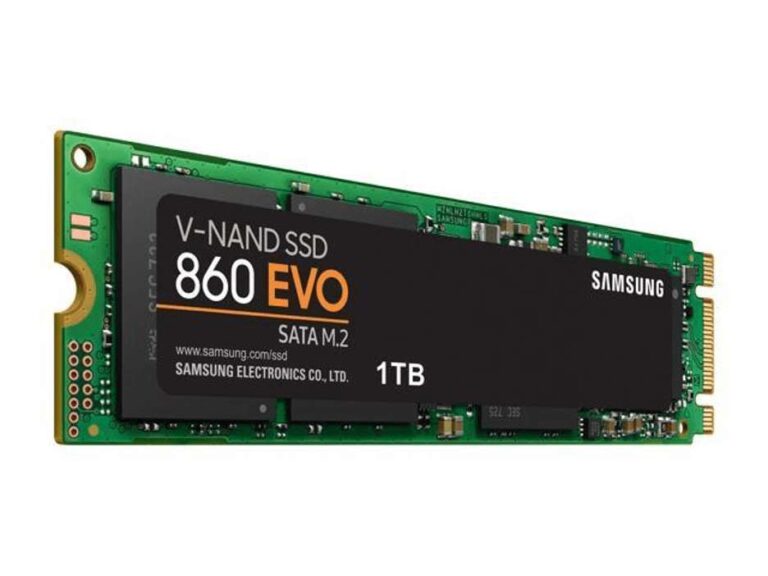
The Crucial P310 2TB is my top pick for fast, roomy gaming desktop storage in 2026.
You install a huge game, wait through long load screens, and soon your old drive feels like a traffic jam. A fast SSD can make a gaming desktop feel much more alive. Games open sooner, Windows starts faster, and updates finish with less waiting. I also included complete gaming desktops here because many buyers want a ready-to-play system with SSD storage already installed. Check your motherboard, storage size, and upgrade path before buying. The right choice depends on speed, capacity, budget, and whether you need a full PC or only a new drive.
KOTIN Ryzen 7 Gaming PC with RTX 5060 Ti

The KOTIN gaming desktop pairs an AMD Ryzen 7 8700F processor with an RTX 5060 Ti graphics card. It also has 32GB of DDR5 memory and a 1TB SSD. That mix gives modern games a strong base for 1080p and 1440p play. The included SSD should help the system boot quickly and keep game launches smooth.
I like the balance here for buyers who want a ready-made gaming PC rather than a bare SSD upgrade. The 1TB capacity works well for Windows and several large games, although newer titles can fill it fast. The DDR5 memory leaves more room for multitasking, voice chat, browsers, and game launchers. Before upgrading, check whether the case and motherboard offer a free M.2 slot.
Pros:
- Strong Ryzen 7 processor for gaming and daily work
- RTX 5060 Ti graphics for modern PC games
- 32GB DDR5 memory supports smooth multitasking
- Fast 1TB SSD comes preinstalled
- Ready-to-use desktop saves build time
Cons:
- 1TB may feel small after installing many large games
- Prebuilt parts may offer less upgrade detail than custom builds
- Fans and cooling can vary by configuration
My Recommendation
I recommend this KOTIN system for a player who wants a balanced gaming desktop with current hardware. It suits users who play at 1080p or 1440p and want enough power for streaming, school, or work. The SSD gives the system a quick feel, while 32GB of RAM helps keep background apps under control. It is not a replacement for a high-capacity standalone drive, but it is a practical starting point if you need the whole computer. For many buyers, this is a good value when available at a competitive price.
| Best for | Why |
|---|---|
| Balanced gaming | Ryzen 7, RTX 5060 Ti, and 32GB DDR5 work well together. |
| New PC buyers | The desktop arrives with the core parts already installed. |
| Fast daily use | The SSD helps Windows, apps, and games load with less delay. |
MSI Codex Z2 RTX 5070 Gaming Desktop

The MSI Codex Z2 brings an AMD Ryzen 7 8700F processor, an RTX 5070 GPU, 32GB of DDR5 memory, and a 2TB SSD. That is a powerful package for players who want higher frame rates and more storage. The 2TB drive gives you much more room for large game libraries than a typical 1TB boot drive. It also reduces the need to uninstall games every few weeks.
In my view, this is one of the more complete systems in the group. The RTX 5070 gives the PC more headroom for high settings, while the 2TB SSD supports a large mix of games and apps. The main point to confirm before purchase is the exact SSD model and the number of open upgrade slots. Prebuilt systems can change small components between production runs, so I always check the current listing details.
Pros:
- Powerful RTX 5070 graphics processor
- 2TB SSD offers useful game storage
- 32GB DDR5 memory is ready for demanding play
- Ryzen 7 platform supports gaming and creation work
- Clean all-in-one solution for new PC owners
Cons:
- Higher price than entry-level gaming desktops
- Exact SSD brand and model may vary
- Large game libraries may still require future expansion
My Recommendation
This MSI Codex Z2 is best for serious PC players who want strong graphics and a large internal drive without building from scratch. The 2TB SSD is a major benefit for anyone who plays several modern games at once. It also makes sense for streamers and creators who need quick access to active files. If you are searching for the best SSD for gaming desktop inside a complete system, this model stands out because it combines capacity with a powerful GPU. Its value depends on the current price, but the overall hardware mix is easy to like.
| Best for | Why |
|---|---|
| Large game libraries | The 2TB SSD holds more major releases before an upgrade. |
| High-setting gaming | The RTX 5070 provides stronger graphics performance. |
| Streaming | 32GB RAM and the Ryzen 7 CPU support games plus background tools. |
MSI Aegis R2 RTX 5070 Ti Desktop

The MSI Aegis R2 is a premium gaming desktop built around an Intel Core Ultra 9 285 processor and a GeForce RTX 5070 Ti. It includes 32GB of DDR5 memory and a 2TB M.2 NVMe SSD. That hardware targets gamers who want high performance with fewer compromises. The included NVMe drive should deliver quick boot times, fast game installs, and responsive file access.
This system also includes air cooling, USB Type-C connectivity, and VR-ready positioning. Those details matter when you connect modern accessories or use a headset. I would still inspect airflow and fan noise reviews because powerful parts produce more heat under long sessions. The storage is generous, but buyers who record lots of 4K video may eventually want a second SSD.
Pros:
- High-end Core Ultra 9 processor
- RTX 5070 Ti suits demanding games
- 2TB NVMe SSD gives strong capacity
- 32GB DDR5 supports gaming and heavy multitasking
- USB Type-C and VR-ready design add flexibility
Cons:
- Premium hardware can bring a premium price
- 2TB may not satisfy heavy video storage needs
- Powerful components need good room ventilation
My Recommendation
I suggest the MSI Aegis R2 for enthusiasts who want a fast, powerful desktop and do not want to select every part themselves. It is especially well suited to high-refresh gaming, VR, streaming, and demanding creative work. The 2TB M.2 NVMe SSD gives it a strong start, though a second drive may help long-term. For buyers comparing the best SSD for gaming desktop options in a complete PC, this model offers the most performance-focused package here. Consider it when graphics power matters as much as storage speed.
| Best for | Why |
|---|---|
| Enthusiasts | The Core Ultra 9 and RTX 5070 Ti target demanding users. |
| VR gaming | The listed configuration is designed for modern VR setups. |
| Long-term use | 32GB RAM and a 2TB NVMe drive provide useful breathing room. |
Crucial P310 2TB PCIe Gen4 SSD

The Crucial P310 2TB is my leading standalone pick for a gaming desktop. It uses the M.2 2280 form factor and PCIe Gen4 NVMe interface. Crucial lists sequential read speeds of up to 7,100MB/s, which is more than enough for fast game loading and daily PC use. The 2TB size also gives modern gamers the room they often need.
This drive makes sense as a boot drive, game drive, or replacement for an older SATA SSD. I like that it supports desktops, laptops, and some handheld gaming systems, though compatibility depends on the device. Installation is simple when the motherboard has a free M.2 slot and supports the correct PCIe connection. Use the included management and recovery tools wisely, and keep backups of important files because no SSD replaces a real backup plan.
Pros:
- Large 2TB capacity for modern game libraries
- Fast PCIe Gen4 NVMe interface
- Up to 7,100MB/s advertised read speed
- Compact M.2 2280 design saves cable clutter
- Works with many desktop and laptop systems
Cons:
- Requires an open compatible M.2 slot
- Real speeds vary with workload and system hardware
- Heavy sustained writes may reduce peak performance
My Recommendation
The Crucial P310 2TB is best for gamers who already own a desktop and want a simple storage upgrade. It gives you the capacity, speed, and compact design I look for in the best SSD for gaming desktop. It is also a smart choice for users who install large games, keep several launchers, or want one drive for Windows and games. Check your motherboard manual before ordering. If the price stays competitive, this is the strongest all-around value in this review.
| Best for | Why |
|---|---|
| Most gamers | 2TB capacity and Gen4 speed create a balanced upgrade. |
| Game storage | The drive holds many large titles without quick space loss. |
| Clean PC builds | The M.2 card needs no SATA data or power cable. |
HP OmniDesk Ryzen 7 Desktop with 1TB SSD

The HP OmniDesk uses an AMD Ryzen 7 8700G processor, 32GB of DDR5 memory, and a 1TB NVMe SSD. It relies on Radeon 780M integrated graphics rather than a separate gaming graphics card. That makes it better suited to casual games, esports titles, and general home use than demanding new AAA games. It includes Wi-Fi 6, Bluetooth 5.4, a keyboard, and a mouse.
The 1TB NVMe drive should make the desktop feel quick for Windows, school work, and everyday apps. It can also support light gaming, but graphics settings may need careful adjustment. I would choose this PC for a family room, student desk, or user who plans to add a dedicated GPU later. Its value comes from the complete package and low setup effort, not from top-tier gaming power.
Pros:
- Ryzen 7 8700G offers capable everyday performance
- 32GB DDR5 is generous for a general desktop
- 1TB NVMe SSD provides quick storage response
- Wi-Fi 6 and Bluetooth 5.4 support modern connections
- Keyboard and mouse are included
Cons:
- Integrated graphics limit demanding AAA gaming
- 1TB capacity can fill quickly with large games
- Not the best choice for high-refresh 1440p gaming
My Recommendation
I recommend the HP OmniDesk for casual gamers, students, and families who want a fast everyday computer with some gaming ability. It is not my first choice for the best SSD for gaming desktop because the graphics solution is built into the processor. Still, the NVMe drive and 32GB RAM make it responsive for work and lighter games. It can be a good value if you want a quiet, simple PC and may add a graphics card later. Confirm expansion space before planning that upgrade.
| Best for | Why |
|---|---|
| Casual gaming | Radeon 780M handles lighter games with sensible settings. |
| Students | Fast storage, Wi-Fi, and included accessories simplify setup. |
| Everyday work | 32GB RAM and the Ryzen 7 CPU handle common tasks well. |
MSI Codex R2 RTX 5060 Gaming Desktop

The MSI Codex R2 is a more affordable gaming desktop with an Intel Core i5-14400F processor, RTX 5060 graphics, 16GB of DDR5 memory, and a 1TB SSD. This setup targets mainstream 1080p gaming. The separate graphics card is a major step above integrated graphics for current games. The 1TB SSD should keep the operating system and a useful starter library on fast storage.
Sixteen gigabytes of RAM remains workable for gaming, but I prefer 32GB for buyers who keep many apps open. The system gives you a sensible way into PC gaming without paying for enthusiast parts. As with any prebuilt, review the exact power supply, cooling layout, and motherboard details before planning upgrades. A second SSD may become useful once your game collection grows.
Pros:
- RTX 5060 supports solid 1080p gaming
- Core i5-14400F offers good mainstream speed
- DDR5 memory uses a current platform
- 1TB SSD provides a quick starting drive
- Prebuilt design reduces assembly work
Cons:
- 16GB RAM may limit heavy multitasking
- 1TB storage fills quickly with large releases
- Upgrade details should be checked before purchase
My Recommendation
The MSI Codex R2 fits a new gamer who wants dependable 1080p performance at a more approachable cost. It is also a nice choice for a teenager or family member who needs a complete PC. The SSD makes the system feel quick, but buyers with a large library should budget for more space. If you want the best SSD for gaming desktop experience in a complete budget-friendly PC, this model offers a sound starting point. I would upgrade the memory later if your budget allows.
| Best for | Why |
|---|---|
| 1080p gaming | The RTX 5060 targets mainstream full-HD play. |
| First gaming PC | It combines the main parts in a ready-built system. |
| Future memory upgrade | The platform can be improved if 16GB becomes limiting. |
Alienware Aurora RTX 5070 Gaming Desktop

The Alienware Aurora listing centers on an RTX 5070 and an Intel Core Ultra 7 265F processor. This pairing is aimed at players who want strong gaming performance in a recognizable prebuilt design. The listing does not show the full storage details in the short product name, so I would verify the SSD capacity before checkout. That step matters because storage can vary across configurations.
Alienware systems appeal to buyers who care about design, brand support, and a polished out-of-box experience. The RTX 5070 gives this desktop more room for high settings than entry-level cards. I would still compare its price with similarly equipped systems and check the number of free M.2 slots. A stylish case is nice, but upgrade access and cooling matter more after the first year.
Pros:
- RTX 5070 suits demanding modern games
- Core Ultra 7 processor supports gaming and work
- Distinctive Aurora chassis design
- Prebuilt setup saves time
- Good fit for users who value a known PC brand
Cons:
- Storage capacity is not clear from the short title
- Brand premium may raise the total cost
- Proprietary parts can affect future upgrades
My Recommendation
I would choose the Alienware Aurora for a buyer who values its design and brand experience as much as raw specifications. It can be a strong gaming desktop, but storage buyers must confirm the exact SSD before ordering. If the configuration includes enough NVMe space, it can compete well with other complete systems. It is not my first standalone choice for the best SSD for gaming desktop, since the drive details need verification. Compare the current price, warranty, and upgrade options before you commit.
| Best for | Why |
|---|---|
| Brand-focused buyers | Alienware offers a familiar prebuilt gaming identity. |
| High-setting play | The RTX 5070 provides strong graphics headroom. |
| Distinctive design | The Aurora chassis stands out from plain office towers. |
STGAubron Ryzen 5 RTX 3050 Gaming PC

The STGAubron system uses a Ryzen 5 5500 processor, RTX 3050 6GB graphics, 16GB of DDR4 memory, and a 512GB SSD. It is designed as an entry-level gaming desktop. The dedicated RTX card gives it more gaming ability than a basic office PC. The SSD should make Windows and game launches feel much faster than an old hard disk.
The main tradeoff is space. A 512GB drive can hold Windows and a few games, but large modern titles will consume it quickly. I see this PC as a starter system for esports, older games, and 1080p play with adjusted settings. Before buying, check whether the board has a spare M.2 or SATA bay for a future storage upgrade.
Pros:
- Dedicated RTX 3050 graphics
- Ryzen 5 processor fits entry-level gaming
- 16GB RAM is adequate for many games
- SSD offers quicker response than a hard drive
- Lower-cost path into desktop gaming
Cons:
- 512GB storage is limited
- DDR4 platform is older than current DDR5 systems
- New AAA games may need reduced settings
My Recommendation
This STGAubron PC is best for a first-time gamer with a tight budget. It makes sense for esports, indie games, older releases, and basic 1080p play. I would plan a storage upgrade early because 512GB disappears quickly after Windows and a few large games. It does not contain the best SSD for gaming desktop, but it offers a useful fast-start drive in an inexpensive complete system. Buy it when the low entry cost matters more than long-term headroom.
| Best for | Why |
|---|---|
| Budget gaming | The entry-level parts keep the initial cost lower. |
| Esports | The RTX 3050 can suit lighter competitive games. |
| First PC owners | The ready-built design avoids a complex first build. |
STGAubron Core i7 RTX 3050 Gaming PC

This STGAubron configuration combines a Core i7 processor, RTX 3050 6GB graphics, 32GB of RAM, and a 512GB SSD. The generous memory helps with browsers, streaming tools, and background apps. The RTX 3050 remains the key gaming part, so the system is best for 1080p play rather than extreme settings. The SSD should keep the operating system responsive.
Compared with the Ryzen 5 version, this model gives you more memory and a different processor platform. However, the 512GB storage limit remains the same concern. I would use it as a starter PC, then add a larger SSD when your library grows. Always confirm the exact Core i7 generation, since the product title alone does not provide enough detail for a full performance judgment.
Pros:
- 32GB RAM supports multitasking
- RTX 3050 provides dedicated graphics
- SSD keeps everyday tasks responsive
- Suitable for entry-level 1080p gaming
- Complete desktop avoids a separate build
Cons:
- 512GB SSD offers little spare game space
- Exact Core i7 generation should be verified
- RTX 3050 limits demanding future games
My Recommendation
I recommend this version over the 16GB model for users who stream, study, or run many apps while gaming. The 32GB memory is its clearest benefit. Still, I would not buy it for the SSD alone because 512GB is small by current gaming standards. Someone searching for the best SSD for gaming desktop should consider the Crucial P310 separately if the motherboard supports it. This STGAubron becomes more appealing when sold at a strong budget price.
| Best for | Why |
|---|---|
| Multitasking | 32GB RAM leaves more room for apps beside a game. |
| Starter gaming | The RTX 3050 targets basic 1080p play. |
| Storage upgrade plans | A future larger SSD can solve the main weakness. |
Crucial P310 1TB Gen4 NVMe SSD
The Crucial P310 1TB uses the same compact M.2 2280 format and PCIe Gen4 NVMe design as the larger model. Its listed sequential read speed reaches up to 7,100MB/s. That makes it a strong fit for a Windows boot drive, a game drive, or a replacement for a slower SATA SSD. The 1TB size offers a useful balance for buyers who want speed without paying for 2TB.
I see this capacity as the practical minimum for a modern gaming desktop. It can hold Windows and several large games, but you should leave free space for updates and normal drive health. Installation requires a compatible M.2 slot, a small screw, and a little care. If your budget permits, the 2TB version gives better room for a growing library and may offer better value per gigabyte.
Pros:
- Fast PCIe Gen4 performance
- Up to 7,100MB/s advertised read speed
- Compact cable-free M.2 design
- 1TB capacity suits many budget builds
- Useful for desktops, laptops, and some handhelds
Cons:
- Less room than a 2TB gaming SSD
- Needs a compatible motherboard slot
- Advertised peak speed is not constant in every task
My Recommendation
The Crucial P310 1TB is best for budget-conscious gamers who want a quick and simple upgrade. It is a good choice for a secondary game drive or a clean boot drive in a small build. For many users, it delivers the everyday feel expected from the best SSD for gaming desktop without a large price jump. I would choose 2TB when the difference is small. Otherwise, this 1TB model remains a sensible and capable option.
| Best for | Why |
|---|---|
| Budget upgrades | It offers Gen4 speed at a lower capacity cost. |
| Boot drives | 1TB gives Windows and apps useful fast storage. |
| Small builds | The M.2 form factor saves space and cables. |
How I Choose the Best SSD for Gaming Desktop
Storage speed matters, but it is not the only factor. I first check compatibility. A desktop must have the right M.2 slot, enough physical space, and firmware support for the drive. Most current gaming desktops use an M.2 2280 NVMe SSD, but older systems may rely on SATA connections or support only certain PCIe generations.
I also compare capacity. A 500GB drive can work for a basic system, but it leaves little room after Windows, launchers, patches, and large games. A 1TB SSD is a better starting point. In 2026, I prefer 2TB for a main gaming drive because modern games often take tens or even more than 100GB each.
Peak read speed looks impressive on a product page, yet real game loading depends on more than one number. The CPU, game engine, memory, compression, and system software all play a part. Moving from a hard drive to any good SSD creates a huge improvement. Moving from a decent SATA SSD to a premium Gen4 model often feels less dramatic in normal play.
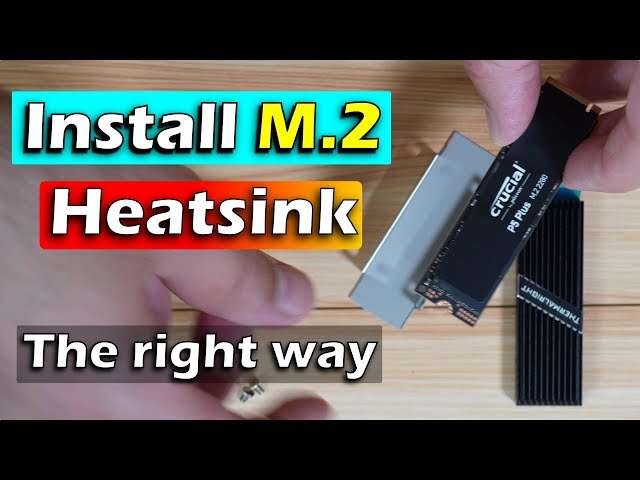
NAND type, controller behavior, cache design, endurance, warranty, and software support also matter. I prefer brands that publish clear specifications and provide drive tools. A heatsink can help under long transfers, but it is not always needed for gaming. If your motherboard already has an M.2 heatsink, use it correctly and remove any protective film from the thermal pad.
NVMe SSD vs SATA SSD for Gaming
An NVMe SSD uses the PCIe bus and usually comes as a slim M.2 card. It can offer much higher sequential speeds than a SATA SSD. It also reduces cable clutter inside a desktop. For a new gaming build, NVMe is usually the better fit when the motherboard supports it.
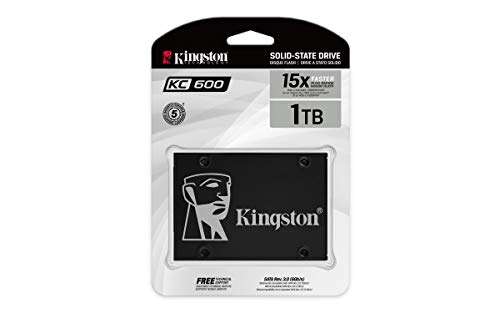
A SATA SSD remains useful for older desktops and extra game storage. It is far faster than a hard drive and often easy to install with familiar cables. Game loading may not differ as much as benchmark charts suggest, but the system still feels responsive. I would not replace a working SATA SSD only for a bigger speed number unless your workload includes large file transfers.
How Much SSD Storage Does Gaming Need?
For a basic gaming PC, 1TB is a reasonable floor. It gives you space for Windows, applications, and a selection of games. Keep at least some free capacity because a nearly full drive can reduce comfort and complicate updates. You should also store important photos and documents on another drive or backup service.
Two terabytes is my preferred size for most desktop gamers. It reduces library juggling and makes room for large open-world games. A 4TB drive suits players who keep many titles installed, record video, or edit media. Capacity often gives a better daily benefit than chasing the highest advertised sequential speed.
Installation Tips for a Desktop SSD
Back up your files before opening the case. Shut down the PC, switch off the power supply, and disconnect the power cable. Touch the metal case to reduce static risk, then locate the M.2 slot. Install the drive at a slight angle, press it flat, and secure it with the correct screw.
After starting Windows, open Disk Management if the new drive does not appear. It may need initialization, partitioning, or formatting. If you want to replace the boot drive, cloning software can copy the old installation, but a clean install often gives the cleanest result. Never format the wrong disk, and keep the old drive untouched until you confirm the new system works.
Common SSD Buying Mistakes
The first mistake is buying a drive without checking the motherboard. An M.2 slot may support SATA, NVMe, or both, and some slots share lanes with other ports. The manual provides the safest answer. A second mistake is choosing capacity based only on today’s library.
Another mistake is paying for speed your PC cannot use. A PCIe Gen5 drive cannot reach its full potential in a Gen4 slot. It may still work, but the extra cost brings little gaming benefit. I also avoid unknown sellers when possible and check the warranty, return policy, and product serial information.
Finally, do not treat an SSD as a backup. Solid-state drives have no moving parts, but they can still fail, become corrupted, or suffer from accidental deletion. I keep important files in at least two places. That small habit protects more value than any benchmark score.
FAQs Of best ssd for gaming desktop
What is the best SSD for a gaming desktop?
For most users, I recommend the Crucial P310 2TB. It offers fast PCIe Gen4 performance, useful capacity, and a compact M.2 design. Confirm that your motherboard supports an M.2 2280 NVMe drive before buying.
Is 1TB enough for PC gaming?
Yes, 1TB can work for a small or moderate game library. However, 2TB gives much more comfort because modern games and updates use a lot of space. I prefer 2TB for a main gaming drive.