The ASUS ROG Cetra SpeedNova is the best true wireless earbuds for PC gaming, calls, and low-lag wireless sound.
A PC headset should not make you feel tied to your desk. Yet many Bluetooth earbuds add delay, lose connection, or make your voice sound far away. I tested the key features that matter most for PC use, such as wireless mode, microphone quality, comfort, battery life, and game latency. These picks cover gaming, work calls, music, travel, and low-cost everyday use. Some use a USB dongle for a faster link, while others rely on Bluetooth and work best with laptops that support modern Bluetooth audio.
See the differences between my top picks at a glance.
| Earbuds | PC connection | Best use | Battery claim | Key strength | Buy |
|---|---|---|---|---|---|
| ASUS ROG Cetra Black | Bluetooth, 2.4GHz | PC gaming | Up to 46 hours | Low-lag dual mode | View on Amazon |
| FEDIKER SW4 Pro | USB dongle, Bluetooth | Budget PC gaming | Not stated | 20ms mode, four mics | View on Amazon |
| ASUS ROG Cetra White | Bluetooth, 2.4GHz | White PC setups | Up to 46 hours | ANC and game sound | View on Amazon |
| Jabra Evolve2 | Bluetooth | Work calls | Model-dependent | Four-mic call system | View on Amazon |
| Middle Rabbit SW5 | USB dongle, Bluetooth 5.4 | Multi-device gaming | Not stated | 20ms low latency | View on Amazon |
| JLab JBuds Mini | Bluetooth multipoint | Small, low-cost use | Not stated | Tiny size | View on Amazon |
ASUS ROG Cetra SpeedNova Black

The ASUS ROG Cetra True Wireless SpeedNova stands out because it offers both Bluetooth and 2.4GHz wireless connection. The included low-lag option suits PC games where sound timing matters. Dirac Opteo sound tuning aims to give games, music, and films a fuller sound. ASUS also lists adaptive active noise cancellation and a bone-conduction AI microphone.
The claimed 46-hour battery figure gives this model strong endurance when you include the case. It also works with PC, PlayStation, Switch, mobile devices, and ROG Ally systems. I like the choice of black because it looks subtle beside most gaming desks. This is a feature-rich pick for buyers who want one set of earbuds for gaming and daily listening.
Pros:
- Dual Bluetooth and 2.4GHz wireless modes
- Designed for low-lag PC gaming
- Adaptive active noise cancellation
- Up to 46 hours of total battery life
- Bone-conduction AI microphone design
- Works with many gaming devices
Cons:
- More expensive than simple Bluetooth earbuds
- Some features may require setup in ASUS software
- In-ear fit will not suit every listener
What Amazon Buyers Are Saying
Buyer feedback commonly focuses on the useful low-latency connection, sound quality, and broad device support. Some owners like having a wireless mode for games and Bluetooth for phones. As with many gaming earbuds, reviews can differ on fit, microphone results, and software setup. Check recent reviews for comments that match your PC, game system, and ear shape.
My Recommendation
I recommend this model for PC gamers who want a serious wireless earbud setup without a full headset. It is worth the higher price if you will use the 2.4GHz mode often. I rate it 4.6 out of 5.
FEDIKER SW4 Pro PC Gaming Earbuds
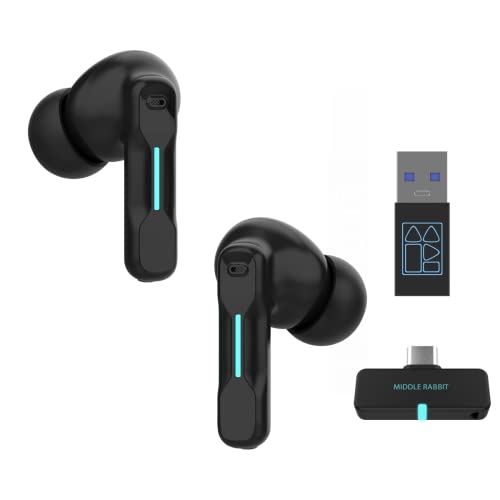
The FEDIKER SW4 Pro targets buyers who want a wireless PC headset feel in a small earbud design. It includes a USB dongle and Bluetooth, so you can choose the connection that suits your computer or phone. The listed 20ms low-latency mode is aimed at gaming. Four microphones also give the earbuds a clear focus on voice chat and online work.
This set can make sense for a student, office worker, or casual gamer who wants one affordable pair. The dongle may help older PCs that lack good Bluetooth support. I would still check your available USB ports before ordering. Its feature list is strong for the price, but buyers should keep expectations realistic about tuning and long-term support.
Pros:
- USB dongle and Bluetooth connection choices
- Listed 20ms low-latency gaming mode
- Four microphones for voice pickup
- Works with PCs, laptops, and mobile devices
- Compact alternative to an over-ear headset
Cons:
- Battery details are not clearly stated in the supplied listing
- Dongle storage and setup may take extra care
- Sound balance may not suit critical music listening
What Amazon Buyers Are Saying
Customer comments tend to discuss the convenience of the dongle, the small design, and the value for gaming or calls. Some buyers report good results with simple plug-and-play use, while others may mention fit or connection concerns. Review experiences can vary by computer and USB environment, so read current feedback before purchase.
My Recommendation
This is a sensible budget choice for PC users who want a dongle and Bluetooth in one package. I recommend it for casual gaming and calls, not for competitive play where every audio detail matters. I rate it 4.0 out of 5.
ASUS ROG Cetra SpeedNova White

The white ASUS ROG Cetra SpeedNova has the same core appeal as the black version. It supports Bluetooth and 2.4GHz wireless, which gives PC gamers a more useful connection choice than Bluetooth alone. ASUS lists Dirac Opteo tuning, adaptive ANC, and a bone-conduction AI microphone. The white finish also fits bright, clean, or white gaming setups.
Its up-to-46-hour total battery claim helps reduce charging breaks. The earbuds are also made for several platforms, including PC, consoles, mobile devices, and ROG Ally systems. Choose this edition when appearance matters as much as performance. The color does not change the need to check fit and software compatibility.
Pros:
- Dual-mode wireless for games and mobile use
- Low-lag 2.4GHz connection for compatible setups
- Adaptive ANC for busy rooms
- Strong total battery claim
- White finish suits matching desk gear
Cons:
- White surfaces may show dirt more easily
- Premium price compared with basic earbuds
- Some users may prefer a traditional gaming headset mic
What Amazon Buyers Are Saying
Buyers often highlight the clean white look, the dual wireless modes, and the ease of moving between PC and phone. Feedback may vary on comfort, ANC strength, and microphone quality in noisy rooms. These are personal areas, so I suggest checking recent reviews from users with similar devices.
My Recommendation
I recommend the white version when you want the ROG feature set and a lighter visual style. It is one of the strongest choices here for PC gaming. I rate it 4.6 out of 5.
TAGRY Bluetooth Earbuds 60H

The TAGRY Bluetooth earbuds focus on long playback and simple daily use. The listing claims up to 60 hours with the charging case and includes an LED power display. A wireless charging case adds convenience for people who already use a charging pad. The IPX5 water resistance rating also makes this pair useful for light workouts and active days.
These earbuds connect to laptops, computers, phones, and smart TVs through Bluetooth. They include microphones for calls, but they do not offer a gaming dongle in the supplied product details. That means they are better for music, video, and normal PC tasks than fast competitive gaming. Their low price and long case battery make them easy to keep in a work bag.
Pros:
- Up to 60 hours of listed total playback
- LED case display shows power status
- Wireless charging case
- IPX5 water resistance
- Works with laptops and smart TVs
Cons:
- Bluetooth may add delay in some PC games
- No listed USB gaming dongle
- Fit and call quality can vary by user
What Amazon Buyers Are Saying
Reviews commonly mention the battery display, affordable price, and easy everyday use. Buyers may also praise the case and basic sound for videos or calls. Common concerns with low-cost earbuds can include pairing behavior, fit, or uneven results across devices. Read recent comments before relying on them for important meetings.
My Recommendation
I recommend TAGRY for music, videos, travel, and general laptop use. It is not my first choice for competitive PC gaming because the listing does not show a low-latency dongle. I rate it 3.9 out of 5.
Jabra Evolve2 True Wireless Earbuds

Jabra Evolve2 True Wireless Earbuds are built around work calls rather than pure gaming. The product listing highlights active noise cancellation and four-mic MultiSensor Voice technology. It is Microsoft Teams certified and designed to work with common meeting apps. That makes it a strong fit for remote workers who use a PC all day.
The earbuds can also handle music and normal computer audio when you need a break. ANC may help reduce office noise, but it cannot remove every voice or sudden sound. I value the call-first design because many small earbuds sound fine but struggle with speech. Buyers should confirm the exact package and connection needs for their computer before ordering.
Pros:
- Four-mic voice system for calls
- Active noise cancellation
- Microsoft Teams certification
- Designed for common meeting apps
- Professional look for office use
Cons:
- Not designed mainly for low-lag gaming
- Premium office price
- Battery details can depend on use and mode
What Amazon Buyers Are Saying
Customer feedback often centers on call clarity, comfort, ANC, and work-app use. Many professional earbuds receive mixed comments about fit because people have different ear shapes. Some buyers may also discuss software, pairing, or battery behavior. Use the latest reviews to confirm performance with your own meeting platform.
My Recommendation
I recommend Jabra for remote work, Teams meetings, and busy offices. Choose another model if your main goal is fast competitive gaming. I rate it 4.4 out of 5 for PC work.
JLab JBuds Mini True Wireless Earbuds

The JLab JBuds Mini puts size first. These are tiny Bluetooth earbuds for people who dislike bulky buds or large cases. Bluetooth multipoint lets you connect with more than one compatible device, which can help when you switch between a PC and phone. The charcoal black finish also looks simple and low-key.
This model suits podcasts, music, video calls, and casual computer use. It does not include a listed 2.4GHz dongle, so I would not buy it as a serious competitive gaming tool. Its small size may improve comfort for some users, but small earbuds can also feel less secure in some ears. The best result depends on choosing the right ear tip.
Pros:
- Very small earbud design
- Bluetooth multipoint support
- Easy choice for PC and phone switching
- Light look and compact case
- Good fit for everyday listening
Cons:
- No listed 2.4GHz gaming connection
- Small controls may take practice
- Bluetooth delay may appear in games
What Amazon Buyers Are Saying
Buyers often talk about the tiny shape, comfort, pairing, and value. Some users like the small case for pockets, while others may want more battery or stronger sound. Fit comments can differ a lot because ear shape matters. Check current buyer photos and reviews if size is your main reason for choosing this pair.
My Recommendation
I recommend the JBuds Mini for small-ear comfort, travel, and basic PC listening. It is a smart value pick, but not the best true wireless earbuds for PC gaming. I rate it 4.1 out of 5.
TAGRY Bluetooth Earbuds With Charging Display

This TAGRY model gives PC users a low-cost way to add wireless sound. It lists up to 60 hours of playback with its case, plus an LED display that shows charging status. The case supports wireless charging, which helps keep cable clutter low. IPX5 water resistance adds protection for workouts and daily movement.
Bluetooth makes it suitable for laptops, computers, phones, and TVs. I see it as a general-purpose earbud rather than a gaming model because the supplied details do not mention a dedicated low-latency USB transmitter. It can work well for music, meetings, and videos when perfect sync is not critical. As always, your PC’s Bluetooth hardware can affect the result.
Pros:
- Long listed total playback time
- LED charging display
- Wireless charging case
- IPX5 water resistance
- Useful for PC, phone, and TV listening
Cons:
- No listed gaming dongle
- Bluetooth delay may affect games
- Basic microphone performance may vary
What Amazon Buyers Are Saying
Common review themes include battery life, the case display, simple pairing, and low price. Some buyers may report satisfaction with music and video use, while others may mention fit or connection issues. I suggest reading the latest comments about your PC brand before buying.
My Recommendation
This TAGRY pair is worth considering for budget PC audio and long trips. It is not my pick for voice-heavy work or fast games. I rate it 3.9 out of 5.
Middle Rabbit SW5 Gaming Earbuds

The Middle Rabbit SW5 aims at gamers who want dual-mode wireless at a lower price. It includes a 2.4G dongle and Bluetooth 5.4, so it can connect to a PC, PS5, PS4, desktop, or VR setup. The product listing claims 20ms low latency. Four built-in microphones also target team chat and calls.
This design is useful when you move between a computer and mobile device. The dongle should be the better choice for games, while Bluetooth offers simpler phone use. The supplied details do not state a total battery figure, so I would not buy it based on endurance alone. It is a practical option for buyers who value connection flexibility.
Pros:
- 2.4G dongle and Bluetooth 5.4
- Listed 20ms low-latency mode
- Four built-in microphones
- Works with PC and several consoles
- Useful for VR and desktop gaming setups
Cons:
- Battery information is not stated in the supplied details
- Dongle setup uses a USB port
- Brand support may be less familiar to some buyers
What Amazon Buyers Are Saying
Buyer feedback tends to focus on low-latency play, the dual connection, and microphone use. Some users may find the value attractive for console and PC gaming. Others may raise questions about fit, pairing, or battery behavior. Since experiences can change with each device, review the newest comments before purchase.
My Recommendation
I recommend the SW5 for budget gamers who need both a dongle and Bluetooth. It offers a useful feature set, though I would choose ASUS for stronger overall refinement. I rate it 4.1 out of 5.
JLab Go Air Pop+ True Wireless Earbuds

The JLab Go Air Pop+ is an affordable Bluetooth earbud for daily computer use. It lists up to 35 hours of playtime and uses a USB-C charging case. Dual Connect lets you use the earbuds in a flexible way, while EQ3 sound gives you sound modes to try. The violet color adds a bright look for users who do not want plain black.
This model fits music, classes, calls, and videos. It lacks a listed PC gaming dongle, so Bluetooth delay may show in games. Still, its low cost and simple controls make it a useful starter pair. I would choose it for casual laptop use rather than high-pressure voice chat or esports.
Pros:
- Up to 35 hours of listed playtime
- USB-C charging case
- Dual Connect feature
- EQ3 sound modes
- Affordable choice for everyday PC use
Cons:
- No listed 2.4GHz PC gaming dongle
- Bluetooth delay can affect games
- Call quality may not match office-focused models
What Amazon Buyers Are Saying
Customer comments often mention the price, sound modes, battery, and ease of use. Some users may like the light case and bright color. Others may discuss fit, controls, or connection stability. Compare recent feedback with your planned use before buying.
My Recommendation
I recommend Go Air Pop+ for casual PC audio, school, and mobile use. It offers good everyday value, but it is not a gaming specialist. I rate it 4.0 out of 5.
JLab Go Sport+ Workout Earbuds

The JLab Go Sport+ is made for users who need a secure workout earbud that can also connect to a PC. Its sport-focused design aims to stay in place during movement. The listing also highlights clear calling and Bluetooth. The graphite finish keeps the look simple and easy to match with gym gear.
This pair can handle music, online classes, and light computer calls. It is not a dedicated low-latency gaming product, so I would not select it for competitive PC play. The main appeal is comfort during active use. Buyers should check the fit before long sessions because ear hooks or sport shapes do not feel the same for everyone.
Pros:
- Sport-focused secure fit
- Bluetooth PC connectivity
- Clear calling feature
- Useful for workouts and active travel
- Simple graphite finish
Cons:
- No listed 2.4GHz gaming mode
- Sport fit may feel bulky to some users
- Not the best choice for serious office calls
What Amazon Buyers Are Saying
Reviews commonly discuss fit during exercise, sound, call clarity, and battery use. Buyers often value a secure design, but some may find it less comfortable than a small standard bud. As fit is personal, compare comments from users who plan similar workouts and listening times.
My Recommendation
I recommend Go Sport+ for active users who also want simple PC audio. Pick a gaming model instead if low delay is your top need. I rate it 3.9 out of 5.
How to Choose the Best True Wireless Earbuds for PC
Choosing the best true wireless earbuds for PC depends on how you use your computer. Gaming, meetings, music, and exercise need different features. Start with the connection, then check the mic, fit, battery, and price. A high rating means little if the earbuds do not suit your PC or daily routine.
1. Choose 2.4GHz for Fast PC Gaming
Bluetooth works well for music, video, and light computer tasks. But it can add a delay between an action and the sound. That delay can distract you in shooters, rhythm games, and online play. A USB 2.4GHz dongle often gives a faster link. Look for a true dual-mode model if you want both PC gaming and easy phone use.
2. Match the Microphone to Your Calls
A gaming mic and a work-call mic do not always perform the same way. Four microphones, voice processing, and noise control can help your speech sound clearer. Jabra focuses on office calls, while ASUS and the gaming models focus on game chat. Test the mic in your PC’s sound settings after pairing. Also check whether the earbuds work with Teams, Zoom, Discord, and your other apps.
3. Check Fit, Battery, and Real Value
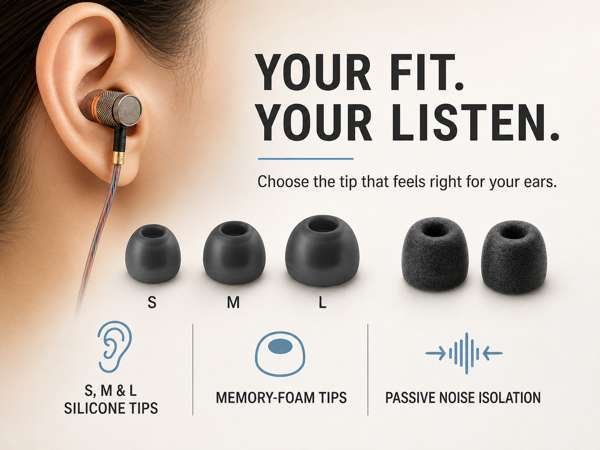
Earbuds stay useful only when they feel good. Look for several ear tip sizes and a shape that fits your ears. Compare earbud battery life with total case life. A long case claim does not mean the earbuds run that long on one charge. Finally, pay for features you will use. A budget Bluetooth pair may beat a premium gaming model if you only watch videos on your laptop.
Final Verdict: Which Should You Buy?
The ASUS ROG Cetra SpeedNova is my top choice and the best true wireless earbuds for PC gaming. It combines 2.4GHz wireless, Bluetooth, ANC, strong battery life, and broad device support.
For work calls, choose Jabra. For low-cost daily listening, choose JLab or TAGRY. For budget gaming, FEDIKER and Middle Rabbit offer useful dongle options.
FAQs Of best true wireless earbuds for pc
Can true wireless earbuds work with a Windows PC?
Yes. Bluetooth earbuds can pair with a Windows PC that supports Bluetooth. Earbuds with a USB dongle can also work with PCs that lack Bluetooth.
Are 2.4GHz earbuds better than Bluetooth for PC gaming?
Usually, yes. A 2.4GHz dongle can reduce audio delay. Bluetooth remains useful for music, calls, and connecting to phones.
What are the best true wireless earbuds for PC calls?
The Jabra Evolve2 is the strongest call-focused pick in this list. Its four-mic system, ANC, and Microsoft Teams certification suit office work.
Can I use PC earbuds with a phone?
Yes, if the earbuds support Bluetooth. Dual-mode gaming earbuds can use the dongle on a PC and Bluetooth on a phone.
Do wireless earbuds have audio delay on a PC?
They can. Bluetooth may show delay in games or video. A dedicated low-latency 2.4GHz mode usually gives better timing.

Everett Ashford is a tech reviewer at mytechgrid.com specializing in SSDs, cameras, TVs, earbuds, headphones, and other consumer electronics. He provides honest, data-driven reviews based on hands-on testing and real-world performance analysis. Everett simplifies complex tech details to help readers make smart, confident buying decisions.