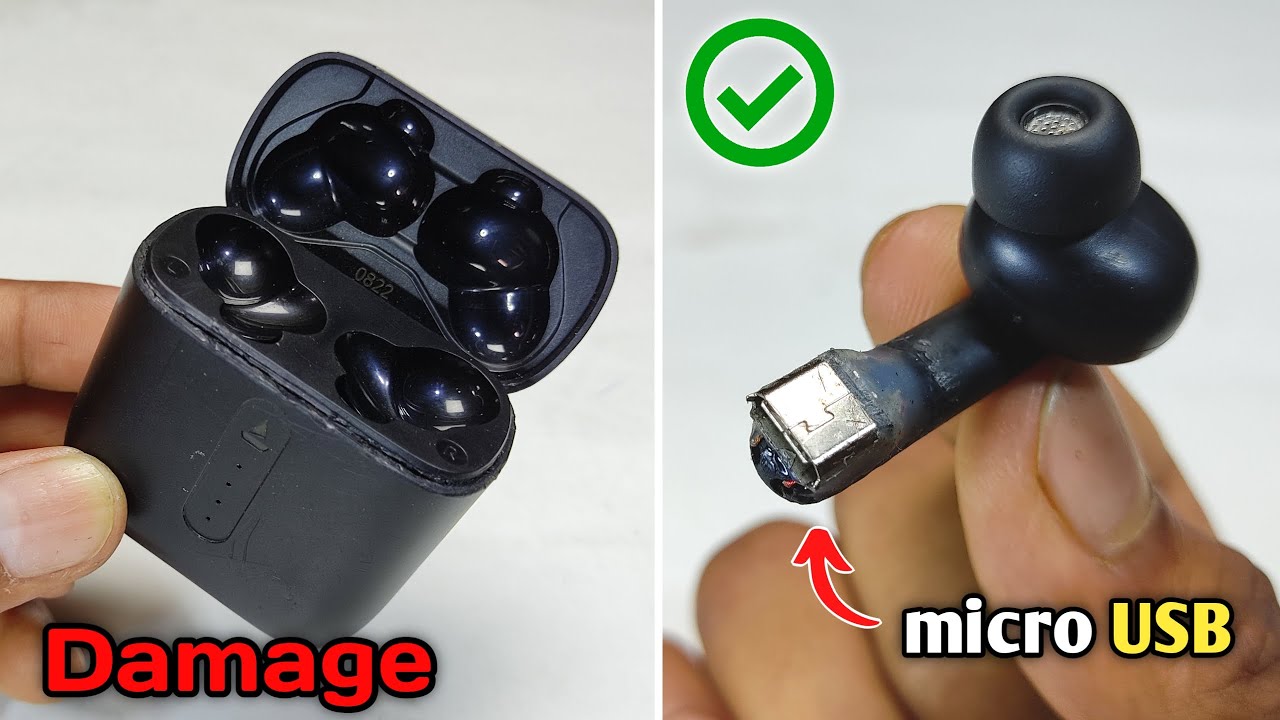
For most earbuds sold in the United States, you cannot charge the earbuds without their charging case. The case holds the battery, charging contacts, and control circuit that send power to each earbud.
You may be able to charge the case by itself, but that does not charge the earbuds unless they are placed inside it. A few specialty earbuds use a direct charging cable or another custom system, so check the manual for your exact model before trying anything else.
The short answer
Most true wireless earbuds must be placed in their charging case to recharge. AirPods, Samsung Galaxy Buds, Google Pixel Buds, Sony WF-series earbuds, and many other models use small metal contacts on the earbuds and matching contacts inside the case.


The earbuds usually do not have a USB-C, Lightning, or other charging port. The case supplies power through the contact pins. It also controls the charging rate and stops or limits power when the earbuds are full.
You can charge the case without the earbuds inside. You can also charge the case while the earbuds are inside it. But a wall charger, wireless charging pad, or USB cable normally connects to the case, not directly to the earbuds.
| Situation | Usually possible? | What you need |
|---|---|---|
| Charge the case without the earbuds | Yes | USB cable or compatible wireless charger |
| Charge the earbuds inside the case | Yes | Working case and clean contacts |
| Charge earbuds with a phone charger directly | No | Most earbuds have no charging port |
| Charge earbuds on a Qi pad without the case | No | Earbuds are not usually Qi receivers |
| Charge earbuds with a replacement case | Sometimes | The correct compatible case |
| Charge earbuds with a homemade wire or battery | Unsafe | Do not attempt |
This is also the guidance reflected in support instructions from manufacturers such as Apple, Google, and Samsung.
Why earbuds need the charging case
The charging case is more than a storage box. It is a small power system built to recharge and protect the earbuds.
Each earbud normally has:


- A small rechargeable lithium-ion battery
- Metal charging contacts
- A power-management circuit
- Bluetooth and audio hardware
- A protective charging system controlled by the case
When you put an earbud into its slot, the contacts line up. The case then sends a controlled current to the earbud. Magnets help hold the earbud in the right position.
The case also detects when the earbud is full. This helps prevent excess charging and reduces the chance of heat or battery damage. The design is similar to a docking station: the earbud is the device, and the case is both its charger and portable battery pack.
A wireless charging pad does not normally work on the earbuds themselves. Qi charging requires a compatible receiving coil and related circuitry. Most wireless earbuds place that hardware in the case, not in each small earbud.
Can the case charge the earbuds if the case is not plugged in?
Yes. A charged case contains its own battery. When you place the earbuds inside, it can recharge them even when the case is away from a wall outlet.
The case itself must later be recharged. If both the case and earbuds are empty, connect the case to power first. Some cases begin charging the earbuds after only a few minutes, while others need more time before they can provide useful power.

What to do if you lost the charging case
If you lost the case, the safest solution is to buy an official replacement case made for your exact earbuds.
Follow these steps:
- Find the exact model number. Check the original box, purchase record, phone Bluetooth settings, or the manufacturer’s app.
- Visit the manufacturer’s U.S. support or parts page. Look for a replacement charging case, not a generic earbud case.
- Confirm compatibility before buying. A case may look similar but use different charging contacts, firmware, or pairing rules.
- Pair or reset the earbuds if required. Some replacement cases need a setup process.
- Test both earbuds. Make sure each one charges, connects, and reports a battery level.
A case made for a different generation may not work. Even cases from the same brand may have different shapes, contact layouts, or software requirements.
Can you buy a universal earbud charging case?
Usually, no. There is no widely compatible universal case for true wireless earbuds.
Generic cases may protect the earbuds from scratches, but they usually do not recharge them. A charging case must match the earbud’s:
- Physical shape
- Charging contact position
- Electrical requirements
- Firmware or pairing system
- Magnet placement
- Left-and-right earbud layout
A third-party replacement may work if the manufacturer clearly lists your model. Avoid a seller that only says a case is “similar” or “compatible with most earbuds.”
Can you charge earbuds with a USB cable?
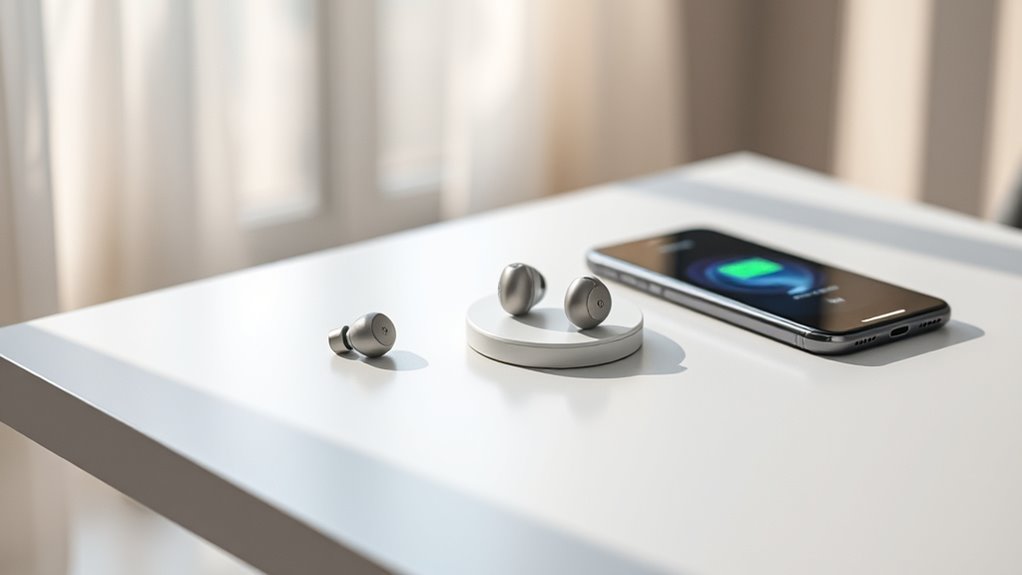
For most wireless earbuds, not directly. The USB-C or Lightning port belongs to the charging case.
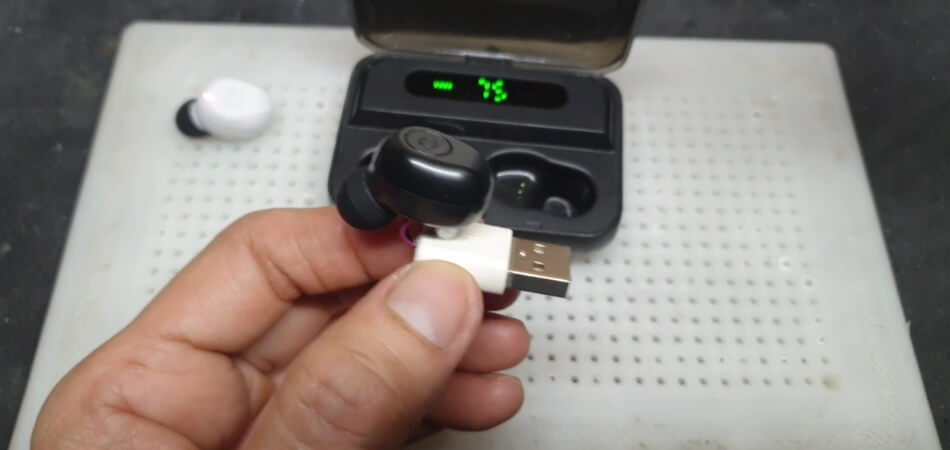
Do not press exposed wires against the metal contacts on an earbud. The contacts are not designed for casual direct charging, and the correct voltage, current, polarity, and charge control may not be obvious. A mistake can damage the battery or create a heat and fire risk.


Some products are exceptions. Certain larger wireless earphones, neckband models, and specialty hearing or sports devices may have a charging port on the device itself. If the product has a manufacturer-provided charging cable that connects directly to the earbud or earpiece, follow that manual.
The deciding test is simple: look for a documented charging port or charging accessory made for the exact model. Do not rely on the shape of a port, an online comment, or a seller’s general claim.

How to charge earbuds when the case still works
If you have the case, use the normal charging method:
- Remove dirt, wax, or moisture from the earbud contacts.
- Place each earbud in its correct slot.
- Press each one down gently so the contacts touch.
- Look for the charging light or battery symbol in the phone app.
- Connect the case to a compatible USB charger, if the case is low.
- Leave the earbuds in the case until they reach the needed charge.
Do not force an earbud into the wrong slot. If it does not sit flat, remove it and check for debris or a damaged tip.
Signs that the earbuds are charging
Common signs include:
- A case light changes color or blinks
- The earbud shows a charging symbol in the phone
- The manufacturer’s app shows a rising battery level
- The earbud becomes available after several minutes
- The case reports a separate earbud battery level
Light colors differ by brand and model. Use the manual for the exact meaning of each color.

What to check when the earbuds will not charge
If the case is available but the earbuds remain dead, check the simple and safe causes first.
1. Clean the charging contacts
Use a dry, soft cotton swab or microfiber cloth. Remove lint and earwax from both the earbud contacts and the case wells.
Do not pour liquid into the case. Do not scrape the contacts with a knife, pin, or other sharp metal object.
2. Check the case battery
A case with no power cannot charge the earbuds. Connect it to its cable for at least a short period, then check the case indicator.
If the case light never turns on, try a known-good cable and power adapter. Avoid assuming the earbuds are faulty until you confirm that the case is receiving power.
3. Reseat each earbud
Remove silicone tips or accessories that stop the earbuds from sitting fully in their wells. Place each earbud back in the correct side and press lightly.
If only one earbud charges, the issue may be a dirty contact, poor alignment, a damaged spring pin, or a worn battery.


4. Inspect for moisture or damage
Do not charge wet earbuds. Let them dry fully at room temperature. Do not use a hair dryer, oven, heater, or direct high heat.
Stop using the product if you see swelling, a cracked shell, leaking material, smoke, or unusual heat. Move it away from flammable items if you can do so safely, and contact the manufacturer or an approved repair service.
5. Check the manual and warranty
A reset may fix a pairing or battery display problem, but it will not repair a broken charging contact or failed battery. If cleaning and reseating do not help, use the manufacturer’s support process.

What not to use as a substitute for the case
Several common ideas are unreliable or unsafe:
- A wireless charging pad: Most earbuds lack the required charging receiver.
- A phone’s reverse wireless charging feature: It usually cannot send power to bare earbuds.
- A USB cable held against the contacts: This bypasses the designed safety controls.
- A power bank with loose wires: It can deliver the wrong voltage or cause a short circuit.
- Another brand’s case: The contacts and charging system may not match.
- A metal object to bridge contacts: This can short the battery or case.
- A wet cleaning method: Moisture can damage the charging circuit.
The safest rule is to use the case and cable supplied for the model, or a replacement accessory that the manufacturer identifies as compatible.

Earbuds that may be exceptions
The answer changes if the product is not a standard true wireless earbud.
You may be able to charge the device without a traditional case when it has:
- A USB-C or other documented charging port
- A built-in cable
- A charging clip designed for that model
- A neckband battery with a charging socket
- A hearing-device charging system made for the product
Some earbuds also come with a case that is required for normal charging but support a special accessory. That accessory must be listed in the product documentation.
Do not treat the presence of metal contacts as proof that direct charging is possible. Those contacts may be designed only for the matching case’s controlled output.

Frequently asked questions
Can I charge AirPods without the case?
No. Standard AirPods and AirPods Pro charge through their compatible charging case. The earbuds do not have a user-accessible charging port.
You can charge the case with a cable or, on supported models, a compatible wireless charger. The earbuds must be placed inside the case to recharge.
Can I charge Samsung Galaxy Buds without the case?
Usually, no. Galaxy Buds charge through the contacts in a compatible Galaxy Buds case. Samsung phones with Wireless PowerShare may charge the case on supported models, but that does not normally charge the bare earbuds.


Can I charge earbuds in someone else’s case?
Only if the case is officially compatible with your exact earbud model and generation. Similar size or the same brand is not enough.
Check the manufacturer’s compatibility information before using another case.
Will a replacement case charge old earbuds?
It may, but compatibility depends on the model, generation, hardware, and software. An official replacement case is the safest option.
After pairing the replacement, confirm that both earbuds charge and that the phone shows accurate battery levels.
How long do earbuds take to charge?
Charging time varies by model, battery condition, temperature, and case design. Many earbuds gain useful charge within a short period, but the exact time is set by the manufacturer.
Use the charging indicator or the manufacturer’s app rather than guessing from a universal time.
Key takeaways
- Most earbuds cannot be charged without their case.
- The case supplies controlled power through contact pins.
- You can charge the case by itself, but the earbuds must be inside it to recharge.
- A generic case, loose wire, or wireless charging pad is not a safe substitute.
- If the case is lost, find the exact model and buy a compatible replacement.
- Stop using the product if the battery swells, leaks, smokes, or becomes unusually hot.
Conclusion
For most true wireless earbuds in the United States, the charging case is an essential part of the charging system, not just a storage accessory. Without it, the earbuds normally have no safe way to receive power.
Check the model manual first. If it has no documented direct charging method, use the original case or an approved replacement. Avoid improvised wires and third-party accessories that do not clearly list your exact model.

Everett Ashford is a tech reviewer at mytechgrid.com specializing in SSDs, cameras, TVs, earbuds, headphones, and other consumer electronics. He provides honest, data-driven reviews based on hands-on testing and real-world performance analysis. Everett simplifies complex tech details to help readers make smart, confident buying decisions.