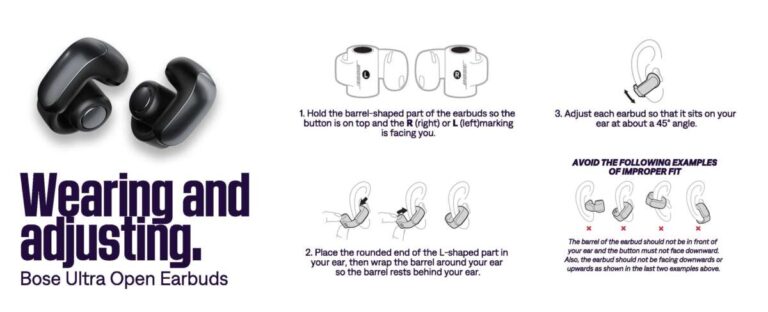
Yes. You can leave most wireless earbuds in their charging case when you are not using them. The case is made to store and charge the earbuds safely. When the earbuds reach full charge, the charging system normally reduces or stops the flow of power.
For people in the United States, this applies to common true wireless earbuds from brands such as Apple, Samsung, Google, Sony, Bose, and Jabra. Still, the best result depends on the model, the charger, and where you keep the case.
Leaving earbuds in the case is usually safer and more useful than leaving them loose in a pocket or bag. The main risks come from heat, moisture, damaged batteries, poor-quality chargers, and blocked charging contacts.


Is it safe to leave earbuds in the charging case overnight?
Yes, leaving earbuds in a charging case overnight is normally safe when the case and earbuds are in good condition.
Modern earbuds use lithium-ion batteries and charging controls. These controls manage the current as the battery fills. The earbuds do not keep taking the same high level of power after they reach full charge.
Apple says AirPods and their charging cases are designed to charge automatically. Apple also uses Optimized Battery Charging on supported devices to reduce the time that the battery stays fully charged. Samsung Galaxy Buds and Google Pixel Buds also use built-in charging controls.
However, “safe” does not mean that every charging setup is risk-free. Follow these basic rules:
- Use the charging case made for the earbuds.
- Use a reliable USB power adapter and cable.
- Keep the case on a hard, dry surface.
- Keep it away from beds, blankets, direct sun, and hot cars.
- Do not charge earbuds that are wet.
- Stop using the case if it swells, smells strange, becomes very hot, or shows damage.
The case may feel slightly warm while charging. It should not become painfully hot to touch.


Does leaving earbuds in the case overcharge them?
Usually, no. A working charging case does not continuously force maximum power into full earbuds.
The case and earbuds contain charging circuits. These circuits monitor battery voltage and reduce charging current as the battery fills. This process helps prevent the simple type of overcharging that older rechargeable batteries could suffer.
Still, battery wear can increase when a lithium-ion battery stays at or near 100% for long periods. That is not the same as dangerous overcharging. It means the battery may lose some capacity sooner over many months or years.
Battery aging depends on several factors:
| Factor | Effect on battery life |
|---|---|
| High heat | Speeds battery wear |
| Frequent full charges | May add long-term stress |
| Deep discharge | Can strain the battery |
| Fast charging | May create more heat |
| Long storage at 0% | Can harm a battery if it remains empty |
| Damaged charging parts | Can create safety risks |
Some brands use battery protection features. For example, Apple’s Optimized Battery Charging can delay charging past about 80% in some situations. The exact behavior depends on the device, software, battery level, and usage pattern.
The practical answer is simple: leaving earbuds in the case will not normally overcharge them, but heat and poor charging equipment can shorten battery life.

Should earbuds stay in the case when you are not using them?
Yes. The charging case is usually the best place to store wireless earbuds.
The case protects the earbuds from dust, drops, moisture, and misplaced parts. It also keeps the left and right earbuds together. Many earbuds enter a low-power state inside the case, which helps prevent accidental battery drain.
Storing earbuds in the case also protects the metal charging contacts. Loose earbuds can collect lint and dirt in a pocket. That dirt may stop the earbuds from touching the charging pins correctly.
Put the earbuds in the case when:
- You finish a call.
- You stop listening to music.
- You place the earbuds in a bag.
- You will not use them for several hours.
- You want the case to track and manage their charge.
You do not need to remove the earbuds each time they reach 100%. Removing them can create more handling, more drops, and more contact with dirt.
The main exception is long-term storage. If you will not use the earbuds for weeks or months, charge the earbuds and case to a moderate level, turn them off if the model allows it, and store them in a cool, dry place. Check the manufacturer’s manual for model-specific storage advice.
Does the charging case keep charging the earbuds all the time?
The case supplies power when the earbuds need it, but it should not charge them at full speed forever.


A typical charging cycle works like this:
- You place the earbuds in the case.
- The charging contacts connect.
- The case sends power to the earbuds.
- The earbuds charge quickly while the battery is low.
- Charging slows as the battery fills.
- The charging system stops or limits the current at full charge.
The case itself also has a battery. If the case is not connected to a wall charger, charging the earbuds uses some of that stored energy. If you leave the earbuds in the case for days, the case battery may become empty.
When the case battery reaches 0%, the earbuds may stop charging. They may still remain stored safely, but they could be dead when you need them.
This is why it helps to check both battery levels in the phone’s Bluetooth menu or the brand’s app. The earbud battery and the case battery are separate.
Can leaving earbuds in the case reduce battery life?
It can contribute to battery wear over a long period, but normal daily use is not likely to cause a major problem.
Wireless earbud batteries are small. They have limited capacity and are designed for repeated charging. Each time the earbuds use power and then recharge, they complete part of a charge cycle.
For example, using 50% of the battery today and 50% tomorrow is roughly equal to one full cycle. The exact calculation varies by brand and battery system.
Keeping earbuds at 100% for long periods may add some stress. Heat makes that effect worse. But taking the earbuds out every time they reach full charge is not a practical way to prevent all battery aging.
A better routine is:
- Store the earbuds in the case after use.
- Avoid leaving the case in a hot car.
- Charge the case before it becomes completely empty.
- Use the brand’s battery protection feature if available.
- Replace the earbuds when battery life no longer meets your needs.
Rechargeable batteries naturally lose capacity with age. No storage habit can stop that process completely.

How to keep earbuds and the charging case healthy
Good charging habits are simple. The goal is to control heat, moisture, dirt, and physical damage.
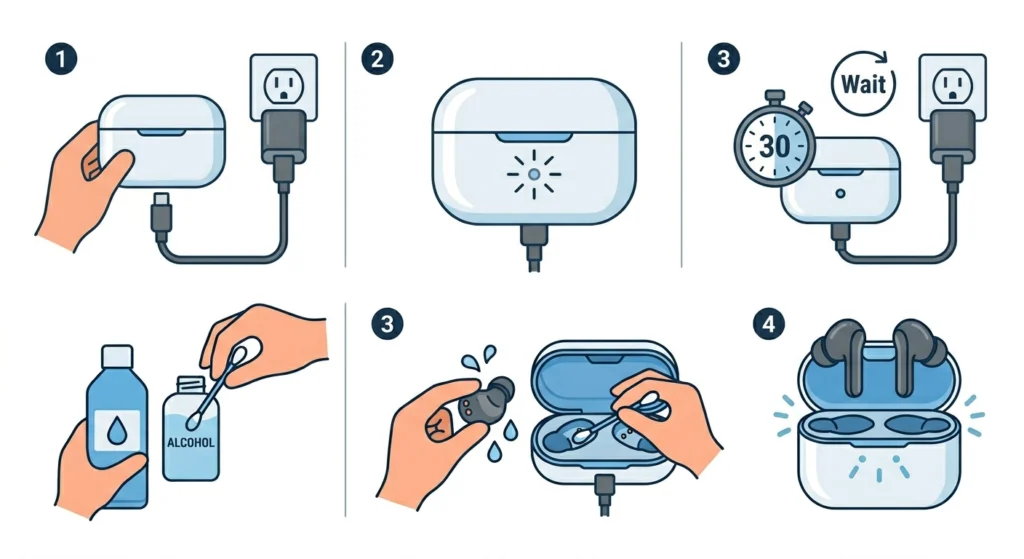
1. Keep the charging contacts clean
The earbuds and case use small metal contacts. Earwax, skin oil, lint, and dust can block the connection.
To clean them:


- Remove the earbuds from the case.
- Use a dry, soft cotton swab or clean, dry cloth.
- Wipe the contacts gently.
- Do not pour liquid into the case.
- Do not scrape the contacts with a sharp metal tool.
If the manufacturer permits it, follow its cleaning instructions. Apple, Samsung, Google, and other brands may give different advice for specific models.
2. Dry the earbuds before charging
Sweat-resistant does not mean waterproof. Water or sweat inside the charging contacts can cause poor charging or corrosion.
After exercise, wipe the earbuds with a dry cloth. Let them dry fully before placing them in the case. Do not use a hair dryer or place them on a heater.
3. Avoid extreme heat
Do not leave a charging case:
- In a parked car during hot weather.
- On a windowsill in direct sun.
- Under a pillow or blanket.
- Near a stove, radiator, or heater.
- Inside a sealed bag while it is hot.
Heat can reduce battery capacity and, in rare cases, create a safety hazard.
4. Use suitable charging equipment
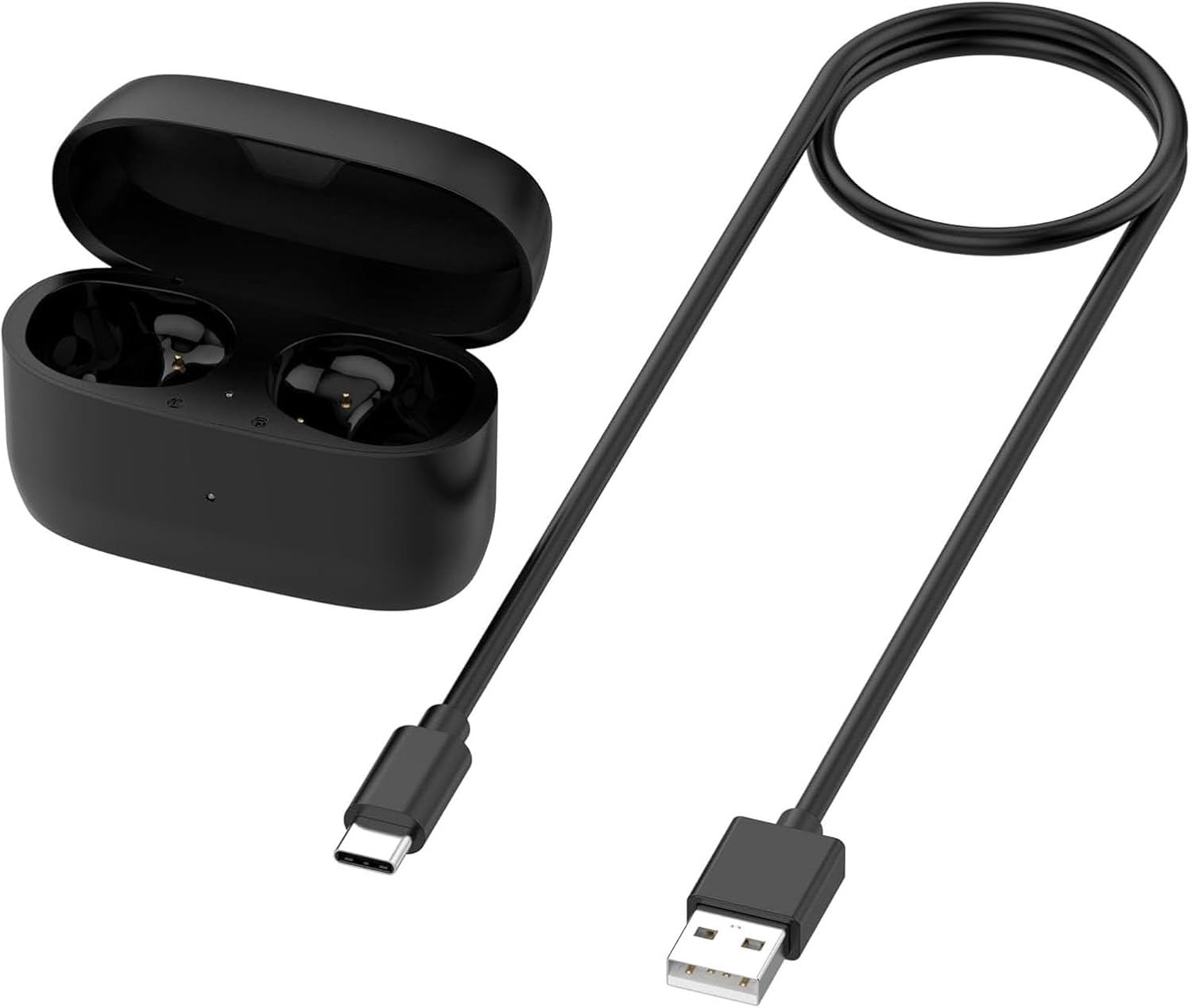
A trusted charger that meets the manufacturer’s instructions is the safest choice. Avoid damaged cables, loose adapters, and unknown low-cost chargers with no clear safety information.
A USB-C cable does not automatically make every power adapter suitable for every device. The case controls the power it accepts, but damaged or poorly made charging equipment can still create problems.
What if the earbuds keep charging and draining the case?
If the case loses power quickly, the earbuds may not be entering their normal low-power state. Several causes are possible.
Check these items in order:
-
Confirm that both earbuds sit correctly.
Look for the charging indicator or battery reading. -
Clean the charging contacts.
Dirt can cause the earbuds to connect and disconnect repeatedly. -
Check for a stuck sensor or button.
Some cases may react incorrectly if the lid or pairing button is damaged. -
Update the earbuds and companion app.
Firmware updates sometimes fix charging or connection problems. -
Reset and pair the earbuds again.
Use the manufacturer’s reset steps. A reset can solve software or pairing errors. -
Test the case with one earbud at a time.
This may show whether one earbud has a battery fault. -
Contact the manufacturer if the problem continues.
A worn battery, damaged charging pin, or case fault may need service.


If the case becomes hot, swells, leaks, or smells unusual, stop charging it. Place it away from flammable items and contact the manufacturer or an appropriate electronics-recycling service for guidance. Do not open or puncture the battery.

Should you remove earbuds from the case when the case is plugged in?
In most cases, you do not need to remove them. The earbuds and case can usually charge at the same time.
Keeping the earbuds inside lets the case charge both its own battery and the earbud batteries. The charging order varies by brand and model. Some cases may charge the earbuds first, while others manage both loads together.
Remove the earbuds only if:
- The manufacturer tells you to.
- The case becomes unusually hot.
- The earbuds or case are wet.
- The charging contacts show damage.
- You need to use the earbuds while the case charges.
Do not use the case as a charger if the case has a cracked shell, exposed wires, liquid damage, or a swollen battery.

Charging case habits: quick decision guide
| Situation | Best action |
|---|---|
| Earbuds are dry and working normally | Leave them in the case |
| Earbuds are slightly warm after charging | Let them cool; avoid heat |
| Earbuds are wet from rain or exercise | Dry them before storage or charging |
| Case is hot to the touch | Unplug it and stop using it until checked |
| Case battery drains overnight | Clean contacts and check for faults |
| Earbuds are not used for months | Store them partly charged in a cool, dry place |
| Charging pins are dirty | Clean them gently with a dry tool |
| Battery is swollen or leaking | Stop use and seek manufacturer or recycling guidance |

Common mistakes to avoid
Several habits can cause problems even when the earbuds themselves are working properly.
Charging inside a closed bag
A bag can trap heat. This is worse when the case is connected to a power bank or wall adapter.
Storing wet earbuds in the case
The case can trap moisture against the charging contacts. Dry the earbuds first.
Using a damaged cable
A frayed cable can disconnect, heat up, or fail to charge the case correctly.
Cleaning with too much liquid
Liquid can enter the case and damage its battery or circuit board. Use the maker’s cleaning method.
Ignoring a fast-draining case
A case that drops from full to empty much faster than usual may have a worn battery or contact problem.
Assuming every case is interchangeable
Most earbuds need their original charging case or a case made for that exact model. A different case may not fit, pair, or charge correctly.

Frequently asked questions
Can I leave earbuds in the case for a week?
Yes, if the case and earbuds are in good condition and stored in a cool, dry place. The case battery may drain during that time. For storage lasting months, follow the brand’s long-term storage instructions.
Is it better to leave earbuds at 80% instead of 100%?
A lower charge level may reduce long-term battery stress, but the difference is not usually worth removing the earbuds after every use. Avoiding heat is more important for most people.
Can I charge earbuds without the case?
Usually not. True wireless earbuds normally rely on the case’s charging contacts. Some models may support a special charging accessory, but the product manual should confirm this.
Why are my earbuds at 100% but the case is losing charge?
The case uses its own battery to recharge the earbuds. If the earbuds repeatedly wake up, lose contact, or have a software fault, the case may drain faster than expected. Clean the contacts and check the connection.
Is it safe to charge the case overnight?
Usually, yes, when the case, cable, and power adapter are undamaged and placed on a hard, open surface. Do not charge it under bedding or in a hot location.
Bottom line
You can leave most wireless earbuds in their charging case. That is their intended storage method and usually protects them from dirt, drops, and battery drain.
For the best battery life, keep the earbuds and case dry, cool, and clean. Use reliable charging equipment, watch for unusual heat or swelling, and follow the instructions for your exact model. If the case drains rapidly or becomes hot, stop normal charging and investigate the problem rather than continuing to use it.


Everett Ashford is a tech reviewer at mytechgrid.com specializing in SSDs, cameras, TVs, earbuds, headphones, and other consumer electronics. He provides honest, data-driven reviews based on hands-on testing and real-world performance analysis. Everett simplifies complex tech details to help readers make smart, confident buying decisions.