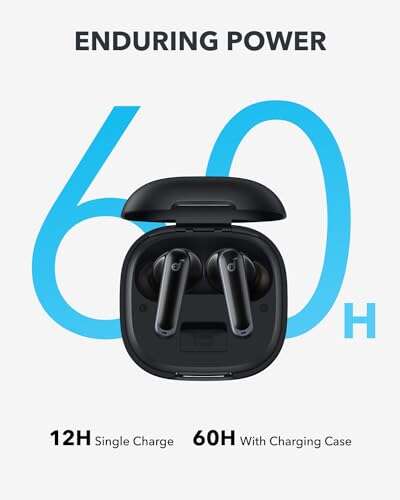
Yes. Most true wireless earbuds charge while they sit inside a closed charging case. The case sends power through small metal contacts on the earbuds. Closing the lid usually does not stop that process.
The earbuds must be seated correctly, the case must have enough battery power, and the charging contacts must be clean. If any of these conditions fail, the earbuds may stay at the same battery level even though the case is closed.

How earbud charging works
A charging case is a small battery pack with built-in charging contacts. When you place the earbuds inside, each earbud touches a contact in its matching slot. The case then transfers power to the earbud battery.


The lid mainly protects the earbuds and helps the case save power. It does not normally control the charging connection.
A typical charging cycle works like this:
- You place the left and right earbuds in their matching slots.
- The contacts touch the charging points.
- Small indicator lights may turn on.
- The case battery sends power to the earbuds.
- The earbuds stop drawing full power when their batteries are full.
- The case may enter a low-power state after the lid closes.
The earbuds may still charge when the case is connected to a wall charger. They may also charge from the case’s internal battery when the case is not connected to a charger.
This behavior is common across products such as Apple AirPods, Samsung Galaxy Buds, Google Pixel Buds, and many other true wireless models. Exact light patterns, charging limits, and battery settings vary by model.
Does Bluetooth need to stay on?
No. Bluetooth is not required for the physical charging process.
Bluetooth helps your phone report battery levels and connection status. The electrical charging path works through the case contacts, even if your phone is far away or Bluetooth is turned off.


If you close the case and the earbuds disconnect from your phone, that is usually a sign that the case has entered its normal low-power mode—not a sign that charging stopped.

What must be true for earbuds to charge in a closed case?
Closing the lid is enough only when the rest of the charging conditions are met. Check these four points.
The case needs battery power
A case with a dead battery cannot charge the earbuds unless it is connected to a charger.
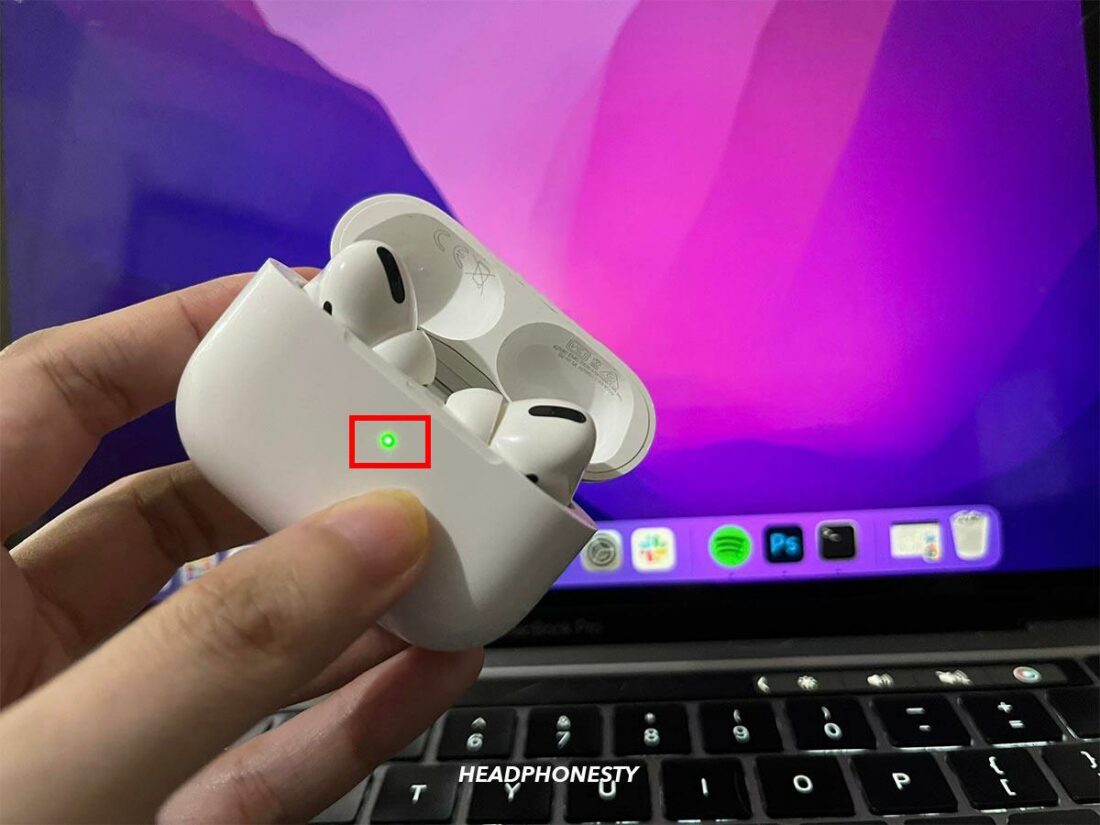
Some cases show a light when you open the lid. That light may indicate the case status, the earbud status, or both. A light does not always prove that each earbud is charging.
If the case battery is low, connect it to a USB charger. Keep the earbuds inside while the case charges. Many models can charge the earbuds and the case at the same time.
Each earbud must sit in the correct slot
The left earbud belongs in the left slot, and the right earbud belongs in the right slot. The shape of each bay usually guides the earbud into place.
Press each earbud down gently. Do not force it. You should often see a charging light, hear a tone, or see a charging symbol in the phone app.
A silicone ear tip, wing, skin, or other accessory can prevent the earbud from sitting low enough to touch the contacts. If charging fails after adding an accessory, remove it and test the earbud again.
The metal contacts must touch
Earwax, dust, skin oil, moisture, and pocket lint can block the charging path. A dirty contact may look clean but still prevent a reliable connection.
The earbud contacts and the spring-loaded pins inside the case must meet. If one pin is stuck, the case may charge one earbud but not the other.
The case and earbuds must be compatible
Use the case made for that earbud model. A similar-looking case may not have the same contact layout, battery controls, or firmware support.
Replacement cases can also create problems if they are damaged, counterfeit, or made for a different generation. Check the model number before buying a replacement.

How to tell if earbuds are charging
The most reliable sign is a rising battery level after a short test. Lights and phone messages are useful, but they can be misleading.


Look for these signs:
- The earbud shows a charging symbol in the manufacturer’s app.
- The case light changes color or blinks according to the model’s manual.
- Your phone displays a charging icon.
- The earbuds disconnect or enter a low-power state after the lid closes.
- The battery percentage increases after 10 to 15 minutes.
- The case battery level drops slightly while it powers the earbuds.
Battery percentages may not update at once. Some phones show the last known reading until you open the case or reconnect the earbuds.
For a simple check, place both earbuds in the case, close the lid, and wait 15 minutes. Then open the case near your phone and check the battery levels. A small increase is normal. If one earbud has not gained power, test that earbud and slot separately.
Why does the case light turn off?
A light turning off does not necessarily mean charging stopped. Many cases turn off their LEDs after a few seconds to save power.
The light may also turn off when:
- The earbuds reach full charge.
- The lid closes.
- The case enters sleep mode.
- The case battery is too low.
- The case detects no earbud in the slot.
Use the product’s manual or app to confirm what each light pattern means. LED colors are not the same across brands.

What to do if earbuds do not charge when the case is closed
Follow the checks in this order. Start with the simplest and safest cause.
1. Charge the case
Connect the case to a known working USB charger and cable. Leave it connected for at least 15 minutes.
If the case has a wireless charging feature, test it with a compatible charging pad. Place the case at the center of the pad. Remove thick covers that may block the charging coil.
If the case shows no light at all, try another cable, power adapter, or outlet. Do not assume the earbuds are faulty until you confirm that the case can receive power.
2. Reseat the earbuds
Remove both earbuds. Check that no ear tip or debris blocks the slots. Put each earbud back in its matching bay and press it down gently.
A good fit should feel stable. If the earbud pops up, rocks from side to side, or does not trigger a light or sound, it may not be touching the contacts.
3. Clean the contacts
Turn off charging power before cleaning. Use a dry, soft cotton swab or a clean, dry microfiber cloth.
Wipe:


- The metal charging contacts on each earbud.
- The contact pins or pads inside the case.
- The area around each charging slot.
Do not pour liquid into the case. Avoid sharp metal tools, abrasive cleaners, and force on the small spring pins.
If the earbuds were exposed to sweat or rain, let them dry fully before placing them in the case. Water trapped inside the case can cause corrosion or a short circuit.
4. Check for a stuck contact pin
Look at the pins inside the case. They should move slightly and return to position. A pin that stays down may not touch the earbud.
Do not pry the pin up with a needle or paper clip. If gentle cleaning does not free it, contact the manufacturer or an authorized repair service.
5. Check each earbud separately
Put only the left earbud in the case. Check whether it charges. Then repeat with the right earbud.
This test helps separate the problem:
| Result | Likely cause |
|---|---|
| Both earbuds fail to charge | Dead case, dirty case contacts, or case fault |
| Only one earbud fails | Dirty contact, poor fit, damaged earbud, or stuck pin |
| Earbuds charge only with the lid open | Lid sensor, case firmware, or mechanical alignment issue |
| Battery rises but falls quickly | Aging earbud battery or battery reporting error |
| Case charges but earbuds do not | Earbud contacts or case charging circuit problem |
6. Restart or reset the system
Many wireless earbud systems allow a reset through the case button or companion app. The steps differ by brand and model.
A reset can fix a battery display or connection error. It cannot repair a broken contact, damaged battery, or water-damaged case.
Read the model-specific instructions before resetting. A reset may remove saved Bluetooth pairings, so you may need to pair the earbuds again.
7. Seek service when the fault remains
Stop using the device if the case becomes very hot, smells unusual, swells, leaks, or shows signs of burning. Disconnect it from power and contact the manufacturer.
Do not open an earbud case yourself. The batteries are small lithium-ion cells, and puncturing or crushing one can cause fire or injury.
Do earbuds keep charging after they reach 100%?
Usually, no. Modern earbud cases use charging controls that reduce or stop the main charge when the earbuds are full.
The case may still check the battery level or provide small maintenance charges. That does not mean the earbuds receive unlimited full-power charging.
Some brands offer optimized or battery-protection charging. These features may hold the earbuds below 100% for a time and finish charging near a predicted usage period. The exact behavior depends on the model, app settings, and software.


Leaving earbuds in the case overnight is generally part of normal use when the case and earbuds are undamaged. Still, avoid high heat. Do not leave the case in a hot car, on a radiator, under bedding, or in direct sun while charging.
Can a closed case drain the earbuds?
A healthy case should not drain the earbuds quickly. A small amount of power may be used for battery checks and maintenance.
Unexpected battery loss can result from:
- Earbuds that are not fully seated.
- Dirty contacts that cause repeated charge attempts.
- A case with a worn battery.
- Firmware or battery-reporting errors.
- A lid that does not close fully.
- Earbuds that remain partly awake because of poor contact.
- Extreme heat or cold.
If the earbuds lose a large amount of charge while stored, clean the contacts and check the fit first. Then update the manufacturer’s app and firmware if an update is available.

Do earbuds charge faster with the case open?
Usually, the lid position does not make a meaningful difference. Charging speed depends more on the earbud battery, case battery, temperature, and charging system.
Some models use the lid or a sensor to detect whether the earbuds are stored. A damaged hinge, lid sensor, or case shell can cause unusual behavior. If the earbuds charge only while the lid is open, that is not normal for most models and deserves troubleshooting.
Do not leave the lid open as a permanent workaround if the case is designed to protect the earbuds when closed. An open lid can expose the contacts to dirt and can make the earbuds easier to knock out of their slots.
Does the case charge while it is closed?
The case itself can charge with the lid open or closed in most designs. Connect it to a USB charger, or place it on a compatible wireless charging pad if the model supports wireless charging.
The case battery and earbud batteries are separate. The case may charge from the wall while also charging the earbuds. Charging performance can vary if the adapter is weak, the cable is damaged, the pad is misaligned, or the case is too hot or cold.
A charging case does not create power on its own. When it is not connected to a charger, it uses its internal battery to charge the earbuds. Once that battery is empty, the case can no longer refill them.

Common mistakes to avoid
Avoid these habits because they can cause false charging problems or damage the case:
- Placing the left earbud in the right slot.
- Closing the lid before the earbuds are fully seated.
- Cleaning contacts with water or household spray.
- Using a needle to move a stuck charging pin.
- Storing wet earbuds inside the case.
- Assuming a dark LED means the earbuds are not charging.
- Using a replacement case made for a different model.
- Leaving the case in extreme heat.
- Charging a swollen or damaged case.
- Checking the battery level only once instead of comparing it after a timed test.
The safest approach is simple: keep the contacts dry and clean, use the correct case, and replace damaged equipment rather than forcing a repair.
Frequently asked questions
Do earbuds charge if the case is closed and not plugged in?
Yes, if the case has stored battery power. The case uses its internal battery to charge the earbuds. If the case battery is empty, the earbuds will not charge until you connect the case to power.
Do earbuds charge while the case is charging?
Most models can charge both the earbuds and the case at the same time. The case may divide power between them, so the total charging time can vary.
Why does one earbud charge but not the other?
The most common causes are a dirty contact, poor seating, a stuck case pin, or a problem with the individual earbud battery. Clean and reseat the affected earbud, then test each side by itself.
Can I use the earbuds while they are in the charging case?
No. Earbuds normally stop playing when they enter the case. They must be removed from the case to connect and play audio.
Is it safe to leave earbuds in the case overnight?
For an intact, undamaged product used within its normal temperature range, overnight storage and charging are normal. Stop using the case if it becomes unusually hot, swells, smells burnt, or shows physical damage.
Bottom line
Yes, earbuds normally charge when the case is closed. The lid does not usually interrupt charging. The case must have power, each earbud must sit correctly, and the contacts must be clean and aligned.
If charging fails, charge the case, reseat the earbuds, clean the contacts with a dry cloth, and test each earbud separately. If the case becomes hot, swollen, wet, or damaged, stop using it and contact the manufacturer.
Sources and scope
This guide reflects the common charging design used by true wireless earbuds. Exact light signals, reset steps, charging limits, and battery features vary by model.
For model-specific instructions, use the support documentation for your product:
- Apple Support: Charge your AirPods and learn about battery life
- Google Pixel Buds Help
- Samsung Support for Galaxy Buds
- The printed manual or official support page for your exact earbud model
Conclusion
A closed charging case is the normal storage and charging position for most wireless earbuds. A dark light or a Bluetooth disconnect does not automatically mean charging stopped.
Check the case battery, earbud fit, and charging contacts first. Those three checks solve many charging problems without a reset or replacement.

Everett Ashford is a tech reviewer at mytechgrid.com specializing in SSDs, cameras, TVs, earbuds, headphones, and other consumer electronics. He provides honest, data-driven reviews based on hands-on testing and real-world performance analysis. Everett simplifies complex tech details to help readers make smart, confident buying decisions.