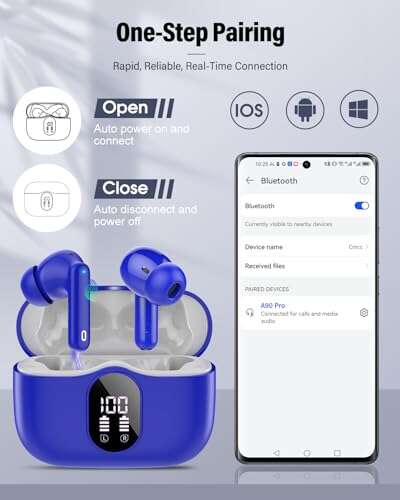
Open your phone's Bluetooth or companion app to see each earbud and case charge levels.
I’ve spent years testing earbuds and troubleshooting battery quirks. If you want clear, reliable steps on how to check earbud battery, this guide walks you through every common method. Read on and you’ll learn simple checks for iPhone, Android, Windows, and the earbuds’ charging case, plus tips to get accurate readings and fix errors.

Why it matters to check earbud battery
Knowing how to check earbud battery helps you avoid sudden drops in sound. You get better call quality and fewer mid-run shutdowns. It also helps you plan charging so the case and buds last longer overall.

How to check earbud battery — step-by-step methods
Below are the most common ways to check earbud battery. I use these daily when I test headphones. Pick the one that matches your device.
1. Check via your phone’s Bluetooth menu
- On iPhone: Open Settings > Bluetooth. Tap the info icon next to the connected earbuds. Battery percent often shows under the device name.
- On Android: Open Settings > Connections > Bluetooth. Some phones show earbud battery directly. If not, open the quick settings Bluetooth tile.
- Note: Not all phones show precise percent. Some show only general low/medium/high status.
2. Use the manufacturer’s companion app
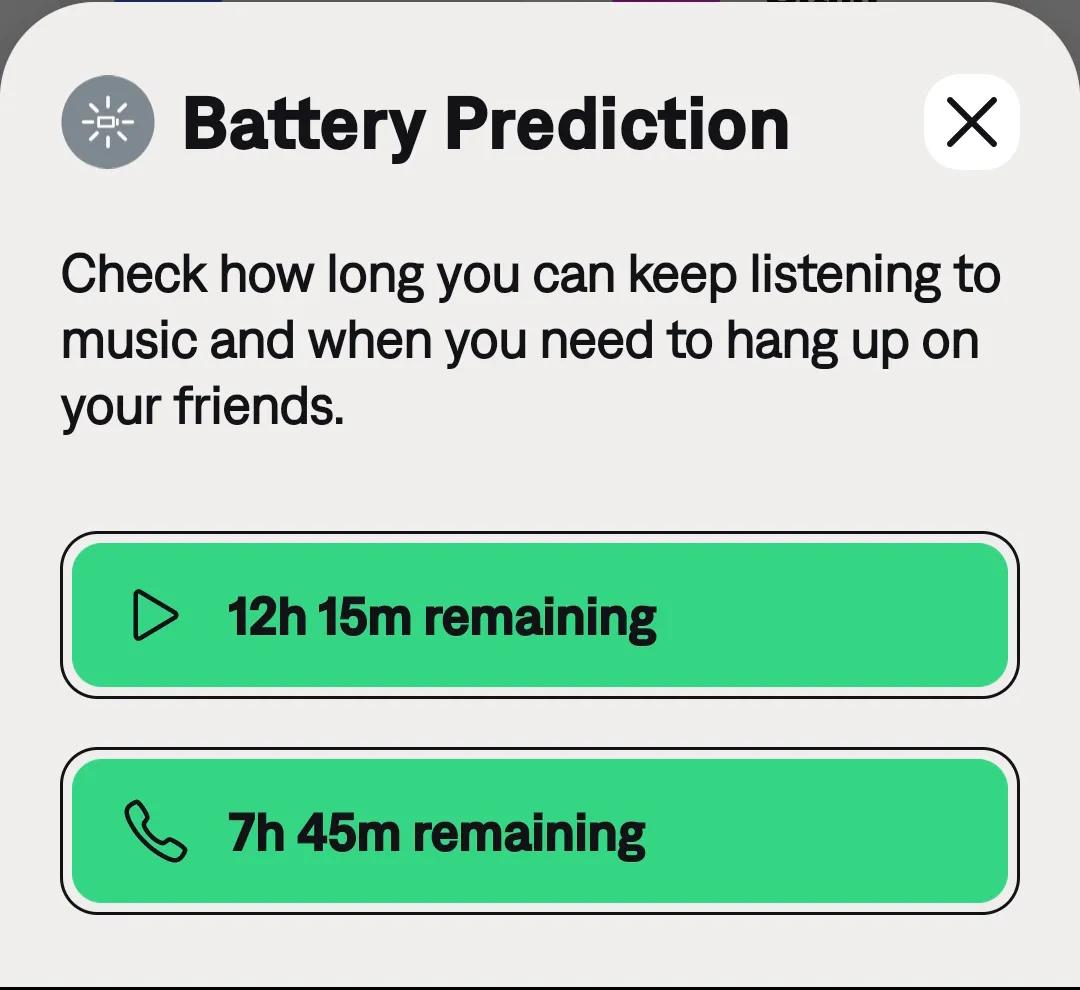
- Many brands provide an app that shows each earbud and case percent. Open the app while the earbuds are connected.
- Apps often include more detail like wear time and charging cycles. I rely on apps for exact numbers when testing battery life.
3. Look for LED indicators on the case and buds
- Single, multi-color LED lights tell charge status. Common colors:
- Green: charged or near full
- Amber/orange: mid level
- Red: low
- Some cases flash while charging. Check the manual for your brand’s LED meanings.
4. Voice prompts and audio alerts
- Many earbuds announce battery levels when you connect them or press a button. Listen for “Battery at 80 percent” or similar.
- If you don’t hear prompts, enable them in the companion app.
5. Use the charging case to check total charge
- Place buds in the case and close the lid. The case LED may show combined status.
- Open the case near your phone. Some earbuds push a popup on iPhone or Android showing both case and bud levels.
6. Check on computer or other Bluetooth hosts
- On Windows: Open Settings > Devices > Bluetooth & other devices. Click the earbuds to see battery in newer Windows builds or the Bluetooth flyout.
- On macOS: Click the Bluetooth icon in the menu bar while the buds are connected. The menu often displays left and right battery levels.
7. Third-party apps and widgets
- If native options are limited, use a trusted third-party Bluetooth battery app or widget on Android. These read battery levels from the Bluetooth profile.
- Be cautious: choose apps with good reviews and privacy policies.
Quick real-life examples and my experience
- I once thought a pair of buds died after a 30-minute run. The companion app showed the left bud at 5 percent and the right at 40 percent. That told me an uneven drain issue, not a dead pair.
- When testing new models, I always check battery with the app, Bluetooth menu, and LED. This triple-check reduces false readings and gives a clear picture of battery health.

Tips to get accurate battery readings
- Keep firmware updated. Firmware fixes often improve battery reporting.
- Fully charge the case and earbuds, then check the reading again. Partial charges can confuse status reports.
- Re-pair if readings look wrong. Unpairing and reconnecting can reset battery reporting.
- Use the right app. The official companion app usually gives the most accurate numbers.
- Avoid third-party chargers that supply odd voltages; they can misreport battery state.
Troubleshooting when battery shows wrong or uneven levels
- Reset the earbuds. Most issues clear after a factory reset found in the manual.
- Clean charging contacts. Dirt can stop proper charging and cause wrong readings.
- Test each bud alone. Put one bud in the case and connect the other. This helps spot a single bad bud.
- Check for firmware updates. Updated firmware fixes many battery read bugs.
- If one bud drains faster, contact support. It may be a defective cell.

How to extend earbud battery life
- Reduce maximum volume. Higher volume uses more power.
- Turn off extra features like active noise cancellation when not needed.
- Store in the case when not in use. This keeps them charged safely.
- Avoid extreme heat or cold. Batteries dislike both and may show erratic levels.
- Charge regularly but avoid leaving the case plugged in at 100% for long periods.
People also ask — common quick questions
Q: Can I check the earbud battery without the app?
A: Yes. Use your phone’s Bluetooth menu, the case LEDs, or voice prompts if the app is not available.
Q: Why do my earbuds show different battery levels?
A: Each earbud has its own battery and usage pattern. One side may handle calls or be a primary bud, so it drains faster.
Q: Do the charging case and earbuds show separate levels?
A: Most modern models show both. The companion app or phone popup often lists earbud left, earbud right, and case percent.

Frequently Asked Questions of how to check earbud battery
How do I view earbud battery on iPhone?
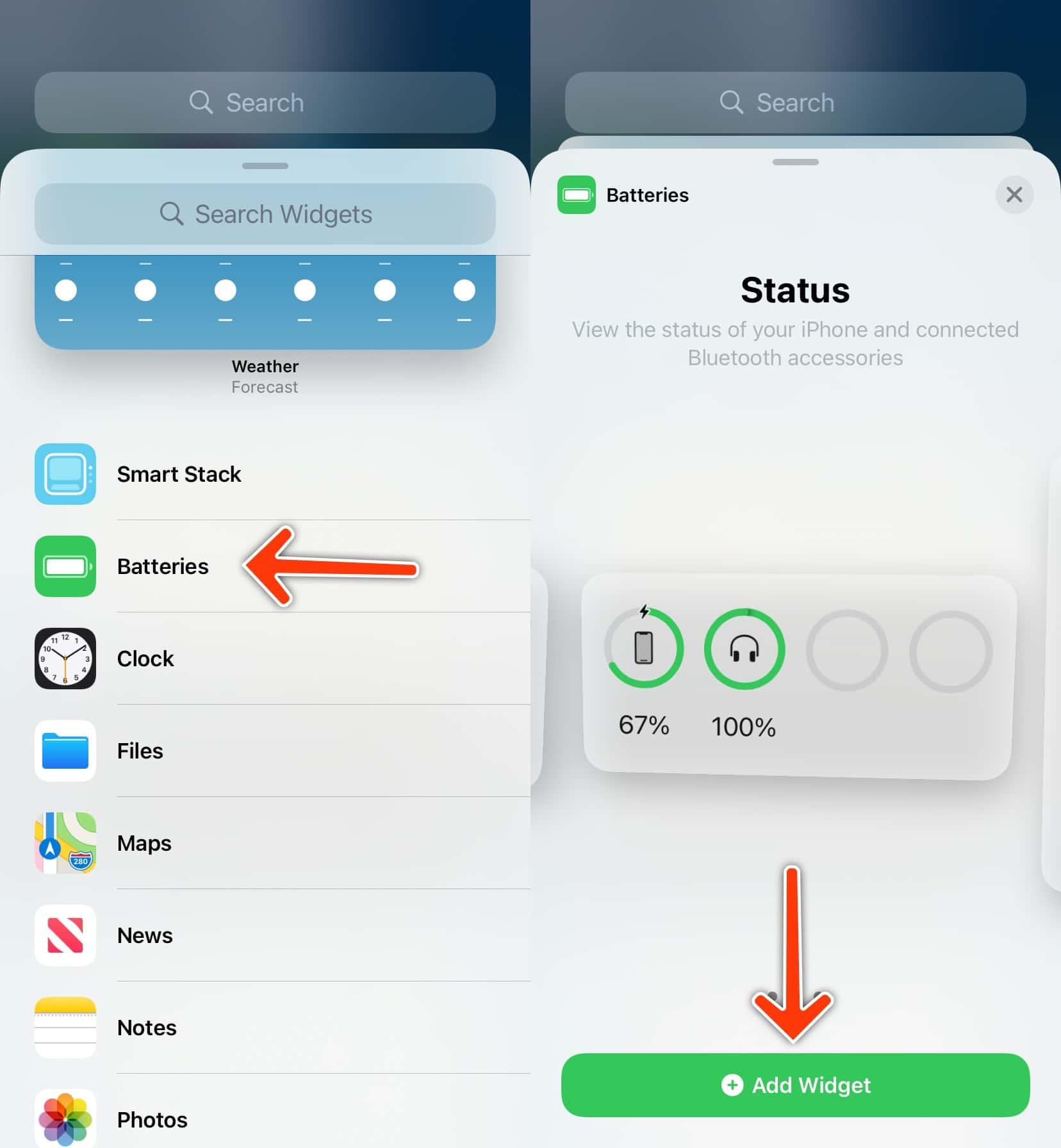
Open Settings > Bluetooth, or use the batteries widget, or check the brand’s app for detailed percent values.
How do I view earbud battery on Android?
Open Bluetooth settings or the quick settings tile, or use the manufacturer app or a trusted third-party widget for detailed numbers.
What do the LED colors mean on earbuds?
Different colors mean charge levels: green is high, amber is medium, and red is low. Check your manual for brand-specific meanings.
Why does one earbud die faster than the other?
One bud may handle calls, be the primary audio channel, or have a weak cell. Firmware bugs can also cause uneven drain.
My phone shows no battery info. What do I do?
Update firmware, install the companion app, or reset and re-pair the earbuds. If that fails, contact the maker for support.
Can battery readings be wrong after an update?
Yes. Updates can temporarily misreport levels. Reboot devices and check again. If wrong persists, re-pair or reset the earbuds.
Conclusion
Learning how to check earbud battery is simple and saves you from sudden shutdowns and bad calls. Use the phone’s Bluetooth menu, the companion app, LEDs, or voice prompts to check levels. Keep firmware updated and follow the tips above to get the best, most accurate readings. Try the steps now on your earbuds and leave a comment about what worked for you.

Jamie Lee is a seasoned tech analyst and writer at MyTechGrid.com, known for making the rapidly evolving world of technology accessible to all. Jamie’s work focuses on emerging technologies, product deep-dives, and industry trends—translating complex concepts into engaging, easy-to-understand content. When not researching the latest breakthroughs, Jamie enjoys exploring new tools, testing gadgets, and helping readers navigate the digital world with confidence.