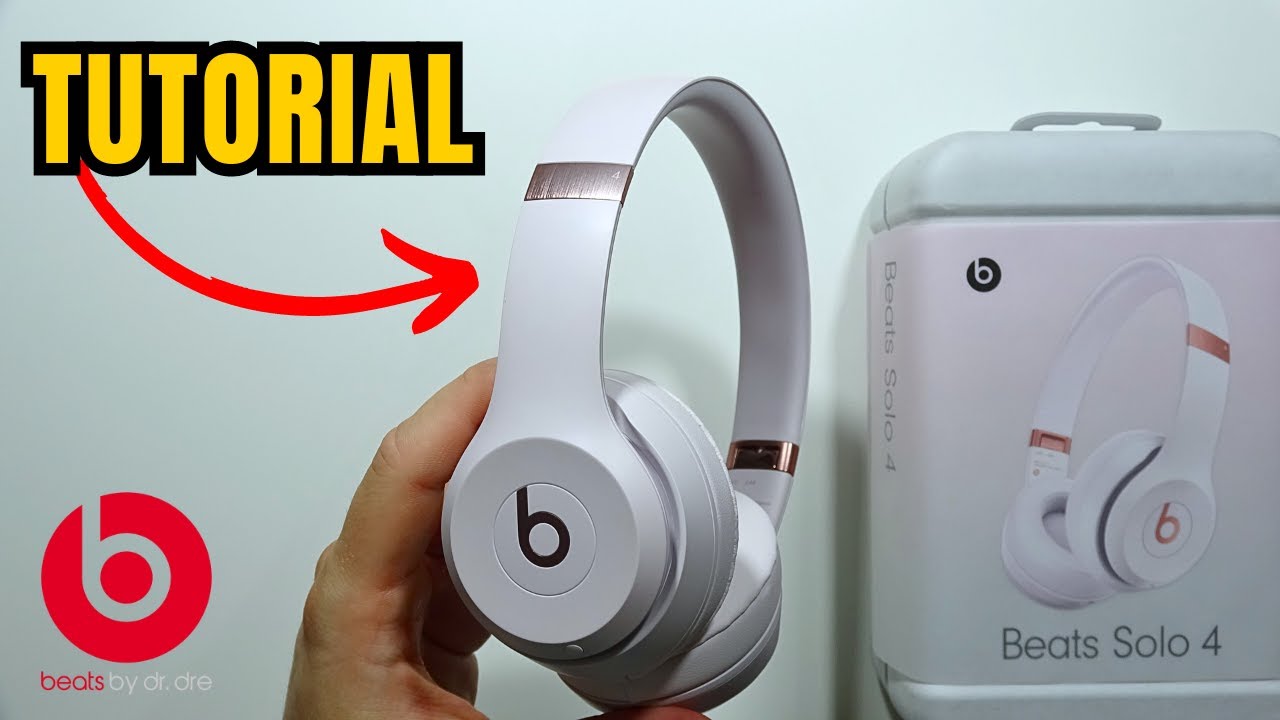
Use gentle, dry cloths and a mild isopropyl mix to clean Beats Solo 4 headphones safely.
I’ve cleaned dozens of headphones, including Beats Solo 4, and I’ll walk you through every safe step. This guide shows why and how to clean Beats Solo 4 headphones properly, what supplies to use, best practices, and mistakes to avoid. You’ll get clear, tested tips that protect the sound, finish, and electronics of your Solo 4 while keeping them hygienic and fresh.
Why cleaning matters for your Beats Solo 4 headphones
Dirt, sweat, and oil clog fabric, corrode metal, and dull finish. Regular cleaning keeps the cushions soft, the headband intact, and the sound clear. When you learn how to clean Beats Solo 4 headphones correctly, you avoid voiding warranties and damaging electronics. I’ve seen users ruin ear cup mesh by using too much liquid. Simple care extends the life of your Solo 4 and keeps them looking and sounding new.

What you need before you start
Gathering the right tools prevents accidents. Use gentle supplies and avoid household cleaners that contain bleach or harsh solvents.
- Soft microfiber cloth for wiping surfaces.
- Cotton swabs for tight spots and mesh edges.
- Small soft brush or toothbrush with fine bristles.
- Isopropyl alcohol 70% (diluted) or mild dish soap.
- Distilled water for mixing and rinsing.
- A bowl, small spray bottle, and paper towels.
- Optional: replacement ear cushions if yours are worn.

Step-by-step: how to clean Beats Solo 4 headphones
Follow each step carefully. Work slowly and keep liquids away from seams and ports.
- Power off and unplug
- Turn off your Beats Solo 4 and disconnect any cables. Remove power sources if applicable.
- Dry wipe first
- Use a microfiber cloth to remove surface dust and hair. Wipe all plastic and metal parts gently.
- Clean ear cushions externally
- Mix a small drop of mild dish soap with warm distilled water. Lightly dampen the cloth and wipe the cushions. Never soak them.
- Spot clean stubborn grime
- Dip a cotton swab in 70% isopropyl alcohol or the soap mix. Gently roll it along seams and sweaty spots. Avoid pressing liquid into the cushion.
- Clean the headband and hinges
- Wipe the headband with a damp microfiber cloth. Use a soft brush for hinge crevices to remove trapped dirt.
- Clean speaker mesh carefully
- Use a dry soft brush or a very lightly dampened cotton swab and move across the mesh. Do not press hard or add excess liquid. Blowing gently with short puffs of air helps remove loose dust.
- Dry completely
- Air dry in a cool, shaded place for several hours. Make sure the cushions and mesh are fully dry before use.
Repeat these steps monthly or more often if you sweat heavily or share headphones. Following this method shows exactly how to clean Beats Solo 4 headphones without risking damage.
 removing ear pads and inner mesh (when necessary)”
style=”max-width: 100%; height: auto; border: 2px solid black; border-radius: 10px; display: block; margin: 0 auto;”
loading=”lazy”
/>
Deep clean: removing ear pads and inner mesh (when necessary)
Sometimes you need a deeper clean. Removing cushions gives access to hidden grime. Only remove parts if you’re comfortable and if the cushion is removable.
- Check fit and clips
- Gently peel the cushion away from the ear cup. Note how it snaps back on.
- Clean under the cushion
- Use a dry brush and cotton swab to remove debris under the cup. Lightly dampen a cloth for sticky spots.
- Clean the cushion cover
- If the cushion cover is fabric, use the mild soap mix on a cloth and blot. Leather or faux-leather covers benefit from a tiny amount of leather conditioner after drying.
- Reattach carefully
- Align clips and press until you hear the snap. Test the fit before using.
Only remove parts when needed. If you feel resistance, stop and consult a repair guide or Apple/Beats support. This reduces risk and ensures you know how to clean Beats Solo 4 headphones safely.
Maintenance and storage tips to keep them clean longer
Small habits prevent heavy cleaning. These steps save time and protect your Solo 4 finish.
- Wipe after use
- Keep a small microfiber cloth handy. Wipe away sweat after workouts.
- Use a case
- Store your Beats Solo 4 in a hard or padded case to block dust and spills.
- Avoid extreme environments
- Don’t leave headphones in hot cars or damp places. Heat and moisture harm adhesives and electronics.
- Replace cushions when worn
- Old cushions trap sweat and bacteria. Fresh cushions improve hygiene and sound comfort.
- Limit skin products
- Perfumes, creams, and oils speed up dirt build-up. Apply products and let them dry before putting on headphones.
These simple changes mean you’ll clean less and protect your investment.

Troubleshooting and safety when cleaning your Beats Solo 4 headphones
If something goes wrong, stay calm and test step-by-step. Avoid common errors that damage headphones.
- Liquid damage signs
- If buttons stick or sound distorts after cleaning, power off immediately and dry thoroughly. Do not try to charge until completely dry.
- Scratches and finish loss
- Abrasive cloths and harsh cleaners can dull the paint. Always use soft cloths and mild cleaners.
- Warped cushions
- Over-wetting cushions can deform them. If they change shape, let them dry naturally. If irreparable, replace them.
- When to seek professional help
- If internal electronics are affected or you’re uncomfortable disassembling parts, contact an authorized technician or official support.
I once used too much alcohol on mesh and caused a small discoloration. After that, I switched to the precise methods above. These steps will help you avoid the same mistakes and teach you how to clean Beats Solo 4 headphones responsibly.
Frequently Asked Questions of how to clean beats solo 4 headphones
Can I use alcohol wipes on Beats Solo 4 headphones?
Yes. Use 70% isopropyl alcohol on a cotton swab or cloth and apply it lightly. Avoid soaking cushions and keep liquid away from seams.
How often should I clean my Beats Solo 4 headphones?
Wipe them after heavy use and do a deeper clean every 2–4 weeks depending on sweat and dirt. Regular light care reduces the need for deep cleaning.
Can I submerge ear cushions in water to clean them?
No. Do not submerge cushions or cups. Excess water can damage padding and electronics. Use a lightly damp cloth instead.
Are replacement cushions available for Beats Solo 4?
Yes. Official and third-party replacements exist. Choose genuine or high-quality pads to maintain comfort and sound.
Will cleaning void my warranty?
Moderate, recommended cleaning does not void warranties. Using harsh chemicals or disassembling parts improperly might. Follow manufacturer guidance to stay safe.
Conclusion
Cleaning your Beats Solo 4 headphones is quick when you use the right tools and steps. Use soft cloths, mild solutions, and careful hands to protect the finish and the sound. Keep a cleaning habit, store them well, and replace worn parts when needed. Try these steps this week and feel the difference in comfort and clarity—then share your results or ask questions below.

Everett Ashford is a tech reviewer at mytechgrid.com specializing in SSDs, cameras, TVs, earbuds, headphones, and other consumer electronics. He provides honest, data-driven reviews based on hands-on testing and real-world performance analysis. Everett simplifies complex tech details to help readers make smart, confident buying decisions.