Check Bluetooth, retrace steps, use sound and trackers to locate missing or misplaced headphones.
I’ve helped friends, clients, and my own forgetful self find countless pairs of earbuds and headphones. As an audio technician and a practical problem solver, I know the common hiding spots, tools that work, and the exact steps that save time. This guide on how to find lost headphones walks you through clear, tested methods, tech tricks, and prevention tips so you can stop panicking and start searching with a plan.
Why headphones disappear so often
Headphones are small and portable. They slip into couch creases, backpacks, or laundry baskets in a blink. Wireless earbuds are even easier to lose because they aren’t tethered to anything.
People move quickly and multitask. That makes it common to set headphones down without thinking. Low battery or automatic power-off can also make a set harder to detect with Bluetooth.
Knowing why your headphones vanish helps you focus where to look. Most losses happen at home, in a car, or near work and gym bags.

Quick checklist to find lost headphones fast
Follow these steps to narrow your search and save time.
- Stop and think where you last used them. Pause and mentally replay your last 30 minutes.
- Check pockets, bags, and coat lining. Feel inside with your hand.
- Scan common surfaces: couch cushions, under furniture, nightstand, and desk.
- Use your phone’s Bluetooth list to see if the headphones appear.
- Try the “play sound” feature in headphone apps or device Find tools.
- Call out to others in the house and ask nearby staff where they might be.
- Check cars, gym lockers, and last places you charged them.
- Set a timer and search methodically for 10–15 minutes before expanding the area.

Use technology: apps, Bluetooth scanning, and trackers
Modern tech often solves the problem quickly. Start with what your device can detect.
- Check paired devices list on your phone. If the headphones show as connected or previously paired, note last seen time.
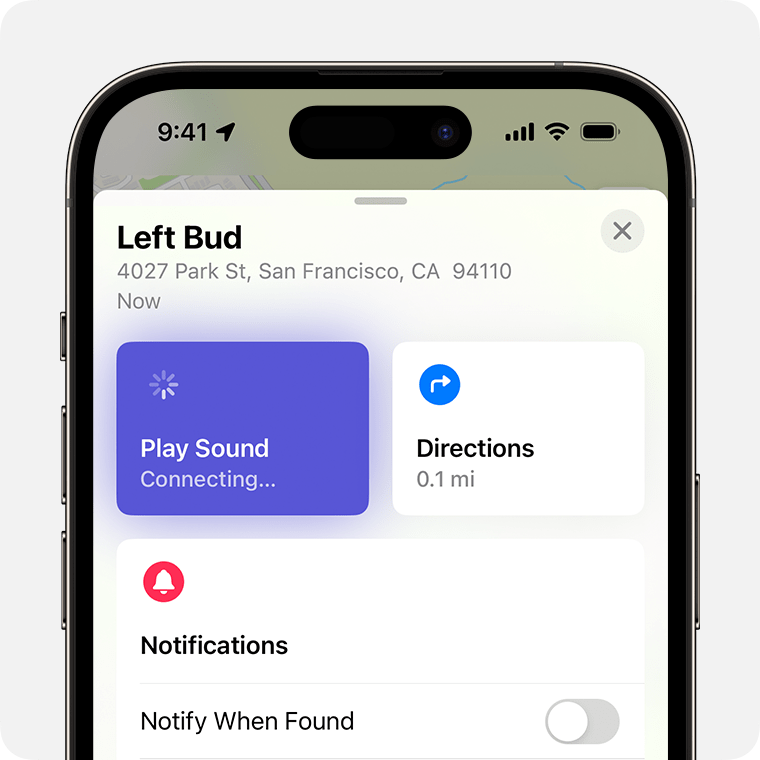
- Use the manufacturer’s app. Many earbuds have a “play sound” or “find” feature. That sound can lead you right to them.
- Use your phone’s built-in tracker: Find My on iPhone, or device locating services on Android can show last known location for compatible models.
- Try a Bluetooth scanner app. These apps show nearby Bluetooth devices and signal strength, helping you home in on low-powered earbuds.
- Attach a Bluetooth tracker to over-ear headphones. Trackers show recent location and can play alerts.
- For devices without built-in tracking, use a third-party tracker or tile attached to the case or cable.
These tools won’t always work. If the battery died or the headphones are out of range, apps may only show the last known place. Still, tech narrows the search quickly.
Manual search strategies that work every time
When tech fails, a methodical manual search wins the day.
- Start where you were last using them. Check surfaces at eye level first.
- Move outward in a grid pattern. Search one room at a time.
- Use light and sound. Shine a flashlight into dark crevices. Tap metal or cushions; a hollow sound can reveal a hidden case.
- Remove and inspect soft items. Wash pockets, empty gym bags, and unzip every compartment.
- Look inside and under furniture. Small items fall and roll to tucked-away spots.
- Recreate your routine. Walk through the exact steps you took before they vanished; you might remember a detail that points to the spot.
I once found my earbuds stuck inside a winter glove I’d thrown into a laundry hamper. Recreating my routine and emptying containers solved it in five minutes.

Tips for wireless earbuds and manufacturer features
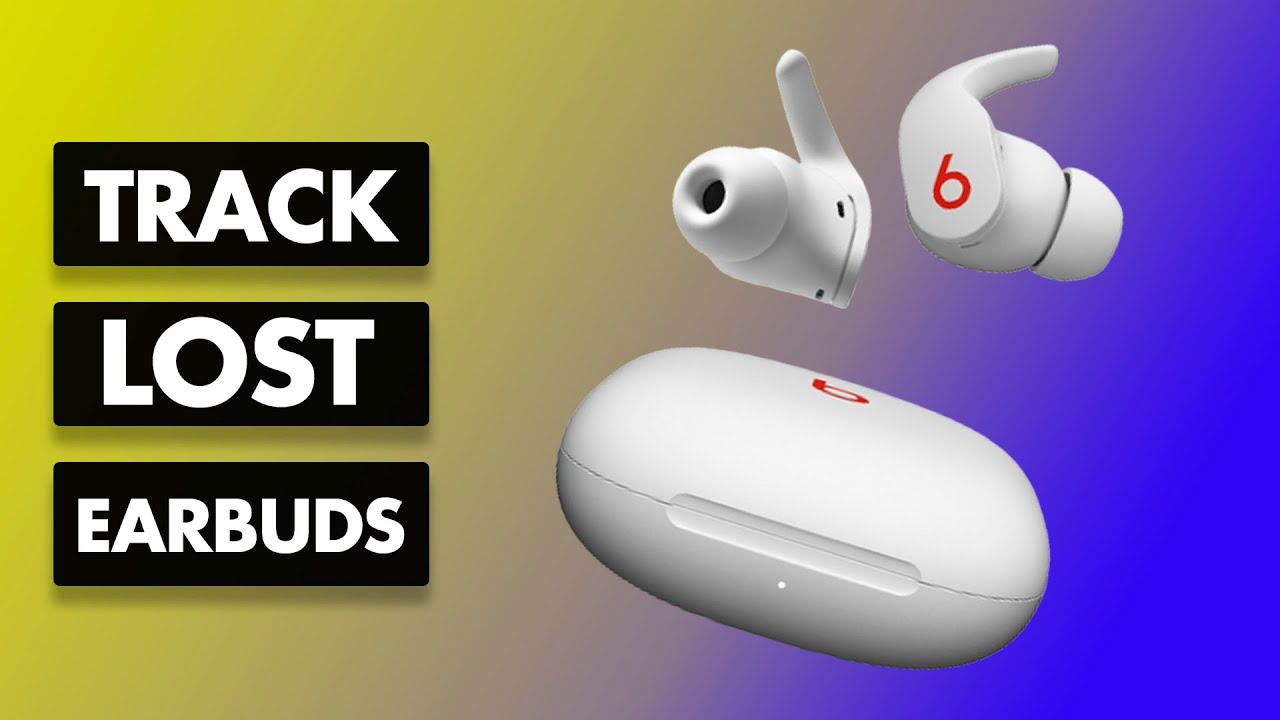
Wireless earbuds like AirPods, Galaxy Buds, and similar models have extra options.
- Use the brand app to play a loud tone. That tone often cuts through cushions and small clutter.
- Check “last seen” location on official tracking services. It gives a map point if the earbuds had battery left.
- Open the charging case near your phone. Some systems show status or reconnect automatically and then allow sound playback.
- If one bud is missing, search pockets and blankets. People often carry one bud in a pocket temporarily.
- Inspect the case. Sometimes the buds are stuck inside, and the case is the missing piece.
If your earbuds are out of battery, trackers and apps may show only the last place they were connected.
Searching cars, public places, and workspaces
Public spaces need a different approach to find lost headphones.
- Revisit the exact seat you used. Check under seats and between cushions.
- Ask staff at cafes, gyms, or transit lost-and-found desks. Provide a clear description and serial number if you have it.
- Use passive search: check CCTV or ask someone to retrace your steps with you.
- If you suspect they dropped on the floor in a busy place, return soon. Many items are turned in quickly.
When I lost a headset on a train, asking staff and describing it precisely led to it being found within a day.
When to check lost-and-found and report the loss
Lost-and-found channels can be effective.
- Call or visit lost-and-found desks at places you visited. Give exact times and descriptions.
- File a report with serial numbers if available. This helps staff match found items to owners.
- Check online community boards and local selling apps. Someone may try to sell a misplaced pair.
- Consider contacting transit or venue customer service for assistance and a record of the report.
Be ready with a photo and description. The more details you provide, the easier it is to recover your headphones.
Preventing future loss — habits and hardware
Prevention is the most reliable solution. Small changes help a lot.
- Always store headphones in the same place at home. Make a habit.
- Attach a small tracker or label to cases and over-ear headbands.
- Use a case with a clip for backpacks or belt loops.
- Check pockets and bags before washing clothes. Create a quick pre-wash routine.
- Use earhooks or neckbands if you are active. They are harder to drop.
- Create a “charging station” where you always put them to charge overnight.
I now charge my earbuds at a dedicated spot beside my bed. I haven’t lost them in years.
Troubleshooting common problems when searching
Sometimes searches fail for simple reasons. Address these quickly.
- If Bluetooth won’t connect, move closer and remove barriers. Bluetooth works best within a few dozen feet.
- If tracking shows last location but you can’t find them, expand the search radius. People often misremember exact spots.
- If the battery is dead, search likely charging spots like near plugs or inside jacket pockets.
- If you suspect theft, report the loss rather than chasing it. Provide serial numbers and proof of purchase if you need replacement insurance.
Practical patience and a logical process matter more than frantic searching.
Frequently Asked Questions of how to find lost headphones
How do I find lost Bluetooth headphones?
Check your phone’s Bluetooth device list and use a scanner app to detect signal strength. If paired, use the manufacturer’s app to play a sound.
Can I locate my earbuds if the battery is dead?
You can check the last known location from the device’s tracking service, but real-time finding tools need battery power to play sounds or update position.
What if my headphones are stuck in furniture?
Use a flashlight and feel with your hand. Remove cushions or panels if needed. Try gentle tapping to hear any hollow sound that suggests a hidden gap.
Are Bluetooth trackers worth it for headphones?
Yes. Trackers help find over-ear headphones and cases when paired. They show recent locations and can play alerts to speed up recovery.
When should I give up and replace them?
If you have exhausted all practical searches, checked lost-and-found, and the item shows no sign of life or location, consider replacement. File insurance or warranty claims if applicable.
Conclusion
Finding lost headphones becomes simple with a calm plan. Start by retracing steps, use tech when available, and search methodically. Small prevention habits and trackers reduce future losses dramatically. Try these steps next time you misplace a pair and note what worked—each recovery makes you smarter and faster. If this guide helped, share your tip or story below, subscribe for more practical tech advice, or leave a comment with your most creative headphone-recovery win.

Jamie Lee is a seasoned tech analyst and writer at MyTechGrid.com, known for making the rapidly evolving world of technology accessible to all. Jamie’s work focuses on emerging technologies, product deep-dives, and industry trends—translating complex concepts into engaging, easy-to-understand content. When not researching the latest breakthroughs, Jamie enjoys exploring new tools, testing gadgets, and helping readers navigate the digital world with confidence.