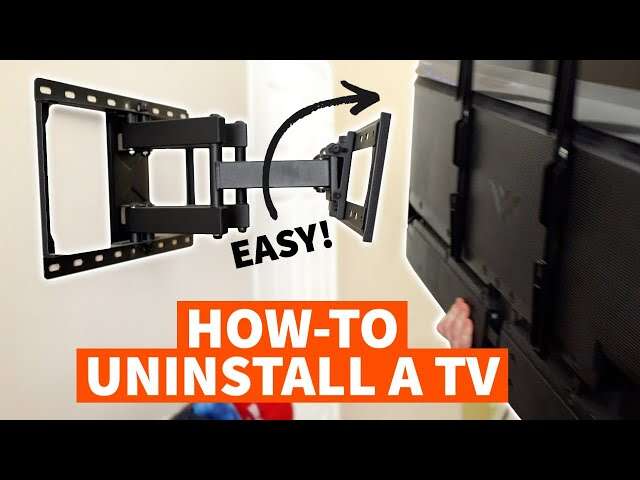
Turn off the TV, remove it with help, then loosen the mount from the wall and take out the anchors.
Learning how to remove a TV mount is easier when you treat the job as a safety task, not just a hardware task. The right order prevents a falling screen, stripped screws, damaged drywall, and hidden cable problems. This guide explains how to remove a TV mount from drywall, wood studs, brick, and concrete with simple tools and careful steps.
What to Do Before Removing a TV Mount
Before you learn how to remove a TV mount, identify the mount type and inspect the wall. Most TV mounts use a wall plate, two vertical brackets, and safety locks. Some fixed mounts have small screws at the bottom, while tilting and full-motion mounts may have clips or locking bars.
Check the TV manual and the mount instructions if you still have them. Manufacturer instructions can show the location of safety screws and the correct way to lift the TV away from the brackets.
Gather these tools:
• Phillips and flat-head screwdrivers
• Socket wrench with the correct-size socket
• Allen keys
• Stud finder
• Level
• Drill and drill bits
• Pliers
• Utility knife
• Small container for screws
• Painter’s tape
• A second person to help lift the TV
• Safety glasses and work gloves
Disconnect all devices before starting. Remove streaming boxes, game consoles, soundbars, antennas, and power cables. Label cords with painter’s tape if you plan to reconnect them later.
A TV can look light when it hangs on a wall, but its weight is spread across the mount. Once you release the brackets, that weight shifts quickly. Never try to catch a falling TV from a ladder or work alone with a large screen.
:max_bytes(150000):strip_icc()/SPR-how-to-remove-tv-from-wall-mount-8417620-04-3b7849eeb0f142aeaf099a121826d001.jpg)
How to Remove a TV Mount Safely
The safest method is to remove the TV first and the wall plate second. Do not remove the wall bolts while the television is still attached unless the mount design clearly allows it and another person is supporting the screen.
Follow these steps:
-
Turn off and unplug the TV
Let the TV cool for a few minutes. Disconnect every cable from the back, and place the cables where they will not snag during lifting. -
Find the locking screws or safety clips
Look under the bottom edge of the TV brackets. Fixed and tilting mounts often use small screws. Full-motion mounts may use locking tabs, bars, or clips. -
Support the television
Ask another adult to stand on the opposite side. Each person should hold the TV by its lower edge and side frame. Avoid pressing the screen. -
Release the locks
Turn the safety screws counterclockwise or pull the release straps, depending on the mount design. Keep one hand on the TV while releasing each lock. -
Lift the TV upward
Most mounts require you to lift the TV several inches and pull it away from the wall. Move slowly so the brackets do not catch on the wall plate. -
Place the TV on a soft, flat surface
Put the screen face up on a clean blanket or face down only if the manufacturer allows it. Do not lay heavy objects on the display. -
Inspect the wall plate
Once the TV is away, locate every bolt or lag screw holding the wall plate. Some bolts may be hidden behind plastic covers or cable channels. -
Remove the wall hardware
Have one person hold the plate while the other loosens the bolts. Remove the top bolts last so the plate stays stable during the process. -
Remove the plate from the wall
Pull it away gently. If a screw spins without coming out, hold the anchor or use pliers if the design allows it. -
Collect and label the hardware
Keep bolts, washers, brackets, and spacers in a bag. This helps if you install the same mount again.
When learning how to remove a TV mount, the key idea is simple: support the TV before releasing it, and support the wall plate before removing its last fastener.

How to Remove a TV Mount From Drywall
Drywall requires extra care because the wall surface may hide different types of anchors. A mount attached to wood studs is usually more secure than one attached only to hollow-wall anchors. Look for large lag screws that enter studs, or use a stud finder to confirm the mounting points.
If the mount uses toggle bolts, remove the screws slowly. Some toggle wings will fall behind the drywall when the screw comes out. That is normal, but do not force the screw or enlarge the hole.
For plastic expansion anchors, pull the anchor out with pliers if it sits above the wall surface. If it is flush with the drywall, push it slightly into the wall rather than digging around it and causing a larger damaged area.
Use these tips:
• Keep the drill at a low speed
• Do not pry hard against the drywall
• Cut away loose paper with a utility knife
• Remove plastic spacers and cable clips carefully
• Stop if the wall flexes or cracks
A common mistake is assuming every large wall bolt enters a stud. Some mounts use heavy-duty anchors, but anchors must match the mount, wall type, and TV weight. If the mount pulled away from the wall or the drywall feels soft, inspect the area before installing another mount.
How to Remove a TV Mount From Wood Studs
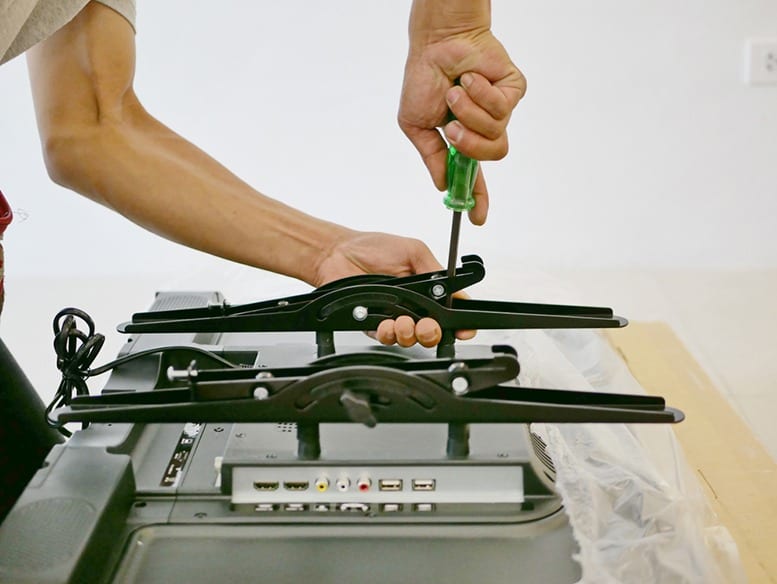
A mount fixed to wood studs usually has lag screws or structural screws. These screws can be tight, especially if they were driven deep into the stud. Use a socket wrench instead of a small screwdriver when possible.
Ask someone to hold the wall plate while you remove the screws. Loosen each screw a few turns first. Then remove them in a balanced pattern, such as top left, bottom right, top right, and bottom left. This reduces sudden movement.
If a lag screw is stuck, check whether the socket fits fully over the head. A worn socket can round the head. You can also apply steady pressure with a longer wrench, but do not jerk the tool toward your body.
After removing the mount, check the stud for damage. Small holes can be filled with lightweight spackle. Larger or crushed areas may need a wood filler or a carpenter’s inspection before another mount is installed.
I have seen people remove one bolt completely while leaving the rest under tension. The plate then twists and scratches the wall. Removing fasteners in a controlled pattern is slower by a few minutes but can save a full wall repair.

How to Remove a TV Mount From Brick or Concrete
Brick and concrete mounts often use sleeve anchors, wedge anchors, or concrete screws. These fasteners can be difficult to remove because they expand inside the masonry.
First, remove the TV and wall plate as described above. Then identify the anchor type:
• Concrete screws usually back out like normal screws
• Sleeve anchors may require the nut and washer to be removed first
• Wedge anchors can remain expanded inside the hole
• Plastic masonry plugs may pull out with pliers
Do not hammer forcefully near the edge of a brick. You may crack the brick or loosen the mortar. If an anchor will not come out, you can sometimes drive it slightly below the surface and patch the hole with a suitable masonry repair product.
Wear safety glasses when drilling or cutting masonry. Dust from brick and concrete can irritate the eyes and lungs, so use ventilation and a suitable dust mask. Avoid drilling near electrical lines, plumbing, or concealed conduit.
For a heavy mount on masonry, professional help may be wise. A damaged brick face or cracked concrete can create a weak point for future installation.
How to Remove a Full-Motion TV Mount
Full-motion mounts have arms, joints, and several pivot points. Their weight can pull away from the wall as soon as the TV is removed. Keep the arm folded close to the wall while working.
Some models include a separate TV bracket for each side of the screen. Others use a central plate. Look for release cords near the bottom of the brackets. Pulling the cords may unlock the TV, but never pull them until another person is holding the screen.
After removing the TV, fold or tie the arms so they cannot swing. Then remove the wall plate bolts. If the mount has several sections, photograph the assembly before taking it apart. This can help you remember which screws belong to each joint.
Do not carry a full-motion mount by one moving arm. The arm can open suddenly and pinch fingers. Hold the main plate or place the mount in a box.
What to Do With the Wall After Removing the Mount
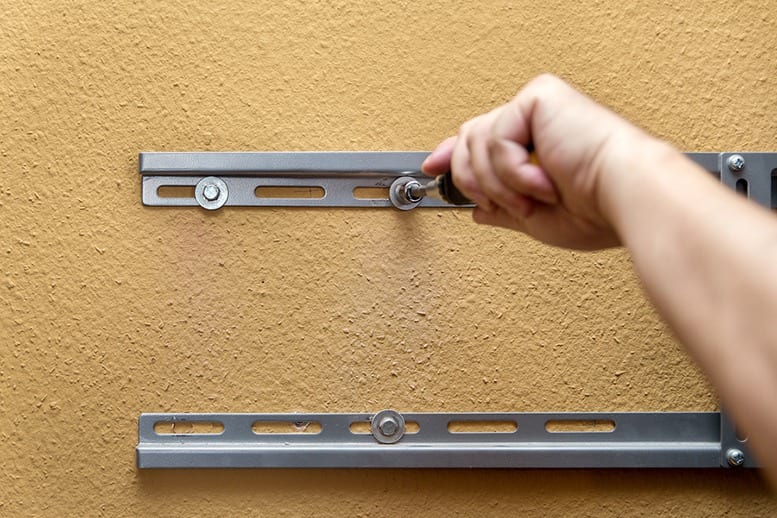
Removing a TV mount often leaves screw holes, torn drywall paper, dust, or paint marks. The repair method depends on the size of the damage.
For small holes:
- Remove loose paper and dust.
- Press a small amount of spackle into the hole.
- Let it dry fully.
- Sand it lightly with fine-grit sandpaper.
- Apply primer before painting.
For larger holes, cut away damaged drywall paper and use joint compound in thin layers. Do not apply one thick layer because it may shrink or crack as it dries.
Paint color can be a bigger issue than the hole itself. Sunlight may have faded the surrounding paint, so a small touch-up can look different. Blend the new paint outward with a nearly dry brush or repaint the full wall section.
If the wall plate left deep dents, exposed studs, or cracked masonry, stop before installing another mount. A smooth surface is not enough; the new mounting points must also be structurally sound.

Mistakes to Avoid When Removing a TV Mount
Knowing how to remove a TV mount also means knowing what not to do. Most accidents come from rushing, using the wrong tool, or failing to support the TV.
Avoid these common mistakes:
• Removing the wall plate before taking down the TV
• Working alone with a large or heavy screen
• Pulling the TV straight out before unlocking the brackets
• Using a drill at high speed near drywall
• Leaving cables connected during removal
• Prying against the TV screen or bezel
• Removing only the visible bolts
• Assuming a spinning screw is safe to pull
• Standing on an unstable chair
• Throwing away the mount hardware before checking for hidden parts
One especially risky mistake is placing a hand behind the TV while another person lifts it. Fingers can get trapped between the TV and the wall. Agree on commands such as “lift,” “hold,” and “lower” before moving the screen.
If the TV is larger than about 55 inches, unusually heavy, or mounted above a fireplace, use two or more helpers. Above-fireplace installations may also expose the TV to heat, which can affect the equipment and wall materials.

When to Hire a Professional
Many people can remove a TV mount with basic tools, but some situations call for an installer, electrician, or handyman. Professional help is sensible when the wall is damaged, the TV is very large, or the fasteners are inaccessible.
Consider professional service if:
• The mount is attached to brick or concrete and anchors are stuck
• The TV is mounted above a fireplace
• The wall contains unknown wiring or plumbing
• The mount is unusually large or commercial-grade
• The drywall is cracked, soft, or pulling away
• The TV weighs more than you can safely lift
• You need new electrical outlets or cable openings
• You are unsure whether the mount is attached to studs
Stop immediately if you smell burning, see damaged wiring, or find a cable trapped under a screw. Do not cut or pull unknown cables. Turn off the relevant circuit at the electrical panel and ask a qualified professional to inspect it.
The main limitation of any general guide is that mount designs vary. A model-specific manual is the most accurate source for release mechanisms and hardware.
Frequently Asked Questions About How to Remove a TV Mount
Can I remove a TV mount by myself?
You may remove a small TV mount alone, but two people are safer for most televisions. One person should support the screen while the other releases the brackets or safety screws.
Do I need to remove the TV before removing the wall mount?
Yes, in most cases. Removing the TV first reduces weight on the wall plate and helps prevent the mount, screen, or wall from falling.
How do I remove a TV mount when the screws are stuck?
Use the correct socket or screwdriver and apply steady pressure. If the screw head is stripped, stop drilling blindly and use a screw extractor or contact a professional.
Can I reuse a TV mount after removing it?
Often, yes, if the mount is not bent, cracked, rusted, or missing hardware. Check its weight rating, VESA compatibility, and fastener condition before reusing it.
What if the anchors fall inside the drywall?
That is common with toggle bolts and some expansion anchors. Remove the screw, patch the hole, and use new anchors or fresh stud locations for the next installation.
How do I know if my TV mount is attached to a stud?
Look for lag screws or structural screws entering solid wood. A stud finder can help locate the stud, but confirm the position with careful measurement or a small test hole.
Is it safe to remove a TV mount above a fireplace?
Use extra caution because the area may contain heat, masonry, wiring, or a hidden chimney structure. If you cannot identify the wall materials and cables, hire a qualified professional.
Conclusion
Removing a TV mount is a careful process, not a race. Unplug the TV, release the safety locks, lift the screen with help, and then remove the wall plate one fastener at a time. Use the correct method for drywall, wood studs, brick, or concrete, and repair the wall before installing anything new.
Take a few minutes to inspect the mount, protect the screen, and confirm that no cables are trapped. If the job feels unstable or the wall shows damage, a professional can prevent a costly repair. Use these steps to remove your TV mount safely, then share your experience or explore more home improvement guides for your next project.

Everett Ashford is a tech reviewer at mytechgrid.com specializing in SSDs, cameras, TVs, earbuds, headphones, and other consumer electronics. He provides honest, data-driven reviews based on hands-on testing and real-world performance analysis. Everett simplifies complex tech details to help readers make smart, confident buying decisions.