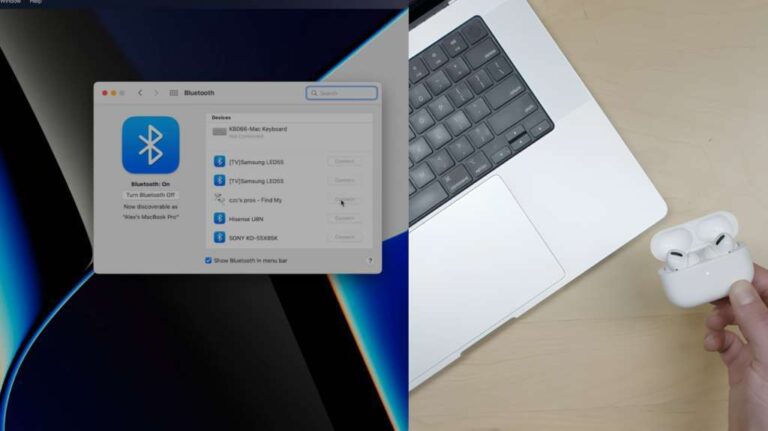
Remove both earbuds from the charged case; they usually power on and enter pairing mode automatically.
Learning how to turn on JLab Go Sport earbuds is simple once you know the two main methods: remove them from the charging case or press and hold the touch controls. This guide explains both options, how to pair the earbuds, what to do when they stay off, and how to avoid common charging and Bluetooth mistakes.
How to turn on JLab Go Sport earbuds
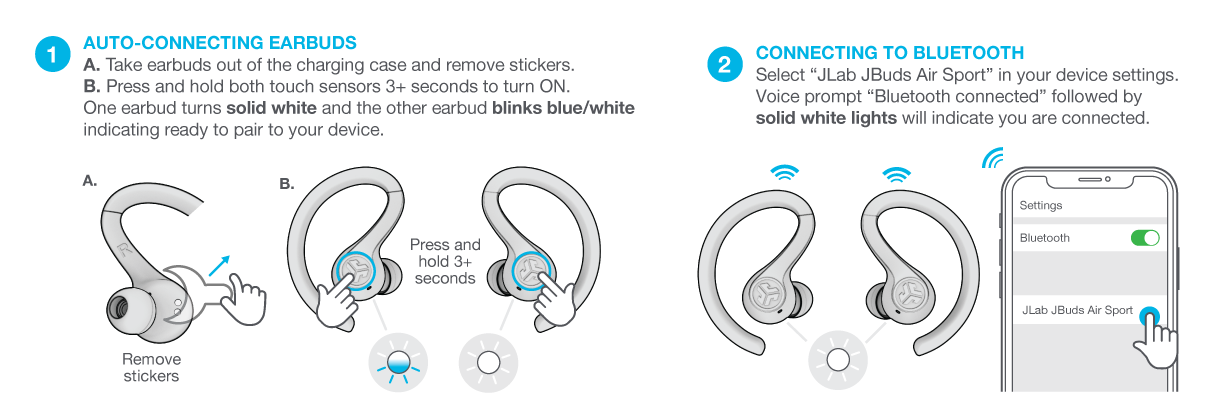
Most JLab Go Sport earbuds turn on automatically when you open the charging case and remove the earbuds. The earbuds should show a light or play a power sound. They may also enter Bluetooth pairing mode if they are not linked to another device.
Follow these steps:
- Charge the case and earbuds first.
- Open the charging case.
- Remove both earbuds.
- Place the earbuds in your ears.
- Wait for the power sound or LED light.
- Open Bluetooth settings on your phone.
- Select the JLab Go Sport earbuds from the device list.
If the earbuds do not turn on after removal, place them back in the case. Make sure each earbud sits firmly on its charging pins. Then remove both earbuds again.
When learning how to turn on JLab Go Sport earbuds, remember that both earbuds should wake at nearly the same time. If only one turns on, the issue may involve charging, dirty contacts, or a lost connection between the earbuds.

How to turn on JLab Go Sport earbuds manually
You can manually power on the earbuds when automatic startup does not work. The exact control can vary slightly by JLab Go Sport version, but most models use the touch panel or button on each earbud.
Try this method:
- Remove the earbuds from the charging case.
- Press and hold the touch control on each earbud.
- Continue holding for about three seconds.
- Release the control when you hear a sound or see the LED light.
- Wait a few seconds for the earbuds to connect to each other.
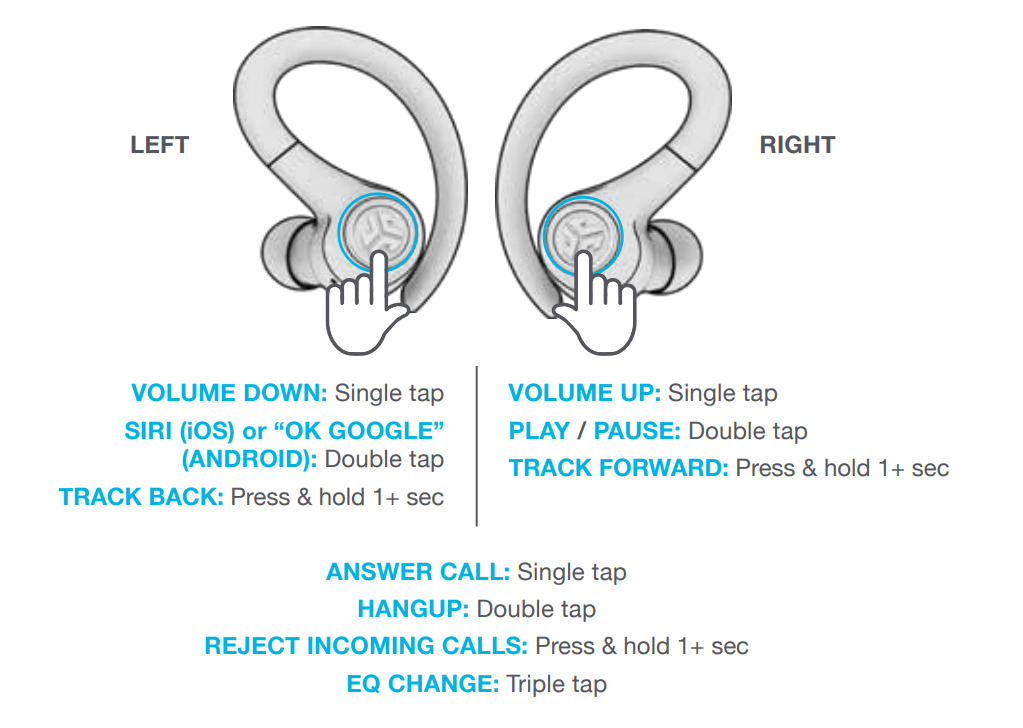
Do not tap the control quickly. A short tap may play or pause music, answer a call, or activate another command. A firm, steady press is needed for manual power control.
Some versions may use a longer press for turning on or off. If three seconds does not work, check the guide for your exact model. JLab has released several Go-series earbuds, and their controls are not always identical.
In my usual troubleshooting check, I test one earbud at a time before trying to pair both. This quickly shows whether the problem affects the whole set or only one side.

How to pair JLab Go Sport earbuds with a phone
Turning on your JLab Go Sport earbuds is only the first step. You must pair them with your phone, tablet, computer, or other Bluetooth device before listening to music.
Use these steps for a first-time connection:
- Turn off Bluetooth on nearby devices that may already know the earbuds.
- Remove both earbuds from the charging case.
- Open your phone’s Settings app.
- Select Bluetooth.
- Turn Bluetooth on.
- Look under Available Devices.
- Tap the JLab Go Sport listing.
- Confirm the connection if your phone asks.
A flashing blue and white light often means an earbud is ready to pair. The light pattern may differ by model, so use the product guide if the signal is unclear.
Once paired, the earbuds should connect automatically the next time you remove them from the case. Keep the earbuds close to your phone during setup. Bluetooth works best when there are no walls, bags, or other wireless devices between the earbuds and the phone.
If your phone shows two separate JLab entries, do not connect to both manually. Put the earbuds back in the case, close the lid, and start again. Many true wireless earbuds must connect to each other before they connect to your phone.
How to turn on JLab Go Sport earbuds without the case
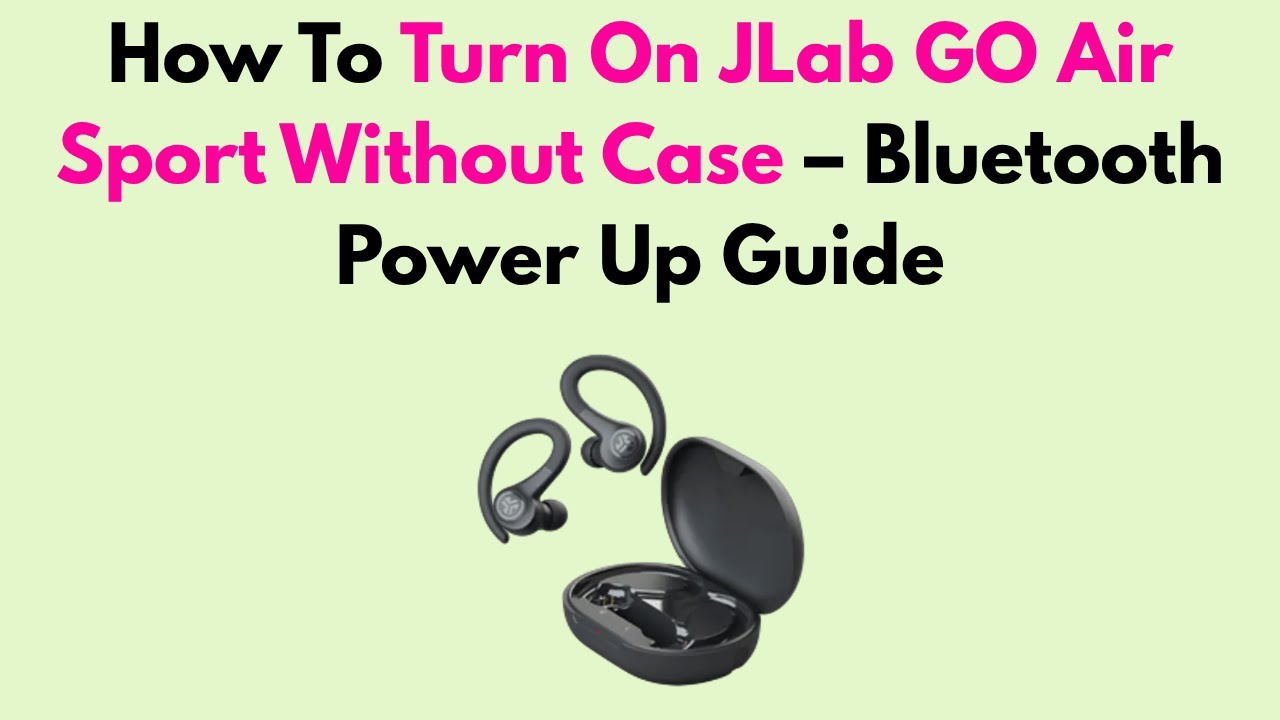
A case is the easiest way to power on JLab earbuds, but manual startup may work when the case is not nearby. Remove the earbuds, then press and hold the control on each one for about three seconds.
If the manual method fails, the earbuds may be fully discharged. True wireless earbuds often need a short charge before they respond to touch or button commands. Connect the case to power, place the earbuds inside, and wait for the charging lights.
Avoid storing the earbuds outside the case for long periods. Even when they seem off, they may slowly lose power. The case also protects the charging contacts and helps the earbuds reset their connection each time they are inserted.
This is one of the most useful lessons when learning how to turn on JLab Go Sport earbuds: manual power control cannot replace a charged battery. If there is no light, sound, or response, charge the earbuds before trying more Bluetooth steps.

What to do when JLab Go Sport earbuds will not turn on
When JLab Go Sport earbuds do not turn on, the cause is usually simple. The battery may be empty, the charging contacts may be dirty, or the earbuds may not sit correctly in the case.
Work through this checklist:
• Check the charging case battery. Connect it to a USB power source if the case shows no light.
• Place both earbuds into the case. Confirm that each earbud displays a charging light.
• Clean the metal contacts. Use a dry cotton swab or soft cloth. Do not use water or spray.
• Remove any protective film. New earbuds may have a thin film over the charging contacts.
• Charge the earbuds for at least 15 to 30 minutes before testing them again.
• Remove both earbuds together. This gives them the best chance to sync.
• Press and hold each earbud’s control for about three seconds.
• Turn your phone’s Bluetooth off and on again.
• Restart your phone and try pairing again.
Do not scrape the contacts with a pin or metal tool. That can damage the charging points or create a short circuit. Also, avoid charging wet earbuds after exercise. Sweat and moisture can cause charging problems and may damage electronic parts over time.
If one earbud remains dark while the other works, compare how they sit in the case. A loose fit is a common reason for one side failing to charge.

How to reset JLab Go Sport earbuds
A reset can help when the earbuds turn on but will not pair, connect to only one side, or keep connecting to an old device. Before resetting, remove the JLab Go Sport entry from every nearby phone and tablet.
Start with this general process:
- Open your phone’s Bluetooth settings.
- Select the JLab Go Sport earbuds.
- Choose Forget, Remove, or Unpair.
- Turn Bluetooth off.
- Place both earbuds in the charging case.
- Remove both earbuds.
- Press the control on each earbud several times as directed by the model guide.
- Return the earbuds to the case.
- Remove them again and wait for pairing mode.
JLab models can use different reset patterns. Some require a series of taps, while others use a longer press. Because of this, use the instructions for the exact model printed on the case, box, or product label.
A reset deletes the old Bluetooth relationship. It does not repair a damaged battery or broken charging contact. If the earbuds still show no light after a full charge, contact JLab support or check the warranty options.
How to turn off JLab Go Sport earbuds
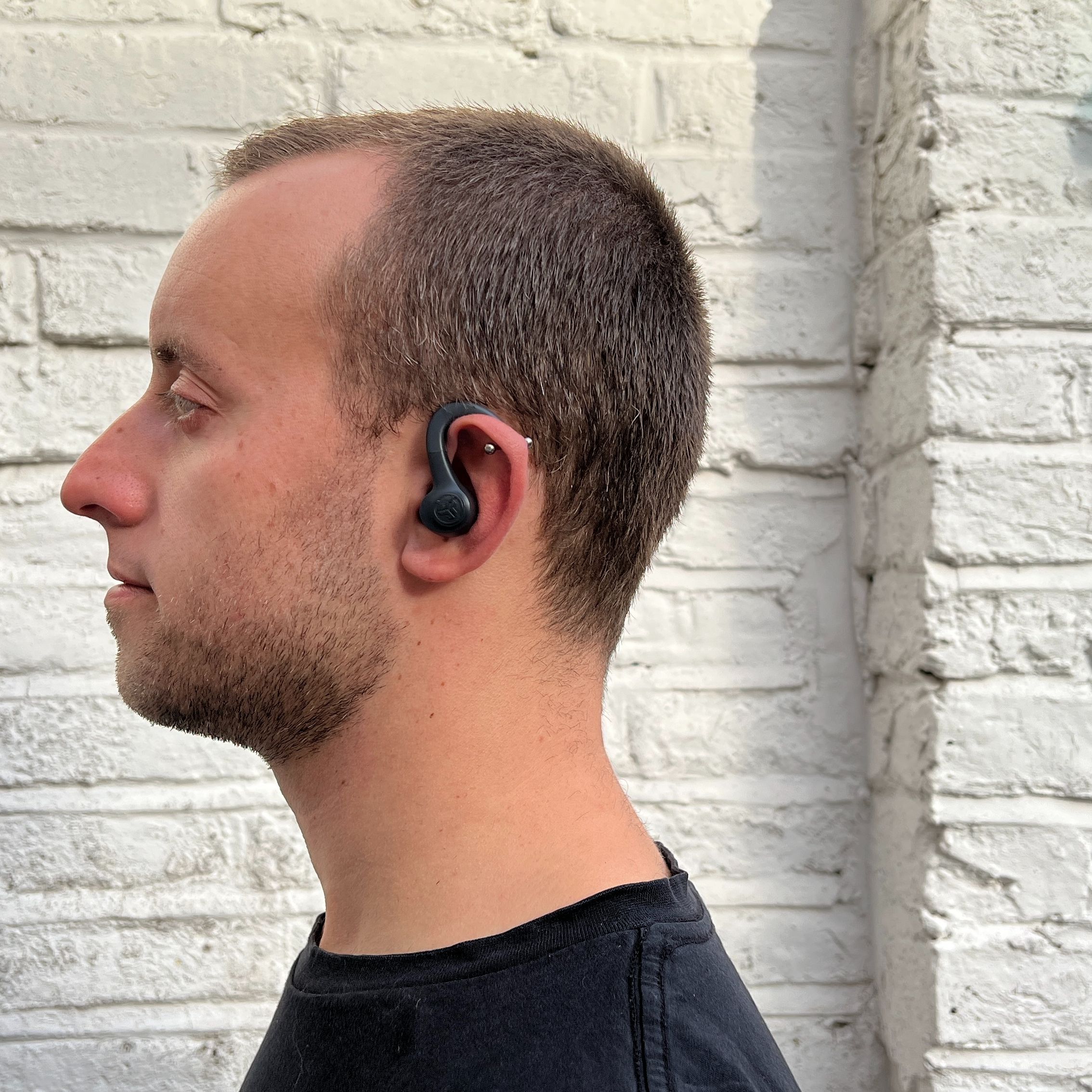
To turn off JLab Go Sport earbuds, place both earbuds inside the charging case and close the lid. This is the simplest and safest method because it also starts charging them.
You can also turn them off manually by pressing and holding the touch control or button on each earbud. The required hold time may vary by version. Wait for the shutdown sound or LED signal before releasing the control.
Turning the earbuds off saves battery when you are not listening. It also prevents accidental Bluetooth connections in a gym bag or pocket.
If one earbud remains connected after the other is stored, remove it and place it back in the case. Make sure the case has enough power to recognize and charge the earbud.
Tips for reliable JLab Go Sport earbud startup
A few habits make startup faster and reduce connection problems. These tips are especially useful if you use the earbuds during workouts, travel, or daily commutes.
• Keep the charging case above a low battery level.
• Store both earbuds in the case after every use.
• Wipe sweat from the earbuds before charging them.
• Keep the charging contacts clean and dry.
• Remove both earbuds at the same time.
• Keep your phone within a few feet during first-time pairing.
• Forget old Bluetooth connections when switching to a new phone.
• Keep the earbuds’ firmware and phone software up to date when updates are available.
• Use the correct ear tips and ear hooks so the earbuds do not fall or press against controls.
Battery life declines naturally after repeated charge cycles. Heat, moisture, and long storage at zero charge can speed up battery wear. Store the case in a cool, dry place, and avoid leaving it in a hot car.
In practical use, the charging case acts like a home base for the earbuds. It powers them down, keeps them charged, and helps them reconnect. Treating the case as part of the system makes how to turn on JLab Go Sport earbuds much easier.
Common mistakes to avoid
Many startup problems come from an incorrect step rather than a serious fault. Avoid these common mistakes:
• Looking for the earbuds before removing them from the case. They may not appear in Bluetooth until they wake.
• Holding the touch panel too briefly. A quick tap is not the same as a power command.
• Pairing one earbud first. This can create a single-ear connection.
• Ignoring the charging lights. No light may mean the contacts are not touching.
• Cleaning with liquid. Moisture can enter the control area.
• Connecting to an old phone. The earbuds may automatically reconnect to the last device.
• Assuming every Go-series model uses the same reset steps. JLab control layouts can differ between versions.
If you are helping someone who is not comfortable with Bluetooth, explain the process in two parts: wake the earbuds first, then select them in Bluetooth settings. That simple order removes much of the confusion.
Frequently asked questions about how to turn on JLab Go Sport earbuds
How do I turn on JLab Go Sport earbuds for the first time?
Open the charging case and remove both earbuds. They should turn on automatically; if they do not, press and hold the control on each earbud for about three seconds.
Why will my JLab Go Sport earbuds not turn on?
The earbuds may have a low battery or may not be touching the charging pins correctly. Charge the case, clean the contacts with a dry cloth, and try removing both earbuds again.
Can I turn on JLab Go Sport earbuds without the case?
Yes, many versions support manual startup. Remove the earbuds and press and hold each touch control or button for about three seconds.
How do I put JLab Go Sport earbuds into pairing mode?
Remove both earbuds from the case after turning off Bluetooth on previously connected devices. Open your phone’s Bluetooth menu and select the JLab Go Sport earbuds when they appear.
Why does only one JLab Go Sport earbud turn on?
One earbud may not be charged or may not be seated correctly in the case. Charge both earbuds, clean the contacts, and reset the pair if they still do not sync.
How do I turn off JLab Go Sport earbuds?
Place both earbuds in the charging case and close the lid. You can also press and hold the control on each earbud if your model supports manual shutdown.
Do JLab Go Sport earbuds turn on automatically?
Yes, most JLab Go Sport versions power on when removed from a charged case. The exact light and sound signals can vary by model.
Conclusion
Knowing how to turn on JLab Go Sport earbuds usually takes only a few seconds. Open the charged case, remove both earbuds, and wait for them to wake; if that fails, press and hold each control for about three seconds. Charging contacts, battery level, Bluetooth settings, and model-specific reset instructions are the key areas to check.
Keep the earbuds clean, store them in the case, and pair both sides together for a smoother start. If this guide helped, explore the exact user guide for your JLab model or share your experience in the comments.

Everett Ashford is a tech reviewer at mytechgrid.com specializing in SSDs, cameras, TVs, earbuds, headphones, and other consumer electronics. He provides honest, data-driven reviews based on hands-on testing and real-world performance analysis. Everett simplifies complex tech details to help readers make smart, confident buying decisions.