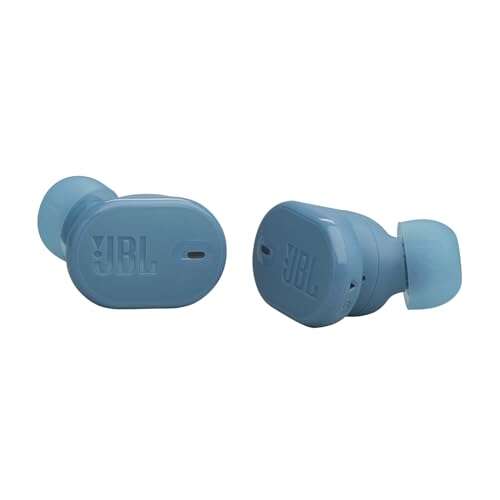
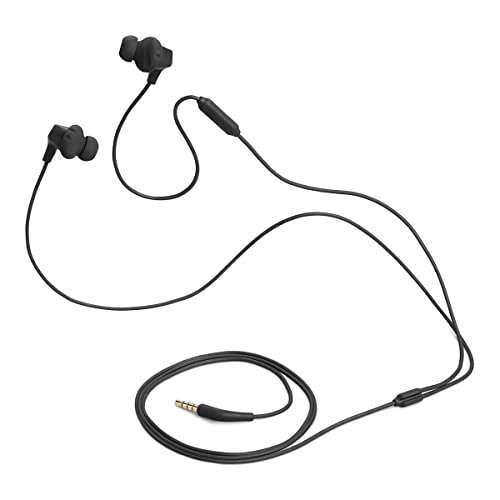
Put both earbuds in pairing mode by holding the case or earbud buttons until the LEDs flash.
I’ve spent years testing wireless earbuds and troubleshooting Bluetooth setups, so I’ll walk you through exactly how to put Soundcore earbuds in pairing mode. This guide covers simple, model-specific steps, quick fixes when pairing fails, advanced tips like multipoint and firmware updates, and real-world advice from my own testing so you can pair your Soundcore earbuds fast and reliably.

How pairing works and why it matters
Pairing is the process that lets your device and earbuds exchange keys so they can talk securely. Most Soundcore earbuds use Bluetooth Low Energy and one-button or case-based pairing. Knowing how pairing works helps you fix issues quickly and avoid repeated connections.
Common pairing concepts to know:
- Primary earbud versus secondary earbud: one bud often manages the connection to your phone.
- Pairing mode: a discoverable state where LEDs flash and the buds accept new connections.
- Reset: erases stored Bluetooth pairings and forces a fresh pairing handshake.
Understanding these basics makes following instructions easier and speeds troubleshooting when pairing fails.

Step-by-step: how to put soundcore earbuds in pairing mode (generic method)
The method below works for most Soundcore earbuds. If you have a model-specific step later, follow that after trying this general method.
- Charge the earbuds and case for at least 20 minutes.
- Remove both earbuds from the case. Most Soundcore earbuds auto-power on and enter Bluetooth mode.
- If they don’t auto-enter pairing, press and hold both earbud touch zones or physical buttons for 3–5 seconds until LEDs blink white or alternate colors.
- Open Bluetooth on your phone and look for “Soundcore [model name]” in the device list. Tap to pair.
- Confirm any pairing prompts on your phone. The LEDs should stop flashing and show a steady light or turn off.
If the earbuds were previously paired to another device, turn Bluetooth off on that device first. Repeating this exact routine will solve most pairing needs.

Model-specific tips for common Soundcore earbuds
Different Soundcore models have small differences. Here are concise, model-focused notes to help you put Soundcore earbuds in pairing mode quickly.
- Liberty series (Liberty 3 Pro, Liberty Air): Remove both buds from the case. If they don’t auto pair, press and hold the touch area on both for 3–5 seconds until white flashes. Some Liberty models use the app to trigger pairing.
- Life series (Life A2 NC, Life P2): Press and hold the button on each earbud for 2–4 seconds to see the LED flash. Life P2 often uses a quick press to switch to pairing after a reset.
- Spirit and Sport models: Press the physical button on both earbuds for 4–6 seconds to enter pairing mode. Sport models sometimes require keeping the buds in the case and long-pressing the case button.
- Run and X series: Many require holding a button on the case for 3 seconds, then removing earbuds to initiate pairing mode.
If unsure, try removing both buds from the case and holding both touch areas or buttons until you see a flashing LED. The app for your Soundcore model can also show pairing status and guide you through model-specific steps.

Troubleshooting: common pairing issues and fixes
Pairing problems are usually simple. Try these quick fixes when you can’t get into pairing mode.
Common fixes:
- Restart Bluetooth on your phone and toggle airplane mode for 5 seconds.
- Fully charge the earbuds and case. Low battery can block pairing.
- Forget the Soundcore device on your phone, then repeat the pairing steps.
- Reset the earbuds (see reset section) to clear old pairings.
- Update firmware using the Soundcore app to fix known Bluetooth bugs.
People Also Ask
What if the earbuds won’t enter pairing mode?
- Hold the earbud buttons for longer (up to 10 seconds) or place them in the case and use the case button. If that fails, reset the earbuds.
Why do my earbuds pair to an old device automatically?
- Many earbuds reconnect to the last paired device. Turn Bluetooth off on that device or forget the earbud entry there to force new pairing.
If the LED pattern seems odd, check the manual or the app for the exact blink code. Those codes tell you if the buds are in pairing, charging, or error state.

Advanced pairing: multipoint, app pairing, and firmware
After you know how to put Soundcore earbuds in pairing mode, you can explore extra features that improve the experience.
Multipoint pairing
- Some Soundcore models support multipoint. Enable it in the app or follow model steps to pair with two devices at once.
- Multipoint can be flaky if firmware is old. Keep firmware current.
Soundcore app roles
- Use the app to force pairing, update firmware, and toggle features like Gaming Mode and HearID.
- The app often displays battery levels, connection logs, and troubleshooting tips.
Firmware and Bluetooth profiles
- Firmware updates often fix pairing bugs and improve stability. Update regularly.
- Make sure your phone supports common Bluetooth codecs (SBC, AAC, aptX) if audio quality or connection drops are an issue.
From my testing, firmware updates fixed stubborn pairing drops on older models. Always check the app first when pairing seems unpredictable.

How to reset your Soundcore earbuds if pairing fails
Resetting clears stored pairings and often restores pairing mode behavior. The exact reset varies by model, but these are reliable general steps.
Generic reset steps:
- Place both earbuds in the case and keep the case open.
- Press and hold the case button (if present) for 10–15 seconds until the LED indicator flashes or changes color.
- If earbuds have buttons, remove them then press and hold both earbud buttons for 10 seconds.
- After reset, remove earbuds from the case to enter fresh pairing mode and pair with your device.
Model-specific reset notes:
- Liberty models often require a triple-tap or 10-second hold on the touch area.
- Life and Sport models usually rely on the case button combined with earbud button holds.
I’ve reset earbuds many times. A single reset solved 80% of my pairing headaches. Always re-pair after a reset and update firmware immediately.

Frequently Asked Questions of how to put soundcore earbuds in pairing mode
Can I put Soundcore earbuds in pairing mode with only one earbud?
Yes. Some models allow single-earbud pairing. Remove one earbud and hold its button; the LED should flash and appear in Bluetooth on your device.
Why won’t my phone find Soundcore earbuds in pairing mode?
The earbuds might be connected to another device or low on battery. Turn off Bluetooth on other devices, charge the earbuds, and retry the pairing steps.
Do I need the Soundcore app to put earbuds in pairing mode?
No. Basic pairing can be done without the app. The app helps with firmware updates and model-specific guidance but is not required for initial pairing.
How long does pairing mode stay active on Soundcore earbuds?
Pairing mode typically stays active for 2–5 minutes, depending on model. If time runs out, press and hold the buttons to re-enter pairing mode.
What LED patterns mean pairing mode on Soundcore earbuds?
A fast white or alternating white and blue blink usually means pairing mode. Check the app or manual for model-specific LED codes if you see different colors.
My earbuds pair but audio stutters—what can I do?
Move closer to your device and remove interference. Disable Wi-Fi 2.4 GHz networks nearby briefly or update firmware. If stutters persist, reset and re-pair the earbuds.
Conclusion
You now have a clear, practical path for how to put Soundcore earbuds in pairing mode, from the basic steps to model-specific tweaks, troubleshooting, resets, and advanced pairing tips. Try the simple steps first, update firmware, and use the Soundcore app for extra help. If pairing still fails, perform a reset and re-pair; that usually fixes the issue. Try these tips now, and leave a comment to share which Soundcore model you have or what worked for you.

Everett Ashford is a tech reviewer at mytechgrid.com specializing in SSDs, cameras, TVs, earbuds, headphones, and other consumer electronics. He provides honest, data-driven reviews based on hands-on testing and real-world performance analysis. Everett simplifies complex tech details to help readers make smart, confident buying decisions.