For shoppers in the United States, a laptop with an Intel processor can offer strong app support, smooth daily use, useful built-in graphics, and broad Windows compatibility. Intel laptop chips also support features such as Thunderbolt, Wi-Fi, hardware video encoding, and AI tools on select newer models.
The best choice still depends on the exact Intel chip, laptop design, cooling system, battery size, RAM, and price. An Intel Core i3, Core i5, Core i7, Core i9, or Core Ultra processor can deliver very different results.
Quick Answer: Why Choose an Intel Laptop?
The main advantages of an Intel-powered laptop include:


- Wide software support: Intel processors use the x86 architecture, which runs most Windows apps, business tools, games, and accessories.
- Strong everyday performance: Current Intel Core and Core Ultra chips handle web browsing, office work, school tasks, coding, photo editing, and many creative apps.
- Useful integrated graphics: Intel Iris Xe and Intel Arc graphics on select processors can support casual gaming, video work, and multiple displays without a separate graphics card.
- Fast video features: Intel Quick Sync Video can speed up supported video playback, recording, and encoding tasks.
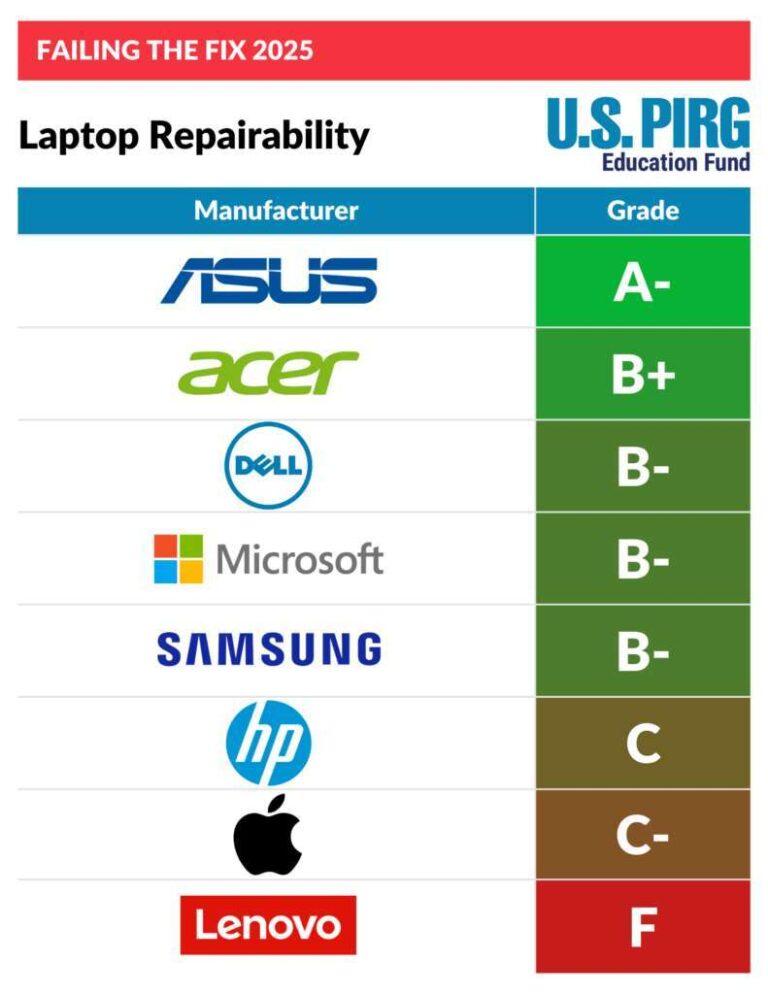
- Broad laptop availability: Intel chips appear in laptops from Dell, HP, Lenovo, ASUS, Acer, Microsoft, Samsung, and other brands.
- Modern connectivity: Some Intel-based laptops support Thunderbolt, Wi-Fi 6E, Wi-Fi 7, and PCIe 4.0 or newer storage, depending on the model.
- Business and security features: Select Intel vPro systems add remote management and business security tools.
- AI features on newer models: Intel Core Ultra processors with an NPU can run some AI workloads more efficiently.
These benefits are not automatic. A low-power Intel chip in a thin laptop may be slower than a higher-power Intel chip in a larger laptop. Always check the full laptop specifications.
1. Broad Compatibility With Windows Software
Intel processors offer broad compatibility because they use the x86 instruction set. This platform supports most Windows software used in American homes, schools, offices, and businesses.
That includes:
- Microsoft 365 apps
- Adobe Creative Cloud software
- Web browsers
- Accounting and tax tools
- Engineering and design programs
- Programming tools
- PC games
- Business databases
- Virtual machines
- Many older Windows programs
This advantage matters if you depend on a specific app. Some programs may work on other processor platforms through translation or emulation. Native x86 support can reduce that concern.
Intel laptops also work with a large range of printers, docks, monitors, storage drives, and business accessories. The exact support still depends on Windows, drivers, ports, and the laptop maker.
Intel versus ARM compatibility
Windows laptops with ARM processors can offer strong battery life and quiet operation. However, some older apps, drivers, games, and hardware tools may not work in the same way on ARM-based systems.


An Intel laptop is often the simpler choice when you need:
- An older Windows app
- Specialized business software
- A device driver for a printer or scanner
- A game with anti-cheat software
- A professional plug-in
- A virtual machine for x86 software
This does not mean ARM laptops are incompatible. It means Intel can reduce compatibility checks for users who need a wide range of Windows software.

2. Good Performance for Work, School, and Home Use
Intel offers laptop processors across several performance levels. This gives buyers more ways to match the chip to the task.
A general guide looks like this:
| Intel processor class | Common fit | Typical tasks |
|---|---|---|
| Intel Processor or entry-level Core | Basic use | Web browsing, email, streaming, simple school work |
| Core i3 | Light daily use | Office apps, video calls, research, basic multitasking |
| Core i5 | Mainstream use | Work, school, coding, photo editing, moderate multitasking |
| Core i7 | Demanding use | Large spreadsheets, development, content creation, advanced multitasking |
| Core i9 | High performance | Heavy editing, 3D work, advanced gaming, large professional projects |
| Core Ultra 5 | Modern mainstream use | Productivity, efficiency, graphics, and selected AI workloads |
| Core Ultra 7 or 9 | Higher-end use | More demanding work, content creation, and selected AI workloads |
The processor name is only a starting point. Generation, core count, power limit, cooling, and clock behavior also affect speed.
For example, a recent Core i5 in a well-cooled laptop may outperform an older Core i7 in a thin laptop. A laptop with more RAM and a solid-state drive may also feel faster than one with a faster processor but limited memory.
Performance benefits you may notice
A suitable Intel processor can help with:
- Faster app loading
- Smoother multitasking
- Better response during video calls
- Quicker file compression
- Faster code builds
- More responsive spreadsheets
- Shorter photo and video export times
- Better performance with several browser tabs
The benefit depends on the task. A processor upgrade matters more for video editing, software development, and large data work than for reading email.

3. Integrated Graphics Can Handle More Than Basic Display Work
Many Intel laptop processors include integrated graphics. These graphics are built into the processor rather than installed as a separate graphics chip.
Integrated graphics can reduce cost, weight, heat, and power use. They can also support:
- Full HD and 4K video playback
- Multiple external displays
- Casual PC gaming
- Light photo editing
- Basic video editing
- 3D modeling previews
- Hardware-accelerated web content
Intel Iris Xe graphics are available on select processors. Newer Intel Core Ultra models may include Intel Arc graphics on certain configurations. Performance varies by chip, memory setup, cooling, and laptop power limits.
What integrated graphics cannot replace
Integrated graphics are not equal to a dedicated GPU in a gaming or workstation laptop. A separate NVIDIA or AMD graphics card is usually better for:
- Modern AAA games
- High-resolution gaming
- Complex 3D scenes
- Professional 3D rendering
- Advanced visual effects
- Large machine-learning workloads
If gaming is a major goal, check independent benchmarks for the exact laptop. The same Intel processor can perform differently in two laptops because of different cooling systems and power limits.



4. Intel Quick Sync Can Help With Video Work
Intel Quick Sync Video is a hardware feature found on many Intel processors. It can help compatible apps decode, encode, and convert video.
This may improve tasks such as:
- Exporting videos
- Creating proxy files
- Streaming gameplay
- Recording a webcam
- Playing high-resolution video
- Converting video formats
The benefit depends on the software and video format. Applications such as Adobe Premiere Pro, DaVinci Resolve, HandBrake, OBS Studio, and Plex may use hardware acceleration in supported situations. Always check the current app documentation because support can change by version and codec.
Quick Sync does not make every video task faster. Some effects still rely mainly on the CPU or a dedicated GPU. A laptop with more cooling and a separate graphics processor may remain better for professional editing.

5. Newer Intel Chips Can Improve Battery Efficiency
Intel laptop processors include different power classes. Low-power chips are designed for thin laptops and long unplugged use. Higher-power chips aim for stronger sustained performance.
A laptop with an efficient Intel processor can offer:
- Longer battery life during light work
- Less fan noise
- Lower heat
- A thinner chassis
- More comfortable use on a desk or lap
Battery life is not determined by the processor alone. Screen brightness, display resolution, refresh rate, battery capacity, background apps, wireless use, and cooling all matter.
For example, a laptop with a bright OLED display may use more power than one with an LCD screen. A large battery may also allow longer use than a small battery, even with the same processor.
How to judge battery claims
Treat manufacturer battery estimates as controlled test results, not a promise for every user. Compare:
- The test method
- The battery capacity in watt-hours
- The display type and brightness
- The processor power class
- Independent reviews of the exact model
A laptop that lasts 12 hours in light web testing may last much less during gaming, video editing, or frequent video calls.
6. Intel Supports Fast Ports and Wireless Standards on Select Laptops
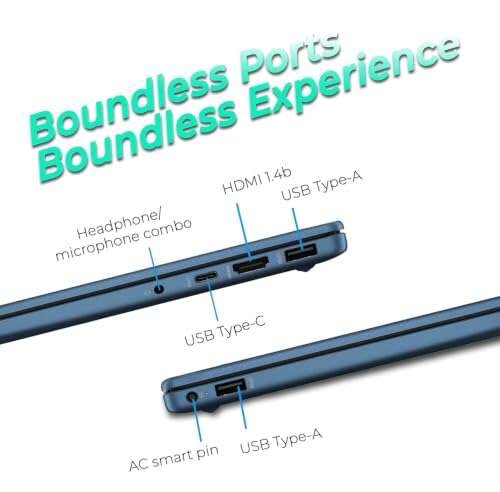
Intel technology can support fast connections, but the laptop maker decides which ports and wireless features to include.
Depending on the model, an Intel laptop may offer:


- Thunderbolt 4
- USB4
- USB-C charging
- Wi-Fi 6E
- Wi-Fi 7
- Bluetooth
- PCI Express storage support
- Multiple external monitor support
Thunderbolt support
Thunderbolt can carry data, video, and power through a compatible USB-C port. It can connect to:
- High-speed storage
- Docking stations
- External monitors
- Network adapters
- Audio equipment
- External graphics devices
A USB-C port does not always support Thunderbolt. Look for the Thunderbolt logo or the exact port specification in the laptop’s technical details.
Wi-Fi support
Intel wireless hardware can support fast Wi-Fi standards. Real speed depends on the router, internet plan, distance, interference, and network traffic.
A laptop cannot create faster internet than the connection or router allows. Wi-Fi 7, for example, may offer useful improvements only when the laptop and network use compatible hardware.

7. Intel Laptops Offer Many Sizes, Prices, and Designs
Intel processors appear in a wide range of laptops. This gives buyers more flexibility than choosing from a small group of designs.
You can find Intel laptops in:
- Affordable student models
- Lightweight travel laptops
- Business notebooks
- Two-in-one convertible PCs
- Large desktop replacements
- Gaming laptops
- Mobile workstations
- Premium ultrathin systems
This range makes it easier to prioritize the feature that matters most. One buyer may need a low price. Another may need a bright screen, a full-size keyboard, or a strong cooling system.
The processor is only one part of the laptop. Compare the full system, including:
- RAM
- Storage
- Display
- Keyboard
- Webcam
- Battery
- Ports
- Weight
- Warranty
- Repair options
A strong processor cannot fix a poor display, weak hinges, or insufficient memory.

8. Business Users Can Benefit From Intel vPro
Some business laptops use Intel vPro technology. Intel vPro is a platform of business features, not simply another processor speed rating.
Depending on the system, vPro may support:
- Remote management
- Hardware-based security features
- Fleet maintenance
- Device monitoring
- Remote troubleshooting
- Enterprise deployment tools
These functions can help IT departments manage many laptops. They may be useful for companies, schools, hospitals, and government offices.
A home user may not need vPro. It can also increase the cost of a laptop. Check the complete vPro specification and your organization’s software requirements before paying more for it.


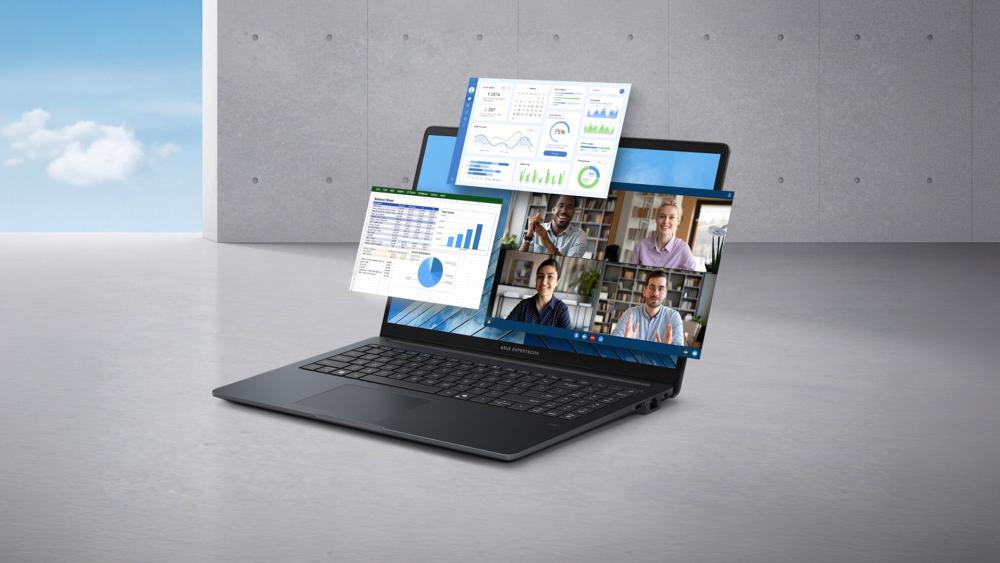
9. Select Intel Core Ultra Chips Add AI Hardware
Intel Core Ultra processors include a neural processing unit, or NPU, on select models. An NPU is designed to handle some artificial intelligence tasks with lower power use than running the same work only on the CPU.
Possible uses include:
- Background blur in video calls
- Voice cleanup
- Image effects
- Local AI tools
- Some creative software features
- AI-assisted productivity tools
The NPU does not improve every app. The software must support it, and the feature may depend on Windows, an application update, or a specific processor model.
Do not assume that every Intel laptop has an NPU. Older Core processors and some newer Intel processors do not offer the same AI hardware. Check the exact model number.

Intel Laptop Advantages at a Glance
The following table summarizes the main benefits and their limits.
| Advantage | Why it helps | What to check |
|---|---|---|
| Windows compatibility | Runs many common x86 apps and tools | App and driver requirements |
| Integrated graphics | Reduces the need for a separate GPU | Exact graphics model and memory |
| Quick Sync Video | Can speed up supported video tasks | Software and codec support |
| Efficient designs | May improve battery life and reduce heat | Battery size and display power |
| Thunderbolt | Supports fast data, displays, and docks | Port must list Thunderbolt |
| Wide product range | Offers more sizes and price points | Build quality and full specifications |
| vPro options | Helps organizations manage fleets | Whether your IT tools support it |
| NPU on select Core Ultra chips | Handles some AI workloads efficiently | Exact chip and app support |
The central lesson is simple: “Intel processor” describes a broad family, not one performance level.

Intel Processor Limitations to Consider
Intel is not automatically the best choice for every laptop buyer. Other processors may offer better value, battery life, graphics performance, or efficiency for a particular use.
Consider these limits before buying:
Performance names can be misleading
A Core i7 is not always faster than every Core i5. A newer generation, higher power limit, or better cooling can change the result.
Compare the full processor model, such as:
- Generation
- Performance cores
- Efficiency cores
- Thread count
- Base and boost behavior
- Integrated graphics
- Power range
Battery life varies by laptop
Two laptops with the same Intel processor may have different battery results. The screen and battery size often matter as much as the chip.
Integrated graphics have limits
Intel integrated graphics work well for many daily tasks. They may not meet the needs of demanding games or professional 3D applications.
Some features are optional
Thunderbolt, vPro, Wi-Fi 7, Core Ultra AI features, and stronger graphics are not included in every Intel laptop.
Higher performance can mean more heat
High-power Intel processors can deliver strong speed but may require larger fans. The laptop may be heavier, louder, or less efficient than a lower-power model.
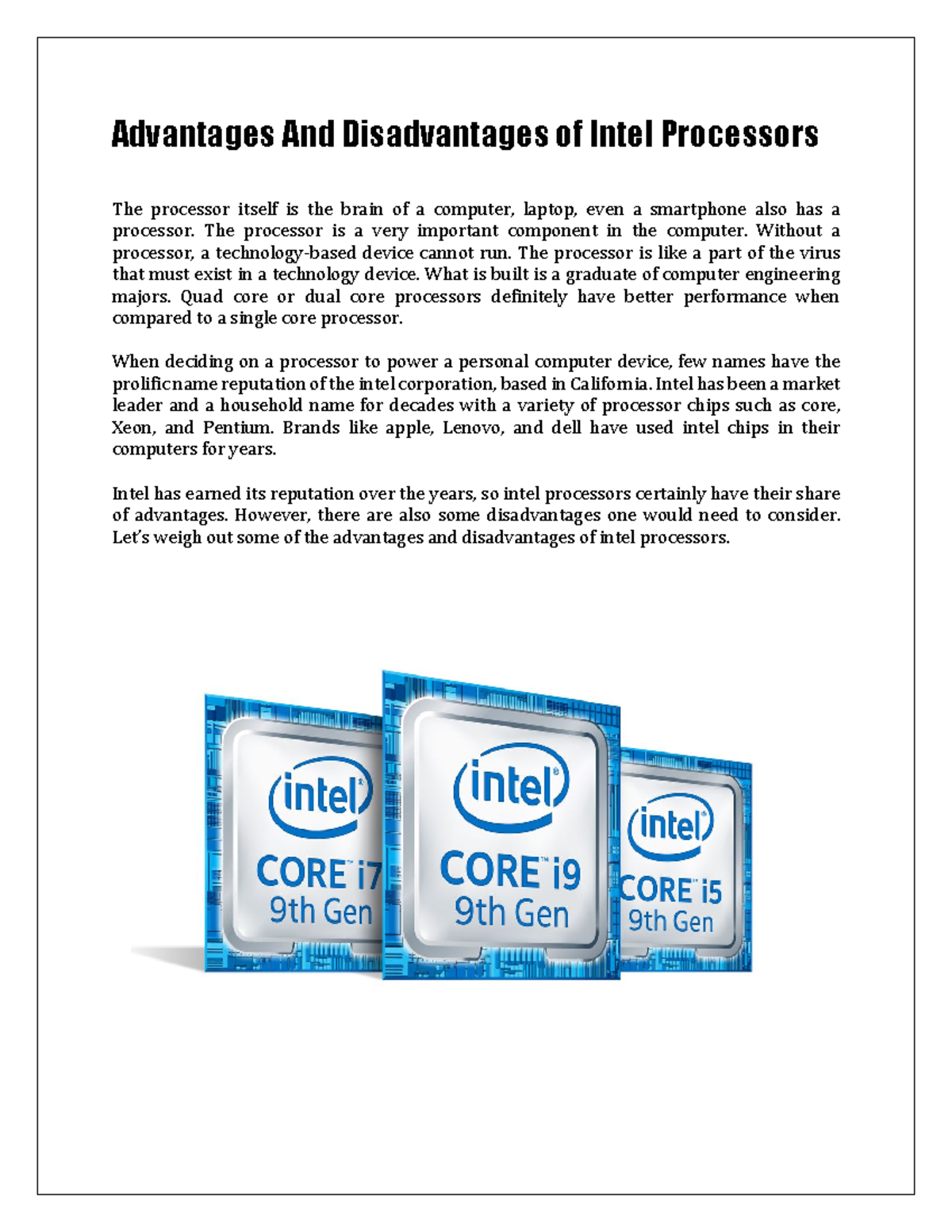
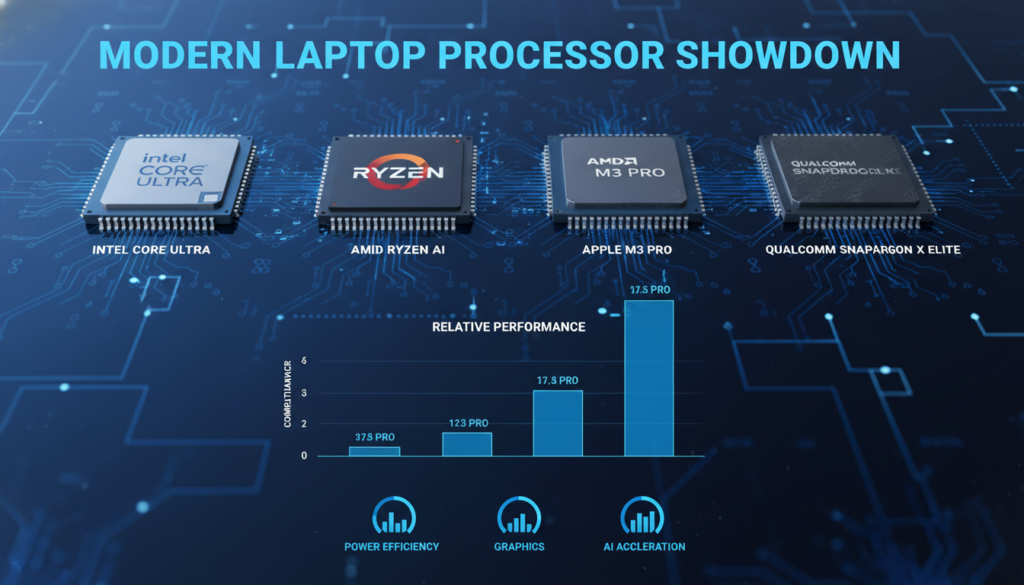
Intel vs. AMD vs. Apple Silicon: Which Is Better?
There is no universal winner. The right processor depends on your software, budget, battery needs, and performance goals.
| Processor platform | Often makes sense for | Main trade-off |
|---|---|---|
| Intel | Windows compatibility, business tools, broad hardware choice, Quick Sync, selected Thunderbolt systems | Performance and battery life vary widely by model |
| AMD Ryzen | Strong multicore value, efficient laptops, integrated graphics on selected models | Some features and laptop designs differ by model |
| Apple silicon | macOS users who want strong efficiency and quiet operation | Requires macOS software and Apple hardware |
| ARM-based Windows chips | Long battery life and quiet mobile use | Some apps, drivers, and games may need compatibility checks |
This comparison is general. Specific models can change the result. A well-designed AMD laptop may beat an Intel laptop in battery life or graphics. A Mac may be better for a macOS workflow. An Intel laptop may be easier for a Windows business environment.

How to Choose the Right Intel Laptop
Start with the task, not the processor label. Use this simple process.
1. List your main tasks
Write down what you will do most often:
- Email and web browsing
- Schoolwork
- Microsoft Office
- Programming
- Photo editing
- Video editing
- Gaming
- Engineering or design
- Business management
- Travel and mobile work
2. Choose the performance level
For basic tasks, an entry-level processor or Core i3 may be enough. Core i5 is a practical starting point for many users. Choose Core i7, Core i9, or Core Ultra 7 and 9 when your work can use more cores and sustained power.
3. Check RAM
For a new Windows laptop, 16 GB of RAM is a useful target for many users. Eight GB may work for light tasks, but it can feel limiting with many browser tabs or demanding apps.
Some thin laptops have soldered RAM. Check whether the memory can be upgraded before buying.
4. Choose an SSD
A solid-state drive improves startup, app loading, and file access. A 512 GB SSD is a common middle ground, but large game libraries and video projects may require more space.
5. Match the graphics to the task
Integrated Intel graphics are suitable for general use and light creative work. Choose a dedicated GPU for serious gaming, 3D work, or demanding video production.
6. Check ports and wireless features
If you use a dock or several monitors, confirm the exact port type. Do not assume that every USB-C port supports charging, video, or Thunderbolt.
7. Review independent testing
Look for tests of the exact laptop model. Check battery life, fan noise, surface temperature, display quality, and sustained performance.

Common Mistakes When Buying an Intel Laptop
Avoid these common errors:
- Buying by Core i7 name alone: Model generation and power limits matter.
- Ignoring RAM: A fast processor cannot compensate for too little memory.
- Assuming every USB-C port is Thunderbolt: Port features vary.
- Expecting integrated graphics to run every game: Check game benchmarks.
- Trusting only the manufacturer battery estimate: Real use can differ.
- Ignoring the display: Resolution, brightness, color, and refresh rate affect daily comfort.
- Choosing the highest chip without checking cooling: A thin laptop may not sustain peak speed.
- Assuming Core Ultra always means better battery life: Design and workload still control battery results.
- Forgetting software support: Confirm that your key apps and devices work with the operating system.
- Paying for business features you will not use: vPro may matter to IT teams but not to most home users.

Frequently Asked Questions
Are Intel processors good for laptops?
Yes. Intel processors are a strong choice for many Windows laptops. They support a broad range of software and appear in systems for school, work, gaming, and professional use. The exact model and laptop design matter more than the Intel name alone.
Is Intel better than AMD for laptops?
Not in every case. Intel may be better for a specific user who needs certain Windows software, Quick Sync, Thunderbolt, or a business platform. AMD may offer better value or graphics performance in another laptop. Compare exact models and independent tests.
Is an Intel Core i5 enough for everyday use?
For many people, yes. A recent Core i5 with 16 GB of RAM and an SSD can handle browsing, office work, video calls, school tasks, and moderate creative work. Heavy editing, advanced gaming, or professional workloads may need a stronger chip and dedicated graphics.
Do Intel laptops have good battery life?
Some do. Battery life depends on the processor class, screen, battery capacity, software, and laptop design. Low-power Intel laptops often last longer than high-performance models under light workloads, but compare reviews of the exact laptop.
Are Intel Core Ultra laptops worth it?
They can be worth considering if you want newer graphics, improved efficiency, or an NPU for supported AI features. The value depends on the price and whether your software uses those features. Do not pay extra for an NPU if you do not need AI-enabled applications.
Can an Intel laptop run games?
Yes, but gaming performance varies. Intel integrated graphics can handle some light games and older titles. Newer, demanding games usually need a dedicated graphics processor, such as one from NVIDIA or AMD.
How much RAM should an Intel laptop have?
Eight GB can cover light use. Sixteen GB is a better target for many current Windows users. Consider 32 GB or more for professional editing, software development, virtual machines, or large creative projects.
Key Takeaways
- Intel laptops offer broad Windows and x86 software compatibility.
- Intel provides chips for basic laptops, premium notebooks, gaming systems, and workstations.
- Quick Sync can help supported video apps.
- Integrated graphics are useful for daily work but do not replace a dedicated GPU for demanding games.
- Battery life depends on the whole laptop, not just the processor.
- Thunderbolt, vPro, Wi-Fi 7, and AI features are available only on selected models.
- A recent Core i5 or Core Ultra 5 is enough for many users.
- Compare the exact processor, RAM, SSD, display, battery, ports, and cooling system before buying.
Final Recommendation
A laptop with an Intel processor is a sensible choice when you want broad Windows compatibility, strong everyday performance, many laptop designs, and access to features such as Quick Sync or Thunderbolt on selected models.
For most buyers, focus on the complete system rather than the processor brand. Choose a recent Core i5 or Core Ultra 5 for general work, step up to Core i7 or Core Ultra 7 for demanding tasks, and select a laptop with dedicated graphics for serious gaming or 3D work. Check the exact specifications and independent tests before making the final decision.

Everett Ashford is a tech reviewer at mytechgrid.com specializing in SSDs, cameras, TVs, earbuds, headphones, and other consumer electronics. He provides honest, data-driven reviews based on hands-on testing and real-world performance analysis. Everett simplifies complex tech details to help readers make smart, confident buying decisions.