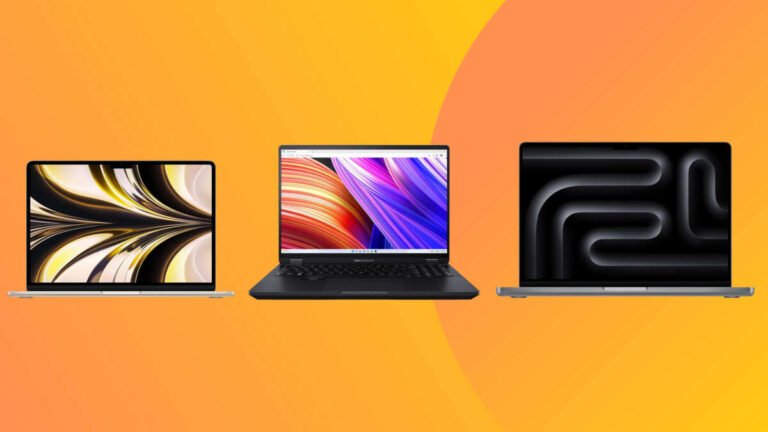
For most developers in the United States, the 14-inch MacBook Pro with an Apple Pro chip, 24GB or more of unified memory, and a 1TB SSD is the best all-around laptop for software development. It offers strong battery life, a sharp display, a quiet design, and enough power for large projects, containers, virtual machines, and mobile development.
The best choice changes by workload:
- Best overall: 14-inch MacBook Pro with a Pro-series Apple chip
- Best Windows laptop: Lenovo ThinkPad P1 or Dell Precision 5000-series
- Best Linux-friendly laptop: Framework Laptop 13 or a well-supported ThinkPad
- Best for Android development: MacBook Pro or a high-memory Windows laptop
- Best for game development: Windows laptop with a discrete NVIDIA GPU
- Best budget option: A modern laptop with 16GB RAM, a recent 6-core processor, and a 512GB SSD
Do not buy based on processor name alone. Software development depends on memory, storage, operating-system support, screen quality, keyboard comfort, cooling, and the tools you plan to run.
Introduction
A software development laptop is a work tool. It must handle an editor, browser tabs, local databases, build tools, containers, test servers, and video calls at the same time.
A basic laptop may run a code editor well but slow down when you start Docker, Android Studio, a local Kubernetes cluster, or a virtual machine. A gaming laptop may have high raw speed but poor battery life, loud fans, and a heavy charger.
This guide focuses on laptops sold in the United States. It uses documented manufacturer specifications and official software requirements as the basis for comparison. Laptop prices, chip options, ports, and model names can change, so check the exact configuration before buying.

Quick Answer: Which Laptop Should You Buy?
The MacBook Pro 14 with a Pro-series Apple chip, at least 24GB of memory, and 1TB of storage is the strongest general recommendation for many US-based developers.
It fits people who build websites, APIs, desktop apps, iOS apps, command-line tools, and cross-platform software. macOS is Unix-based, so common tools such as Git, SSH, Python, Node.js, Ruby, and many container tools feel familiar to Linux users.
Choose a Windows laptop instead if you need:
- Visual Studio with Windows-only tools
- Native .NET Framework applications
- NVIDIA CUDA
- DirectX game development
- Certain engineering or enterprise programs
- A user-replaceable SSD or memory
- A lower starting price
Choose a Linux laptop if Linux is your main target and you want direct control over the operating system. Framework and ThinkPad models are often attractive because their hardware support, repair options, and Linux communities are well documented.
Best laptop by developer type
| Developer or workload | Best fit | Why |
|---|---|---|
| Web development | MacBook Pro 14 or a premium Windows laptop | Strong CPU, long battery life, good screen, Unix tools |
| Python, Java, Go, or Rust | MacBook Pro, ThinkPad, or Framework | Handles compilers, editors, terminals, and local services |
| iOS development | MacBook Pro or MacBook Air | Xcode requires macOS |
| Android development | MacBook Pro, Windows laptop, or Linux laptop | Android Studio benefits from memory and fast storage |
| .NET and enterprise Windows work | ThinkPad, Dell Precision, or Surface Laptop | Better access to Windows-only tools |
| Game development | Windows laptop with NVIDIA graphics | Better support for Unreal Engine, Unity, DirectX, and CUDA |
| Machine learning | Windows or Linux laptop with NVIDIA RTX graphics | CUDA support can matter more than battery life |
| Remote development | MacBook Air, MacBook Pro, or business laptop | Local power matters less when builds run remotely |

What Makes a Laptop Good for Software Development?
The best development laptop balances five parts: memory, processor performance, storage, operating system, and daily comfort.
A fast processor cannot make up for too little RAM. A large SSD cannot fix poor cooling. A bright screen does not help much if the keyboard is uncomfortable after several hours.
Memory: 16GB is the practical minimum
For light coding, 16GB of RAM is enough. It can support a code editor, many browser tabs, a local database, and normal development tools.
Choose 24GB or 32GB if you use:
- Docker containers
- Android Studio
- Xcode
- Virtual machines
- Local Kubernetes
- Large Java or .NET projects
- Multiple databases
- Data science tools
- Large browser-based dashboards
Choose 64GB for heavy virtual machines, large codebases, local AI models, several containers, or professional workloads that keep many services open.
Memory is often soldered in modern thin laptops. If the laptop cannot be upgraded, buy the amount you expect to need over its useful life.
Processor: prioritize sustained performance
A modern 6-core processor is enough for many developers. More cores help when you compile large projects, run several services, or build software while doing other work.
Look for:
- Recent Apple Pro or Max chips
- Intel Core Ultra 5, 7, or 9 processors
- AMD Ryzen 5, 7, or 9 mobile processors
- Business-class or workstation chips when long builds matter
Processor labels are not directly comparable across Apple, Intel, and AMD. Cooling also affects performance. A thin laptop may have a fast chip but reduce its speed during long builds to control heat.
For coding, a balanced processor with good single-core speed often feels better than a high-core chip designed mainly for heavy rendering.
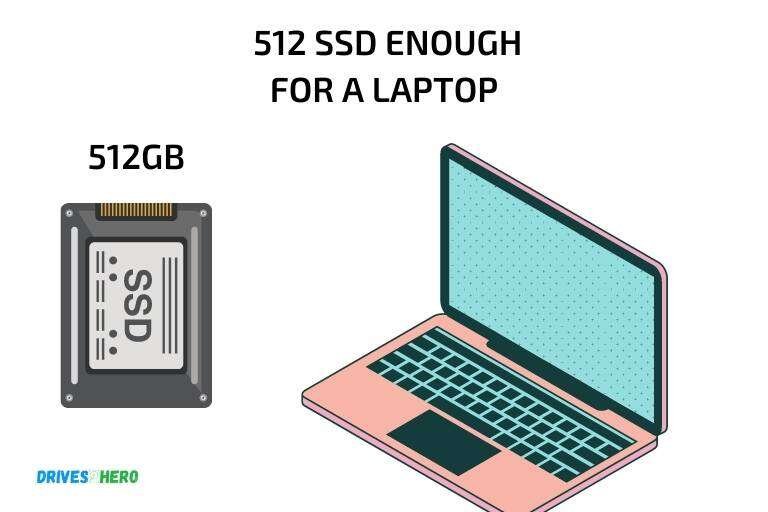
Storage: choose an SSD of at least 512GB
A 512GB SSD is a reasonable starting point. Choose 1TB if you store Android emulators, virtual machines, Docker images, local databases, SDKs, and project files.
Storage fills faster than many buyers expect. A developer may install:
- Multiple programming language toolchains
- Several IDEs
- Android SDKs and emulators
- iOS simulator files
- Container images
- Virtual machines
- Game engines
- Dataset files
An SSD makes builds, indexing, application launches, and file searches feel much faster than an old hard drive. It does not, however, make a weak processor or low-memory system powerful.
Screen: 14 inches is the best balance for many people
A 14-inch laptop is portable but still large enough for code. A 15- or 16-inch screen gives more room for split windows and long files.
Useful screen features include:
- A resolution of at least 1920 × 1200
- A matte or low-glare finish
- Good viewing angles
- Accurate brightness control
- A 16:10 aspect ratio
- An external-monitor connection
A high-resolution display can make text look sharp, but it may use more power. On Windows, check application scaling before buying a very dense screen.
Keyboard and ports matter more than benchmarks
Developers type for hours. A good keyboard, stable palm rest, and accurate trackpad can matter more than a small benchmark difference.
Check whether you need:
- USB-A for older devices
- USB-C with charging
- Thunderbolt or USB4
- HDMI
- An SD card reader
- A headphone jack
- Ethernet through a dock or adapter
A laptop with only USB-C ports can work well, but budget for a dock if you connect monitors, a keyboard, storage, and network equipment.

The Best Laptop Choices for Software Developers
The following choices are based on workload fit rather than one universal ranking. Exact performance depends on the processor, memory, cooling system, and software version.
Best overall: 14-inch MacBook Pro
The 14-inch MacBook Pro is the best general choice for developers who want strong performance in a portable body.
A Pro-series Apple chip is a better fit than the base chip when you compile large projects, run containers, or use several development tools at once. A configuration with 24GB or 36GB of memory and a 1TB SSD gives more room than the entry model.
Why it works well:
- macOS provides a Unix-like development environment
- Apple silicon delivers strong performance per watt
- Battery life is often better than that of high-power Windows workstations
- The display and speakers are strong for long work sessions
- Xcode requires a Mac
Limitations:
- Memory and storage are not normally user-upgradable
- Some Docker images and development tools target x86 processors
- NVIDIA CUDA development is not a practical fit
- The laptop can become expensive after adding memory and storage
Apple provides virtualization tools such as Rosetta for many Intel-based applications, but compatibility is not automatic for every tool. Check the architecture support of your language runtimes, containers, databases, and virtual machines.
Best portable value: MacBook Air
The MacBook Air is a good choice for students, web developers, writers of scripts, and people who work mainly in remote development environments.
It is light, quiet, and usually less expensive than a MacBook Pro. Select 16GB of memory at minimum. Choose more if you use Android Studio, Docker, or several local services.
Choose the MacBook Air when:
- You value low weight and quiet operation
- Your projects are small or moderate
- You do not run long builds all day
- You use cloud development or remote servers
Choose the MacBook Pro instead when:
- Builds run for long periods
- You use several containers
- You need more sustained performance
- You work with large mobile or game projects
The Air has no active fan in many configurations. That keeps it silent, but sustained workloads can slow after the system heats up.
Best Windows choice: Lenovo ThinkPad P1 or Dell Precision
A Lenovo ThinkPad P1 or Dell Precision 5000-series workstation is a strong choice for professional Windows development.
These laptops can be configured with more memory, larger SSDs, and discrete graphics. They also provide better access to Windows-only software than a Mac.
They fit developers who need:
- Visual Studio and Windows-specific workloads
- .NET Framework applications
- Local virtual machines
- Enterprise security features
- A larger screen
- NVIDIA graphics for CUDA or 3D work
The trade-off is weight, price, fan noise, and battery life. A workstation laptop is often more powerful under long loads than a thin consumer laptop, but it is less pleasant to carry every day.
Best repairable option: Framework Laptop 13
The Framework Laptop 13 stands out because its memory and storage are designed to be replaceable. Framework also sells parts and provides repair documentation.
That can reduce long-term waste and make upgrades easier. It is a good fit for developers who value:
- Repairability
- Linux use
- Replaceable memory and SSDs
- A modular port system
- Long-term ownership
Before buying, check the exact processor generation, Linux support, battery expectations, and port modules. A repairable laptop is not automatically the fastest laptop, but it may offer better ownership value.
Best for game development and CUDA: Windows laptop with NVIDIA RTX graphics
Game developers and machine-learning developers often need a Windows or Linux laptop with an NVIDIA GPU.
A discrete GPU can help with:
- Unreal Engine and Unity
- Shader compilation and previews
- 3D modeling
- CUDA-based tools
- Local machine-learning experiments
- GPU-accelerated rendering
Look for at least 32GB of RAM for serious game development. Choose a model with good cooling, a high-wattage GPU, and a power adapter that you can carry comfortably.
Do not buy a gaming laptop only because it has a large GPU. Many gaming models have short battery life, loud fans, poor webcams, and bulky chargers. Those limits matter if you also use the laptop for school, travel, or meetings.
MacBook vs. Windows vs. Linux for Development
The operating system changes which tools work best. There is no universal winner.
macOS
macOS is a strong choice for web development, mobile development, and Unix-based workflows. It also provides the only official environment for building and signing iOS applications with Xcode.
Mac development has two key limits:
- Apple laptops use Apple silicon in current models.
- Memory and storage are usually not upgradeable.
Check whether your containers and development tools support ARM64. Many do, but some older images, proprietary drivers, and specialized tools may require an x86 translation layer or a separate machine.
Windows
Windows is the safest choice for software that depends on Microsoft tools, DirectX, or certain enterprise systems.
Windows Subsystem for Linux can provide a Linux environment inside Windows. It is useful, but it is not identical to installing Linux on the hardware. File placement, networking, virtualization, and device access can affect performance and workflow.
Windows is also the best fit for many game developers because of broad support for Visual Studio, Unreal Engine, Unity, DirectX, and NVIDIA drivers.
Linux
Linux gives developers direct control over packages, shells, services, permissions, and system behavior. It is a natural fit for server-side work and many DevOps roles.
A Linux laptop may require more setup. Check:
- Wi-Fi support
- Sleep and wake behavior
- Fingerprint readers
- Webcam support
- Graphics drivers
- Battery life
- External monitor support
Ubuntu, Fedora, and other distributions can behave differently on the same laptop. Review hardware support for the exact model, not only the laptop brand.

Recommended Specifications by Budget
Prices change across US retailers and sales events. The ranges below describe practical buying tiers, not fixed market prices.
| Budget level | Recommended specification | Best for |
|---|---|---|
| Entry | 16GB RAM, 512GB SSD, recent 6-core CPU | Web work, scripts, school projects |
| Midrange | 16–32GB RAM, 512GB–1TB SSD, modern 6- to 12-core CPU | Most professional development |
| Upper midrange | 32GB RAM, 1TB SSD, strong CPU | Containers, mobile apps, large builds |
| Workstation | 32–64GB RAM, 1TB or larger SSD, high-power CPU, optional GPU | Virtual machines, game engines, data work |
A simple capacity calculation
Suppose your system uses:
- 8GB for the operating system and background tasks
- 5GB for an IDE
- 4GB for a browser and documentation
- 6GB for containers and databases
That workload already needs about 23GB of memory. A 16GB laptop would rely heavily on compressed memory or disk swapping, which can make the system feel slow.
This is a hypothetical example, not a benchmark. Your tools may use more or less memory. The lesson is simple: count the programs you run together, not just the editor.
What not to cut
If your budget is tight, protect these features in this order:
- 16GB of memory
- A modern processor
- A 512GB SSD
- A comfortable keyboard
- A good screen
- Repair or upgrade access
You can add an external monitor later. You cannot always upgrade soldered memory.

How to Choose the Right Laptop Step by Step
Use this process before you compare brands.
1. List the tools you must run
Write down your IDE, language runtimes, databases, containers, emulators, and virtual machines.
For example:
- VS Code
- Docker Desktop
- PostgreSQL
- Android Studio
- IntelliJ IDEA
- Xcode
- Visual Studio
- Unreal Engine
Check each tool's official system requirements. Pay special attention to processor architecture and operating-system limits.
2. Decide whether you need a GPU
Most web and backend developers do not need a discrete GPU. Integrated graphics are enough for code, browsers, terminals, and normal external displays.
You may need a dedicated GPU for:
- 3D game engines
- CUDA
- Local machine learning
- Video production
- CAD
- GPU rendering
A GPU adds cost, heat, weight, and power use. Do not pay for one unless your work can use it.
3. Set your memory target
Use 16GB for light work. Use 32GB for a safer professional choice. Use 64GB when you know you will run large virtual machines, local models, or many services.
Do not confuse unified memory with ordinary removable RAM. On Apple silicon laptops, the CPU and GPU share the same memory pool. More graphics work can therefore reduce memory available to other applications.
4. Choose the screen and size
Pick 14 inches if you travel often. Pick 16 inches if you keep several windows open or rarely work away from a desk.
If possible, visit a store and type for several minutes. Look at code, not only photos. Check glare, text sharpness, keyboard travel, and trackpad accuracy.
5. Check ports and external-monitor support
Confirm the number of displays supported by the exact laptop configuration. Some models limit external displays, especially when the lid is open or when using certain docks.
Also check whether the USB-C ports support charging, video output, and high-speed data. USB-C describes the connector shape, not every feature.
6. Check support and repair options
Review the warranty, service network, battery replacement process, and parts availability in the United States.
A laptop that lasts one extra year may cost less over time than a cheaper model that cannot be repaired or upgraded.

Common Buying Mistakes
Buying 8GB of RAM
Eight gigabytes may work for basic coding, but it leaves little room for modern browsers, IDEs, containers, and emulators. It is a poor long-term choice for most professional developers.
Buying a powerful CPU with too little memory
A high-end processor cannot prevent slowdowns when the system runs out of RAM. Spend on a balanced configuration instead.
Choosing a gaming laptop for ordinary coding
Gaming laptops often provide strong performance, but they can be heavy and loud. They also tend to have shorter battery life.
Ignoring processor architecture
Apple silicon, Intel, and AMD systems use different architectures and software packages. Confirm that your language runtimes, Docker images, databases, and binary tools support the laptop you plan to buy.
Assuming every laptop supports several monitors
Display support varies by model, processor, port, dock, and operating system. Confirm the exact limit before buying.
Paying for a 4K display instead of memory
A sharper screen is useful, but extra memory usually has a larger effect on development work. Choose 32GB over a higher-resolution display when both cannot fit your budget.

Laptop Accessories That Improve Development
A laptop is only part of a useful development setup.
External monitor
A 24- or 27-inch monitor can show code, documentation, logs, and a browser at once. A USB-C dock can reduce cable clutter, but verify that it supports your laptop and display setup.
External keyboard and mouse
These can improve comfort during long sessions. An external keyboard also reduces wear on the laptop.
Laptop stand
A stand raises the screen to a better height. Use an external keyboard if the laptop is raised for long periods.
Backup drive or cloud backup
Source code should live in a version-control system such as Git, but Git is not a complete backup plan. Keep important files in a separate backup system.
USB-C charger
A second charger is useful for a home office or travel bag. Confirm the wattage required by the laptop, especially for workstation and gaming models.

Frequently Asked Questions
Is a MacBook good for software development?
Yes. A MacBook is a strong choice for web, backend, Python, mobile, and cross-platform development. It is the required platform for official iOS development with Xcode.
It is less suitable when you need NVIDIA CUDA, Windows-only software, or tools that do not support ARM-based systems.
Is 16GB RAM enough for coding?
Yes, for light and moderate development. Choose 32GB if you use Docker, Android Studio, virtual machines, large Java projects, or several services at once.
Is a gaming laptop good for programming?
It can be. A gaming laptop is useful for game development, CUDA, rendering, and machine learning. For ordinary web or backend work, its extra GPU may add weight and heat without much benefit.
Should developers buy a laptop or desktop?
A laptop is better if you study, travel, work from several locations, or need a portable machine. A desktop usually provides more performance per dollar and easier upgrades.
Many developers use a laptop with an external monitor and dock as a middle ground.
Do developers need a dedicated graphics card?
Most do not. Integrated graphics are enough for common coding, web development, databases, and command-line work.
You need a dedicated GPU for workloads that specifically use graphics acceleration, such as many game engines, CUDA applications, and 3D rendering.
How much storage should a programming laptop have?
Choose 512GB for basic work and 1TB for a more comfortable setup. Virtual machines, mobile SDKs, container images, and game engines can consume storage quickly.
Can a Chromebook be used for software development?
A Chromebook can work for web development, cloud development, and Linux-based tools. It is less suitable for full desktop applications, iOS development, advanced virtual machines, or large local builds.
Check the exact Linux support and storage capacity before buying.
Key Takeaways
- The best overall choice for many US developers is a 14-inch MacBook Pro with a Pro-series chip, 24GB or more of memory, and a 1TB SSD.
- Choose Windows for Visual Studio, DirectX, CUDA, and Windows-only software.
- Choose Linux or a Linux-friendly laptop when system control and server-like tools are central to your work.
- Buy at least 16GB of RAM. Choose 32GB for containers, emulators, virtual machines, and larger projects.
- A 512GB SSD is a practical minimum. A 1TB SSD gives much more room.
- You usually do not need a dedicated GPU unless your tools use it.
- Check processor architecture, display support, ports, repair options, and the exact configuration before buying.
Conclusion
The best laptop for software development is not the one with the highest benchmark score. It is the one that runs your tools without friction and remains comfortable throughout the workday.
For a broad mix of development tasks, choose a MacBook Pro with enough memory and storage. Choose a ThinkPad, Dell Precision, or similar Windows workstation for Microsoft tools, CUDA, or upgrade flexibility. Choose a Framework Laptop or supported ThinkPad when repairability and Linux matter most.
Before you buy, list your actual tools, set a memory target, confirm operating-system support, and check the ports and display limits of the exact model. That short process will usually lead to a better choice than comparing processor names alone.

Everett Ashford is a tech reviewer at mytechgrid.com specializing in SSDs, cameras, TVs, earbuds, headphones, and other consumer electronics. He provides honest, data-driven reviews based on hands-on testing and real-world performance analysis. Everett simplifies complex tech details to help readers make smart, confident buying decisions.