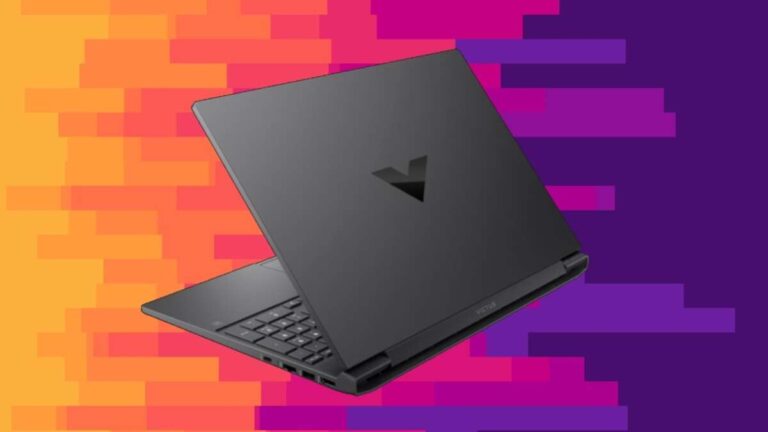
For most buyers in the United States, the Lenovo ThinkPad X1 Carbon Gen 12 with a fingerprint reader is the best overall laptop with fingerprint login. It is light, fast, durable, and built for work. Its fingerprint sensor works with Windows Hello, so you can unlock the laptop without typing a password each time.
The best choice can change by budget and use. A Lenovo ThinkPad E14 costs less. An HP EliteBook 840 suits business users who want strong support. A Dell Latitude 7450 is a good fit for companies that manage many Windows PCs.
Always check the exact US configuration before buying. Fingerprint readers are often optional. The same laptop name may appear with or without the sensor.

Best laptops with fingerprint readers at a glance
The table below compares strong choices for US buyers. Prices, ports, processors, and biometric options can change by model year and seller.
| Laptop | Best for | Fingerprint reader | Main strength | Main limit |
|---|---|---|---|---|
| Lenovo ThinkPad X1 Carbon Gen 12 | Best overall | Available on select configurations | Light design, strong keyboard, business features | High price |
| Lenovo ThinkPad E14 Gen 6 | Best value | Available on select configurations | Lower cost and useful ports | Heavier and less refined |
| HP EliteBook 840 G11 | Business users | Available on select configurations | Security, support, and service options | Business pricing can be high |
| Dell Latitude 7450 | Managed office fleets | Available on select configurations | Easy business deployment | Configuration names can be confusing |
| Lenovo ThinkPad T14 Gen 5 | Office and hybrid work | Available on select configurations | Good balance of repairability and performance | Not as light as the X1 Carbon |
| MacBook Air or MacBook Pro | Apple users | No fingerprint reader | Uses Touch ID on the power button | It is not a Windows-style fingerprint sensor |
Quick recommendation
Choose the ThinkPad X1 Carbon Gen 12 if you want the best mix of weight, keyboard quality, security features, and business use.
Choose the ThinkPad E14 Gen 6 if price matters most.
Choose the HP EliteBook 840 G11 or Dell Latitude 7450 if your employer manages the laptop.
Why the Lenovo ThinkPad X1 Carbon is the best overall choice
The ThinkPad X1 Carbon is the strongest all-around pick because it combines a fingerprint reader with features that matter every day. It has a comfortable keyboard, a business-focused design, and a light chassis that is easy to carry around a US campus, office, or airport.
The fingerprint reader works with Windows Hello. Windows Hello lets you sign in with a fingerprint, face scan, or PIN instead of entering your full account password.
The X1 Carbon also offers useful business features. Depending on the configuration, these may include a privacy shutter, a smart card reader, a high-resolution display, and support for enterprise security tools.
The main drawback is price. A well-equipped X1 Carbon can cost much more than a consumer laptop. Some lower-cost configurations also have a different display, less memory, or no fingerprint reader.
Best configuration to look for
For most people, look for:
- An Intel Core Ultra 5 or Core Ultra 7 processor
- At least 16 GB of RAM
- At least a 512 GB solid-state drive
- A display resolution of 1,920 × 1,200 or higher
- A fingerprint reader listed in the specifications
- Windows 11 Pro if you need business management features
Do not assume that every X1 Carbon has the same parts. Lenovo sells many regional and retailer-specific configurations.
Best budget laptop with a fingerprint reader
The Lenovo ThinkPad E14 Gen 6 is a practical value choice. It usually costs less than the X1 Carbon while keeping the features many people want for school, home work, and office tasks.
The E14 line often includes a fingerprint reader on selected models. It also tends to provide a useful mix of USB ports, HDMI, and USB-C connections. That can reduce the need for a dock.
The trade-off is size and finish. The E14 is not as light or slim as the X1 Carbon. Its screen and speakers may also vary more between configurations.
For a budget laptop, try to avoid models with only 8 GB of RAM if you plan to keep the laptop for several years. Sixteen gigabytes gives Windows more room for a browser, office apps, video calls, and background tools.
Who should buy the ThinkPad E14?
It is a good fit for:
- College students
- Home office users
- Small business owners
- People who want a durable work laptop
- Buyers who need ports without paying for a premium model
It is less suitable if you want a very light travel laptop, a bright creative-work display, or strong gaming performance.

Best business laptops with fingerprint readers
Business laptops are often the safest place to look for a fingerprint reader. Manufacturers usually offer biometric login, TPM security, docking support, and long-term service options on these models.
HP EliteBook 840 G11
The HP EliteBook 840 G11 is a strong business option. It is designed for office use and often includes Windows Hello support, a fingerprint reader option, and business security controls.
Choose it when your company already uses HP management tools or support services. It can also suit professionals who want a clean design without moving to a consumer laptop.
The main issue is configuration. HP sells many EliteBook versions through different channels. Confirm that the listing says fingerprint sensor or fingerprint reader. A laptop with only an infrared camera supports face login, not fingerprint login.
Dell Latitude 7450
The Dell Latitude 7450 is another good choice for work. Dell Latitude systems are common in US businesses and support common enterprise tools, docking stations, and Windows security features.
It can be a smart choice when your employer already uses Dell ProSupport or a Dell fleet-management system. For a home buyer, however, the price may not be as attractive as a ThinkPad E14 or a consumer laptop with face login.
Lenovo ThinkPad T14 Gen 5
The ThinkPad T14 Gen 5 sits between the lighter X1 Carbon and the lower-cost E14. It offers a practical balance of performance, ports, serviceability, and business features.
The T14 is a better pick than the X1 Carbon if you want more room for ports or prefer a slightly larger and more practical work machine. It is not the best choice for someone who carries a laptop all day and wants the lowest possible weight.

How a laptop fingerprint reader works
A laptop fingerprint reader scans patterns on your finger and compares them with an enrolled template. It does not normally store a simple photo of your fingerprint for Windows login.
On a Windows laptop, the reader works through Windows Hello. The biometric system is tied to the device and its security hardware. Microsoft says Windows Hello biometric data is stored on the device rather than sent to a remote server for normal sign-in.
The fingerprint reader is mainly a convenience tool. It is not a replacement for every security step.
You may still need your PIN or password when:
- You sign in after a restart
- Windows requires additional verification
- The reader cannot recognize your finger
- Your organization applies a security policy
- You change important account or security settings
A fingerprint is also not a secret. You leave it on objects you touch. For that reason, your Windows Hello PIN remains important.
Fingerprint reader vs. facial recognition
A fingerprint reader is not automatically better than Windows Hello face login. Each method has different strengths.
| Feature | Fingerprint reader | Windows Hello face login |
|---|---|---|
| Works in a dark room | Usually yes | Depends on the camera system |
| Requires touching the laptop | Yes | No |
| Useful with gloves | No | Often yes |
| Works when wearing a mask | Usually yes | May fail or need extra steps |
| Hardware availability | Common on business laptops | Needs a compatible infrared camera |
| Speed | Usually very fast | Usually very fast |
| Privacy concern | Finger touches the sensor | Camera scans the user |
A fingerprint reader is often the better choice if you work in low light or share a desk with other people. Face login may be easier if your hands are wet, cold, or covered.
Some premium laptops offer both. That gives you a backup method, but it can raise the price.

How to choose the right laptop with a fingerprint reader
Start with the sensor, but do not stop there. A fingerprint reader cannot make up for a poor screen, weak battery life, or too little memory.
1. Confirm the exact configuration
Look for one of these phrases in the official specification:
- Fingerprint reader
- Fingerprint sensor
- Windows Hello fingerprint
- Touch fingerprint reader
Do not rely only on a product title. Retailer titles can combine several configurations into one page.
2. Choose enough memory
For normal work, 16 GB of RAM is a sensible target. Eight gigabytes may work for light browsing and writing, but it leaves less room for many browser tabs and modern apps.
If the RAM is soldered to the motherboard, you may not be able to upgrade it later. Check the service manual or official product specifications.
3. Check the screen
A 14-inch display with a 1,920 × 1,200 resolution gives more vertical space than a basic 1,920 × 1,080 screen. That helps with documents and web pages.
For outdoor use, check the brightness rating. A fingerprint reader does not help much if the screen is hard to see.
4. Check the operating system
Windows 11 laptops normally support Windows Hello when the required hardware and drivers are present.
Chromebooks may offer fingerprint unlock on some models, but availability depends on the device and ChromeOS support. ChromeOS fingerprint unlock may also have different limits from Windows Hello.
MacBooks use Touch ID, not a traditional fingerprint sensor. Touch ID is built into the power button on supported MacBook models. It is excellent for Apple users, but it does not provide Windows Hello login.
5. Consider repair and support
A business laptop usually has better documentation and service options than a very cheap consumer model. Check:
- Warranty length
- Accidental damage coverage
- Battery replacement options
- Availability of parts
- Support in the United States
- Whether the fingerprint reader is replaceable
A failed fingerprint reader should not lock you out if your PIN works. Still, a repair can be costly if the sensor is built into the power button or motherboard.

How to set up a fingerprint reader in Windows 11
Set up a backup PIN before enrolling your finger. Windows requires a PIN for Windows Hello.
- Open Settings.
- Select Accounts.
- Choose Sign-in options.
- Select Fingerprint recognition (Windows Hello).
- Click Set up.
- Enter your Windows Hello PIN.
- Touch the sensor several times as Windows asks.
- Add another finger if you often use both hands.
- Lock the laptop and test the reader.
Use a clean, dry finger. Press lightly. Do not scrape or press hard against the sensor.
Enrollment succeeds when Windows confirms that the fingerprint is ready and the reader unlocks the laptop after you lock it.
What to do if setup fails
Try these steps in order:
- Clean the sensor with a soft, dry cloth.
- Wash and dry your finger.
- Re-enroll the same finger.
- Add a second finger.
- Install Windows updates.
- Install the fingerprint driver from the laptop maker.
- Check Device Manager for a disabled biometric device.
- Restart the laptop.
- Use the PIN while you troubleshoot.
If the reader is missing from Windows, the laptop may not include the hardware. It may also need a manufacturer driver or firmware update.
Do not download random biometric drivers from unofficial websites. Use Lenovo, HP, Dell, Microsoft, or the laptop maker listed by the manufacturer.
Common fingerprint reader problems
The reader stops recognizing your finger
Dry skin, moisture, dirt, a small cut, and changes in finger position can affect recognition. Re-enroll the finger after cleaning the sensor.
If the problem affects only one finger, enroll a different finger. If every enrolled finger fails, check drivers and Windows updates.
The reader works after a restart but not after sleep
This may point to a driver, power-management, or firmware problem. Install updates from the laptop maker first.
If the problem continues, use the PIN and contact the manufacturer. Avoid changing advanced BIOS settings unless the support guide tells you to do so.
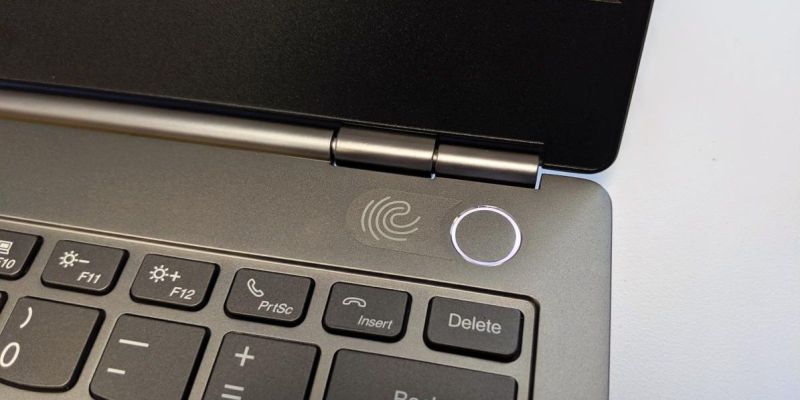
The laptop has a fingerprint icon but no fingerprint option
The icon may refer to a power button design rather than a biometric sensor. Some laptops share a chassis across several configurations.
Check the original product specification or serial-number lookup page. If the official specification does not list a fingerprint sensor, assume the laptop does not have one.
Fingerprint login is unavailable after a restart
This can be normal. Windows may require the PIN or password after a restart, a security event, or a policy check.
That extra step helps prove that the person signing in knows a secret, rather than only having access to an enrolled biometric trait.
The fingerprint reader is not enough for sensitive work
Use full-disk encryption, a strong account password, a private Windows Hello PIN, and current security updates. Follow your employer's rules if the laptop handles company, customer, health, or financial data.
A fingerprint reader protects local access. It does not stop phishing, malicious websites, stolen passwords, or unsafe cloud accounts.

Are laptops with fingerprint readers more secure?
A fingerprint reader can improve security because it makes fast, regular sign-ins easier. People are less likely to leave a laptop unlocked when unlocking it takes one quick touch.
Windows Hello also uses device-based security features. The biometric check is intended to unlock the device without sending a fingerprint image to a website during normal use.
Still, the sensor has limits. It cannot identify a person with absolute certainty, and it should not be treated as a complete security system.
For better protection:
- Use a long, private Windows Hello PIN.
- Turn on device encryption.
- Install operating system and firmware updates.
- Lock the laptop before leaving it.
- Do not share the PIN.
- Use multi-factor authentication for online accounts.
- Keep a recovery method available.
For company laptops, let your IT team set the security policy. Some organizations require a smart card, security key, or password in addition to fingerprint login.

What is the best laptop with a fingerprint reader for you?
The best laptop depends on your main trade-off:
- Best overall: Lenovo ThinkPad X1 Carbon Gen 12 with a confirmed fingerprint reader
- Best value: Lenovo ThinkPad E14 Gen 6 with 16 GB of RAM
- Best for business fleets: Dell Latitude 7450 or HP EliteBook 840 G11
- Best balance of serviceability and price: Lenovo ThinkPad T14 Gen 5
- Best Apple option: MacBook Air or MacBook Pro with Touch ID, if you do not need Windows Hello
Before placing an order, open the manufacturer's specification page and confirm three items: the fingerprint reader, the exact processor and memory, and the US warranty.

FAQs
Do all Lenovo ThinkPad laptops have fingerprint readers?
No. Many ThinkPad models offer a fingerprint reader, but it may be optional. Check the exact model configuration. The presence of a ThinkPad logo does not confirm biometric hardware.
Can I use a fingerprint reader without a password?
You need a backup PIN or password. Windows may request it after a restart or when extra verification is required.
Is a fingerprint reader better than a laptop PIN?
Neither is best in every case. A fingerprint is quicker and easier to use. A private PIN is a secret and can be changed. Windows uses both methods together.
Can I add a fingerprint reader to a laptop later?
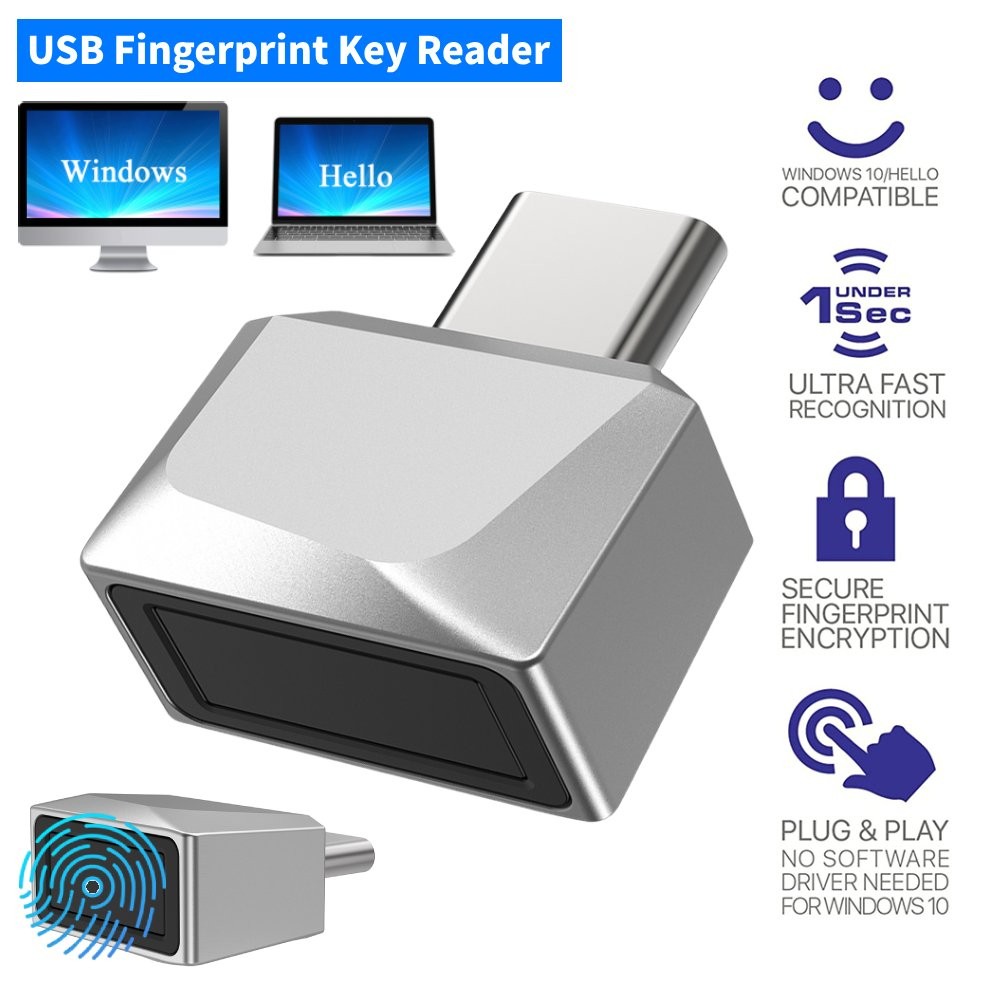
Usually not in a simple way. External USB fingerprint readers exist, but support and security features vary. A built-in reader is the safer choice when biometric login matters.
Do MacBooks have fingerprint readers?
MacBooks with Touch ID have a fingerprint sensor in the power button. Apple calls it Touch ID. It works with macOS features such as login, password filling, and Apple Pay.
Sources and verification links
- Microsoft: Windows Hello
- Microsoft: Windows sign-in options
- Lenovo ThinkPad product support
- HP business PC support
- Dell Latitude support
Conclusion
The Lenovo ThinkPad X1 Carbon Gen 12 is the best overall laptop with a fingerprint reader for most US buyers who want a light, reliable Windows work laptop.
Choose the ThinkPad E14 to save money. Choose the EliteBook 840, Latitude 7450, or ThinkPad T14 for business use and support needs. Whichever model you choose, verify the exact US configuration before buying. A fingerprint reader is an optional feature on many laptops, not a guarantee that comes with the model name.

Everett Ashford is a tech reviewer at mytechgrid.com specializing in SSDs, cameras, TVs, earbuds, headphones, and other consumer electronics. He provides honest, data-driven reviews based on hands-on testing and real-world performance analysis. Everett simplifies complex tech details to help readers make smart, confident buying decisions.