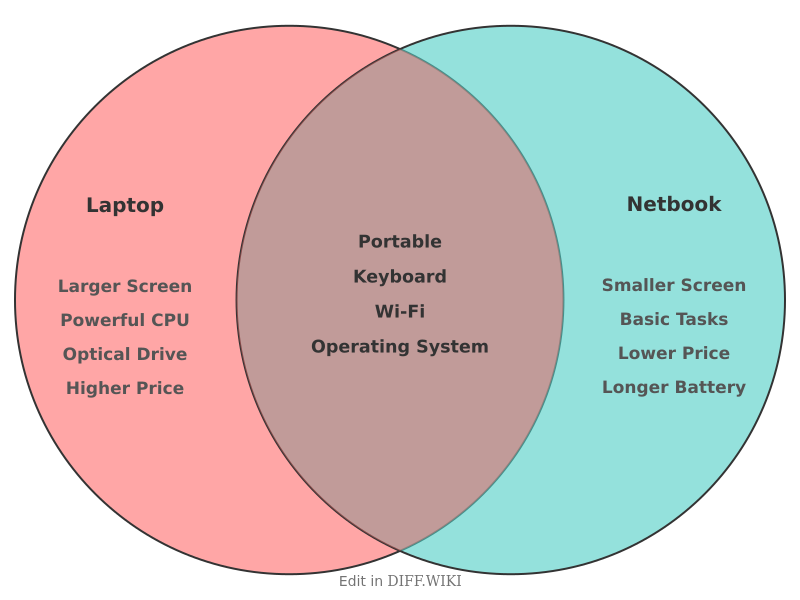
For shoppers in the United States, the short answer is simple: a netbook is a small, low-cost type of laptop. Netbooks focus on light web use, email, and basic documents. Regular laptops offer more power, larger screens, better storage, and wider support for demanding apps.
The term netbook was common in the U.S. during the late 2000s. Today, most netbooks are old or discontinued. Modern small laptops, entry-level Windows PCs, and Chromebooks now fill much of the same role.
What Is a Netbook?
A netbook was a compact laptop made for simple tasks and easy travel. It usually had a small screen, a basic processor, limited storage, and a lower price than a full-size laptop.


Netbooks became popular in the United States around 2007 through 2010. Models often used Intel Atom processors or similar low-power chips. Many ran Windows XP, Windows 7 Starter, or a light version of Linux.
The term did not describe one exact technical standard. Instead, it described a market category. A device was often called a netbook if it had most of these traits:
- A screen near 7 to 12 inches
- A small and light body
- A low-power processor
- Limited RAM and storage
- A lower purchase price
- A focus on web browsing and office tasks
- Few features for gaming or professional software
The name came from the idea of a small computer built mainly for the internet. Netbooks were not designed to replace powerful desktop PCs or high-end laptops.

What Is a Laptop?
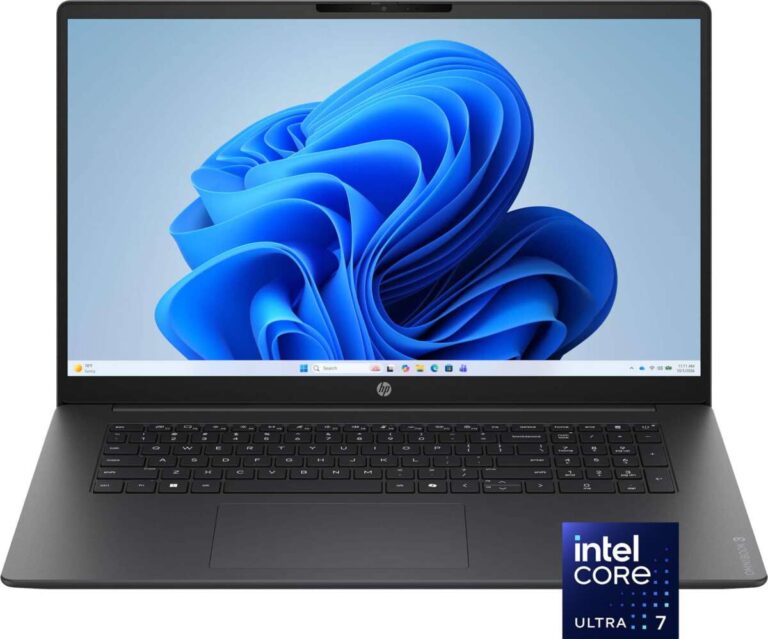
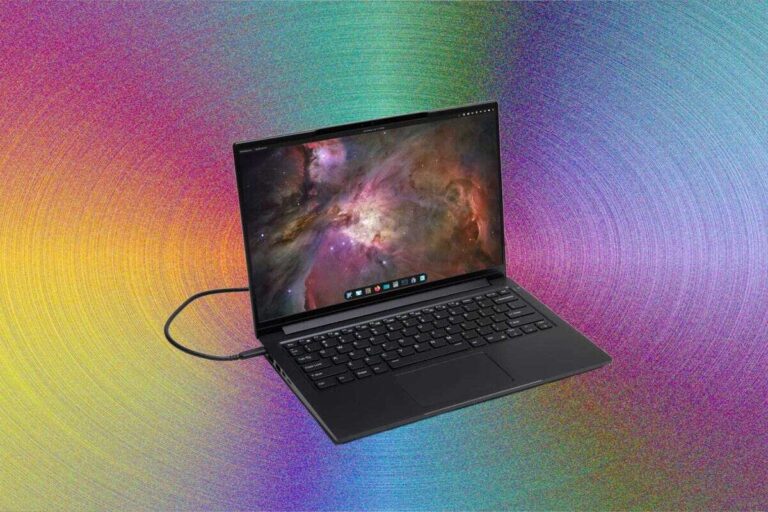
A laptop is a portable computer with a built-in screen, keyboard, touchpad, battery, and computer hardware. The word covers a wide range of devices.
A laptop may be:


- An inexpensive school computer
- A business notebook
- A gaming computer
- A mobile workstation
- A thin-and-light travel computer
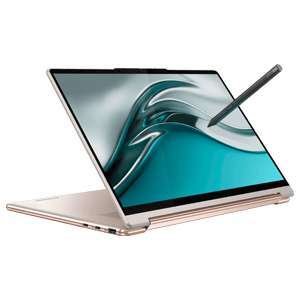
- A two-in-one device with a touch screen
This broad category is why the comparison can be confusing. A netbook is a laptop, but not every laptop is a netbook.
Modern laptops can use processors from Intel, AMD, or Apple. They may include solid-state drives, high-resolution screens, strong graphics chips, and large amounts of memory. A laptop can handle simple web tasks, but some models can also edit video, run design software, or play modern games.
Netbook vs. Laptop: Main Differences
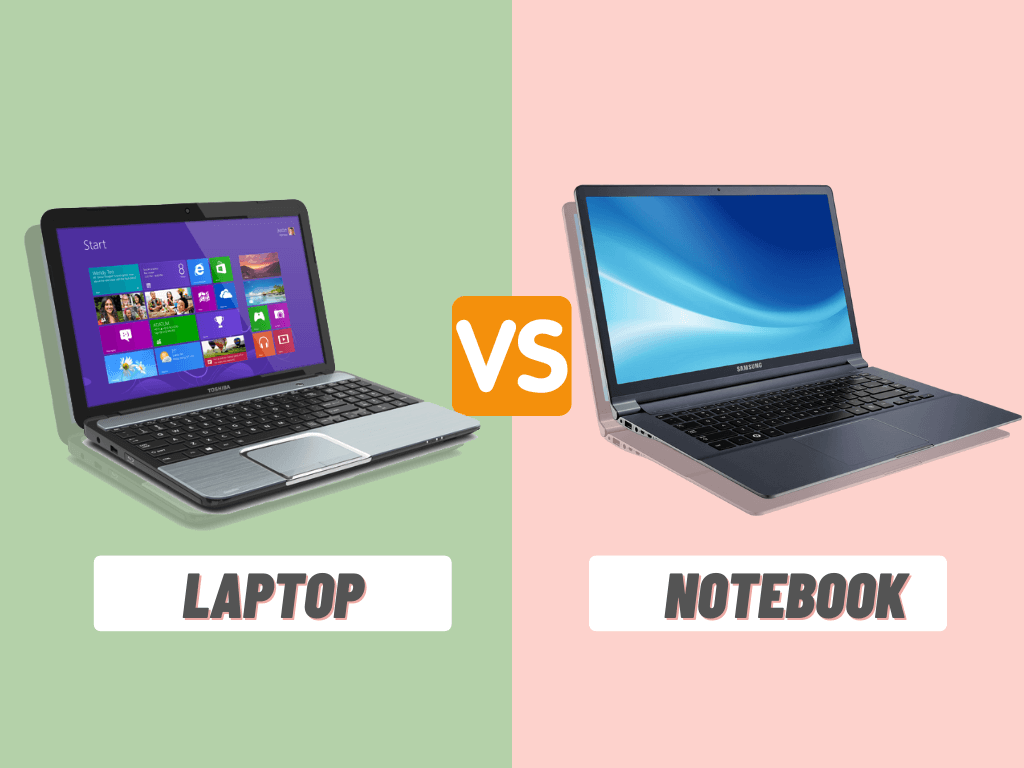
The main difference between a netbook and a laptop is the balance between portability, cost, and performance. Netbooks favor low weight and low price. Regular laptops offer more speed and flexibility.
| Feature | Netbook | Regular laptop |
|---|---|---|
| Main purpose | Web use and light work | General or demanding computing |
| Typical size | About 7–12 inches | About 11–18 inches |
| Processing power | Low | Low to very high |
| Memory | Often limited | Wider range |
| Storage | Small hard drive or flash storage | SSD or larger storage options |
| Keyboard | Smaller | Usually more comfortable |
| Battery use | Often low power | Varies by model |
| Gaming | Very limited | Basic to high-end gaming |
| Software | Basic apps | Basic to professional apps |
| Current availability | Rare as a new category | Common |
These are general patterns, not strict rules. A small modern laptop can be much faster than an old netbook. A large budget laptop can still feel slow if it has weak hardware or a hard disk drive.

Performance and Processing Power
A regular laptop is usually much faster than a netbook. Netbooks used low-power chips that produced less heat and used less energy. That helped battery life and portability, but it also limited performance.
A netbook could usually handle:
- Basic web pages
- Online research
- Simple word processing
- Light spreadsheets
- Music playback
- Standard-definition video
It could struggle with:
- Many browser tabs
- Video editing
- Large spreadsheets
- Photo editing
- 3D games
- Modern multitasking
- High-resolution video
- Professional design tools
Many older netbooks also used slow mechanical hard drives. A solid-state drive can make a computer feel much faster, but it cannot fully fix an outdated processor, limited memory, or unsupported operating system.
The processor name alone does not tell the whole story. A current low-cost laptop chip may outperform an older mobile chip by a wide margin. When comparing devices, check the processor generation, memory, storage type, and operating system support.

Size, Weight, and Portability
Netbooks were smaller and lighter than most laptops of their time. Their small bodies made them easy to carry in a school bag, purse, or small travel case.
That small size came with trade-offs:
- A cramped keyboard
- A smaller touchpad
- Less room for ports
- A smaller screen
- More eye strain for some users
- Less room for cooling and upgrades
Modern lightweight laptops can offer a better balance. A 13-inch laptop may still be easy to carry while providing a more useful keyboard and screen. A 14-inch model may weigh more, but it can be more comfortable for daily work.


For travel, size matters. For long writing sessions, screen and keyboard comfort often matter more. The smallest device is not always the best portable computer.

Screen and Keyboard Differences
Netbooks usually had small screens and compact keyboards. That helped reduce their size, but it made long work sessions less comfortable.
A small display can make websites, spreadsheets, and documents harder to read. A small keyboard can slow typing and increase mistakes. Some netbooks also used low screen resolutions that gave users less room for windows and menus.
Regular laptops often provide:
- A larger viewing area
- A more spacious keyboard
- A larger touchpad
- Better screen brightness
- Higher resolution
- More comfortable layouts
Screen quality varies across laptops. Size alone does not show quality. Check the screen resolution, brightness, panel type, viewing angles, and whether the display has a matte or glossy finish.
For frequent writing, online classes, or office work, a comfortable keyboard may be worth more than a very small case.

Storage and Memory
Netbooks commonly had less storage and memory than regular laptops. Early models often used small hard drives or modest flash storage. This was enough for documents and light downloads, but not for large media libraries.
Today, many laptops use solid-state drives, also called SSDs. An SSD has no moving parts. It can help a computer start apps and load files faster than an older hard disk drive.
Memory, or RAM, affects multitasking. More RAM can help when you use several apps or browser tabs at once. However, adding memory does not turn an old netbook into a modern performance laptop.
Before buying a used netbook, check:
- The storage capacity.
- The storage type.
- The maximum supported memory.
- Whether the battery still holds a charge.
- Whether the operating system still receives security updates.

Battery Life
Netbooks often had good battery life for their time because their processors used little power. Their small screens also used less energy.
Battery life depends on more than the processor. It also depends on:


- Battery age
- Screen brightness
- Wireless use
- Video playback
- Background apps
- Operating system settings
- Battery capacity
An old netbook may no longer provide strong battery life. Lithium-ion batteries lose capacity as they age. A battery that once lasted many hours may now last only a short time.
Do not compare battery claims without checking the test method. A manufacturer may measure battery life during light tasks with reduced brightness. Real use can produce a different result.

Operating System and Software Support
Software support is one of the biggest problems with old netbooks. Many were designed for operating systems that no longer receive security updates.
For example, Windows XP and Windows 7 are no longer supported by Microsoft. A computer that runs an unsupported system may still turn on, but it is a poor choice for sensitive tasks such as banking, shopping, or handling personal records.
Microsoft publishes support information through its official Windows lifecycle documentation. Check the exact operating system before using an old netbook online.
A lightweight Linux distribution may extend the useful life of some older hardware. However, installation can require technical skill. Hardware support may also vary. A Linux system is not a guaranteed fix for a weak processor, failing battery, or damaged screen.
Chromebooks are different from classic netbooks. They use ChromeOS and rely heavily on web apps and cloud services. Google lists each Chromebook’s supported update period in its Auto Update policy. Check that date before buying a used Chromebook.

Ports, Wireless Features, and Upgrades
Netbooks often had fewer ports than larger laptops. Some included USB ports, a headphone jack, a memory card reader, and video output. The exact layout varied by model.
A modern laptop may include:
- USB-A
- USB-C
- HDMI
- A headphone jack
- Wi-Fi
- Bluetooth
- A memory card slot
- A charging port
Do not assume that a small computer has every port you need. If you plan to connect a monitor, printer, camera, wired network, or external drive, check the exact specifications.
Upgrade options also vary. Some old netbooks allowed memory or storage upgrades. Many modern thin laptops have soldered memory or storage. A repair shop or the manufacturer’s service manual can confirm what can be replaced.

What Can a Netbook Do?
A netbook can work well for a narrow set of tasks. It may be suitable for offline writing, simple notes, basic reading, or light web use, provided its software remains secure.


A netbook may be enough for:
- Writing short documents
- Reading downloaded articles
- Managing simple notes
- Checking basic email
- Using older office software
- Playing simple local media
- Running a lightweight operating system
It is usually a poor fit for:
- Modern web apps
- Video calls with many participants
- Photo and video editing
- Large spreadsheets
- Programming with heavy tools
- Current 3D games
- Local artificial intelligence tools
- Professional creative work
Websites also change over time. A page that worked well on an old netbook may now use more scripts and memory. This can make the device feel slower even if the hardware has not changed.

What Can a Modern Laptop Do?
A modern laptop can cover the same light tasks as a netbook and handle more demanding work. The exact ability depends on the hardware.
A basic modern laptop may support:
- Online classes
- Video calls
- Office apps
- Streaming video
- Many browser tabs
- Light photo editing
- External displays
- File storage and backup
A stronger laptop may also support:
- Software development
- CAD and 3D work
- Professional photo editing
- Video production
- Virtual machines
- Gaming
- Large data projects
A more powerful laptop may cost more, weigh more, run warmer, and use more battery power. Performance is not free. Choose enough power for your work, not simply the highest specification.

Which One Should You Choose?
For most people buying a computer in the United States today, a modern laptop is the safer choice. It offers better software support, stronger performance, and more useful hardware.
Choose a netbook only if all of these conditions are true:
- You found a very inexpensive used model.
- You need only basic offline tasks.
- You understand its age and limits.
- The battery and charger work.
- The operating system can receive security updates.
- You do not need demanding software.
- You can check the device before paying.
Choose a modern laptop if you need:
- Reliable web browsing
- Online classes
- Video meetings
- Office work
- Long-term software support
- A comfortable keyboard
- Better multitasking
- Modern ports and wireless features
If low cost matters most, compare current entry-level laptops and Chromebooks rather than searching only for the word netbook. The old label may describe an outdated device, while a newer budget model can provide much better value.

A Simple Buying Checklist
Use this checklist before buying either a used netbook or a new laptop.
For a used netbook
- Confirm the exact model.
- Check the release date.
- Inspect the screen for cracks and dead pixels.
- Test every key and the touchpad.
- Check the battery health.
- Test the charger.
- Connect to Wi-Fi.
- Test each USB port.
- Check storage health.
- Confirm operating system support.
- Remove old user accounts.
- Reset the device before use.
For a modern laptop
- Choose a processor suited to your apps.
- Look for enough memory for your workload.
- Prefer an SSD for general use.
- Check the screen size and resolution.
- Review port selection.
- Check the webcam and microphone.
- Confirm wireless standards if needed.
- Review the warranty.
- Check repair and upgrade options.
- Confirm the operating system’s support period.
Avoid buying based on processor brand or price alone. A low-cost laptop with an SSD and enough memory may feel better than a more expensive model with poor storage or an unsuitable screen.

Common Mistakes to Avoid
Treating “small” as “slow”
A small modern laptop may be fast. A larger old laptop may be slow. Size does not determine performance.
Assuming every small laptop is a netbook
Manufacturers may use terms such as mini laptop, ultraportable, Chromebook, or compact notebook. These labels can describe different hardware and software.
Ignoring security support
An old computer may be cheap because it cannot safely run current software. Check update support before connecting it to important accounts.
Comparing battery claims without conditions
Battery tests differ. Look at the test method and the battery’s age.
Buying too little memory
Limited memory can cause slowdowns during multitasking. Match memory to your apps and browser habits.
Forgetting the keyboard
A device may look convenient but feel uncomfortable after hours of typing. Try the keyboard when possible.
Key Takeaways
- A netbook is a small, low-cost laptop made for basic tasks.
- A laptop is a broader category that includes budget, business, gaming, and professional computers.
- Netbooks usually have less power, smaller screens, and fewer upgrade options.
- Most classic netbooks are now old and may lack security support.
- A current budget laptop or Chromebook is usually a better choice for new buyers.
- Check the exact model, operating system, battery, storage, and software support before buying used.
Frequently Asked Questions
Is a netbook the same as a laptop?
No. A netbook is a type of laptop. The word laptop covers a much wider range of portable computers.
Are netbooks still made?
Classic netbooks are rare as a current product category. Small budget laptops and Chromebooks now serve many of the same needs.
Can a netbook run Windows 10 or Windows 11?
Some later small laptops may meet the requirements for a newer Windows version, but many classic netbooks do not. Check the exact processor, memory, storage, security features, and official Microsoft requirements before attempting an upgrade.
Is a netbook good for college?
Usually not as a primary computer. A modern entry-level laptop or Chromebook is often better for online classes, documents, video calls, and current web apps. A used netbook may work as a backup device for simple notes or reading.
Can I use a netbook for Netflix or YouTube?
It depends on the model, browser, operating system, and video resolution. Older hardware may struggle with high-resolution video or current streaming software. Test the exact device before relying on it for media use.
What replaced netbooks?
Small laptops, affordable Windows notebooks, Chromebooks, tablets with keyboards, and ultraportable computers now cover much of the same market. These devices may offer better speed, displays, and software support.
Conclusion
The difference between a netbook and a laptop is mainly one of category and capability. A netbook is a small, basic laptop designed for light online tasks, while a regular laptop can range from a simple school computer to a powerful professional machine.
If you are buying new, focus on current laptops and Chromebooks instead of classic netbooks. If you are buying used, check security updates, battery condition, storage, and software compatibility before you pay.

Everett Ashford is a tech reviewer at mytechgrid.com specializing in SSDs, cameras, TVs, earbuds, headphones, and other consumer electronics. He provides honest, data-driven reviews based on hands-on testing and real-world performance analysis. Everett simplifies complex tech details to help readers make smart, confident buying decisions.