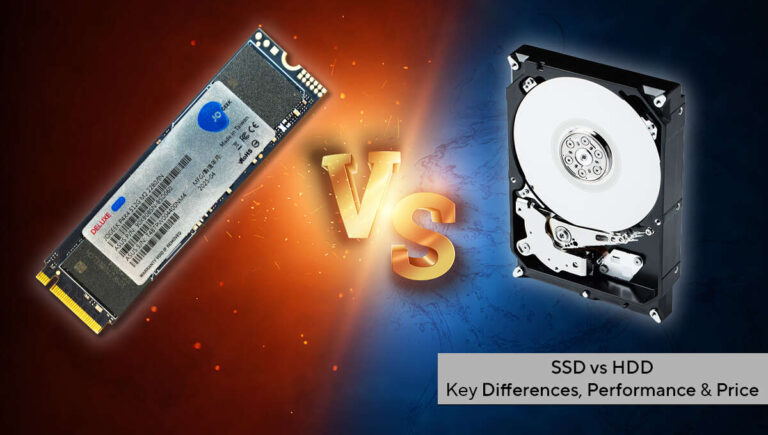
For buyers in the United States, the biggest single NVMe SSD by capacity is the Solidigm D5-P5336 at 122.88TB among widely documented, shippable enterprise drives. It uses PCIe NVMe and targets data centers, not normal desktop PCs.
A larger 245.76TB Kioxia LC9 has been announced for enterprise use, but announced, sampled, and widely available are not the same thing. For a drive that organizations can realistically source and deploy, the 122.88TB Solidigm D5-P5336 remains the safer answer.
For a normal consumer M.2 computer, the answer is much smaller. 8TB is the practical upper limit for many retail M.2 2280 NVMe SSDs, although support, price, and physical clearance vary.

The short answer: largest NVMe SSD by category
“Biggest” can mean the most storage, the largest physical size, or the fastest drive. In most searches, people mean storage capacity.
| Category | Largest useful answer | Typical form factor | Intended buyer |
|---|---|---|---|
| Enterprise NVMe SSD | 122.88TB Solidigm D5-P5336 | 2.5-inch U.2/U.3 or enterprise form factors | Data centers and servers |
| Announced enterprise capacity | 245.76TB Kioxia LC9 | 2.5-inch enterprise form factor | Data centers |
| Consumer M.2 NVMe SSD | About 8TB in common retail models | M.2 2280 | Desktop and laptop users |
| Consumer PCIe add-in card | Varies by product and configuration | PCIe card | Workstations and high-end PCs |
| Largest total NVMe storage | Several drives combined | M.2, U.2, U.3, or PCIe | Servers, workstations, and storage systems |
The Solidigm D5-P5336 122.88TB is the clearest answer when the question means the largest NVMe drive that is documented as a real enterprise product rather than a prototype or future model.
A 122.88TB drive does not provide exactly 122.88 tebibytes in Windows. SSD makers use decimal units, where 1TB equals 1,000GB. Operating systems often report capacity with binary units, so the usable number looks smaller.

What is the largest consumer NVMe SSD?
For a typical U.S. desktop or laptop, an 8TB M.2 2280 NVMe SSD is the practical high-capacity choice.
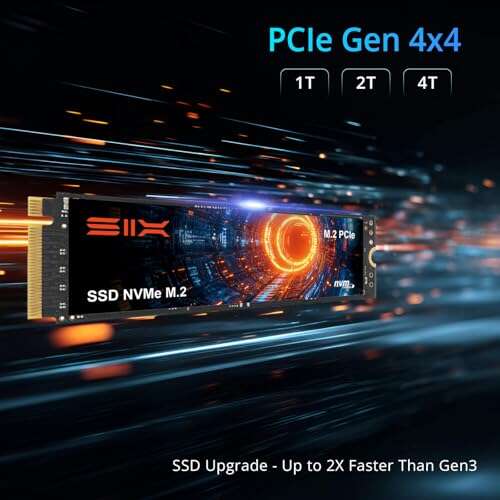
An M.2 2280 drive is a small circuit board about 22mm wide and 80mm long. It slides into a matching motherboard slot. Most consumer systems use this format, which is why shoppers often use “largest NVMe SSD” to mean “largest M.2 SSD.”
An 8TB M.2 SSD can work well for:
- Large game libraries
- 4K and 8K video files
- Photo and music archives
- Virtual machines
- Local AI models
- Scratch space for editing
- A large primary system drive
Capacity alone does not prove that a drive will work in your computer. Check the motherboard or laptop manual first. Some systems support only one-sided M.2 drives, while high-capacity models may use chips on both sides.
You should also check whether the M.2 slot supports NVMe PCIe drives. An M.2 slot may support SATA only, NVMe only, or both.
Why enterprise NVMe SSDs hold far more data
Enterprise drives can reach much higher capacities because they use different hardware, flash layouts, cooling systems, and workloads.
The Solidigm D5-P5336 uses high-density QLC NAND flash. QLC stores four bits in each flash cell. This allows more data in less physical space than TLC NAND, which stores three bits per cell.
The trade-off is important:
- QLC usually offers more capacity per dollar and per rack unit.
- TLC usually offers stronger write performance and endurance.
- Enterprise QLC drives are designed for specific workloads, not every workload.
A large QLC drive may be a strong fit for read-heavy data, content libraries, cloud storage, warm archives, and large data sets. It may be a poor fit for constant heavy rewriting, such as a busy database log or a scratch disk that is filled and erased all day.
Enterprise models also use features that consumer drives may lack, such as:
- Power-loss protection
- Higher endurance ratings
- More consistent latency
- Remote health monitoring
- Hot-plug support in compatible servers
- Stronger firmware controls
- Enterprise form factors with better cooling
These features increase cost. A 122.88TB enterprise SSD is not simply a very large version of an 8TB gaming drive.
Is the 245.76TB Kioxia LC9 larger?
Yes, the Kioxia LC9 245.76TB model is larger on paper than the 122.88TB Solidigm D5-P5336.
Kioxia announced the LC9 series as a high-capacity PCIe 5.0 NVMe SSD family for enterprise and artificial-intelligence infrastructure. Its maximum announced capacity is 245.76TB.
The key distinction is availability. A product can be:
- Announced
- Sampled with selected customers
- In limited production
- Available through a distributor
- Widely stocked for normal purchase
Those stages are not interchangeable. If you need a drive for a U.S. server project today, confirm the exact LC9 model, form factor, delivery date, firmware support, and platform qualification with Kioxia or an authorized supplier.
For a simple answer:
- Largest announced capacity: Kioxia LC9 at 245.76TB
- Largest widely documented enterprise option: Solidigm D5-P5336 at 122.88TB
- Largest practical consumer M.2 size: About 8TB
How to choose the right large NVMe SSD
The best large NVMe SSD depends on the computer, workload, and budget. Capacity should be only the first filter.
1. Check the physical format
Consumer systems most often use M.2 2280. Servers may use:
- U.2
- U.3
- E1.S
- E1.L
- E3.S
- PCIe add-in cards
A U.2 drive will not fit directly into a normal M.2 slot. An adapter may exist, but it can create problems with power, cooling, boot support, and mounting.
2. Check PCIe generation
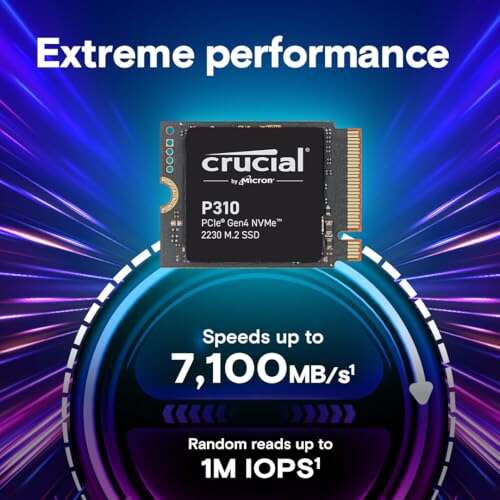
PCIe 3.0, PCIe 4.0, and PCIe 5.0 NVMe drives can have different performance levels. A newer SSD may work in an older slot, but it will normally operate at the older slot’s speed.
The reverse can also be true: a PCIe 4.0 drive will not gain PCIe 5.0 performance when installed in a PCIe 4.0 slot.
3. Check the workload
Use the workload, not the product name, to guide the choice.
| Workload | What matters most |
|---|---|
| Game storage | Capacity, price, game-load performance |
| Video archive | Capacity, sustained writes, cooling |
| Operating system | Random access, firmware quality, reliability |
| Database | Endurance, latency, power-loss protection |
| AI data set | Capacity, read speed, server compatibility |
| Backup target | Cost, data protection, backup design |
| Scratch disk | Sustained write speed and endurance |
A large drive is not automatically the best backup. If the only copy of your photos sits on one SSD, that is still a single point of failure.
4. Check endurance
SSD endurance is often listed as TBW, or terabytes written. TBW is a useful comparison, but it is not a promise that the drive will fail at that exact number.
A drive with a high TBW rating may suit a write-heavy server better than a high-capacity consumer drive. For important business data, also consider backups, monitoring, replacement plans, and power protection.
5. Check cooling and power
Large NVMe SSDs can produce substantial heat during long transfers. Thermal throttling reduces speed to control temperature.
A desktop M.2 drive may need a motherboard heatsink or a separate SSD heatsink. Enterprise U.2 and U.3 drives need a chassis with suitable airflow. Do not install a high-power enterprise SSD in a cramped space without checking its cooling requirements.
How much usable space does a 122.88TB SSD provide?
A 122.88TB SSD provides roughly 111.7TiB before formatting and system overhead.
The calculation is:
122.88 decimal TB ÷ 1.0995 ≈ 111.7 TiB
The exact number shown by an operating system can differ because of:
- Formatting
- Over-provisioning
- Reserved flash blocks
- File-system metadata
- Manufacturer reporting methods
- RAID or storage-pool settings
This difference is normal. It does not mean the SSD is missing a large part of its advertised capacity.
The same issue applies to consumer drives. An 8TB SSD will usually appear as roughly 7.28TiB before formatting, not 8,000GB in the way many users expect.
Can you use a 122.88TB enterprise SSD in a home PC?
Usually, not without extra hardware and careful planning.
A large enterprise SSD may use a U.2 or U.3 connector rather than M.2. Your PC may need:
- A compatible PCIe adapter
- A suitable data cable
- A separate power connection
- Adequate airflow
- Motherboard or adapter boot support
- Operating-system support
- A case with room for the drive
Some adapters support data but not booting. Others may limit PCIe lanes or cooling. Before buying, confirm the adapter’s exact interface and whether it supports the drive’s protocol and power needs.
For most home users, several consumer M.2 drives are easier to install. A four-drive storage pool can also offer more capacity and flexibility, but it adds complexity and does not replace a separate backup.
One huge SSD or several smaller SSDs?
Several smaller drives may be better when you need easier upgrades, lower cost, or redundancy.
A single 8TB SSD is simple. It uses one slot and one device. It also creates one large failure point.
Multiple drives can provide:
- Easier replacement
- Better workload separation
- More flexible upgrades
- RAID options
- Separate operating-system and data volumes
- Better use of several motherboard slots
RAID can improve availability or performance, depending on the level. It is not a backup. RAID protects against some hardware failures, but it does not protect against accidental deletion, malware, fire, theft, or a faulty controller that damages data.
For important files, use the 3-2-1 approach:
- Keep three copies of the data.
- Store them on at least two types of media.
- Keep at least one copy in another location.
Common mistakes when buying the biggest NVMe SSD
Confusing M.2 with NVMe
M.2 describes a physical connector and card shape. NVMe describes a storage protocol. An M.2 drive can use SATA or NVMe, so check both the connector and protocol.
Buying enterprise hardware for a consumer slot
A U.2 enterprise SSD cannot normally plug into an M.2 slot. Check the complete connection path before ordering.
Choosing capacity without checking sustained writes
Some drives can write quickly for a short burst, then slow down when their cache fills. For long video transfers or server jobs, sustained performance matters more than a short benchmark peak.
Ignoring power-loss protection
Consumer drives may rely on the operating system to finish writes during a power loss. Enterprise models may include hardware protection, but you must verify the exact model specification.
Treating a large SSD as a backup
One SSD is not a backup strategy. Keep another copy on a separate device or at another location.
Assuming a newer PCIe drive is always faster
The host slot, cooling, firmware, workload, and queue depth affect real performance. A fast drive in a slow or poorly cooled system may not reach its advertised result.
What should you buy?
Choose the Solidigm D5-P5336 122.88TB when you need extreme capacity in a supported enterprise server and your workload is suitable for a high-density QLC drive.
Consider the Kioxia LC9 245.76TB only after confirming that the exact model is available, qualified, and supported for your server platform.
Choose an 8TB M.2 NVMe SSD for a high-capacity desktop or workstation. Confirm the M.2 slot, drive thickness, cooling, operating-system support, and warranty before purchase.
For most home users, the biggest drive is not automatically the best drive. A smaller TLC SSD plus a proper backup may provide a better balance of speed, reliability, and cost.
FAQs
What is the biggest NVMe SSD you can buy?
The answer depends on availability and market. The Solidigm D5-P5336 offers 122.88TB in an enterprise NVMe format. Kioxia has announced a 245.76TB LC9 model, but you should confirm current U.S. availability before treating it as a normal retail purchase.
What is the biggest M.2 NVMe SSD?
About 8TB is the practical upper capacity for common retail M.2 2280 NVMe drives. Larger specialty products may appear, but support, price, double-sided clearance, and availability require careful checking.
Is a 122TB SSD good for gaming?
It can store a very large game library, but it is usually excessive and expensive for gaming. A consumer 4TB or 8TB NVMe SSD is normally easier to install and better suited to a gaming PC.
Are QLC SSDs reliable?
QLC SSDs can be reliable when used within their rated workload, temperature, and endurance limits. They are often a good fit for high-capacity, read-heavy storage. TLC is generally the safer choice for heavy, repeated writes.
Can Windows use a 122TB NVMe SSD?
Modern 64-bit Windows systems can work with very large storage devices, but the motherboard firmware, partition format, controller, adapter, and driver support also matter. Use GPT rather than the older MBR partition style for very large drives.
Is one huge SSD safer than several smaller SSDs?
No. A single SSD is still one device that can fail. Several drives can improve flexibility or enable redundancy, but only a separate backup protects against many non-hardware threats.
Final answer
The biggest widely documented, practical NVMe SSD is the 122.88TB Solidigm D5-P5336. The 245.76TB Kioxia LC9 is larger as an announced enterprise product, while 8TB M.2 NVMe SSDs are the realistic high-capacity option for most U.S. consumers.
Before buying, confirm the form factor, PCIe interface, motherboard support, cooling, endurance, power requirements, and backup plan. Capacity is only useful when the drive fits the system and the workload.

Everett Ashford is a tech reviewer at mytechgrid.com specializing in SSDs, cameras, TVs, earbuds, headphones, and other consumer electronics. He provides honest, data-driven reviews based on hands-on testing and real-world performance analysis. Everett simplifies complex tech details to help readers make smart, confident buying decisions.