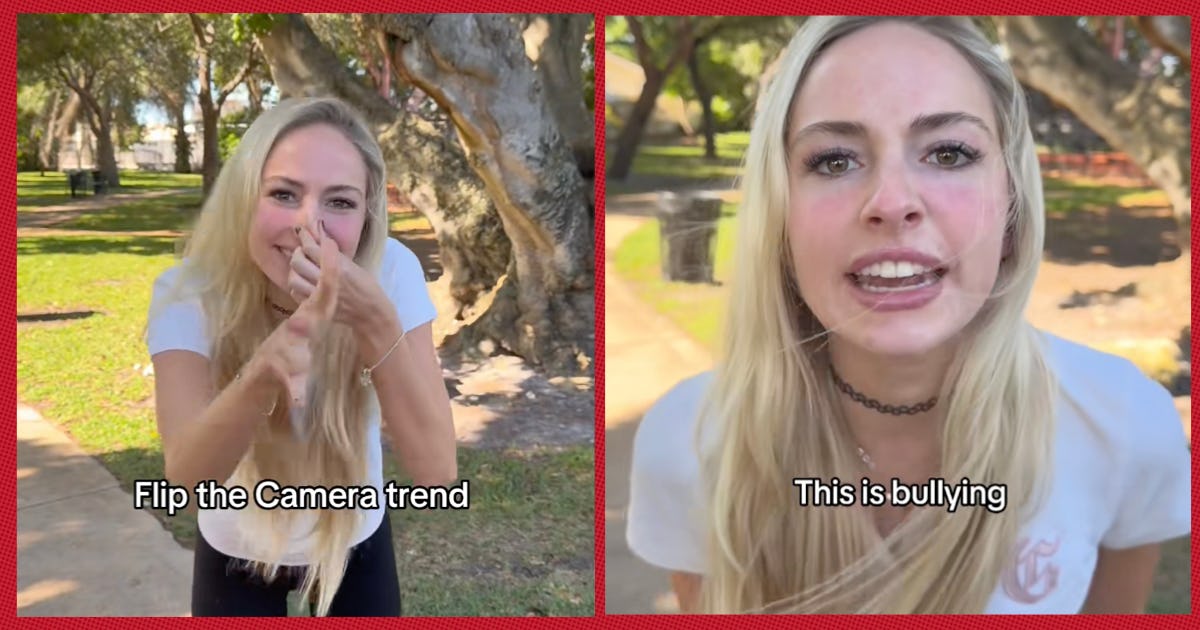
Creators flip the camera to reveal a new scene, outfit, or persona in one smooth transition.
I’ve studied short-form video trends and coached creators on growth strategies, so I’ll walk you through what the flip the camera trend is, why it spreads fast, how to make your own, and smart ways to use it for content or brand growth. Read on for clear steps, real-world tips from my experience, and examples you can adapt today.

What is the flip the camera trend?
The flip the camera trend is a short-form video technique where a creator physically or digitally flips the phone or camera to trigger a cut. The cut reveals a transformation, different scene, outfit change, or punchline. This quick reveal creates surprise and delight, and it’s designed for platforms like TikTok, Instagram Reels, and YouTube Shorts.
Creators use the flip the camera trend because it’s simple, repeatable, and fits vertical formats. The motion is easy to film and edit, and it works with audio cues and popular songs. The effect is a sharp, satisfying transition that viewers expect and enjoy, which helps videos get shared and replayed.
Why it matters: the flip the camera trend leverages human attention. A fast motion followed by a reveal holds interest and boosts completion rates—key metrics for discovery on short-form platforms. That’s why many creators and brands adopt it to increase reach.

How the flip the camera trend started and why it went viral
The flip the camera trend grew from broader transition and reveal trends popular on short-form video apps. Creators experimented with quick cuts, jump cuts, and motion transitions, then refined a simple physical flip as a reliable trigger.
Key reasons it spread fast:
- Platform algorithms reward watch time and replays. Quick reveals boost both.
- It’s accessible. No advanced gear is required—just a phone and timing.
- It ties well to audio cues and challenges. A recognizable song or beat makes the flip more satisfying.
Social dynamics also helped. Influential creators used the flip the camera trend, and followers copied and added variations. The trend fits creative loops: learn a simple move, add your personality, and repost. Over time the flip the camera trend evolved into multiple formats—outfit reveals, room changes, POV switches, and comedic punchlines.
How to make a flip the camera video — step-by-step
Follow these simple steps to film a clean flip the camera video:
- Plan the reveal. Decide what changes after the flip—clothes, scene, props, or a reaction.
- Set your framing. Lock your phone in portrait orientation and use a tripod or stable surface.
- Start the clip steady. Begin speaking or syncing to the audio before you flip, so the motion feels natural.
- Execute the flip. Smoothly rotate or slide the camera away from the subject. Keep the motion consistent each take.
- Stop the recording at the flip point, change the scene quickly, then resume with the reversed motion or a matching placement.
- Edit for timing. Trim clips so the flip aligns perfectly with a beat, word, or visual cue.
Tips for cleaner edits:
- Use a matching background edge or horizon to hide the cut.
- Practice the same speed when flipping in both shots.
- If you prefer in-camera edits, pause the recording right after the flip, make changes, and resume with the same motion.
Common mistakes to avoid:
- Rushing the reveal and causing jarring mismatches.
- Forgetting proper lighting; different lighting between shots makes the cut obvious.
- Neglecting audio continuity; abrupt audio jumps can reduce the impact.

Variations, creative ideas, and examples
The flip the camera trend is a template—you can make many versions that fit your voice. Here are ideas to try:
- Outfit reveal. Flip to switch clothes, accessories, or makeup.
- Room/scene swap. Flip and show a different location, like daytime to nighttime.
- POV flip. Start as one character, flip to play another persona or role.
- Product reveal. Use the flip to show a product in use or before/after shots.
- Story beats. Flip to jump ahead in a scene or show the outcome of a setup.
Examples to spark creativity:
- Use the beat of a trending song to time multiple flips in a single video.
- Combine the flip the camera trend with text overlays to deliver a quick narrative.
- Flip into a reaction shot for a comedic payoff.
These variations keep the flip the camera trend fresh and help you stand out in crowded feeds.

Why creators and brands use the flip the camera trend (benefits)
The flip the camera trend offers clear advantages for creators and brands:
- High engagement. Quick reveals prompt curiosity and rewatches.
- Low production cost. Most flips need only a phone and basic editing.
- Flexible branding. You can use it for product demos, storytelling, or humor.
- Algorithm-friendly. Strong starts and replays help algorithms surface your content.
For brands, the flip the camera trend can support conversion by demonstrating transformations or before-and-after benefits. For creators, it’s a way to showcase personality and keep viewers watching to the end.

Risks, limitations, and best practices
No trend is perfect. Here’s how to use the flip the camera trend responsibly:
- Avoid misleading content. If you promise a transformation, deliver something honest.
- Respect privacy. Don’t reveal other people without consent when you flip.
- Don’t overuse the technique. Repetition can make feeds feel stale; vary your formats.
- Watch copyright. Use licensed or platform-approved audio when pairing songs with your flip.
Best practices:
- Test lighting and audio before posting.
- Aim for short runtime—15 to 30 seconds is often ideal.
- Caption your video to help viewers who watch without sound.

Tools, editing tips, and recommended apps
You don’t need complex software, but these tools speed production:
- Built-in phone camera and a basic tripod for stability.
- Native app editors (TikTok, Instagram) for quick trims and syncing.
- Dedicated mobile apps for advanced transitions and color correction.
- Desktop editors for multi-take projects when you need precision.
Editing tips:
- Use frame-by-frame trimming to align the flip with a beat.
- Add a brief flash or motion blur to smooth jagged cuts.
- Apply consistent color grading across both clips to mask differences.

Personal experience and lessons learned
I’ve tested the flip the camera trend with creators and small brands. My experiments taught me:
- The simplest flips often perform best. Clean execution beats fancy effects.
- Audio choice matters. A clear cue or beat increases replay value.
- Plan the reveal first, then film. The most common mistake is editing to find a reveal that wasn’t planned.
One client used the flip the camera trend to showcase a product line. We increased views and engagement by focusing on consistent lighting and a signature ending. The lesson: small technical fixes yield big gains in perceived quality and reach.

Quick PAA-style questions (short answers embedded)
- How long should a flip the camera video be?
- Keep it short: 15 to 30 seconds is ideal for attention and replay.
- Do I need expensive gear to do the flip the camera trend?
- No. A smartphone and steady hands are usually enough.
- Can brands use the flip the camera trend for ads?
- Yes, it works well for short creatives that show transformation or product reveals.
Frequently Asked Questions of what's the flip the camera trend
What platforms work best for the flip the camera trend?
The flip the camera trend is most effective on short-form platforms like TikTok, Instagram Reels, and YouTube Shorts because they favor vertical, short videos and replays.
How do I sync the flip with music?
Pick a beat or lyric cue, record the flip on that moment, and trim clips so the visual change happens exactly on the audio cue for maximum impact.
Is the flip the camera trend still relevant for brands?
Yes. Brands use it to show quick product benefits, outfit changes, or before-and-after results in a way that’s native to social feeds.
How many takes should I film?
Film multiple takes—at least three to five. Small variations in speed and angle let you choose the cleanest match in editing.
Does the flip the camera trend boost algorithm reach?
It can. Videos with strong starts and rewatch value tend to perform better because algorithms prioritize watch time and engagement.
Conclusion
The flip the camera trend is a simple, powerful tool for creators and brands who want short, sharp reveals that hold attention and drive engagement. Use clean execution, plan your reveal, and pair the flip with strong audio and consistent lighting to maximize impact. Try one variation this week, measure how viewers respond, and iterate based on what works.
Take action: film one flip the camera video today, test two audio cues, and post to a short-form platform to learn what lands with your audience. Leave a comment below sharing your favorite flip idea or the results you see.

Everett Ashford is a tech reviewer at mytechgrid.com specializing in SSDs, cameras, TVs, earbuds, headphones, and other consumer electronics. He provides honest, data-driven reviews based on hands-on testing and real-world performance analysis. Everett simplifies complex tech details to help readers make smart, confident buying decisions.