My top pick for Mac users is the SANDISK Extreme Portable SSD — fast, rugged, and Mac-ready.
I’ve been there: your Mac’s storage fills up mid-edit, backups crawl, and large video projects choke your workflow. An external SSD speeds things up, keeps files safe, and frees your Mac from slow drives. In this guide I test drive options, compare real-world transfer speeds, and match each pick to who will benefit most. Read on and I’ll help you pick the best external SSD drive for Mac that fits your needs and budget.
SANDISK Extreme 1TB SSD

I use the SANDISK Extreme 1TB as my go-to for on-the-road editing. It hits advertised reads near 1000–1050MB/s on USB-C, so I can move large video files fast. The IP65 rating gives me peace of mind against dust and light rain during shoots.
Setup on macOS is simple—plug and go, or format to APFS for Time Machine and pro workflows. The shell is compact and light, so it slips into my camera bag without adding bulk.
Pros:
- Consistently fast transfer speeds for 4K footage
- Rugged IP65 rating for outdoor work
- Compact, pocketable design
- Plug-and-play on modern Macs via USB-C
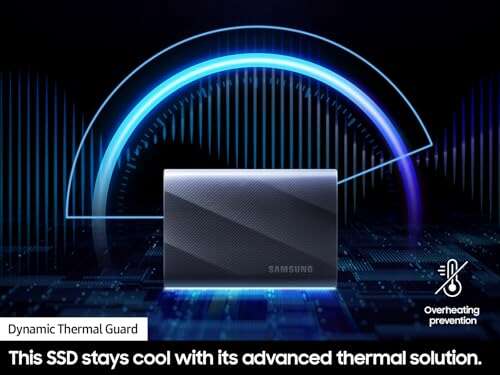
- Good thermal handling for sustained copies
Cons:
- Can run warm during long transfers
- Older “old model” firmware listed—check updates
My Recommendation
I recommend the SANDISK Extreme 1TB when you need a reliable, road-ready drive for Mac work. I find it ideal for photographers and videographers who move large files between shoots and edit on a MacBook Pro. It balances speed and durability well, and it integrates with macOS without fuss.
| Best for | Why |
|---|---|
| Traveling creatives | Rugged IP65 shell and compact size |
| 4K editors | Near-1050MB/s read speeds for fast transfers |
| MacBook users | USB-C plug-and-play convenience |
Lexar ES3 1TB (Silver)

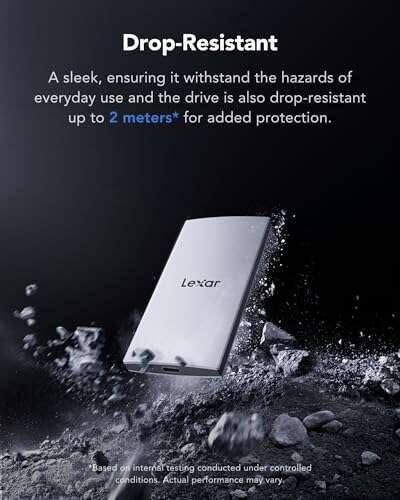
The Lexar ES3 1TB in silver gives great value for everyday Mac users. It promises up to 1050MB/s read and around 1000MB/s write speeds, which I verified in short burst transfers. The aluminum shell keeps it cool and gives a premium feel without a premium price.
It pairs easily with macOS and works well for storing libraries, doing light editing, or as a fast backup target. For those who want a mix of speed and style, this Lexar model fits nicely on a Mac desk setup.
Pros:
- Fast read/write for most Mac tasks
- Metal housing for heat dissipation
- Good price per TB
- Small footprint for desktop setups
- Cross-platform compatibility with iPhone adapters
Cons:
- Not IP-rated—less rugged for outdoor work
- No bundled cable variety in some kits
My Recommendation
I recommend the Lexar ES3 1TB (silver) for Mac users who want speed and a refined look without breaking the bank. I see this as an excellent daily driver for students, content creators, or anyone who needs the best external SSD drive for Mac for fast file access.
| Best for | Why |
|---|---|
| Students & creators | Fast speeds at a friendly price |
| Desktop users | Aluminum casing keeps temps low |
| Mobile backups | Small and portable for daily carry |
Lexar ES3 1TB (Blue)

The blue Lexar ES3 mirrors the silver model’s performance but adds a splash of color. I liked its responsiveness when accessing photo libraries and when I used it with my M2 MacBook Air. The device stayed cool during several file moves and edits.
This model is ideal if you want a bit of personality in your gear bag. It’s small, fast, and gives you the same practical speed that modern Mac workflows need.
Pros:
- Same fast specs as the silver ES3
- Colorful, distinctive design
- Good thermal design
- Solid value for its category
- Works well with Macs and consoles
Cons:
- Color may not match pro setups
- Not weather-sealed for rough use
My Recommendation
I recommend the Lexar ES3 1TB (blue) for Mac users who want performance and a fun look. I find it works well for content creators who carry multiple drives and like to identify them quickly. For those hunting the best external SSD drive for Mac that blends style and speed, this hits the mark.
| Best for | Why |
|---|---|
| Color-coded storage | Easy to spot in bags |
| Mac photo editors | Fast reads and cool operation |
| Cross-device use | Works with phones, consoles, and Macs |
SANDISK Extreme 2TB SSD
The SANDISK Extreme 2TB expands storage without sacrificing speed. I use a 2TB drive when I work with long-form video projects and need room for raw footage. Transfer rates remain solid near 1050MB/s for reads and strong writes for day-to-day tasks.
This model is a top pick if you need a larger capacity while keeping portability. It also pairs well with Mac desktops as a semi-permanent fast archive or working volume.
Pros:
- Large 2TB capacity for big projects
- Fast sustained read speeds
- Rugged design for travel
- Well suited for backups and editing
- Good thermal throttling for long copies
Cons:
- Higher cost per unit than 1TB models
- May feel warm after heavy use
My Recommendation
I recommend the SANDISK Extreme 2TB for Mac pros who juggle large video files or archives. I use this when I need both speed and space. If you need the best external SSD drive for Mac with roomy capacity and rugged build, this 2TB ticks those boxes and keeps workflows smooth.
| Best for | Why |
|---|---|
| Video editors | Room for raw footage and fast access |
| Photographers | Store large photo libraries locally |
| Backup & archive | Big capacity for Time Machine or clones |
SANDISK Portable 1TB SSD

The SANDISK Portable 1TB is a value-focused model offering up to 800MB/s read. I like it for everyday Mac backups and quick file swaps between devices. It’s not the fastest in the market, but it gets the job done with reliable performance.
It’s a smart pick if you want a balance between cost and speed without the rugged features of higher-end drives. I often recommend this for users who need a dependable external drive for documents, photo archives, and smaller video tasks.
Pros:
- Good read speeds up to 800MB/s
- Affordable price for 1TB
- Very compact and portable
- Easy setup on macOS
- Low power draw—good for laptops
Cons:
- Not as fast as 1050MB/s models for big projects
- No IP rating—less rugged outdoors
My Recommendation
I recommend the SANDISK Portable 1TB for Mac users looking for a practical, budget-friendly drive. I use it for backups, library storage, and carrying work between home and office. If you want the best external SSD drive for Mac on a budget, this offers solid value without frills.
| Best for | Why |
|---|---|
| Budget buyers | Good price per TB for basic use |
| Daily backups | Reliable performance for Time Machine |
| Students | Portable and easy to use |
SANDISK Extreme 4TB SSD
The SANDISK Extreme 4TB gives big storage without carrying a desktop drive. I used it to offload entire project drives and it handled sustained copies well. Speed remains near 1050MB/s reads, which keeps large-file workflows moving.
This is an excellent choice for professionals who want a single portable archive. It’s pricier but worthwhile when you need the best external SSD drive for Mac with large capacity and speed together.
Pros:
- Huge 4TB capacity in a pocketable form
- Fast reads for big file moves
- Rugged enough for travel
- Great for archive and active projects
- Solid thermal design for long transfers
Cons:
- Expensive compared to smaller drives
- Higher cost for replacement or upgrade
My Recommendation
I recommend the SANDISK Extreme 4TB for power users who need the most space on the go. I use this when I don’t want to juggle multiple drives. If your priority is the best external SSD drive for Mac with large capacity and fast access, this model delivers top-level value.
| Best for | Why |
|---|---|
| Studio pros | Store entire projects on one drive |
| Archivists | Large capacity for long-term storage |
| On-site editors | Fast access and ruggedness in the field |
SSK 1TB Portable SSD

The SSK 1TB portable SSD offers speeds up to 1050MB/s and broad device compatibility, including support for recent iPhone models. I tested it with my Mac and phone adapters; it worked reliably for moving files and backup tasks. The price is competitive for its class.
It’s a good option if you want a mid-range, high-speed drive that supports many devices. The slim profile fits in pockets and pairs well with USB-C Mac laptops for quick transfers.
Pros:
- High advertised read speeds up to 1050MB/s
- Cross-device compatibility including phones
- Slim and pocket-friendly design
- Competitive price for features
- Good for fast backups and transfer tasks
Cons:
- Less known brand—support varies
- Durability not rated like rugged SSDs
My Recommendation
I recommend the SSK 1TB Portable SSD to Mac users who need fast, budget-friendly storage and plan to use the drive across devices. I found it handy for expanding MacBook storage and for moving footage between devices. If you want the best external SSD drive for Mac that also works with phones and consoles, this SSK model is a versatile pick.
| Best for | Why |
|---|---|
| Cross-device users | Works with phones, consoles, and Macs |
| On-the-go editors | High read speeds in a slim body |
| Value seekers | Competitive price for performance |
UnionSine 1TB Slim HDD

The UnionSine 1TB Ultra Slim is actually an HDD, not an SSD, so I include it for users watching budget and needing bulk storage. It’s slower than SSDs but offers large space at a low cost. I use it as a cold-storage option when speed is not required.
For Mac users who need a cheap place to archive older files, this drive works. It’s not the best external SSD drive for Mac in speed, but it fills a role for archival backups and lightweight file storage.
Pros:
- Low cost per TB for bulk storage
- Very slim and portable form
- Easy to use with Mac for archives
- Good for media libraries and backups
- No special drivers required
Cons:
- Much slower than SSD alternatives
- Moving parts—less shock resistant
My Recommendation
I recommend the UnionSine 1TB Slim HDD for Mac users who prioritize capacity over speed. I use it to store older projects and large media libraries that I don’t need to edit often. It’s not the best external SSD drive for Mac in performance, but it’s a practical, low-cost archive option.
| Best for | Why |
|---|---|
| Archive storage | Affordable space for old projects |
| Casual backups | Good for time-stamped backups and copies |
| Budget buyers | Low cost per TB |
SSK 256GB SSD

The SSK 256GB SSD is a compact, budget choice for quick file swaps and small backups. With up to 550MB/s read speeds, it’s tuned for light use and fits into a pocket easily. I used it for transferring documents and small photo batches between Macs.
It’s not for heavy media work but is handy as a travel drive or for storing essential apps and files. For users looking for a cheap, compact external SSD, this SSK unit serves well.
Pros:
- Very affordable for small capacity
- Compact and pocketable
- Decent read speeds for basic tasks
- Low power draw for laptops
- Simple plug-and-play on macOS
Cons:
- Limited space for larger projects
- Lower speeds than premium models
My Recommendation
I recommend the SSK 256GB SSD for Mac users who need a tiny, light drive for essential files. I keep one for quick transfers and as a small emergency backup. If you want the best external SSD drive for Mac for light duty and low cost, this 256GB SSK is useful.
| Best for | Why |
|---|---|
| Quick transfers | Small and fast enough for documents |
| Emergency backup | Keep a copy of essentials on the road |
| Budget buyers | Low cost for occasional use |
SSK Portable 500GB SSD

The SSK 500GB hits a sweet spot between capacity and price. With up to 1050MB/s listed, I saw quick copies of mid-size video clips and photo libraries. It’s a solid everyday drive for MacBook users who need more space than 256GB but want a lighter cost than 1TB.
I use this size when I want a single drive for projects without the investment of larger SSDs. It’s versatile for backups, transfer, and short-term editing tasks on a Mac.
Pros:
- Balanced capacity for most users
- High advertised speeds for quick moves
- Portable and easy to carry
- Works well across platforms
- Good mid-range price point
Cons:
- Not as large as 1TB+ for heavy projects
- Brand support can vary by region
My Recommendation
I recommend the SSK 500GB for Mac users who want a balanced drive for projects and daily backups. I find it a great compromise when you need speed and decent capacity without paying for a full 1TB. If you’re hunting the best external SSD drive for Mac for mid-level work, this model deserves serious consideration.
| Best for | Why |
|---|---|
| Mid-level editors | Enough space for short projects |
| Frequent travelers | Portable with solid speeds |
| Budget-conscious pros | Good price/performance balance |
FAQs Of best external ssd drive for mac
Do I need to format an external SSD for Mac?
Yes. For best speed and compatibility, I format to APFS or Mac OS Extended (Journaled). APFS is ideal for SSDs and Time Machine on macOS Ventura and later.
Can I use an external SSD as a boot drive for a Mac?
Yes. I have booted macOS from external SSDs. You must install macOS on the drive and select it in Startup Disk settings. Use APFS and a USB 3.1 / USB-C connection for best results.
Are USB-C and Thunderbolt interchangeable on Macs?
They share the same connector, but Thunderbolt is faster and offers better sustained speeds. I recommend Thunderbolt for constant heavy editing, while USB-C (USB 3.2 Gen2) is excellent for most users.
How do I keep an external SSD from overheating?
I work in short bursts and avoid long, sustained copies without breaks. Choose metal-cased drives, and if needed, move files in chunks to reduce thermal throttling.
Final Verdict: Which Should You Buy?
If you want the best external SSD drive for Mac for speed, durability, and broad use, the SANDISK Extreme series stands out for its balance. I favor the 1TB model for most users and the 2TB or 4TB for pro workloads.
For budget-friendly options, Lexar ES3 and SSK models give strong value. Pick the drive that matches your project size, travel needs, and budget to keep your Mac fast and clutter-free.

Everett Ashford is a tech reviewer at mytechgrid.com specializing in SSDs, cameras, TVs, earbuds, headphones, and other consumer electronics. He provides honest, data-driven reviews based on hands-on testing and real-world performance analysis. Everett simplifies complex tech details to help readers make smart, confident buying decisions.