Clean Beats headphone cushions gently with a soft cloth, mild soap, and minimal moisture.
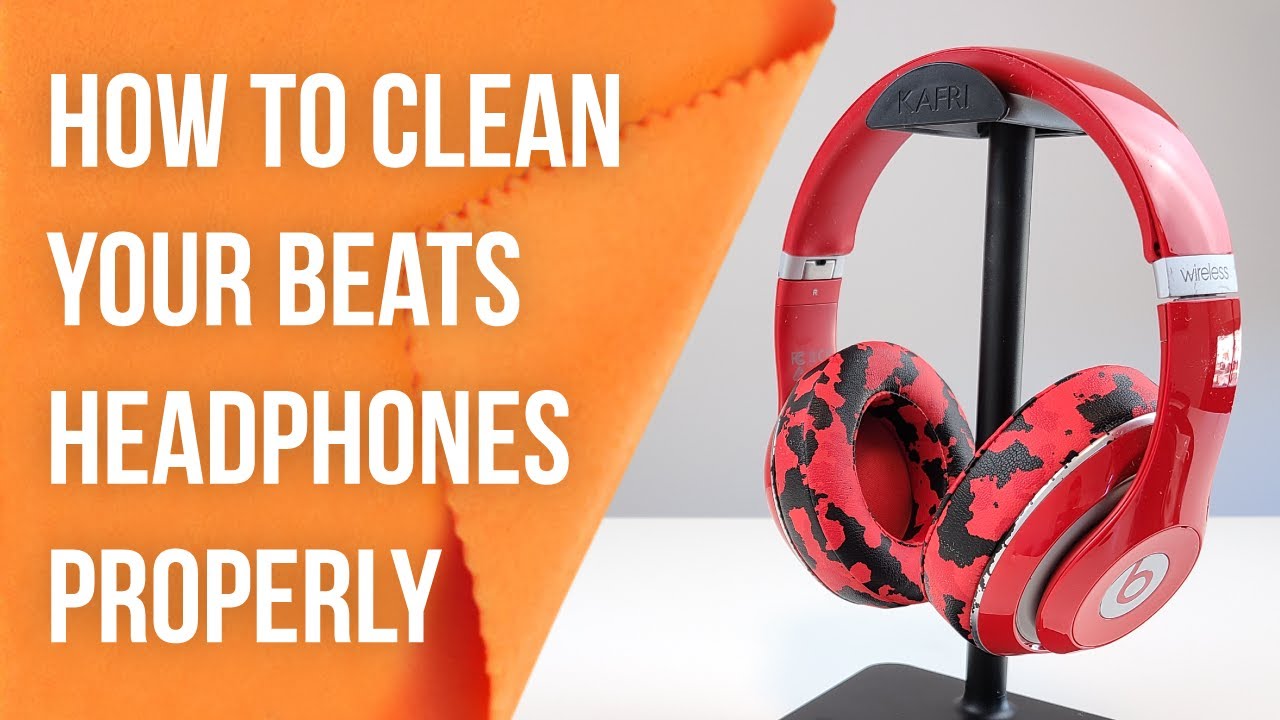
I’ve cleaned dozens of headphones, including Beats models, and I’ll walk you through exactly how to clean Beats headphone cushions safely and effectively. This guide covers tools, step-by-step cleaning, deep-clean options, common mistakes, and when to replace cushions. I blend hands-on experience with practical tips so you can refresh your cushions without damaging sound, fit, or materials. Read on to keep your Beats fresh, comfy, and hygienic.

Why cleaning Beats headphone cushions matters
Beats headphone cushions collect sweat, oils, dead skin, and dirt. Over time, this builds odor and can damage the cushion material. Regular cleaning helps keep audio clear, extends cushion life, and prevents skin irritation.
Cleaning also preserves fit. Dirty cushions can stiffen or crack. I learned this after neglecting a pair for months; the ear pads lost their seal and sound changed. A simple cleaning routine prevents that problem.
What you’ll need before you start
Gather these safe, easy items before you clean. Using the wrong cleaner or too much water can harm cushions.
- Soft microfiber cloth for gentle wiping and drying.
- Mild dish soap or gentle fabric cleaner diluted in water.
- Small bowl with warm water for mixing cleaner.
- Cotton swabs for seams and crevices.
- Isopropyl alcohol 70% for disinfecting small spots (use sparingly).
- Soft toothbrush for textured seams.
- Clean towel and workspace to air-dry pads.
I always test cleaners on an inconspicuous spot first. That avoids surprises and preserves finish.
Step-by-step: how to clean Beats headphone cushions safely
Follow these clear steps to clean Beats headphone cushions. Work slowly and use minimal moisture.
-
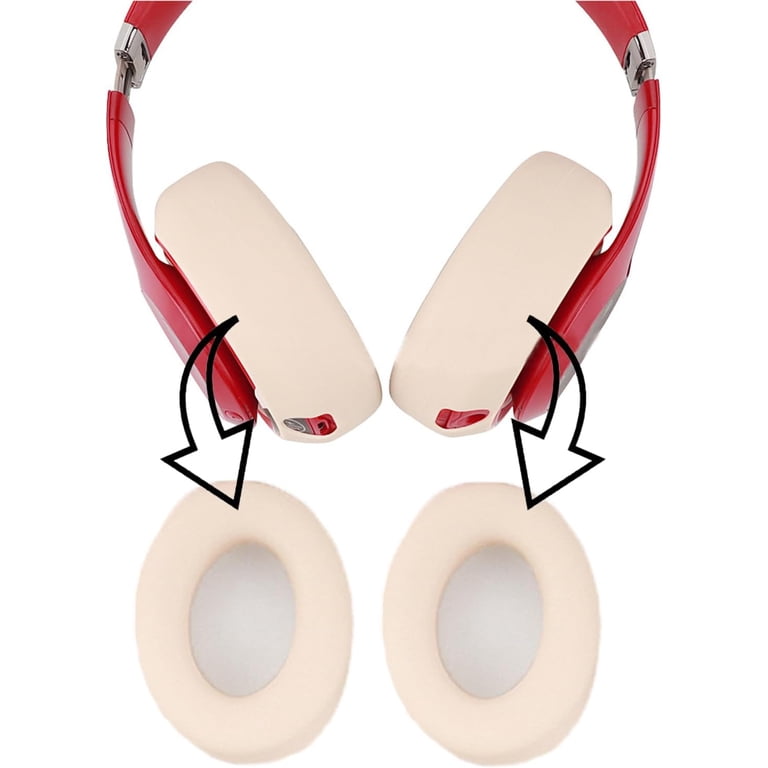
Remove or loosen cushions if your model allows it.
- Many Beats models have removable ear pads. Check by gently pulling along the seam. If they don’t come off easily, clean in place.
-
Dry brush and dust.
- Use a dry microfiber cloth or soft brush to remove loose dust and hair. This prevents rubbing dirt deeper during wet cleaning.
-
Mix a gentle cleaning solution.
- Combine a drop of mild dish soap with 1 cup of warm water. Stir lightly. Avoid harsh detergents.
-
Lightly dampen the cloth.
- Wring the cloth until nearly dry. Excess water is the main risk to electronics and glue.
-
Wipe the cushions gently.
- Wipe surfaces in circular motions. Focus on stained or oily areas. Rinse the cloth and repeat if needed.
-
Clean seams and crevices.
- Dip a cotton swab in the solution, squeeze out excess, and gently clean seams and the joint where the pad meets the cup.
-
Disinfect sparingly.
- For hygiene, lightly dampen a swab with 70% isopropyl alcohol and touch the surface. Do not soak. Alcohol dries fast and helps kill microbes.
-
Dry thoroughly.
- Pat cushions with a dry microfiber cloth. Leave them to air-dry fully for several hours before reassembling or using.
I follow these steps every few months or when cushions feel grimy. The key tip is less water, not more.

Deep cleaning and when to remove cushions
For heavy stains, sweat saturation, or sticky residue, deeper work may be needed. This can include removing pads and using a stronger but safe approach.
- Remove cushions carefully following manufacturer steps.
- Use a diluted fabric cleaner for stubborn stains. Test a small area first.
- For foam inner layers soaked with sweat, remove outer cover only if possible. Replace foam if it smells or crumbles.
- Avoid submerging removable pads in water unless the manufacturer permits it. Prolonged soaking can weaken glue and materials.
In one case, I removed pads and blotted a sweat stain with cleaner. It lifted the stain without harming the cushion. If you see glue loosening or foam breakdown, plan to replace the cushions.

Routine care and maintenance tips
A small habit change keeps cushions fresh longer. Routine care prevents deep cleaning needs and cuts the chance of damage.
- Wipe cushions after each long session to remove sweat.
- Store headphones in a case away from heat, sun, and humidity.
- Rotate between two headphone sets if you sweat a lot during workouts.
- Use thin over-ear covers if you want extra protection while exercising.
- Avoid aerosol sprays directly on cushions; they can degrade material.
I keep a microfiber cloth in my headphone case. A quick wipe after use makes a big difference over months.
Common mistakes to avoid
Avoid these pitfalls when learning how to clean Beats headphone cushions. They are common and damaging.
- Using bleach or harsh cleaners that strip leather or synthetic coating.
- Soaking pads in water, which can warp glue and degrade foam.
- Using full-strength alcohol widely; it can dry and crack surfaces.
- Scrubbing aggressively, which creates cracks and wears finish.
- Reassembling before cushions are fully dry, risking mold or electrical issues.
I once used a strong spray cleaner and saw cracking within weeks. That taught me to stick with mild solutions and tests.

When to replace Beats headphone cushions
Even with good care, cushions wear out. Replace them when these signs appear.
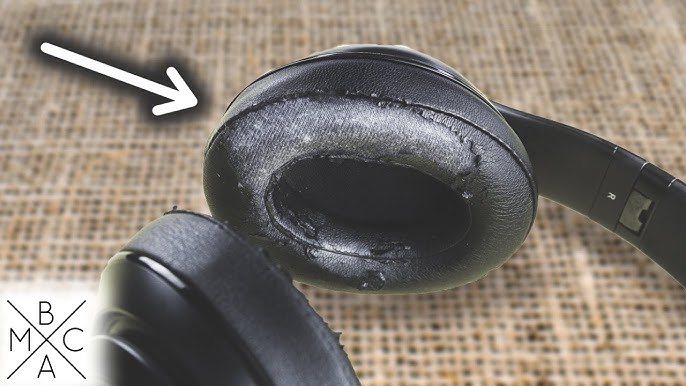
- Cracks or peeling of the outer cover.
- Foam that no longer springs back or has uneven shape.
- Persistent odors after thorough cleaning.
- Changes in sound or seal suggesting a poor fit.
Replacement cushions are often cheaper than new headphones and bring back comfort and sound quality. If you sweat heavily while listening, replace pads more frequently.

Frequently Asked Questions of how to clean beats headphone cushions
How often should I clean Beats headphone cushions?
Clean cushions lightly after heavy use and do a deeper cleaning every 1–3 months. Frequency depends on sweat, skin oil, and usage.
Can I use rubbing alcohol on Beats cushions?
Use 70% isopropyl alcohol sparingly for spot disinfecting. Do not soak cushions; test a small area first.
Are Beats cushions removable for cleaning?
Many Beats models have removable cushions, but not all. Check your model guide or try gently to see if the pad detaches.
Will water damage Beats headphones if I clean cushions?
Excess water can damage headphones. Always use a nearly dry cloth and avoid letting water reach seams or internal parts.
Can I use makeup wipes or baby wipes on cushions?
Alcohol-free, fragrance-free wipes may work for quick cleaning. Test first and avoid wipes with harsh chemicals or heavy moisturizers.
How do I remove sweat smell from cushions?
Deep clean with mild soap, then air out in a dry, ventilated area. If odor persists after cleaning, consider replacing the foam or outer pads.
Conclusion
Keep your Beats cushions clean with a simple, low-moisture routine. Use mild soap, a soft cloth, and careful drying to preserve fit, sound, and comfort. Regular care prevents damage and extends cushion life, and replacements are a smart, affordable fix when wear shows. Try a quick wipe after use and schedule a deeper clean every month or two. If this guide helped, check your cushions now, subscribe for more gear care tips, or leave a comment with your headphone model and cleaning questions.

Everett Ashford is a tech reviewer at mytechgrid.com specializing in SSDs, cameras, TVs, earbuds, headphones, and other consumer electronics. He provides honest, data-driven reviews based on hands-on testing and real-world performance analysis. Everett simplifies complex tech details to help readers make smart, confident buying decisions.