SSDs often last longer than HDDs because they have no moving parts, but usage still matters most.
The question “do SSD last longer than HDD” has a more useful answer than a simple yes or no. SSDs resist shock and mechanical wear, while HDDs can run for many years when kept cool and used gently. This guide explains SSD endurance, HDD failure risks, real-world lifespan, data retention, and the best drive for your needs.
Do SSD Last Longer Than HDD?
In most everyday devices, SSDs can last longer than HDDs because SSDs have no spinning platters, motors, or moving read/write heads. These parts are the main sources of mechanical failure in a hard disk drive.
However, an SSD is not immune to failure. Its flash memory has a limited number of write cycles. A drive may also fail because of a damaged controller, faulty firmware, power problems, or heat.
So, do SSD last longer than HDD in real use? Often, yes. But the answer depends on:
• How much data you write each day
• Drive quality and endurance rating
• Operating temperature
• Power stability
• Physical movement and vibration
• Backup habits
• Whether the drive is used for active work or long-term storage
For a typical home computer, office laptop, or gaming PC, an SSD can remain reliable for many years. An HDD may last just as long in a cool desktop case, but it has more physical parts that can wear out.

How SSD and HDD Lifespans Differ
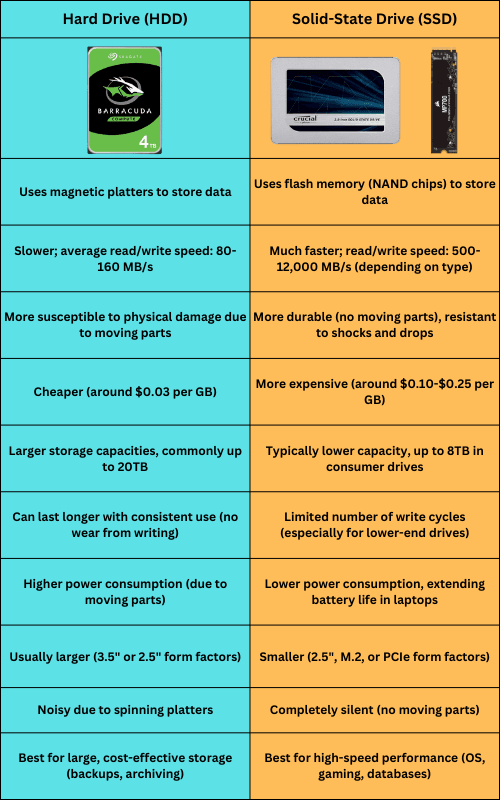
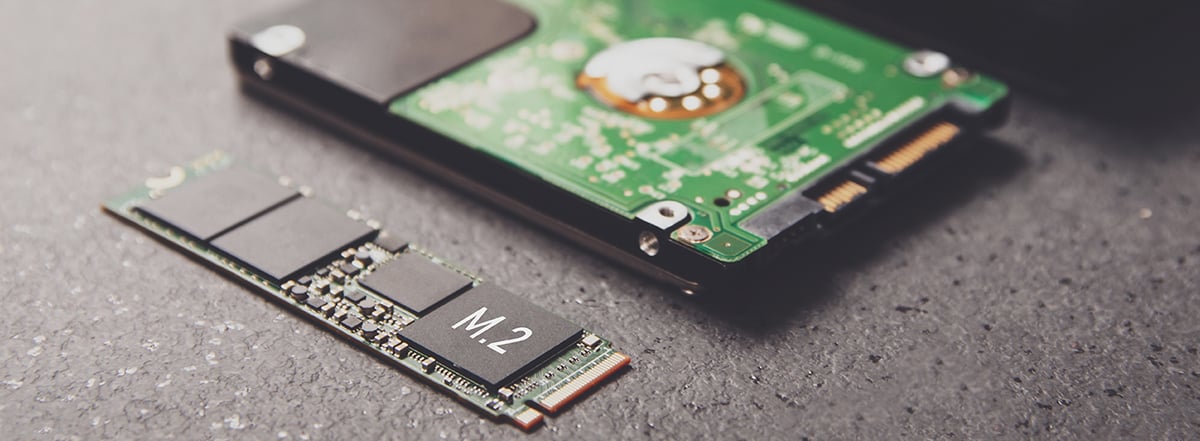
An SSD stores data in NAND flash memory. It uses electrical charges inside memory cells. An HDD stores data on magnetic platters and reads it with a moving head.
Think of an SSD as a quiet electronic notebook. An HDD is more like a tiny record player. Both can work well, but the record player has more parts that can break.
SSD lifespan
SSD endurance is often measured in terabytes written, or TBW. This figure estimates how much data you can write to a drive before its flash cells may begin to wear.
For example, a 1TB consumer SSD may have a rating between 300 TBW and 1,200 TBW. The exact value depends on the model, memory type, controller, and warranty.
A computer that writes 20GB per day would write about 7.3TB per year. At that rate, even a 300 TBW SSD has a theoretical write life of more than 40 years. Real life can differ, but this shows why most home users do not reach an SSD’s write limit.
HDD lifespan
HDD reliability is often discussed using annualized failure rate, or AFR. Large drive studies have found that failure rates vary by model, age, workload, and operating conditions.
Many HDDs work for five to ten years. Some fail much sooner, while others continue running for more than a decade. Age tends to increase risk because motors, bearings, heads, and platters experience wear.
This means do SSD last longer than HDD is usually a question of probability. SSDs remove mechanical risks, but HDDs can still provide a long service life under good conditions.

Why SSDs May Last Longer
SSDs have several design benefits that improve durability.
No moving parts
An SSD has no spinning disk and no moving head. This gives it better resistance to:
• Drops and bumps
• Vibration
• Frequent travel
• Sudden movement
• Physical shock
This benefit is important for laptops. An HDD can be damaged if it receives a strong impact while its platters are spinning. An SSD is less likely to suffer physical damage from the same event.
Lower mechanical stress
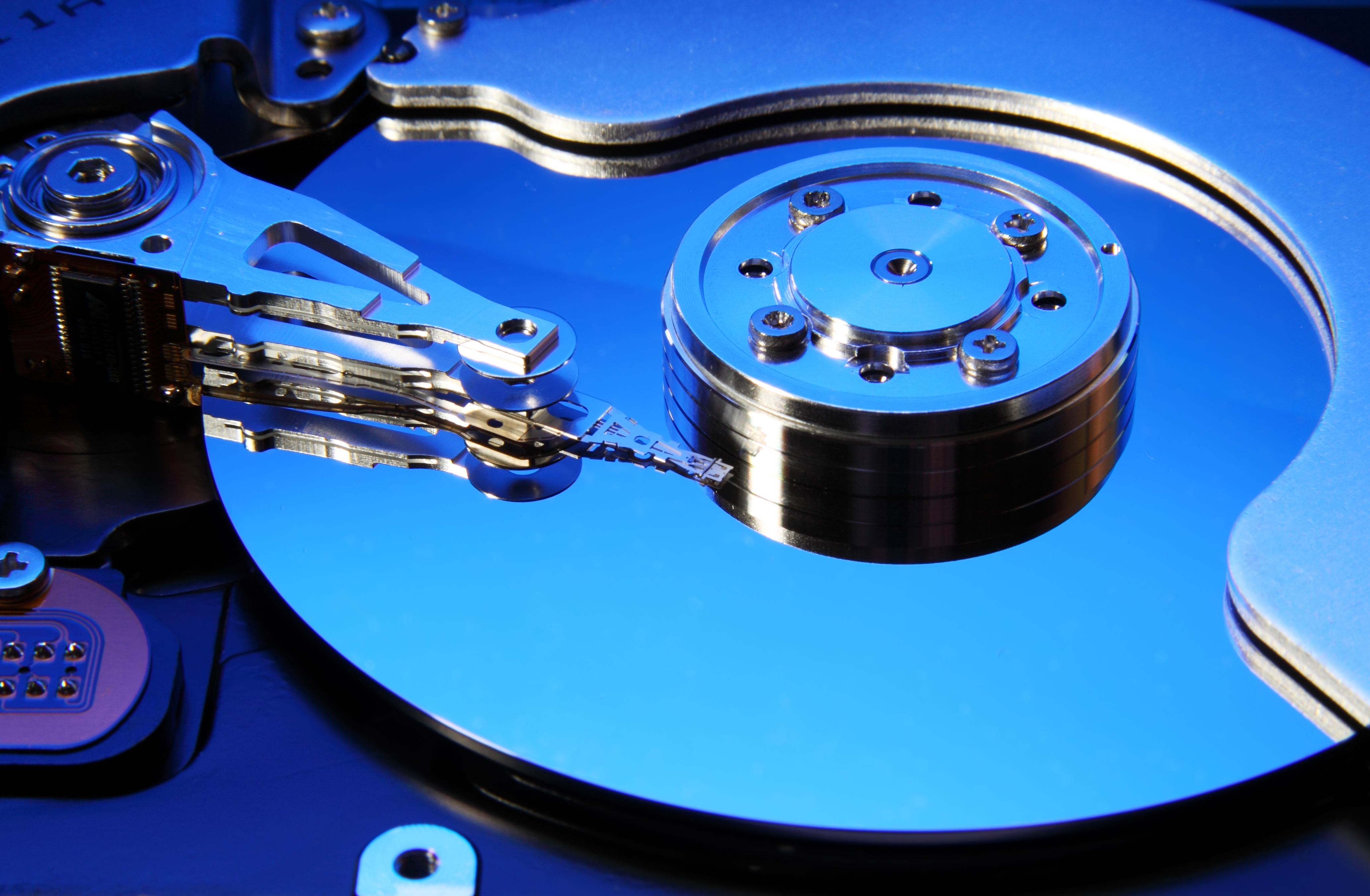
HDD motors spin platters at thousands of revolutions per minute. The read/write head moves across the platter surface with very little clearance.
That design works well, but it creates mechanical stress. Bearings can wear. Heads can fail. Motors can stop. An SSD avoids these problems.
Faster operation with less heat
SSDs usually access files faster and use less power than 3.5-inch desktop HDDs. Lower power use can mean less heat inside a laptop or small computer.
Heat is not harmless to any storage device. Keeping an SSD or HDD cool can improve reliability. Still, an SSD often has an easier thermal and mechanical life in a mobile computer.
Better shock resistance
Manufacturers usually publish shock ratings for SSDs and HDDs. SSDs often tolerate much higher non-operating shock levels because there are no delicate moving parts.
This does not mean you should throw an SSD across a room. A damaged circuit board or connector can still destroy it. It simply means normal travel is less risky.
Why HDDs Can Still Last Many Years
The answer to do SSD last longer than HDD should not make you think HDDs are unreliable by default. Many hard drives provide excellent service when used in the right setting.
HDDs are common in desktops, network-attached storage systems, surveillance systems, and backup devices. They offer large capacity at a lower cost per terabyte.
A high-quality HDD in a cool desktop case may run for years without trouble. Enterprise and NAS drives also include features designed for continuous workloads, although they still contain mechanical parts.
HDDs may be a good choice when:
• You need several terabytes at a low price
• You store movies, photos, and large archives
• You use the drive mainly for backups
• You want a secondary storage disk
• Speed is less important than capacity
HDDs also have a useful advantage for some long-term storage tasks. If stored correctly and powered off, a hard drive does not use flash memory cells that can slowly lose charge over time. Yet both HDDs and SSDs need periodic checks and more than one copy of important data.
What Causes SSD Failure?
SSD failure does not always come from worn-out flash memory. In many cases, another component fails first.
Common causes include:
• Controller failure
• Firmware bugs
• Sudden power loss
• Damaged NAND flash
• Overheating
• Faulty power delivery
• Worn connectors or circuit boards
• Excessive write activity
The controller manages data placement, error correction, and communication with the computer. If the controller fails, the stored data may become inaccessible even when the flash chips are still healthy.
Some SSDs also use a small amount of DRAM or SLC cache to improve speed. A failure in these supporting parts can affect the entire drive.
A high TBW rating is helpful, but it is not a promise that the drive will reach that number. TBW is an endurance estimate used for warranty and product comparison. It does not predict every failure mode.
In my own drive testing and computer support work, I have seen people focus only on the TBW number. One person had written very little data but lost access after a power event. Another used a lower-cost SSD for years without reaching its rated limit. The lesson is simple: endurance matters, but backups matter more.
What Causes HDD Failure?
HDD failure is often gradual, sudden, or both. A drive may show warning signs before it stops working, but some failures happen without much notice.
Common HDD problems include:
• Motor failure
• Worn bearings
• Head crashes
• Bad sectors
• Failed controller boards
• Damaged platters
• Overheating
• Vibration
• Repeated start and stop cycles
Warning signs can include clicking sounds, slow file access, disappearing folders, read errors, and repeated computer freezes. A clicking HDD should be treated as an urgent warning, not a minor noise.
HDDs can also develop bad sectors. Modern drives may replace some damaged sectors with spare areas. A growing number of bad sectors, however, often indicates that the drive is becoming unreliable.
A hard drive used in a busy server may experience more stress than one used for occasional home backups. The same model can have different results based on workload, cooling, vibration, and power quality.
This is why do SSD last longer than HDD cannot be answered by looking at age alone. A lightly used HDD may outlive a heavily used SSD, while a mobile laptop HDD may fail sooner because of shocks and movement.

SSD Endurance: TBW, DWPD, and Drive Health
Understanding endurance ratings helps you choose the right storage device.
TBW
TBW means terabytes written. It estimates the total amount of data that can be written under the manufacturer’s test conditions.
A higher TBW rating usually suggests stronger endurance. It does not guarantee a longer calendar life, because electronics can fail for other reasons.
DWPD
DWPD means drive writes per day. It is more common with enterprise SSDs.
For example, a 1TB drive rated at 1 DWPD for five years is designed for about 1TB of writes per day over that period. This is much more demanding than a normal home workload.
SMART health data
Many SSDs and HDDs support SMART, which reports drive health information. You can use tools such as the manufacturer’s utility or a trusted disk-monitoring program to check:
• Remaining life estimate
• Total host writes
• Reallocated sectors
• Temperature
• Uncorrectable errors
• Power-on hours
SMART data is useful, but it is not perfect. A drive can fail without giving a clear warning. Treat it as an early alert system, not a replacement for backups.
Overprovisioning and free space
SSDs need spare space to manage worn cells and maintain performance. Keeping around 10% to 20% of the drive free can help with garbage collection and sustained performance.
A nearly full SSD may slow down. It may also perform more internal data movement, depending on the design and workload. This does not mean it will fail at once, but free space is a healthy habit.
SSD vs. HDD for Different Uses
The best answer to do SSD last longer than HDD changes with the task.
Laptops
An SSD is usually the better choice. It handles movement well, starts faster, runs quietly, and often uses less battery power.
Gaming computers
SSDs improve game load times and system response. They may not increase frame rates much, but they make the computer feel faster.
Office computers
An SSD is usually ideal. Office work creates a modest write load, so most quality SSDs should last well beyond the useful life of the computer.
Video editing
For active editing, an SSD offers better speed. A high-endurance model is wise if you write large video files every day.
An HDD can still serve as a lower-cost archive for completed projects. Many editors use an SSD for current work and an HDD or NAS for stored footage.
Home media libraries
HDDs often provide better value for large collections. If you mainly stream movies or view photos, the extra speed of an SSD may not justify the added cost.
Security cameras
Surveillance systems write data constantly. Use a drive designed for surveillance workloads. Standard desktop drives may not be the best fit.
Backups
Both types can work well. A practical backup plan often uses an SSD for fast local copies and an HDD for larger, lower-cost storage.
How to Make an SSD or HDD Last Longer
Good habits can extend the useful life of either drive.
-
Keep the drive cool. Improve airflow and remove dust from desktop fans.
-
Use a reliable power supply. A surge protector or uninterruptible power supply can reduce damage from unstable power.
-
Keep firmware updated. Manufacturers may release updates that fix bugs or improve compatibility.
-
Avoid filling an SSD completely. Leave free space for background maintenance.
-
Do not defragment an SSD manually. Modern operating systems manage SSD optimization with commands such as TRIM.
-
Handle HDDs carefully. Do not move a running computer with a mechanical hard drive unless the system is designed for it.
-
Monitor drive health. Check SMART data every few months, especially for older drives.
-
Replace drives before they become critical. If a drive shows errors, unusual noise, or a rapidly declining health rating, move your data at once.
-
Keep at least three copies of important files. Store them on two different types of media, with one copy away from your main device.
-
Test your backups. A backup that cannot be restored is not a dependable backup.
One mistake I often see is waiting for a drive to make noise before creating a backup. SSDs are even more deceptive because they usually fail quietly. Set up automatic backups before you need them.
The Best Storage Strategy for Long-Term Reliability
Do SSD last longer than HDD is less important than how you use both drives together. A strong storage plan does not depend on one device.
For important files, use the 3-2-1 backup rule:
• Keep three copies of your data
• Use two different storage types
• Keep one copy in another location
For example, you might keep working files on an SSD, a local backup on an HDD, and a cloud copy in a separate location.
This approach protects you from more than drive failure. It can also help with theft, fire, accidental deletion, malware, and file corruption.
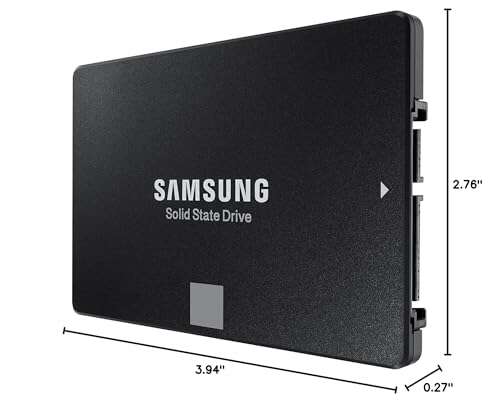
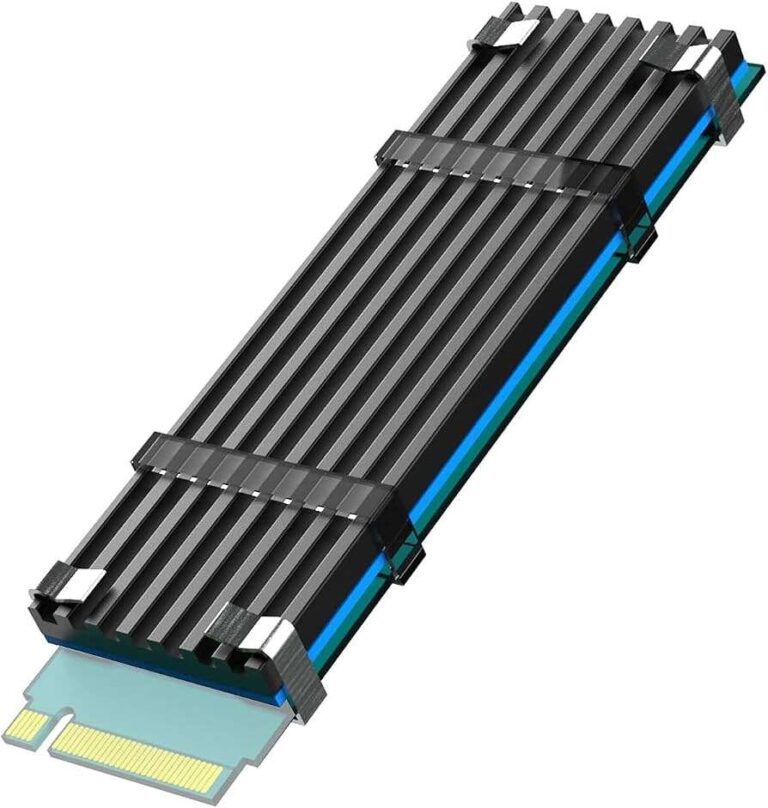
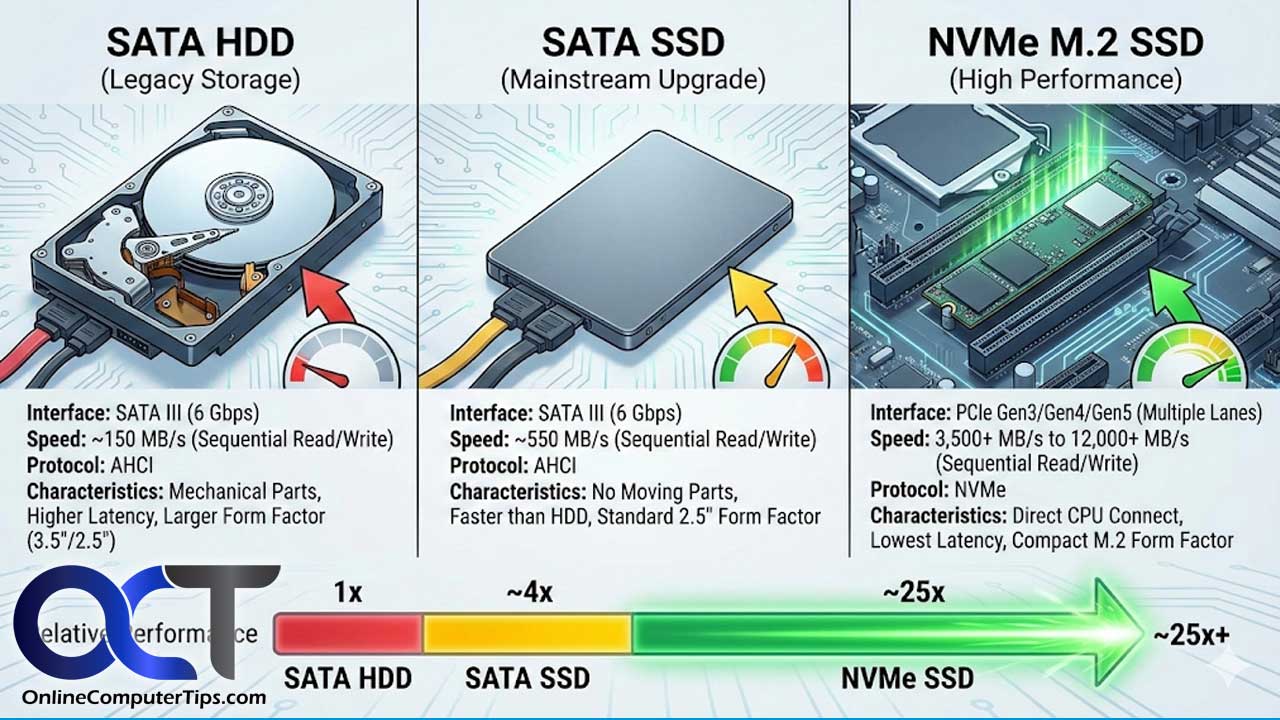
For an old computer, replacing an HDD with an SSD can improve speed and reduce mechanical risk. However, always clone or back up the old drive before upgrading. Check whether the computer uses a 2.5-inch SATA drive, M.2 SATA drive, or M.2 NVMe drive before buying.
Frequently Asked Questions About Do SSD Last Longer Than HDD
Do SSDs last longer than HDDs in laptops?
Usually, yes. SSDs handle movement and shock better because they have no moving parts, while laptop HDDs can be damaged by drops or vibration. Heavy write activity or heat can still shorten an SSD’s life.
How many years does an SSD usually last?
A quality consumer SSD can often last five to ten years or longer under normal home use. Its actual life depends on write volume, temperature, power conditions, and component quality.
How many years does an HDD usually last?
Many HDDs last five to ten years, but there is wide variation. Some fail early, while others operate for more than a decade in cool, low-stress conditions.
Is an SSD safer for storing photos and documents?
An SSD is fast and resistant to physical shock, but it is not automatically safer for permanent storage. Keep multiple backups because any SSD can fail without warning.
Can an SSD fail suddenly?
Yes. SSDs can fail because of controller, firmware, power, or circuit problems even when the flash memory has not reached its write limit. This is why SMART monitoring and regular backups are important.
Is an HDD better than an SSD for long-term storage?
An HDD can offer affordable high-capacity storage, especially for large archives. For important files, neither drive should be your only copy, and stored drives should be checked from time to time.
Does filling an SSD reduce its lifespan?
Keeping an SSD nearly full can reduce performance and increase background data management. Leaving about 10% to 20% free space is a useful general practice, though the exact need varies by drive.
Should I buy an SSD or HDD?
Choose an SSD for speed, quiet operation, shock resistance, and everyday computing. Choose an HDD when you need large capacity at a low price, then combine it with a separate backup.
Conclusion
So, do SSD last longer than HDD? In many everyday situations, SSDs have the advantage because they avoid mechanical wear, tolerate movement, and work efficiently. HDDs can still last for many years and remain excellent for affordable bulk storage.
The smartest choice is not simply SSD versus HDD. Use an SSD for your operating system and active files, an HDD for large archives when appropriate, and a separate backup for anything you cannot replace.
Check your drive health, keep devices cool, and create automatic backups today. Your future self will be glad you did.

Everett Ashford is a tech reviewer at mytechgrid.com specializing in SSDs, cameras, TVs, earbuds, headphones, and other consumer electronics. He provides honest, data-driven reviews based on hands-on testing and real-world performance analysis. Everett simplifies complex tech details to help readers make smart, confident buying decisions.