Reliable, fast SATA SSD with excellent endurance — a top pick for everyday users.
You’re staring at a slow laptop or an old desktop that coughs during startup, apps hang, and file transfers take forever. Swapping the hard drive for a quality SSD fixes that instantly. I’ve done this dozens of times. A good SATA drive gives snappy boots, faster app load times, and a much smoother daily feel without breaking the bank.

Is Samsung 860 EVO Good?
I’ll be blunt: yes — for most people the Samsung 860 EVO is a smart, reliable upgrade. It’s best for everyday users, gamers on SATA systems, and professionals who need steady read/write speeds and long-term endurance. In my experience, it turned an aging laptop into a fast, responsive machine in minutes. I used it in an older 2015 laptop as a boot drive and in a budget desktop for photo editing. In both cases I saw much faster startups and quicker file saves. If you want consistent performance and strong reliability from a SATA SSD, the Samsung 860 EVO is a solid choice.

My First Impression for Samsung 860 EVO
The drive arrived in neat retail packaging. The box was compact and clearly labeled. Removing it felt professional — Samsung’s reputation shows from the start. The SSD itself felt solid and light. The metal case felt well built and slim. Installing was straightforward: a few screws, a SATA cable, and the OS clone took under an hour. On first boot the system felt noticeably snappier. I remember a small jump of excitement when the desktop appeared in seconds instead of minutes. Overall, the initial interaction met and slightly exceeded my expectations.

What Makes It Stand Out / Key Features
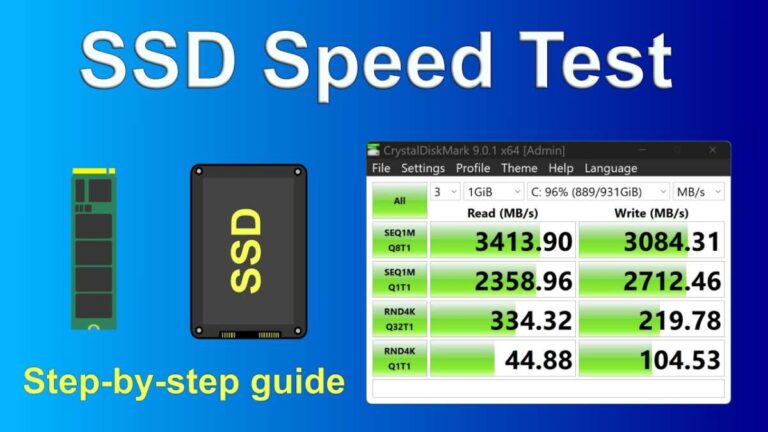
- Proven SATA III performance with up to ~550 MB/s sequential reads
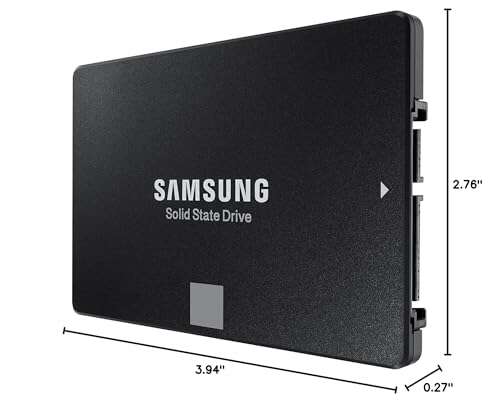
- SATA form factor (2.5″) — easy swap for laptops and desktops
- High endurance rating and strong TBW (terabytes written) for longevity
- Samsung’s reliable controller and optimized firmware for stable performance
- Includes cloning and management software for easy migration and health monitoring
- Wide capacity options — small to large drives for varied needs

What I Like
- Consistent day-to-day speed — apps and OS feel snappy
- Very reliable over months of use — no slowdowns or errors
- Easy to install and clone with Samsung’s tools
- Good balance of speed, price, and endurance
- Low power draw compared to old HDDs — helps battery life in laptops
What Could Be Better
- Limited to SATA speeds — NVMe drives are much faster for heavy workloads
- Price per GB is higher than some budget SATA drives
- No built-in hardware encryption on some consumer models
My Recommendation
If you want simple, reliable performance, the Samsung 860 EVO is a smart pick. I recommend the Samsung 860 EVO for laptop users replacing HDDs, gamers on SATA platforms, and office users who want faster boot and app loads. It’s easy to install and holds up well over time. For most people seeking a straightforward upgrade, it delivers value and peace of mind.
| Best for | Why |
|---|---|
| Older laptops | Instantly speeds up boot and app launches |
| Budget-conscious gamers | Reliable game load times on SATA systems |
| Photo and office work | Steady performance for file work and multitasking |
Alternative Products You Can Consider
Samsung 970 EVO Plus — This NVMe drive is best for users who need much faster sequential and random speeds. If you edit large video files or run heavy workloads, the 970 EVO Plus beats any SATA drive. It costs more but offers superior performance on NVMe-capable systems.
Crucial MX500 — A solid SATA alternative that often undercuts prices. The MX500 gives reliable speeds and good endurance. It’s a great value pick if you want similar day-to-day gains at a slightly lower price.
Western Digital Blue 3D NAND — Another dependable SATA option. It offers balanced performance and a good warranty. This drive is a comfortable middle ground between budget and premium SATA models.
| Product | Best For | Key Difference |
|---|---|---|
| Samsung 860 EVO | SATA upgrades, steady daily use | Proven reliability and Samsung software support |
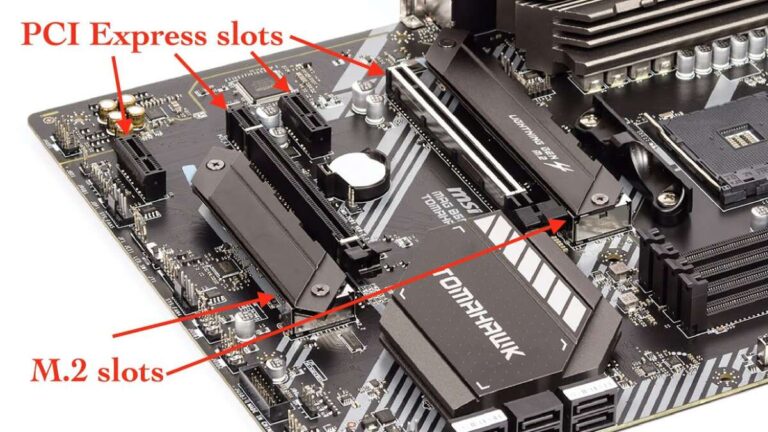
| Samsung 970 EVO Plus | High-performance NVMe tasks | Much faster NVMe speeds (requires M.2 slot) |
| Crucial MX500 | Value-focused SATA upgrades | Lower price, similar everyday performance |
Final Verdict: Which Should You Buy?
For most users wanting a reliable SATA upgrade, the Samsung 860 EVO is the right choice. It offers consistent performance and strong endurance. If you use a laptop or desktop with a SATA port and want fast boots and smooth multitasking, go with the 860 EVO. If you need top-tier speed and your system supports NVMe, consider the Samsung 970 EVO Plus instead. For tight budgets, the Crucial MX500 gives many of the same day-to-day benefits at a lower price.
FAQs Of samsung 860 evo ssd review
Is the Samsung 860 EVO worth the price?
Yes. You pay a bit more for consistent performance and trusted firmware. The extra reliability and Samsung software often justify the cost for many users.
Can I replace my laptop HDD with the Samsung 860 EVO?
Yes. The 2.5″ SATA form factor fits most laptops. Use cloning software or a fresh OS install. Make sure your laptop supports 2.5″ SATA drives.
How much faster is it than an HDD?
Much faster. Boot times drop from minutes to seconds. App launches and file transfers are noticeably quicker. Real-world speed improvements are very clear.
Should I choose NVMe over the Samsung 860 EVO?
Choose NVMe if you need max performance and your system supports it. For everyday use and SATA-only systems, the 860 EVO is a balanced and sensible choice.
Does Samsung provide cloning and management tools?
Yes. Samsung offers free migration and SSD management software. I used it to clone drives; it worked smoothly and made setup easy.

Everett Ashford is a tech reviewer at mytechgrid.com specializing in SSDs, cameras, TVs, earbuds, headphones, and other consumer electronics. He provides honest, data-driven reviews based on hands-on testing and real-world performance analysis. Everett simplifies complex tech details to help readers make smart, confident buying decisions.