Digital cameras do not use photographic film; they capture and save images as electronic data.
The question “which of the following is not true about digital cameras” often appears in photography quizzes, computer classes, and buyer guides. Since no answer choices are provided here, the most likely false statement is that digital cameras record pictures on film. Modern digital cameras use an image sensor, a processor, and electronic storage to create and save photos. This guide explains how digital cameras work, checks common statements, and shows how to spot the incorrect answer with confidence.
Which of the following is not true about digital cameras?
The answer depends on the choices in the question. However, the statement “digital cameras use photographic film to record images” is not true.
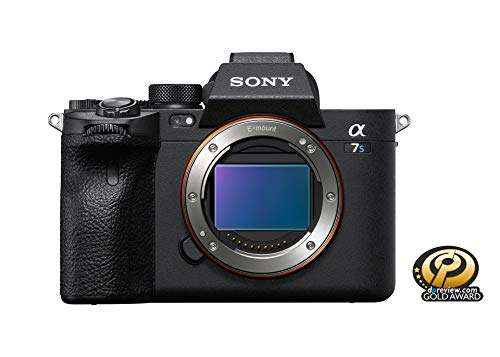
A digital camera uses an electronic image sensor. The sensor may be a CMOS or CCD device. It changes incoming light into electrical signals. The camera then processes those signals and saves the result as a digital image file.
Traditional film cameras work in a different way. They expose light-sensitive film to create a chemical image. The film must later be developed. A digital camera does not need this chemical process.
When solving a question about which of the following is not true about digital cameras, look for a statement linked to film, chemical developing, or a lack of electronic storage. Those details usually describe an analog camera, not a digital one.

How digital cameras capture images
Digital photography starts when light passes through the lens. The lens focuses that light onto the image sensor. The sensor contains millions of tiny light-sensitive areas called photosites.
Each photosite measures light. The camera converts that measurement into digital information. A camera processor then uses this information to build an image with color, brightness, contrast, and detail.
Most modern digital cameras use one of these sensor types:
• CMOS sensors are common because they use less power and support fast shooting.
• CCD sensors can produce high-quality images but are less common in current consumer cameras.
• Full-frame sensors are similar in size to a 35 mm film frame.
• APS-C sensors are smaller and appear in many mirrorless and DSLR cameras.
• Micro Four Thirds sensors are smaller still and allow for compact camera bodies and lenses.
The sensor does not store a permanent picture by itself. It sends data to the camera’s image processor. The processor turns that data into a file, such as JPEG, HEIF, or RAW.
This process is why the claim that digital cameras record images directly on film is not true. The image exists as electronic data before it is saved to a memory card or internal storage.

Common statements about digital cameras: true or false
Many quiz questions use familiar camera features to test basic knowledge. The following examples make the answer easier to identify.
“Digital cameras store photos as electronic files”
This statement is true. A digital camera saves images as files made of computer-readable data.
Common formats include:
• JPEG files, which are smaller and ready to share.
• RAW files, which keep more original sensor information for editing.
• HEIF files, which can offer better quality than JPEG at a similar file size.
The camera may save these files to an SD card, cfexpress card, microSD card, or internal memory. The exact storage type depends on the camera model.
“Digital cameras can show photos on a screen”
This statement is true. Most digital cameras have a rear LCD screen. Many also include an electronic viewfinder.
The screen can show a preview of the image. It can also display settings such as shutter speed, aperture, ISO, battery life, and remaining storage space.
This immediate review is one of the main benefits of digital photography. With film, photographers usually had to wait until the roll was developed.
“Digital cameras can take many photos without changing film”
This statement is true. Digital cameras do not use rolls of photographic film.
The number of photos depends on the available memory card space and battery power. A large memory card may hold hundreds or thousands of images. A photographer can also delete unwanted files and continue shooting.
However, deleting files does not replace good storage habits. Memory cards can fail, become corrupted, or be lost. Important photos should be copied to a computer, external drive, or secure cloud service.
“Digital cameras never need power”
This statement is not true. Digital cameras need electrical power to operate the sensor, processor, screen, autofocus system, and storage system.
Some small cameras use replaceable batteries. Most interchangeable-lens cameras use rechargeable lithium-ion batteries. Battery life depends on the camera, temperature, screen use, autofocus, and wireless features.
A spare battery is one of the simplest ways to avoid missing important photos. This is especially useful during travel, weddings, sports events, and outdoor trips.
“Digital cameras always produce perfect images”
This statement is not true. Digital cameras can produce excellent results, but they cannot correct every mistake.
A photo may still be too dark, too bright, blurry, out of focus, or poorly framed. The camera helps, but the photographer still controls many important choices.
This is a key point when reviewing which of the following is not true about digital cameras. Digital technology improves speed and control, but it does not remove the need for skill.

The main differences between digital and film cameras
Digital and film cameras share basic ideas. Both use a lens, control light, and create an image. Their recording methods are different.
| Feature | Digital camera | Film camera |
|---|---|---|
| Recording medium | Electronic image sensor | Light-sensitive film |
| Image storage | Memory card or internal storage | Film roll or sheet film |
| Image review | Almost immediate | Usually after developing |
| Processing | Software and image processor | Chemical development |
| Reuse of recording medium | Memory card can be reused | Exposed film must be replaced |
| Editing | Easy with photo software | Requires scanning or darkroom work |
| Operating power | Usually needs a battery | Some film cameras need little or no battery power |
Film photography can offer a unique look and a slower, deliberate process. Digital photography offers speed, convenience, and lower costs for many users.
Neither system is automatically better for every person. The best choice depends on goals, budget, workflow, and personal taste. Still, calling a digital camera a film-based device is technically incorrect.
Why the difference matters
Understanding the recording medium helps explain many other camera features. For example, image resolution, file size, memory capacity, and image transfer all relate to digital data.
A digital photo can be copied without losing quality when the file is transferred correctly. An original RAW file can also be edited many times while the original remains unchanged.
Film behaves differently. It is a physical object with grain, exposure limits, and a fixed number of frames. These differences make the statement about digital cameras and film easy to evaluate.

Important digital camera features
Knowing the basic features can help you reject incorrect answers in a multiple-choice question.
Image sensor
The image sensor replaces film. It receives light and creates the initial electronic image data.
Sensor size affects several factors, including image quality, depth of field, camera size, and low-light performance. A larger sensor often gives better control over background blur and may produce less noise at high ISO settings.
Megapixels
Megapixels describe the approximate number of pixels in an image. A 24-megapixel camera records about 24 million pixels.
More megapixels can help with cropping and large prints. However, megapixels alone do not determine image quality. Lens quality, lighting, focus, sensor design, and photographer technique also matter.
A camera with more megapixels is not automatically better in every situation.
ISO
ISO controls the sensor’s sensitivity setting. A higher ISO can help in low light, but it may add digital noise or reduce detail.
For example, ISO 100 is useful in bright outdoor light. ISO 3200 or higher may help at an indoor event or evening sports game.
ISO does not make a digital camera into a film camera. It is an electronic exposure control.
Shutter speed
Shutter speed controls how long the sensor receives light. A fast shutter speed can freeze motion. A slow shutter speed can create blur or show movement.
For example, a shutter speed of 1/1000 second may freeze a runner. A speed of one second may blur moving water or create light trails.
Aperture
Aperture is the opening inside the lens. It controls the amount of light entering the camera and affects depth of field.
A wide aperture, such as f/1.8, can create a soft background. A narrow aperture, such as f/11, can keep more of a scene in focus.
These features work together in what photographers call the exposure triangle: aperture, shutter speed, and ISO.

Common mistakes when answering the question
People often choose the wrong answer because several statements sound partly correct. These mistakes are easy to avoid.
Confusing memory with film
A memory card may look like a physical recording medium, but it is not film. It stores electronic data using flash memory.
The card can hold image files, video files, and camera settings. It does not contain a light-sensitive surface that must be chemically developed.
Assuming every digital camera has the same features
Not every digital camera has a removable lens, an electronic viewfinder, or manual controls. A smartphone camera, compact camera, mirrorless camera, and DSLR can work in different ways.
For this reason, words such as “all,” “always,” and “never” deserve careful attention. Absolute statements are often false because camera models vary.
Believing digital means unlimited storage
Digital cameras can store many images, but storage is not unlimited. Every memory card has a fixed capacity.
Large RAW files use more space than JPEG files. Video also fills a card quickly. A photographer should check the remaining capacity before an important shoot.
Thinking editing fixes every problem
Editing software can adjust exposure, color, contrast, and cropping. It cannot fully restore detail that was never captured.
A severely blurred image may remain blurred. A badly overexposed sky may have no recoverable detail. Good exposure and focus still matter.
In practical testing, one useful lesson is to inspect the histogram and focus before moving on from a shot. A quick check can prevent the disappointment of discovering later that a once-in-a-lifetime photo is out of focus.
A simple way to solve digital camera quiz questions
Use this process when you see the question “which of the following is not true about digital cameras.”
-
Identify the recording method. Look for references to an image sensor, memory card, or electronic file.
-
Watch for film language. Terms such as chemical developing, film rolls, and darkroom processing usually describe film cameras.
-
Check absolute words. Statements using “always,” “never,” or “does not need power” may be incorrect.
-
Separate camera features from photographer results. A camera may support high resolution, but it cannot guarantee a perfect photo.
-
Consider the exact model. Some features are common but not universal.
For example, imagine these answer choices:
• Digital cameras use an image sensor.
• Digital cameras save photos as electronic files.
• Digital cameras can display images on a screen.
• Digital cameras record images on photographic film.
The fourth statement is not true. It describes a film camera rather than a digital camera.
This method works because it focuses on the camera’s core function instead of surface details. The defining feature of a digital camera is electronic image capture and storage.
Benefits and limits of digital cameras
Digital cameras changed photography by making image capture faster and more flexible. They offer several clear benefits.
• Immediate image review helps photographers check focus and exposure.
• Memory cards can store many images.
• Photos can be copied, edited, printed, and shared quickly.
• Digital files can include useful information such as date, time, camera model, lens, and exposure settings.
• Video recording is available on many modern models.
• Manual controls allow precise creative choices.
Digital cameras also have limits.
• Batteries must be charged or replaced.
• Memory cards can fail or become corrupted.
• High ISO settings may create noise.
• Complex menus can confuse new users.
• Large RAW files require more storage and editing time.
• Newer models can be expensive.
In my practical advice to new photographers, the biggest mistake is often buying advanced equipment before learning basic exposure and composition. A simple camera used well can produce stronger images than an expensive camera used without a clear purpose.
How to use a digital camera well
You do not need to master every setting at once. Start with a few habits that improve results.
• Keep the lens clean with a proper microfiber cloth.
• Charge the battery before important events.
• Format memory cards in the camera after backing up your photos.
• Use a fast shutter speed for moving subjects.
• Check focus on the eyes when photographing people.
• Watch bright areas for overexposure.
• Save important images in at least two locations.
• Learn when to use JPEG, RAW, or both.
• Read the camera manual for model-specific controls.
A good backup system follows the three-copy idea: keep the original, make a local backup, and store another copy in a separate place. This protects photos from device failure, theft, and accidental deletion.
Also, avoid removing a memory card while the camera is writing data. Doing so can damage files. Turn the camera off first, or wait until the activity light stops.
These small actions may seem simple, but they protect the work that matters most.
Frequently Asked Questions About Which of the Following Is Not True About Digital Cameras
Which statement is usually not true about digital cameras?
The statement that digital cameras use photographic film is usually not true. Digital cameras capture images with an electronic sensor and save them as digital files.
Do digital cameras need film?
No. Digital cameras do not need photographic film. They need power and a storage method, such as a memory card or internal memory.
Do digital cameras use memory cards?
Many digital cameras use memory cards, but not every model has the same card type. Common examples include SD, microSD, CompactFlash, and CFexpress cards.
Are digital camera photos stored as files?
Yes. Digital cameras store photos as image files, such as JPEG, HEIF, or RAW. These files can be transferred to computers, phones, external drives, or cloud storage.
Can digital cameras work without batteries?
Most digital cameras need a battery to operate. The battery powers the sensor, screen, processor, autofocus system, and other electronic parts.
Do more megapixels always mean better image quality?
No. Megapixels affect image resolution, but lens quality, sensor size, lighting, focus, and processing also affect the final image. More megapixels can help with cropping, but they are not the only measure of quality.
Can a digital camera guarantee a perfect photo?
No. A digital camera can provide useful tools, but it cannot guarantee perfect focus, exposure, composition, or lighting. The photographer still makes important creative and technical decisions.
Conclusion
The most likely answer to “which of the following is not true about digital cameras” is that digital cameras use photographic film. They do not. They use electronic image sensors, processors, and digital storage to capture and save photos.
Remember the key difference: film cameras record light through a chemical process, while digital cameras convert light into electronic data. Once you understand that distinction, most digital camera quiz questions become much easier.
Use the tips in this guide when comparing camera features, studying photography, or choosing your first camera. Explore your camera manual, practice with different settings, and share your questions or experiences in the comments.

Everett Ashford is a tech reviewer at mytechgrid.com specializing in SSDs, cameras, TVs, earbuds, headphones, and other consumer electronics. He provides honest, data-driven reviews based on hands-on testing and real-world performance analysis. Everett simplifies complex tech details to help readers make smart, confident buying decisions.