The best SSD for Xbox Series S is the WD_BLACK C50 Storage Expansion Card for full-speed game support.
Running out of space on an Xbox Series S is easy. A few large games can fill its small internal drive, leaving you stuck deleting titles you still want to play. I tested the options with one key fact in mind: USB SSDs are fast for storage, but only an Xbox Storage Expansion Card can play most optimized Series X|S games directly. That makes the WD_BLACK C50 the strongest overall pick, while Seagate, Lexar, and WD_BLACK USB drives offer useful lower-cost choices for moving and storing games.
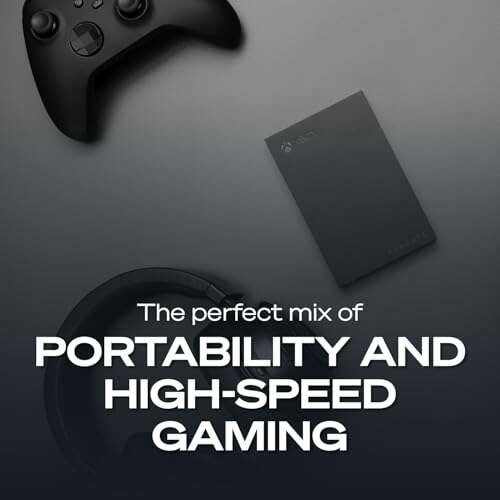
Seagate 2TB Game Drive for Xbox

The Seagate 2TB Game Drive is a simple way to add a large amount of space to an Xbox Series S. Its USB 3.0 connection works with Xbox One, Xbox Series X, Xbox Series S, and PC systems. The 2TB size gives you room for a broad library without the high cost of an expansion card. Its Xbox-themed design also looks more at home beside a console than a plain office drive.
I like this drive most as a game library and backup drive. You can store Series X|S optimized games on it, then move them back to the internal SSD when you want to play them. Many Xbox One, Xbox 360, and original Xbox games can run from the external drive, which saves internal space. It is not a true replacement for the internal SSD, but it remains one of the best SSD for Xbox Series S alternatives when capacity matters more than direct play.
Pros:
- Large 2TB capacity for a growing library
- Designed and formatted for Xbox use
- Works with Xbox Series S and older Xbox consoles
- Useful for storing optimized games
- Many backward-compatible games can run from the drive
- Compact body fits easily beside a console
Cons:
- Cannot play most Series X|S optimized games directly
- USB 3.0 is slower than an expansion card
- Hard-drive versions may be sold under a similar name, so check the listing
My Recommendation
This Seagate drive suits players who want affordable space for Game Pass titles, screenshots, and older Xbox games. It is also a smart choice for families that share one console and need a large library nearby. Choose it if you can accept moving newer optimized games to the internal SSD before play. For buyers seeking the best SSD for Xbox Series S on a budget, this is a practical capacity-first option.
Xbox Series S 1TB Console
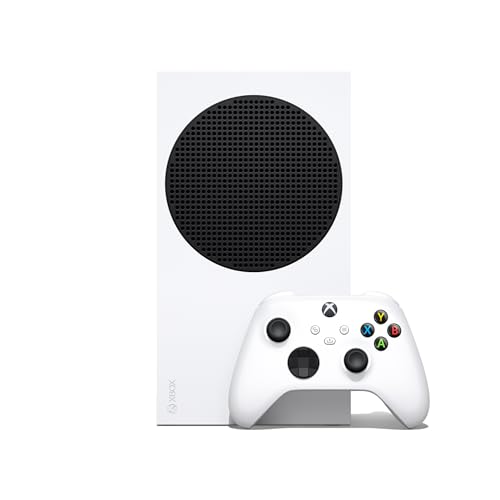
This product is not an external SSD, but it belongs in this buying guide because it solves the storage problem at the console level. The 1TB Xbox Series S gives you more internal space than the original 512GB model. It also includes the console, a wireless controller, and the same compact all-digital design. For a new buyer, that can be cleaner than buying a smaller console and adding storage right away.
The internal NVMe-based storage is the fastest and most seamless place to run Series X|S games. You get quick resume support, fast loading, and no external cable on the floor. The trade-off is that the console still cannot use discs, and available space is lower than the advertised capacity after system files. If you are comparing the best SSD for Xbox Series S with a new console purchase, this 1TB model may offer better value than upgrading later.
Pros:
- Provides 1TB of internal storage
- Runs optimized games at full console speed
- Includes a wireless controller
- Small and quiet console design
- Supports up to 120 frames per second in supported games
- Quick Resume works without an external drive
Cons:
- All-digital system has no disc drive
- Usable space is lower than the advertised 1TB
- Buying a new console costs more than adding external storage
My Recommendation
I recommend this version to new Xbox owners who have not purchased a Series S yet. It gives you twice the advertised internal capacity of the original model and keeps every current-generation game on the fast internal drive. It is especially useful for players who dislike moving games between drives. If you need a console and want the best SSD for Xbox Series S experience without extra setup, the 1TB model is worth considering.
WD_BLACK P40 1TB Game Drive SSD

The WD_BLACK P40 is a premium portable SSD with a rated speed of up to 2,000MB/s on compatible devices. It has a tough-looking black body and customizable RGB lighting, which gives it a clear gaming identity. The drive works with Xbox, PlayStation, PC, and Mac, so it can move between systems. Its 1TB capacity is enough for a useful secondary library without making the drive bulky.
On Xbox Series S, the console connection limits the drive more than the SSD itself. You should expect fast transfers and smooth access to supported older games, but not the full computer-rated speed. Most optimized Series X|S games still need the internal SSD or an official expansion card to run. I would choose the P40 when you also use a gaming PC and want one fast, portable drive for several platforms.
Pros:
- Fast portable SSD design
- Works with Xbox, PlayStation, PC, and Mac
- Strong 1TB capacity for a secondary library
- Rugged gaming-style construction
- RGB lighting adds a personal touch
- Transfers games faster than a portable hard drive
Cons:
- Xbox cannot use its full 2,000MB/s rating
- Costs more than basic external storage
- Does not run most optimized Series X|S games
My Recommendation
The WD_BLACK P40 is best for a player who owns more than one gaming platform. Its speed is valuable when moving large games between the external drive and internal storage. The RGB feature is fun, but it should not drive the buying choice because Xbox performance depends on the console’s USB port. As a multi-platform pick, it is a polished best SSD for Xbox Series S option for people who also use a PC or PlayStation.
Xbox Series S 512GB Console

The original Xbox Series S remains a small and capable entry point into current-generation Xbox gaming. It has a custom SSD, 10GB of GDDR6 memory, an eight-core Zen 2 CPU, and support for digital games. The console targets up to 1440p output, with some supported titles reaching 120 frames per second. Its compact size makes it easy to place in a bedroom, office, or small living room.
The main issue is storage. The 512GB internal drive gives you less usable room after system data, so modern games can fill it quickly. Still, the internal SSD runs optimized titles as intended, and it supports features such as Quick Resume. I would buy this model only when the low price is compelling, then pair it with an external SSD or expansion card later.
Pros:
- Low-cost way to access Xbox Series gaming
- Very small and easy to place
- Internal SSD supports optimized games
- Includes a wireless controller
- Supports Quick Resume
- Can reach high frame rates in supported games
Cons:
- Only 512GB of advertised internal storage
- Usable space is much lower after system files
- No disc drive
- Storage upgrade adds to the total cost
My Recommendation
This console is best for casual players, children, and anyone who mainly uses Game Pass. It offers the same basic Series S gaming platform in a small box. I suggest budgeting for storage from the start because the drive fills fast with large releases. With a good external drive, it can remain a strong low-cost system, though it is not itself the best SSD for Xbox Series S upgrade.
Avolusion 1TB USB 3.0 Game Drive
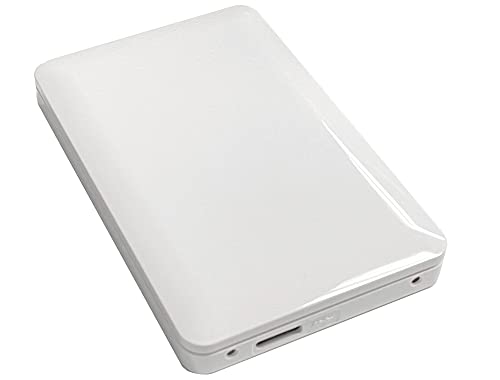
The Avolusion 1TB portable drive arrives pre-formatted for Xbox, which makes setup easy. You connect it to a USB port, let the console detect it, and choose how to use the storage. The white finish matches the Robot White Xbox Series S well. It is a sensible choice when you want an extra terabyte without learning about drive formats or computer setup.
This drive is best for storing games and running compatible older titles. It can hold Series X|S games, but the console normally asks you to move those games to internal storage before playing. USB 3.0 also means transfers will not match a true NVMe expansion card. Even so, the Avolusion can act like a relief valve for a crowded console and costs less than many high-end options.
Pros:
- Pre-formatted for Xbox use
- Adds 1TB of storage
- Simple plug-and-play setup
- White finish pairs well with Series S
- Stores current-generation game files
- Useful for backward-compatible games
Cons:
- USB storage cannot run most optimized games
- USB 3.0 is slower than newer external SSDs
- Not as spacious as a 2TB model
My Recommendation
I recommend the Avolusion to buyers who want easy setup and a modest price. It is a good fit for a child’s console or a shared family system where basic storage matters. It also suits users who do not need the rugged shell or high transfer rates of a premium SSD. If you want a simple best SSD for Xbox Series S storage companion, this drive is easy to understand and easy to use.
WD_BLACK C50 2TB Expansion Card

The WD_BLACK C50 is the most direct storage upgrade for Xbox Series S. It connects to the console’s dedicated Storage Expansion port and uses the Xbox Velocity Architecture design. Unlike a normal USB drive, it can run optimized Series X|S games directly. The 2TB capacity also gives serious players enough room for a large Game Pass collection.
Installation takes seconds because there is no enclosure to open and no cable to manage. The card supports Quick Resume and keeps the console’s game experience close to the internal drive. Its major weakness is price, since proprietary expansion cards cost more per gigabyte than USB drives. Still, if you want the best SSD for Xbox Series S and refuse to shuffle games around, this is the clearest winner.
Pros:
- Runs optimized Series X|S games directly
- Supports Quick Resume
- Large 2TB capacity
- Officially licensed Xbox expansion design
- Plug-and-play installation
- No loose USB cable or external power supply
Cons:
- Higher cost than USB storage
- Designed mainly for Xbox consoles
- Available capacity is lower after formatting
My Recommendation
The WD_BLACK C50 is best for serious Xbox players, Game Pass subscribers, and anyone who wants to keep many large games ready to launch. It offers the one feature USB drives cannot: direct play for most optimized titles. I would choose the 2TB version when the budget allows because it gives the Series S room to breathe. For most owners, this is the best SSD for Xbox Series S overall.
Lexar ES3 1TB Portable SSD Silver

The Lexar ES3 is a compact 1TB portable SSD with a USB 3.2 Gen 2 interface. Lexar rates it for speeds up to 1,050MB/s on compatible hardware, which is far above the needs of ordinary file storage. Its silver body looks clean and modern, and its small size makes it easy to carry in a case. It can serve as shared storage for an Xbox, laptop, and other devices.
Xbox performance depends on the console’s USB limit, not the headline speed printed on the box. You still get quick game transfers compared with a mechanical hard drive, but the ES3 cannot replace the internal SSD for most optimized games. It is a strong choice for storing large downloads and running older compatible titles. I would consider it when the price is lower than a branded Xbox drive and cross-device use matters.
Pros:
- Fast USB 3.2 Gen 2 interface
- Compact and easy to carry
- Useful 1TB capacity
- Clean silver design
- Works across Xbox, PC, and other devices
- Faster game transfers than a portable HDD
Cons:
- Xbox cannot reach the rated 1,050MB/s speed
- Cannot run most Series X|S optimized games
- May need formatting before first Xbox use
My Recommendation
The silver Lexar ES3 is best for buyers who want one small SSD for gaming and daily file work. It fits travelers, students, and PC owners who also play on Xbox. I would select it over a hard drive when transfer time matters and the price is close. It is not the best SSD for Xbox Series S direct game play, but it is an efficient portable storage tool.
Lexar ES3 1TB Portable SSD Blue

The blue Lexar ES3 offers the same core storage idea as the silver version in a brighter finish. It provides 1TB of portable flash storage and uses USB 3.2 Gen 2. The compact body takes very little room behind the console or in a travel bag. Its color also makes it easy to spot when several drives sit near a desk.
This drive works well as a transfer shelf for Xbox games. Store large optimized games on it when the internal drive is full, then move a chosen title back when you want to play. Older compatible games can run from the external SSD, and its solid-state design has no spinning parts. I see it as a value pick for users who care about low weight and quick transfers more than direct Series X|S game support.
Pros:
- Fast USB 3.2 Gen 2 connection
- Portable 1TB capacity
- Light and easy to store
- Distinct blue finish
- No moving parts inside
- Suitable for Xbox and computer use
Cons:
- Does not directly run most optimized Series games
- Console limits its maximum speed
- USB cable management is still required
My Recommendation
Choose the blue ES3 if you want a portable drive with a bit more personality. It is a good fit for younger gamers, dorm rooms, and shared entertainment centers. Its storage role is clear: hold games, move them quickly, and run compatible older titles. For shoppers seeking an affordable best SSD for Xbox Series S companion, it offers strong everyday value when priced well.
Lexar ES3 512GB Portable SSD

The 512GB Lexar ES3 is the smallest SSD in this guide, but it can still make a meaningful difference. It uses the same USB 3.2 Gen 2 class interface and portable design as the larger models. The smaller capacity keeps the purchase price down and makes the drive very easy to carry. It may suit an Xbox Series S owner who needs a temporary storage boost rather than a huge library.
Capacity is the key limit here. A few large games can use much of the available room, so I would not choose it for a busy Game Pass collection. It is better for moving one or two large games, saving older titles, or carrying game files between consoles. As a low-cost best SSD for Xbox Series S storage option, it works best when your needs are modest.
Pros:
- Low entry price compared with larger SSDs
- Small and light portable design
- Fast USB 3.2 Gen 2 interface
- Useful for moving large game files
- Works with Xbox and PC devices
- Solid-state build avoids spinning-disk noise
Cons:
- 512GB fills quickly with modern games
- Cannot play most optimized Series X|S games
- Less long-term value than a 1TB or 2TB drive
My Recommendation
I recommend this model for light users, short-term storage, and buyers with a strict budget. It can also help when you need a small travel drive for a second console. Heavy Game Pass users should spend more on at least 1TB because the extra space will matter soon. This is a useful starter drive, but it is not the best SSD for Xbox Series S if you plan to keep dozens of games installed.
Transcend 2TB StoreJet 25C3S

The Transcend StoreJet 25C3S is a 2TB portable hard drive, not a solid-state drive. I include it because storage buyers often compare low-cost HDDs with expensive Xbox expansion cards. Its aluminum case is slim, and the USB Type-C connection gives it a modern feel. The large capacity makes it useful for storing a broad Xbox library at a lower cost per gigabyte.
The mechanical drive is slower and more sensitive to drops than an SSD. It can run many backward-compatible games, but you will notice longer transfers and loading times than with a solid-state model. Series X|S optimized games can sit on the drive for storage, yet most must move to internal storage before play. If your main goal is cheap archive space, this Transcend drive can save money, but it is not the best SSD for Xbox Series S in speed or durability.
Pros:
- Large 2TB capacity
- Low cost per gigabyte
- Slim aluminum enclosure
- USB Type-C support
- Good for archiving large game files
- Can run many backward-compatible games
Cons:
- It is an HDD, not an SSD
- Slower transfers and loading than flash storage
- Moving parts can be damaged by drops
- Cannot directly run most optimized Series games
My Recommendation
This Transcend drive is best for buyers who want maximum space at the lowest cost. It makes sense as a cold-storage shelf for games you do not play every day. I would not choose it for frequent transfers or travel with a console. If your search is strictly for the best SSD for Xbox Series S, select one of the flash-based choices instead; choose this only when capacity and price lead your decision.
What to Know Before Buying Xbox Series S Storage
The phrase “best SSD for Xbox Series S” can describe two very different products. An external USB SSD is portable and often affordable. An official Storage Expansion Card connects through the console’s dedicated port and behaves much more like the internal drive. Understanding that difference prevents the most common buying mistake.
USB SSD Versus Expansion Card
A USB SSD can store Xbox Series X|S games. That helps because the internal drive remains free. However, the console usually requires optimized games to move back to the internal SSD before you can play them. Some games marked “Optimized for Series X|S” may run from external storage in special cases, but you should not buy a USB drive expecting universal direct play.
The WD_BLACK C50 expansion card follows the Xbox storage design. It supports direct play for compatible optimized games and works with Quick Resume. That convenience explains the higher price. In simple terms, a USB SSD is a fast parking lot, while an expansion card is another active lane.
How Much Storage Do You Need?
A 512GB console does not provide 512GB of free game space. The operating system uses part of the drive, and modern games can occupy 50GB, 100GB, or more. A 1TB external drive is enough for a small or medium library. A 2TB drive is a better fit for frequent Game Pass users, families, and players who keep multiplayer games installed.
I usually suggest 1TB as the minimum useful external size. Choose 2TB if the price difference is reasonable. The extra space acts like a deep drawer: you may not need it today, but you will appreciate it after several large downloads.
USB Speed and Real Xbox Performance
Many portable SSDs advertise speeds above 1,000MB/s. Those figures apply to compatible computers and ports. Xbox USB performance is lower, so the console cannot use the full rating of drives such as the WD_BLACK P40 or Lexar ES3. Still, a USB SSD generally transfers games faster than a mechanical hard drive.
Do not pay a large premium for a higher speed rating if you will use the drive only with Xbox. Build quality, capacity, warranty, and price matter more. The official expansion card is the exception because its benefit is not only speed; it also provides direct play support.
Compatibility and Setup
Xbox Series S storage is easy to set up. Plug the drive into a USB port, then follow the on-screen prompt to format it for games and apps. Formatting removes existing files, so back up photos and documents first. You can later reformat the drive for a computer, but that removes the Xbox content.
Use a short, reliable cable and place the drive where air can move around it. Avoid pulling the cable while the console is on. I also recommend giving the drive a clear name, such as “Xbox Archive,” when the console asks. That small step helps when you manage more than one storage device.
Game Transfers and Daily Use
A USB SSD makes game transfers less painful. You can store games on the external drive and transfer only the title you want to play. This is much better than downloading a large game again, especially on a slow internet plan. Keep your most-played optimized games on the internal drive or expansion card.
You can also use external storage for captures and apps. Xbox lets you move or copy content through the storage menu. Do not disconnect a drive during a transfer. A safe eject step helps protect your files and avoids a repair prompt the next time you connect it.
Reliability and Warranty
SSD reliability depends on the flash memory, controller, firmware, and how the drive handles heat. In console use, game transfers create short bursts of work rather than constant heavy writing. That is a friendly workload for most modern portable SSDs. I still prefer products from established storage makers with clear warranty terms.
A mechanical HDD has more moving parts. It can offer more space for less money, but it needs more care. If you travel often, an SSD is easier to carry and less likely to suffer from a small bump. The best SSD for Xbox Series S should not only be fast; it should also fit the way you use your console.
What I Check in an Xbox Drive
I focus on five points when judging Xbox storage. First, I check whether it is a true expansion card or a USB device. Next, I compare usable capacity rather than only the box number. I also look at the cable, enclosure, warranty, and the maker’s support page.
Finally, I check the price against the actual benefit. A cheap HDD may be perfect for an archive. A portable SSD may be better for transfers. An expansion card costs more, but it saves time every day by letting optimized games stay ready to play.
Best For Comparison
| Best for | Why |
|---|---|
| Direct play of Series X|S games | WD_BLACK C50 uses the dedicated Xbox expansion interface. |
| Affordable large storage | Seagate Game Drive offers 2TB for storing a broad library. |
| Fast multi-platform transfers | WD_BLACK P40 and Lexar ES3 work with Xbox, PC, and other devices. |
My Recommendation
For most Xbox Series S owners, I recommend the WD_BLACK C50 2TB Expansion Card. It solves the real problem: you can keep optimized games installed and play them without moving files. It costs more, but the daily convenience feels like adding a second internal drive.
Choose the Seagate 2TB Game Drive if you mainly need affordable storage. Pick the WD_BLACK P40 or Lexar ES3 if you share the drive with a PC. The 1TB Xbox Series S is also a smart starting point for new buyers who want more internal room from day one. Based on speed, compatibility, and ease of use, the C50 remains my top best SSD for Xbox Series S choice, subject to current price and stock.
FAQs Of best ssd for xbox series s
Can an external SSD play Xbox Series S games?
An external USB SSD can store Series X|S optimized games. Most optimized titles must move to the internal SSD or an official expansion card before you can play them. Many backward-compatible Xbox games can run directly from a USB SSD.
What is the best SSD for Xbox Series S?
The WD_BLACK C50 2TB Storage Expansion Card is the best overall choice. It supports direct play for compatible optimized games and Quick Resume. A USB SSD is cheaper, but it mainly works as storage and a transfer drive.
Is a 1TB SSD enough for Xbox Series S?
A 1TB SSD is enough for a small or medium library. Choose 2TB if you use Game Pass often or install large multiplayer games. Remember that formatted capacity is lower than the number printed on the package.
Does Xbox Series S support USB 3.2 SSDs?
Yes. Xbox Series S supports external USB storage, including compatible USB 3.2 SSDs. The console limits the real speed, so a drive rated above 1,000MB/s will not reach its full computer speed on Xbox.
Can I use a normal PC SSD on Xbox Series S?
You can use a compatible portable USB SSD after formatting it through the Xbox. An internal PC NVMe drive cannot simply plug into the console. For direct optimized game play, use an official Xbox Storage Expansion Card.
Final Verdict: Which Should You Buy?
The WD_BLACK C50 2TB is the best SSD for Xbox Series S because it lets you play optimized games directly and supports Quick Resume. Choose the Seagate 2TB USB drive for cheaper storage, or the P40 for multi-platform use.
For fast, simple Xbox expansion, the C50 is worth the premium. It gives your Series S room to grow and keeps your library ready.

Everett Ashford is a tech reviewer at mytechgrid.com specializing in SSDs, cameras, TVs, earbuds, headphones, and other consumer electronics. He provides honest, data-driven reviews based on hands-on testing and real-world performance analysis. Everett simplifies complex tech details to help readers make smart, confident buying decisions.