Measure the wall, stand, viewing space, and doorway before choosing a TV size.
Learning how to measure for a TV is easier than it sounds, but small mistakes can lead to a screen that feels too large, too small, or impossible to carry into the room. This guide explains the measurements that matter, how TV size labels work, and how to check your space with confidence before you buy.
What TV Size Really Means
When people ask how to measure for a TV, they often start by measuring from left to right. That is not how TV size is usually listed.
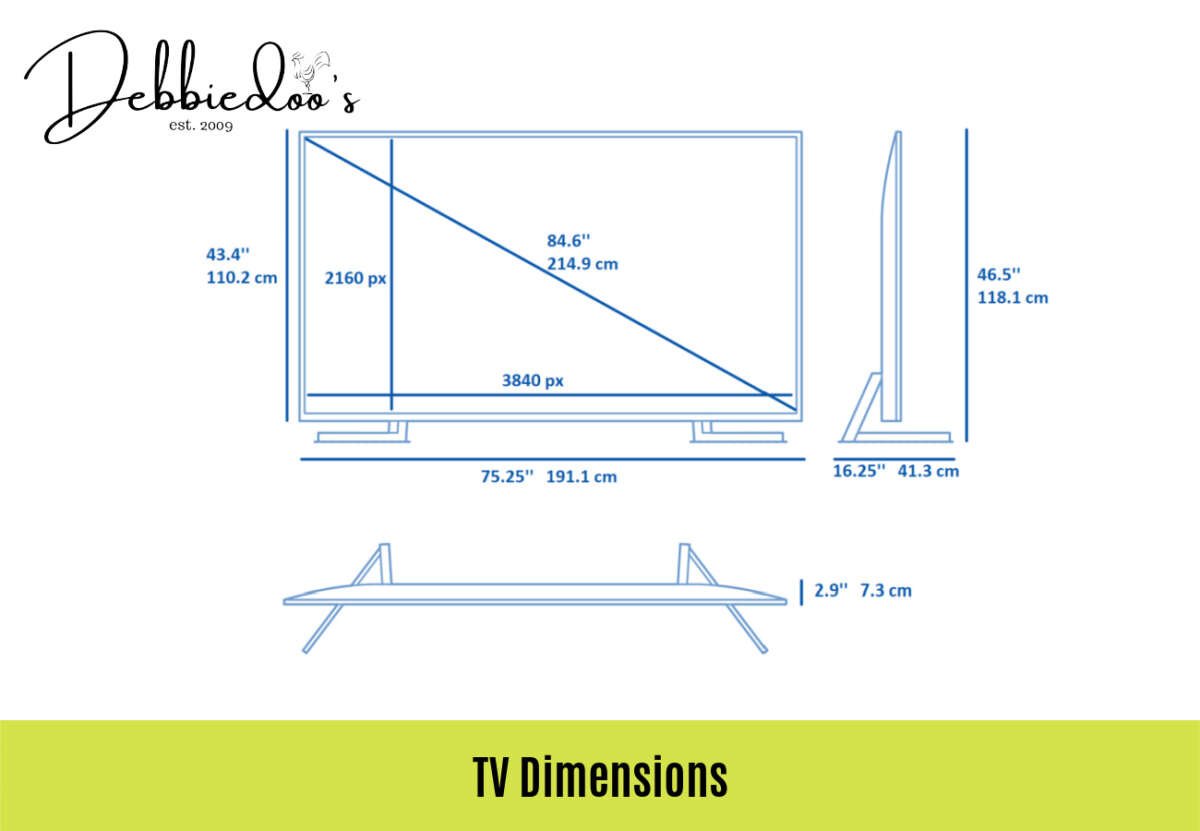
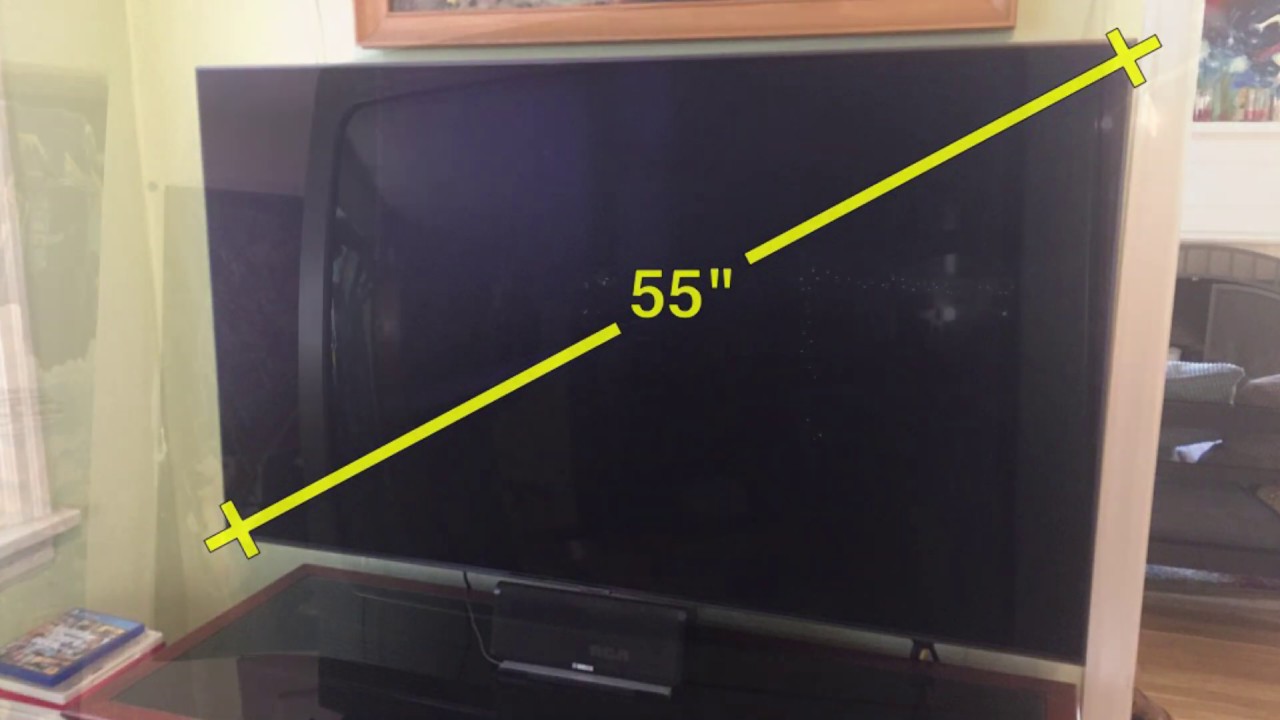
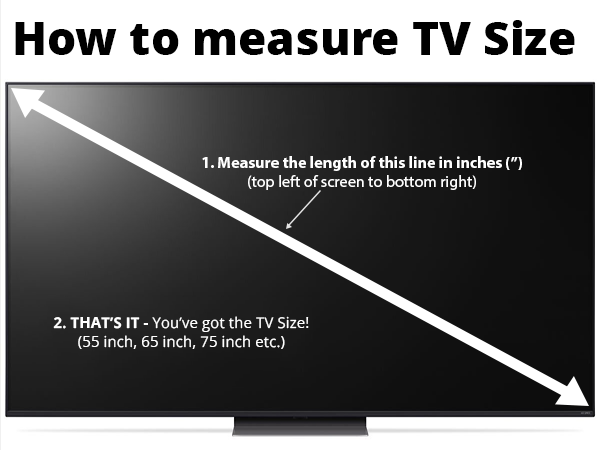
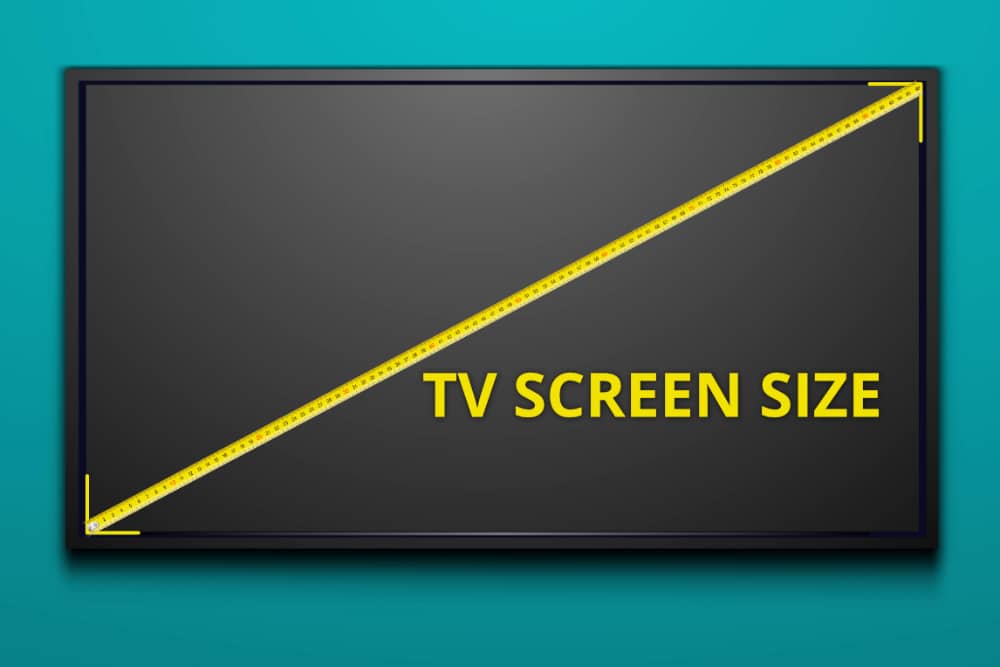
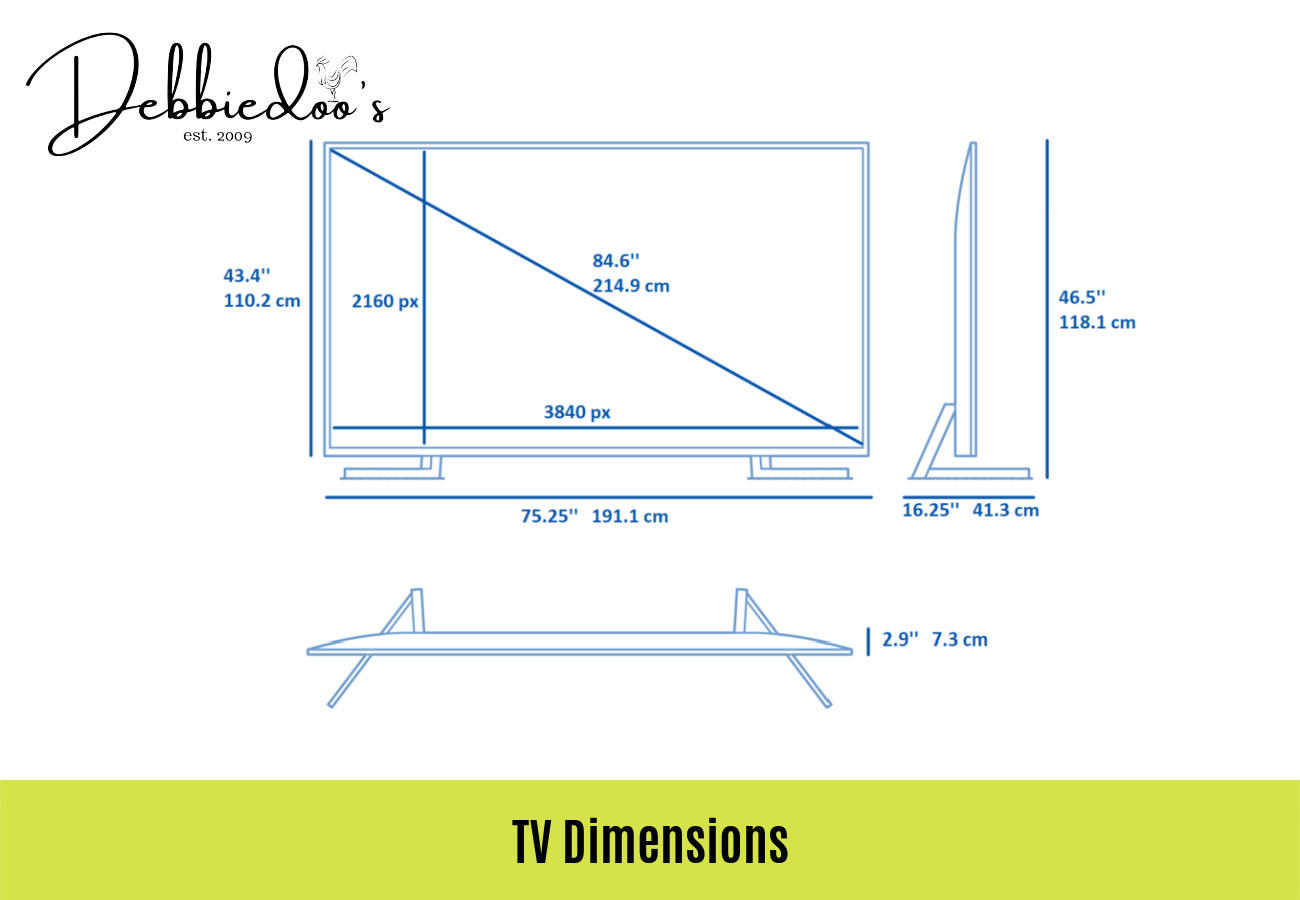
A TV’s advertised size refers to its diagonal screen measurement. This is the distance from one top corner to the opposite bottom corner. The measurement normally covers the display area, not the bezel, frame, or stand.
For example, a 55-inch TV has a screen diagonal of about 55 inches. Its full body may be roughly 48 inches wide, depending on the model and frame design.
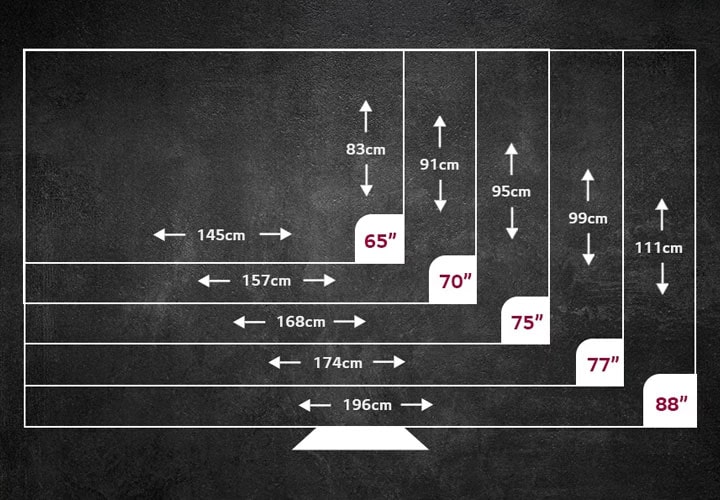
Most modern TVs use a 16:9 aspect ratio. This means the screen is wider than it is tall. Approximate screen dimensions are:
• 43-inch TV: about 37.5 inches wide and 21 inches high
• 50-inch TV: about 43.6 inches wide and 24.5 inches high
• 55-inch TV: about 47.9 inches wide and 27 inches high
• 65-inch TV: about 56.7 inches wide and 31.9 inches high
• 75-inch TV: about 65.4 inches wide and 36.8 inches high
• 85-inch TV: about 74.0 inches wide and 41.6 inches high
These figures describe the screen area. The complete TV may be slightly wider and taller.
How to Measure for a TV Step by Step
The best way to measure for a TV is to check four areas: the TV itself, the furniture or wall, the viewing distance, and the path into the room.
Follow these steps before shopping.
1. Measure the available width
Use a tape measure to check the width of the space where the TV will sit or hang. Measure between walls, shelves, cabinets, or other objects that may limit the screen.
Leave some space on each side. A few inches of breathing room makes the TV easier to install and helps the setup look balanced.
If the TV will sit on a console, measure the usable top surface rather than the entire console. A soundbar, game console, or streaming device may also need room.
2. Measure the available height
Measure from the surface under the TV to the ceiling, shelf, or any object above it. Remember that a TV stand adds height below the screen.
If you plan to mount the TV, include space for the wall bracket and cable bends. HDMI and power cables can need more room than expected.
3. Measure the depth
Depth matters when the TV will sit on furniture. Check the depth of the stand and the TV body, not just the screen.
Some TVs have a slim panel but a deeper lower section for speakers or electronics. The stand may also extend forward or backward beyond the panel.
4. Measure your viewing distance
Measure from where your eyes will be when seated to the front surface of the TV. Do not measure from the back of the couch unless that is where your head rests.
Viewing distance helps you decide whether a screen will feel comfortable. A large TV may be ideal from across a living room but overwhelming in a small bedroom.
5. Measure the delivery path
A TV can fit perfectly on a wall and still fail to enter the home. Measure doorways, hallways, elevators, stairs, and tight turns.
Keep the box dimensions in mind. The packaged TV is much larger than the screen and may need to be carried upright.
How to Measure a TV for a Wall
Wall mounting requires more than checking the screen width. You also need to consider the bracket, studs, viewing height, cable access, and nearby furniture.
Start by measuring the wall from side to side. Mark the area where the TV will sit. Then use painter’s tape to create a rectangle that matches the TV’s full body size.
This simple trick shows how much visual space the TV will take. It is more useful than imagining the screen from a product photo.
Next, find the wall studs if you are mounting the TV. A stud finder can help, but verify the location with a small test hole or another reliable method. A heavy TV should be attached to suitable studs or approved structural support.
Check the TV’s VESA mounting pattern. VESA refers to the spacing between the mounting holes on the back of the TV. For example, a TV may use a 400 × 200 millimeter pattern. The bracket must support that pattern and the TV’s weight.
Also check:
• The wall material, such as drywall, brick, or concrete
• The bracket’s weight rating
• The distance between the TV and the wall
• The location of power outlets
• Cable length and bend space
• Ventilation around the TV
• The position of a soundbar
A wall-mounted TV should not be placed so high that you must tilt your head upward. In many rooms, the center of the screen feels comfortable near seated eye level. However, the best height depends on the sofa, room layout, and whether the TV is above a fireplace.
How to Measure for a TV Stand or Cabinet
A TV stand must support the TV safely and leave enough space for other devices. Its width should usually be greater than the TV’s full width.
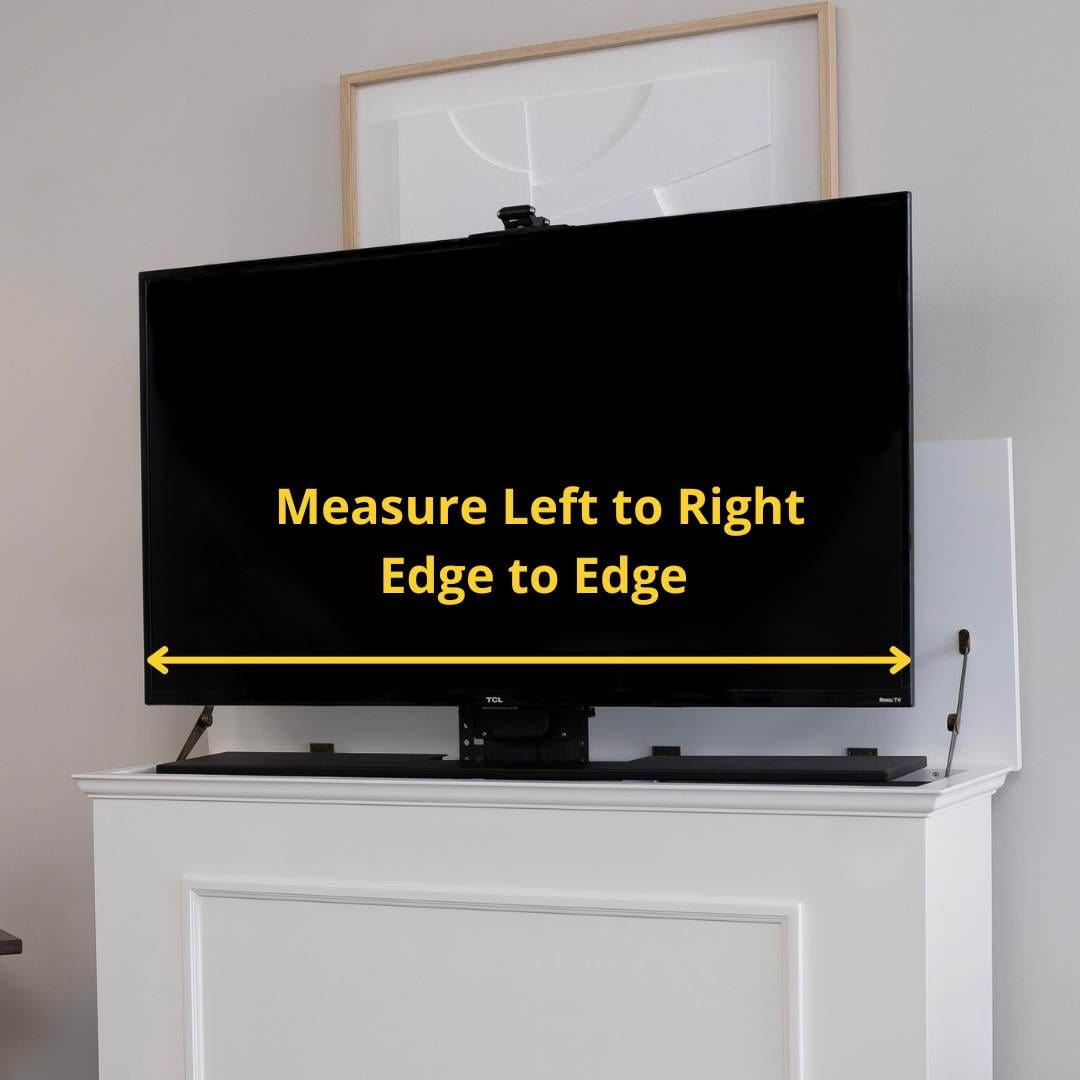
Measure the TV from its widest point, including the frame. Then compare that number with the usable width of the stand.
A stand that is only slightly wider than the TV may look cramped. It can also become unstable if the TV stand feet sit near the edge.
Check the stand’s weight rating. The stand must support the TV, soundbar, game systems, and any other equipment placed on it.
The stand depth should support the feet fully. Some TVs use wide-set feet near the outer edges, while others use a central pedestal. Look at the product diagram to confirm the foot placement.
Before buying, record these details:
• TV width with the frame
• TV height with the stand
• TV depth with the stand
• Distance between the TV feet
• Stand width and depth
• Stand weight capacity
• Space for cables and ventilation
A useful measuring method is to place painter’s tape on the floor or furniture in the exact shape of the TV. This helps you see whether the feet will fit and whether the screen will block a soundbar.
How to Choose TV Size Based on Viewing Distance
Viewing distance is one of the most useful parts of learning how to measure for a TV. The right size depends on your eyesight, room layout, content, and personal comfort.
There is no single perfect distance for every viewer. Industry guidance often uses a horizontal viewing angle. A wider angle can make movies feel more immersive, while a narrower angle may feel calmer for everyday television.
For a 4K TV, many viewers can sit closer than they could with an older 1080p TV. The higher pixel density makes close viewing more practical, although picture quality still depends on the source.
A rough starting guide is:
• 43-inch TV: about 5 to 7 feet away
• 50-inch TV: about 6 to 8 feet away
• 55-inch TV: about 6.5 to 9 feet away
• 65-inch TV: about 8 to 11 feet away
• 75-inch TV: about 9 to 12.5 feet away
• 85-inch TV: about 10 to 14 feet away
These are starting points, not strict rules. Sports and movies may look better on a larger screen. News channels with text may feel easier on a slightly smaller screen or from a greater distance.
When I compare TV sizes in a real room, I use cardboard or painter’s tape first. This often reveals that a screen that looked huge in a store feels normal at home.
How to Calculate TV Width and Height
If you know the diagonal size but cannot find the full dimensions, you can estimate the screen width and height.
For a standard 16:9 TV:
• Screen width is about 0.872 times the diagonal
• Screen height is about 0.490 times the diagonal
For a 65-inch TV:
• Width: 65 × 0.872 = about 56.7 inches
• Height: 65 × 0.490 = about 31.9 inches
This calculation does not include the bezel or stand. Always check the manufacturer’s specification sheet before making a final purchase.
You can also calculate diagonal size from the width and height:
-
Square the width.
-
Square the height.
-
Add the two results.
-
Find the square root of the total.
For example, a screen that is 48 inches wide and 27 inches high has a diagonal close to 55 inches.
This method is helpful when measuring an existing TV or checking whether a replacement will fit into the same space.
How to Measure an Existing TV
If you already own a TV and want a similar replacement, measure it in several ways.
First, measure the visible screen diagonally. Place the tape at one corner of the screen and stop at the opposite corner. Do not include the plastic frame.
Then measure the full TV:
• Width from the far left edge to the far right edge
• Height from the top edge to the bottom edge
• Depth from the front to the back
• Height and depth with the stand attached
• Distance between the stand feet
Write down each number. Product listings often separate “screen size” from “product dimensions,” so these notes help you compare models correctly.
A common mistake is to assume that two 55-inch TVs will have the same outer dimensions. They may not. Thin bezels, speaker placement, stand design, and rear panels can all change the final measurements.
If you want to reuse an old wall mount, measure its VESA hole spacing and maximum weight rating. The new TV must match both.
Important Measurements People Often Miss
Knowing how to measure for a TV also means checking details beyond width and height.
Bezel size
A narrow bezel makes the screen look larger without greatly increasing the TV’s outer size. Still, the frame adds some width and height.
Stand position
Some stands attach near the edges. Others use a center base. This can decide whether the TV fits on your cabinet.
Cable space
A wall-mounted TV may need space behind it for HDMI cables, power plugs, and an Ethernet cable. Right-angle adapters can help in tight spaces.
Ventilation
Do not press the TV tightly against a wall, cabinet, or enclosed shelf unless the manufacturer allows it. Heat needs a way to escape.
Soundbar clearance
A soundbar placed directly in front of the TV can block the remote sensor or cover the bottom of the picture. Measure both devices together.
Doors and drawers
A TV stand may fit the wall but prevent nearby cabinet doors or drawers from opening. Check the complete furniture layout.
Glare and windows
Measure the room, but also study the light. A TV opposite a bright window may have more glare than one placed at an angle.
Common Mistakes When Measuring for a TV
Many TV sizing problems come from using one measurement and ignoring the rest.
Avoid these mistakes:
• Measuring only the screen and not the frame
• Forgetting the stand height
• Assuming every TV of the same size has the same width
• Ignoring the TV’s depth
• Measuring the wall but not the delivery path
• Choosing a bracket without checking the VESA pattern
• Mounting into drywall without proper support
• Placing the screen too high
• Forgetting space for a soundbar
• Measuring from the back of the sofa instead of seated eye position
One mistake I have seen often is buying a TV based on the diagonal number alone. A 75-inch TV may sound like a simple upgrade from a 65-inch model, but its width can increase by nearly 9 inches. That change can affect shelves, speakers, windows, and walking space.
Use a checklist and measure twice. A few minutes with a tape measure can prevent a costly return.
A Simple TV Measurement Checklist
Use this checklist before ordering a TV:
-
Measure the available wall or cabinet width.
-
Measure the available height.
-
Measure the available depth.
-
Check the TV’s full dimensions with and without its stand.
-
Measure your seated viewing distance.
-
Check the TV stand’s width, depth, and weight rating.
-
Confirm the distance between the TV feet.
-
Check the VESA pattern for wall mounting.
-
Locate studs or confirm the correct wall anchors.
-
Measure doors, hallways, stairs, and elevators.
-
Leave room for cables and ventilation.
-
Mark the TV size with tape before buying.
-
Check the return policy in case the fit is not right.
This process answers how to measure for a TV in a practical way. It also helps you compare models without relying only on photos or store displays.
Frequently Asked Questions About How to Measure for a TV
Is TV size measured across the width?
No. TV size is measured diagonally from one corner of the screen to the opposite corner. The width and height are separate measurements and may vary slightly between models.
How do I measure for a TV that will go on a stand?
Measure the TV’s full width, height with the stand, depth, and distance between the feet. Compare those numbers with the stand’s usable surface and weight capacity.
How do I measure for a wall-mounted TV?
Measure the wall area, check the TV’s full body dimensions, and confirm the VESA mounting pattern. You should also check wall support, cable space, bracket capacity, and viewing height.
How far should I sit from a 65-inch TV?
A 65-inch 4K TV often works well at about 8 to 11 feet, but personal comfort matters. Sit farther away if the picture feels overwhelming, or choose a larger screen if details are hard to see.
Can a 55-inch TV fit where a 55-inch TV already sits?
Usually, but not always. Different models can have different bezels, stands, depths, and foot positions, so compare the full product dimensions before buying.
Should a TV stand be wider than the TV?
Yes, in most cases. A wider stand gives the TV a more stable appearance and leaves room for speakers or other equipment, but the stand must still meet the TV’s weight and foot-placement needs.
Do I measure the TV screen with the bezel?
For the advertised TV size, measure only the visible screen diagonally. For fitting purposes, measure the complete TV, including the bezel, rear housing, and stand.
Conclusion
Learning how to measure for a TV comes down to more than checking the screen size. Measure the full TV, stand, wall, viewing distance, cables, mounting points, and delivery path before you buy.
Use painter’s tape to preview the TV in your room, confirm the manufacturer’s dimensions, and check every tight space. These simple steps make it easier to choose a screen that fits well and feels comfortable for years. Use this guide as your checklist, then compare properly measured models before making your purchase.

Everett Ashford is a tech reviewer at mytechgrid.com specializing in SSDs, cameras, TVs, earbuds, headphones, and other consumer electronics. He provides honest, data-driven reviews based on hands-on testing and real-world performance analysis. Everett simplifies complex tech details to help readers make smart, confident buying decisions.