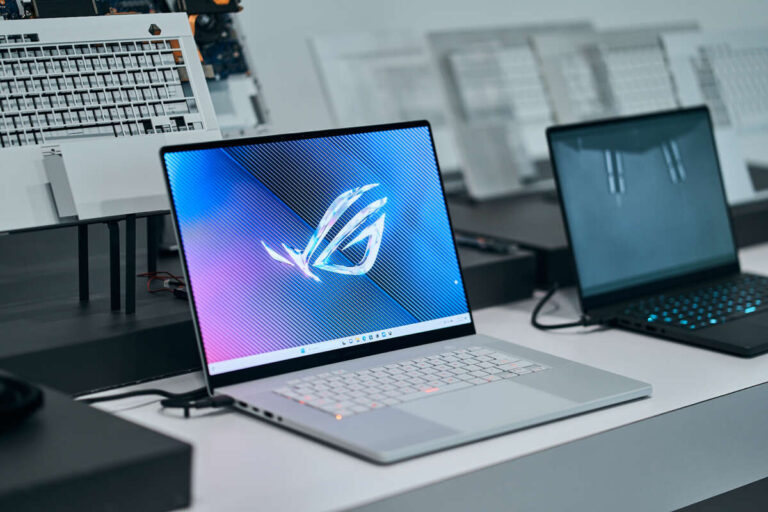
For most people in the United States, the Framework Laptop 13 is the best laptop with upgradeable RAM. It uses standard laptop memory modules, has two accessible RAM slots, and lets you replace or expand memory without replacing the entire motherboard.
It is a strong choice for students, developers, office users, and anyone who wants a laptop that can last for many years. You can buy it with the amount of memory you need now and upgrade later if your work changes.
The best alternative depends on your needs:
- Best overall: Framework Laptop 13
- Best larger screen: Framework Laptop 16
- Best business laptop: Lenovo ThinkPad models with documented SODIMM slots, such as some T14 and P-series configurations
- Best workstation option: A mobile workstation with two or more accessible memory slots
- Best budget strategy: Buy a business-class refurbished laptop with replaceable DDR4 or DDR5 RAM
Laptop specifications can change by processor, screen, region, and model year. Always check the exact U.S. configuration before buying.

Why Upgradeable RAM Matters
Upgradeable RAM lets you add or replace system memory after you buy the laptop. RAM, or random-access memory, is the short-term workspace that Windows and your applications use while they run.
More RAM can help when you:
- Keep many browser tabs open
- Edit photos or video
- Run virtual machines
- Compile software
- Use large spreadsheets
- Play games while other apps remain open
- Work with large design or engineering files
However, adding RAM does not automatically make every laptop faster. If your laptop has a slow processor, an older solid-state drive, poor cooling, or a program that uses only one or two cores, more memory may have little effect.
Soldered RAM versus replaceable RAM
A laptop has soldered RAM when the memory chips are permanently attached to the motherboard. You normally cannot replace or expand soldered memory.
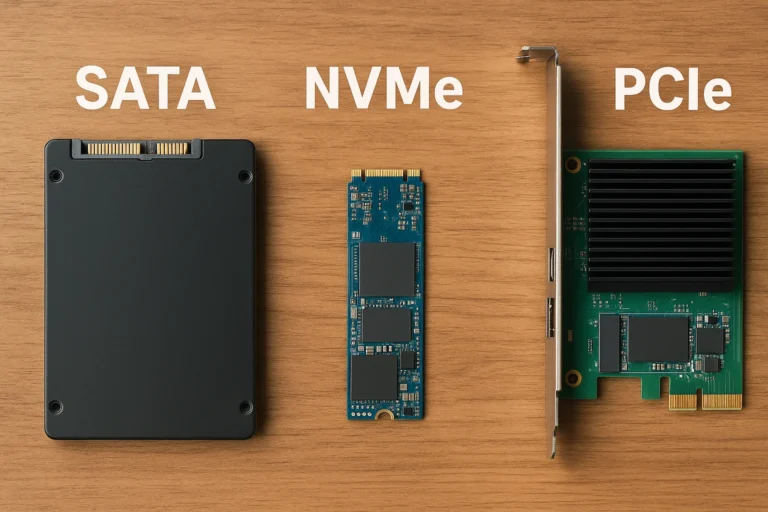
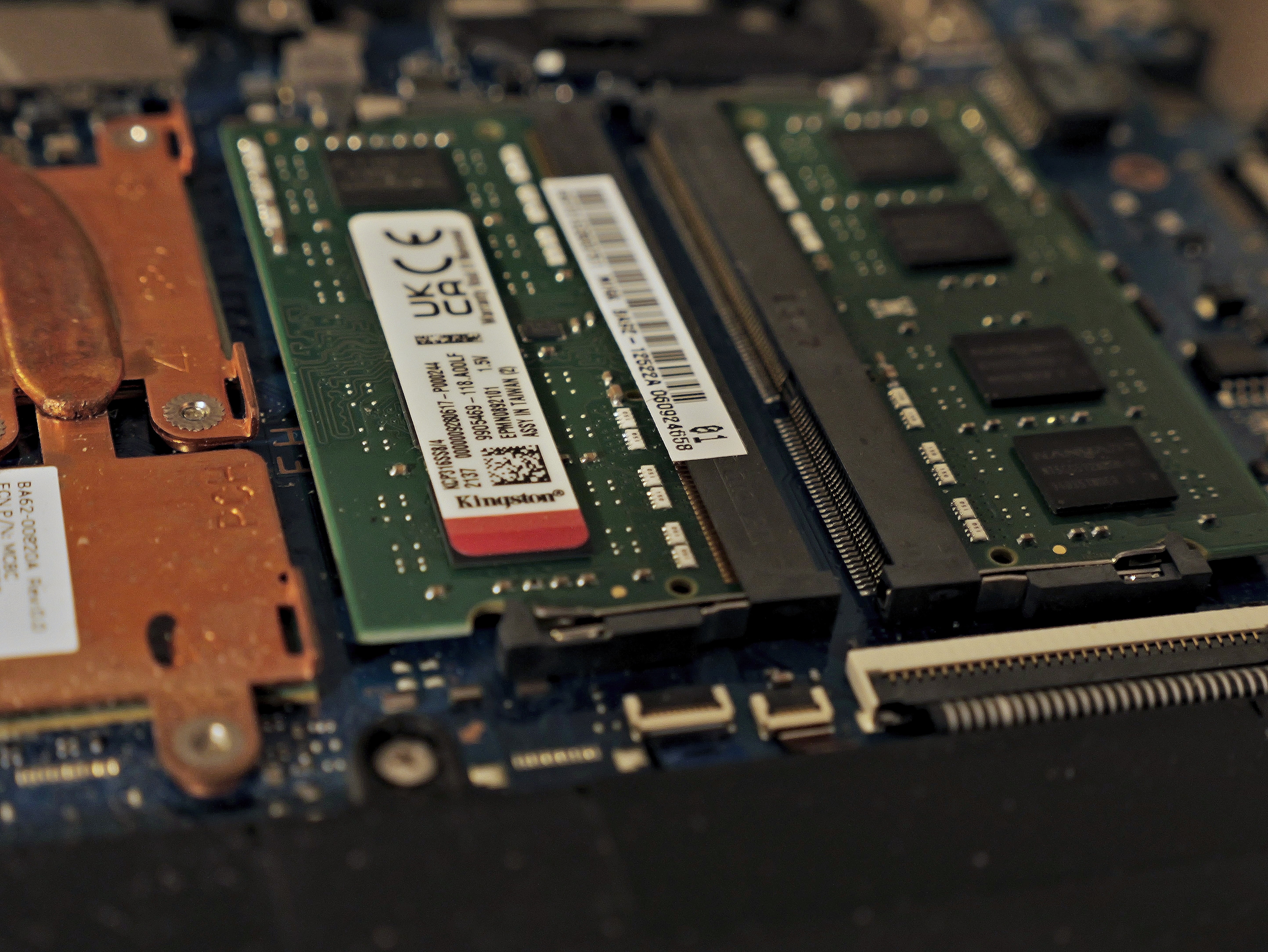
A laptop has upgradeable RAM when it uses removable memory modules. These modules are often called:
- SO-DIMMs
- SODIMMs
- DDR4 laptop memory
- DDR5 laptop memory
Some laptops use a mixed design. One part of the memory may be soldered while one SO-DIMM slot remains open. That design can offer an upgrade, but it may limit performance or maximum capacity.
The clearest design is a laptop with two standard memory slots. Both modules can be replaced, and matched modules can often run in dual-channel mode.
How much RAM do you need?
For a U.S. buyer, these are useful starting points:
| Workload | Practical RAM target |
|---|---|
| Email, web, and office work | 8GB minimum; 16GB preferred |
| College work and general use | 16GB |
| Programming and large browser sessions | 16GB to 32GB |
| Photo and video editing | 32GB or more |
| Virtual machines and development tools | 32GB to 64GB |
| Professional 3D, simulation, or data work | 64GB or more, if supported |
A laptop with 16GB of replaceable RAM is often a better long-term buy than one with 32GB of soldered memory. The removable system gives you a way to respond to future software demands.

The Best Laptops With Upgradeable RAM
The right choice depends on more than the number of memory slots. You should also consider repair access, maximum capacity, processor performance, battery life, screen quality, warranty terms, and the availability of replacement parts.
1. Framework Laptop 13: Best Overall
The Framework Laptop 13 is the best general-purpose laptop for buyers who want clear, practical upgrade options.
Framework designs the laptop around repair and modular replacement. Its memory uses removable modules, and the laptop has two RAM slots. The exact memory type depends on the processor generation, so check the official configuration before purchasing memory.
Why it stands out:
- Two accessible RAM slots
- Replaceable storage
- Modular ports on many configurations
- Easy access compared with many thin laptops
- Manufacturer documentation for repairs and upgrades
- Available with different processor and operating system choices
The main limitation is that Framework does not always compete directly with premium business laptops in every area. A ThinkPad may offer a stronger enterprise support program, while a gaming laptop may offer more graphics power.
Choose the Framework Laptop 13 if you want a compact laptop that you can maintain and upgrade over time. It is especially suitable when long-term ownership matters more than having the thinnest possible design.
See the manufacturer’s current specifications and guides on the Framework Laptop 13 product page.
2. Framework Laptop 16: Best for a Larger, More Expandable System
The Framework Laptop 16 is a larger option for users who need more screen space, stronger graphics options, or more internal expansion.
It uses removable laptop memory and provides two RAM slots. The larger chassis gives Framework more room for cooling and expansion than a small ultraportable.
It may suit:
- Software developers
- Content creators
- Engineers
- Gamers who value repairability
- Users who need a 16-inch display
The trade-off is size and weight. A 16-inch laptop is less convenient to carry than a 13-inch model. Configurations with more powerful graphics hardware can also use more battery power and produce more heat.
The Framework Laptop 16 is the better choice when performance and expansion matter more than portability. Review the exact graphics and memory limits before ordering from the Framework Laptop 16 product page.
3. Lenovo ThinkPad T14: Best Business-Oriented Option
Some Lenovo ThinkPad T14 configurations include a removable SO-DIMM slot, but the design can vary by generation and processor. Some memory may be soldered, while one slot remains available.
ThinkPads can be a good fit for U.S. business users because they often offer:
- Strong keyboard designs
- Useful business ports
- Good docking support
- Enterprise management features on selected models
- Extensive service documentation
- Large availability in the new and refurbished markets
The key warning is simple: do not assume every T14 has the same memory layout. Check Lenovo’s hardware maintenance manual and the exact product specification for the model you are buying.
A ThinkPad T14 is a smart option if you value business features and support more than fully modular hardware. It is also worth considering in the refurbished market, where business laptops often cost less than consumer models.
Start with Lenovo’s official ThinkPad specifications and search for the exact generation and processor.
4. Lenovo ThinkPad P Series: Best for Professional Workloads
ThinkPad P-series mobile workstations are designed for demanding professional tasks. Selected models include multiple memory slots and support higher capacities than many thin consumer laptops.
They can be appropriate for:
- Computer-aided design
- Engineering software
- Large datasets
- Virtual machines
- Software development
- Professional media applications
The costs are higher, and workstation laptops are often heavier. Battery life may also be lower when the laptop includes a high-power processor and dedicated graphics.
This category makes sense when your applications need workstation-class graphics, certified drivers, or much more memory. It is unnecessary for basic school and office work.
5. Dell Latitude: Best Refurbished Business Alternative
Selected Dell Latitude models use removable memory and are widely available through U.S. business refurbishers. Older models may use DDR4, while newer models may use DDR5 or a mixed memory design.
Latitude laptops can offer good value because companies frequently replace them while the machines still have useful service life. They also tend to have clear service manuals and accessible internal parts.
Check these details before buying:
- Exact Latitude model number
- Processor generation
- Number of memory slots
- Maximum supported RAM
- Memory type and speed
- Battery health
- Refurbisher warranty
- Condition of the display and keyboard
A refurbished Latitude can be an excellent low-cost choice, but the quality depends on the seller. Buy from a business that lists the exact configuration and provides a return period.
How to Choose a Laptop With Upgradeable RAM
The best laptop is the one that gives you useful upgrade room without forcing you to sacrifice the features you need today.
Check the exact memory design
Look for one of these descriptions:
- “Two SO-DIMM slots”
- “2 x DDR5 SO-DIMM”
- “One soldered plus one SO-DIMM”
- “User-upgradable memory”
Treat phrases such as “up to 64GB” with care. That number may apply only to one processor or motherboard version.
A product page may describe a laptop family rather than the specific unit in the shopping cart. Confirm the model code, processor, and memory layout.
Confirm the maximum supported capacity
The maximum may depend on:
- Processor memory support
- Motherboard firmware
- Number of slots
- Module size
- Memory speed
- Operating system limits
For example, a laptop may have two slots but support 64GB in one generation and 96GB or 128GB in another. The number of slots alone does not prove the maximum capacity.
Use the manufacturer’s technical specification or service manual. A memory retailer’s compatibility tool can help, but the laptop manufacturer remains the best source for official limits.
Look for standard memory modules
Standard SO-DIMMs are easier to replace than a proprietary memory board. They are available from several established memory makers and are often less expensive than a manufacturer-installed upgrade.
For a new laptop, DDR5 is common in current systems. Older laptops may use DDR4. DDR4 and DDR5 are not interchangeable because they use different electrical designs and physical key positions.
Never buy RAM based only on the words “laptop memory.” Match the required generation and specification.
Consider dual-channel operation
Two compatible memory modules can allow dual-channel operation. This increases the memory bandwidth available to the processor.
A simple example:
- One 16GB module gives 16GB total.
- Two 8GB modules also give 16GB total.
- Two matched modules may provide better memory bandwidth than one module.
The real effect varies by processor and application. Integrated graphics often benefit more from memory bandwidth than many CPU-only tasks.
Do not reduce total capacity just to obtain a matched pair. For example, 32GB in one module may be more useful for your work than 16GB in two modules.

How to Upgrade Laptop RAM Safely
Before opening the laptop, confirm that the upgrade is supported and gather the correct tools.
What you need
You may need:
- Compatible RAM modules
- A small Phillips or Torx screwdriver
- A clean, well-lit work surface
- An anti-static strap or another way to discharge static safely
- The manufacturer’s service manual
Back up important files before beginning. A RAM upgrade normally does not affect your storage, but mistakes during opening can damage hardware.
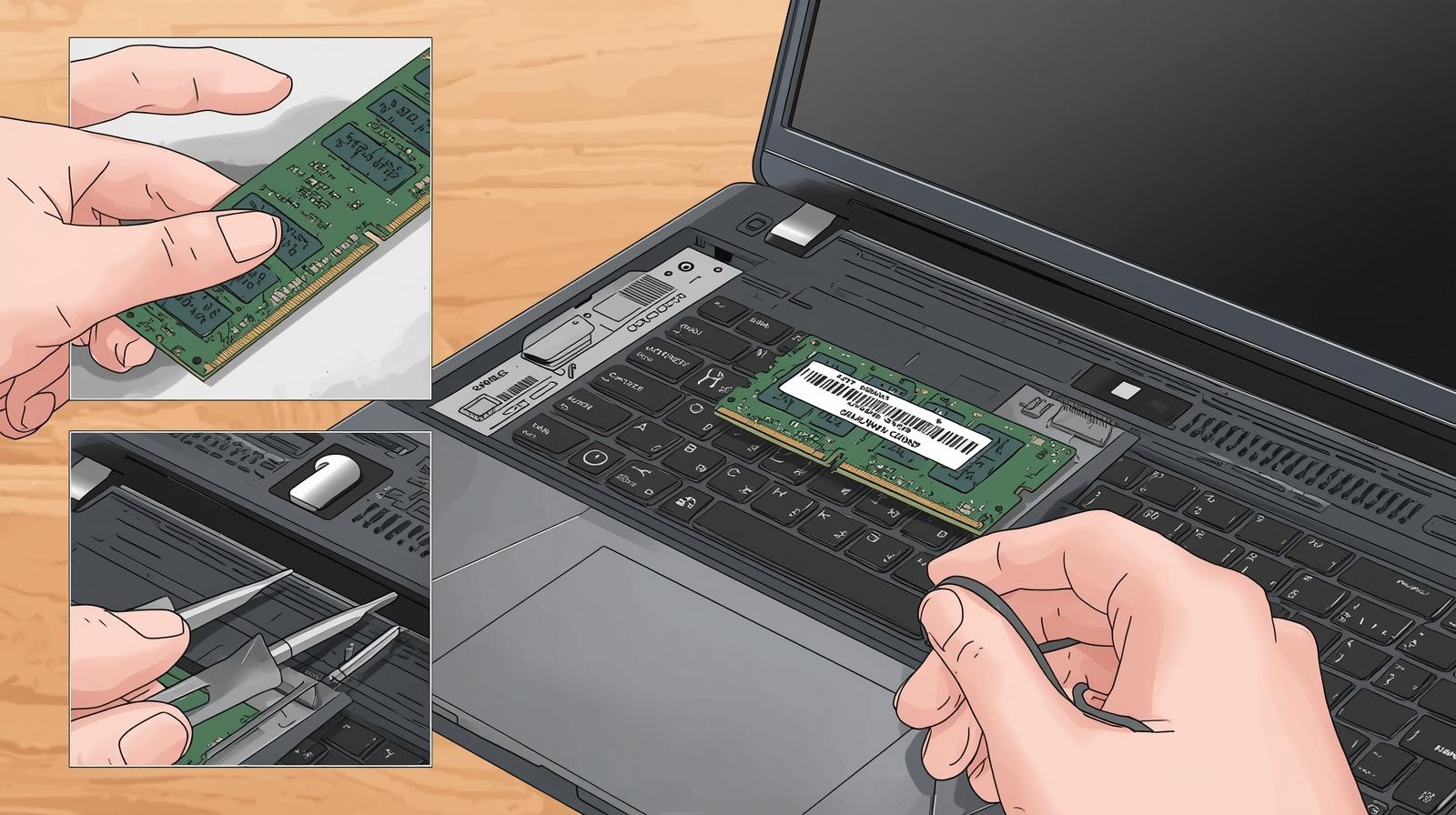
Basic upgrade steps
- Shut down the laptop fully. Do not use sleep mode.
- Disconnect the charger and accessories.
- Remove the bottom cover using the correct screwdriver.
- Disconnect the internal battery if the service guide instructs you to do so.
- Locate the SO-DIMM slots.
- Release the side clips if you are removing an old module.
- Insert the new module at an angle.
- Press it down until the clips lock into place.
- Reconnect the battery and bottom cover.
- Start the laptop and check the detected memory.
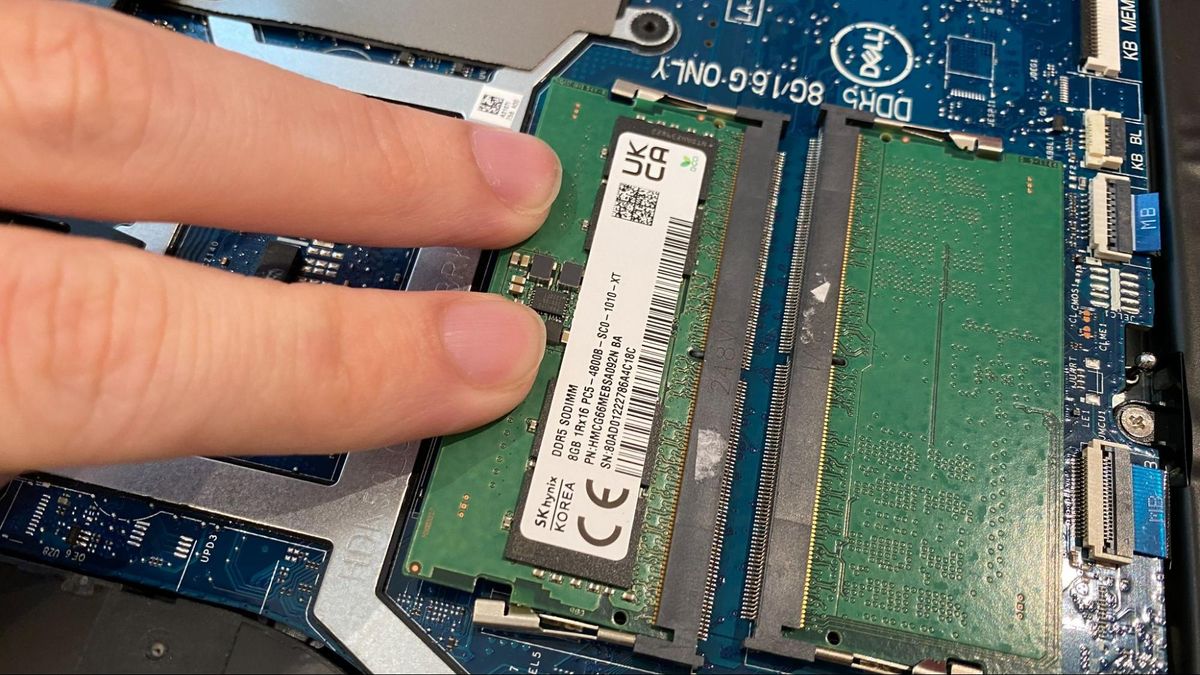
The slot notch must line up with the key in the memory connector. Do not force the module. If it does not slide in at a slight angle, it may be the wrong type or oriented incorrectly.
How to confirm the upgrade worked
In Windows, open Settings > System > About and check the installed RAM. You can also open Task Manager, select Performance, and choose Memory.
Check for:
- The correct total capacity
- The expected memory speed
- Both modules listed when applicable
- No boot errors
- No sudden crashes or blue-screen errors
If the laptop fails to start, shut it down and reseat the module. If the problem remains, test one module at a time. A failed module, incompatible specification, or damaged slot may be the cause.
Common Mistakes to Avoid
The most common mistake is buying memory for the laptop family instead of the exact laptop model.
Avoid these errors:
- Assuming all versions of a laptop have the same slots
- Mixing DDR4 and DDR5
- Buying desktop DIMMs instead of laptop SO-DIMMs
- Ignoring the maximum supported capacity
- Installing modules with unsuitable voltage or specifications
- Forgetting that some RAM is soldered
- Skipping a backup
- Using excessive force on the module or cover
- Buying from a seller with no return policy
- Expecting more RAM to fix a slow processor or failing drive
A laptop can also become unstable when two modules have different specifications. Many systems will run mixed modules, but the memory may operate at the speed of the slower module. For the most predictable result, use a matched kit or modules with closely matching specifications.
Opening a laptop can affect warranty treatment in some cases, although many manufacturers allow customer upgrades. Check the written warranty terms for your model and region before opening it.
Is a Laptop With Upgradeable RAM Better Than One With More RAM?
Not always. A laptop with 32GB of soldered memory may be faster and lighter than a laptop with 16GB of replaceable memory.
The better choice depends on your expected use:
- Choose more RAM today if you already run demanding applications.
- Choose upgradeable RAM if your needs may grow.
- Choose a lighter laptop if portability is your main concern.
- Choose a business or modular model if repairability matters.
- Choose a workstation if your software needs professional graphics or high memory capacity.
For many buyers, 16GB of RAM with two upgradeable slots is a strong middle ground. It provides enough memory for common Windows work while preserving a path to 32GB or more.

FAQs About Laptops With Upgradeable RAM
Can I upgrade the RAM in any laptop?
No. Many thin laptops use soldered RAM. Check the service manual or official specifications for removable SO-DIMM slots before buying.
Is 16GB of upgradeable RAM enough?
For office work, college tasks, browsing, and light programming, 16GB is usually a practical target. Choose 32GB if you use virtual machines, large creative projects, or heavy development tools.
Can I upgrade RAM after buying a laptop?
Yes, if the laptop has removable memory slots and supports a larger capacity. Some laptops have one empty slot, while others require you to replace the existing modules.
Does adding RAM improve gaming performance?
It can help when the system is running out of memory or using integrated graphics. It will not replace a capable graphics processor. Check memory use and frame rates before assuming RAM is the problem.
Should I buy one large RAM module or two smaller ones?
Two compatible modules may provide dual-channel performance. One larger module may be better if you plan to add a second module later or need more total capacity immediately.
Conclusion: The Best Choice for Most Buyers
The Framework Laptop 13 is the best laptop with upgradeable RAM for most U.S. buyers because it combines removable memory, two accessible slots, repair-friendly design, and a practical size.
Choose the Framework Laptop 16 for a larger screen and stronger expansion options. Choose a ThinkPad T14, ThinkPad P-series, or Dell Latitude when business features, workstation performance, or refurbished value matter more.
Before ordering, verify three details for the exact configuration:
- The number of removable RAM slots
- The supported memory type
- The maximum capacity
That short check can prevent an expensive compatibility mistake and help your laptop remain useful for years.

Everett Ashford is a tech reviewer at mytechgrid.com specializing in SSDs, cameras, TVs, earbuds, headphones, and other consumer electronics. He provides honest, data-driven reviews based on hands-on testing and real-world performance analysis. Everett simplifies complex tech details to help readers make smart, confident buying decisions.