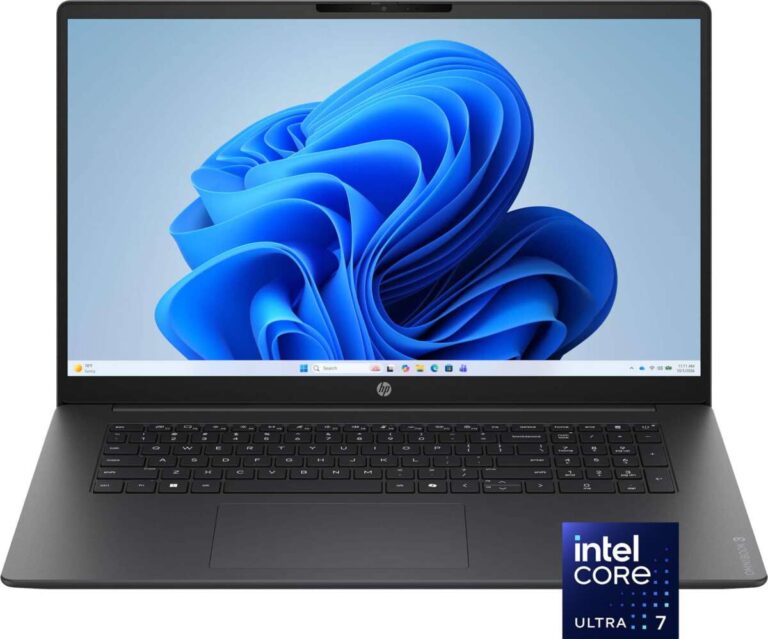
The Dell Inspiron 15 3535 is the best laptop for heavy Excel use in this group.
Large Excel files can slow down a weak laptop. This gets worse when you use formulas, pivot tables, charts, Power Query, or several workbooks at once. I looked at memory, storage, processor strength, screen size, keyboard layout, and daily value. The Dell stands out for serious spreadsheet work, while the HP Core i5 model offers strong value. The smaller and cheaper laptops can handle basic Excel tasks, but they suit light work better than large business files.
See the differences between my top picks at a glance.
Dell Inspiron 15 3535: Best Overall

The Dell Inspiron 15 3535 is the strongest choice here for demanding spreadsheet work. Its AMD Ryzen 7 7730U processor gives it a clear performance edge over the Pentium-based models. The listed 20GB of DDR4 RAM also gives Excel room to work with large files and other open apps. Its 1TB SSD offers useful space for workbooks, reports, documents, and backups.
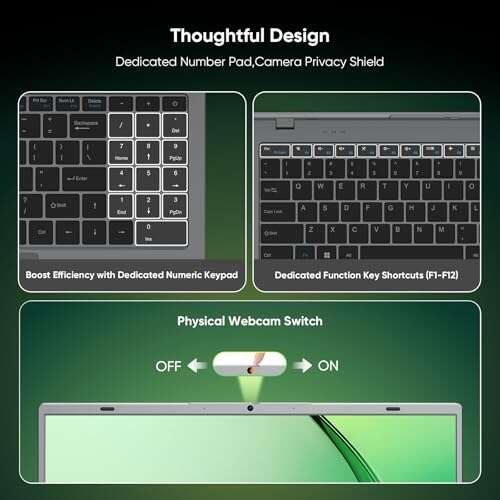
I also like the 15.6-inch Full HD WVA display for long spreadsheet sessions. The numeric keypad can save time when you enter figures all day. Windows 11 Pro and Copilot add useful business features, though the exact experience can depend on updates and settings. This is the laptop I would choose for analysts, bookkeepers, office teams, and serious home users.
Pros:
- Ryzen 7 processor suits demanding Excel formulas
- 20GB RAM supports multitasking
- Large 1TB SSD gives plenty of working space
- Full HD display shows more spreadsheet content
- Numeric keypad helps with data entry
- Touchscreen adds flexible control
Cons:
- Likely heavier than smaller budget laptops
- Integrated graphics are not made for serious gaming
- Touchscreen models may use more battery during long work sessions
What Amazon Buyers Are Saying
Buyer feedback can change as listings and sellers change, so I suggest checking the latest verified reviews before ordering. The product details point to the features business buyers usually want most: strong processing power, high memory, a large SSD, and a number pad. Review the current comments for battery life, screen brightness, setup, and build feel, since those points can vary in real-world use.
My Recommendation
This is my top recommendation and the best laptop for heavy Excel use in this comparison. It has the best balance of CPU power, RAM, storage, and input features. It costs more than basic models, but the extra speed should matter when your files grow.
HP 15.6-inch Core i5: Best High-Memory Value
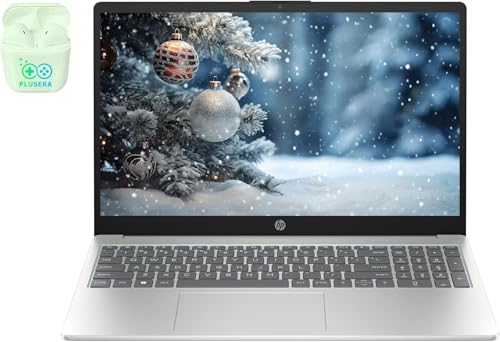
This HP model is a strong alternative to the Dell. It lists a 10-core Intel Core i5 processor, 32GB of RAM, and a 1TB SSD. That combination is well suited to users who keep Excel, a browser, email, and video calls open together. The high memory count is especially useful when you work with wide sheets or several files.
The 15.6-inch Full HD screen gives you a practical work area without becoming too large for a desk or bag. The included PLUSERA earphones may be useful for calls or study, but I would treat them as a bonus rather than a buying reason. The main value comes from the memory and storage. For many buyers, this is the best laptop for heavy Excel use when RAM capacity matters most.
Pros:
- 32GB RAM is excellent for heavy multitasking
- 1TB SSD stores large work folders
- 10-core Core i5 platform offers strong everyday speed
- 15.6-inch Full HD screen suits office work
- Windows 11 supports current Excel workflows
- Includes earphones for calls or media
Cons:
- Product listing details should be checked for the exact i5 generation
- May not include a numeric keypad, based on the supplied title
- Accessory quality may be less important than the laptop itself
What Amazon Buyers Are Saying
Check the current verified-purchase comments for direct reports on speed, battery life, keyboard comfort, and screen quality. The listed specification is attractive for office users because it combines 32GB RAM with a 1TB SSD. Buyers should still confirm the seller, warranty terms, and exact processor details before purchase, as marketplace bundles can change over time.
My Recommendation
I recommend this HP to users who run many apps at once and want high memory at a sensible price. It is not as clearly equipped for number-heavy entry as the Dell listing, but it offers excellent capacity. It deserves a high rating for office multitasking.
VIGSENUP 15.6: A Budget Office Choice

The VIGSENUP combines 16GB RAM with a 256GB SSD and a Full HD display. That memory level is better than many low-cost laptops, so basic multitasking should feel less cramped. However, the Pentium Gold 6500Y is a dual-core chip. It can handle common Excel work, but it is not the right choice for very large models or complex calculations.
This model makes more sense for students, home offices, and users who need a light work computer. The 15.6-inch panel gives your sheet a useful viewing area. The SSD should make Windows and apps feel more responsive than older hard-drive systems. Keep your expectations realistic if you use Power Query, macros, or several large workbooks at the same time.
Pros:
- 16GB RAM supports everyday multitasking
- Full HD screen gives clear spreadsheet space
- 256GB SSD is faster than a traditional hard drive
- Portable design suits school and home work
- Wi-Fi 5 supports normal web tasks
Cons:
- Dual-core processor limits heavy Excel work
- 256GB storage can fill quickly
- Not the best choice for large data models
What Amazon Buyers Are Saying
Before buying, read current reviews for details about keyboard feel, battery runtime, setup, and display brightness. The supplied listing supports a clear conclusion: this is a budget office laptop with useful RAM, not a workstation. Customer experiences may differ by seller and software setup, so I would focus on recent verified reviews.
My Recommendation
This laptop is worth considering for light and medium Excel tasks. I would not call it the best laptop for heavy Excel use because its processor is modest. It is a practical low-cost option for simple tables, budgets, school sheets, and web-based work.
HP 14-inch Business Laptop: Best for Basic Office Work

This compact HP laptop focuses on simple office use. It lists an Intel N150 processor, 8GB RAM, 128GB UFS storage, and Windows 11 Pro. The listing also includes a lifetime Microsoft Office license, which may appeal to buyers who want a ready-to-use work computer. Its 14-inch size should make it easier to carry than most 15.6-inch models.
For short sheets, invoices, email, and word processing, this setup can be enough. It is less suitable for large Excel files because 8GB RAM leaves less room for other apps. The 128GB storage also gives you less space for local files. I see this as an affordable office starter, not a heavy-duty spreadsheet machine.
Pros:
- Compact 14-inch design is easy to carry
- Windows 11 Pro suits business users
- Microsoft Office license adds practical value
- 12-hour battery claim may help mobile users
- Expandable microSD storage gives extra file space
Cons:
- 8GB RAM is modest for large workbooks
- 128GB UFS storage is limited
- HD screen is less spacious than a Full HD panel
What Amazon Buyers Are Saying
Review the latest buyer comments for battery results, Office activation, display quality, and storage limits. The listing makes this model attractive for basic work, but it does not provide the memory or storage of the top picks. I would pay close attention to comments about the included Office license and the exact terms before placing an order.
My Recommendation
Buy this HP if portability and included Office software matter more than speed. It is not my pick for heavy Excel use. It is a sensible choice for students, travel, email, and smaller spreadsheets.
TRHRO 15.6-inch Laptop: Affordable Full HD Pick

The TRHRO offers 12GB RAM, a 128GB SSD, and a 15.6-inch Full HD IPS screen. It uses the Pentium Gold 6500Y, which the listing describes as reaching up to 3.4GHz. The memory amount is helpful for normal office multitasking. The processor still places this laptop in the basic-to-medium Excel class.
The display and USB-C port make the feature list attractive at a low price. You can use it for budgets, lists, invoices, and simple reports. The 128GB SSD may feel tight if you save many photos, videos, or large workbooks. I would choose it for a home user who values screen size and low cost over advanced performance.
Pros:
- 12GB RAM is useful for everyday office work
- Full HD IPS display improves sheet visibility
- USB-C and USB 3.2 offer modern connectivity
- Lightweight design supports mobile use
- Bluetooth 5.2 helps with wireless accessories
Cons:
- Pentium processor is not ideal for complex Excel models
- 128GB storage is small for long-term use
- May need external storage for large files
What Amazon Buyers Are Saying
Check recent verified reviews for typing comfort, screen quality, charging, and speed under load. The product information confirms a useful Full HD panel and modern ports, but it does not prove workstation-level performance. Buyers should compare the current price with the stronger HP and Dell options before deciding.
My Recommendation
This is a fair budget laptop for simple Excel work. It offers better memory than some entry models, but the CPU and storage hold it back. I recommend it only when the price is much lower than the performance-focused choices.
EvoSpan 15.6-inch Laptop: Best Budget Storage

The EvoSpan stands out among the Pentium models because it lists 16GB RAM and a 512GB SSD. That gives it a better work setup than laptops with only 128GB or 256GB of storage. Its 15.6-inch Full HD IPS display should make tables easier to view. Still, the Pentium Gold 6500Y limits how far I would push it.
This laptop works well for school, home, and normal office tasks. The larger SSD gives you room for documents and local backups. The USB-C port and Wi-Fi 5 cover common daily needs. If your Excel use means simple formulas and moderate sheets, this could offer good value, but it is not the best laptop for heavy Excel use.
Pros:
- 16GB RAM supports normal multitasking
- 512GB SSD gives strong budget storage value
- 15.6-inch Full HD IPS screen suits spreadsheets
- USB-C supports modern accessories
- Lightweight design helps with travel
Cons:
- Dual-core Pentium chip limits demanding work
- Wi-Fi 5 is older than newer wireless standards
- No listed numeric keypad may slow data entry
What Amazon Buyers Are Saying
Look at current reviews for battery life, keyboard quality, fan noise, and performance with several apps open. The supplied specifications make storage the main strength. Since customer results can differ with updates and workloads, I would not rely on the product title alone when choosing a computer for business-critical Excel files.
My Recommendation
I recommend the EvoSpan over the other Pentium options when you need more local storage. It is a good basic office laptop, but not a true heavy-workbook machine. Its value depends on a low price and realistic expectations.
KINOBUC 12GB Laptop: Balanced Low-Cost Option

This KINOBUC model offers 12GB RAM, a 256GB SSD, and a 15.6-inch Full HD IPS display. It sits between entry-level and mid-budget choices in memory and storage. The Pentium Gold 6500Y should handle common office tasks, but it will not match the Ryzen 7 or Core i5 models. The large screen remains useful for rows, columns, and side-by-side windows.
The thin design may appeal to students and home workers who move between rooms. USB-C and Wi-Fi add useful everyday flexibility. The 256GB SSD gives more breathing room than 128GB models, though large data files can still consume space quickly. I would use it for moderate spreadsheets, not complex financial models.
Pros:
- 12GB RAM is better than many entry models
- 256GB SSD offers practical file space
- Full HD IPS display is useful for spreadsheets
- Thin, lightweight design suits students
- USB-C supports current peripherals
Cons:
- Pentium processor is limited for heavy calculations
- No listed numeric keypad
- Storage may feel small for large work archives
What Amazon Buyers Are Saying
Read the newest buyer reviews for screen brightness, keyboard feel, battery life, and real-world speed. The listed hardware suggests a balanced basic laptop, with no single feature that makes it a workstation. Confirm return terms and the current configuration before ordering, especially if you need the laptop for paid work.
My Recommendation
This KINOBUC is a reasonable middle choice for light business work. It offers a better starting point than an 8GB model, but it cannot compete with the top two laptops for heavy Excel use. Buy it for value, not maximum speed.
HP 15.6-inch Core i3: Best Keyboard-Focused Budget Pick

This HP laptop uses an Intel Core i3 processor and includes 8GB RAM with a 128GB PCIe SSD. Its strongest Excel feature is the full-size keyboard with a numeric keypad. That layout can make a real difference when you enter prices, quantities, dates, or account numbers. The 15.6-inch design also gives you more room than a small notebook.
The hardware suits basic office use, school tasks, and home administration. The PCIe SSD should help with quick startup and app loading. However, 8GB RAM and 128GB storage are both modest for large workbooks. I would choose this model for comfortable number entry, not for advanced data analysis.
Pros:
- Full-size keyboard includes a numeric keypad
- 15.6-inch screen offers a useful work area
- Core i3 suits basic office tasks
- PCIe SSD should improve startup response
- USB-C and SD card reader add flexibility
Cons:
- 8GB RAM limits demanding multitasking
- 128GB storage fills quickly
- Not suited to complex models or large data sets
What Amazon Buyers Are Saying
Check recent customer reviews for the keyboard, trackpad, battery, screen, and setup process. The numeric keypad is the clearest practical advantage shown in the listing. Buyers who need heavy Excel should compare its 8GB configuration with the 20GB Dell or 32GB HP before buying.
My Recommendation
This is a sensible low-cost choice for data entry and simple spreadsheets. I like the number pad, but the memory and storage are too limited for my top heavy-use recommendation. It earns its place for budget buyers who value typing layout.
KINOBUC 8GB Laptop: Best for Simple Tasks

This KINOBUC model is built for simple work and everyday use. It lists 8GB RAM, a 256GB SSD, and expandable storage up to 1TB. The 15.6-inch Full HD IPS display is a useful feature for the price. Its Pentium processor can manage basic Excel sheets, web browsing, documents, and video playback.
The port selection is practical, with USB 3.2, dual USB-C, a TF card slot, and HDMI listed. That makes it easy to connect storage, displays, or accessories. The main limit is performance: 8GB RAM and a basic Pentium chip do not suit demanding Excel models. I would buy it for home budgets and simple records.
Pros:
- 256GB SSD gives useful starting storage
- Storage can expand up to 1TB according to the listing
- Full HD IPS display suits basic spreadsheet work
- Multiple ports support accessories and displays
- USB 3.2 offers quick connection for compatible devices
Cons:
- 8GB RAM is not ideal for heavy multitasking
- Pentium processor limits complex Excel work
- Expandable storage may require an extra purchase
What Amazon Buyers Are Saying
Review the current buyer feedback for setup, speed, screen quality, and port performance. The listing supports a strong case for connectivity and expandability. It does not support calling this a professional heavy-workload laptop, so buyers should match it with simple spreadsheets and moderate app use.
My Recommendation
This is a good entry laptop for basic Excel and home tasks. It is not the best laptop for heavy Excel use, but it can save money for users with small files. The ports and storage options improve its value.
How to Choose the Best Laptop for Heavy Excel Use
Choosing the best laptop for heavy Excel use means looking past a high clock speed or a low price. Excel performance depends on the processor, memory, storage, screen, and keyboard working together. I use the following checks before I recommend a laptop for large workbooks.
1. Match the Processor to Your Workbook
The processor controls how quickly many Excel tasks finish. A modern Ryzen 7 or Core i5 is a safer choice for large files, complex formulas, pivot tables, and several open apps. The Dell Ryzen 7 and HP Core i5 stand above the Pentium models in this list. A Pentium laptop can still work well for simple sheets, but it may slow down when calculations grow.
Do not judge a chip by its advertised maximum GHz alone. Core count, chip generation, cooling, and the type of Excel work all matter. If your work includes Power Query, large lookup formulas, or frequent recalculation, spend more on the CPU first.
2. Get Enough RAM and Fast Storage
For heavy Excel work, I prefer at least 16GB RAM. It gives Excel room while Windows, a browser, email, and other tools stay open. The 20GB Dell and 32GB HP are the strongest choices in this group. An 8GB laptop can work for small files, but it leaves little space for multitasking.
An SSD also matters. It helps Windows, Excel, and saved files open faster than a traditional hard drive. Try to get 512GB or 1TB if you keep many workbooks locally. A 128GB drive can fill fast after updates, Office apps, and personal files. Cloud storage helps, but it should not replace a sensible local drive.
3. Check the Screen, Keyboard, and Long-Term Value
A 15.6-inch Full HD screen gives Excel a better working area than a small HD panel. You can see more columns and reduce constant scrolling. A number pad is valuable if you enter figures often. The Dell and HP Core i3 listings offer the clearest number-entry advantage, while the other models may need an external keyboard.
Also check ports, battery claims, warranty terms, return rules, and seller details. Product bundles can change, and marketplace listings may show different configurations over time. Read recent verified reviews before you buy. A slightly higher price often makes sense when it brings more RAM, a stronger CPU, and a larger SSD.
Final Verdict: Which Should You Buy?
The Dell Inspiron 15 3535 is my top choice and the best laptop for heavy Excel use here. Its Ryzen 7 processor, 20GB RAM, 1TB SSD, Full HD screen, and numeric keypad form the strongest package.
Choose the HP Core i5 if you want 32GB RAM at a lower price. For simple sheets, the budget models can work, but they offer less room to grow.
FAQs Of best laptop for heavy excel use
What is the best laptop for heavy Excel use?
The Dell Inspiron 15 3535 is the best overall option in this comparison. It combines a Ryzen 7 processor, 20GB RAM, 1TB SSD, and a numeric keypad.
How much RAM does Excel need for large workbooks?
Use 16GB as a practical starting point. Choose 20GB or 32GB when you open many apps or work with large files.
Is a Pentium laptop good for Excel?
A Pentium laptop can handle simple Excel sheets. It is less suitable for large workbooks, complex formulas, Power Query, and heavy multitasking.
Is an SSD important for Excel?
Yes. An SSD can improve Windows startup, app loading, and file opening. A 512GB or 1TB SSD also gives useful room for work files.
Do I need a numeric keypad for Excel?
You do not need one, but it helps with frequent number entry. A separate USB keyboard can add a number pad later.
Is 8GB RAM enough for Excel?
8GB is enough for basic sheets and light office work. For heavy Excel use, 16GB or more gives a smoother experience.

Everett Ashford is a tech reviewer at mytechgrid.com specializing in SSDs, cameras, TVs, earbuds, headphones, and other consumer electronics. He provides honest, data-driven reviews based on hands-on testing and real-world performance analysis. Everett simplifies complex tech details to help readers make smart, confident buying decisions.