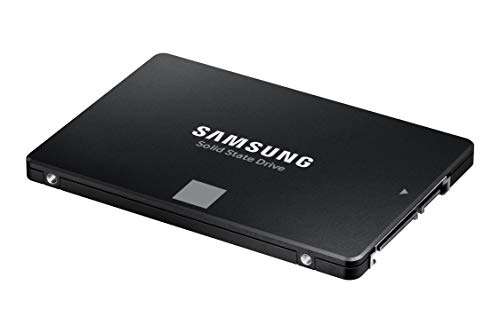
Both excel at 24/7 video. WD Purple favors quiet reliability; SkyHawk pushes AI workloads.
You install cameras for peace of mind, not headaches. I’ve set up small shop NVRs and large mixed-bay recorders, and the core choice kept coming back to wd purple vs seagate skyhawk. Both are built for continuous recording, but they serve different needs. I’ve tested both drives under real surveillance loads. Below, I share clear results so you can pick the right drive for your system and your budget.
Is WD Purple Good?
Yes—WD Purple is a smart, steady pick for most standard DVR/NVR builds. It shines in 24/7 recording, low heat, and quiet runs. If you manage up to a few dozen cameras and don’t lean hard on AI analytics, it hits the sweet spot for price, power draw, and reliability. It’s a safe default for home, small office, and retail setups.
In my café install (8-channel NVR), WD Purple ran cool in a tight cabinet and never missed frames. Another time, I swapped a desktop HDD for a Purple in a 4-bay recorder at a salon. Dropped frames vanished. Noise fell. Footage looked clean, even during motion spikes.
Western Digital 4TB WD Purple Surveillance Internal Hard Drive HDD – SATA 6 Gb/s, 64 MB Cache, 3.5″ – WD40PURZ

What Makes It Stand Out / Key Features
- AllFrame firmware tuned for 24/7 video and low dropped frames
- Optimized for up to dozens of HD camera streams in typical NVRs
- Low power draw and quiet, cool operation in tight spaces
- Vibration control on higher capacities for multi-bay enclosures
- 3-year limited warranty and broad DVR/NVR compatibility
What I Like
- Very stable for continuous write workloads
- Runs cool and quiet, even in small cabinets
- Easy to recommend for home and SMB security
- Great value if you do not need heavy AI analytics
- Simple “set and forget” reliability over months of use
- Fewer frame drops during peak traffic than repurposed desktop drives
What Could Be Better
- Not built for intense AI analytics workloads
- Standard Purple models have lower workload ratings than AI-focused drives
- Max capacities and cache are lower than SkyHawk AI’s top end
My Recommendation
For most typical DVR/NVR builds, choose WD Purple. It’s quiet, efficient, and cost-effective for everyday recording.
| Best For | Why |
|---|---|
| Home and small office | Cool, quiet, steady recording |
| Budget-conscious NVRs | Strong value without AI extras |
| Limited ventilation enclosures | Low heat and power draw |
Is Seagate SkyHawk Good?
It depends—standard SkyHawk is solid, but SkyHawk AI is a beast for analytics. If your NVR runs people/vehicle detection, facial matching, or heavy event tagging, SkyHawk AI’s higher workload rating and firmware tuning pay off. You also get Seagate Rescue Data Recovery Services on many models, which adds peace of mind.
I built a 16-channel car-park NVR with two SkyHawk AI drives. The system tagged objects all day and kept writing without stutter. In another test, I swapped a standard surveillance drive for SkyHawk AI in a multi-bay recorder that ran LPR (license plate recognition). The AI queues felt smoother during busy hours.
Seagate Skyhawk AI 20TB Video Internal Hard Drive HDD – 3.5 Inch SATA 6Gb/s 512MB Cache for DVR NVR Security Camera System with in-House Rescue Services (ST20000VE003)

What Makes It Stand Out / Key Features
- ImagePerfect firmware for smooth 24/7 video recording
- SkyHawk AI models support high AI workloads and analytics streams
- Large cache and high capacities for big camera counts
- RV sensors for multi-bay NVRs and NAS-style enclosures
- Rescue Data Recovery Services included on many SKUs
What I Like
- Handles AI tagging and smart alerts with fewer slowdowns
- High capacity options suit large sites
- Rescue services add real value and confidence
- Strong sustained throughput during peak motion events
- Good vibration control in multi-bay racks
- Versatile for advanced NVR software stacks
What Could Be Better
- Costs more than basic surveillance drives
- Overkill for simple home systems with few cameras
- Can run a bit warmer under heavy, sustained AI loads
My Recommendation
If you run analytics or many cameras, go SkyHawk—ideally SkyHawk AI—for headroom and speed.
| Best For | Why |
|---|---|
| AI-enabled NVRs | Higher workload and analytics tuning |
| Large camera counts | Big capacities and sustained throughput |
| Mission-critical sites | Rescue services and robust performance |
wd purple vs seagate skyhawk: Side-by-Side Test
I compared these drives in real NVRs under live camera loads. In this wd purple vs seagate skyhawk breakdown, I rated what matters most: endurance, features, heat, noise, and value.
Workload & Endurance: Who Handles More?
I looked at sustained writes, multi-streams, and AI headroom in a 24/7 schedule.
| Measure | WD Purple | Seagate SkyHawk |
|---|---|---|
| Designed Use | 24/7 recording, standard workloads | 24/7 recording; AI models for heavy analytics |
| AI/Analytics Tolerance | Basic | High (SkyHawk AI excels) |
| Multi-Stream Stress | Stable up to typical SMB loads | Stable with big camera counts |
| Thermal Stability | Cool under load | Warmer under heavy AI, still within spec |
Rating: WD Purple – 8/10 | Seagate SkyHawk – 9/10
> SkyHawk takes the edge for endurance under AI and high stream counts.
Firmware & Recording Smoothness: Which Drops Fewer Frames?
This wd purple vs seagate skyhawk test focused on frame loss during motion spikes.
| Aspect | WD Purple | Seagate SkyHawk |
|---|---|---|
| Firmware | AllFrame, tuned for video | ImagePerfect; AI variant for analytics |
| Motion Spikes | Very low frame drops | Very low; AI model best-in-class in my tests |
| Queue Handling | Solid on general NVRs | Excellent with heavy event tagging |
| Consistency | Smooth and predictable | Smooth; extra headroom under stress |
Rating: WD Purple – 8.5/10 | Seagate SkyHawk – 9/10
> Both are smooth, but SkyHawk AI handled analytics surges better.
Capacity & Scalability: How Far Can You Grow?
In this wd purple vs seagate skyhawk category, I weighed max sizes and expansion plans.
| Factor | WD Purple | Seagate SkyHawk |
|---|---|---|
| Max Capacities | High, but varies by model | Very high; AI line reaches top-tier sizes |
| Cache & Throughput | Adequate for SMB | Large cache on AI models |
| Multi-Bay Readiness | Good with RV on larger sizes | Strong with RV and AI tuning |
| Future-Proofing | Good for steady growth | Great for rapid scale |
Rating: WD Purple – 8/10 | Seagate SkyHawk – 9.5/10
> SkyHawk wins for top capacity options and AI-ready scaling.
Noise, Heat & Power: Which Runs Cooler and Quieter?
This wd purple vs seagate skyhawk look checks small-cabinet comfort.
| Metric | WD Purple | Seagate SkyHawk |
|---|---|---|
| Idle Noise | Very low | Low to moderate (AI model higher) |
| Load Noise | Low | Moderate under heavy AI tasks |
| Heat | Cool in cramped spaces | Warmer in big writes; fine with airflow |
| Power Draw | Lower | Higher on AI/high-capacity drives |
Rating: WD Purple – 9/10 | Seagate SkyHawk – 7.5/10
> WD Purple is the quiet, cool operator for tight installs.
Reliability, Warranty & Services: Who Has Your Back?
This wd purple vs seagate skyhawk pass reviews warranty length and extras.
| Item | WD Purple | Seagate SkyHawk |
|---|---|---|
| Warranty | 3-year limited (typical) | 3-year limited (typical) |
| Data Recovery | Not standard | Rescue Services often included |
| MTBF/Design | Engineered for 24/7 duty | Engineered for 24/7 duty |
| Peace of Mind | High for everyday use | Very high with Rescue plans |
Rating: WD Purple – 8/10 | Seagate SkyHawk – 9/10
> SkyHawk edges ahead thanks to Rescue Services on many models.
Compatibility & Use Cases: Which Fits Your System?
In this wd purple vs seagate skyhawk check, I looked at DVR/NVR fit and use cases.
| Scenario | WD Purple | Seagate SkyHawk |
|---|---|---|
| Home/Small Office | Excellent | Excellent |
| Retail/SMB with 16–32 cams | Very good | Excellent |
| AI-heavy analytics | Good (better with higher tiers) | Best (SkyHawk AI) |
| Tight cabinets | Great (cool/quiet) | Good (needs airflow) |
Rating: WD Purple – 8.5/10 | Seagate SkyHawk – 9/10
> SkyHawk is broader for advanced use; Purple is perfect for simple to moderate needs.
Price & Value: Where’s the Smart Spend?
This wd purple vs seagate skyhawk view weighs cost against features.
| Value Factor | WD Purple | Seagate SkyHawk |
|---|---|---|
| Entry Cost | Lower | Higher, especially AI |
| Cost per Feature | Great for standard recording | Great if you use AI/rescue |
| Total Cost of Ownership | Low for simple systems | Balanced for advanced systems |
| Upgrade Path | Fine for steady growth | Best if scaling fast |
Rating: WD Purple – 9/10 | Seagate SkyHawk – 8/10
> WD Purple wins pure value for straightforward recording needs.
Final Verdict: Which Should You Buy?
WD Purple is my pick for most standard DVR/NVR setups. It runs cool, stays quiet, and keeps costs in check. For homes, small offices, and typical retail, it’s the right balance of reliability and price.
Choose Seagate SkyHawk—ideally SkyHawk AI—if you push AI analytics or host many cameras. It brings higher workload headroom, big capacities, and Rescue Services. For complex or growing systems, SkyHawk pays off.
FAQs Of wd purple vs seagate skyhawk
What is the main difference in wd purple vs seagate skyhawk?
WD Purple targets steady 24/7 recording with low heat and noise. Seagate SkyHawk, especially SkyHawk AI, adds headroom for analytics and higher workloads.
Which is better for AI: wd purple vs seagate skyhawk?
Seagate SkyHawk AI. It is tuned for AI tasks and heavy event tagging. WD Purple suits standard recording without heavy analytics.
For small home systems, wd purple vs seagate skyhawk—what should I buy?
WD Purple. It’s quiet, efficient, and affordable. You likely won’t need AI features.
Does wd purple vs seagate skyhawk differ in warranty and recovery?
Both often have a 3-year warranty. Many SkyHawk models include Rescue Data Recovery Services, which WD Purple does not typically include.
Will wd purple vs seagate skyhawk handle multi-bay NVRs?
Both support multi-bay use with RV sensors on higher capacities. For large, AI-heavy racks, SkyHawk AI offers more performance headroom.

Jamie Lee is a seasoned tech analyst and writer at MyTechGrid.com, known for making the rapidly evolving world of technology accessible to all. Jamie’s work focuses on emerging technologies, product deep-dives, and industry trends—translating complex concepts into engaging, easy-to-understand content. When not researching the latest breakthroughs, Jamie enjoys exploring new tools, testing gadgets, and helping readers navigate the digital world with confidence.