A 240GB SSD can run Windows 11, but expect tight storage limits.
If you are asking is 240gb ssd enough for windows 11, you are not alone. I set up and tune Windows machines for a living. In this guide, I break down what fits, what does not, and how to make smart choices. Stick with me, and you will leave with a clear plan that fits your use case.
What Windows 11 actually needs today
People ask is 240gb ssd enough for windows 11 because the OS has hidden overhead. A fresh Windows 11 install often uses 25 to 35 GB. Reserved Storage takes about 7 GB to ensure updates work.
Add the extras that many people forget:
- Pagefile usually takes 1 to 8 GB, based on your RAM.
- Hibernation file can take up to your RAM size. Many systems set it to about 40% of RAM for Fast Startup.
- Restore points can eat 5 to 10 GB if enabled.
- Drivers, DirectX, Visual C++ runtimes, and caches add 2 to 5 GB.
- Feature updates need scratch space. Think 10 to 20 GB during upgrades.
Real world overhead can hit 50 to 80 GB fast. That leaves roughly 120 to 160 GB for apps and files on a 240 GB drive. Keep at least 15 to 20% free for SSD health and speed. That means you should leave 35 to 50 GB free space at all times.
Is 240GB SSD enough for Windows 11? Practical scenarios
So, is 240gb ssd enough for windows 11 for light use? It can be, with care. For heavier work, it often feels cramped.
Here is how I guide clients:
- Basic use: web, email, Office. Yes, it works. Keep files in cloud with Files On-Demand and clean monthly.
- Student laptop: notes, Zoom, a few apps. Usually fine. Watch downloads and video files.
- Casual creator: Photoshop, light Lightroom. Tight but doable if you store catalogs and raw files on another drive.
- Gamer: modern games range from 30 to 150 GB each. You may fit 1 or 2 big titles. Expect to shuffle installs often.
- Developer: Visual Studio, SDKs, Docker, WSL. Space gets tight fast. Use a larger drive or move toolchains to another disk.
If you want low stress, 500 GB feels much better for most people. Still, 240 GB shines as a fast OS drive plus a second drive for data.
What fits on a 240GB drive? Real numbers
If you wonder is 240gb ssd enough for windows 11 for games and media, check these sizes. They add up fast in daily life.
Typical space use:
- Windows 11 and system files: 50 to 80 GB after updates.
- Microsoft Office: about 5 GB.
- Chrome or Edge with cache and profiles: 2 to 8 GB over time.
- OneDrive or Google Drive synced offline: 10 to 50 GB, based on your folders.
- Adobe apps: Photoshop about 3 GB, Lightroom Classic about 2 GB, Premiere Pro 7 to 10 GB, plus temp caches.
- Steam or Xbox games: indie games 1 to 10 GB, big AAA 80 to 150 GB.
Aim to keep 35 to 50 GB free for speed and SSD health. In practice, you often have 100 to 130 GB for apps and data before things feel slow.
How to make a 240GB SSD work with Windows 11
Here is how to turn a maybe into a yes when you ask is 240gb ssd enough for windows 11. These steps have saved my clients many gigabytes. They are safe and simple.
Quick wins:
- Turn on Storage Sense. Go to Settings, System, Storage. Enable cleanup of temp files and Recycle Bin.
- Use OneDrive Files On-Demand. Keep large folders online only.
- Move default save locations to a second drive or external SSD.
Deeper cuts:
- Remove hibernation to free many gigabytes:
- Open Command Prompt as admin and run: powercfg /h off
- Shrink pagefile or move it to another drive:
- System Properties, Advanced, Performance, Advanced, Virtual memory. Use a fixed size or move to D:.
- Clean component store safely:
- Open Command Prompt as admin and run: Dism /Online /Cleanup-Image /StartComponentCleanup
- Clear Windows Update leftovers:
- Settings, System, Storage, Temporary files, then select Windows Update Cleanup.
- Install large apps on another drive. During setup, choose a custom location on D: or E:.
- For Adobe, set cache and scratch disks to another drive in app settings.
- Keep free space at or above 15 to 20%. Schedule monthly cleanup.
Real life tip: After doing the steps above, I often free 10 to 30 GB on a small system. That can be the difference between smooth updates and stalled ones.
Performance, lifespan, and health on small SSDs
Some think is 240gb ssd enough for windows 11 if speed is the goal. It can be fast if you keep free space. SSDs slow down when nearly full.
What matters:
- Free space feeds the SLC cache. Low free space means lower write speeds.
- DRAM cache helps random reads and writes. Drives without DRAM may feel sluggish under load.
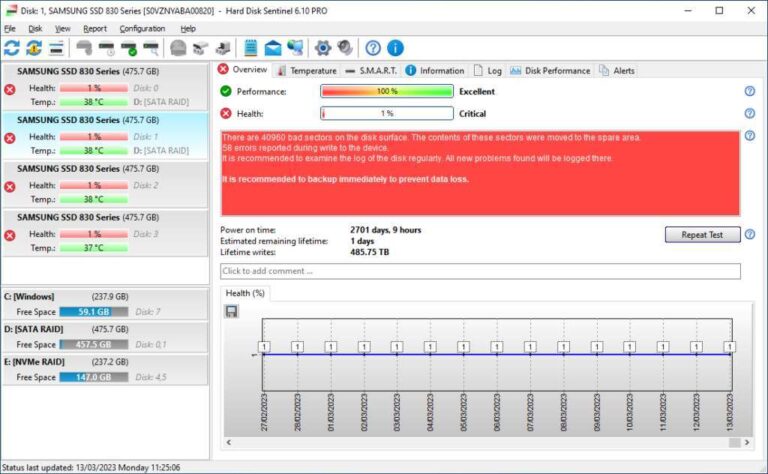
- Endurance (TBW) for a 240 GB drive is often 60 to 150 TB. Heavy video edits or large game updates add writes. Keep an eye on health.
- TRIM is on by default. Let Windows run scheduled optimize tasks.
Best practices:
- Avoid filling beyond 80 to 85%.
- Prefer sleep over hibernation if you disabled hibernation.
- Keep firmware up to date with the maker’s tool.

When you should upgrade to 500GB or more
When the answer to is 240gb ssd enough for windows 11 turns to no, these signs lead the case. You fight space warnings. Feature updates fail for lack of room. You uninstall apps just to install others.
Upgrade if you:
- Play modern AAA games.
- Edit photos or video, or keep large media local.
- Use Docker, WSL, or large dev toolchains.
- Have only one drive bay and need offline files.
A 500 GB or 1 TB NVMe gives room to breathe and speeds up workflows. Prices are often close to 240 GB models, and value per gigabyte is better.

Buying tips for a small OS drive
Smart buying helps when you ask is 240gb ssd enough for windows 11. Pick the right SSD parts and you will feel the gain.
What to look for:
- NVMe over SATA if your slot supports it. Random reads are faster.
- DRAM cache or HMB support for smoother multitasking.
- Solid controller from a known maker with steady firmware updates.
- Good warranty and clear TBW rating.
- Consistent reviews on sustained writes, not only peak speeds.
If your laptop supports only SATA, choose a SATA model with DRAM. It will still feel snappy for boot and apps.
Frequently Asked Questions of is 240gb ssd enough for windows 11
Is 240GB SSD enough for Windows 11 for basic use?
Yes, for web, email, and Office it is fine. Keep files in the cloud and run Storage Sense to avoid clutter.
How much free space should I keep on a 240GB SSD?
Keep at least 15 to 20% free, which is 35 to 50 GB. This keeps writes fast and helps updates run.
Can I install games on a 240GB SSD with Windows 11?
You can, but space will run out fast. Use an external or second internal drive for large titles.
Will disabling hibernation help on a small SSD?
Yes, it can free many gigabytes. Use powercfg /h off and rely on sleep instead.
Is 240gb ssd enough for windows 11 if I use OneDrive?
It can be if you use Files On-Demand. Keep large folders online only and download files when needed.
Does Windows 11 need more space than Windows 10?
Slightly more in many cases due to features and updates. Budget 50 to 80 GB for Windows and system files.
Is 240gb ssd enough for windows 11 on a single-drive laptop?
It works, but you must manage space often. If you can, move media to an external SSD.
Conclusion
So, is 240gb ssd enough for windows 11? Yes, for light and focused use with smart storage habits. It gets tough for gaming, content creation, and dev work where space grows fast. The sure fix is a larger SSD, but you can stretch 240 GB with the right setup.
Make your choice based on your apps and files, not just specs. If you decide to stay with 240 GB, apply the steps above today. If you plan to upgrade, compare a few drives and enjoy the extra headroom. Ready to go deeper? Subscribe for more step-by-step Windows guides and storage tips.

Jamie Lee is a seasoned tech analyst and writer at MyTechGrid.com, known for making the rapidly evolving world of technology accessible to all. Jamie’s work focuses on emerging technologies, product deep-dives, and industry trends—translating complex concepts into engaging, easy-to-understand content. When not researching the latest breakthroughs, Jamie enjoys exploring new tools, testing gadgets, and helping readers navigate the digital world with confidence.