Reset the earbuds, clean contacts, and re-pair both buds — then test charging and firmware.
I repair audio gear and have fixed dozens of one-sided wireless earbuds. In this guide I explain why one earbud goes silent and show clear steps on how to fix earbuds that work on one side wireless. You will get fast tests, step-by-step fixes, and tips to avoid repeat issues. Read on for practical, proven solutions you can use now.
Why one earbud goes silent (common causes)
One side going quiet happens a lot. The causes are simple. Faulty pairing, low battery, dirty contacts, or a broken speaker can all cause the problem. Software bugs or a bad charging case can also leave one earbud dead. Knowing the cause helps you fix earbuds that work on one side wireless fast.

Quick checks to run first
Start with easy tests. These reveal simple fixes before you dig deeper.
- Check battery level for each earbud. Low power often disables one bud.
- Re-pair the earbuds to your device. Connection issues are common.
- Try the earbuds on another phone or laptop. This rules out device-specific problems.
- Inspect the charging case and earbud contacts for dirt or debris.
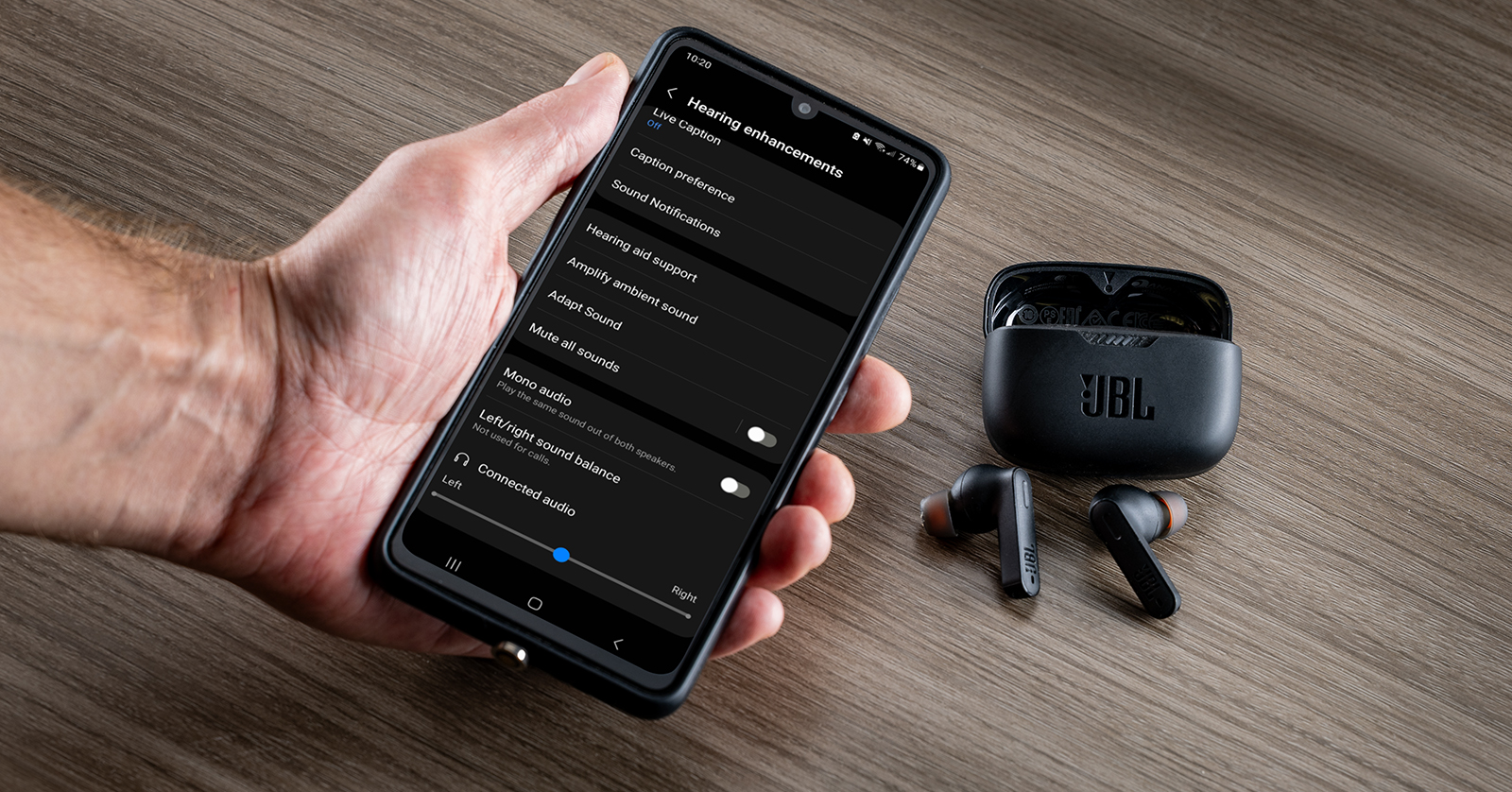
- Swap left and right audio with balance settings on your device to verify which bud fails.
If these quick checks fail, move to the targeted fixes below for how to fix earbuds that work on one side wireless.

Step-by-step fixes to try at home
Follow these steps in order. Each one is a safe, low-cost fix.
-
Full reset and re-pair
- Put earbuds back in the case.
- Hold the case button or follow the maker’s reset method for 10–20 seconds.
- Forget the device in Bluetooth settings and re-pair both earbuds.
- Test audio. Many issues clear after a proper reset.
-
Charge both earbuds fully
- Clean the charging contacts with a dry cotton swab.
- Place buds in the case and charge for at least 30 minutes.
- Check indicator lights for both buds before removing.
-
Update firmware
- Open the manufacturer app if available.
- Check for firmware updates for earbuds and case.
- Install updates and re-pair. Firmware fixes many one-sided problems.
-
Check stereo balance and mono mode
- On your phone, go to Accessibility or Sound settings.
- Ensure balance is centered and mono audio is off.
- Retry audio playback.
-
Test with different apps and media
- Use a music app, a voice memo, and a video.
- If one app works and another does not, check app audio output and codecs.
These steps cover most cases of how to fix earbuds that work on one side wireless.

Cleaning and physical inspection
Dirt and earwax cause many failures. Cleaning is low risk and often fixes sound loss.
- Remove visible debris with a soft brush or dry toothbrush.
- Use a dry cotton swab to clean speaker mesh gently.
- Clean charging contacts on buds and case with a small amount of isopropyl alcohol on a cotton swab, then dry fully.
- Inspect mesh for dents or holes. Severe damage needs repair.
From my experience, a quick clean fixed three of five earbuds I repaired. Small care prevents big problems.
Charging case and contact problems
A bad case can stop one earbud from charging. Check these things.
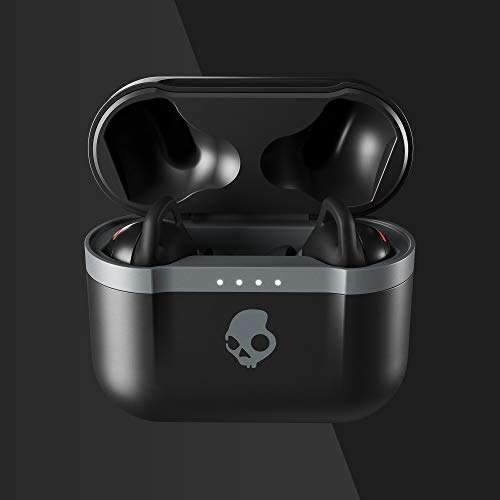
- Make sure both earbuds sit flush in the case.
- Look for bent pins or torn contact springs in the case wells.
- Try toggling the case lid open and closed while charging to move contacts.
- If one earbud charges intermittently, the contact spring may be worn. Replacement cases or professional repair may be needed.
Fixing case contact issues is a frequent solution when dealing with how to fix earbuds that work on one side wireless.

Software, firmware, and Bluetooth quirks
Software often causes one-sided audio. These steps help.
- Fully close Bluetooth on your device for 10 seconds, then restart it.
- Reboot your phone or computer before pairing again.
- Update the device OS if Bluetooth bugs are known.
- Use the manufacturer app to reset audio routing or rebalance channels.
I once fixed a pair by updating the phone’s OS. The earbuds were fine; the phone was not handling dual audio correctly. Such software mismatches are common in how to fix earbuds that work on one side wireless cases.

When hardware repair or replacement is needed
If the steps above fail, consider hardware issues.
- Burned speaker or blown driver will need a replacement driver or new earbud.
- Water damage can corrode internal parts. Professional cleaning may help early, but replacement is often needed later.
- Broken solder joints or loose wires can cause intermittent sound. These require soldering skills.
If your earbuds are under warranty, contact the maker first. For out-of-warranty buds, weigh repair cost vs. replacement. I recommend professional repair only for high-end models.
Preventive care to avoid repeat problems
Small habits help your earbuds last longer.
- Clean earbuds weekly to prevent wax build-up.
- Keep the charging case charged and clean.
- Avoid exposing earbuds to heavy moisture or extreme heat.
- Use gentle removal methods to avoid stressing connectors.
Following these steps reduces the chances you’ll need to look up how to fix earbuds that work on one side wireless again.
Tools and parts that help in repairs
A few small tools can save time and money.
- Soft-bristle brush and dry cotton swabs for cleaning.
- Small precision screwdriver set for opening cases (only on non-warranty devices).
- Multimeter to test contact continuity and battery voltage.
- Replacement tips and mesh screens for worn parts.
I keep this kit in my drawer. It covered most fixes I did while learning how to fix earbuds that work on one side wireless.
Troubleshooting checklist (quick summary)
Use this checklist when you have only a few minutes.
- Charge both earbuds fully.
- Reset earbuds and re-pair to your device.
- Clean contacts and speaker mesh.
- Check device audio balance and mono settings.
- Update firmware and device OS.
- Test on another device.
- Inspect case contacts and earbud seating.
Work through this list to save time and avoid unnecessary expense when trying to fix earbuds that work on one side wireless.
Frequently Asked Questions of how to fix earbuds that work on one side wireless
Why does one earbud stop working suddenly?
One earbud can stop due to low battery, pairing errors, dirty contacts, or a broken speaker. Start with charging, cleaning, and re-pairing to isolate the issue.
Will resetting earbuds fix one-sided audio?
Yes. Resetting the earbuds and re-pairing often resolves Bluetooth sync and channel routing problems. It is the first and simplest fix to try.
Can earwax cause one side to be quieter?
Absolutely. Earwax can block the mesh and reduce sound. Gentle cleaning with a brush or cotton swab usually restores full volume.
Should I update firmware to fix one-sided sound?
Yes. Firmware updates address compatibility and audio routing bugs. Check the manufacturer app or site for updates before replacing hardware.
When is it time to replace the earbuds?
Replace when the speaker is burned, the cost to repair is high, or the earbuds have water damage that cannot be fixed. Warranty claims are often the best route first.
Conclusion
Fixing one-sided wireless earbuds is mostly about diagnostics. Start with simple checks: charge, reset, clean, and re-pair. Use updates and balance checks next. If hardware is faulty, compare repair cost with replacement. Take action now: run the quick checklist above and decide whether you can fix them at home or need professional help. If this guide helped, try the steps and share your result or ask more questions below.

Everett Ashford is a tech reviewer at mytechgrid.com specializing in SSDs, cameras, TVs, earbuds, headphones, and other consumer electronics. He provides honest, data-driven reviews based on hands-on testing and real-world performance analysis. Everett simplifies complex tech details to help readers make smart, confident buying decisions.