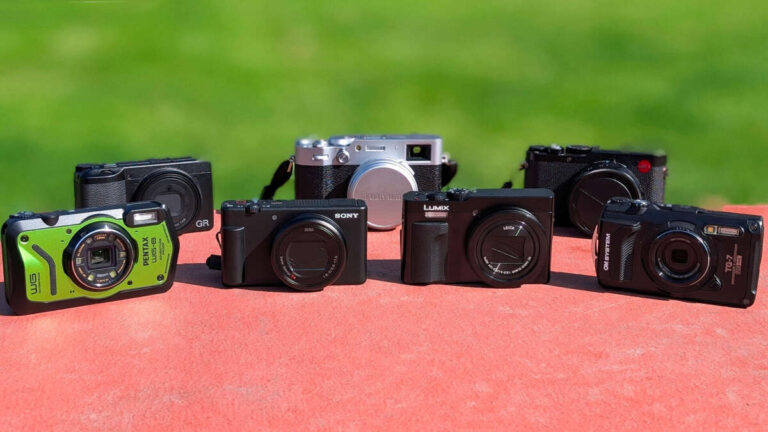
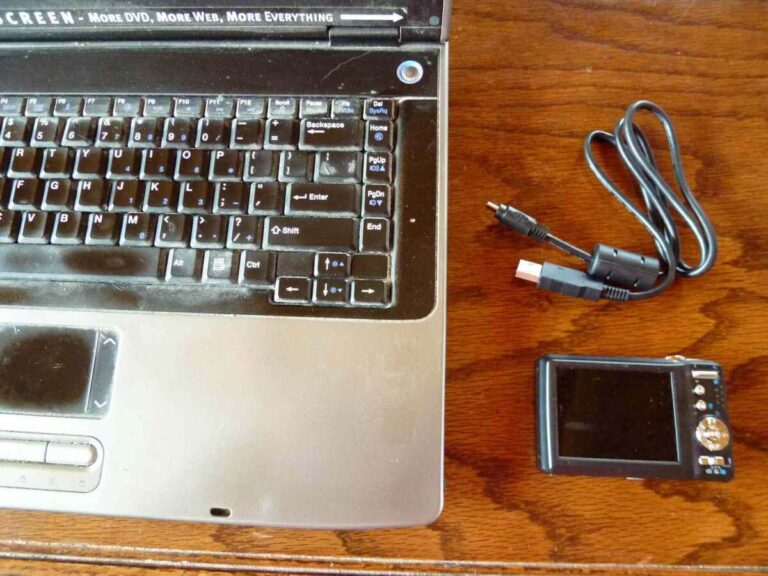
Yes, digital cameras wear out, but careful use and maintenance can keep them working for many years.
Do digital cameras wear out in the same way as film cameras, phones, or laptops? They do, but not all parts age at the same speed. A camera may keep taking sharp photos for 10 years or more while its shutter, battery, buttons, or electronic parts slowly lose reliability. This guide explains what fails first, how long cameras usually last, and how to decide between repair and replacement.
Do digital cameras wear out?
Digital cameras wear out through use, age, heat, moisture, dust, and physical stress. The image sensor usually lasts a long time, but moving parts and power components are more likely to fail.
A camera has many parts that age in different ways:


• The mechanical shutter can wear after many thousands of shots.
• The battery loses capacity after repeated charging cycles.
• Buttons, dials, and card slots may become unreliable.
• The lens mount can loosen or suffer damage.
• Rubber grips may become sticky or peel away.
• Internal circuits can fail from moisture, corrosion, or heat.


This means a camera does not have one simple expiration date. A lightly used camera from 2012 may work better than a heavily used camera from 2021. The way you use and store it often matters more than its age.
Which camera parts wear out first?
The most common failures affect parts that move, receive pressure, or handle constant electrical load. These parts are similar to the tires, brakes, and battery in a car. The whole system may still work, but one key part can limit its use.
Mechanical shutter
A digital camera shutter opens and closes each time you take a photo. Entry-level models may have a rated shutter life around 50,000 to 100,000 actuations. Many enthusiast and professional cameras receive ratings from 150,000 to 500,000 actuations.
A shutter rating is not a promise of failure at that number. It is a tested reliability target. Some shutters fail early, while others work far beyond the rating.
Electronic shutter modes can reduce mechanical shutter use. However, electronic shutters may create rolling shutter distortion with fast movement, flickering lights, or quick camera pans.
Battery
Lithium-ion batteries slowly lose their ability to hold a charge. After several hundred full charge cycles, many batteries provide less shooting time than when new.
Heat speeds up battery aging. Leaving a battery inside a hot car or storing it at full charge for months can reduce its useful life. A replacement battery is often simple to find, but older camera models may eventually lose battery support.
Image sensor
The sensor is one of the most durable parts of a digital camera. Normal photography does not usually wear it out.
Sensors can still suffer damage from:
• Strong lasers or direct sunlight through a long lens
• Scratches during cleaning
• Corrosion from moisture
• Dead or stuck pixels
• Electrical damage from a failed circuit


A few hot pixels are common in older cameras. Many cameras map them out through software, so they may not appear in normal photos.
Controls and card slots
Buttons, dials, hinges, and memory card slots receive repeated physical stress. A loose control dial may cause missed settings. A worn card slot may produce errors or disconnect during recording.
These failures can be more frustrating than a shutter problem because they may appear at random. Keep pressure off the card and never force it into the slot.

How long do digital cameras last?
Most digital cameras can last between five and fifteen years, and some remain useful for much longer. The exact lifespan depends on the camera type, shutter use, storage conditions, repair access, and the owner’s care.
A simple estimate looks like this:
• Casual use: 10 to 15 years or more
• Frequent hobby use: 5 to 10 years
• Professional daily use: 3 to 8 years before major service may be needed
• High-volume sports or event work: sometimes only a few years before a shutter or control repair
These ranges describe practical service life, not guaranteed failure dates. A camera may still work after 15 years but lack modern autofocus, wireless features, video quality, or software support.
The number of photos matters most for cameras used heavily. A wedding photographer may take more than 100,000 photos in a year. A family photographer may take fewer than 10,000. Both cameras may be the same age, but their wear can be very different.
Do digital cameras wear out faster when used every day? Usually, yes, if daily use means high shutter counts, frequent lens changes, rough transport, or exposure to dust and rain. Daily use alone is not harmful when the camera is handled carefully.

Signs your digital camera is wearing out
Do digital cameras wear out in ways you can notice before complete failure? Often, yes. Early warning signs can help you protect your photos and plan a repair.


Watch for these symptoms:
• The shutter makes a strange sound or does not fire consistently.
• The camera freezes, restarts, or shows error messages.
• The battery drains much faster than before.
• Buttons need extra pressure or work only at certain angles.
• The memory card disconnects during shooting.
• The lens struggles to focus or makes grinding sounds.
• The camera produces random black frames or exposure errors.
• The screen flickers, dims, or develops lines.
• The body shows corrosion, swelling, cracks, or loose parts.
A single error does not always mean the camera is dying. A damaged memory card, weak battery, dirty contacts, or outdated firmware can create similar symptoms.
Start with simple tests. Try a fresh battery, a known-good memory card, and a different lens if possible. Check whether the problem follows the accessory or stays with the camera body.
Back up your photos before testing an unreliable camera. A failing camera may work for one more session, but it can also stop without warning.

What causes a digital camera to fail?
The answer to do digital cameras wear out is closely linked to how stress reaches the camera. Some causes are gradual, while others create sudden damage.


Moisture and humidity
Water is one of the biggest risks. Even cameras with weather sealing are not waterproof unless the manufacturer clearly says so. Seals also age, and a sealed camera can still suffer damage through ports, battery doors, or lens mounts.
After using a camera in cold weather, place it in a sealed bag before bringing it into a warm room. This reduces condensation inside the camera.
Dust and sand
Dust can enter through lens changes, moving zoom barrels, and open card or battery doors. Sand is worse because it can scratch surfaces and damage gears.
Change lenses in a sheltered place. Keep the camera pointed down during a lens change, and use a body cap when no lens is attached.
Heat
High temperatures can shorten battery life and stress electronic components. Do not leave a camera on a dashboard in direct sun. Give the camera time to cool if it becomes very warm during long video recording.
Impact and vibration
A small drop may damage the screen, mount, shutter, or internal alignment. A camera can look fine outside but develop focus errors after an impact.
Use a padded bag and keep the camera strap attached when shooting near water, crowds, or steep ground.
Obsolete software and accessories
Older cameras may work perfectly but lose access to new apps, remote controls, or replacement parts. This is not mechanical wear, but it can reduce practical usefulness.
Do digital cameras wear out because technology changes? Sometimes the camera still works, but newer models offer better autofocus, dynamic range, stabilization, or video tools. That is obsolescence rather than physical failure.
How to make a digital camera last longer
Good care does not stop aging, but it can delay expensive problems. Think of maintenance as reducing small risks before they become major failures.
-
Store the camera in a cool, dry place.
-
Remove the battery if you will not use the camera for several weeks.
-
Keep spare batteries partly charged for long-term storage.
-
Use a padded camera bag during travel.
-
Clean the body with a soft, dry cloth.
-
Use a blower before cleaning the sensor or lens.
-
Avoid touching the sensor or rubbing it with household materials.
-
Keep memory cards formatted in the camera.
-
Replace damaged cards instead of trusting them with important work.
-
Install stable firmware updates from the manufacturer.
-
Use a rain cover in wet weather.
-
Let the camera cool during long video sessions.
-
Avoid forcing dials, doors, cables, or memory cards.
A mistake many photographers make is cleaning too aggressively. A little dust in a photo can often be removed with a proper blower or professional cleaning. Scratching the sensor filter creates a much more serious problem.
Another useful habit is to keep a backup camera for important trips or paid work. Do digital cameras wear out without warning? Some failures happen suddenly, especially electronic failures. A spare body can protect a once-in-a-lifetime event.

Can you repair a worn-out digital camera?
Many camera problems are repairable, but repair value depends on the camera’s age, parts supply, and market price. A shutter replacement may make sense for a professional camera. It may cost more than the camera is worth on an older entry-level model.
Before approving a repair, ask for:
• A written estimate
• The exact failed part
• The expected turnaround time
• The warranty on the repair
• The availability of future replacement parts
Compare the repair cost with the price of a reliable used replacement. Also consider your lenses. If you already own several compatible lenses, repairing the body may be cheaper than changing systems.
A repair shop can test shutter function, sensor performance, autofocus, ports, and electrical faults. Avoid opening the camera yourself unless you have proper tools and training. Internal components can hold a charge, and incorrect assembly can cause further damage.
Do digital cameras wear out enough to justify replacement? Replace the camera when repairs are frequent, parts are unavailable, battery support has ended, or the camera no longer meets your needs. Do not replace it only because a newer model exists. A working camera can still produce excellent images.

How to check a used digital camera
A used camera can offer great value, but you need to inspect it carefully. Age alone does not tell you whether the camera has been treated well.
Use this checklist:
• Check the body for cracks, dents, corrosion, and loose panels.
• Test every button, dial, port, and card slot.
• Take photos at different shutter speeds.
• Inspect images for unusual lines, large spots, or repeated errors.
• Test autofocus with both near and distant subjects.
• Record a short video and listen for odd sounds.
• Check battery health and confirm that replacements are available.
• Ask for the shutter count, but treat it as only one clue.
• Test the camera with a compatible lens if buying a body.
• Confirm that the seller allows a return period.
A low shutter count is helpful, but it does not prove that the camera is healthy. A camera used for video may have low shutter activity but heavy heat exposure. A camera used outdoors may have hidden moisture damage.
In practical camera testing, basic function checks often reveal more than cosmetic inspection. A clean body can hide a worn card slot, while a scratched exterior may belong to a camera that works perfectly.

Digital camera lifespan compared with phone cameras
Do digital cameras wear out faster than smartphone cameras? Not necessarily. Dedicated cameras often have larger bodies, replaceable batteries, stronger controls, and serviceable shutters. Smartphones have sealed designs, built-in batteries, and heavy dependence on software updates.
A phone camera may remain usable for several years, but battery replacement can be difficult. A mirrorless or DSLR camera may need a new battery or shutter while keeping the same lenses and accessories.
Dedicated cameras also tend to receive more physical care because owners carry them in bags. Smartphones may face drops, heat, water, pocket lint, and daily charging.
The better choice depends on your needs. A phone is convenient and easy to replace. A dedicated camera offers more control, stronger optics, and a longer upgrade path when maintained properly.
Frequently Asked Questions About Do Digital Cameras Wear Out
Do digital cameras stop working with age?
Yes, digital cameras can stop working as batteries, shutters, buttons, seals, and electronic parts age. However, many cameras remain reliable for 10 years or more with careful use and proper storage.
How many shots can a digital camera take?
The rated shutter life may range from about 50,000 shots on some entry-level cameras to 500,000 or more on professional models. This is a reliability estimate, not a fixed limit, so some shutters fail early and others last far longer.
Does the image sensor wear out?
Image sensors usually last for many years and do not wear out from normal photography. They can be damaged by lasers, direct intense sunlight, scratches, moisture, or electrical faults.
Is it worth repairing an old digital camera?
Repair may be worthwhile when the camera has valuable lenses, strong features, or a high replacement cost. Compare the repair estimate with the cost of a reliable used body and check whether parts are still available.
Can leaving a battery in a camera damage it?
Leaving a battery in the camera for a short time is usually fine, but long storage can increase the risk of leakage, deep discharge, or damage if the battery is faulty. Remove the battery during extended storage and keep it in a cool, dry place.
Do digital cameras wear out from taking too many photos?
Heavy shooting increases wear on mechanical shutters, buttons, card slots, and batteries. Electronic shutter use can reduce mechanical shutter wear, but it may create distortion with fast motion or flickering light.
Conclusion
Do digital cameras wear out? Yes, but their lifespan is often much longer than people expect. Shutters, batteries, controls, card slots, seals, and electronic parts usually show wear before the sensor does. Careful storage, gentle cleaning, safe transport, and regular backups can add years of dependable use.
Check your camera for early warning signs, test questionable accessories, and compare repair costs before buying a replacement. If your camera still works well and meets your creative needs, there is no reason to retire it simply because it is old. Share your camera’s age and experience in the comments, or explore more guides on camera care and maintenance.

Everett Ashford is a tech reviewer at mytechgrid.com specializing in SSDs, cameras, TVs, earbuds, headphones, and other consumer electronics. He provides honest, data-driven reviews based on hands-on testing and real-world performance analysis. Everett simplifies complex tech details to help readers make smart, confident buying decisions.