How Do Earbuds Pick Up Your Voice: Mic Guide
Earbuds pick up your voice with tiny microphones that convert sound into digital signals for calls.
When you ask, “how do earbuds pick up your voice,” the answer involves more than one small microphone. Modern earbuds use microphone arrays, signal processing, noise reduction, and Bluetooth audio technology to separate your speech from wind, traffic, music, and room noise. This guide explains the full process in simple terms, along with common problems, practical tips, and what to look for when choosing earbuds for clearer calls.

How do earbuds pick up your voice?
Earbuds pick up your voice through built-in microphones. These microphones sit on the outside or inside of each earbud and detect changes in air pressure caused by speech. The microphones then turn those changes into electrical signals.
A small processor inside the earbuds cleans and analyzes the signals. It helps identify which sounds come from your mouth and which sounds come from the surrounding area.
The basic process looks like this:
- Your voice creates sound waves.
- The earbud microphones detect those waves.
- The microphones convert sound into electrical signals.
- A digital signal processor removes some unwanted noise.
- The earbuds send your voice to your phone through Bluetooth.
- The phone sends the processed voice to the person on the other end.
So, how do earbuds pick up your voice when they are not directly in front of your mouth? They use careful microphone placement, multiple microphones, and software that estimates the direction of your speech.
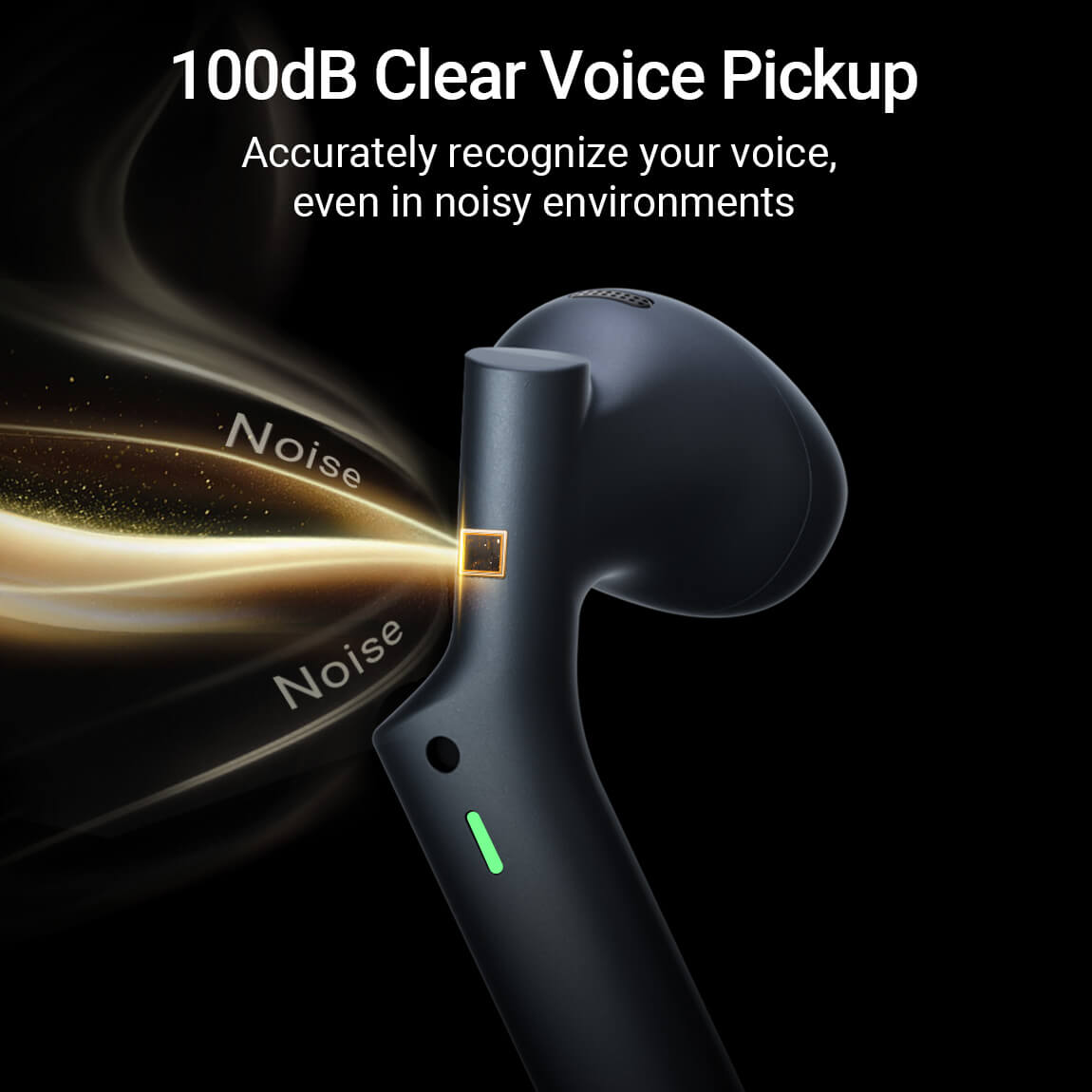
The microphones inside wireless earbuds
Most wireless earbuds use miniature MEMS microphones. MEMS stands for microelectromechanical system. These microphones are tiny, efficient, and reliable enough to fit inside a very small earbud shell.
A microphone does not record words in the same way a human brain understands them. It only senses pressure changes in the air. Your phone and earbuds then process those changes into a voice signal.
Common microphone types include:
Omnidirectional microphones
An omnidirectional microphone hears sound from many directions. Earbuds often use this type because it can capture your voice even when your head moves slightly.
The drawback is that it also hears more background noise. Software must work harder to reduce sounds such as fans, road traffic, and nearby conversations.
Directional microphone systems
Some earbuds use several microphones together to focus on sound from a specific direction. This design can give the system a better idea of where your voice is coming from.
Directional processing does not mean the microphone acts like a narrow flashlight. It usually means the earbuds compare signals from different microphones and reduce sounds arriving from other directions.
Bone conduction microphones
Some earbuds use a bone conduction microphone, often called a voice pickup sensor. This sensor detects vibrations traveling through your jaw or the bones near your ear when you speak.
Bone conduction can help during exercise, on windy streets, or in loud places. However, it may sound less natural than a regular air microphone, especially if the earbuds do not fit well.

How microphone arrays make your voice clearer
One of the most important answers to “how do earbuds pick up your voice” is microphone beamforming. Beamforming uses two or more microphones to focus on the sound that most likely comes from your mouth.
Imagine two people listening to a speaker from different seats. Each person hears the speaker and the room at a slightly different time. Earbuds use a similar idea. They compare the timing and strength of sounds reaching each microphone.
The earbuds may then:
• Boost sound that appears to come from your mouth
• Reduce sound that seems to come from the sides or rear
• Track your voice as you turn your head
• Suppress steady sounds such as fans or air conditioners
This process is not perfect. If wind hits every microphone at once, the earbuds may struggle to separate it from your speech. Fast, irregular noise, such as clattering dishes or a passing motorcycle, can also be difficult to remove.

What is voice activity detection?
Voice activity detection helps earbuds decide when you are speaking. The system looks for patterns linked to human speech, such as certain frequencies, timing, and volume changes.
When you stop talking, voice activity detection can prevent the earbuds from sending long stretches of silence or background noise. During a call, it can also help the system focus processing power on your voice.
This feature works with other tools, including:
• Automatic gain control, which raises a quiet voice and lowers a loud one
• Noise suppression, which reduces unwanted sound
• Echo cancellation, which prevents the other person’s voice from coming back through your microphone
• Wind reduction, which limits low, rough noise caused by air movement
Voice detection can make calls smoother, but it may make mistakes. A cough, laugh, or loud background sound can sometimes be treated as speech.

How earbuds reduce background noise during calls
Noise cancellation during a call is different from the noise cancellation you hear while listening to music. Music noise cancellation mainly protects your ears from outside sound. Call noise reduction mainly protects the person listening to your voice.
During a call, earbuds may use several steps:
- The primary microphone captures your voice and nearby sound.
- Secondary microphones listen to the environment.
- The processor compares the microphone signals.
- It estimates which sounds are unwanted.
- The processor lowers those sounds before transmission.
Active noise cancellation may still play a role, but it is not the main reason your voice sounds clear to another person. The biggest factors are microphone quality, microphone position, voice processing, Bluetooth performance, and the fit of the earbuds.
In my experience testing earbuds in places such as busy sidewalks and coffee shops, microphone placement often matters as much as brand reputation. A cheaper pair with microphones pointed toward the speaker’s mouth can sometimes outperform a premium pair with poor wind protection.

How bone conduction voice pickup works
Bone conduction voice pickup gives earbuds another way to detect speech. When you talk, your jaw and skull vibrate slightly. A sensor near the ear can detect some of those vibrations.
This method can be useful when the air around you is very noisy. Wind may overwhelm a normal microphone, but it does not affect bone vibrations in the same way.
Still, bone conduction has limits. It may capture a voice that sounds dull, nasal, or compressed. The result depends on the sensor’s position and how firmly the earbud touches your skin.
Bone conduction microphones work best when combined with regular microphones. The regular microphones capture natural voice sound, while the vibration sensor helps confirm that you are speaking.

How Bluetooth sends your voice
After earbuds capture and process your voice, they send the audio to your phone through Bluetooth. The phone then sends it through a call, meeting app, voice message service, or voice assistant.
Bluetooth communication includes several stages:
• The microphone creates a digital voice signal
• The earbud compresses the signal
• The signal travels to the phone
• The phone sends it through the selected app or network
• The listener receives the processed voice
Bluetooth audio must balance quality, battery use, and delay. A higher-quality voice signal may need more data. A lower-data connection can save power but may sound less detailed.
Modern earbuds may use newer Bluetooth voice standards that improve call quality and reduce delay. However, the phone, operating system, earbuds, and calling app must all support the same features for the best result.

Why your voice may sound muffled on earbuds
Even good earbuds can make your voice sound unclear. The problem may come from the microphone, the environment, the software, or the fit.
Common causes include:
• The microphone openings are blocked by dust or earwax
• The earbuds sit at the wrong angle
• Your phone uses the wrong microphone source
• Wind hits the microphone openings
• The earbuds have a weak Bluetooth connection
• The call app compresses the voice heavily
• Your voice is too far from the microphones
• The earbuds have low-quality call processing
Earbud microphones are often covered by fine mesh. That mesh protects the microphone but can collect skin oil, dust, and moisture. Cleaning the outer microphone area with a dry, soft brush can help.
Do not push sharp objects into the microphone holes. A pin can damage the mesh or push dirt deeper inside.
How earbud fit affects voice pickup
Fit affects more than comfort. It also affects how well earbuds pick up your voice.
If an earbud moves during a call, its microphones may change position. The processing system expects sound from a certain direction, so movement can reduce voice clarity.
A poor fit can also make bone conduction sensors less useful. If the sensor does not touch the right part of your ear or face, it may receive a weak vibration signal.
Try these simple steps:
- Insert each earbud according to the manufacturer’s instructions.
- Twist the earbud gently until it feels secure.
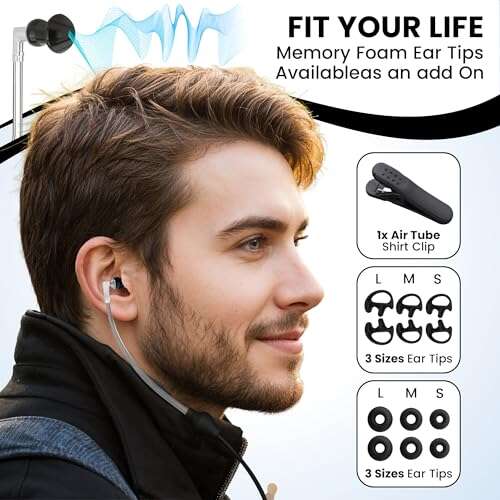
- Try a different ear tip size.
- Keep the microphone openings clear.
- Test the call while walking and turning your head.
- Compare the result with the earbuds in a different position.
A stable fit is especially important during workouts. Sweat, movement, and wind can all make voice pickup harder.
How to improve earbud microphone quality
You can often improve call quality without buying new earbuds. Start with the simple fixes first.
• Clean the microphone openings with a dry brush
• Keep the phone within a reasonable Bluetooth range
• Update the earbuds’ firmware and your phone software
• Turn off nearby Bluetooth devices that cause connection problems
• Use the phone’s microphone test or voice recorder
• Avoid covering the microphones with hair, clothing, or your fingers
• Face away from strong wind
• Speak at a normal volume
• Move indoors when traffic or wind becomes too loud
A common mistake is speaking louder instead of speaking more clearly. Shouting can overload the microphone and create distortion. A calm, steady voice usually produces a better result.
I have also found that turning your body so a wall blocks some wind can help more than changing app settings. Small changes in your surroundings often give the microphone system an easier job.
Earbuds versus phone microphones
Earbuds are not always better than the microphone in your phone. Their performance depends on the design and the setting.
Earbuds have one major advantage: the microphones are close to your mouth. This can help them capture your voice at a stronger level than a phone placed on a desk.
A phone may perform better in a quiet room because it has more space for microphone placement and processing hardware. It may also avoid wind problems that affect earbuds outdoors.
Consider using the phone microphone when:
• You are in a quiet room
• Your earbuds have poor call reviews
• The earbuds are damaged or dirty
• Your phone is close to your face
• The earbuds keep disconnecting
Consider using earbuds when:
• You need hands-free calling
• You are walking or driving safely with local laws in mind
• The phone is in a bag or pocket
• You want to reduce handling noise
Why wind is hard for earbud microphones
Wind creates a special problem because it strikes the microphone ports directly. It produces a deep rushing sound that can cover parts of your speech.
Wind noise is difficult to remove because it can be louder than your voice. It can also change quickly as you turn your head or walk past buildings.
Earbuds may fight wind with:
• Small mesh screens
• Microphone port design
• Digital wind filters
• Multiple microphones
• Bone conduction sensors
No wind filter removes every gust. If you need reliable calls outside, choose earbuds with strong wind performance and place your body between the microphones and the wind when possible.
Privacy and security considerations
When earbuds pick up your voice, they create audio data that travels to your phone. During a call, that audio usually moves through the phone’s network or internet connection.
Most earbuds do not understand the meaning of your speech by themselves. They mainly capture and process sound. However, voice assistants and calling apps may send audio to online services for recognition or transcription.
For better privacy:
• Review microphone permissions for every app
• Turn off voice assistant listening when you do not need it
• Use trusted apps and updated software
• Avoid sensitive calls in public places
• Check whether a meeting app records or transcribes audio
Privacy features vary by device and software. Read the settings on your phone rather than assuming all earbuds handle voice data in the same way.
How to test your earbud microphones
A short test can show whether the issue comes from your earbuds or the calling app.
- Open your phone’s voice recorder.
- Record ten seconds of normal speech.
- Record another clip outdoors.
- Play both recordings through the phone speaker.
- Repeat the test with the earbuds disconnected.
- Compare clarity, volume, wind noise, and distortion.
You can also call a trusted person and ask specific questions. Ask whether your voice sounds distant, robotic, muffled, or broken. These details help identify the problem.
A robotic sound may point to a weak Bluetooth connection or heavy compression. A muffled sound may suggest blocked microphone openings. Sudden volume changes may indicate automatic gain control or an unstable connection.
Frequently Asked Questions About How Do Earbuds Pick Up Your Voice
Do earbuds have microphones in both sides?
Many wireless earbuds have microphones in both the left and right earbuds. Using both sides helps the system compare sound direction and reduce background noise.
Can earbuds pick up your voice without touching your mouth?
Yes. Earbud microphones detect sound waves in the air, so they do not need to touch your mouth. Some models also use vibration sensors near the ear to support voice detection.
Why does my voice sound bad on wireless earbuds?
Your voice may sound bad because of dirt, wind, poor fit, weak Bluetooth, or limited call processing. Test the earbuds with a voice recorder and clean the microphone openings before replacing them.
Do noise-canceling earbuds improve microphone quality?
Noise-canceling earbuds may improve call clarity, but active noise cancellation alone does not guarantee a better microphone. Microphone placement, wind control, and voice processing have a greater effect on what other people hear.
Can earbuds hear conversations around me?
Earbuds can capture nearby sounds when their microphones are active. Whether those sounds are transmitted or stored depends on the phone, app, voice assistant, and privacy settings.
Are wired earbuds better for voice calls?
Wired earbuds can offer a stable connection and low delay, but they are not automatically better. Their microphone quality depends on its design, position, and noise handling.
Conclusion
Earbuds pick up your voice with tiny microphones that detect air pressure changes and convert them into digital audio. Multiple microphones, beamforming, noise reduction, wind filters, Bluetooth, and sometimes bone conduction sensors then work together to make your speech easier to understand.
The best results come from clean microphone ports, a secure fit, updated software, and a quiet position away from strong wind. Test your earbuds with a recorder before blaming the calling app, and compare the result with your phone’s built-in microphone. Use these tips to make clearer calls, then explore your device settings or share your own earbud experience in the comments.

Everett Ashford is a tech reviewer at mytechgrid.com specializing in SSDs, cameras, TVs, earbuds, headphones, and other consumer electronics. He provides honest, data-driven reviews based on hands-on testing and real-world performance analysis. Everett simplifies complex tech details to help readers make smart, confident buying decisions.