Most professional photographers need 20 to 30 megapixels for strong quality, flexible cropping, and large prints.
The right answer depends on your subject, lens, lighting, crop needs, print size, and delivery platform. After working with files from many camera systems, I have found that megapixels help most when they solve a real problem. More resolution cannot fix missed focus, poor light, motion blur, or a weak lens.
How Many Megapixels Do You Need for Professional Photography?
For most professional work, 20 to 30 megapixels is enough. This range gives you sharp images, room to crop, and files that are still easy to store and edit.
Here is a simple guide:
| Type of photography | Useful resolution |
|---|---|
| Weddings and events | 20 to 30 MP |
| portrait photography | 24 to 45 MP |
| Commercial photography | 36 to 100+ MP |
| Product photography | 36 to 100+ MP |
| Landscape photography | 30 to 60 MP |
| Sports photography | 20 to 30 MP |
| Real estate photography | 20 to 35 MP |
| Social media work | 16 to 24 MP |
| Large art prints | 36 MP or more |
| Studio and fine-art work | 45 to 100+ MP |
So, how many megapixels do you need for professional photography? In most cases, a 24 MP full-frame camera is a safe and practical choice.
The best camera is not always the one with the highest number. A 24 MP camera with excellent autofocus, clean high-ISO files, and a good lens may produce better work than a 61 MP camera used in poor light or with missed focus.

What Does a Megapixel Mean?
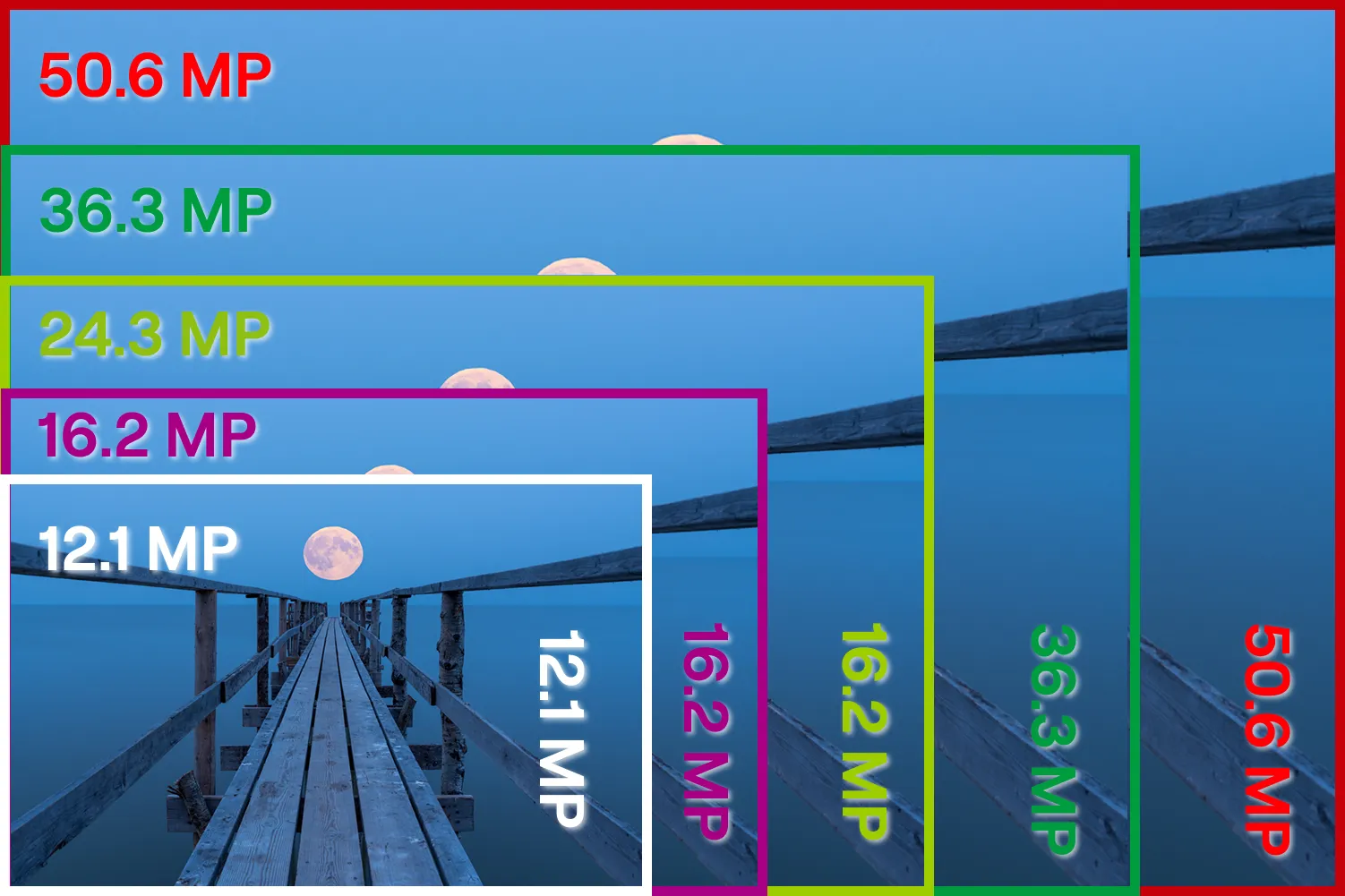
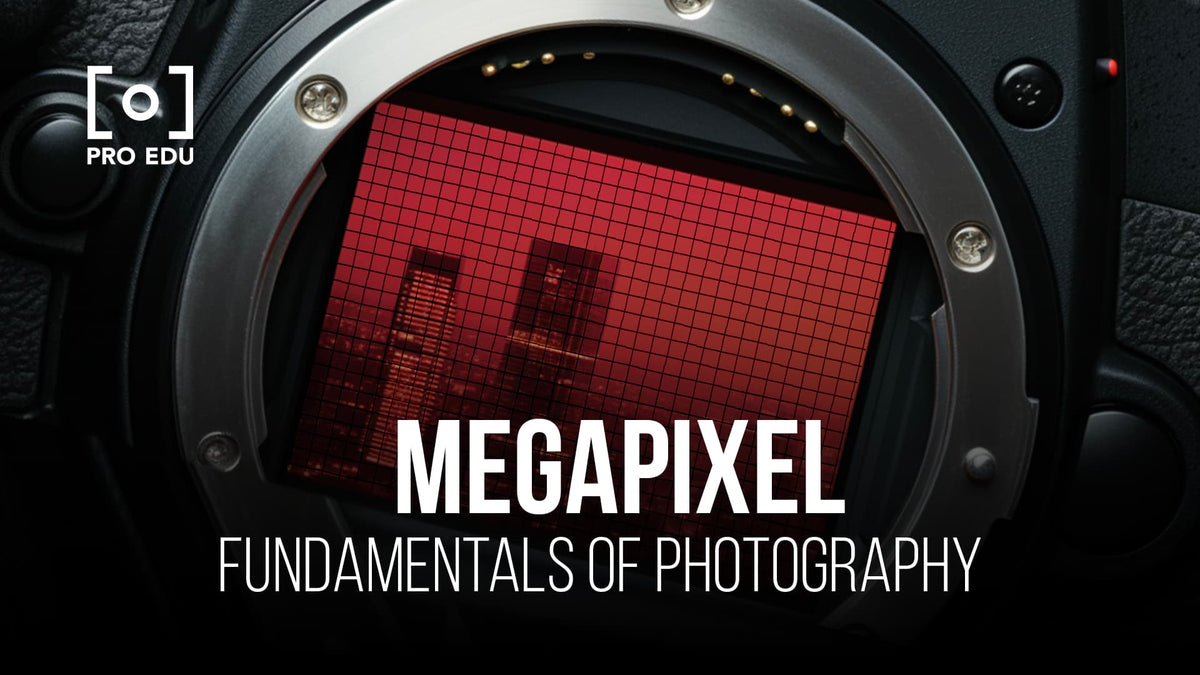
A megapixel equals one million pixels. A 24 MP camera records about 24 million individual pixels in each image.
Pixels are tiny points of color and brightness. Together, they form the full photograph. More pixels can show more fine detail, but only when the lens, focus, light, and sensor quality support that detail.
For example, a 24 MP full-frame image may measure about 6,000 by 4,000 pixels. A 45 MP image may measure about 8,192 by 5,464 pixels. The 45 MP file contains more information, but it is not automatically twice as sharp.
Megapixels mainly affect:
• Image resolution
• Cropping freedom
• Maximum print size
• Fine texture and detail
• File size
• Computer and storage demands
Megapixels do not directly determine:
• Autofocus speed
• Low-light performance
• Dynamic range
• Color quality
• Lens sharpness
• Background blur
• Photographer skill
Think of megapixels as the size of a canvas. A larger canvas gives you more room to work, but it does not make the painting better by itself.
How Megapixels Affect Image Quality
Higher resolution can improve image quality in several useful ways. It gives you more detail and lets you crop without making the subject look soft.
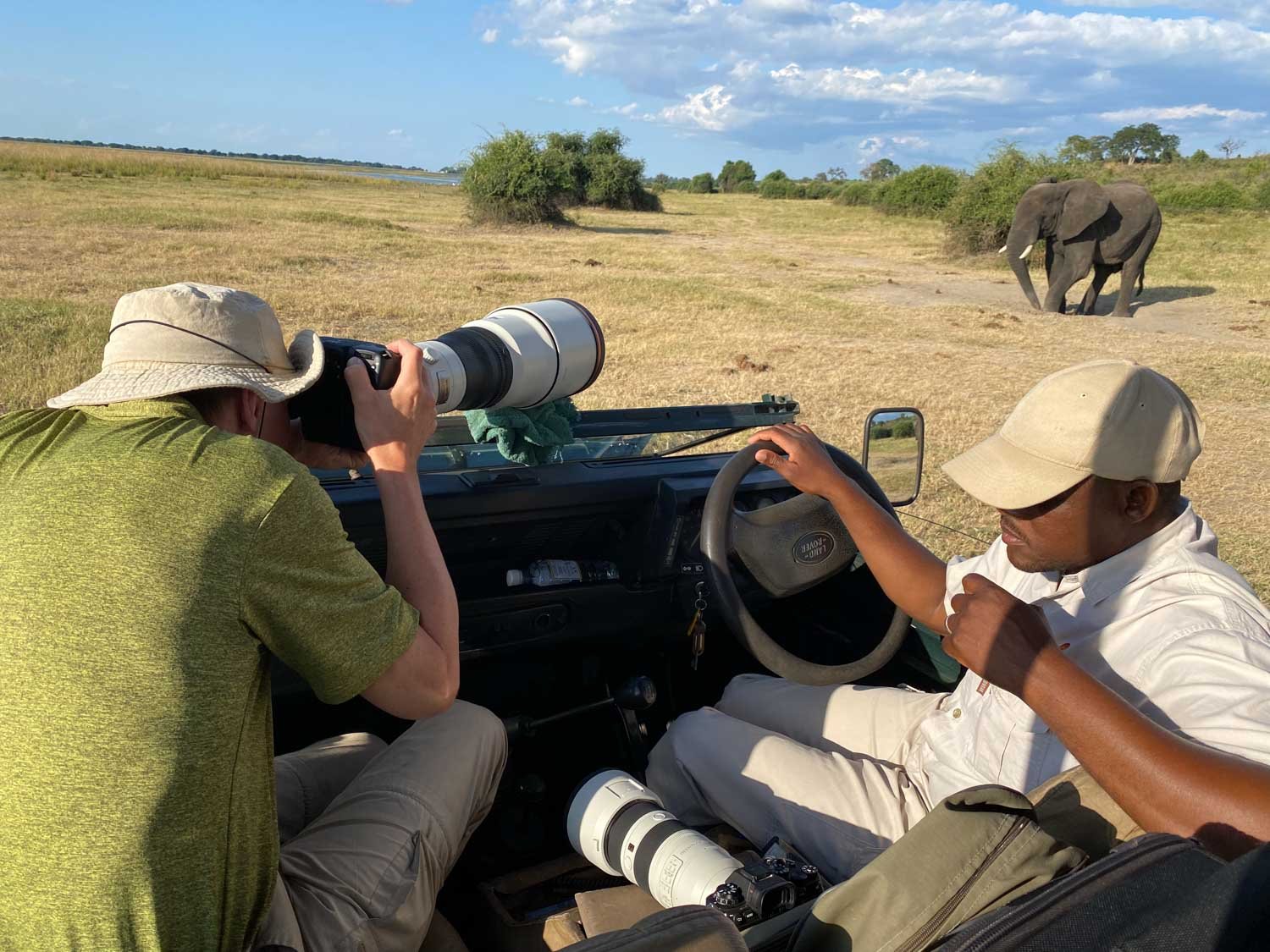
Imagine photographing a bird from far away. If the bird fills only a small part of the frame, a high-resolution file gives you more pixels on the bird. You can crop closer while keeping a usable image.
More megapixels also help with large prints. A billboard, gallery print, or wall portrait needs more image data than a small image viewed on a phone.
However, image quality depends on the whole system. A high-resolution sensor may reveal lens flaws, camera shake, dust, and focus errors more clearly. It can also create larger files that slow down your workflow.
A sharp 24 MP image often looks better than a blurry 60 MP image. This is one of the most important lessons when deciding how many megapixels you need for professional photography.
Megapixels and Print Size
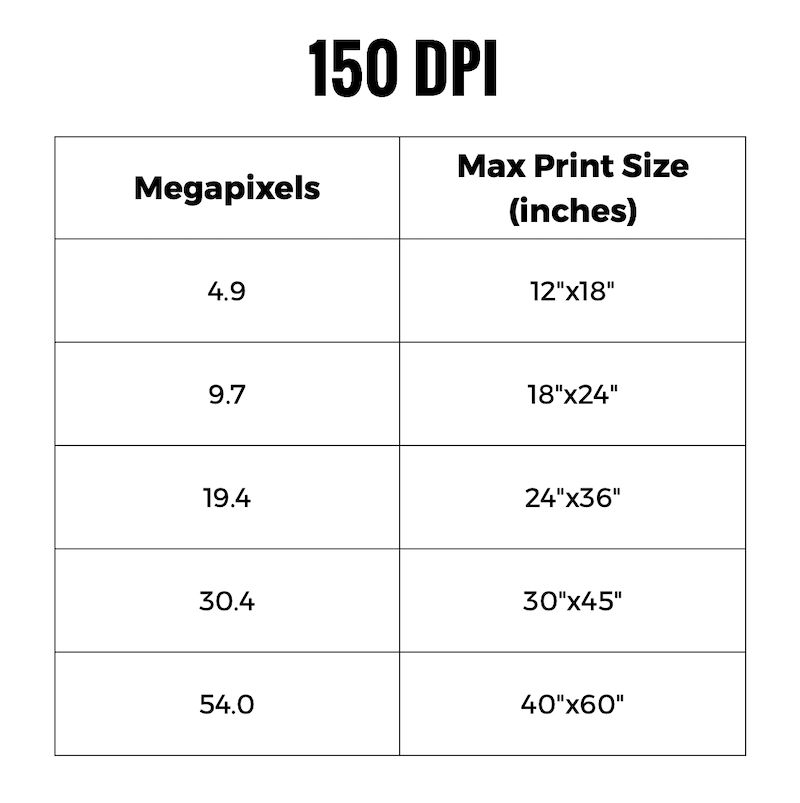
Print size is one of the clearest ways to judge how many megapixels you need for professional photography.
A common target for high-quality prints is 300 pixels per inch, or PPI. You can estimate the needed resolution with this formula:
Print width in inches × 300 × print height in inches × 300 ÷ 1,000,000 = required megapixels
Here are practical examples:
• 8 × 10 inches at 300 PPI requires about 7.2 MP
• 11 × 14 inches at 300 PPI requires about 13.9 MP
• 16 × 20 inches at 300 PPI requires about 28.8 MP
• 20 × 30 inches at 300 PPI requires about 54 MP
A 24 MP camera can create excellent 16 × 20 inch prints when the image is sharp. It can also make larger prints when viewed from a normal distance.
Large prints do not always need 300 PPI. A poster or wall image may be viewed from several feet away. In that case, 150 to 240 PPI can still look very good.
Printing is also affected by paper type, viewing distance, sharpening, and the quality of the file. Do not choose a camera based only on a maximum print calculation.
How Many Megapixels Do You Need for Wedding Photography?
Wedding photographers usually need 20 to 30 megapixels. A 24 MP or 26 MP camera gives enough detail for albums, portraits, invitations, and online galleries.
Weddings bring several challenges:
• Fast movement
• Dim reception halls
• Changing light
• Long shooting days
• Large numbers of images
• Tight deadlines
A 60 MP camera can create beautiful wedding photos, but its large files may slow down culling, editing, backup, and delivery. It may also fill memory cards faster.
For weddings, autofocus, high-ISO quality, dual card slots, battery life, and lens choice often matter more than extreme resolution. A reliable 24 MP camera can be an excellent professional tool.
One practical mistake is buying a high-resolution body and then using slow memory cards or an undersized computer. The camera may be powerful, but the workflow becomes frustrating.

How Many Megapixels Do You Need for Portrait Photography?
Portrait photographers can work well with 24 to 45 megapixels. The best choice depends on whether you create social media portraits, studio campaigns, editorial work, or fine-art prints.
A 24 MP camera captures enough detail for most headshots and family portraits. It also gives a manageable file size and leaves room for skin retouching.
A 45 MP or 61 MP camera may help when:
• You make large beauty or fashion prints
• Clients need heavy crops
• You photograph groups from a distance
• You need to show very fine fabric detail
• You sell detailed wall art
Very high resolution can show every pore and skin texture. That can be useful for commercial work, but it may create more retouching work. In portrait photography, flattering light and careful posing often matter more than an extra 20 megapixels.
I have seen photographers spend too much time comparing resolution charts while ignoring light placement. A simple softbox, correct exposure, and sharp focus usually improve a portrait more than moving from 24 MP to 45 MP.
How Many Megapixels Do You Need for Landscape Photography?
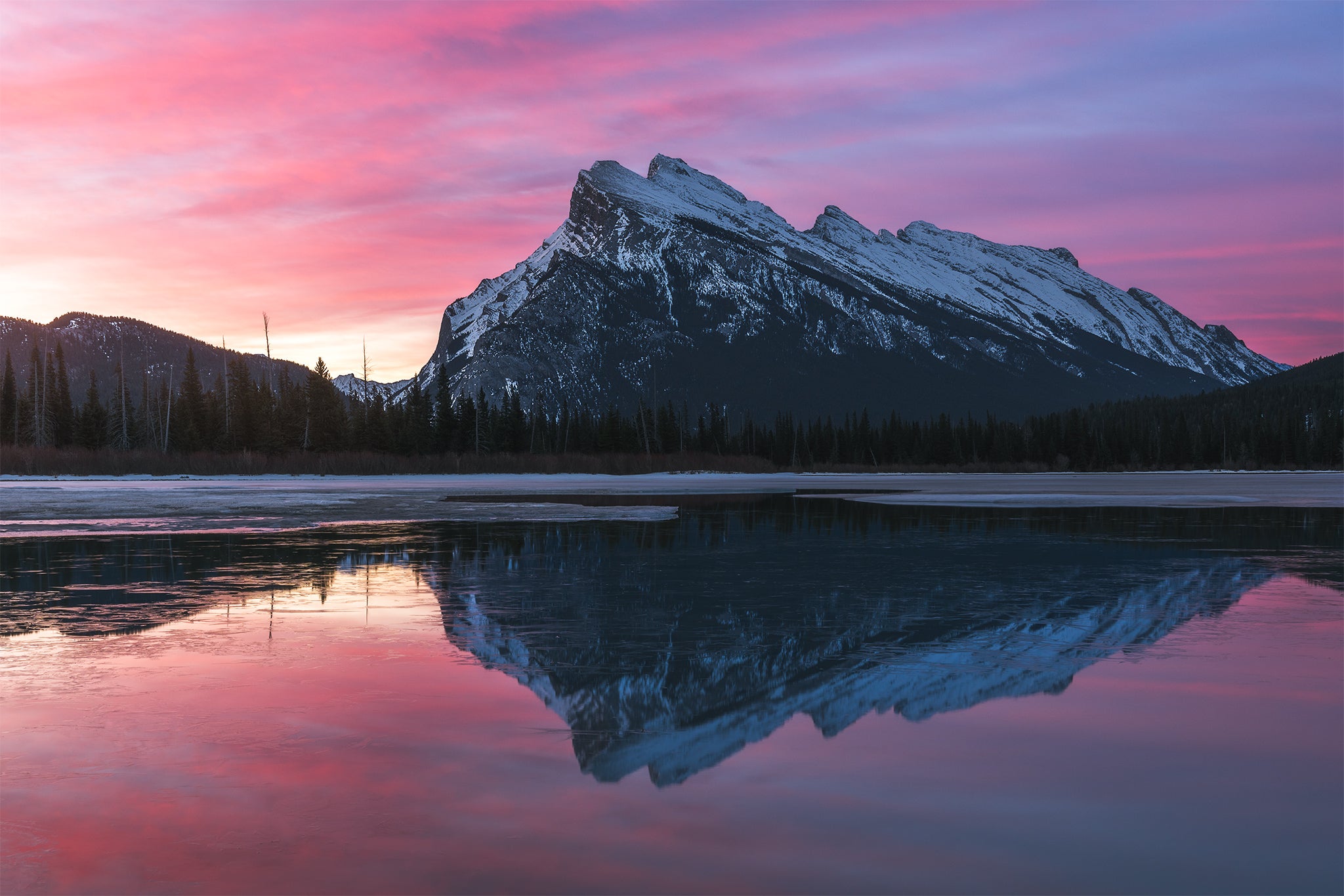
Landscape photographers often benefit from 30 to 60 megapixels. High resolution helps capture distant textures, small foreground details, and broad scenes.
A high-resolution landscape camera is useful when you:
• Print large wall art
• Crop panoramic scenes
• Photograph distant mountains
• Capture fine foliage and rock texture
• Create detailed commercial images
Landscape photography often uses a tripod, low ISO, and careful focus. These conditions allow a high-resolution sensor to show its full potential.
Still, more megapixels are not always better. A 24 MP camera can produce excellent landscapes when paired with a sharp lens and good technique. Panoramic stitching can also create huge files from a lower-resolution camera.
Weather sealing, dynamic range, color depth, and lens quality deserve equal attention. Resolution is only one part of a landscape system.
How Many Megapixels Do You Need for Sports Photography?
Sports photographers often need 20 to 30 megapixels. Fast autofocus, high frame rates, buffer depth, and low-light performance usually matter more than extreme resolution.
Sports action moves quickly. You may need to shoot many frames in a short time. A 24 MP file transfers, processes, and stores faster than a 60 MP file.
Higher resolution can help when you sit far from the action. You can crop into a player or moment while keeping enough detail for publication.
However, cropping cannot replace the right lens or position. A 400mm lens, fast shutter speed, and reliable tracking autofocus may improve sports images far more than extra megapixels.
For professional sports work, consider the full camera package:
• Autofocus tracking
• Continuous shooting speed
• Buffer performance
• High-ISO quality
• Weather resistance
• Battery life
• Lens availability
These features often decide whether you get the shot.

How Many Megapixels Do You Need for Commercial and Product Photography?
Commercial and product photographers may need 36 to 100 or more megapixels. The exact need depends on the client, product size, crop requirements, and final use.
Advertising images may appear on packaging, catalogs, websites, posters, and store displays. A high-resolution file gives designers more freedom to crop and resize.
High resolution is especially useful for:
• Jewelry
• Watches
• Luxury goods
• Cars
• Furniture
• Textiles
• Food packaging
• Artwork reproduction
Medium-format cameras with 50 to 100 MP sensors are common in some studio fields. They can capture impressive detail under controlled lighting.
Yet a high-resolution camera cannot fix reflections, dust, poor styling, or uneven lighting. Product photography still depends on careful setup, color accuracy, focus control, and consistent exposure.
If a client only needs 2,000-pixel web images, a 100 MP camera may add cost and labor without adding value. Always ask how the files will be used before choosing equipment.
How Many Megapixels Do You Need for Real Estate Photography?
Real estate photographers usually need 20 to 35 megapixels. This range provides enough detail for websites, brochures, property listings, and moderate-size prints.
Real estate work is often viewed on phones, tablets, and computers. Those screens display far fewer pixels than a modern camera can record.
Other features may matter more:
• Wide-angle lens quality
• Low-light performance
• Dynamic range
• Bracketing options
• Fast workflow
• Straight vertical lines
• Reliable color
A 24 MP camera can handle most property work with ease. A high-resolution body may help for luxury homes or large printed brochures, but it is rarely essential for standard listings.
Good technique remains vital. Straight lines, balanced exposure, clean windows, and natural color make a property image look professional.
Does More Megapixels Mean Better Low-Light Photos?
More megapixels do not automatically mean better low-light performance. In some cases, a lower-resolution sensor may produce cleaner files at high ISO because its pixels are larger.
Pixel size is only part of the story. Sensor design, image processing, exposure, lens aperture, and noise reduction also affect low-light results.
Modern high-resolution cameras can still perform very well in dim conditions. Their full-resolution files may show more noise, but downsampling the image can reduce visible noise and create a clean final image.
For low-light photography, look beyond megapixels. Check real sample images, high-ISO tests, autofocus behavior, and the lenses available for the system.
A fast f/1.4 or f/1.8 lens may help more than a higher-resolution body. Better light placement can help even more.
The Role of Cropping in Professional Photography
Cropping is one of the strongest reasons to choose more megapixels. A crop removes part of the original image, so the remaining area contains fewer pixels.
For example, cropping a 24 MP image to half its width and height leaves about 6 MP. That may still work for a small web image, but it gives less freedom for large prints.
A 45 MP image cropped in the same way leaves about 11 MP. This can provide more useful detail for a print or publication.
Cropping helps when:
• The subject moves unexpectedly
• You use a prime lens and cannot zoom
• The scene includes unwanted edges
• You photograph wildlife or sports
• A client needs several image layouts
But cropping has limits. It does not restore detail that was never captured. Heavy cropping may reveal blur, noise, compression, or poor focus.
The best approach is to frame the subject well first. Use extra resolution as a safety net, not as a substitute for careful composition.
Megapixels, Lenses, and Sensor Quality
A camera sensor records what the lens projects. If the lens is soft, the sensor cannot create missing detail.
A high-resolution camera works best with a sharp lens, stable technique, and accurate focus. Cheap filters, dirty glass, heat shimmer, and camera movement can all reduce detail.
Sensor size also matters. A 24 MP full-frame sensor and a 24 MP Micro Four Thirds sensor have different pixel sizes and image characteristics. The number alone does not tell the full story.
Pay attention to:
• Sensor size
• Lens sharpness
• Dynamic range
• Color response
• Autofocus accuracy
• Image stabilization
• In-camera processing
• RAW file quality
When comparing cameras, examine real photographs rather than relying only on specifications. A resolution chart can show technical detail, but real work reveals how the camera handles skin, shadows, movement, and mixed light.
RAW Files, JPEG Files, and Storage Needs
Higher megapixel cameras create larger files. RAW files preserve more editing information, but they use more storage than JPEG files.
A 24 MP RAW file may be around 25 to 40 megabytes, depending on the camera and compression. A 60 MP RAW file may be much larger. File size varies by brand, bit depth, and file format.
Large files affect:
• Memory card capacity
• Computer speed
• Backup time
• Cloud storage cost
• Editing performance
• Delivery time
Professional photographers should follow a backup plan. Keep at least three copies of important work, use two types of storage, and keep one copy in a separate location.
Do not forget video. A camera with high-resolution stills may also create large video files. Storage planning should include both photo and video work.
A smaller file that moves through your workflow quickly may be more valuable than a larger file that slows every stage.
How to Choose the Right Megapixel Camera
Use your actual work to decide how many megapixels you need for professional photography. Start with the final image, not the camera catalog.
Follow these steps:
-
List the types of work you do most often.
-
Measure the largest print your clients request.
-
Estimate how often you crop heavily.
-
Check how much storage your current files use.
-
Compare autofocus, dynamic range, and high-ISO results.
-
Review the cost of lenses, cards, computers, and backup drives.
-
Rent or test the camera before buying when possible.
A 24 MP camera is often the most balanced choice. A 33 to 45 MP model gives more crop and print flexibility. A 60 MP or higher camera makes sense when large output and extreme detail are central to your business.
Do not buy extra resolution only because it sounds professional. Choose the feature that solves your biggest limitation.
Common Megapixel Mistakes to Avoid
Many photographers focus on megapixels because the number is easy to compare. That can lead to expensive mistakes.
Avoid these common errors:
• Assuming more megapixels always mean sharper photos
• Ignoring lens quality
• Forgetting the cost of storage
• Buying a high-resolution camera for small online images
• Using slow shutter speeds with a dense sensor
• Cropping heavily instead of moving closer
• Overlooking autofocus and dynamic range
• Choosing a camera without testing the full workflow
Another mistake is judging files at extreme screen magnification. At 200 or 400 percent, nearly every image can reveal flaws. Clients usually view photos at normal sizes, in albums, on screens, or on walls.
Judge the camera by the final product. If clients love the images and the files meet their needs, the megapixel count is doing its job.
A Practical Recommendation by Budget
If you are starting a professional photography business, a 24 MP full-frame camera is often a strong foundation. It balances image quality, speed, cost, and storage.
With a larger budget, a 33 to 45 MP body can offer useful flexibility for portraits, weddings, landscapes, and commercial work. It is a good middle ground for photographers who want extra cropping power without moving to very large files.
A 60 MP or higher system is best for specialized work. Consider it for studio portraits, fashion, product photography, artwork reproduction, and large fine-art prints.
Your budget should also cover:
• Professional lenses
• Spare batteries
• Memory cards
• Lighting
• Backup drives
• Insurance
• Calibration tools
• Editing software
A balanced kit usually produces better business results than an expensive camera body with limited lenses and weak backup systems.
Frequently Asked Questions About How Many Megapixels Do You Need for Professional Photography
Is 24 megapixels enough for professional photography?
Yes, 24 megapixels is enough for most professional photography. It supports high-quality prints, client galleries, editorial work, weddings, portraits, events, and real estate images.
Is 36 megapixels enough for professional photography?
Yes, 36 megapixels gives strong detail and useful cropping room. It is a good choice for landscape, portrait, commercial, and large-print work.
Do professional photographers need 50 megapixels?
Most professionals do not need 50 megapixels. This level is useful for heavy cropping, large prints, studio work, product photography, and highly detailed commercial images.
Are more megapixels better for wedding photography?
Not always. Wedding photographers often benefit more from autofocus, high-ISO quality, fast operation, battery life, and reliable storage than from extreme resolution.
How many megapixels do I need for large prints?
For a sharp 16 × 20 inch print at 300 PPI, about 29 megapixels is ideal. Larger prints can use fewer pixels when viewed from farther away, so a 24 MP camera can still create impressive wall art.
Do megapixels matter for social media photography?
Megapixels matter less for social media because platforms resize images. A 16 to 24 MP camera is usually more than enough when the photo is sharp and well exposed.
Can a high-megapixel camera improve cropping?
Yes, a high-megapixel camera gives you more pixels after cropping. It helps when you cannot get close to the subject, but it cannot fix missed focus, motion blur, or poor lens quality.
Conclusion
For most professionals, 20 to 30 megapixels is the practical sweet spot. A 24 MP camera can handle weddings, portraits, events, sports, real estate, and many commercial jobs with excellent results.
Choose 33 to 45 megapixels when you need more cropping freedom or larger prints. Choose 60 megapixels or more only when your clients and final output truly require extreme detail.
The answer to how many megapixels do you need for professional photography starts with your work, not a specification sheet. Review your print sizes, cropping habits, workflow, and client needs, then choose a camera that supports the whole process. Test your options, invest in good lenses, and keep improving your technique.

Everett Ashford is a tech reviewer at mytechgrid.com specializing in SSDs, cameras, TVs, earbuds, headphones, and other consumer electronics. He provides honest, data-driven reviews based on hands-on testing and real-world performance analysis. Everett simplifies complex tech details to help readers make smart, confident buying decisions.