The most comfortable wireless earbuds for small ears are Google Pixel Buds Pro 2, Sony WF-C700N, and Samsung Galaxy Buds FE.
Finding earbuds that stay put without pain can feel like solving a tiny puzzle. The best choices for small ears have compact shells, extra-small ear tips, gentle pressure, and a secure fit that does not need constant adjustment. This guide explains what are the most comfortable wireless earbuds for small ears, how to choose the right pair, and which models deserve your attention.

What makes wireless earbuds comfortable for small ears?
Small ears need earbuds that fit inside the ear rather than pushing against the outer cartilage. A large earbud may sound excellent, yet still cause soreness after 20 minutes. Comfort depends on shape, weight, ear tip size, and how evenly the bud spreads pressure.
The most comfortable wireless earbuds for small ears usually share these features:
• A compact body that does not press on the antihelix or concha
• Extra-small silicone ear tips
• A short nozzle that does not sit too deep
• A light design, often under 6 grams per earbud
• A stable fit that does not depend on strong clamping pressure
• Several tip sizes or optional ear wings
• Smooth edges without sharp seams
Ear anatomy varies a great deal. One person may love a round earbud, while another may need a flatter design. Even left and right ears can have different shapes, so comfort testing matters more than brand loyalty.
In-ear comfort versus stability
A loose earbud can feel comfortable at first but become irritating when it shifts. Your ear muscles then work to hold it in place. This can create pressure and soreness, especially during walks or workouts.
A secure earbud should sit like a small cork in a bottle. It should seal the opening without being forced deep inside. If you need to push it in firmly, the shape or tip size is probably wrong.
Why ear tips matter
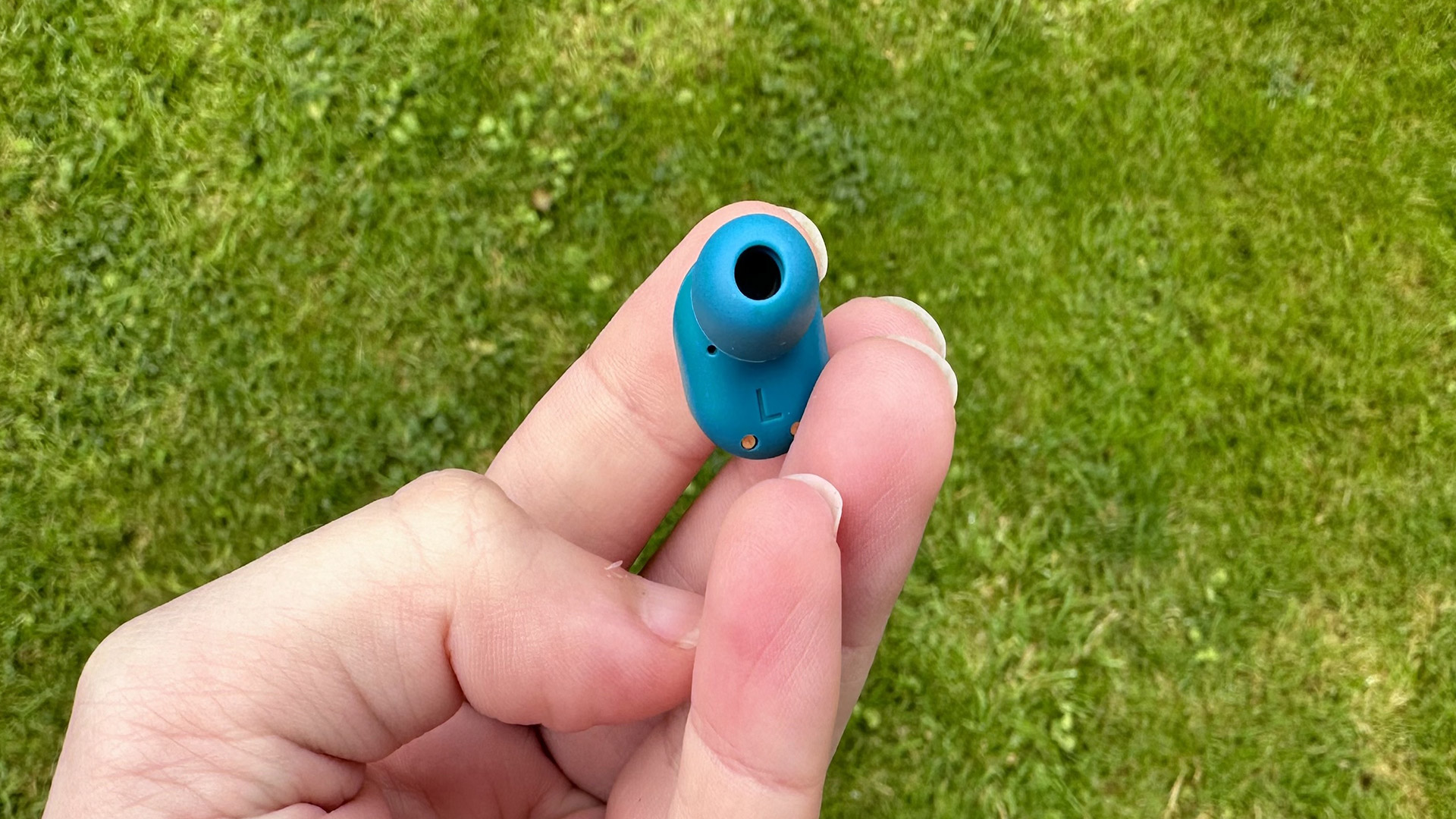
Ear tips form the seal that controls both comfort and sound. A tip that is too large creates pressure. A tip that is too small may leak sound and force you to raise the volume.
Try each size for at least 10 minutes. Turn your head, speak, smile, and walk around. The right tip should stay in place without making your ears feel plugged or sore.
The most comfortable wireless earbuds for small ears
The best model depends on your phone, budget, listening habits, and need for noise cancellation. These picks cover different needs, from all-day comfort to exercise and phone calls.
Google Pixel Buds Pro 2: Best overall comfort
The Google Pixel Buds Pro 2 have a smaller, lighter shape than the first Pixel Buds Pro. Their rounded design sits neatly in many smaller ears, and the included tip sizes help create a gentle seal.
They are a strong choice for Android users who want active noise cancellation, transparency mode, multipoint support, and clear calls. Their small stabilizer helps keep the earbuds in place without the firm pressure of large ear wings.
Choose them if you want:
• A compact premium earbud
• Strong noise reduction for travel and offices
• A light fit for long listening sessions
• Easy pairing with Android phones
The main limitation is that comfort remains personal. Some users may still prefer a shallower earbud, especially if they dislike the plugged-up feeling caused by sealed tips.
Sony WF-C700N: Best lightweight option
The Sony WF-C700N is one of the easiest models to recommend for small ears. Its body is compact and light, with a rounded surface that avoids the bulky feel of many premium earbuds.
It offers active noise cancellation, ambient sound mode, a simple companion app, and a warm sound profile. Battery life is not class-leading, but the smaller design can be a better trade-off for people who value comfort over maximum features.
This model works well for:
• Small ears that reject large earbuds
• Podcasts, music, and daily commuting
• Users who want noise cancellation at a lower price
• People who dislike heavy pressure in the ear
The case and battery capacity are more modest than those of some newer competitors. Still, the comfortable shell makes it a practical choice for long workdays.
Samsung Galaxy Buds FE: Best for Samsung users
The Galaxy Buds FE use small ear tips and a stabilizing wing design. The wings can help the earbuds stay secure without requiring a tight fit. Samsung includes multiple sizes, which is useful for people who need extra-small options.
They are especially appealing to Galaxy phone owners because of features such as fast pairing, device switching, and access to Samsung’s wearable app. The sound is lively, and noise cancellation is useful in normal city settings.
Consider them if you want:
• A secure fit for walking or light exercise
• A lower-cost Samsung option
• Helpful ear wings
• Easy control through a Galaxy phone
The wings may not suit every ear. If your outer ear is very sensitive, the added contact point could cause discomfort after several hours.
Apple AirPods Pro 2: Best for iPhone users
AirPods Pro 2 remain a flexible choice for people with small ears, mainly because Apple includes four ear tip sizes. The extra-small tips can solve fit problems that occur with standard AirPods.
Their stem design makes them easy to remove and adjust. They also offer strong noise cancellation, a useful transparency mode, excellent Apple device integration, and reliable call performance.
They are a good fit for:
• iPhone, iPad, and Mac users
• People who need extra-small silicone tips
• Frequent travelers
• Users who want simple controls and strong transparency mode
AirPods Pro 2 may still feel too large for some ears. The best result often comes from trying the extra-small tips and inserting the earbuds with a slight twist rather than pushing them straight in.
Jabra Elite 8 Active: Best for secure movement
The Jabra Elite 8 Active is built for people who move. Its outer coating adds grip, while the compact shape helps it remain stable during exercise. The fit is secure without using a large ear hook.
This model is useful for walking, gym sessions, and outdoor workouts. It also has strong resistance to water and dust compared with ordinary lifestyle earbuds. Exact protection ratings can vary by model and use, so follow the care instructions rather than treating any earbud as indestructible.
The main drawback is size. Although it is smaller than many sport earbuds, some people with very small ears may find the outer shell noticeable.
Soundcore Space A40: Best value for long listening
The Soundcore Space A40 is a strong budget pick for people who want comfort and long battery life. Its smooth, rounded shell avoids sharp pressure points, and the small tips work well for many ear shapes.
It offers active noise cancellation, a customizable equalizer, and a relaxed sound profile. The case is larger than the earbuds, but the buds themselves are light enough for extended listening.
Choose it if you want:
• Good value
• Long battery life
• Adjustable noise cancellation
• A comfortable shape for work or study
Call quality is not as polished as on some premium models. Still, it offers a lot for the price and is often a better comfort choice than cheaper earbuds with oversized shells.

Quick comparison of comfortable earbuds for small ears
| Earbuds | Best for | Main comfort strength | Main limitation |
|---|---|---|---|
| Google Pixel Buds Pro 2 | Android users | Small, light shell | Premium price |
| Sony WF-C700N | Everyday listening | Very light design | Shorter battery life |
| Samsung Galaxy Buds FE | Secure fit | Stabilizing wing | Wings may bother sensitive ears |
| Apple AirPods Pro 2 | iPhone users | Extra-small tip option | Can still feel bulky for some ears |
| Jabra Elite 8 Active | Exercise | Strong grip and stability | Outer shell may feel noticeable |
| Soundcore Space A40 | Budget buyers | Smooth, light shape | Average call quality |
No single pair is perfect for every small ear. The table is a starting point, not a promise. Fit depends on the shape of your ear canal and outer ear, so buy from a retailer with a clear return policy when possible.
How to choose the most comfortable wireless earbuds for small ears
Comfort should be your first filter. Features such as spatial audio and high-resolution streaming matter less if the earbuds hurt before your favorite playlist ends.
Check the weight
A lighter earbud usually creates less pull on the ear. Weight alone does not decide comfort, but it helps. A poorly shaped 4-gram earbud can feel worse than a well-shaped 6-gram model.
Look for a design that spreads contact across the ear instead of hanging from one small spot. A long stem may help some users, while a round bud may work better for others.
Look for extra-small ear tips
Extra-small tips are essential for many people with narrow ear canals. Some brands include them in the box, while others sell replacement sets separately.
Avoid assuming that the smallest tip is always best. It should seal the canal without slipping. If bass sounds weak or outside noise remains loud, try one size up.
Consider ear wings carefully
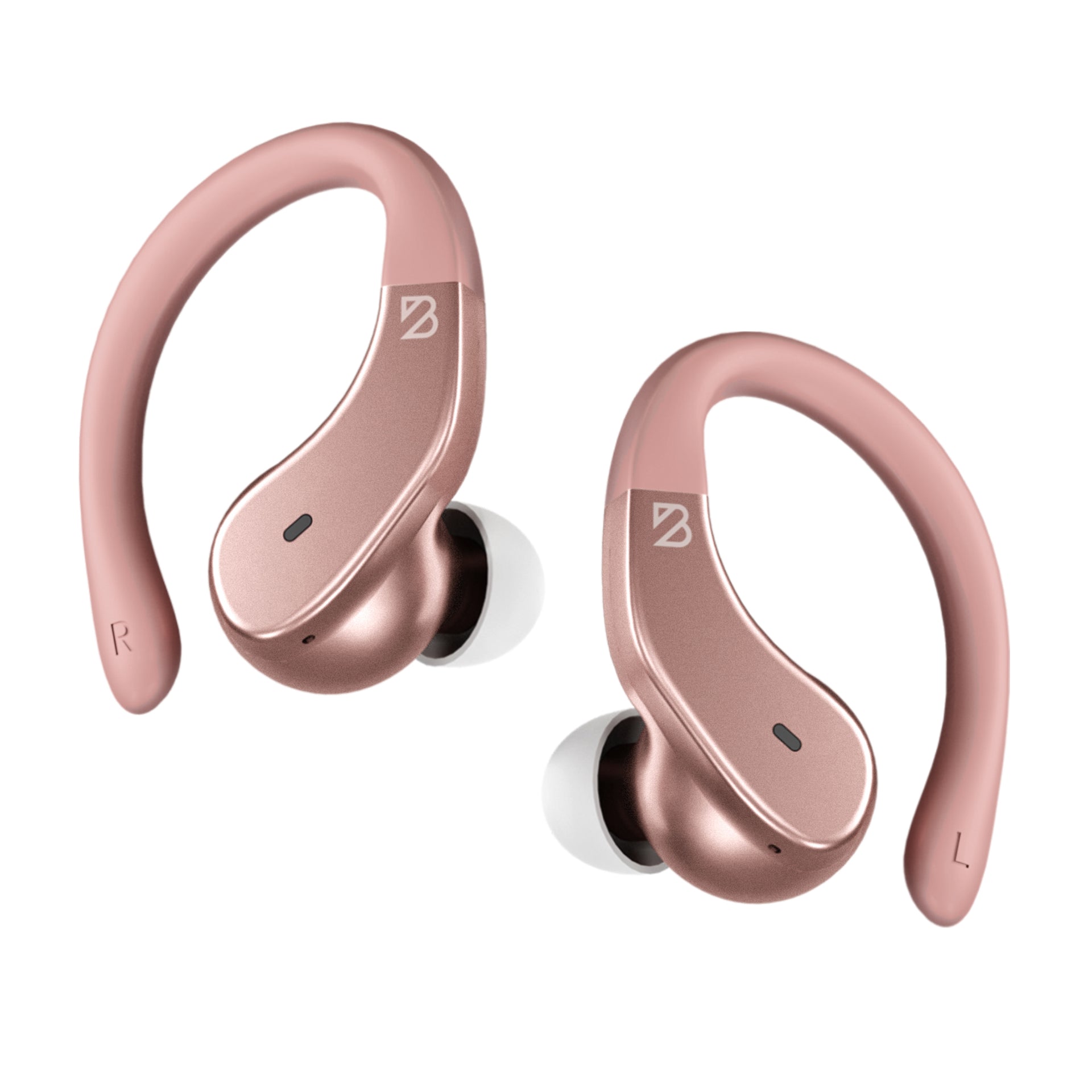
Ear wings can improve stability during exercise. They press into the outer folds of the ear and stop the bud from rotating.
However, an ear wing adds another contact point. If your ears become sore near the upper cartilage, a smooth earbud without wings may be more comfortable for daily use.
Inspect the nozzle length
A long nozzle reaches deeper into the ear canal. This can create a strong seal, but it may also cause pressure or irritation.
For small ears, a short or medium nozzle often works better. The earbud should seal near the entrance rather than sit deep inside.
Test the controls
Touch controls can cause discomfort if a tap pushes the earbud farther inward. Physical buttons may be easier to use, but they can also create pressure when pressed.
Try the controls while wearing the earbuds. If every button press makes the bud move, use a model with lighter touch controls or a stem that you can grip.
Think about glasses, masks, and hats
Glasses rarely cause the same conflict as over-ear headphones, but earbud stability can change when you wear glasses, a mask, or a winter hat. The extra movement may push a loose earbud out of place.
Test your earbuds with the items you use every day. A comfortable fit at home may not feel the same during a commute.
How to fit wireless earbuds correctly
Even the most comfortable wireless earbuds for small ears can hurt when inserted at the wrong angle. A few simple steps can improve both comfort and sound.
-
Clean the ear tips with a dry, soft cloth.
-
Start with the smallest tip if your ear canal is narrow.
-
Open your mouth slightly to relax the ear canal.
-
Insert the earbud at a gentle angle.
-
Twist it slightly until it feels stable.
-
Do not push it farther in to improve the bass.
-
Walk around for 10 to 15 minutes before judging the fit.
The right earbud should stay in place when you turn your head. It should not create sharp pain, pressure, itching, or numbness. Mild awareness is normal, but growing discomfort is a clear warning to stop and change the tip or model.
Use the seal test
Many companion apps offer a fit test. Use it when available, but do not trust the result alone. A seal test checks sound leakage, not every type of physical discomfort.
Play a familiar song at a low volume. If the bass sounds full and outside noise is reduced, the seal may be good. If you need to increase volume to hear detail, try another tip size.
Do not wear them through pain
Pain is not a break-in period. Unlike shoes, earbuds should not need days of suffering before they feel right.
Remove them if you notice soreness, ringing, itching, discharge, or reduced hearing. Persistent symptoms deserve advice from a qualified health professional. Also, clean the tips often because moisture and earwax can affect comfort and hygiene.

Noise cancellation, sound quality, and comfort
Active noise cancellation can make earbuds feel more comfortable because you do not need to raise the volume in a noisy place. It uses microphones and electronic processing to reduce outside sound, especially steady noise from buses, planes, and air conditioners.
Noise cancellation does not fix a poor physical fit. If the earbud presses on your cartilage, turning on ANC will not solve the problem. In some cases, ANC can create a pressure-like feeling, although the sensation is often caused by the sealed ear tip rather than actual air pressure.
A comfortable fit also improves sound quality. When the seal is correct:
• Bass sounds fuller
• Voices sound clearer
• You can listen at a lower volume
• Noise cancellation works more effectively
• The earbuds are less likely to shift
Hearing experts commonly advise keeping personal audio at a moderate level and taking breaks. The World Health Organization recommends safe listening habits, including lowering volume and limiting long exposure. Comfort should never encourage you to listen loudly for hours without rest.
Common mistakes to avoid
Buying the most expensive earbuds does not guarantee comfort. Many shoppers focus on sound tests, codec support, or battery life and forget that the earbud must physically fit.
Avoid these mistakes:
• Choosing standard AirPods when you need a sealed in-ear design
• Using large tips because they seem more secure
• Pushing earbuds deep into the canal
• Ignoring pain because the earbuds sound good
• Wearing one model in both ears when your ears need different tips
• Testing comfort for only two minutes
• Buying without checking the return policy
• Cleaning earbuds with too much liquid
In my own hands-on testing of small-ear designs, the most common mistake was using a tip that was too large. It made the earbuds feel secure at first, but the pressure became distracting after about half an hour. Switching to a smaller tip often helped more than changing the entire earbud.
Another lesson was that movement changes everything. A pair that felt perfect while sitting at a desk could loosen during a brisk walk. Always test your final choice in the setting where you plan to use it.

How to care for earbuds and protect comfort
Earwax, sweat, and dust can collect on the tips and speaker mesh. This buildup can make earbuds feel sticky, reduce sound, and force you to adjust them more often.
Use a dry microfiber cloth for the outer shell. Remove silicone tips and wash them with mild soap and water if the manufacturer allows it. Let them dry fully before putting them back on the earbuds.
Keep these habits:
• Wipe earbuds after workouts
• Let them dry before placing them in the case
• Clean the charging contacts gently
• Do not share ear tips without cleaning them
• Replace damaged or stretched tips
• Store the earbuds in their case
Avoid sharp tools near the speaker mesh. A pin can damage the acoustic filter and create a problem that cleaning cannot fix.
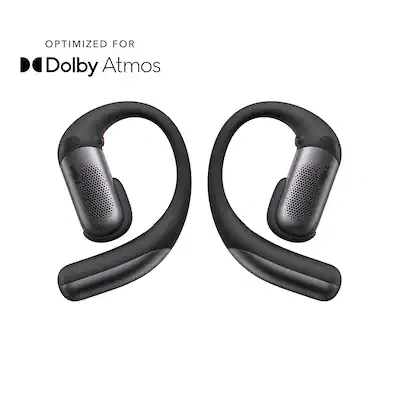
Are open-ear earbuds better for small ears?
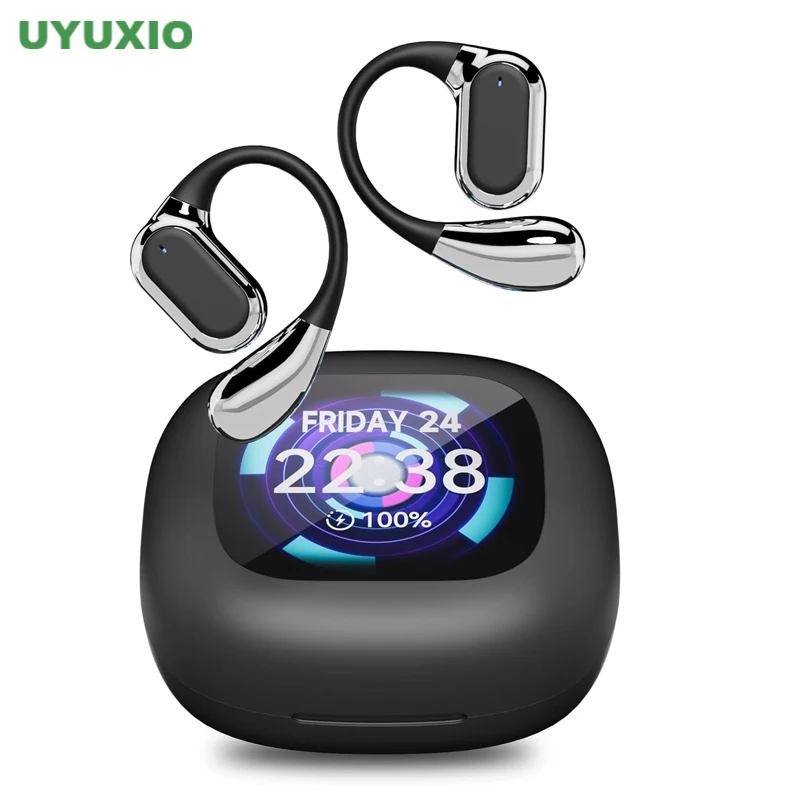
Open-ear earbuds do not seal the ear canal. They rest near the ear and send sound toward it, often through directional speakers or bone conduction. This design can feel more comfortable for people who dislike pressure inside the canal.
They are useful for outdoor walks because you can hear traffic and other surroundings. However, they usually provide less bass and little or no traditional noise cancellation. They may also leak sound in quiet spaces.
Open-ear models are worth considering if:
• In-ear tips cause irritation
• You need to hear people around you
• You use earbuds for outdoor awareness
• You dislike the plugged feeling of sealed earbuds
They are not automatically better for small ears. Some open-ear designs use hooks that may press against the outer ear. Try the shape before making a decision.
Frequently Asked Questions
What are the most comfortable wireless earbuds for small ears?
The Google Pixel Buds Pro 2, Sony WF-C700N, and Samsung Galaxy Buds FE are strong choices for many people with small ears. Apple AirPods Pro 2 are also worth considering because they include extra-small ear tips.
Are smaller earbuds always more comfortable?
No. A small earbud can still hurt if its nozzle is too long or its edges press on the cartilage. Shape, tip size, weight, and fit stability matter as much as overall dimensions.
Which wireless earbuds have the smallest ear tips?
Apple AirPods Pro 2, Samsung Galaxy Buds FE, Sony WF-C700N, and several Soundcore models include small or extra-small tips. Tip sizes can differ by generation, so check the package details before buying.
Why do my wireless earbuds hurt after 30 minutes?
The tips may be too large, the earbuds may sit at the wrong angle, or the outer shell may press on your cartilage. Try a smaller tip, adjust the angle, or choose a model with a different shell shape.
Are ear wings good for small ears?
Ear wings can improve stability during exercise, but they are not comfortable for everyone. They may help if earbuds slip out, yet cause irritation if your outer ear is sensitive.
Can wireless earbuds damage your ears?
Earbuds can contribute to hearing problems when used too loudly or for too long. They may also irritate the skin if they are dirty or worn through pain, so keep the volume moderate, take breaks, and clean the tips.
Should I use noise cancellation with small earbuds?
Yes, if the fit is comfortable. Noise cancellation can reduce the need to raise the volume, but it cannot correct a poor fit or pressure from an oversized earbud.
Conclusion
The most comfortable wireless earbuds for small ears have a light body, short nozzle, soft extra-small tips, and a shape that stays secure without pressure. Google Pixel Buds Pro 2 are a strong premium pick, Sony WF-C700N offers excellent lightweight comfort, and Samsung Galaxy Buds FE adds useful stability at a lower price. AirPods Pro 2 remain a practical option for iPhone users who need extra-small tips.
Start by checking the fit, not the feature list. Test each tip size, walk around for at least 10 minutes, and stop using any earbud that causes pain or irritation. Compare these models through a retailer with a good return policy, then share your experience or explore more audio guides before making your final choice.

Everett Ashford is a tech reviewer at mytechgrid.com specializing in SSDs, cameras, TVs, earbuds, headphones, and other consumer electronics. He provides honest, data-driven reviews based on hands-on testing and real-world performance analysis. Everett simplifies complex tech details to help readers make smart, confident buying decisions.