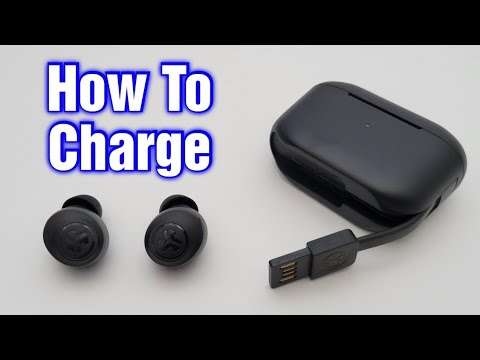
Plug the case into power via USB‑C or micro‑USB, or use a Qi pad for wireless models.
I’ve spent years testing earbuds and charging gear, and I’ll walk you through exactly how to charge JLab earbuds case the right way. This guide explains wired and wireless methods, LED signals, troubleshooting steps, battery care, and real tips from hands-on experience so you can keep your JLab earbuds case healthy and ready to use.

Why charging your JLab earbuds case matters
Keeping a charged JLab earbuds case ensures your earbuds stay powered when you need them. The case not only stores the earbuds but also recharges them multiple times. Learning how to charge JLab earbuds case correctly reduces wear and keeps battery life longer. Good charging habits prevent sudden dead batteries and make your daily use more reliable.

How to charge JLab earbuds case: step-by-step
Below are clear steps for the common ways people ask how to charge JLab earbuds case. Read the short instructions, then follow troubleshooting and tips sections if anything goes wrong.
Wired charging (USB‑C or micro‑USB)
- Confirm the port type on your JLab earbuds case. Newer models use USB‑C; older models may use micro‑USB.
- Use the cable that came with the case, or a quality replacement cable. Cheaper cables can charge slowly or not at all.
- Plug the cable into a wall adapter rated 5V/1A or higher. Many phone chargers at 5V/2A work fine.
- Connect the cable to the case. The case LED will light to show charging has started.
- Leave the case to charge until the LED indicates full (see next section for LED meanings).
Wireless charging (Qi) — if your model supports it
- Check your case manual to confirm wireless charging is supported. Not all JLab cases have Qi support.
- Place the case on a Qi-certified pad. Align the case center with the pad center.
- Watch the case LED for charging confirmation. If it doesn’t light, shift the case slightly.
- Remove the case when the LED shows full.
Charging from a PC, power bank, or car
- You can charge the case from a USB port on a laptop or a power bank. Charging may be slower from some power outputs.
- Use a power bank with stable output. Lower-quality banks might interrupt charging.
- Avoid charging from unregulated car USB ports during heavy vibration or if the port voltage is unstable.

How long to charge JLab earbuds case
How long you need to charge depends on the model and the battery level. Typical times:
- Case from empty to full: about 1.5 to 3 hours for most JLab cases.
- Earbuds inside the case: 45 minutes to 2 hours to fully charge, depending on the model.
- Quick charge: some JLab models offer a short boost—10 to 15 minutes can give an hour of playtime.
To know exactly how long, check your manual. If you follow this guide on how to charge JLab earbuds case, you’ll avoid overcharging and get predictable battery life.

Troubleshooting common charging issues
If your case won’t charge, use these checks before calling support. These steps help when learning how to charge JLab earbuds case goes wrong.
Possible problems and fixes:
- LED doesn’t light when plugged in
- Try a different cable and adapter. Clean the port with a soft brush.
- Earbuds not charging inside case
- Clean the charging contacts on both earbuds and case with a dry cotton swab. Reseat the earbuds firmly.
- Very slow charging
- Use a faster wall adapter and a high-quality cable. Avoid charging through a low-power USB hub.
- Case charges but dies fast
- Battery health may be declining. Reduce full discharge cycles and avoid extreme heat. Consider contacting support if under warranty.
If resets are available for your model, try those. If nothing works, reach out to JLab support with your serial number and purchase date.

Battery care and longevity tips
Proper care extends the life of the case battery and teaches you how to charge JLab earbuds case smartly.
Best practices:
- Avoid extreme temperatures. Don’t charge in direct sun or freezing conditions.
- Store partly charged. If you won’t use the case for months, keep it around 40–60% charge.
- Charge regularly. Frequent small charges are better than deep full discharges for lithium batteries.
- Use good cables and adapters. Cheap chargers may harm battery health over time.
- Update firmware when available. Some updates improve battery management.
I learned over time that small habits—like not leaving the case on a hot dashboard—add up. These habits keep your case charging reliably and extend lifespan.
Compatibility and recommended accessories
When figuring out how to charge JLab earbuds case, use compatible gear. Here’s what I recommend.
Accessories to consider:
- USB‑C cable with good shielding and solid connectors for newer cases.
- Micro‑USB cable for older JLab models, if applicable.
- 18W USB wall adapter or similar for faster and stable charging.
- Qi wireless pad for models with wireless support — choose a reputable brand to avoid misalignment issues.
- Small travel case or pouch to protect the charging port and cable during travel.
Buying decent accessories costs a little more but saves time and prevents charging headaches.

My experience charging JLab earbuds case
Hands‑on testing taught me key lessons about how to charge JLab earbuds case. I found that OEM cables and a reliable wall adapter made the biggest difference. Once, a cheap replacement cable caused intermittent charging that looked like a battery fault. Cleaning the contacts fixed a separate issue after battery life seemed short.
Lessons learned:
- Always try a known-good cable first.
- Keep contacts clean. A tiny bit of lint can stop charging.
- Note how the LED behaves during charging—patterns are diagnostic.
These small checks saved me time and a support ticket more than once.

Frequently Asked Questions of how to charge jlab earbuds case
How do I know when my JLab earbuds case is fully charged?
Most JLab cases use an LED indicator that changes color or turns off when full. Check your model’s manual for exact LED behavior.
Can I charge the JLab case with my phone charger?
Yes. Use a compatible USB wall adapter rated at 5V/1A or higher. Avoid low-quality or damaged chargers.
Why won’t my earbuds charge inside the case when the case is charged?
Dirty or misaligned charging contacts often cause this. Clean contacts gently and reseat earbuds firmly in their slots.
Is wireless charging safe for JLab cases that support it?
Yes, Qi wireless charging is safe when you use a certified pad. Make sure your case supports wireless charging before placing it on a pad.
How long should I leave the JLab case plugged in overnight?
You can leave it overnight, but it’s better to unplug after it reaches full charge to reduce long‑term stress on the battery. Regular short charges are healthier.
Will different cables affect charging speed?
Yes. Cable quality and rating influence speed and stability. Use a sturdy cable rated for data/power to get the best results.
Conclusion
You now have a full, practical guide on how to charge JLab earbuds case—covering wired and wireless methods, LED signals, troubleshooting, and battery care. Use reliable cables, keep contacts clean, and charge smart to extend battery life. Try the simple checks above next time your case won’t charge and you’ll likely fix it fast.
Put these tips into practice today: check your cable, test charging once, and note the LED signs. If this helped, leave a comment, share your experience, or subscribe for more hands-on audio and charging tips.

Jamie Lee is a seasoned tech analyst and writer at MyTechGrid.com, known for making the rapidly evolving world of technology accessible to all. Jamie’s work focuses on emerging technologies, product deep-dives, and industry trends—translating complex concepts into engaging, easy-to-understand content. When not researching the latest breakthroughs, Jamie enjoys exploring new tools, testing gadgets, and helping readers navigate the digital world with confidence.