How To Clean JBL Earbuds: Quick Step-By-Step Guide
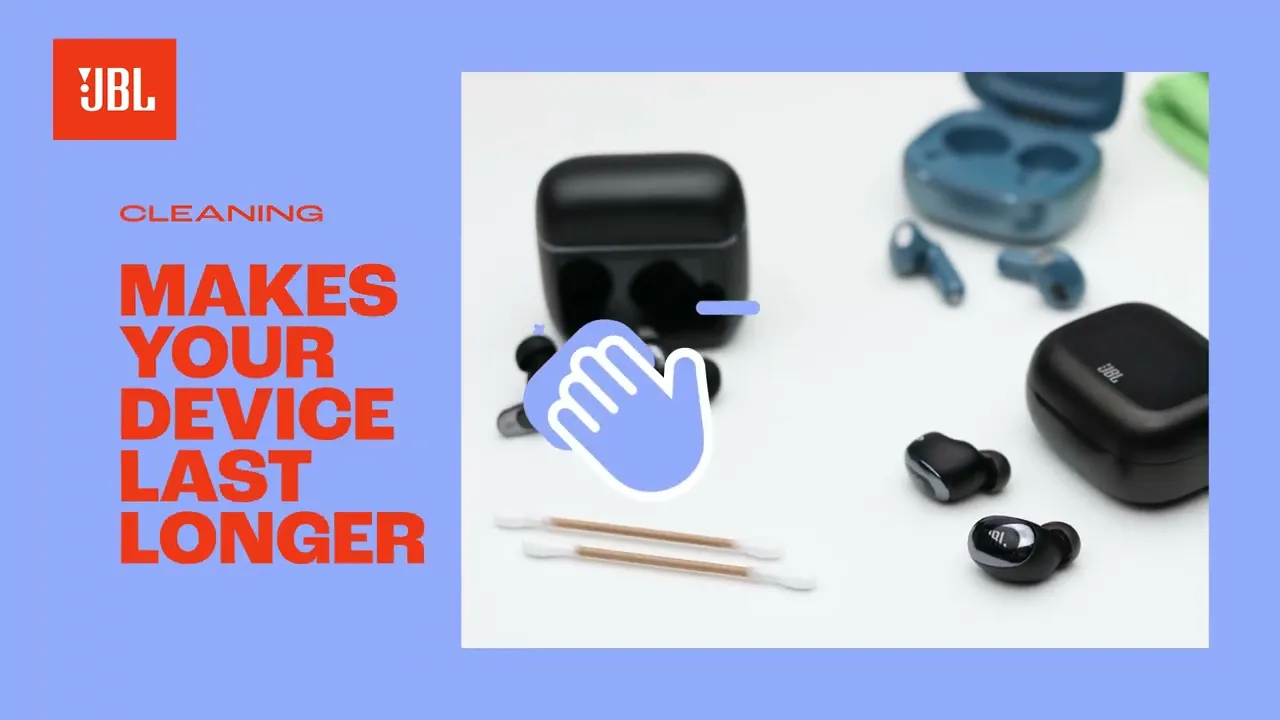
Gently remove dirt with a soft brush and alcohol wipe; dry fully before use to protect sound and electronics.
I’ve cleaned hundreds of earbuds, including many JBL models, and I’ll walk you through clear, safe steps to restore sound and hygiene. This guide explains why cleaning matters, exactly what to use, and how to clean JBL earbuds step-by-step, including tips for ear tips, speaker mesh, and the charging case. Expect practical advice, real-world mistakes I made, and safety best practices so you can keep your earbuds sounding great and lasting longer.

Why clean JBL earbuds and when to do it
Keeping how to clean JBL earbuds in mind protects sound quality and hygiene. Earwax, sweat, dust, and pocket lint block the mesh and change the fit. Regular cleaning stops muffled audio and charging issues.
Cleaning frequency:
- After heavy workouts, clean ear tips and mesh once a week.
- For casual use, clean every 2–4 weeks.
- Deep clean the charging case monthly or if charging contacts look dirty.
Benefits:
- Restores clear sound and bass.
- Prevents skin irritation and ear infections.
- Extends lifespan and improves charging reliability.
Limitations:
- You can’t fully submerge most JBL earbuds. Water damage is real. Follow safe methods to avoid voiding warranty.

What you need before you start
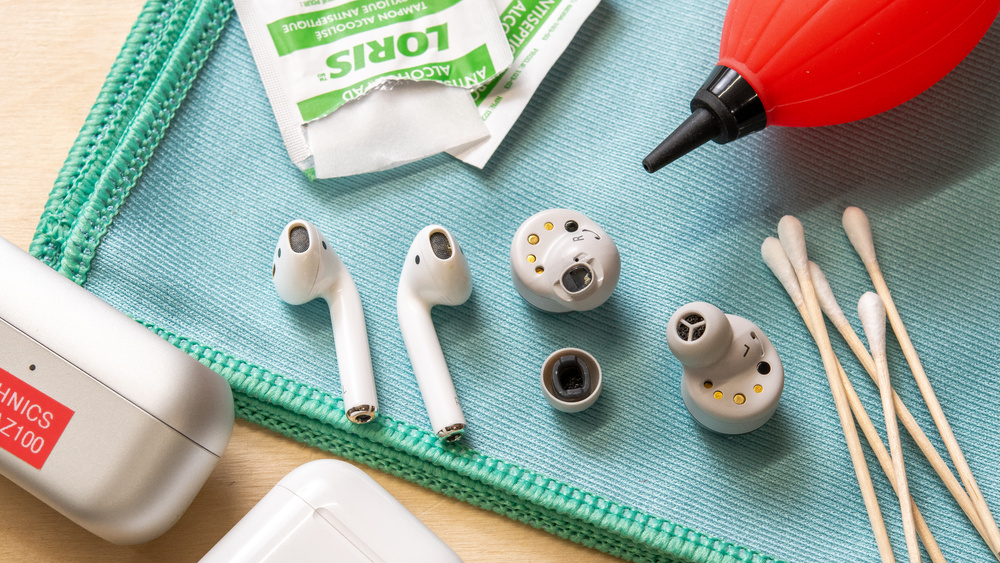
Gather simple tools to safely clean JBL earbuds. Avoid harsh chemicals and large amounts of liquid.
Essential items:
- Soft bristle toothbrush or small soft brush for debris on mesh.
- Cotton swabs for edges and crevices.
- Microfiber cloth to wipe surfaces.
- Isopropyl alcohol 70% or less on a cloth for exterior cleaning.
- Mild soap and water for silicone ear tips.
- Toothpick or wooden stick for stubborn lint, used gently.
Optional items:
- Replacement foam or silicone tips if yours are worn.
- Compressed air on low setting—use sparingly and from a distance.
Step-by-step: how to clean JBL earbuds safely
Follow these steps to clean most JBL true wireless earbuds. I’ll note variations for models with removable tips or fixed foam.
- Power off and disconnect
- Turn off earbuds and put them in the case. Remove from Bluetooth pairing if possible.
- Remove silicone or foam tips
- Gently pull tips off the nozzle. For foam tips, compress before removing to avoid tearing.
- Clean the ear tips
- Wash silicone tips with warm water and mild soap. Rinse and air dry completely.
- For foam tips, follow manufacturer advice—some foam tips can be gently wiped, not washed. Replace if they absorb water.
- Remove visible debris from the mesh
- Use a soft brush to sweep the mesh surface. Brush outward to avoid pushing debris inside.
- Use a dry cotton swab for crevices
- Roll a dry cotton swab around the edge and nozzle. Do not push hard into the mesh.
- Disinfect exteriors
- Lightly dampen a microfiber cloth or cotton pad with 70% isopropyl alcohol and wipe exterior surfaces. Avoid liquid entering openings.
- Final check and drying
- Let parts air dry for at least 10–20 minutes before reassembly. Ensure no moisture remains before charging.
Tips from my experience:
- I once used too much alcohol; it left a strong smell. A lightly dampened cloth is enough.
- If sound stays muffled after cleaning, repeat the brush step gently—wax can be stubborn.

Cleaning the speaker mesh and stubborn earwax
The mesh is the most delicate area when learning how to clean JBL earbuds. Small mistakes here can reduce sound or break seals.
Safe mesh cleaning:
- Start with a soft brush and light strokes away from the mesh center.
- If wax remains, use a slightly dampened cotton swab around the mesh edge, not across it.
- For very stubborn build-up, use a wooden toothpick gently at a shallow angle; don’t dig.
What to avoid:
- No metal picks or sharp objects.
- No strong solvents or soaking the buds.
- No compressed air blasts at close range that can push wax inward.
Cleaning the charging case and charging contacts
How to clean JBL earbuds isn’t complete without the case. Dirty contacts or debris prevent charging and create poor connections.
Case cleaning steps:
- Empty the case and wipe the exterior with a microfiber cloth.
- Use a dry cotton swab to remove lint from the case interior.
- For charging contacts, gently rub with a cotton swab slightly moistened with isopropyl alcohol. Let contacts dry fully.
- Use a soft brush to remove debris from hinge areas and seams.
When to deep-clean the case:
- If earbud LEDs don’t light when docked.
- If charging is intermittent or slow.
- If you see residue or corrosion on contacts.

Deep cleaning and disinfection: when and how
Deep cleaning should be occasional and careful. It’s for when regular cleaning fails or after illness.
When to disinfect:
- After you or someone using the earbuds had a contagious ear infection.
- After heavy sweating or long travel.
How to disinfect safely:
- Use 70% isopropyl alcohol on a cloth for exterior and ear tips (if silicone).
- For silicone tips, you may soak in mild soapy water, rinse, then wipe with alcohol and dry.
- Avoid soaking earbuds or letting disinfectant reach internal components.

Common mistakes and troubleshooting
I learned these the hard way. Avoid them.
Common mistakes:
- Using too much liquid and submerging earbuds.
- Pushing debris deeper with cotton swabs or metal tools.
- Rubbing the mesh aggressively.
Troubleshooting after cleaning:
- Muffled sound: Let dry fully and repeat gentle brush cleaning.
- Earbud not charging: Check and clean the case contacts and ensure dust is removed from charging pins.
- Distorted sound: Confirm silicone tips are seated correctly; wrong fit alters sound.

Maintenance routine to keep JBL earbuds clean
A short routine preserves sound and reduces deep cleaning.
Daily or after use:
- Wipe exterior with a dry microfiber cloth.
- Store earbuds in case when not in use.
Weekly:
- Remove and wash silicone tips if you used them during workouts.
- Brush the mesh lightly.
Monthly:
- Clean case contacts and interior.
- Inspect tips and replace if worn or misshapen.

Personal insights and lessons learned
I’ve cleaned many JBL earbuds for family and friends. Here’s what helped me most.
Personal lessons:
- Small, regular care beats infrequent deep cleans. Prevention saves time.
- Keep a little cleaning kit: a soft brush, cloth, and cotton swabs in a small pouch.
- Replace tips before they fail. Fresh tips improve comfort and sound.
Real example:
- After ignoring buildup on one earbud, I spent 30 minutes carefully coaxing wax out with a soft brush and a toothpick. The sound returned and the earbud lasted another two years.
PAA-style quick questions
What is the safest way to clean earbud mesh?
- Use a soft brush and dry cotton swab, brushing outward gently to avoid pushing debris inside.
Can I use alcohol on JBL ear tips?
- Use 70% isopropyl alcohol sparingly on the exterior and silicone tips, but avoid soaking foam tips.
Will cleaning improve charging issues?
- Yes. Cleaning the charging contacts and removing debris from the case often restores proper charging.
How often should I deep clean the earbuds?
- Deep clean when regular cleaning doesn’t fix sound or after illness; otherwise monthly or as needed.
Frequently Asked Questions of how to clean jbl earbuds
How often should I clean my JBL earbuds?
Clean ear tips weekly with heavy use and every 2–4 weeks for regular use. Deep clean the case monthly or when charging problems appear.
Can I wash JBL silicone tips with water?
Yes. Wash silicone tips with mild soap and warm water, rinse, and air dry completely before reattaching.
Is it safe to use alcohol on the earbuds?
Use 70% isopropyl alcohol lightly on cloths for exterior cleaning, but avoid getting liquid into mesh or ports.
What if my JBL earbuds sound muffled after cleaning?
Dry them fully and repeat gentle brushing of the mesh. Avoid aggressive poking that could push debris deeper.
Can I use compressed air to clean JBL earbuds?
Use compressed air sparingly from a distance. High pressure can force debris inside or damage delicate parts.
How do I clean foam tips on JBL earbuds?
Check manufacturer guidance. Many foam tips should not be soaked; wipe gently and replace when worn.
Will cleaning void the warranty?
Normal, careful cleaning following manufacturer guidelines should not void warranty. Avoid disassembly and submersion.
Conclusion
Cleaning JBL earbuds is simple, safe, and worth the small effort. Regular care—soft brushing, gentle wiping, and timely tip replacement—keeps sound clear and extends life. Start a short cleaning routine today: gather a soft brush, cloth, and cotton swabs, and spend five minutes weekly to protect your earbuds and ears. Want more tips or model-specific steps? Leave a comment or subscribe for guides on popular JBL models and troubleshooting.

Everett Ashford is a tech reviewer at mytechgrid.com specializing in SSDs, cameras, TVs, earbuds, headphones, and other consumer electronics. He provides honest, data-driven reviews based on hands-on testing and real-world performance analysis. Everett simplifies complex tech details to help readers make smart, confident buying decisions.