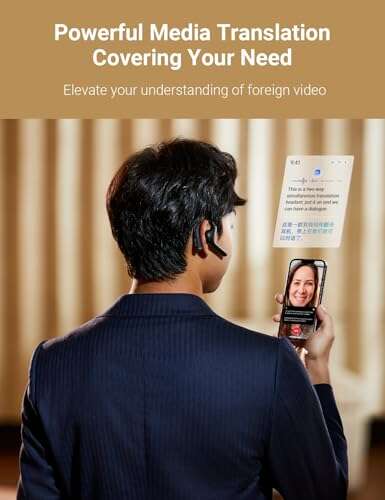
A solid, pocket-sized AI interpreter that makes real-time bilingual talks easy and usable.
You’re at a trade show or a business dinner. Someone speaks a language you don’t know. You fumble with apps, miss cues, and the conversation stalls. Devices that translate as people speak are supposed to fix that. The Timekettle W4 aims to let you listen and respond naturally, without awkward delays or constant app tapping. I tested it in meetings, calls, and quick street chats to see if it really feels like a seamless travel tool or just another gadget.

Is Timekettle W4 Good?
The short verdict: yes—especially for travelers and business people who need fast, two-way voice translation.
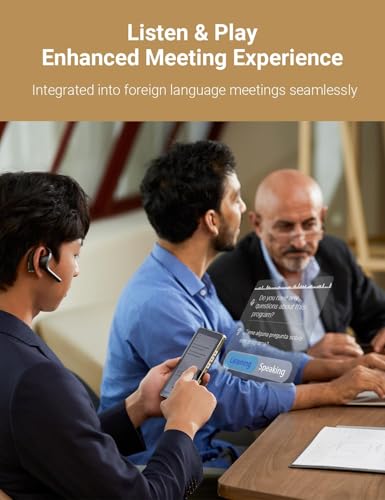
I’ll be direct. The Timekettle W4 works. It translates in near real time for many language pairs. For me, it shined during two moments. First, at a conference where I needed live back-and-forth with a Japanese partner, the earbuds kept the flow smooth and natural. Second, on a client call with Spanish speakers, the phone-call translation feature let me stay present instead of typing. It’s not flawless in noisy bars or for heavy accents, but for meetings, travel, and calls it’s a useful tool. If you speak slowly and clearly, the W4 often gets it right. If you need perfect transcription or legal-grade accuracy, consider a specialist service. Overall, Timekettle W4 is a strong everyday interpreter for non-experts.

My First Impression for Timekettle W4
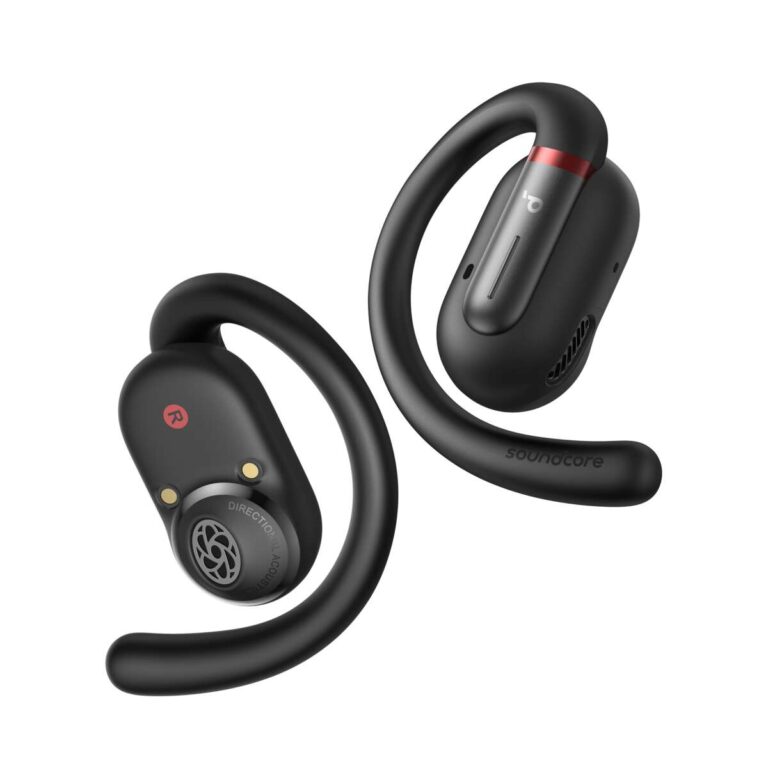
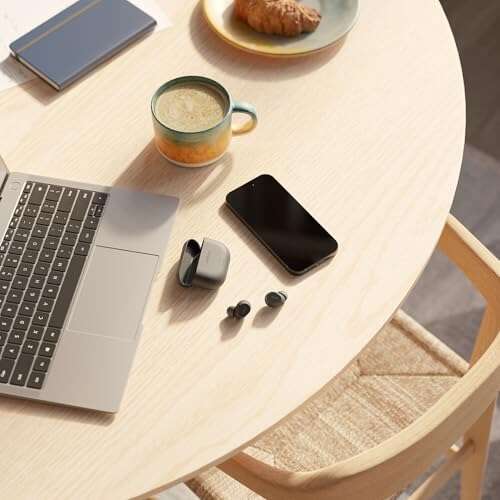
The box is small and neat. The earbuds arrived in a compact charging case that felt sturdy. Inside, the foam inserts and clear labeling gave a pro look. The buds are lightweight. They sit comfortably in my ear for hours. The build feels solid plastic with matte finish. Pairing to my iPhone was quick. The app guided the setup with simple steps. My first test call translated with a small lag. I was surprised how clear the voices sounded through the earbuds. I felt excited and a bit relieved—this seemed like a practical travel tool rather than a gimmick. The ease of use met my expectations for a pocket interpreter.

What Makes It Stand Out / Key Features
- Real-time bidirectional voice translation for 40+ languages.
- Video and phone call translation modes for remote talks.
- AI-enhanced speech recognition for clearer output.
- Compact earbuds with charging case and multi-hour battery life.
- Companion app with language settings and conversation logs.
- Low-latency audio and voice amplification for clearer listening.

What I Like
- Fast translations that keep conversations flowing.
- Simple pairing and a clean app interface.
- Useful phone-call and video-call translation modes.
- Comfortable fit for long wear during meetings or travel.
- Clear audio playback—voices are easy to understand.
- Compact case that’s easy to toss in a bag.

What Could Be Better
- Accuracy drops in very noisy places or with heavy accents.
- Battery life is good but not best-in-class for full-day use.
- Some advanced features are tied to app updates and connectivity.
My Recommendation
If you travel, host meetings, or do calls across languages, the Timekettle W4 is worth considering. It’s best for people who need fast, practical translation on the go. It’s not a replacement for a professional interpreter in legal or medical settings. For everyday business chats, travel, and customer interactions, it saves time and lowers friction. The small case and easy controls make it a good carry option. Overall, Timekettle W4 gives solid value for its price and availability feels good on Amazon.
| Best for | Why |
|---|---|
| Frequent travelers | Portable earbuds and fast bidirectional translation. |
| Business meetings | Clear audio and video/call translation for remote talks. |
| Casual conversation | Easy setup and natural-sounding translations for everyday use. |

Alternative Products You Can Consider
WT2 Edge — A strong contender for one-on-one translation. It offers a familiar earpiece pairing method and good offline modes. It’s best if you want a simple, single-ear solution with clear speech detection. Compared to Timekettle W4, it’s more focused on face-to-face chats than phone-call integration.
Langogo Liberty 2 — Designed for travelers and professionals. It has built-in data plans for on-the-go use and strong transcription features. It’s best for people who need global coverage without tethering to a phone. Versus Timekettle W4, Langogo leans heavier on networked translation and transcription accuracy.
Google Pixel Buds (with Interpreter) — Not a dedicated device, but Pixel Buds with Google Assistant offer live interpreter mode. It’s best for Android users who want built-in convenience. Compared to Timekettle W4, it may lack dedicated translation features but integrates well with Google services.
| Product | Best For | Key Difference |
|---|---|---|
| Timekettle W4 | Portable, two-way translation for travel and meetings | Dedicated earbuds with video and call translation modes |
| WT2 Edge | Face-to-face conversations | Simple one-on-one earpiece design |
| Langogo Liberty 2 | Travelers needing global coverage | Built-in data and strong transcription |

Final Verdict: Which Should You Buy?
If you need a reliable, on-the-go interpreter that handles both in-person and remote calls, choose the Timekettle W4. It balances speed, comfort, and translation modes well. Pick the WT2 Edge if you mainly do in-person chats and want a simpler one-on-one setup. Choose Langogo Liberty 2 if you want extra networked features and transcription power. For most travelers and business users who want an easy, portable translator, Timekettle W4 is the best daily choice.
FAQs Of timekettle w4 review
How many languages does Timekettle W4 support?
The W4 supports over 40 languages and many dialects. The exact list is in the app and updates over time.
Can it handle phone calls and video calls?
Yes. There are dedicated modes for phone-call translation and video-call interpretation. I used both and found them useful for remote meetings.
How is the battery life?
Battery life is solid for several hours of continuous use. You’ll likely recharge after a long day, but the case provides additional charges.
Does it work offline?
Some basic functions might work offline, but full AI translation performs best with an internet connection for accuracy.
Is it hard to set up?
No. Pairing and setup are simple. The app guides you step by step and it works quickly with iOS and Android.

Everett Ashford is a tech reviewer at mytechgrid.com specializing in SSDs, cameras, TVs, earbuds, headphones, and other consumer electronics. He provides honest, data-driven reviews based on hands-on testing and real-world performance analysis. Everett simplifies complex tech details to help readers make smart, confident buying decisions.