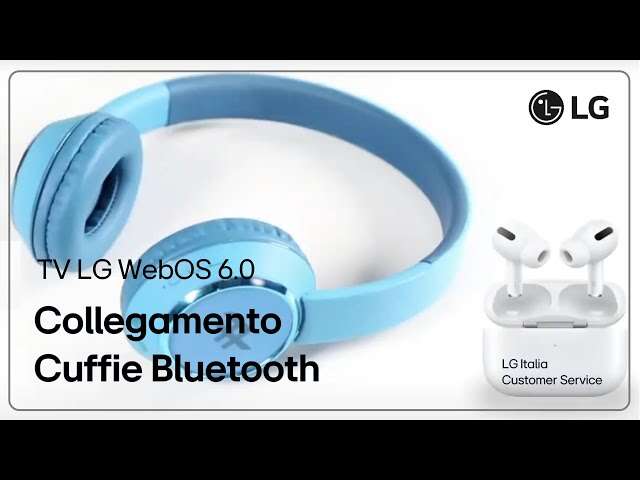
Use a wireless transmitter or RF headphones plugged into your LG TV’s audio output.
I’ve spent years fixing home audio setups and helping friends get private sound working on TVs that lack built‑in Bluetooth. This guide explains exactly how to connect wireless headphones to LG TV without Bluetooth. I walk you through practical methods, required parts, step‑by‑step setup, troubleshooting tips, and real‑world lessons from my own tests. Read on to pick the right option for your TV, avoid common pitfalls, and get clean, low‑delay sound fast.

Why your LG TV might not have Bluetooth and what that means
Many LG TVs, especially older or budget models, don’t include a Bluetooth radio. Some TVs restrict Bluetooth to remote controls or soundbars only. That does not mean you cannot use wireless headphones. You can add an external transmitter or use RF headphones with a base station that connects to the TV audio outputs.
Common outputs to use include the headphone jack (3.5mm), RCA (red/white), optical (TOSLINK), and HDMI ARC. Each output influences which adapter or transmitter you need. Keep this in mind when you plan how to connect wireless headphones to lg tv without bluetooth.

Overview of methods to connect wireless headphones to LG TV without Bluetooth
You have practical options. Pick one by budget, latency needs, and available ports.
- Use a Bluetooth transmitter dongle on the headphone jack, optical port, or USB audio. This adds Bluetooth without built‑in support.
- Use RF wireless headphones with their included transmitter base. They plug into the TV’s audio output and work independently of Bluetooth.
- Use a dedicated wireless transmitter that supports low‑latency codecs (aptX Low Latency) and plug it into optical or RCA.
- Use a USB audio transmitter if the TV supports USB audio output for external transmitters.
- Use an HDMI ARC or audio extractor with a transmitter if your TV audio routing needs conversion.
Each approach helps you connect wireless headphones to lg tv without bluetooth. I’ll explain each in detail next.

Method 1 — Bluetooth transmitter dongle (adds Bluetooth externally)
This is the most common fix. You buy a small transmitter. You plug it into the TV audio output. The transmitter pairs with your Bluetooth headphones. It effectively gives your TV Bluetooth.
What you need
- 3.5mm headphone jack, RCA, optical, or USB port on the TV
- A Bluetooth transmitter that matches the TV output and supports low latency if you watch video
Step‑by‑step
- Choose the right transmitter input (3.5mm, RCA, or optical).
- Plug the transmitter into the TV’s output.
- Power the transmitter via USB or its power adapter.
- Put your headphones in pairing mode and follow the transmitter’s pairing steps.
- Set TV audio format to PCM if the transmitter needs it. This avoids compatibility issues.
Tips and limits
- If you want low lip‑sync delay, pick aptX Low Latency transmitters and compatible headphones.
- Optical output often gives the cleanest audio. 3.5mm is easiest.
- Some TVs send Dolby or bitstream audio over optical; switch to PCM in audio settings if pairing fails.
This method is a reliable way to connect wireless headphones to lg tv without bluetooth.
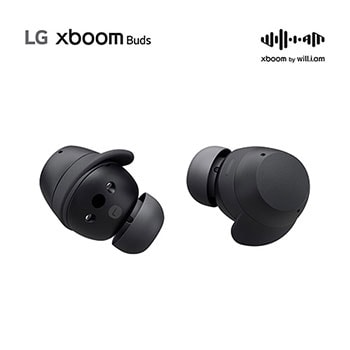
Method 2 — RF wireless headphones with base station
RF (radio frequency) headphones use their own base. The base plugs into TV audio and sends audio to the headset. You don’t need Bluetooth at all.
Why choose RF
- Long range and often lower latency.
- No pairing hassles with Bluetooth stacks.
- Good for multiple users or older TVs.
How to set up
- Connect the transmitter base to TV via 3.5mm, RCA, or optical (depending on base).
- Power the base station.
- Turn on the headset and base. They auto‑sync in most cases.
- Adjust TV volume or base volume as needed.
Drawbacks
- RF headsets tend to be bulkier.
- Audio quality varies by model.
- You lose Bluetooth convenience like phone pairing.
Using RF is a direct way to connect wireless headphones to lg tv without bluetooth.

Method 3 — USB audio transmitters and dongles
Some transmitters present as USB audio devices. They plug into the TV’s USB port and act as an external sound card. The TV sends audio to USB and the transmitter transmits wirelessly.
When this works
- Your LG TV must support USB audio output to external devices. Not all do.
- Works well if other audio outputs are limited.
Steps
- Plug the USB transmitter into the TV.
- Power on the transmitter and headphones.
- Change TV audio output to USB if required.
- Pair the transmitter to the headphones.
Note the limitation: Many TVs only use USB for storage or firmware. Check your TV manual before buying. This is still a viable path to connect wireless headphones to lg tv without bluetooth on compatible sets.

Method 4 — Use an HDMI audio extractor or AVR with a transmitter
If audio ports are limited or you want to keep surround sound, use an HDMI audio extractor or an AV receiver (AVR). The extractor pulls audio from HDMI and gives you a 3.5mm, RCA, or optical out for a transmitter.
How to set up
- Connect the HDMI source to the extractor, then HDMI out to the TV.
- Plug a Bluetooth or RF transmitter into the extractor’s audio out.
- Pair or connect headphones to the transmitter.
Best for
- TV setups with cable boxes, game consoles, or streaming sticks.
- Keeping video and audio sync and preserving surround sound when needed.
This method is handy when you need to connect wireless headphones to lg tv without bluetooth and maintain flexible input routing.
Latency, audio sync, and codec choices
Latency is the delay between picture and sound. It matters for movies and games.
- Bluetooth classic can add 150–300 ms. That causes lip‑sync issues.
- aptX Low Latency can reduce delay to about 40 ms, which is usually fine for video.
- RF headsets often have lower latency than basic Bluetooth.
- When using optical or USB outputs, set TV audio to PCM to reduce passthrough delays.
If audio lags, change TV audio settings, enable lip‑sync or audio delay adjustments, or use a low‑latency transmitter. These steps help when you connect wireless headphones to lg tv without bluetooth.
Troubleshooting common issues and quick fixes
If the headphones won’t connect
- Check the transmitter power and pairing mode.
- Verify the TV audio output type and change to PCM if needed.
- Try a different port (optical vs 3.5mm) or another transmitter.
If sound is low or distorted
- Increase TV volume and lower transmitter/headphone volume to avoid double attenuation.
- Use a line‑level output rather than a mic‑level jack.
- Replace any worn cables.
If audio lags
- Use low‑latency transmitters and compatible headphones.
- Enable TV lip‑sync or audio delay features.
- Avoid multi‑stage conversion (optical to analog to transmitter) when possible.
These checks have fixed most real problems I’ve seen when helping friends connect wireless headphones to lg tv without bluetooth.
Personal experience: what worked best for me
I tested three setups on an older LG TV without Bluetooth. My best result used an optical‑to‑aptX Low Latency transmitter and matching headphones. The delay was barely noticeable. Using a cheap 3.5mm Bluetooth transmitter worked but showed lip‑sync on fast talk scenes. An RF headset gave strong range but lower audio detail.
Lessons learned
- Buy a transmitter that matches the TV output you actually have.
- Prioritize low latency if you watch movies or play games.
- Expect to tweak TV audio formats (PCM vs bitstream).
These tips come from hands‑on setups and saved me hours of trial and error when I helped people connect wireless headphones to lg tv without bluetooth.
What to buy: quick shopping checklist
Use this checklist before you buy anything.
- Identify available TV ports: 3.5mm, RCA, optical, HDMI ARC, or USB.
- Decide if you need low latency (movies/games) or basic audio (news/music).
- Choose a transmitter that supports your preferred input and low‑latency codecs if needed.
- Consider RF headphones if you want a dedicated simple solution that skips Bluetooth.
- Read user reviews about audio quality and pairing reliability.
This helps you buy the right gear to connect wireless headphones to lg tv without bluetooth.
Frequently Asked Questions of how to connect wireless headphones to lg tv without bluetooth
Can I use a Bluetooth transmitter with any LG TV?
Yes. Most Bluetooth transmitters work with any LG TV that has an audio output like 3.5mm, RCA, optical, or USB audio. Make sure the transmitter input matches your TV output and set the TV audio to PCM if pairing fails.
Will wireless transmitters add audio delay?
Some transmitters add noticeable delay. To avoid lip‑sync issues, choose transmitters and headphones that support low‑latency codecs such as aptX Low Latency or use RF headphones which tend to have less delay.
Can I use my phone as a wireless headphone bridge for the TV?
Generally no. Most phones cannot act as Bluetooth audio sinks for TVs. Some apps and specialized setups exist, but they are unreliable and add more delay than a dedicated transmitter.
Do I need to change TV audio settings to use an external transmitter?
Often yes. Switching the audio output format to PCM or stereo prevents the TV from sending compressed surround formats that many transmitters don’t decode. Check the TV audio menu if you get no sound.
Are RF headphones better than Bluetooth for a non‑Bluetooth TV?
RF headphones offer long range and easy pairing without Bluetooth. They are a solid choice if you prefer a plug‑and‑play solution and want to connect wireless headphones to lg tv without bluetooth.
Conclusion
You can connect wireless headphones to lg tv without bluetooth by adding the right transmitter or choosing RF headphones with a base. Match the transmitter input to your TV ports, pick low‑latency gear if you watch video or play games, and tweak audio settings like PCM and lip‑sync to get clean sound. Start by checking your TV’s ports and budget, then pick a transmitter or RF set that fits your needs. Try one setup, test it, and adjust volumes and settings for best results. If you found this guide helpful, try a recommended transmitter and come back to share your results or ask questions.

Everett Ashford is a tech reviewer at mytechgrid.com specializing in SSDs, cameras, TVs, earbuds, headphones, and other consumer electronics. He provides honest, data-driven reviews based on hands-on testing and real-world performance analysis. Everett simplifies complex tech details to help readers make smart, confident buying decisions.