Reset your headphones by following the device-specific button or app steps to erase pairing and restore defaults.
I’ve guided hundreds of readers through device resets and tested fixes on many headphone models. This article explains how to factory reset headphones step by step, why and when to do it, brand-specific methods, troubleshooting tips, and what to expect after a reset. Read on to fix pairing problems, clear glitches, or prepare headphones for a new owner with confidence.

What a factory reset does and why it matters
A factory reset returns headphones to their original settings. It removes saved Bluetooth pairings, clears custom settings, and often fixes firmware glitches. This process does not always change firmware, but it does wipe user data and pairing records. Knowing what a reset actually does helps set realistic expectations before you start.

When you should factory reset headphones
Resetting helps in several common cases:
- Persistent pairing or connection drops.
- One earbud not connecting to the other.
- Strange audio lag or distorted sound after updates.
- Preparing the headphones for a new user.
- App settings that won’t clear by normal means.
Do not reset for small issues like low battery or temporary interference. Try simple steps first, such as charging both units, forgetting the device on your phone, and updating the headphone app. If issues persist, a factory reset often clears the problem and saves a trip to the repair shop.

Before you reset: quick checklist
Follow these prep steps to avoid surprises:
- Backup any equalizer or app profiles if the app supports export.
- Fully charge both headphones and the case if applicable.
- Unpair the headphones from all devices in Bluetooth settings.
- Note any custom controls or personalization in the companion app.
- Read the brand’s reset notes if you can find them in the app or manual.
These steps reduce the chance of losing data you want to keep. A short prep saves time after the reset.

General methods: how to factory reset headphones (step-by-step)
Most headphones use one of a few core reset patterns. Try these general methods first:
- Power-cycle method
- Turn the headphones off.
- Hold the power button for 10–20 seconds until LEDs flash or you hear a reset tone.
- Release and check pairing lists.
- Multi-button press
- Press and hold a combination of buttons (power + volume down, or both earbud touch zones) for 10–30 seconds.
- Wait for a status light or voice prompt that confirms reset.
- Case-based reset (true wireless)
- Place both earbuds in the charging case.
- Press and hold the case button for 10–15 seconds until LEDs blink.
- Remove and reconnect.
- App-initiated reset
- Open the headphone companion app.
- Find device settings and select “Reset” or “Factory Reset.”
- Confirm and follow on-screen steps.
If one method doesn’t work, try the others. Different models use different triggers, but the logic is the same: hold buttons long enough to trigger the built-in reset routine.
Brand-specific step-by-step guides
Below are clear steps for common brands. Use these as a starting point if you own one of these models.
Apple AirPods and AirPods Pro
- Place both AirPods in the case and close the lid for 30 seconds.
- Open the lid, press and hold the setup button on the back for 15 seconds until the LED flashes amber then white.
- Reconnect from Bluetooth settings on your device.
Samsung Galaxy Buds
- Place both buds in the case.
- Press and hold the case button (or follow the app instructions) until the light flashes.
- Alternatively, use the Galaxy Wearable app to reset under About earbuds.
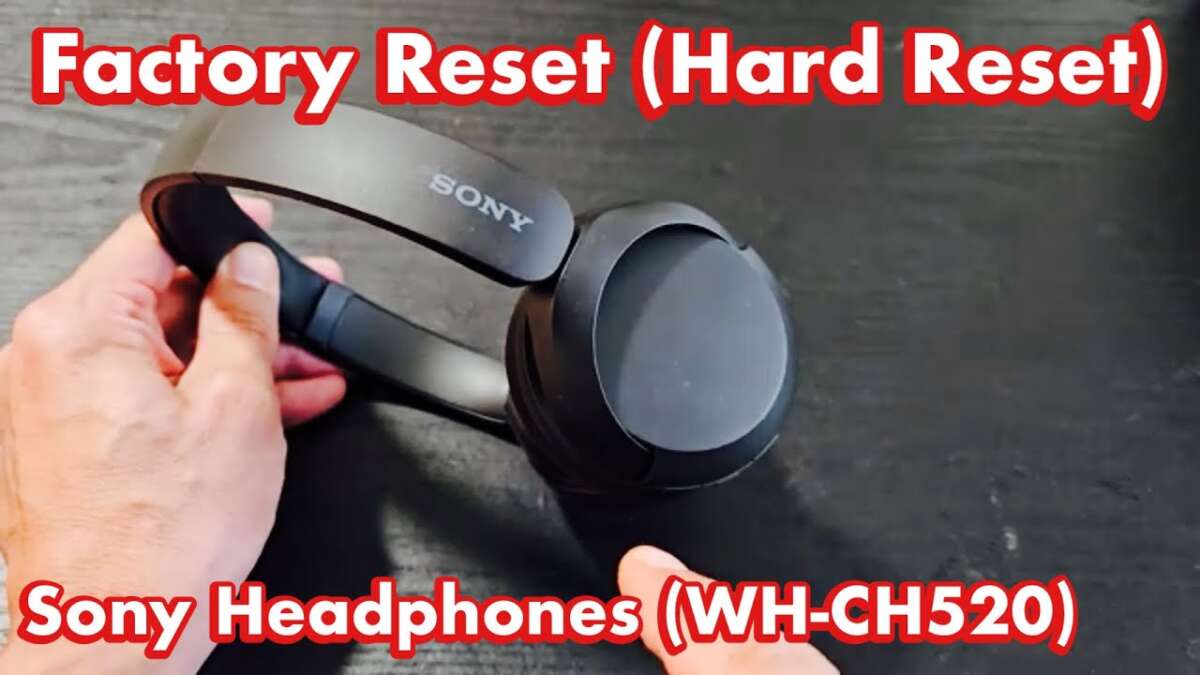
Sony (WF and WH series)
- Turn off headphones.
- Press and hold the power button and the_custom button (model-specific) for 7–10 seconds until the indicator blinks.
- Use the Sony Headphones Connect app reset option for newer models.
Bose (QuietComfort and SoundSport)
- Power off the headset.
- Press and hold power for about 10 seconds until you hear a voice prompt or see the LED blink.
- Some Bose models use the Bose Connect app reset option.
Beats
- Hold power and volume down (or power and button) for 10 seconds until the LED flashes.
- For Beats Fit Pro and others, use the earbud case button sequence.
Jabra
- Turn off the headset.
- Press and hold the multi-function button for 10–15 seconds until LEDs flash or an audio cue plays.
- Use Jabra Sound+ app for supported models.
Generic Bluetooth over-ear/On-ear
- Turn the unit off.
- Press and hold the power and volume down buttons together for 10–15 seconds.
- Look for rapid blinking lights or audio confirmation.
Wired headphones with digital controls
- Disconnect and reconnect the inline controls from the device.
- If a reset is possible, follow the inline control button hold pattern listed in the manual.
Most brand steps follow the same principle: long press, LEDs or voice feedback, and then re-pair. Keep these steps handy when you need to know how to factory reset headphones quickly.

After the reset: reconnecting and testing
Re-pair the headphones in a few simple steps:
- Turn the headphones on and put them in pairing mode.
- Open Bluetooth settings on your phone or device and select the headphone name.
- Test audio, microphone, and controls with a short call and music track.
- Reconfigure EQ or app settings to your taste.
If the left or right ear still misbehaves, repeat the reset or try a firmware update via the companion app. Always test with multiple devices to rule out phone-side issues.
Troubleshooting, limitations, and safety tips
A reset is powerful but not magic. Keep these points in mind:
- A factory reset usually wipes pairings but not base firmware. Firmware updates may still be needed.
- If hardware fails (damaged drivers or battery issues), resetting won’t help.
- Some models require a full discharge before reset. Check if the LED behavior changes.
- Avoid resetting too often; it’s harmless but repetitive resets don’t fix hardware wear.
- If headphones are still under warranty, document your attempts before sending them in.
Personal note: I once used a reset to fix a Sony headset that lost one earbud connection after a firmware update. The reset restored mono sync and solved the issue without service. The key lesson was to try a reset after simple fixes fail, but before filing a warranty claim.

Quick common questions (PAA-style)
What happens to saved EQ settings when you reset headphones?
- You lose saved EQ settings unless the app offers a backup option. Reset clears personalization on most devices.
Will a factory reset remove firmware updates?
- No. Most resets do not revert firmware. Firmware stays at the installed version while user data is removed.
Can I factory reset headphones without the companion app?
- Yes. Most headphones support button-based resets. Use app resets only when button methods fail.

Frequently Asked Questions of how to factory reset headphones
How long does a factory reset take?
A reset usually takes between 10 and 30 seconds once you press the correct button combo. App-based resets may take a minute due to confirmations.
Will factory resetting remove Bluetooth pairings from my phone?
Yes, resetting the headphones removes their pairing records, so you must re-pair the device with your phone. Also remove the old pairing on your phone for a clean start.
Can a factory reset fix one earbud not connecting?
Often it can. Resetting the earbuds and the case clears pairing data between the two buds and frequently restores stereo sync. If the issue is hardware, you may still need repair.
Does a factory reset delete firmware updates or revert software?
A factory reset typically clears user settings only and does not roll back firmware updates. Firmware stays at the current installed version unless you perform a dedicated downgrade.
Is it safe to factory reset headphones before selling them?
Yes. Resetting is recommended before sale because it removes personal pairings and settings. It makes the device ready for a new owner.
Conclusion
A factory reset is a reliable fix for many headphone problems. It clears pairing conflicts, removes stubborn settings, and offers a fresh start before repairs or resale. Try basic fixes first, prepare with the checklist above, and follow brand-specific steps when available. Take action now: back up any app settings, run the reset that matches your model, and test the headphones with another device. If this guide helped, share your experience or ask a question below — I’d love to help you troubleshoot further.

Everett Ashford is a tech reviewer at mytechgrid.com specializing in SSDs, cameras, TVs, earbuds, headphones, and other consumer electronics. He provides honest, data-driven reviews based on hands-on testing and real-world performance analysis. Everett simplifies complex tech details to help readers make smart, confident buying decisions.