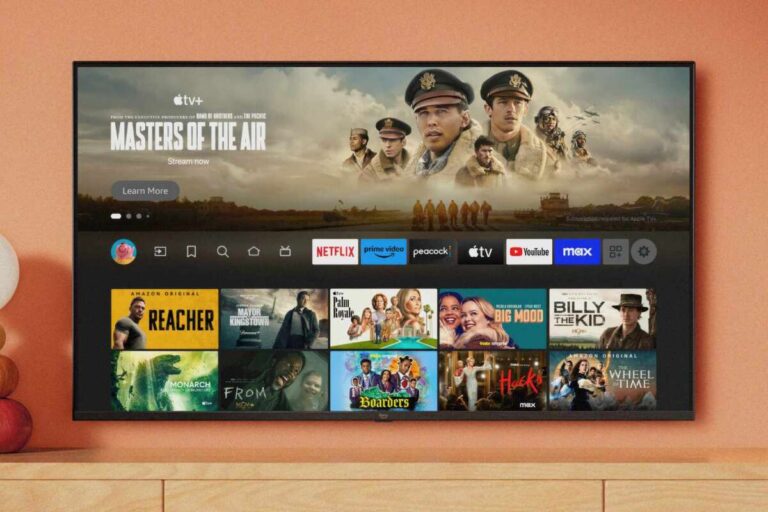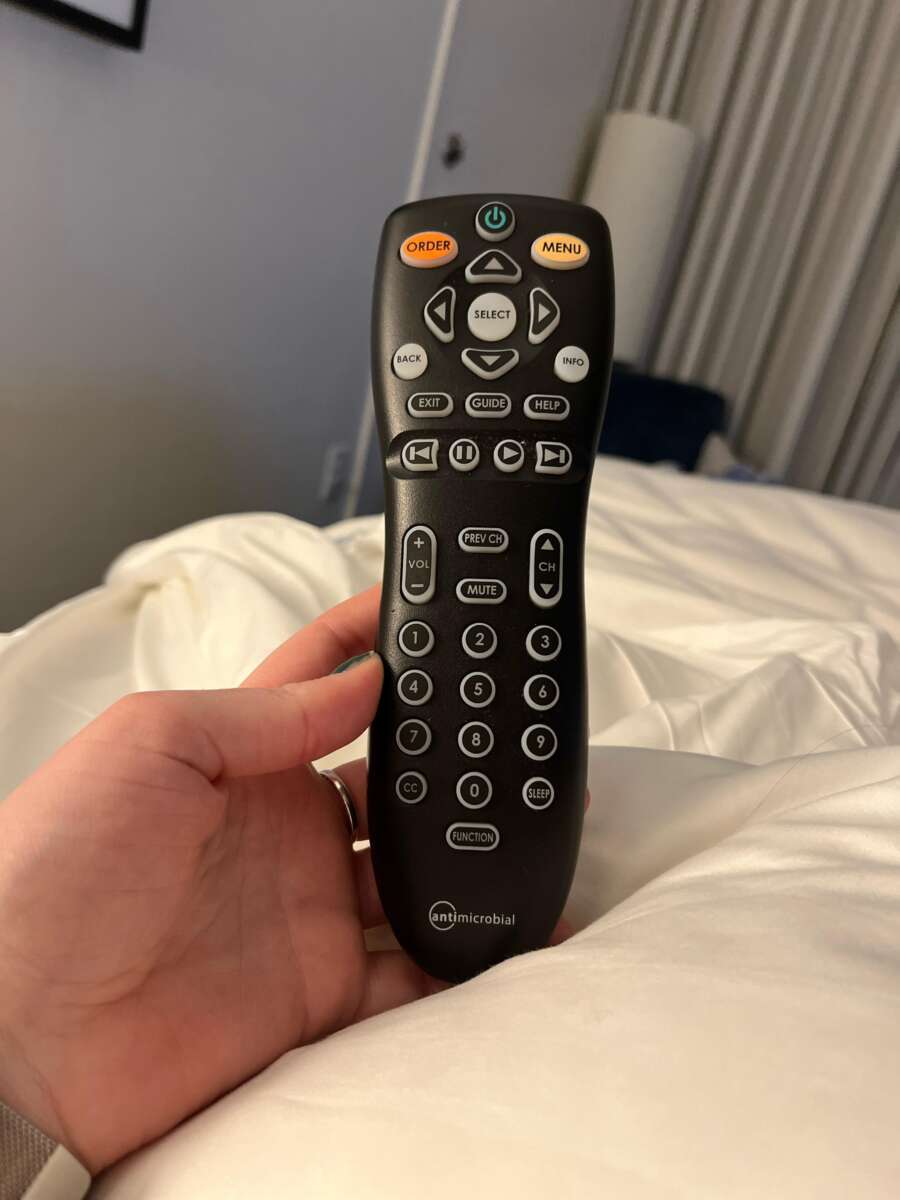
Press Input on the LG remote, choose the HDMI source, and confirm your choice with OK.
Changing the source on a hotel television can feel harder than it should. Hotel LG TVs often use a restricted hospitality mode that hides settings and limits the remote. This guide explains how to change input on hotel LG TV models safely, what to do when the Input button does not work, and how to connect a laptop, game console, or streaming device without disturbing hotel settings.
How to change input on hotel LG TV with the remote
The fastest way to change input on hotel LG TV is to use the remote’s Input, Source, or AV button. The name can vary by LG model and by the hotel’s remote control.
Follow these steps:
- Turn on the hotel LG TV.
- Find the button labeled Input, Source, AV, or an icon that looks like a box with an arrow.
- Press the button once.
- Wait for the input list to appear.
- Use the arrow keys to select HDMI 1, HDMI 2, or another available port.
- Press OK, Enter, or the center button.
- Wait a few seconds for the connected device to appear.
If the TV shows several HDMI choices, start with HDMI 1. Then try HDMI 2 or HDMI 3 if the screen stays blank.
On some LG hotel remotes, the input list opens at the side of the screen. On others, it appears across the bottom. The controls work in the same basic way: highlight the source and confirm it.
How to change input on hotel LG TV without an Input button
Some hotel remotes remove the Input button. This is common with simple guest remotes made for basic channel and volume control. You may still have a few options.
Try these methods:
• Press the Home button and look for Inputs, Device Connector, or TV options.
• Press the Settings button and check for an Input or External Devices menu.
• Press the List button. Some LG models show TV inputs through this menu.
• Look for a button marked TV/AV, which may perform the same job as Input.
• Press the button with a plug, screen, or arrow icon.
• Ask the front desk for the original LG remote or an unrestricted guest remote.
If none of these steps works, the hotel may have disabled source selection. The TV can still have working HDMI ports, but its software may prevent guests from selecting them.
A useful test is to press Input while your device is already connected and powered on. Some TVs show an active HDMI device more clearly when they detect a live signal.

How to change input on hotel LG TV using the TV buttons
You may be able to change input on hotel LG TV without a remote. Most LG televisions have a small control button or joystick under the screen.
Check these common locations:
• Under the LG logo at the center of the TV
• Along the lower edge of the screen
• On the back panel near one side
• Behind a small button cover
Press the control once to open the on-screen menu. Move the control left or right until you see Input or Source. Press the button again to select it, then choose the HDMI port you need.
The exact button design depends on the model. Some TVs use a five-way joystick. Others use separate buttons for power, volume, and channel control.
This method can be slow, but it is helpful when the hotel remote is missing or the Input button has been locked. Avoid pressing and holding random buttons, because you could open a service or installation menu.

How to change input on hotel LG TV for a laptop
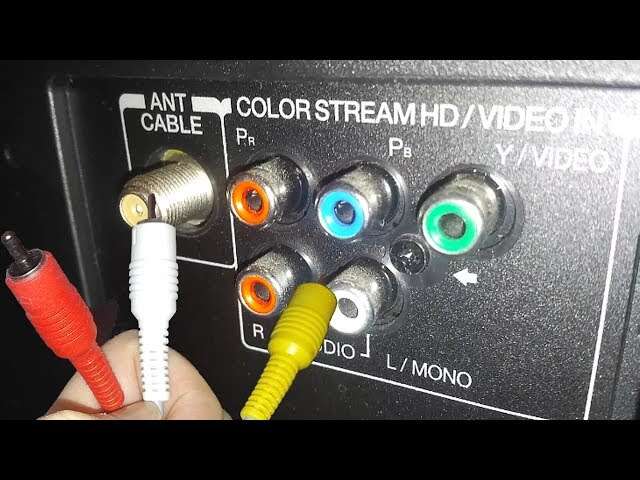
To connect a laptop, you usually need an HDMI cable. Most Windows laptops can send both video and sound through HDMI. Some thin laptops need a USB-C to HDMI adapter.
Use this process:
- Plug one end of the HDMI cable into the laptop or adapter.
- Plug the other end into an open HDMI port on the LG TV.
- Turn on the laptop.
- Change the TV source to the matching HDMI number.
- Wait for the laptop image to appear.
If you use Windows and see no image, press Windows + P. Choose Duplicate or Second screen only. This tells the laptop how to use the hotel TV.
On a Mac, open System Settings, select Displays, and check whether the TV appears. If it does, choose the display arrangement that suits you.
The laptop may need a few seconds to detect the television. If the screen remains black, check the cable, select another HDMI input, and restart the laptop while the HDMI cable is connected.

How to change input on hotel LG TV for a game console
A game console connects in much the same way as a laptop. Plug the console into an HDMI port, connect its power cable, and select the same HDMI source on the TV.
For the best result:
• Turn on the console before selecting the HDMI input.
• Use a direct HDMI connection instead of an HDMI splitter.
• Check that the console’s power light is on.
• Try another HDMI port if the first one gives no picture.
• Make sure the HDMI cable is fully inserted.
If the TV displays “No Signal,” the source may be correct but the console may be asleep, powered off, or using a damaged cable. Try pressing the console’s power button and wait about 30 seconds.
Some hotel televisions limit picture settings and audio levels. That may affect your gaming experience, but it usually does not change the basic HDMI connection.
How to change input on hotel LG TV when the screen says “No Signal”
“No Signal” means the TV is not receiving a usable picture from the selected source. It does not always mean that the HDMI port is broken.
Work through these checks:
- Confirm that the device is powered on.
- Confirm that the cable is connected to the selected HDMI port.
- Select HDMI 1, HDMI 2, and HDMI 3 one at a time.
- Remove adapters, splitters, and docking stations if possible.
- Test the device with another HDMI cable.
- Restart both the TV and the connected device.
- Set the device to a common resolution, such as 1080p.
A laptop or console may output a resolution that the hotel TV does not accept. Lowering the resolution can restore the picture. This is especially useful with older LG commercial displays.
Also check the TV’s physical ports. Hotel staff sometimes route cables through a wall plate or a hidden connection box. The visible HDMI port may not be connected to the television in the expected way.

Why hotel LG TVs may block the input menu
Many hotels configure LG commercial televisions with hospitality mode. This mode helps staff control channel lists, volume limits, welcome screens, energy settings, and external inputs across many rooms.
That is why changing input on hotel LG TV may not work with every remote. The hotel can disable source selection to reduce support calls, protect the room setup, or prevent guests from changing system settings.
Common signs of restricted hotel mode include:
• The Input button does nothing.
• HDMI sources are missing from the menu.
• The Home menu is limited.
• Settings return to their old values after the TV restarts.
• A welcome screen appears whenever the TV turns on.
• The remote only controls power, volume, channels, and mute.
These limits are not necessarily a fault. They are usually part of the television’s programmed commercial settings.
Do not enter a hidden service menu unless hotel staff or the manufacturer specifically instructs you. Changing items there can remove channel settings, alter the display, or make the TV harder for hotel staff to manage.

How to change input on hotel LG TV when the remote is locked
If the hotel remote cannot open the source menu, contact the front desk before trying advanced workarounds. Staff may have a replacement remote or may be able to enable the HDMI port for your room.
You can politely ask:
“Could I get a remote that lets me select HDMI 1 or HDMI 2?”
You can also ask whether the room TV supports personal devices. Some hotels provide a dedicated HDMI socket near the desk, while others use a wall panel with a labeled AV connection.
A universal remote may work with some LG TVs, but it is not guaranteed. The hotel could use a different control system, or the TV may ignore commands in hospitality mode. Avoid trying random unlock codes found online because they may change commercial settings.
If you need streaming access, ask whether the hotel offers a casting system. Hotel Wi-Fi may require room-based login or device registration, so a personal streaming stick may not connect easily.

How to change input on hotel LG TV and return to regular TV
After using a laptop, console, or streaming device, return the TV to its normal hotel channel. This helps the next guest and may prevent confusion when you check out.
To switch back:
- Press Input or Source.
- Select Live TV, TV, Antenna, Cable, or the hotel’s labeled television source.
- Press OK.
- Confirm that the hotel channel guide or welcome screen appears.
If the hotel uses a special welcome channel, it may have a number such as 1, 2, or 100. The correct number depends on the property’s channel setup.
Some hotel TVs automatically reset after power is removed. Others keep the last input until staff resets them. Returning to the hotel’s TV source is a small courtesy that also confirms the television still works as expected.

Practical tips from testing hotel LG TV connections
When I test connections on hotel LG TVs, the most common mistake is choosing the wrong HDMI number. Guests often plug a cable into HDMI 2 but select HDMI 1 because it is the first option in the list.
A simple habit prevents this: look at the label beside the physical port before choosing the source. If the port says HDMI 2, select HDMI 2 on the screen.
Another lesson is to power the device before changing input. A powered-off laptop or console may not send a signal, so the TV can appear faulty even when the connection is fine.
Keep these tips in mind:
• Bring a short, reliable HDMI cable when you travel.
• Pack the correct USB-C, Mini DisplayPort, or Lightning adapter for your device.
• Avoid changing hotel settings beyond the input source.
• Take a photo of the cable setup before unplugging anything.
• Ask staff for help if the TV uses a wall-mounted or hidden connection panel.
• Remove your cable and adapter before leaving the room.
Hotel TVs differ widely, even when they carry the same LG logo. A method that works on one model may not work on another because the hotel controls the remote, software, and connected equipment.
Benefits and limits of using your own device on a hotel TV
Using your own device can make a hotel stay more comfortable. You may watch downloaded content, play a game, give a presentation, or use a larger screen for work.
• A larger display than your laptop or phone
• Better viewing for movies and presentations
• Access to your own apps and downloaded content
• A familiar interface and personal settings
However, there are limits. Hotel Wi-Fi can be slow or require a browser sign-in. Some streaming services block casting across different networks. The TV may also lack the correct HDMI port or may have input selection disabled.
Privacy matters too. Always sign out of streaming apps, remove personal devices from casting lists, and check that your account is not saved on the television. If you use a hotel-provided casting system, follow the on-screen removal or disconnect instructions before checkout.
Frequently asked questions about how to change input on hotel LG TV
How do I change the HDMI input on a hotel LG TV?
Press the Input, Source, AV, or TV/AV button on the remote. Choose the HDMI number that matches the port used by your device, then press OK.
Why does the Input button not work on my hotel LG TV?
The hotel may have enabled hospitality mode and disabled source selection. Ask the front desk for an unrestricted remote or help enabling the HDMI input.
Can I change input on a hotel LG TV without a remote?
Many LG TVs have a small joystick or control button below the screen or on the back. Use it to open the menu and select Input, but avoid entering hidden service settings.
Which HDMI input should I use on a hotel LG TV?
Use any open HDMI port that is connected to the television. Select the same number on the input menu, such as HDMI 1 for the port labeled HDMI 1.
Why does my hotel LG TV show “No Signal”?
The connected device may be off, the cable may be loose, or the wrong HDMI source may be selected. Check the power, cable, port number, and device output settings.
Can I use a streaming stick with a hotel LG TV?
You may be able to use one if the TV accepts HDMI input and the hotel Wi-Fi supports device sign-in. Some hotels block external devices or require staff assistance.
Will changing the input reset the hotel TV?
Selecting an HDMI source normally does not reset the television. Still, avoid changing advanced settings because hospitality controls can be affected by service-menu changes.
Conclusion
Changing input on hotel LG TV usually takes only three steps: connect your device, press Input or Source, and select the matching HDMI number. If the button is missing or disabled, try the TV’s control button or ask the front desk for an approved remote.
Remember to match the physical HDMI port with the on-screen source, check the device power, and avoid hidden service menus. With these simple steps, you can connect a laptop, console, or streaming device with less stress. If this guide helped, share your hotel TV experience or explore more practical travel technology tips.

Everett Ashford is a tech reviewer at mytechgrid.com specializing in SSDs, cameras, TVs, earbuds, headphones, and other consumer electronics. He provides honest, data-driven reviews based on hands-on testing and real-world performance analysis. Everett simplifies complex tech details to help readers make smart, confident buying decisions.