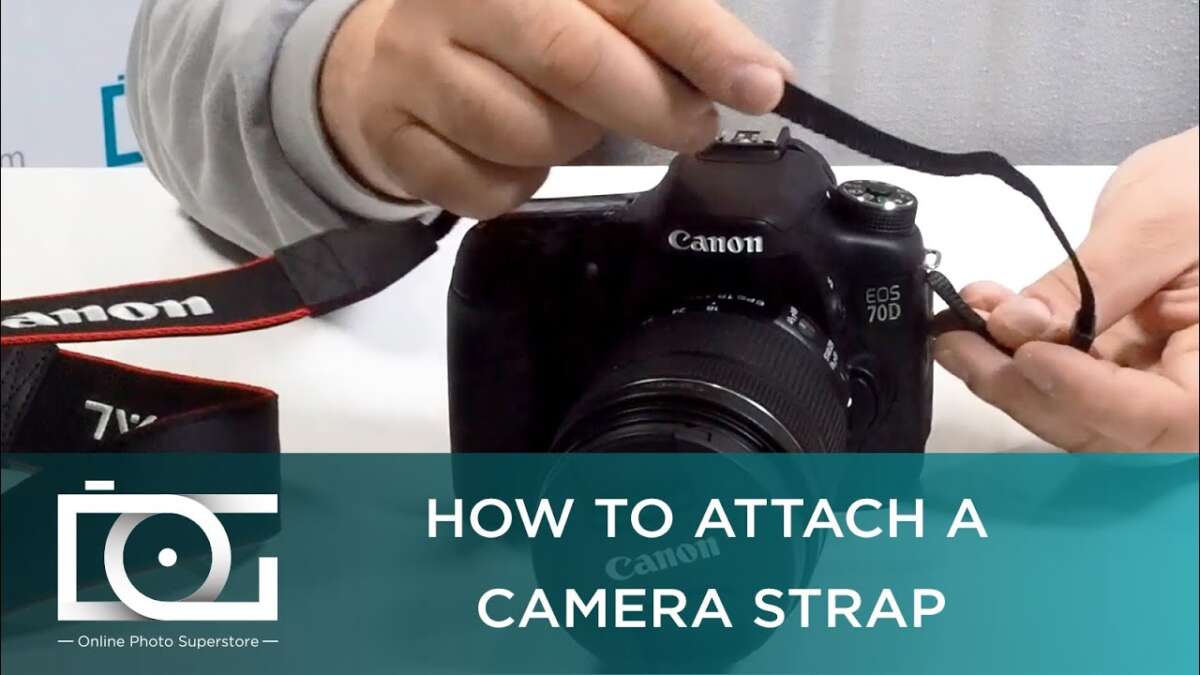
Secure the strap to the camera body, thread ends through lugs or plates, then adjust for fit.
I’ve spent years shooting in all conditions and teaching others camera basics. This article shows exactly how to put on camera strap with clear steps, safety tips, and real-world tips I learned on the job. You’ll get easy instructions, gear choices, and quick fixes so you can carry your camera safely and shoot with confidence. Read on to master how to put on camera strap the right way.
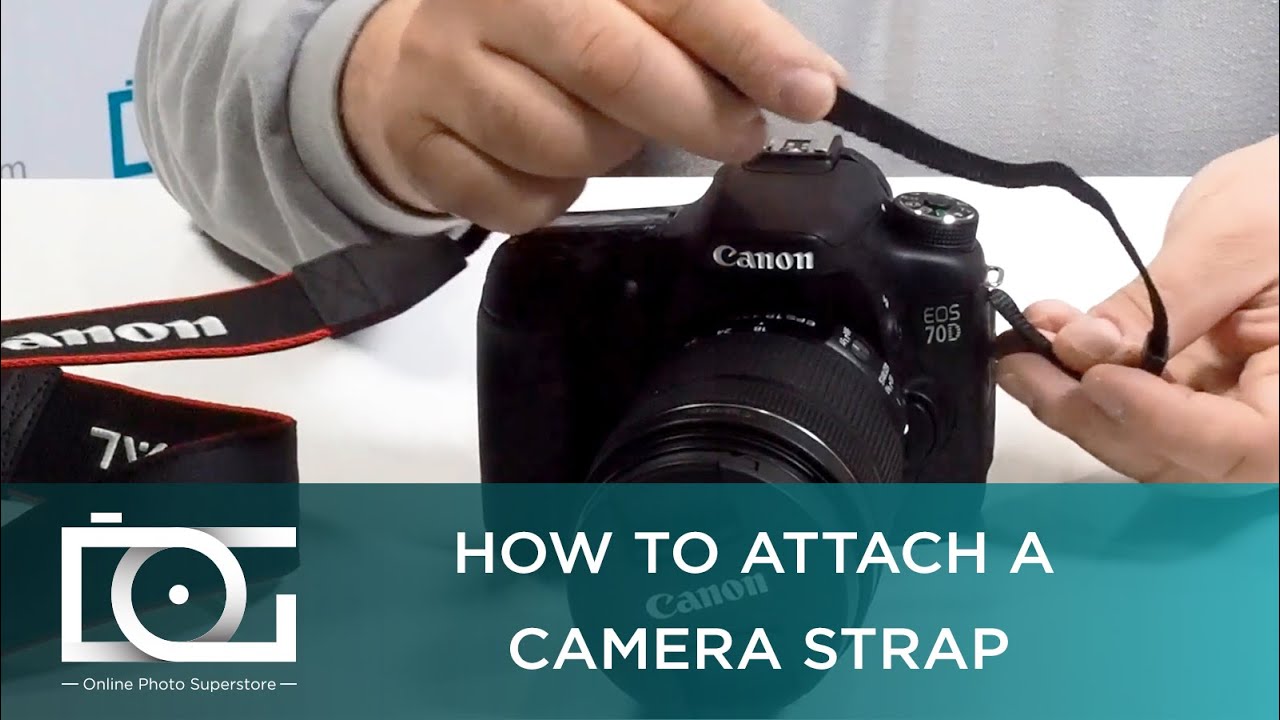
Why the right camera strap matters
A good strap keeps your camera safe and makes shooting easier. It saves your gear from drops. It also helps you move faster and shoot longer.
Using the correct method of how to put on camera strap reduces wear on mounts. It also prevents accidental detachment. I once lost a lens to a failed loop. After that, I always double-check straps.
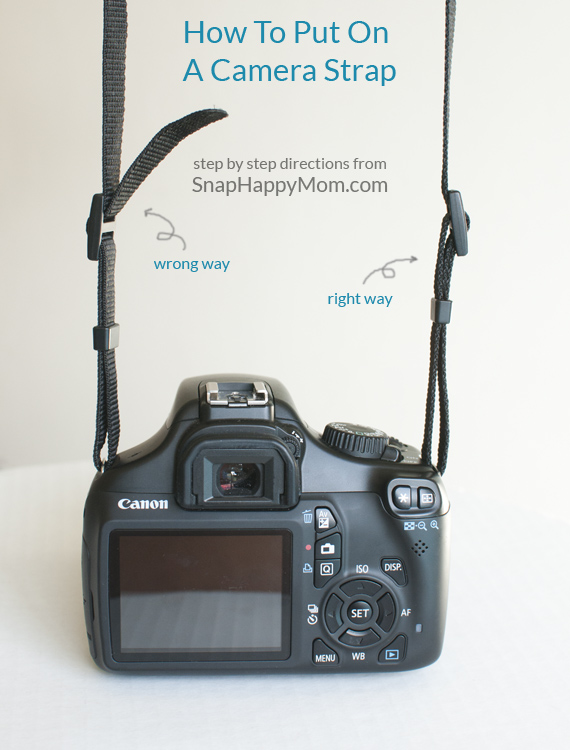
Types of camera straps and when to use them
Choose a strap that fits your style. Here are common types and quick uses.
- Neck straps — Simple and light for walkaround shooting and travel.
- Crossbody straps — Stable for long shoots and quick access to the camera.
- Wrist straps — Best for small cameras and minimal carry.
- Sling straps — Good for heavy gear and active shooting.
- Harnesses — Ideal for pro setups and two-camera systems.
Each strap type changes how you put the camera on. Knowing this helps you pick the right method of how to put on camera strap for your setup.
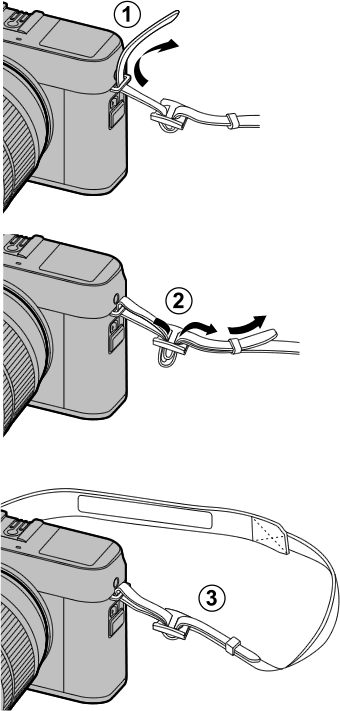
Step-by-step: how to put on camera strap
Follow these steps for most DSLR and mirrorless cameras. Adjust for strap style and brand.
-
Inspect the strap and camera mount.
Check for frays, loose hardware, or damaged lugs. Replace if worn. -
Remove any covers or rubber caps.
Some cameras have small caps over eyelets or lugs. Take them off. -
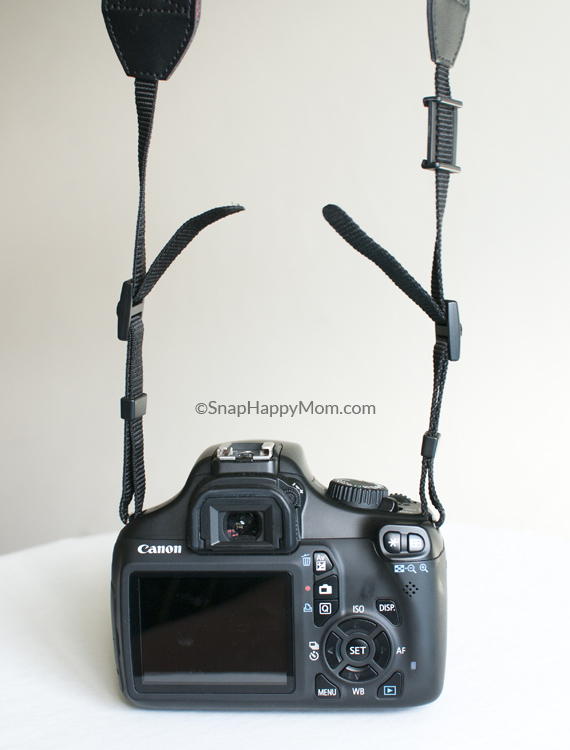
Thread the strap end through the camera lug or eyelet.
Push the strap through the metal or plastic loop. For split rings, open the ring first. -
Loop the strap back through the buckle or slider.
Bring the strap end back and feed it through the adjustment buckle. This creates a secure loop. -
Tighten and set the length.
Pull the strap tight. Leave a small tail and tuck it into a keeper or elastic band. -
Use safety backups when possible.
Add a locking carabiner, secondary tether, or strap keeper for heavy lenses. -
Test the attachment.
Hold the camera high and give it a firm tug. It should not slip or rotate. -
Adjust ergonomics for comfort.
Move the strap so the camera rests where you like. Make small tweaks and test carry.
I prefer a crossbody sling for long walks. I thread the strap through the lug twice, then add a keeper. That method cut my worry about slips.
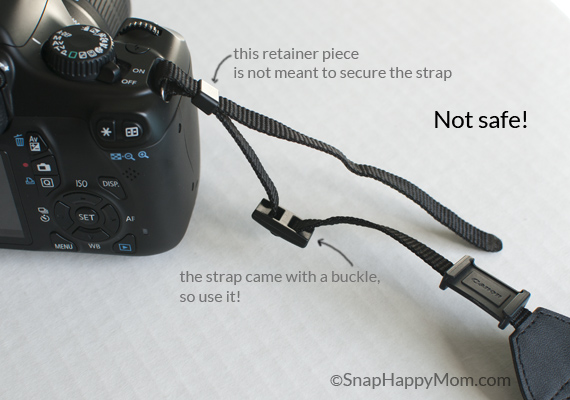
Safety tips and common mistakes to avoid
Safety matters every time you attach a strap. A small error can lead to a big loss.
- Always check hardware before each shoot. Loose screws or frayed ends are red flags.
- Don’t rely only on friction; use a proper buckle or locking ring.
- Avoid long, dangling tails. Tuck them in to prevent snagging.
- Avoid attaching heavy lenses only by thin wrist straps.
- Don’t use straps that don’t match camera weight. Use rated straps for heavy gear.
A quick habit I use: I tap every connection before I leave the car. It takes seconds and prevents regrets.

Maintaining and caring for your strap
Take care of straps to extend life and keep gear safe.
- Clean straps with mild soap and water. Rinse and air dry.
- Reapply leather conditioner to leather straps once a year.
- Replace weak or frayed straps right away.
- Store straps flat or rolled. Avoid tight knots.
- Check metal parts for rust and loose screws.
I archive older straps as backups. That way I have a spare if one fails in the field.
Troubleshooting common issues
If the strap slips or feels unstable, try these fixes.
- Slipping through buckle — Flip the strap end and thread it twice or use a locking slider.
- Loose split ring — Replace the ring with a new one that closes tightly.
- Strap twists — Thread carefully and lay flat while feeding through hardware.
- Strap too short — Use an extender or swap for a longer strap made for crossbody use.
- Pain on the neck — Use a padded or wider strap to spread the load.
When in doubt, stop and fix the issue. Don’t trust a suspect strap during a shoot.

Frequently Asked Questions of how to put on camera strap
How do I attach a camera strap to a mirrorless camera?
Most mirrorless cameras use small lugs or eyelets. Thread the strap through the lug, loop it back through the adjuster, and tighten. Add a keeper for the tail.
Can I attach a strap to a tripod plate?
Yes, many plates have a strap hole or anchor. Ensure the plate is rated for the camera and tighten the strap loop to prevent slippage.
Is it safe to use a third-party strap?
Yes, if it is rated for your camera weight and uses proper hardware. Choose straps with strong buckles and good reviews.
How tight should the strap be?
Tight enough to prevent movement, but loose enough for comfort. Adjust for shooting style and body type.
What if my strap keeps loosening?
Re-thread the strap and feed it through the buckle twice. Use a locking slider or add a small zip tie if needed.
Are wrist straps safe for heavy DSLRs?
No, wrist straps are best for small cameras. For heavy DSLRs, use neck, sling, or harness systems.
Conclusion
Attaching a strap is quick if you follow the right steps. Inspect the strap, thread it properly, tighten, and test. Use the correct strap type for your gear and add backups for heavy setups. Try the steps now and make strap checks part of every prep. Share your experience, ask a question, or subscribe for more gear tips.

Everett Ashford is a tech reviewer at mytechgrid.com specializing in SSDs, cameras, TVs, earbuds, headphones, and other consumer electronics. He provides honest, data-driven reviews based on hands-on testing and real-world performance analysis. Everett simplifies complex tech details to help readers make smart, confident buying decisions.