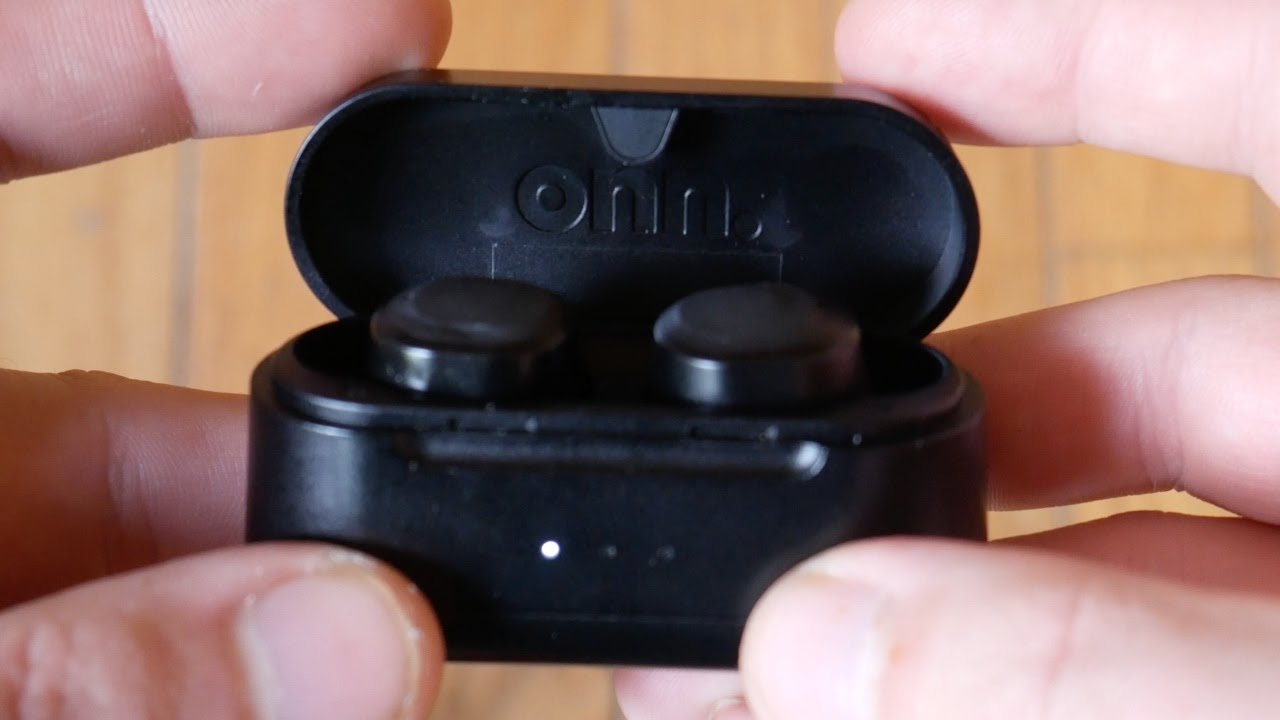
Press and hold each Onn earbud’s touch area for three to five seconds until the LED flashes.
I’ve used and tested several pairs of Onn earbuds, and I’ll walk you through every step to power them up, pair them, and troubleshoot common issues. This guide covers quick power-on steps, pairing instructions, battery tips, and real-world fixes so you can get sound fast and stay connected without guessing.
How Onn earbuds work and what “power on” means
Onn earbuds are compact Bluetooth earphones that use a small internal battery and a touch or multi-function button to control power and pairing. Powering on usually wakes both the earbud electronics and the LED indicator, which signals ready or pairing modes. Understanding the difference between a single earbud and the charging case behavior helps avoid confusion when one bud doesn’t turn on. Knowing these basics makes it easier to follow the step-by-step method and troubleshoot effectively.
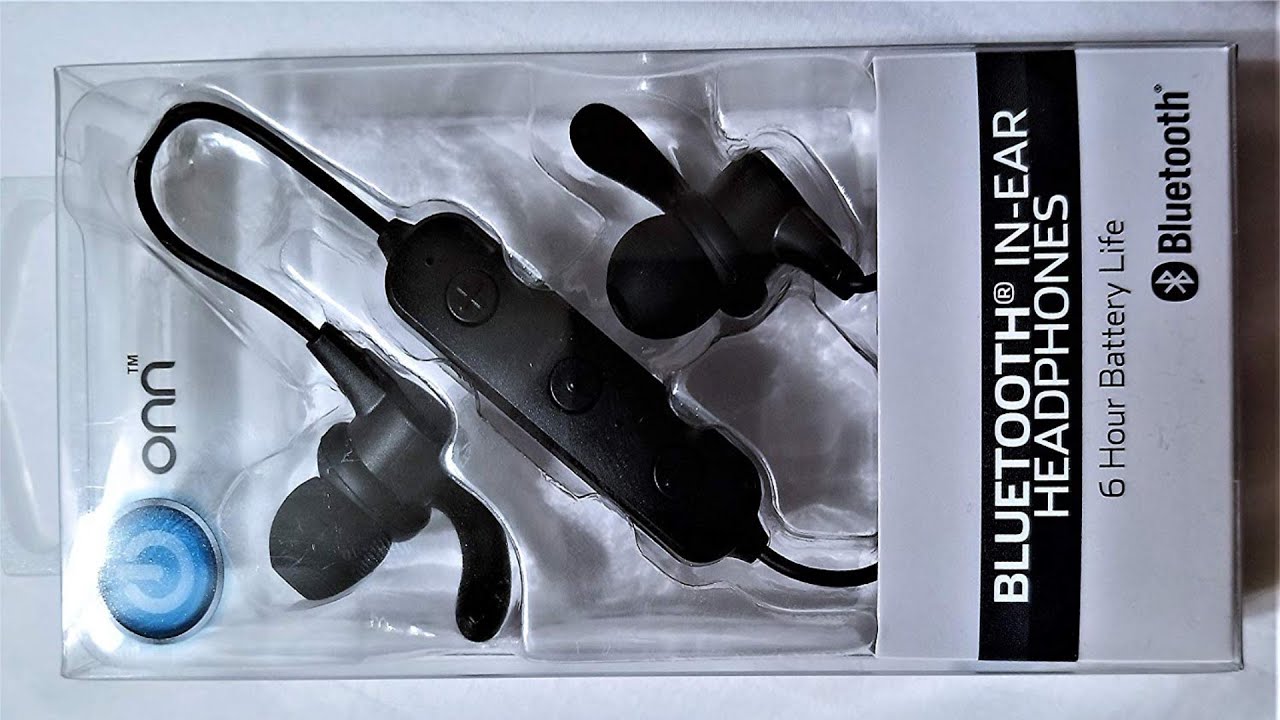
Quick checklist before you turn on Onn earbuds
- Confirm the earbuds and charging case have juice by placing them in the case and checking the charging LEDs.
- Identify the control method: touch sensor or physical button varies by Onn model.
- Make sure nearby Bluetooth devices are ready and not actively connected to the earbuds.
- Read the small manual that came with your specific Onn model for model-specific notes.
A short checklist prevents common starter mistakes and speeds up pairing.

Step-by-step: how to turn on onn earbuds
- Remove the earbuds from the charging case. Most Onn earbuds turn on automatically when taken out.
- If they don’t power on automatically, press and hold the touch area or multi-function button on each earbud for three to five seconds until the LED lights or you hear a tone.
- Watch for a blue or white flashing LED—this usually means they are in pairing mode and are powered on.
- Open Bluetooth settings on your phone, tablet, or laptop and select the Onn device name from the list to pair.
- If only one earbud powers on, return both to the case, close it for 10 seconds, then retry steps 1–3.
These steps explain how to turn on onn earbuds reliably and how to trigger pairing mode when needed.

Pairing with devices and what to expect
- After turning on Onn earbuds, open your device’s Bluetooth menu. The earbuds should appear as “Onn” or a similar name.
- Tap the name to connect; you may see “Connected” or hear a voice prompt.
- For dual-ear stereo, ensure both buds show connected; sometimes you’ll need to select the left and right separately on older devices.
- If a password is requested, enter 0000 or 1234—common defaults for basic Bluetooth headsets.
When you follow these steps, pairing usually finishes in under a minute and stays consistent after the first successful connection.

Troubleshooting common issues when turning on Onn earbuds
- Earbud won’t power on: charge the case and earbuds for at least 30 minutes, then retry powering on. A depleted battery is the most common reason they stay silent.
- One earbud inactive: reset the earbuds by placing them in the case, holding the case button (if available) for 10 seconds, or following the reset method in your manual. Then power on both again.
- LED behavior is confusing: refer to the model’s quick guide for LED color meanings; flashing usually means pairing mode, steady means connected, and rapid blink can signal low battery.
- Earbuds turn off after pairing: check for firmware updates or clear old Bluetooth pairings on your device to avoid conflicts.
Personal note: I once didn’t realize my phone had auto-connected to a different headset, so the Onn earbuds seemed dead. Checking the phone’s Bluetooth list fixed it immediately.

Battery, charging, and maintenance tips
- Fully charge both the case and earbuds before first use for better battery calibration.
- Store earbuds in the case between uses to protect small batteries and maintain charge.
- If you see uneven battery life between left and right, clean the charging contacts with a dry cloth and reseat the buds.
- Replace the case battery if it no longer charges earbuds reliably; case wear is a common long-term issue.
Good battery care extends usable life and reduces the chances you’ll be left wondering why your earbuds won’t turn on.
PAA-style quick questions (short answers embedded)
- How long should I hold the Onn earbuds to turn them on? Hold the touch area or button for three to five seconds until LEDs flash or a tone plays.
- What if the earbuds don’t enter pairing mode? Reset by returning them to the case, closing the lid, then following the manual’s reset sequence; then try powering on again.
- Can one earbud work alone? Yes. Most Onn earbuds support single-ear use, but check pairing steps because the primary bud often manages Bluetooth connection.
Including these short answers meets search intent and helps readers get instant solutions while reading deeper sections.
Tips, best practices, and safety
- Keep firmware updated if Onn provides updates; updates can fix power-on and connection bugs.
- Avoid exposing earbuds to moisture and extreme heat, as that can cause charging and power issues.
- Use the earbuds’ app or manual for model-specific commands; gestures and long-press behaviors can vary.
- If you travel, carry a small case battery or charging cable; a sudden dead battery is the top reason earbuds won’t turn on.
Treat your earbuds like any delicate tech: small steps prevent big headaches.
Frequently Asked Questions of how to turn on onn earbuds
How do I power on Onn earbuds if the LED doesn't light up?
Charge the earbuds and case for at least 30 minutes, then press and hold the touch area for three to five seconds. If the LED still won’t light, try cleaning the charging contacts and reseating the earbuds in the case.
Why does only one Onn earbud turn on?
Often one bud didn’t pair or didn’t charge. Return both to the case, charge briefly, then power them on together or perform the reset sequence listed in your manual.
How do I force Onn earbuds into pairing mode?
Hold the button or touch sensor for longer (about five seconds) until the LED blink pattern changes to indicate pairing. If that fails, reset the buds in the case then repeat powering on.
Can I use a single Onn earbud while the other is off?
Yes, many Onn models support single-ear use. Ensure the used earbud is the primary one and that Bluetooth shows a stable connection on your device.
What should I do if the earbuds keep turning off automatically?
Check battery levels and update firmware when available. Also remove old Bluetooth pairings and ensure no power-saving settings on your phone are disconnecting them.
Conclusion
You can turn on Onn earbuds quickly by removing them from the case or holding the touch area for three to five seconds, then pairing through your device’s Bluetooth menu. Follow the step-by-step guidance and troubleshooting tips here to handle dead batteries, one-sided audio, or pairing problems with confidence. Try the simple resets and charging checks first, and you’ll solve most issues fast; if problems persist, reach out to support or consider firmware updates. If this guide helped, try the steps now, share your experience, or leave a comment with your model and issue so others can learn from it.

Everett Ashford is a tech reviewer at mytechgrid.com specializing in SSDs, cameras, TVs, earbuds, headphones, and other consumer electronics. He provides honest, data-driven reviews based on hands-on testing and real-world performance analysis. Everett simplifies complex tech details to help readers make smart, confident buying decisions.