Use your device volume, Beats controls, and settings to boost audio quickly and safely.
I’ve spent years testing headphones and helping people get the best sound. This guide walks you through exactly how to turn up volume on Beats headphones, step by step. You’ll learn quick fixes, device-specific tweaks, hardware tips, troubleshooting, and safety limits so you get louder sound without damage. Read on to make your Beats louder, clearer, and safer.
Why your Beats might sound quiet
Several things can make Beats play low. Bluetooth signal, device volume limits, low battery, or an EQ that reduces mids and highs can all lower loudness. Sometimes an app or system setting caps volume, or the headphones need a firmware update. Knowing the cause helps you pick the right fix for how to turn up volume on Beats headphones.

Basic quick steps to turn up volume on Beats headphones
Follow these simple actions first. They fix most low-volume problems fast.
- Make sure your device volume is near max and the app volume slider is high too.
- Press the physical volume up control on the Beats or the paired device.
- Charge your Beats fully and reconnect Bluetooth after a full charge cycle.
- Restart your phone or computer, then reconnect your Beats.
These quick fixes often answer how to turn up volume on Beats headphones without digging into advanced settings.
Device-specific tweaks: iPhone, Android, Mac, and Windows
Different platforms have different limits and settings. Use these platform tips to raise perceived loudness.
- iPhone and iPad
- Disable Volume Limit and turn off Reduce Loud Sounds in Settings > Sounds & Haptics > Headphone Safety.
- Open the Now Playing app volume and ensure it’s high.
- Android phones
- Check Sound settings and any “Media volume limiter” or safe volume toggle.
- Use the in-app volume slider in music or streaming apps.
- Mac
- Click the sound icon in the menu bar and increase output volume. Check System Settings > Sound > Output.
- Turn off any sound enhancements that compress dynamic range.
- Windows
- Use the volume mixer to ensure the app and system volumes are high.
- Check enhancements in Sound Control Panel > Properties > Enhancements and turn off loudness equalization if it reduces clarity.
These steps directly affect how to turn up volume on Beats headphones when software or OS limits cause low sound.

Using Beats hardware controls and voice prompts
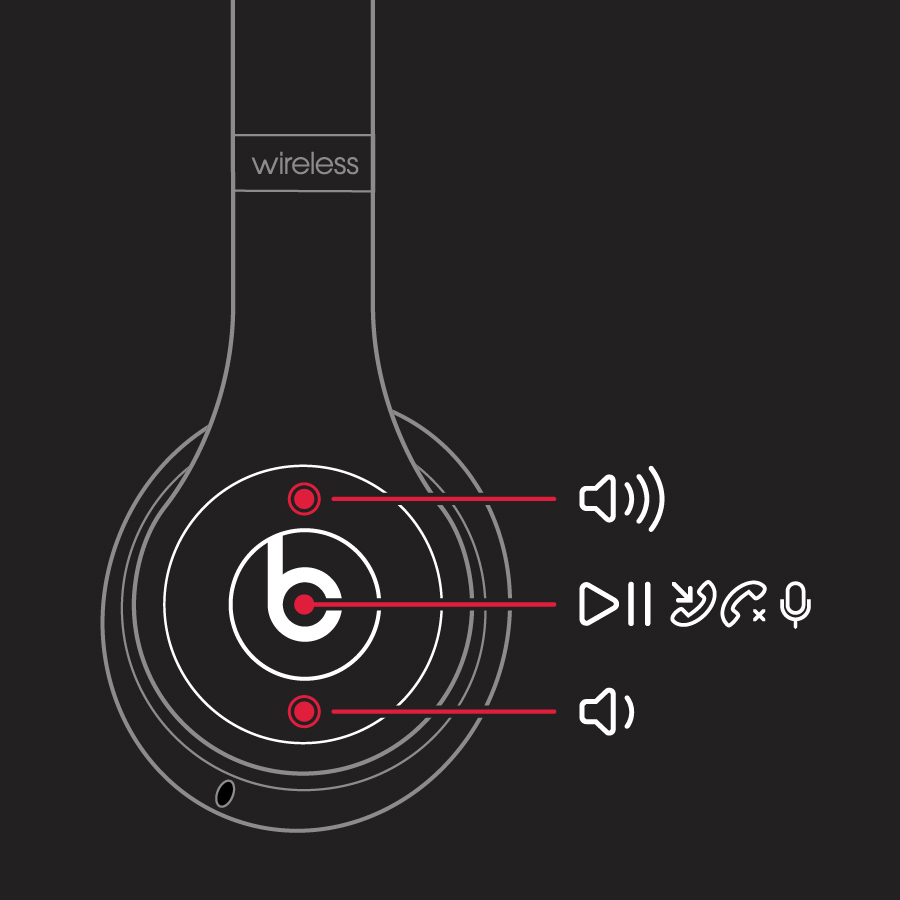
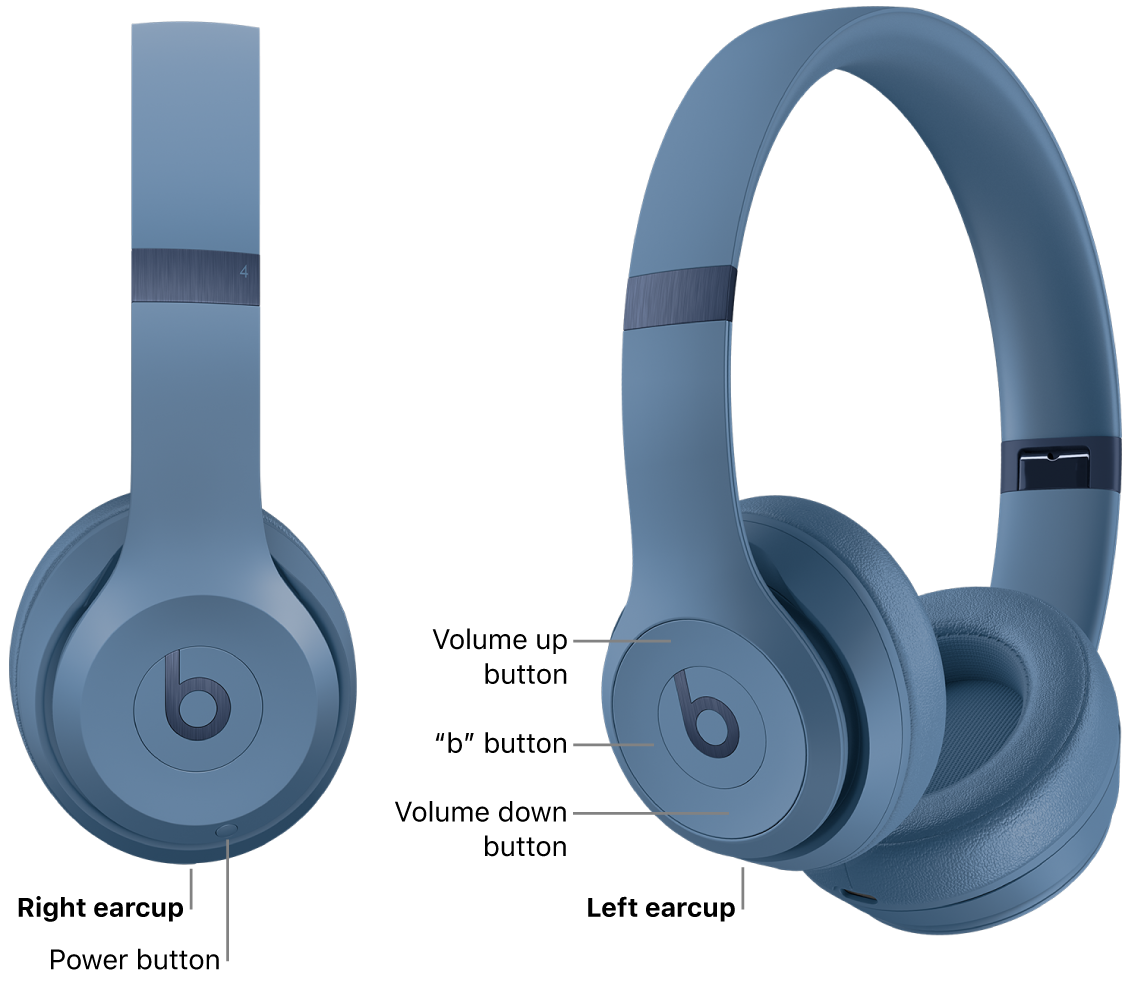
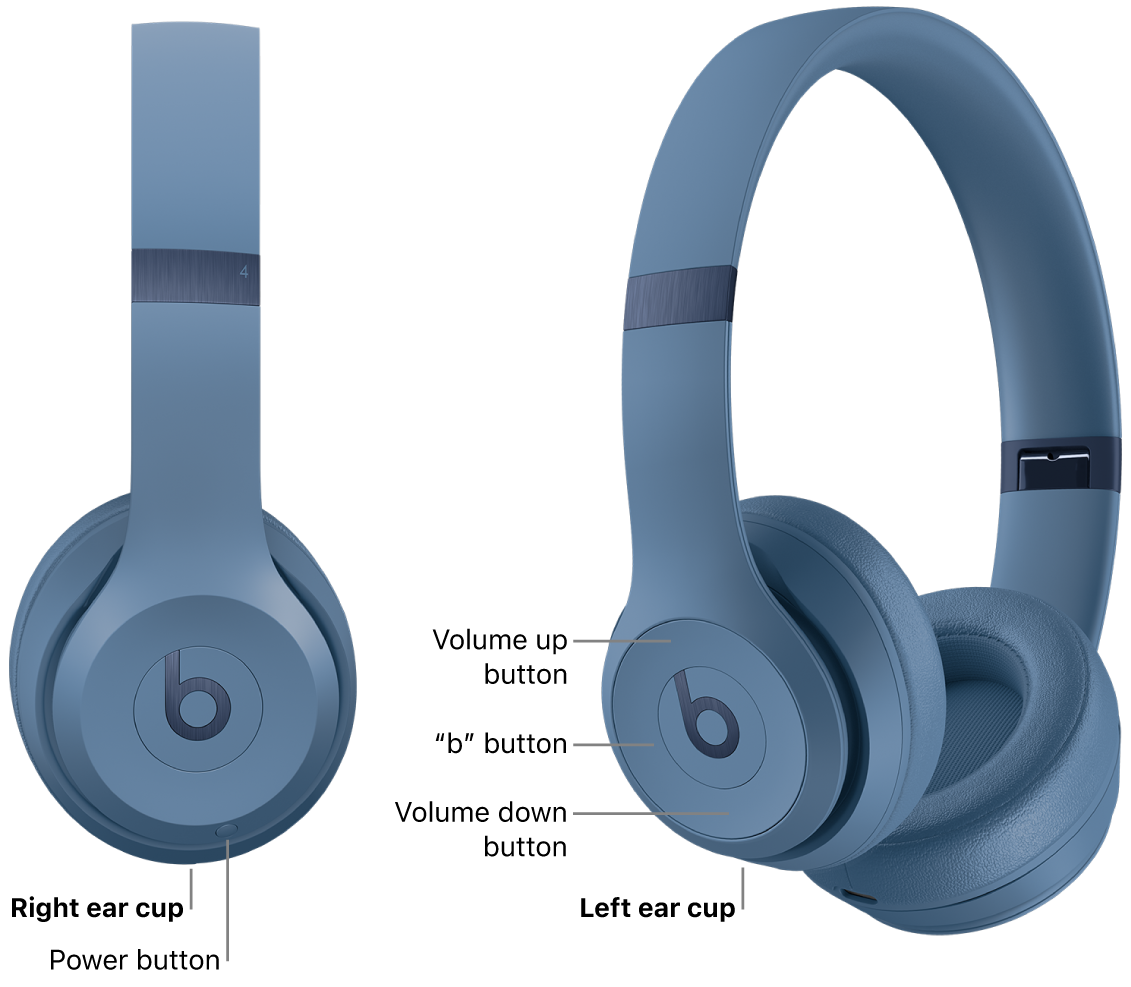
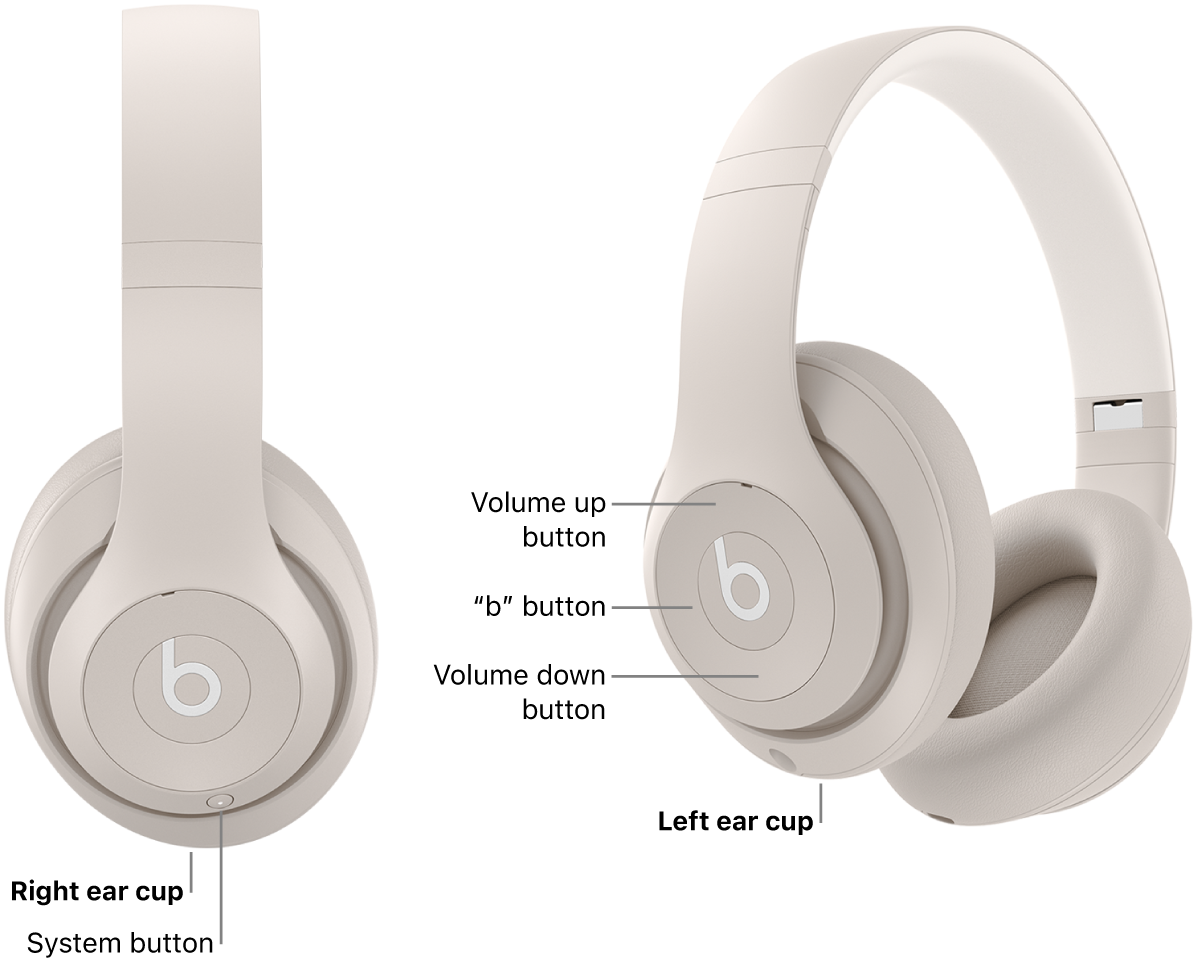
Beats models have on-headband or inline controls. Know them to change volume quickly.
- On-ear and over-ear models
- Use the volume up button on the ear cup to raise sound.
- Use play/pause and skip buttons for media control.
- True wireless and in-ear models
- Tap or press sensors/buttons to control volume, depending on model.
- For models with voice prompts, listen for pairing and battery cues that affect output.
- Tip
- If a single-button model lacks volume controls, use the paired device to adjust volume.
Knowing your model’s controls is a key part of how to turn up volume on Beats headphones without opening menus.
Troubleshooting and advanced fixes
If basic steps don’t work, try these deeper fixes. They address firmware, Bluetooth, EQ, and app issues.
- Check battery level
- Low battery can reduce power to the drivers. Fully charge and test again.
- Update firmware and apps
- Install firmware updates via the Beats/Apple device or companion app when available.
- Reset and re-pair
- Turn off Beats, forget the device on your phone, then restart both and pair again.
- Inspect Bluetooth and codecs
- Weak signal, interference, or low-quality codecs can make audio sound softer. Move closer, avoid walls, and use devices known for better Bluetooth codecs.
- Adjust equalizer and audio effects
- Raise treble and upper mids slightly to increase perceived loudness. Turn off dynamic range compression in apps or system sound effects.
- Test with different sources
- Try a different music app, another phone, or a wired connection (if supported) to isolate the problem.
These methods explain how to turn up volume on Beats headphones when the cause is less obvious.

Hearing safety and best practices
Louder is tempting, but safety matters. Protect your ears while you raise volume.
- Safe listening limits
- Keep volume at or below 60–70% for long sessions to avoid hearing damage.
- Use short bursts for higher volume
- If you need louder sound briefly, limit exposure time.
- Use noise isolation correctly
- Proper seal improves perceived loudness and lets you listen at lower volumes.
- Prefer EQ over raw level
- Boosting treble and mids often makes music seem louder without increasing overall decibels.
Balancing how to turn up volume on Beats headphones with safe habits keeps your hearing healthy and your listening enjoyable.
Personal tips and real-life examples
I’ve tested many Beats models and helped friends with low-volume issues. Here are practical lessons from those experiences.
- Case: Movie night with a friend
- Problem: Dialogue sounded weak. Fix: I raised mids in app EQ and increased device volume. Dialogue became clear without cranking overall level.
- Case: Gym playlist sounded thin
- Problem: Bluetooth drop and low volume. Fix: I charged the Beats, reset them, and moved the phone to a better pocket. Volume returned to normal.
- Tips I use daily
- Keep the companion app or device firmware updated.
- Know where your device volume limit lives and disable it when safe.
- If you travel a lot, test wired mode if available to avoid codec drops.
These experiences show practical ways to turn up volume on Beats headphones and avoid common mistakes.

Frequently Asked Questions of how to turn up volume on beats headphones
How do I increase volume on Beats using my phone?
Use the phone’s media volume buttons and app slider. Also check any volume limits or safety settings that can cap the max level.
Why are my Beats loud on one device but quiet on another?
Different devices use different Bluetooth codecs, volume limits, or EQ. Test multiple sources and adjust settings on the quieter device.
Will resetting my Beats make them louder?
Resetting can fix software issues that reduce volume. If a firmware bug or pairing problem is limiting sound, a reset often helps.
Can a firmware update improve volume?
Yes. Firmware can fix driver behavior, Bluetooth stability, and volume handling. Keep your Beats updated when updates are available.
Is it safe to turn volume to maximum for a short time?
Short bursts at high volume are less risky than long exposure, but they still carry hearing risk. Limit time and use ear protection when necessary.
Conclusion
You now have a clear, practical path for how to turn up volume on Beats headphones. Start with device and app volume, use the Beats hardware controls, check battery and firmware, then try EQ and Bluetooth fixes. Protect your ears by using EQ and isolation rather than pushing max volume for long periods. Try the steps now and share what worked for you, subscribe for more tips, or leave a comment with your model and issue so I can help.

Everett Ashford is a tech reviewer at mytechgrid.com specializing in SSDs, cameras, TVs, earbuds, headphones, and other consumer electronics. He provides honest, data-driven reviews based on hands-on testing and real-world performance analysis. Everett simplifies complex tech details to help readers make smart, confident buying decisions.