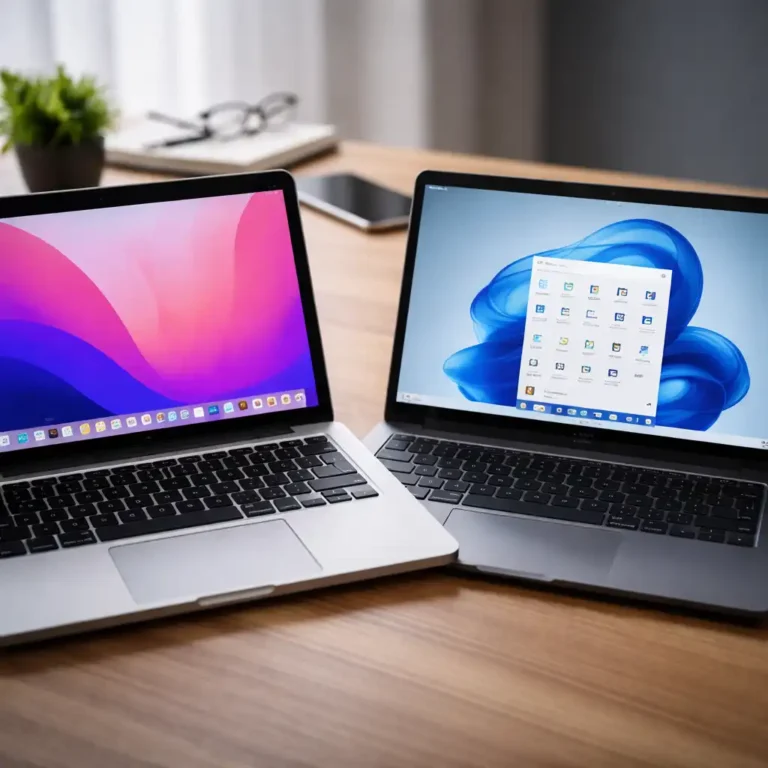
For shoppers in the United States, the main difference is simple: Intel Core Ultra is Intel’s newer laptop platform, while Core i7 is an older performance tier used across many Intel generations. Core Ultra laptops usually add a dedicated NPU for some AI tasks, newer chip designs, and often stronger integrated graphics. Core i7 laptops may still be faster, cheaper, or better suited to a specific job because the exact generation, power class, cooling system, and graphics chip matter more than the name alone.
A new Core Ultra 5 laptop can beat an old Core i7 laptop. A high-power 14th-generation Core i7 can also outperform a thin Core Ultra 7 model in heavy work. The model number is only the starting point.

Core Ultra vs. Core i7: The Short Answer
Choose Core Ultra when you want a newer laptop with built-in AI hardware, long battery life, modern graphics, and a thin design. Choose Core i7 when you find a newer or higher-power model with better cooling, more cores, or a lower price.
| Feature | Intel Core Ultra laptops | Intel Core i7 laptops |
|---|---|---|
| Brand position | Newer Intel laptop platform | Older performance tier |
| Typical naming | Core Ultra 5, 7, or 9 | Core i5, i7, or i9 |
| AI hardware | Includes an NPU on supported generations | Most older models do not include a dedicated NPU |
| Integrated graphics | Often improved; some models use Intel Arc graphics | Varies widely by generation |
| Battery design | Often built for better efficiency | Varies by generation and laptop design |
| Best comparison method | Compare the exact chip and laptop | Compare the exact chip and laptop |
| Common buyer fit | New productivity, AI, creative, and mobile work | Value, broad performance, gaming, and high-power work |
The biggest mistake is treating Core Ultra 7 as a direct replacement for every Core i7. These labels describe different parts of Intel’s product naming system.
Core i7 is mainly a performance brand. Core Ultra identifies a newer chip family and platform. Intel can sell a low-power Core Ultra 7 and a high-power Core i7 that behave very differently.
What Is an Intel Core Ultra Laptop?
An Intel Core Ultra laptop uses a newer Intel processor design that can divide work among several types of processing hardware. Depending on the generation, the chip may include:
- CPU cores for normal programs
- An integrated GPU for graphics and video work
- A neural processing unit, or NPU, for selected AI tasks
- Separate chip sections, often called tiles, in newer designs
- Newer power and media features
Intel introduced the Core Ultra name for its laptop processors with the first-generation Core Ultra 100 series, based on Meteor Lake. Later Core Ultra families include newer designs such as Lunar Lake and Arrow Lake mobile chips.
The NPU is the feature most people associate with Core Ultra. It is built to run certain AI workloads with lower power use than handling every task on the CPU or GPU. Examples may include background blur, eye contact effects, voice processing, and some local AI features.
An NPU does not make every program faster. A web browser, game, or video editor may still depend mainly on the CPU or GPU. Software support also matters.
What does “Intel Evo” mean?
Intel Evo is not the same thing as Core Ultra. Evo is a laptop design certification and set of requirements, while Core Ultra is a processor family.
An Evo laptop may need to meet Intel requirements related to:
- Responsiveness
- Battery performance
- Wake-from-sleep speed
- Wireless connectivity
- Charging behavior
- Portability
A Core Ultra laptop may carry the Evo badge, but not every Core Ultra model is an Evo laptop. The badge also does not replace checking the laptop’s screen, ports, memory, storage, and cooling system.

What Is an Intel Core i7 Laptop?
An Intel Core i7 laptop uses a processor from Intel’s Core i7 tier. The name has been used for many generations, including 8th-, 10th-, 11th-, 12th-, 13th-, and 14th-generation Intel processors.
That long history creates confusion. A Core i7-1260P, Core i7-13700H, and Core i7-14700HX are all Core i7 chips, but they target different laptop types.
A Core i7 laptop may be:
- A light office notebook
- A mainstream school laptop
- A creator laptop
- A gaming laptop
- A mobile workstation
The letters after the model number help show the intended power level:
- U: Lower-power chips for thin laptops and battery life
- P: Performance-focused mobile chips in some generations
- H: Higher-power chips for gaming and demanding work
- HX: Very high-performance chips, often with higher power needs
- Y: Very low-power chips found in some older systems
Intel has changed parts of this naming system over time. Treat these letters as clues, not guarantees. Always check the full processor specification.
The Main Differences Between Core Ultra and Core i7
1. Core Ultra is newer, but Core i7 may still be faster
A newer name does not guarantee higher performance in every task.
A thin Core Ultra 7 chip may use less power and deliver strong everyday speed. A Core i7-14700HX laptop, however, may have more CPU cores, a larger cooling system, and a higher power limit. It can be much faster in long tasks such as:
- 3D rendering
- Code compilation
- Large spreadsheet calculations
- Video exports
- Virtual machines
- Some games when paired with a strong dedicated GPU
The reverse can also happen. A recent Core Ultra laptop may outperform an older Core i7 model while using less power.
Best practice: compare the complete processor name, generation, core count, power class, cooling system, and independent test results.
2. Core Ultra laptops include an NPU
The NPU is the clearest hardware difference for many buyers.
It can handle some AI functions without sending all work to the cloud or placing the full load on the CPU. This may improve power use during supported tasks. Windows features and third-party apps must support the NPU for it to matter.
An NPU does not mean that a laptop can run every large AI model locally. Memory capacity, software support, model size, and GPU performance still set limits.
Some newer Windows laptops also meet Microsoft requirements for Copilot+ PC features. Those requirements can change by processor generation and platform. Do not assume that every Core Ultra laptop supports every Copilot+ feature.
3. Core Ultra often has stronger integrated graphics
Many Core Ultra laptop processors include newer integrated graphics. Select models use Intel Arc graphics, while other models use Intel Graphics with different performance levels.
This can help with:
- Casual gaming
- Photo editing
- Video playback
- Light 3D work
- Multiple external displays
- Hardware video encoding
The exact result depends on the chip, memory setup, driver, and laptop cooling. Integrated graphics share system memory with the CPU. A laptop with fast dual-channel memory can behave very differently from one with slower or limited memory.
A Core i7 laptop may have weak integrated graphics, but it may also include a powerful NVIDIA GeForce or AMD Radeon graphics card. In that case, the dedicated GPU matters more than the Intel processor label.
4. Core Ultra can offer better efficiency in thin laptops
Core Ultra processors were designed with newer power-management features and, in many models, a more flexible division of work among CPU, GPU, and NPU sections.
That can help a laptop:
- Use less power during light work
- Stay quieter during simple tasks
- Offer longer battery life
- Wake quickly
- Run more efficiently during supported media and AI workloads
Battery life is a property of the whole laptop, not just the processor. Screen brightness, panel type, battery size, background apps, wireless use, and manufacturer settings all affect results.
A Core i7 laptop with a large battery and an efficient display may last longer than a poorly tuned Core Ultra laptop.
5. Core i7 laptops may offer more raw performance per dollar
Retailers often discount older Core i7 laptops when newer processor families arrive. A discounted Core i7 system may offer:
- More RAM
- A larger SSD
- A dedicated graphics card
- A better display
- More ports
- A stronger cooling system
That can make it a better value than a basic Core Ultra laptop at the same price.
The trade-off may include higher power use, more fan noise, an older integrated GPU, or no NPU. Value depends on what you will do with the laptop.

Core Ultra vs. Core i7 for Common Uses
The best choice changes with the workload. Use this guide as a starting point, then check the exact laptop.
School and office work
Either processor family can handle:
- Web browsing
- Microsoft 365
- Video meetings
- Streaming
- Research
- Basic coding
A Core Ultra laptop may be better if you want a newer design, low weight, strong battery life, or built-in AI effects. A Core i7 laptop may be the better deal if it includes 16 GB of RAM and a larger SSD at a lower price.
For most students and office users, 16 GB of RAM is more useful than paying extra for a higher processor label.
Programming
Both can work well for programming. The better choice depends on your tools.
Choose a higher-power Core i7 or Core Ultra H/HX model for:
- Android Studio
- Large software projects
- Local databases
- Virtual machines
- Container workloads
- Frequent builds
Choose a low-power Core Ultra model for:
- Web development
- Python
- JavaScript
- Remote development
- Office and school coding
Check memory before the CPU name. A laptop with 32 GB of RAM may be more practical for development than a faster processor paired with 8 GB or 16 GB.
Photo and video editing
The laptop’s GPU, memory, screen, cooling, and media engines all matter.
Core Ultra laptops can benefit from newer integrated graphics and hardware support for some video tasks. A Core i7 laptop with a dedicated NVIDIA or AMD GPU may be faster for demanding effects and exports.
For serious editing, look for:
- At least 16 GB of RAM
- 32 GB for large projects or professional use
- A color-accurate display
- A fast SSD
- Strong sustained cooling
- Hardware encoding support for your video format
- A dedicated GPU when your software benefits from one
Gaming
For gaming, the graphics card usually matters more than whether the processor says Core Ultra or Core i7.
A Core Ultra laptop with integrated graphics may run lighter games well, but it is not equivalent to a gaming laptop with a dedicated GPU. A Core i7 gaming laptop with an NVIDIA GeForce RTX GPU may provide much higher frame rates.
Compare:
- Dedicated GPU model
- GPU power limit
- Screen resolution and refresh rate
- Cooling design
- RAM configuration
- CPU performance in the games you play
A recent Core Ultra laptop can be a good choice for light gaming and portable use. A Core i7 H or HX laptop may be better for high frame rates when paired with a strong graphics card.
Travel and remote work
Core Ultra often has the advantage for travel because many models focus on low weight, quiet operation, and battery efficiency.
Still, check the details:
- Battery capacity in watt-hours
- Measured battery tests
- Charger size
- USB-C charging support
- Screen brightness
- Webcam quality
- Weight
- Cellular connectivity, if needed
A lower-power Core i7 laptop can also work well for travel. The processor label alone does not predict battery life.
Local AI tasks
Core Ultra is the more future-ready option when local AI support matters. Its NPU can run supported tasks while reducing CPU load.
But “AI laptop” does not mean unlimited local AI performance. Before buying, confirm:
- The software supports the NPU.
- The feature works on your operating system.
- The laptop meets the app’s memory and graphics requirements.
- The feature does not require a cloud subscription.
- The exact Core Ultra generation supports the feature.

How to Compare Two Specific Laptops
Do not compare only “Core Ultra 7” with “Core i7.” Use this sequence instead.
Step 1: Write down the full processor model
Examples include:
- Intel Core Ultra 7 155H
- Intel Core Ultra 7 258V
- Intel Core i7-1360P
- Intel Core i7-13700H
- Intel Core i7-14700HX
The numbers and letters reveal more than the family name.
Step 2: Check the generation and power class
A recent low-power chip may be ideal for battery life. A high-power chip may be better for sustained performance.
Look for the processor’s:
- Generation
- Core and thread count
- Base and maximum turbo speeds
- Processor base power
- Maximum turbo power
- Integrated GPU type
- NPU details, if present
Intel’s official product pages are useful for specifications, but they do not predict the full performance of a particular laptop.
Step 3: Check the laptop’s memory
Memory can change the experience more than a small CPU difference.
Prefer:
- 16 GB for normal use
- 32 GB for creative work, programming, and long-term use
- 64 GB for demanding professional workloads, if the laptop supports it
Also check whether the memory is soldered. Soldered memory cannot usually be upgraded later.
Step 4: Check the graphics hardware
If the laptop has a dedicated GPU, compare that GPU first for gaming and many creative workloads.
If it uses integrated graphics, check:
- Intel Graphics or Intel Arc branding
- Memory channel configuration
- RAM speed
- Driver support
- The laptop’s cooling design
Step 5: Check the screen and battery
A faster processor cannot fix a poor display or short battery life.
Review:
- Screen size
- Resolution
- Brightness
- Color coverage
- Refresh rate
- Battery capacity
- Independent battery testing
- Charger size
Step 6: Check ports and wireless features
Do not assume that every Core Ultra or Core i7 laptop includes the same ports.
Confirm the exact laptop’s:
- USB-C charging
- Thunderbolt support
- USB-A ports
- HDMI version
- SD card reader
- Headphone jack
- Wi-Fi generation
- Bluetooth version
These features depend on the laptop maker and model. They do not come automatically from the processor name.
Common Buying Mistakes
Mistake 1: Assuming Core Ultra always beats Core i7
Core Ultra is newer, but a high-power Core i7 can be faster in sustained work. Compare exact models.
Mistake 2: Paying for Core Ultra 7 when Core Ultra 5 is enough
Core Ultra 5 can handle everyday work, study, and many creative tasks. Spend more on Core Ultra 7 only when you need its extra performance or a specific laptop design.
Mistake 3: Ignoring RAM
An 8 GB laptop can feel limited even with a premium processor. For a new Windows laptop, 16 GB is a safer starting point for most buyers.
Mistake 4: Confusing an NPU with a faster CPU
The NPU helps with supported AI workloads. It does not automatically improve games, web browsing, or every desktop application.
Mistake 5: Ignoring cooling
Two laptops with the same processor can perform differently. A larger chassis may sustain high speed longer, while a thin laptop may reduce power to control heat and noise.
Mistake 6: Treating a benchmark as a complete answer
Benchmarks test selected tasks under specific conditions. Battery tests, fan settings, memory configuration, software versions, and room temperature can affect results.
Use benchmarks as evidence, not as a guarantee.
Which One Should You Buy?
Choose an Intel Core Ultra laptop if:
- You want a newer Intel platform.
- You value battery life and portability.
- You want an NPU for supported AI features.
- You plan to use integrated graphics.
- You want a laptop with newer media and connectivity options.
- You are comparing similar models at similar prices.
Choose an Intel Core i7 laptop if:
- You found a newer or high-power model at a strong price.
- You need sustained CPU performance.
- The laptop includes a better dedicated GPU.
- You need more ports or upgrade options.
- The system has more RAM or storage for the same budget.
- You do not need local AI hardware.
For most buyers, the best choice is not “Core Ultra versus Core i7” in isolation. It is the laptop with the right processor class, RAM, graphics, battery, screen, cooling, and price.
A practical example:
- A thin Core Ultra 5 laptop with 16 GB of RAM may be ideal for college, office work, and travel.
- A Core i7-13700H laptop with 32 GB of RAM and an RTX graphics card may be better for video editing and gaming.
- A Core Ultra 7 laptop with 32 GB of RAM may be the better middle ground for portable creative work and AI features.
Frequently Asked Questions
Is Intel Core Ultra better than Core i7?
Not automatically. Core Ultra is a newer family with an NPU and newer platform features. A high-power Core i7 may still deliver more raw CPU or gaming performance than a low-power Core Ultra model.
Is Core Ultra 5 better than Core i7?
It depends on the exact models. A recent Core Ultra 5 can outperform an older Core i7 and may offer better battery life and graphics. A newer Core i7 H or HX chip may be faster for demanding workloads.
Does Core Ultra improve battery life?
It can, especially in a well-designed laptop with a suitable display and battery. Actual battery life depends on the full system, Windows settings, software, screen, and battery size.
Do all Core Ultra laptops support Copilot+ PC features?
No. Copilot+ features depend on Microsoft’s requirements, the processor generation, the NPU, memory, software, and the laptop’s configuration. Check the exact model rather than relying on the Core Ultra name.
Is Core Ultra good for gaming?
It can be good for casual gaming and some models provide improved integrated graphics. For demanding games, a dedicated GPU remains much more important than the Core Ultra label.
Can a Core i7 laptop run AI software?
Yes. AI software can use the CPU, GPU, or cloud services. A Core Ultra NPU may improve efficiency for supported tasks, but it is not required for all AI applications.
Should I choose Core Ultra 7 or Core Ultra 5?
Choose Core Ultra 5 for normal work, school, browsing, and light creative tasks. Choose Core Ultra 7 when you need more performance, more demanding multitasking, or a specific laptop configuration that includes it.
Sources and Research Notes
The technical definitions and platform distinctions in this guide are based on Intel’s official processor documentation and Microsoft’s published Copilot+ PC guidance. Because Intel changes processor families and laptop models over time, check the exact product page before purchase.
Useful primary sources include:
Conclusion
Core Ultra is Intel’s newer laptop direction, with an NPU, updated graphics options, and a strong focus on efficiency. Core i7 is a long-running performance tier that still appears in capable laptops, including powerful gaming and workstation models.
For a smart purchase, compare the exact processor model, graphics, RAM, storage, display, battery, cooling, ports, and price. If two laptops are otherwise similar, Core Ultra is usually the better pick for newer features and efficiency. If the Core i7 laptop offers a stronger GPU, more memory, or much higher sustained power, it may be the better computer.

Everett Ashford is a tech reviewer at mytechgrid.com specializing in SSDs, cameras, TVs, earbuds, headphones, and other consumer electronics. He provides honest, data-driven reviews based on hands-on testing and real-world performance analysis. Everett simplifies complex tech details to help readers make smart, confident buying decisions.