Yes, a digital camera is a specialized computer that captures, processes, stores, and shares images.
To understand is a digital camera a computer, look beyond its lens and screen. Inside, it uses a processor, memory, software, storage, and electronic controls much like a small computer. This guide explains how those parts work, where a camera differs from a laptop, and what that means when you take photos or record video.
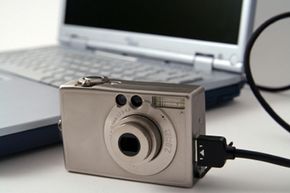
Is a digital camera a computer?
Yes, a digital camera is a computer in a specialized form. It is built to collect light, turn that light into digital data, process the data, and save the result as a photo or video file.
A laptop can perform many tasks. A digital camera has a narrower job. Its hardware and software are designed mainly for imaging, speed, battery life, and simple controls.
A digital camera usually includes:
• A central processor that manages camera operations
• Random access memory, or RAM, for short-term data handling
• Firmware that controls the camera’s functions
• Storage through a memory card or internal memory
• A sensor that captures light
• A display for menus, previews, and settings
• Buttons, dials, and touch controls
• USB, Wi-Fi, or Bluetooth for data transfer
This makes the answer to “is a digital camera a computer” clear: it is a purpose-built computer, not a general-purpose computer like a desktop or laptop.
How does a digital camera work like a computer?
A digital camera follows the same basic pattern as many computers: input, processing, storage, and output.
The image sensor acts as the main input device. It receives light through the lens and changes that light into electrical signals. The camera’s processor then turns those signals into digital image data.
The camera also makes many decisions in a fraction of a second. Depending on the settings, it may:
• Measure brightness
• Detect faces or eyes
• Adjust focus
• Reduce digital noise
• Correct color
• Sharpen details
• Compress the image
• Create a JPEG, HEIF, or RAW file
The processor performs these tasks using instructions stored in firmware. Firmware is a type of software built into a device. It is similar to an operating system, though it is usually more limited than Windows, macOS, Android, or iOS.
This is another reason why is a digital camera a computer has a clear answer. The camera does not just record light. It calculates, analyzes, and organizes data.
:max_bytes(150000):strip_icc()/camera-56e0976d3df78c5ba0566b37.jpg)
What computer parts are inside a digital camera?
The exact parts vary by model, but most modern digital cameras contain several computer-like components.
Image processor
The image processor is the camera’s main working engine. It converts raw sensor data into a visible image and controls tasks such as autofocus, exposure, video encoding, and noise reduction.
High-end cameras may use more than one processing chip. This can improve burst shooting, autofocus tracking, and video performance.
Memory
A camera uses two main types of memory.
• RAM temporarily holds data while the camera is working
• Flash storage saves firmware and settings
The memory card is removable storage. It holds photos and videos after the camera processes them.
Firmware
Firmware tells the camera how to operate. It controls menus, buttons, autofocus behavior, file formats, and communication features.
Manufacturers sometimes release firmware updates. These updates may fix errors, improve autofocus, add features, or support new lenses.
Image sensor
The sensor is not a computer processor, but it is a key input device. It contains millions of light-sensitive pixels that measure brightness and color.
Common sensor types include CMOS and, in older models, CCD. CMOS sensors are now common because they can offer fast readout, low power use, and strong video performance.
Input and output systems
Buttons, dials, touchscreens, microphones, and gyroscopes send information into the camera. The screen, speaker, memory card, and wireless connection send information out.
Together, these parts give a digital camera the basic structure of a small embedded computer.
How is a digital camera different from a regular computer?
A digital camera is a computer, but it is not designed to replace a laptop. The biggest difference is purpose.
A laptop is a general-purpose computer. You can use it to browse the internet, edit documents, run many apps, play games, and manage files.
A digital camera is an embedded computer. Its software and hardware focus on taking pictures and recording video.
| Feature | Digital camera | Laptop or desktop |
|---|---|---|
| Main purpose | Capture and process images | Perform many types of tasks |
| Software | Built-in firmware and limited apps | Full operating system and many programs |
| Input | Light, buttons, lens, microphone | Keyboard, mouse, camera, and other devices |
| Storage | Memory card or internal storage | SSD or hard drive |
| Power use | Designed for battery efficiency | Usually uses more power |
| Upgrades | Limited | Often supports more hardware and software upgrades |
| Internet use | Usually limited | Broad internet access |
This comparison shows why the answer is not simply “yes” or “no.” A digital camera is a computer by design, but it is a specialized one.

Is a digital camera considered an embedded system?
Yes. Most digital cameras are embedded systems.
An embedded system is a computer built into a larger device for a specific purpose. Other examples include smart thermostats, car control units, washing machines, medical monitors, and fitness trackers.
A camera’s embedded computer must respond quickly. When you press the shutter button, it may need to:
-
Read the exposure settings
-
Focus the lens
-
Control the shutter
-
Capture sensor data
-
Process the image
-
Save the file
-
Update the preview screen
It may complete these steps in less than a second. That speed comes from dedicated hardware and tightly controlled software.