Introduction
For people shopping for a laptop in the United States, an OLED screen can offer deeper blacks, stronger contrast, richer color, and faster pixel response than many standard LCD panels. These gains are most clear when you watch movies, edit photos, play games, or work in a dim room.
OLED is not the best fit for every laptop buyer. Some OLED models cost more, use more power during bright work, and need sensible care to reduce the risk of image retention. The right choice depends on how you use your laptop, not just on the display type.
What Is an OLED Laptop Screen?
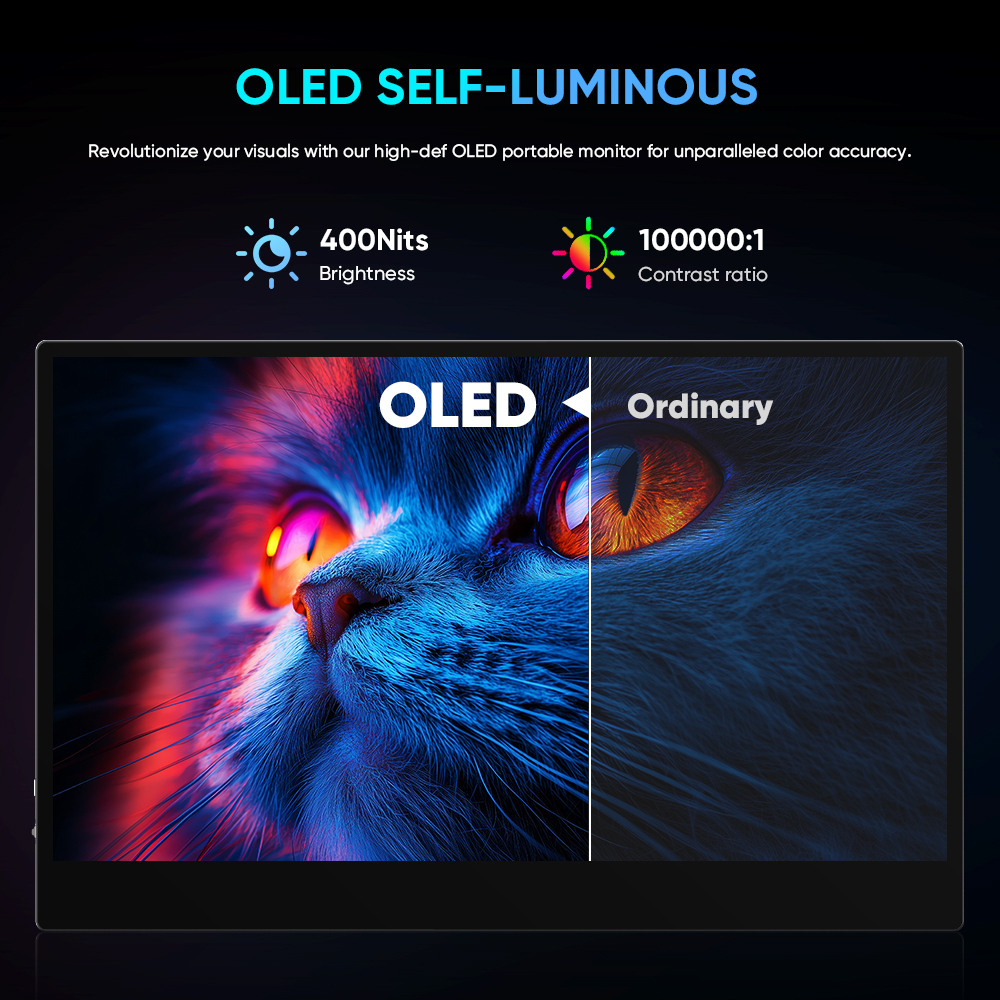
An OLED laptop screen uses organic light-emitting diodes. Each pixel creates its own light. An LCD screen, by contrast, uses a separate backlight behind a liquid crystal layer.


This difference changes how the screen works:
- OLED pixels can turn off fully to show black.
- LCD pixels block light from a backlight, but some light can still pass through.
- OLED screens do not need a separate backlight.
- LCD screens often cost less and may reach higher full-screen brightness.
Laptop makers use several OLED panel types, including AMOLED panels. In practical terms, most buyers will notice the panel’s contrast, color, brightness, refresh rate, surface finish, and power use more than the exact OLED label.
Manufacturers often pair OLED laptops with features such as:
- 2.8K or 3K resolution
- 90Hz, 120Hz, or higher refresh rates
- Wide color coverage
- HDR support
- Glossy glass or glossy-coated surfaces
- Touch input on some models
These features can improve the picture, but OLED alone does not guarantee a great display. A low-quality OLED panel may have poor brightness, visible flicker, or weak calibration. Check the full specification sheet and independent testing when possible.
1. OLED Provides True Blacks and Very High Contrast
The biggest advantage of OLED is its ability to show true black. When an OLED pixel needs to appear black, it can switch off. That means the screen produces little or no light in that area.
This creates very high contrast between dark and bright parts of an image. You may notice the benefit in:


- Dark movie scenes
- Games with night settings
- Photos with deep shadows
- Black text on a dark interface
- Desktop use in a dim room
An LCD panel can also look very good, especially with a strong local-dimming system. However, many laptop LCDs use edge lighting or a basic backlight. Their black areas can look gray, especially in a dark room.
OLED also avoids much of the “halo” or “blooming” effect that local-dimming LCDs can show. Blooming happens when bright objects sit beside dark areas and the backlight lights up more of the screen than intended.
For film fans and users who prefer dark mode, this is often the most visible OLED benefit. The screen can look more like a clean window than a gray-lit panel.

2. OLED Screens Usually Offer Rich, Accurate Color
Many OLED laptop panels cover a wide range of colors. Manufacturers often list coverage for color spaces such as:
- sRGB: common for web content and general PC work
- DCI-P3: used in much modern video and digital cinema content
– Adobe RGB: important for some photo workflows and print work
A wide color gamut can make reds, greens, and blues look more vivid. It can also help creators preview content made for modern phones, TVs, and video platforms.
Color range and color accuracy are not the same thing. A screen may show many colors but still display them incorrectly. Look for independent measurements of color accuracy, factory calibration, and display modes if you edit photos or video.
OLED can be a good fit for:
- Photo editing
- Video editing
- Graphic design
- Digital art
- Watching high-quality streaming content
- Viewing HDR photos and video
Professional work still requires calibration and a suitable color profile. A laptop display should not be judged by saturation alone. Oversaturated colors may look impressive in a store but can lead to poor editing decisions.
3. OLED Can Improve HDR Viewing
High dynamic range, or HDR, lets compatible content show a wider range between dark and bright areas. OLED’s pixel-level control gives it a strong technical advantage for dark parts of an HDR image.
A bright object against a black background can stay sharply defined. Stars in a night scene, for example, may look more distinct because nearby pixels can remain off.
The HDR experience still depends on more than the panel type. Check for:
- The laptop’s peak brightness
- Sustained brightness
- HDR certification or operating-system support
- The content app and video format
- Automatic brightness controls
- The screen’s color mode
Some OLED laptops have excellent HDR contrast but modest full-screen brightness. A small bright highlight may look intense, while a large white web page may not reach the same brightness.
Windows also treats SDR and HDR content differently. You may need to adjust HDR settings in Windows 11 for desktop work, games, and video. The exact controls vary by laptop and driver version.


4. OLED Offers Fast Pixel Response
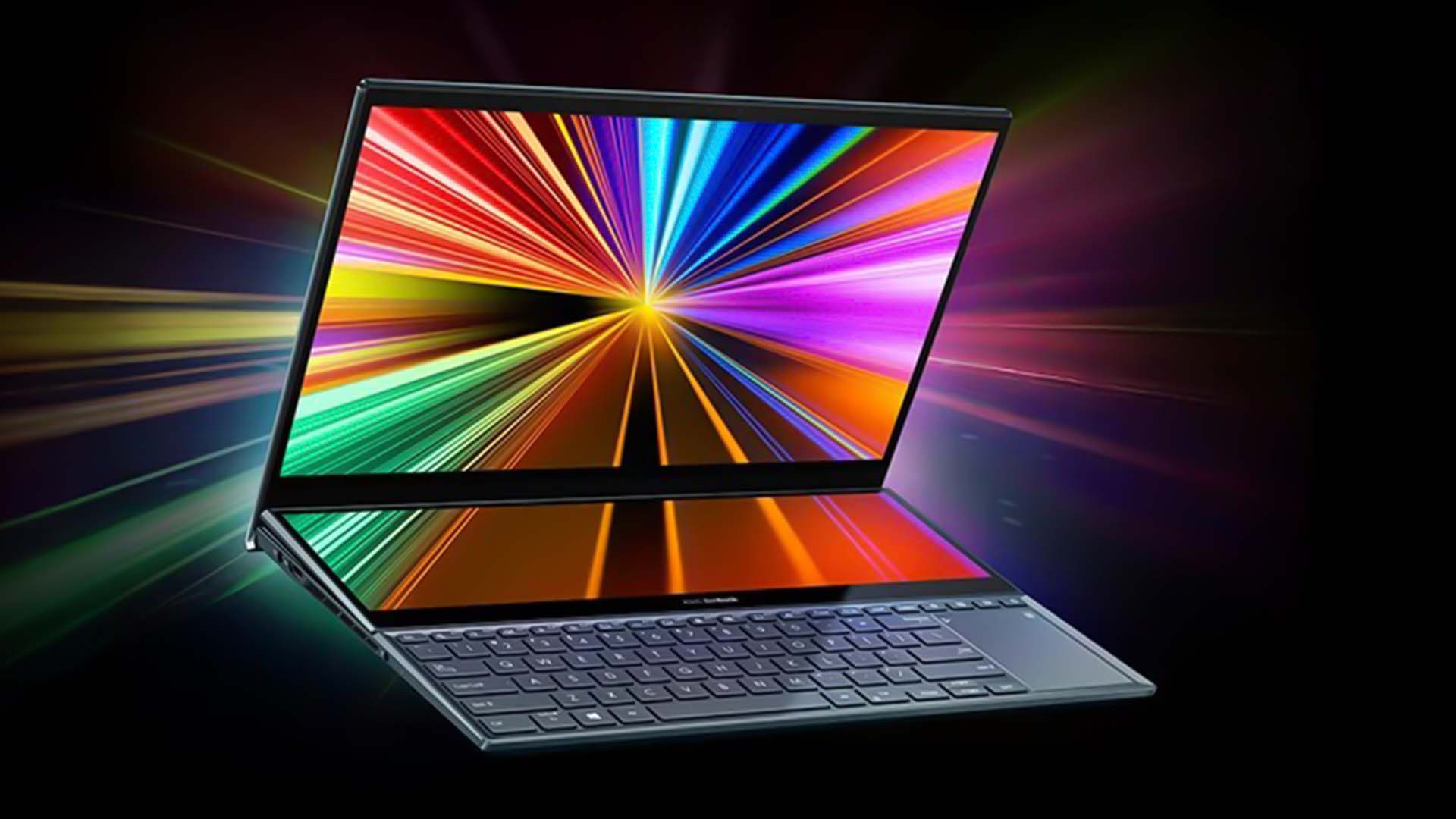
OLED pixels can change from one color to another very quickly. This can reduce motion blur caused by slow pixel transitions.
The advantage is useful when you:
- Play fast games
- Scroll through long web pages
- Watch sports
- Move windows across the desktop
- Use a 120Hz or higher refresh rate
Refresh rate and response time work together. A 120Hz screen can update more often than a 60Hz screen, while fast pixel response helps each update appear clearly.
OLED does not automatically make a laptop a gaming laptop. Gaming performance also depends on the graphics processor, processor, cooling system, memory, and game settings. A high refresh rate OLED can improve visual motion, but it cannot compensate for low frame rates.
Some OLED panels use pulse-width modulation, or PWM, to control brightness. PWM rapidly turns the light on and off. Many people do not notice it, but some users report eye strain or headaches with certain flicker patterns. If you are sensitive to screen flicker, look for independent testing at the brightness levels you use.
5. OLED Has Wide Viewing Angles
OLED screens usually maintain color and contrast when viewed from the side. This helps when two people look at the display or when you move the laptop on a desk.
The benefit is also useful for:
- Sharing presentations
- Watching video with another person
- Using a laptop in a small space
- Working in a flexible seating position
Viewing angles vary by panel design and protective coating. Some LCD panels, especially higher-quality IPS models, also offer wide viewing angles. OLED’s main advantage is that the picture often keeps its strong contrast as you move away from the center.
The screen surface matters, too. A glossy OLED panel may show more reflections from windows and overhead lights. In a bright U.S. office, library, or classroom, those reflections can distract you even when the colors look excellent.

6. OLED Laptops Can Be Thin and Light
Because OLED panels do not need a traditional backlight, laptop makers can design thin systems around them. This may help reduce the display assembly’s thickness and support lighter laptop designs.
The final laptop weight still depends on many parts, including:
- Battery size
- Cooling hardware
- Chassis material
- Keyboard design
- Ports
- Screen size
- Processor and graphics hardware
OLED is not a guarantee of a lighter computer. A powerful 16-inch laptop with a large battery can weigh more than a small LCD model.
Still, OLED often appears in premium thin-and-light laptops. Buyers may get a high-resolution display, a slim chassis, and strong image quality in one device. Compare the whole laptop rather than choosing by screen technology alone.
7. OLED Can Make Dark-Mode Work Look More Comfortable
OLED may feel comfortable for some users who spend much of the day in dark mode. Black backgrounds remain truly dark, and bright text can stand out with less gray glow around it.


This can be useful for:
- Coding
- Reading at night
- Writing in dark-mode apps
- Browsing with dark themes
- Editing timelines in video software
Comfort is personal. OLED does not prevent eye fatigue caused by long sessions, small text, glare, poor posture, or insufficient breaks. The American Optometric Association recommends practical habits such as reducing glare, keeping a comfortable viewing distance, and taking regular breaks.
A screen with PWM flicker may also bother some people. Before buying, check measured flicker behavior if you have had problems with certain phones or monitors.

OLED vs. LCD Laptop Screens
The better display depends on your work setting, content, and budget. This table gives a practical starting point.
| Feature | OLED laptop screen | LCD laptop screen |
|---|---|---|
| Black level | Pixels can turn off for true black | Backlight may make black look gray |
| Contrast | Usually very high | Varies from basic to excellent |
| Color | Often wide and vivid | Ranges from basic sRGB to wide gamut |
| Motion response | Usually very fast | Varies by panel and model |
| Viewing angles | Usually wide | Good on IPS; weaker on some panels |
| Full-screen brightness | Varies; may be limited on some models | Often strong, especially on business models |
| Battery use | Can rise with bright content | Often more predictable |
| Burn-in risk | Possible with long-term static content | Not typical in the same way |
| Price | Often higher | Available across more price ranges |
| Surface finish | Frequently glossy | More matte options are available |
The table shows why neither technology wins in every situation. OLED often wins for contrast, color, and response time. LCD may win for price, glare control, bright office use, and long periods of static work.
OLED Laptop Drawbacks to Consider
OLED’s weaknesses matter most when they match your daily workload. Consider these limits before buying.
Higher price
OLED laptops often sit in mid-range or premium product lines. You may pay more for the panel, higher resolution, better color, or faster refresh rate.
Compare the complete system. A less expensive LCD laptop may offer more memory, storage, ports, or battery capacity for the same price.
Possible image retention and burn-in
OLED materials can age at different rates. Static elements, such as a taskbar, menu bar, or software toolbar, may leave temporary image retention or permanent burn-in after long exposure.
Modern laptops may include protection features such as:
- Pixel shifting
- Screen savers
- Automatic dimming
- Taskbar hiding
- Panel refresh cycles
- Logo and static-image detection
These tools reduce risk but do not make it zero. Avoid leaving a bright, fixed image on the screen for many hours each day. Use automatic sleep, a moving screen saver, and reasonable brightness.
For work that shows the same dashboard, trading screen, coding layout, or control panel all day, a good LCD may be the safer choice.
Battery life can vary with screen content
OLED power use depends on the image. Dark content may use less power because many pixels are off. Bright white pages can use more power because much of the panel is producing light.
Battery results also depend on:


- Screen brightness
- Resolution
- Refresh rate
- Processor workload
- Wireless use
- Battery size
- Operating-system settings
Do not assume that every OLED laptop lasts longer in dark mode. Read battery tests that match your use. A bright web page and a dark video scene can produce very different results.
Glossy reflections
Many OLED laptops use a glossy surface to preserve clarity and contrast. Glossy screens can look sharp, but they may reflect windows, lamps, and overhead lights.
If you work in a bright room, check whether the laptop has:
- A matte or low-reflection coating
- Enough brightness for your environment
- A screen angle that reduces glare
- An anti-glare accessory that does not damage the panel
Do not apply an unapproved film without checking the manufacturer’s guidance. Some films can affect touch input, coating, or warranty coverage.
Brightness may not match the contrast
OLED contrast can be outstanding even when the screen is not the brightest option. Review both peak brightness and sustained full-screen brightness.
A laptop may look superb in a dark room but feel less comfortable near a sunny window. If you work outdoors or in a bright office, brightness and reflection control may matter more than perfect black levels.

Who Should Buy an OLED Laptop?
An OLED laptop is often a strong fit if you value image quality and use the screen for visual work or entertainment.
Choose OLED if you:
- Watch movies and shows often
- Play games with dark scenes
- Edit photos or video
- Want wide color coverage
- Prefer dark mode
- Notice motion blur on slower screens
- Want a high-resolution premium display
- Often share the screen with another person
An LCD laptop may fit better if you:
- Work with fixed images for many hours
- Need a matte display for bright rooms
- Want the longest predictable battery life
- Need a lower purchase price
- Prefer to minimize burn-in concerns
- Mainly use office apps with white backgrounds
- Need very high full-screen brightness
The best decision is based on your screen habits. A person who watches films at night may value OLED greatly. A person who monitors a fixed spreadsheet for eight hours may gain more from a bright, matte LCD.

How to Choose a Good OLED Laptop
Use this checklist before you buy:
-
Check the panel resolution.
A higher resolution can make text and images sharper, but it may use more power. -
Check the refresh rate.
Look for 90Hz or 120Hz if smooth scrolling and gaming matter to you. -
Check measured brightness.
Look for both peak and sustained brightness, not just a vague “HDR” label. -
Check color coverage and calibration.
Wide color is helpful, but accurate color matters more for creative work. -
Check PWM behavior.
Independent tests can reveal flicker that the product page does not mention. -
Check the screen finish.
Glossy panels can reflect light. Matte panels may reduce glare but can affect perceived contrast. -
Check the warranty and OLED care guidance.
Read the manufacturer’s terms for burn-in, panel refresh, and accidental damage. -
Read battery tests for your workload.
A video test may not match web browsing or office work. -
Check port and dock support.
The display can be excellent, but limited USB, HDMI, or Thunderbolt support may affect your setup. -
Check return policies.
A return window gives you time to test brightness, reflections, flicker, and comfort in your own room.
Common Mistakes When Buying an OLED Laptop
The most common mistake is treating OLED as a complete quality rating. It only describes the display technology.
Avoid these assumptions:
-
“OLED always has better battery life.”
Bright content can increase OLED power use. -
“OLED is always brighter.”
Some LCD laptops are brighter across the whole screen. -
“Every OLED screen has accurate color.”
Factory calibration varies. -
“HDR on the box means great HDR.”
Brightness and software support still matter. -
“Burn-in happens quickly to every OLED.”
Risk varies with panel design, brightness, static content, and use. -
“A high refresh rate guarantees smooth gaming.”
The laptop must produce enough frames, and the graphics hardware matters. -
“A glossy screen is always better.”
Gloss can improve apparent clarity but increase reflections.
For a fair comparison, compare OLED and LCD laptops with similar resolution, brightness, refresh rate, processor class, battery size, and price.
Frequently Asked Questions
Is an OLED laptop screen better than an LED screen?
“LED laptop screen” usually means an LCD panel with an LED backlight. OLED generally offers deeper blacks, stronger contrast, and faster response. LED-backlit LCD screens may offer lower prices, higher full-screen brightness, more matte options, and fewer burn-in concerns.
Do OLED laptop screens use more battery?
They can, depending on what appears on the screen. Dark content may use less power, while large areas of white or bright color may use more. Brightness, refresh rate, resolution, and the rest of the laptop also affect battery life.
Can an OLED laptop screen suffer burn-in?
Yes, long-term static content can cause image retention or burn-in. Use automatic sleep, avoid maximum brightness for long periods, allow built-in panel care features to run, and vary fixed screen elements when practical.
Is OLED good for eyes?
OLED can look comfortable because of its contrast and dark blacks, but comfort depends on brightness, glare, viewing distance, text size, and flicker behavior. If you are sensitive to flicker, check independent PWM measurements before buying.
Is OLED worth it for office work?
It can be worth it if you value contrast, sharp text, and dark mode. A matte LCD may be better for long office sessions with bright white pages, strong overhead light, or fixed layouts.
Does OLED make a laptop better for gaming?
It can improve gaming through fast response times, high contrast, rich color, and high refresh rates. It does not replace a capable processor and graphics processor. Check the complete gaming system before deciding.
Conclusion
The main advantages of an OLED laptop are true black levels, high contrast, vivid color, fast response, wide viewing angles, and strong performance for movies, games, and creative work.
The trade-offs are just as practical: higher prices, possible burn-in, reflections, variable brightness, and battery use that changes with screen content. OLED is a strong choice for people who care about image quality and use varied content. A good LCD remains a better fit for some bright workspaces, fixed-screen workloads, and value-focused buyers.
Before you buy, compare brightness, color accuracy, refresh rate, PWM behavior, screen finish, battery tests, warranty terms, and price. The best laptop screen is the one that fits your eyes, room, work, and daily habits.

Everett Ashford is a tech reviewer at mytechgrid.com specializing in SSDs, cameras, TVs, earbuds, headphones, and other consumer electronics. He provides honest, data-driven reviews based on hands-on testing and real-world performance analysis. Everett simplifies complex tech details to help readers make smart, confident buying decisions.