Apple is often the best laptop brand overall, but Lenovo, Dell, HP, and ASUS may better fit your needs.
Asking “what is the best brand laptop” sounds simple, but the right answer depends on how you work, study, create, play, and travel. A college student may need long battery life and a low price, while a video editor may need a powerful processor, a bright display, and strong cooling. This guide compares the leading laptop brands by reliability, performance, design, support, value, and real-world use so you can make a smart choice.

What Is the Best Brand Laptop Overall?
For most people, Apple is the best laptop brand overall because MacBooks offer strong build quality, excellent battery life, quiet operation, long software support, and high resale value. The current MacBook Air line is especially popular because it is thin, light, fast, and easy to use.
However, Apple is not the best choice for everyone. Windows laptops from Lenovo, Dell, HP, and ASUS offer more variety, better gaming options, wider software support, and lower starting prices.
The best laptop brand depends on your priorities:
• Apple is best for battery life, creative work, portability, and a simple user experience.
• Lenovo is best for business laptops, comfortable keyboards, and flexible designs.
• Dell is best for premium Windows laptops and professional users.
• HP is best for a broad mix of budget, business, and premium models.
• ASUS is best for gaming, creative work, and innovative designs.
• Acer is best for affordable laptops and entry-level gaming systems.
• Microsoft is best for a clean Windows experience and premium two-in-one devices.
A laptop brand is like a car maker. The badge matters, but the specific model matters more. A premium laptop from one brand can be far better than a cheap model from the same company.
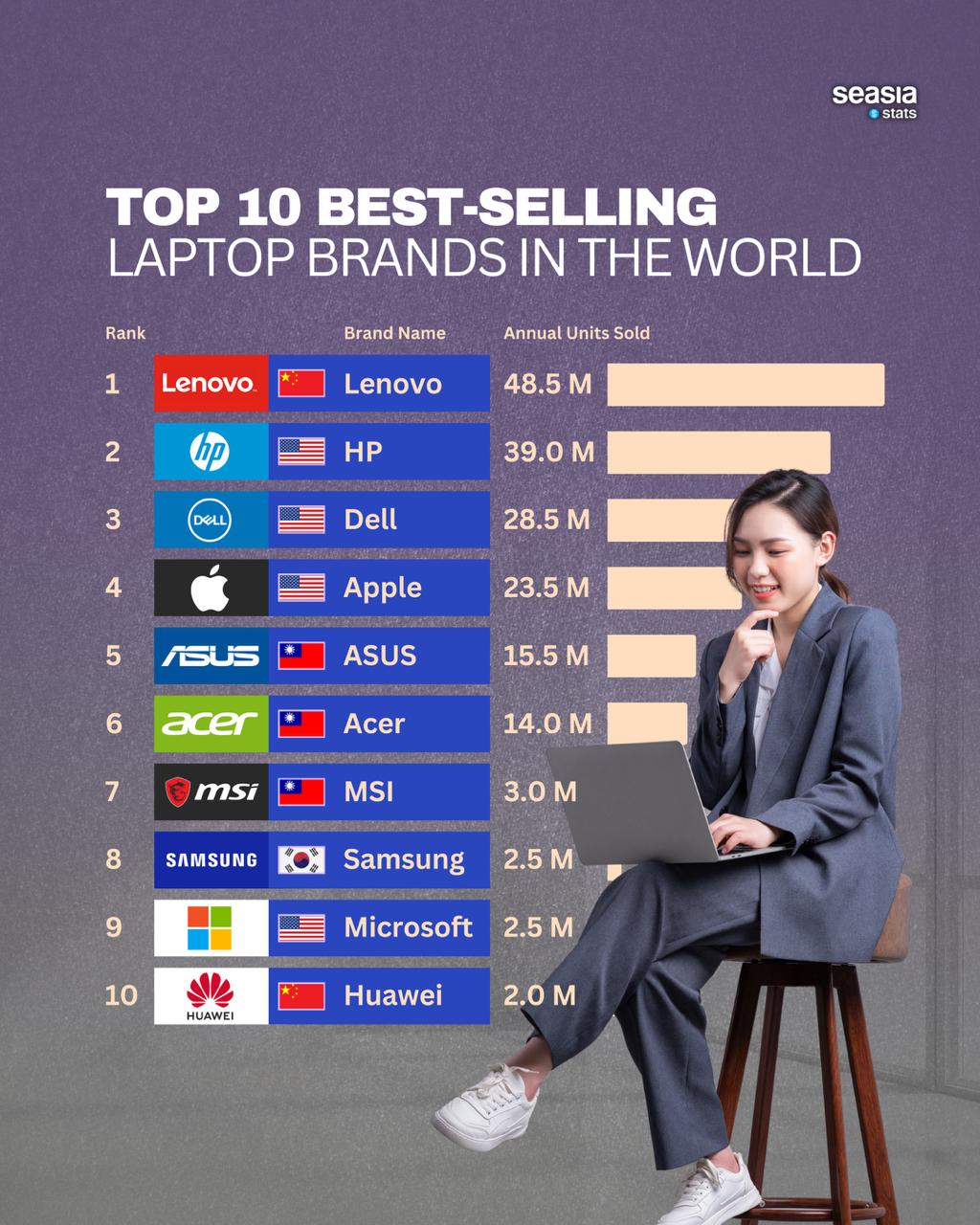
Best Laptop Brands at a Glance
The following comparison can help you narrow your search before looking at individual models.
| Brand | Best for | Main strengths | Common limitations |
|---|---|---|---|
| Apple | Students, professionals, creators | Battery life, build quality, software integration | Higher prices, limited gaming |
| Lenovo | Business users and students | Keyboards, durability, model variety | Some budget models feel basic |
| Dell | Professionals and premium buyers | Displays, design, support options | Premium models can be expensive |
| HP | Home, office, and business users | Wide selection, design, service plans | Quality varies across product lines |
| ASUS | Gamers and creators | Performance, displays, innovation | Software can feel busy on some models |
| Acer | Budget buyers | Low prices, practical features | Build quality is mixed by model |
| Microsoft | Windows fans | Clean design, touchscreen options | Fewer models and higher repair costs |
When people ask what is the best brand laptop, they often expect one universal winner. In practice, the best brand is the one that matches your daily tasks without making you pay for features you will never use.

Apple: Best for Battery Life and Ease of Use
Apple’s MacBook Air and MacBook Pro laptops are strong choices for people who want a quiet, polished, and reliable computer. Apple’s custom processors deliver fast everyday performance while using less power than many older laptop chips.
The MacBook Air is a good fit for:
• Web browsing and office work
• College and school tasks
• Photo editing
• Light video editing
• Software development
• Travel and remote work
The MacBook Pro is better for demanding work such as 4K video production, music production, 3D design, and large software projects. It usually includes a brighter display, stronger cooling, more ports, and a better sustained workload performance.
Apple’s main advantages include:
• Excellent battery life
• Solid aluminum construction
• Bright and accurate displays
• Quiet operation on MacBook Air models
• Long support for macOS updates
• Strong integration with iPhone, iPad, and AirPods
Apple also tends to hold its resale value well. That can lower the total cost of ownership if you sell the laptop after several years.
The main drawbacks are just as important. MacBooks cost more than many Windows alternatives, and some software and games work better on Windows. Upgrading memory or storage after purchase is also usually impossible, so you should choose your configuration carefully.
If you want the best brand laptop for daily work, travel, school, or creative tasks, Apple deserves the first look. It is not automatically the best choice for gaming, engineering software, or users who need many ports.
Lenovo: Best for Business and Productivity
Lenovo is one of the strongest laptop brands for work and business use. Its ThinkPad line is known for comfortable keyboards, durable designs, useful ports, and strong security features.
ThinkPads often include features such as:
• Excellent keyboards with deep key travel
• A small pointing stick called a TrackPoint
• Strong hinges
• Easy access to business support
• Optional fingerprint readers and smart card support
• Durable designs tested for demanding work conditions
The ThinkPad X1 Carbon is a popular premium business laptop. The ThinkPad T series offers a practical balance of price, durability, and performance. Lenovo also sells Yoga two-in-one laptops for users who want a touch display and flexible hinge.
Lenovo’s consumer IdeaPad range can offer good value, but quality varies between models. Some low-cost IdeaPads use dim displays, small batteries, or plastic bodies. Reading the full specification sheet is essential.
Lenovo is often the best brand laptop for office workers, writers, programmers, and people who type for many hours. Its business models may look plain, but they often work like dependable tools rather than fashion products.
Dell: Best for Premium Windows Laptops
Dell has a strong reputation for professional laptops and premium Windows designs. Its XPS line has traditionally competed with the MacBook Pro and other high-end systems through slim bodies, sharp displays, and powerful components.
Dell laptops are worth considering for:
• Business professionals
• Engineers
• Remote workers
• Students who want a premium device
• Users who prefer Windows over macOS
Dell’s Latitude line focuses on business use. These laptops often provide better service options, stronger security, and more durable designs than basic consumer models.
One concern is price. Dell’s best models can become expensive after adding more memory, storage, or a better screen. Some configurations may also offer fewer ports than users expect, so check the connection options before buying.
A useful lesson from laptop comparisons is to avoid choosing based only on a laptop’s appearance. A thin Dell model may look impressive, but a slightly thicker model could have better cooling, more ports, and longer battery life.
Dell can be the best brand laptop for users who want a premium Windows computer with a professional look and strong display quality.
HP: Best for Variety and Everyday Use
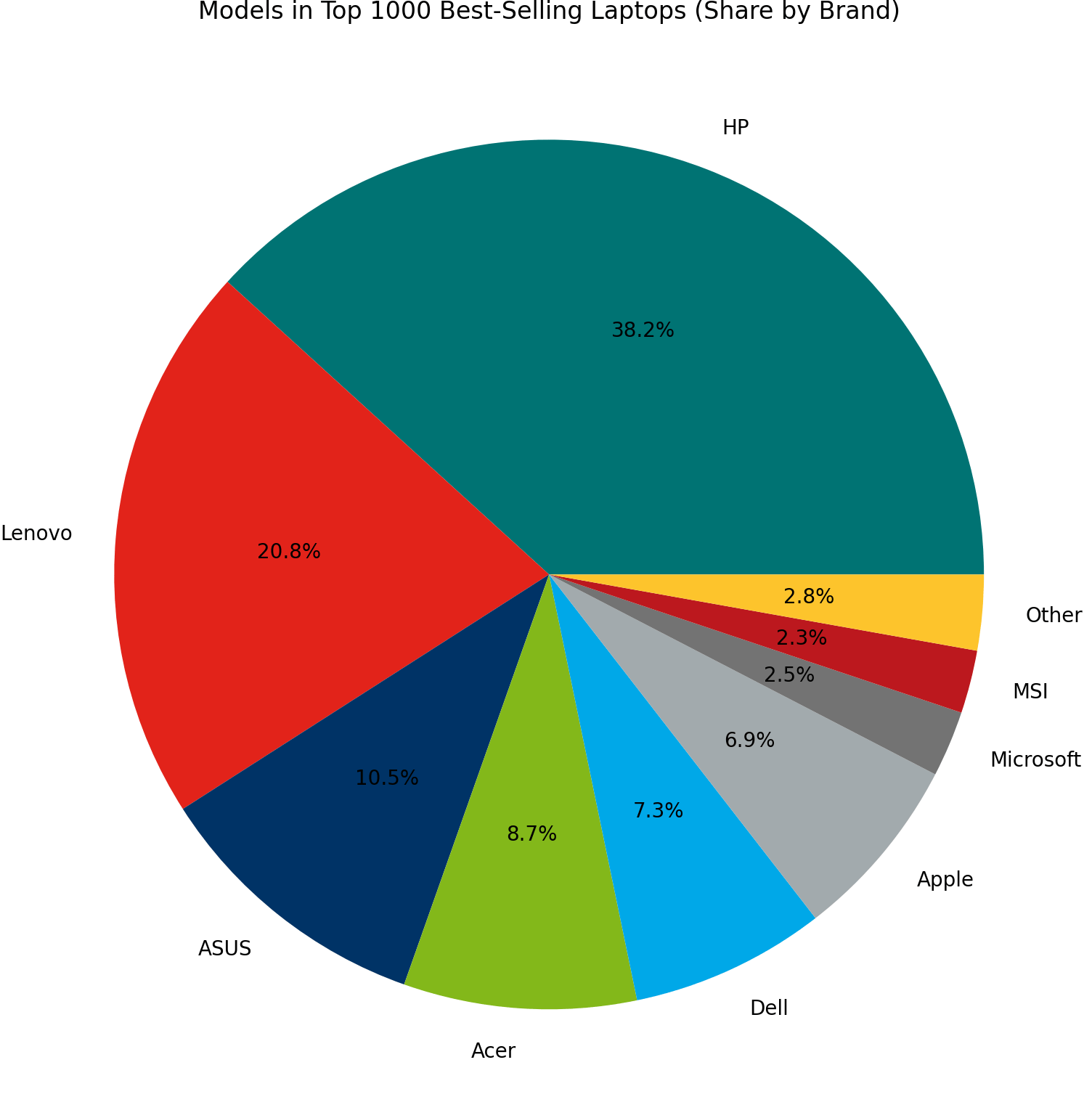
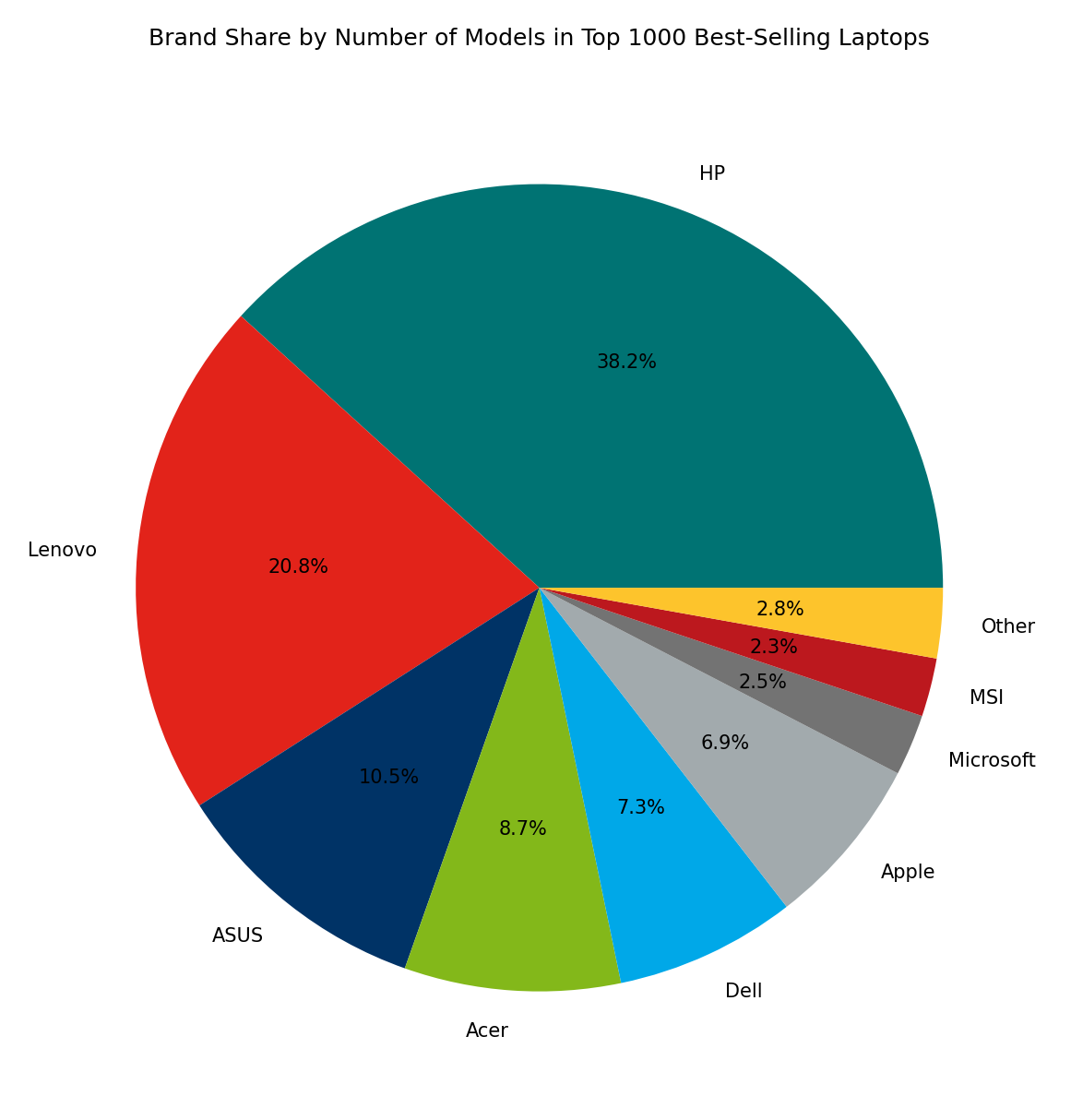
HP sells laptops for nearly every type of buyer. Its product range includes affordable school laptops, business computers, premium ultrabooks, gaming systems, and large desktop replacements.
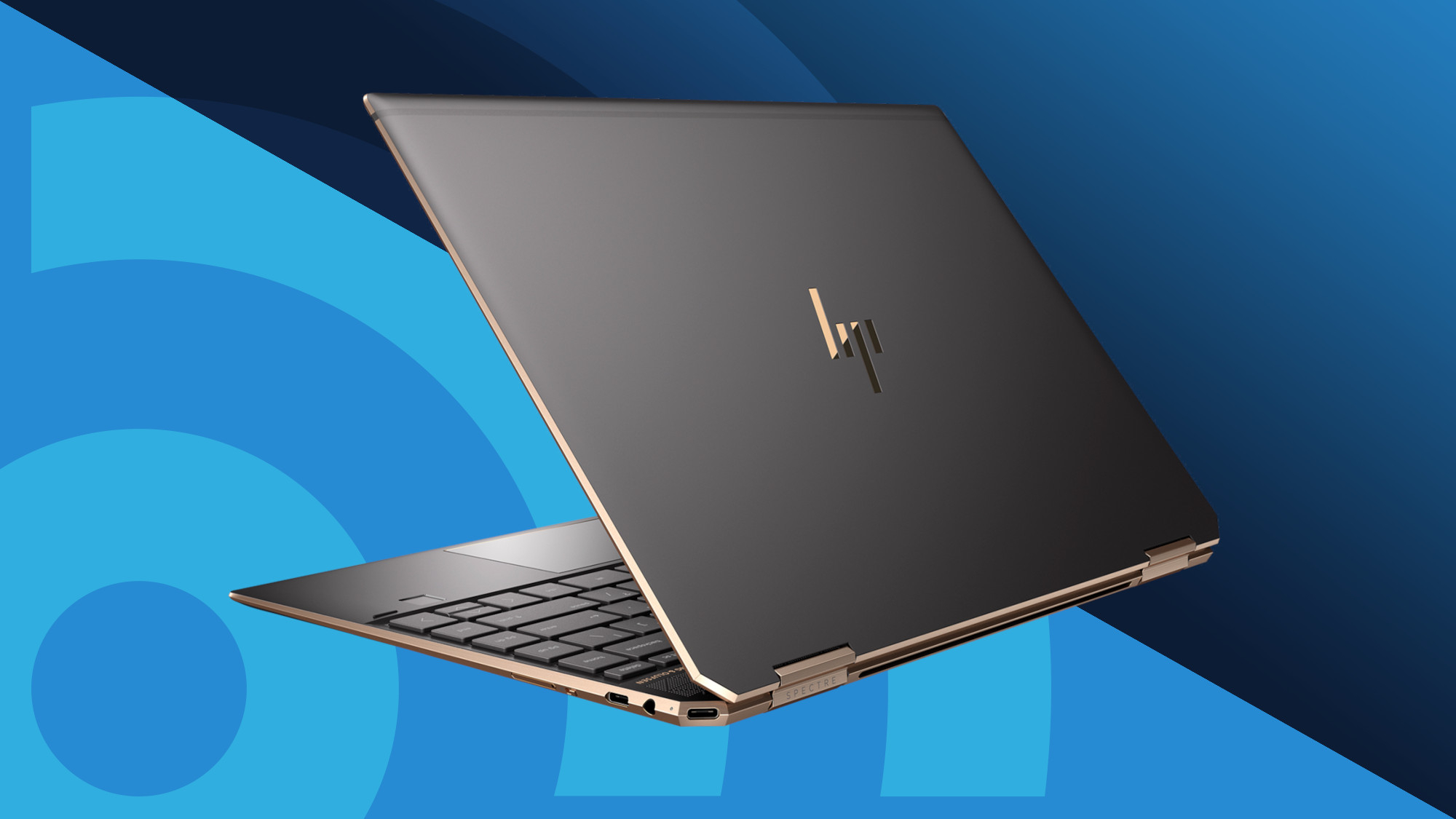
The HP Spectre and Dragonfly lines are aimed at premium buyers. The EliteBook family is designed for business users. Pavilion laptops usually target mainstream home and school use, while OMEN laptops focus on gaming.
HP’s key strengths include:
• A large range of prices
• Attractive designs
• Many touchscreen and two-in-one options
• Business-focused security features
• Broad availability in stores
HP also offers frequent discounts, which can make its laptops more attractive than their regular prices suggest. Still, compare the discounted model with competing laptops before buying. A sale is not always a bargain if the laptop has an older processor or a low-quality display.
HP may be the best brand laptop for families because the company offers options for homework, office work, entertainment, and light gaming. Just make sure the exact model has enough memory and storage for your needs.

ASUS: Best for Gaming and Creative Work
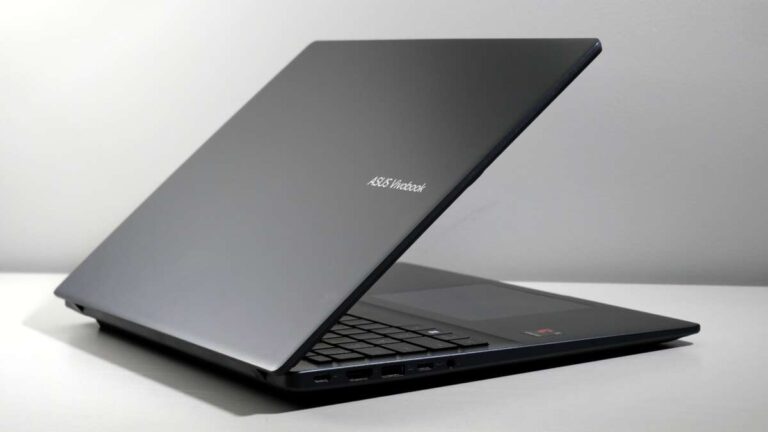
ASUS is known for innovative laptops and strong performance. It offers several product lines, including Zenbook, Vivobook, ROG, and TUF Gaming.
Zenbook models are thin and premium. Vivobook laptops focus on value and everyday use. ROG laptops target serious gamers, while TUF Gaming models usually offer strong performance at a lower price.
ASUS laptops often stand out because of:
• High refresh rate displays
• Powerful graphics cards
• OLED screen options
• Strong gaming performance
• Creative designs
• Useful features for content creators
For gaming, the graphics processor matters more than the brand name. An ASUS laptop with a dedicated NVIDIA or AMD graphics chip can handle modern games much better than a basic laptop using integrated graphics.
Gaming laptops do have trade-offs. They are often heavier, louder, and less efficient on battery power. Their fans may become noisy during demanding games, and battery life can drop sharply when the dedicated graphics card is active.
ASUS may be the best brand laptop for gamers, video editors, photographers, and users who want an excellent display. It is less ideal for someone who wants a silent laptop that lasts all day away from an outlet.
Acer: Best for Affordable Laptop Deals
Acer is one of the most common choices for buyers on a tight budget. Its Aspire line offers practical laptops for browsing, schoolwork, video calls, and office applications. Its Swift line includes thinner models, while Nitro laptops target affordable gaming.
Acer’s advantages include:
• Competitive prices
• Many screen sizes
• Good availability
• Affordable gaming models
• Simple designs
The trade-off is that build quality and displays can vary greatly. A low-cost Acer laptop may have a flexible plastic body, a basic webcam, or a screen with limited brightness.
Acer is a good option when price matters most. It can also be a smart choice for a child’s school computer or a second laptop for simple tasks.
Before buying, look for at least 8GB of memory, a solid-state drive, and a modern processor. Avoid very cheap models with 4GB of memory and small storage unless your needs are extremely basic.
Acer can be the best brand laptop for budget buyers, but you must compare specifications carefully.

Microsoft Surface: Best for a Clean Windows Experience
Microsoft’s Surface laptops and two-in-one devices focus on clean design, touch support, portability, and close integration with Windows.
Surface Laptop models are simple and elegant. Surface Pro devices combine a tablet with a detachable keyboard, which makes them useful for note-taking, travel, and light office work.
Microsoft Surface devices are often good for:
• Students
• Mobile professionals
• Note-taking
• Presentations
• Touchscreen use
• People who want a premium Windows design
The main limitations include higher prices, fewer ports, and expensive accessories. A Surface Pro may look affordable at first, but the keyboard and stylus may cost extra.
Surface devices can be the best brand laptop for people who value portability and touch controls. They may not be the best choice for heavy gaming, extensive video editing, or users who need many built-in ports.
How to Choose the Best Laptop Brand for Your Needs
The best laptop brand becomes easier to identify when you start with your daily tasks. Do not begin with the logo. Begin with the work you need the laptop to complete.
For students
Students usually need a laptop that is light, reliable, and easy to carry. Battery life matters because outlets may not be available between classes.
Look for:
• At least 8GB of memory
• 256GB or 512GB of solid-state storage
• A comfortable keyboard
• A webcam with clear video
• At least eight hours of practical battery life
• A weight below about four pounds when possible
A MacBook Air, Lenovo Yoga, HP Pavilion, Dell Inspiron, or Acer Swift may work well depending on your budget.
For office work
Office users need strong multitasking performance, a good keyboard, and reliable video calls. A comfortable screen is also important if you read documents for long periods.
Look for:
• 16GB of memory if you use many apps
• A modern Intel, AMD, or Apple processor
• A 14-inch or 15-inch display
• USB-C charging
• A good webcam
• A keyboard with clear feedback
Lenovo ThinkPad, Dell Latitude, HP EliteBook, MacBook Air, and Microsoft Surface Laptop models are strong options.
For gaming
Gaming laptops need a dedicated graphics processor, strong cooling, and a high refresh rate display. A fast processor alone is not enough.
Look for:
• A dedicated NVIDIA or AMD graphics card
• At least 16GB of memory
• A 1TB solid-state drive when possible
• A display with a 120Hz or higher refresh rate
• Good cooling design
• Easy access to memory and storage upgrades
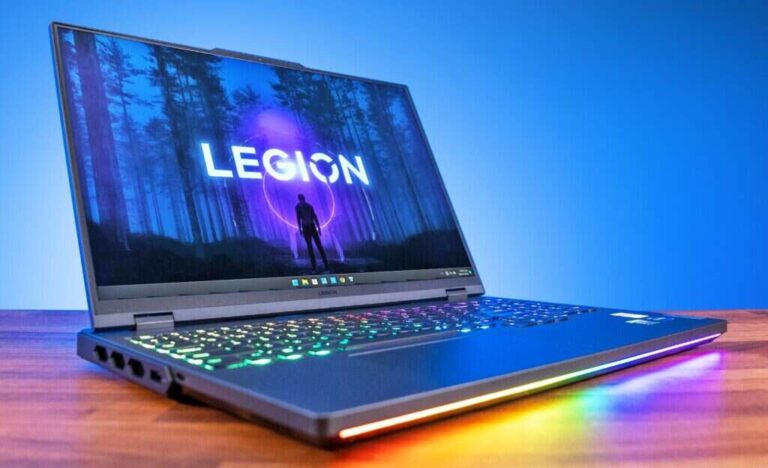
ASUS ROG, Lenovo Legion, Dell Alienware, HP OMEN, and Acer Nitro are popular gaming lines.
For creative work
Photographers, designers, musicians, and video editors need fast performance and a high-quality display. Color accuracy can matter more than raw speed.
Look for:
• A bright display with accurate colors
• At least 16GB of memory
• A fast processor
• A dedicated graphics processor for 3D or video work
• Ample storage or a fast external drive
• Good port selection
MacBook Pro, Dell XPS, ASUS ProArt, Lenovo Yoga Pro, and premium HP models are worth considering.
For business travel
A travel laptop should be light, durable, and secure. It should also have enough battery life for flights, trains, and meetings.
Look for:
• A sturdy metal or reinforced body
• A comfortable keyboard
• A fingerprint reader or face recognition
• A bright matte or low-glare display
• Wi-Fi 6 or newer
• A weight below four pounds
Lenovo ThinkPad, Dell Latitude, HP EliteBook, MacBook Air, and Microsoft Surface Laptop models are common choices.
Important Laptop Specifications to Compare
Brand reputation is useful, but specifications reveal what a laptop can really do.
Processor
The processor controls general speed. Current Intel Core, AMD Ryzen, Apple silicon, and Qualcomm Snapdragon processors can all perform well, but their performance and software support differ.
For simple tasks, a modern mid-range chip is enough. For gaming, editing, or technical work, choose a higher-performance processor with several strong cores.
Memory
Memory, also called RAM, affects how many apps you can use at once.
• 8GB is acceptable for basic school and office work.
• 16GB is the best target for most buyers.
• 32GB or more helps with video editing, software development, and professional design.
Buying too little memory is one of the most common laptop mistakes. A laptop may feel fast at first but slow down when you open a browser, video call, document, and music app together.
Storage
A solid-state drive is much faster and quieter than an old hard disk drive. It helps the laptop start quickly and open apps with less delay.
• 256GB works for basic use.
• 512GB is a better choice for most people.
• 1TB is useful for games, photos, videos, and large projects.
Remember that the operating system and built-in recovery files already use some storage.
Display
A display affects comfort every day. Look beyond screen size and check resolution, brightness, color quality, and refresh rate.
A 1920 by 1200 display is often more useful than a basic 1920 by 1080 panel because it gives extra vertical space for documents. A 120Hz screen feels smoother, but it may use more battery power.
Battery life
Advertised battery life is measured under controlled conditions. Real battery life depends on screen brightness, applications, Wi-Fi use, video calls, and processor type.
For reliable travel, look for a laptop that can achieve at least eight hours in independent testing. Treat very high manufacturer claims with caution.
Ports and wireless features
Check whether the laptop includes the ports you need.
• USB-A for older accessories
• USB-C for charging and modern devices
• HDMI for external displays
• A headphone jack
• An SD card slot for cameras
• Wi-Fi 6E or Wi-Fi 7, depending on the model
A thin laptop may require a hub or adapter. That can be fine, but include the extra cost in your budget.
Laptop Brand Reliability and Customer Support
Reliability depends on the specific model, not just the company logo. A well-designed business laptop may last longer than a cheap consumer laptop from the same brand.
Several factors affect long-term reliability:
• Build materials
• Hinge strength
• Cooling design
• Battery quality
• Keyboard durability
• Repair options
• Software and driver support
• Warranty service
Business lines often receive more durable parts and longer support than entry-level consumer lines. This is one reason a business laptop can be a better long-term investment even when its processor is not the fastest.
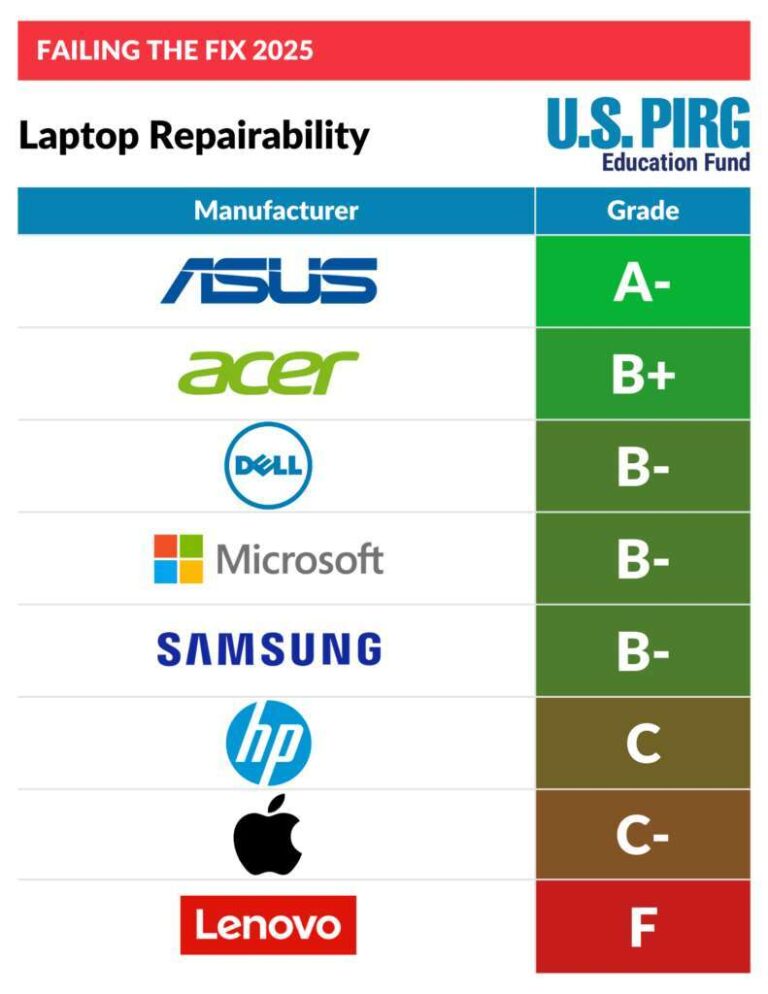
Independent repair information also matters. Some thin laptops use glued batteries or soldered memory, which can make repairs more difficult. Check the warranty terms and repair policy before buying.
No brand is perfect. Even highly rated laptops can have defects, display problems, battery issues, or driver bugs. Buy from a seller with a clear return period, and test the laptop during the first week.
Common Laptop Buying Mistakes to Avoid
Choosing the best brand laptop becomes much easier when you avoid common mistakes.
Buying the cheapest model
The cheapest laptop may have slow storage, limited memory, and a poor display. A slightly more expensive model can feel much faster and last longer.
Focusing only on processor names
A new processor does not guarantee a great laptop. Cooling, memory, storage, display quality, and battery size also matter.
Ignoring the keyboard
If you write, code, or study for hours, the keyboard can affect your comfort more than a small performance difference. Try the keyboard in a store when possible.
Trusting battery claims without testing data
Manufacturers use different test methods. Look for independent battery tests that reflect web browsing, video playback, or mixed use.
Buying too little storage
Modern apps, photos, games, and system files grow quickly. A 512GB drive is often a safer choice than a 256GB drive.
Choosing a gaming laptop for simple work
Gaming laptops can be powerful, but they are often heavy and noisy. If you only need documents and web browsing, a thin laptop is usually more practical.
Forgetting repair and warranty costs
A low purchase price does not always mean a low total cost. Check warranty length, accidental damage coverage, and the cost of replacing a battery or charger.
How Much Should You Spend on a Laptop?
Your budget should match your workload.
• Under $500: Suitable for basic web browsing, school documents, email, and streaming. Expect compromises in screen quality and build.
• $500 to $800: A strong range for students and home users. Look for 8GB or 16GB of memory and a solid-state drive.
• $800 to $1,300: Often the sweet spot for premium school, office, and travel laptops.
• $1,300 to $2,000: Good for professional work, creative tasks, premium materials, and stronger displays.
• More than $2,000: Best for demanding creative work, high-end gaming, engineering, and specialized professional use.
The best brand laptop is not always the most expensive one. Paying for performance you never use is like buying a sports car to drive two blocks to the store.
PAA-Style Questions About Laptop Brands
What is the best brand laptop for students?
Apple, Lenovo, Dell, HP, and Acer all offer good student laptops. Choose a model with 8GB or 16GB of memory, solid-state storage, strong battery life, and a comfortable keyboard.
Is Apple better than Windows for laptops?
Apple is often better for battery life, build quality, and simple device integration. Windows is better for gaming, broad software support, upgrade choices, and a wider range of prices.
Which laptop brand lasts the longest?
Business lines from Lenovo, Dell, and HP often have strong durability and repair support. MacBooks can also last many years when they are stored carefully and receive regular software updates.
Is Lenovo better than HP?
Lenovo is often stronger for keyboards and business laptops, while HP offers more variety in design and price. The exact model matters more than the brand name.
How much RAM should a laptop have?
Most buyers should choose 16GB of RAM when possible. 8GB can handle basic work, while 32GB or more is better for editing, gaming, programming, and professional design.
Which laptop brand is best for gaming?
ASUS, Lenovo, Dell, HP, and Acer all make capable gaming laptops. Compare the graphics card, cooling system, display refresh rate, memory, and storage instead of choosing by brand alone.
Conclusion
So, what is the best brand laptop? Apple is the strongest overall choice for many users, especially those who value battery life, quiet performance, premium design, and simple software. Lenovo is excellent for business and typing, Dell is strong for premium Windows laptops, HP offers broad choice, ASUS leads in gaming and creative features, and Acer delivers useful budget options.
The best laptop brand is the one that fits your work, budget, software, and daily routine. Start by listing your main tasks, then compare memory, storage, display quality, battery life, ports, warranty, and repair options. Use this guide to narrow your choices, compare exact models, and make a confident purchase.

Everett Ashford is a tech reviewer at mytechgrid.com specializing in SSDs, cameras, TVs, earbuds, headphones, and other consumer electronics. He provides honest, data-driven reviews based on hands-on testing and real-world performance analysis. Everett simplifies complex tech details to help readers make smart, confident buying decisions.