Digital cameras offer instant previews, reusable storage, easy editing, and better control over image quality.
If you have asked, “what are the advantages of a digital camera,” you are exploring more than a modern replacement for film. A digital camera can make photography faster, more flexible, and less costly over time. From family photos to professional work, it gives you useful tools that help you capture, review, improve, and share images with ease.
What Is a Digital Camera?
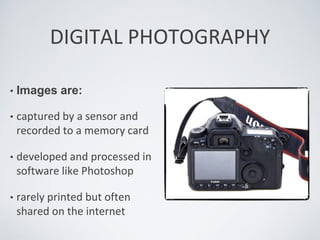
A digital camera captures light and turns it into digital data. Instead of storing an image on film, it saves the photo on a memory card or internal storage.
Most digital cameras use an image sensor, such as a CMOS or CCD sensor. The sensor records light, color, and detail. The camera then processes this information into a JPEG, RAW, or another image file.
Digital cameras include many types:
• Compact cameras are small and simple for travel and daily use.
• Bridge cameras offer long zoom ranges and more controls.
• Mirrorless cameras use interchangeable lenses and electronic viewfinders.
• DSLR cameras use mirrors, optical viewfinders, and interchangeable lenses.
• Action cameras are built for sports, travel, and rough conditions.
• Smartphone cameras are also digital cameras, although they use smaller sensors and highly advanced software.
Understanding this basic design helps explain what are the advantages of a digital camera. The camera does not need chemical film to create an image. It can process, save, and display the result within seconds.
What Are the Advantages of a Digital Camera?
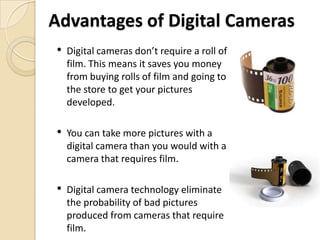
The biggest advantages include speed, convenience, image control, and lower running costs. A digital camera also gives you a clear view of your work while you are still on location.
1. Instant Image Review
One of the clearest advantages of a digital camera is instant playback. You can view a photo seconds after pressing the shutter.
This feature helps you check:
• Focus
• Exposure
• Composition
• Facial expressions
• Motion blur
• Unwanted objects in the frame
With film, you may wait days before seeing a mistake. With a digital camera, you can adjust your settings and try again. This matters during weddings, birthdays, sports events, and once-in-a-lifetime trips.
A useful habit is to zoom in on the camera screen and check the eyes of your subject. A photo can look sharp at a distance but appear soft when viewed closely.
2. No Film or Developing Costs
Digital photography does not require rolls of film or chemical processing. After buying the camera, you mainly pay for storage, batteries, maintenance, and accessories.
This can reduce the cost of taking many photos. You can shoot hundreds of images during a day without paying for each frame.
However, digital photography is not completely free. Memory cards, backup drives, cloud storage, lens cleaning, and repairs can add costs. Even so, the cost per image is usually much lower than traditional film photography.
3. Large Storage Capacity
A single memory card can store hundreds or thousands of images. The exact number depends on the card size, file type, resolution, and compression.
JPEG files use less space and work well for everyday photos. RAW files keep more image data but require more storage.
Large storage allows you to:
• Photograph long events without changing film
• Capture several versions of the same scene
• Keep high-resolution files for printing
• Save video and photos on one device
Always use a reliable memory card. A damaged or poor-quality card can cause lost images. For important work, carry a spare card and avoid filling one card to its limit.
4. Easy Editing and Creative Control
Digital images can be edited with software or mobile apps. You can correct small problems without changing the original file.
Common edits include:
• Cropping
• Brightness adjustment
• Color correction
• Shadow recovery
• Noise reduction
• Sharpening
• Red-eye removal
• Straightening
RAW files offer more editing flexibility than JPEG files. They preserve more information from the sensor, especially in bright highlights and dark shadows. Still, RAW files need editing software and more storage.
Editing should improve a good photo, not rescue every poor one. Strong composition and correct focus still matter most.
5. Simple Sharing
Digital files are easy to send, post, print, and store. You can share a photo by email, text message, social media, or a private gallery.
This makes digital cameras useful for both personal and professional work. A small business owner can take product photos and send them to a customer. A traveler can share a landscape while still on the trip.
Many modern cameras support Wi-Fi or Bluetooth. These features can transfer smaller files to a phone. For full-resolution work, a memory card reader or wired connection may be faster and more reliable.
6. Better Control Over the Image
A digital camera can work in automatic mode, but it also lets you control the main parts of exposure:
• Aperture controls the lens opening and depth of field.
• Shutter speed controls how long the sensor receives light.
• ISO controls the sensor’s sensitivity to light.
These settings let you create different effects. A fast shutter speed can freeze a running dog. A wide aperture can blur the background behind a portrait. A slow shutter speed can show movement in a waterfall.
This control is a major reason photographers ask what are the advantages of a digital camera. The camera can grow with your skills. You can start with automatic settings and move to manual control when you feel ready.
7. High Image Quality
Many digital cameras produce detailed images with accurate color and strong low-light performance. Image quality depends on more than megapixels.
Important factors include:
• Sensor size
• Lens quality
• Autofocus performance
• Image processing
• Lighting
• Photographer technique
A camera with more megapixels does not always create a better image. A clean lens, steady grip, and good light often make a larger difference.
Modern mirrorless and DSLR cameras can produce files suitable for large prints, advertising, magazines, and professional portfolios. Compact cameras can also produce excellent results when used in good light.
8. Helpful Automatic Features
Digital cameras can perform complex tasks in a short time. Many models offer face detection, eye detection, scene recognition, image stabilization, and automatic exposure.
These features help beginners get better results without learning every technical detail at once.
For example, eye autofocus can help keep a person’s eye sharp during a portrait. Image stabilization can reduce blur caused by small hand movements. Some cameras also track moving subjects across the frame.
Automation is helpful, but it is not perfect. Strong backlight, low contrast, fast movement, or crowded scenes can confuse autofocus. Learning basic control gives you a backup when automatic tools struggle.
9. Video Recording
Most current digital cameras can record video. Some support high-definition or 4K recording, slow motion, external microphones, and image stabilization.
This gives you one device for:
• Family memories
• Travel videos
• Online lessons
• Interviews
• Business content
• Short films
Video quality depends on resolution, frame rate, sound, lighting, and stability. Good audio is especially important. Viewers may accept a slightly soft image, but poor sound can make a video hard to watch.
10. Reusable and More Practical Than Film
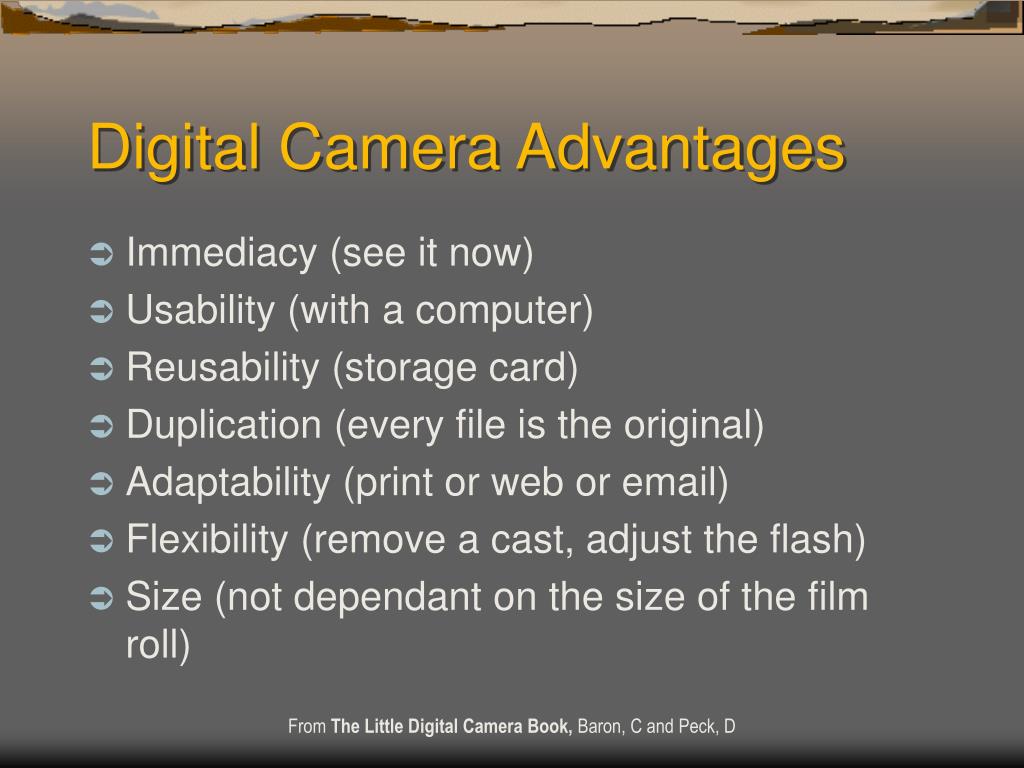
A digital camera can be used again and again without replacing film after every roll. This makes it practical for learning.
You can test a new composition, review the result, and try again. That feedback loop is like having a coach beside you. It helps you understand what worked and what failed.
Digital photography can also reduce physical waste linked to film rolls, processing chemicals, and printed proofs. It still uses electricity, batteries, electronics, and storage devices, so it is not impact-free. Responsible recycling and long-term equipment use make digital photography more sustainable.
Digital Camera Advantages for Different Users
The answer to what are the advantages of a digital camera depends on how you plan to use it. A casual user may value simplicity, while a professional may need speed, control, and dependable file management.
For Beginners
Digital cameras provide immediate feedback. Beginners can learn from each image instead of waiting for development.
Start with these simple steps:
-
Use automatic mode at first.
-
Keep the lens clean.
-
Focus on the subject’s eyes for portraits.
-
Watch the light before changing settings.
-
Review your photos and note what went wrong.
Do not buy the most expensive camera at the start. A basic model with a comfortable grip and a good lens can teach you more than a complex camera that feels difficult to use.
For Travelers
A digital camera can save thousands of photos during a vacation. It also makes it easy to create backups and share memories.
Travel photographers should consider:
• Weight and size
• Battery life
• Weather protection
• Lens range
• Charging options
• Memory card capacity
Carry a spare battery and store your camera in a padded bag. If you visit a wet or dusty place, use a protective cover and avoid changing lenses outdoors when possible.
For Students and Hobbyists
Digital cameras are excellent learning tools. Students can practice light, color, motion, depth, and composition at a low cost per image.
A simple project can build skill quickly. Photograph the same object in morning light, window light, shade, and artificial light. Compare the results. This exercise shows how light changes mood and detail.
For Professionals
Professionals often need fast autofocus, reliable performance, high-resolution files, and strong lens choices. A digital camera can meet these needs in fields such as:
• Weddings
• Journalism
• Product photography
• Real estate
• Sports
• Fashion
• Wildlife
Professionals also benefit from RAW files, dual memory card slots, tethered shooting, and detailed metadata. These features support a safer and more organized workflow.
A Practical Lesson From Real-World Use
One lesson many photographers learn is that more equipment does not automatically mean better photos. It is easy to spend money on a new body while ignoring light, timing, and composition.
A better approach is to master one camera and one lens before expanding. This limits distractions and helps you develop strong habits. In many situations, knowing when to move closer is more valuable than owning a longer lens.

Limitations of Digital Cameras
A fair answer to what are the advantages of a digital camera should also include its limits. Digital cameras are powerful, but they are not perfect.
Battery Dependence
Digital cameras need power to capture and save images. Cold weather, video recording, large screens, and wireless connections can drain a battery faster.
Carry at least one spare battery for long events. Turn off wireless features when you do not need them, and keep batteries warm in cold weather.
File Management
Digital photos can become difficult to organize. Thousands of files may sit on a phone, memory card, or computer with unclear names.
Use a simple system:
• Create folders by year and event.
• Keep the original file.
• Add clear file names when needed.
• Back up important images in two places.
• Check your backups from time to time.
A useful backup plan follows the 3-2-1 rule: keep three copies, use two types of storage, and store one copy in another location.
Technology Can Become Outdated
Digital cameras, memory cards, batteries, and software can become outdated. A newer model may offer better autofocus or video, but that does not make an older camera useless.
Replace equipment when it no longer meets your needs. Do not upgrade only because a new model has a higher number of megapixels.
Learning Curve
Manual exposure, lens choice, RAW editing, and file backup can feel confusing. The solution is to learn one topic at a time.
Start with focus and composition. Then learn shutter speed, aperture, and ISO. Small steps create lasting skill.
Privacy and Security
Digital photos contain metadata that may record the date, camera model, and sometimes location. Be careful when sharing images publicly.
Remove location data when privacy matters. Also protect cloud accounts with strong passwords and multi-factor authentication.

How to Choose a Digital Camera
The best camera depends on your goals, budget, and comfort. Before buying, ask what you want to photograph most often.
Consider these factors:
• Sensor size: Larger sensors often perform better in low light but may increase camera and lens size.
• Lens system: Interchangeable lenses offer more creative options but cost more.
• Autofocus: Eye and subject tracking help with portraits, sports, and animals.
• Stabilization: In-body or lens stabilization can reduce handheld camera shake.
• Battery life: Important for travel, events, and outdoor work.
• Ergonomics: A camera should feel comfortable and easy to control.
• Weather sealing: Useful for outdoor photography in light rain or dust.
• Video tools: Check resolution, audio input, frame rates, and recording limits.
• Connectivity: Wi-Fi and Bluetooth can simplify transfers.
• Total cost: Include lenses, batteries, memory cards, bags, and software.
Try holding a camera before buying it if possible. A camera that feels natural in your hands is more likely to leave the house and become part of your daily life.

Tips for Getting Better Results
Knowing what are the advantages of a digital camera is useful, but applying those benefits matters more. These habits can improve your photos quickly.
• Clean the lens before important shoots.
• Learn how to lock focus and exposure.
• Check the background before pressing the shutter.
• Keep the camera steady with both hands.
• Use natural window light for simple portraits.
• Take several photos when the moment cannot be repeated.
• Review images at full size, not only as small thumbnails.
• Format memory cards in the camera after backing up files.
• Avoid deleting images while rushing unless you are certain.
• Carry a spare battery and memory card.
One common mistake is relying on the camera screen too much. A bright screen can make an image look better than it really is. Check the histogram when available, and review photos later on a calibrated or reliable display.
Another mistake is using digital zoom when optical zoom or cropping would produce better quality. Digital zoom enlarges the image electronically and may reduce detail.
Frequently Asked Questions About What Are the Advantages of a Digital Camera
What is the main advantage of a digital camera?
The main advantage is that it lets you capture, review, store, and share images without film processing. You can also adjust settings and correct many problems through editing.
Are digital cameras better than film cameras?
Digital cameras are usually more convenient, less expensive per image, and easier to review and share. Film can still offer a unique look and a slower, more deliberate experience, so the better choice depends on your goals.
Do digital cameras take better pictures than phones?
Digital cameras often provide larger sensors, better lenses, stronger zoom, and more manual control. Modern phones can produce excellent images through computational photography, especially in automatic shooting and everyday lighting.
What are the advantages of a digital camera for beginners?
Beginners can see results immediately and learn from mistakes without paying for film development. Automatic modes also make it possible to start taking good photos while gradually learning manual controls.
Do digital cameras need memory cards?
Most interchangeable-lens and compact digital cameras use memory cards to store photos and videos. Some models include internal storage, but a memory card usually provides more space and easier file transfer.
Is a digital camera expensive to maintain?
Maintenance costs are often reasonable, but you may need batteries, memory cards, cleaning supplies, storage, and repairs. Careful handling and regular backups can help prevent larger costs.
Conclusion
Digital cameras make photography more flexible, affordable, and engaging. They offer instant review, reusable storage, editing control, high image quality, simple sharing, and useful features for both photos and video.
The best camera is not always the most expensive one. Choose a model that fits your needs, learn its basic controls, protect your files, and practice often. Explore more photography guides, compare cameras carefully, and share your favorite digital camera tips in the comments.

Everett Ashford is a tech reviewer at mytechgrid.com specializing in SSDs, cameras, TVs, earbuds, headphones, and other consumer electronics. He provides honest, data-driven reviews based on hands-on testing and real-world performance analysis. Everett simplifies complex tech details to help readers make smart, confident buying decisions.