Introduction
For most people in the United States, the Lenovo ThinkPad T16 is the best laptop with a full-size keyboard. It has a large 16-inch screen, a dedicated number pad, strong business features, and the well-regarded ThinkPad typing layout.
The best choice can change by budget and use. A student may prefer an affordable Acer Aspire 5. A business user may want the stronger build of a Lenovo ThinkPad T16 or HP EliteBook 860. A creator may need a larger screen, more power, and a number pad for spreadsheets or editing work.
This guide explains what “full-size keyboard” means, which laptops are worth considering in the U.S. market, and how to choose the right model without paying for features you do not need.
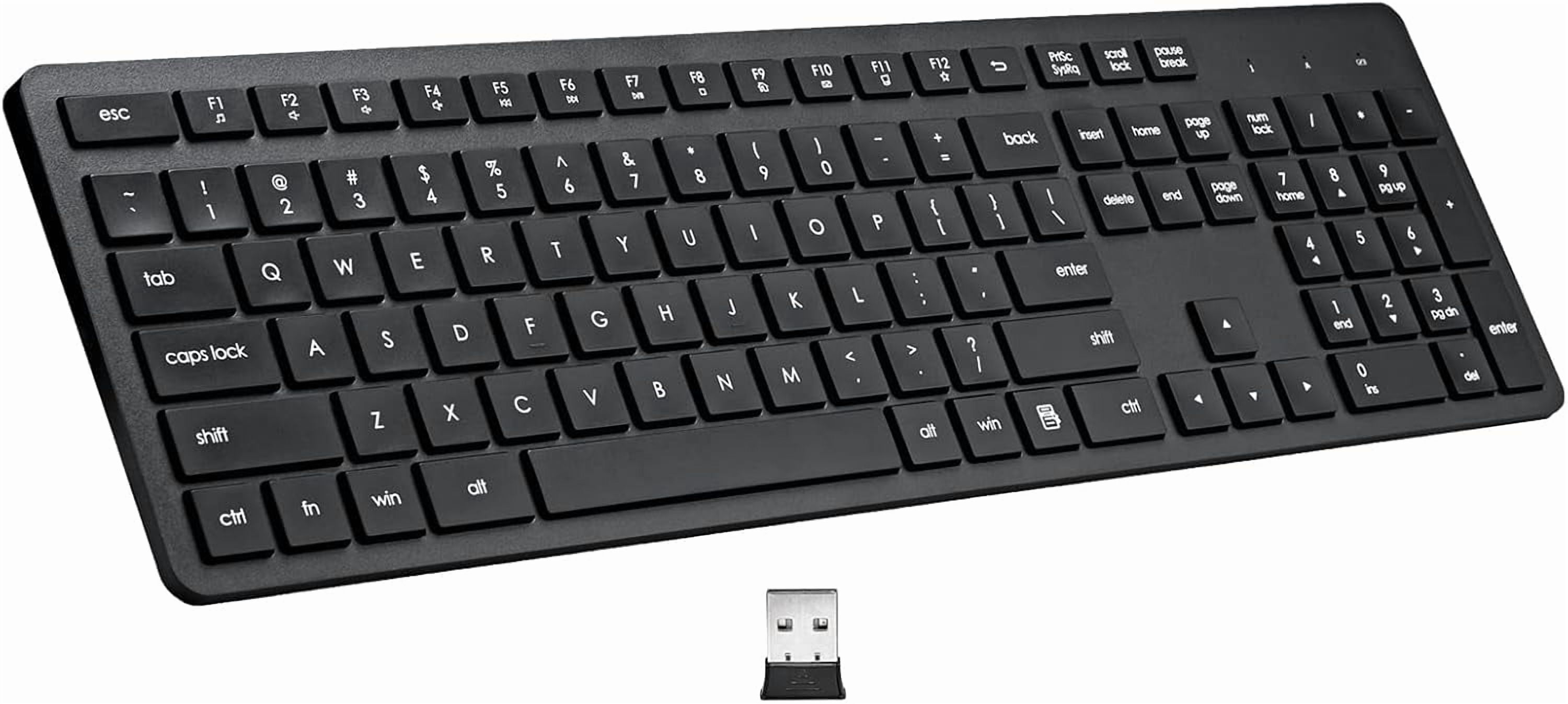
Quick Answer: The Best Full-Size Keyboard Laptop
The Lenovo ThinkPad T16 is the best overall choice for most buyers who want a full-size keyboard. Its keyboard is comfortable for long typing sessions, and its dedicated number pad works well for budgets, invoices, data entry, and spreadsheets.
Here are the best options by user type:
| Best for | Recommended laptop | Why it stands out |
|---|---|---|
| Best overall | Lenovo ThinkPad T16 | Strong keyboard, number pad, large display, business-grade design |
| Best budget choice | Acer Aspire 5 15.6-inch | Usually affordable and commonly sold with a number pad |
| Best business option | HP EliteBook 860 | Large screen, business features, and a full keyboard layout |
| Best large-screen option | Dell Latitude 16-inch models | Good fit for office work and numeric entry |
| Best performance option | Lenovo ThinkPad P16 | Full keyboard with stronger processor and graphics options |
| Best 17-inch value | HP 17-inch laptop models | Large screen and number pad at a lower price |
Always check the exact configuration before buying. Some laptop families use different keyboard layouts depending on screen size, region, or retailer.
What Counts as a Full-Size Laptop Keyboard?
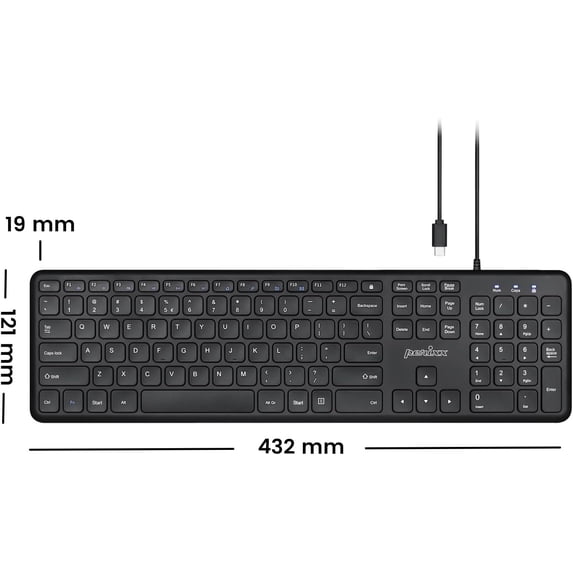
A full-size laptop keyboard usually includes a standard letter layout plus a separate numeric keypad on the right side.
This is different from a keyboard that simply has full-height letter keys. Many 15-inch and 16-inch laptops have large letter keys but no number pad.
A full-size keyboard normally has:
- A dedicated number pad
- Number keys arranged like a desktop keyboard
- Separate arithmetic keys
- Full-size arrow keys
- Function keys across the top
- A standard U.S. QWERTY layout
- A wider body to fit the extra keys
The number pad is the key feature for most buyers. It helps people who enter numbers often, including accountants, students, office workers, cashiers, engineers, and small-business owners.
Why screen size matters
A 13-inch or 14-inch laptop rarely has room for a true number pad. Most full-size laptop keyboards appear on:
- 15.6-inch laptops
- 16-inch laptops
- 17.3-inch laptops
- Mobile workstations
A 16-inch screen often gives the best balance. It offers enough room for the keyboard but is usually easier to carry than a 17-inch laptop.
Do not confuse a number row with a number pad
Every standard laptop keyboard has a number row above the letters. That is not a full-size keyboard.
A numeric keypad sits on the right side and usually looks like this:
7  8  9
4  5  6
1  2  3
0
If a product page says “full keyboard” but does not show a number pad, inspect the product photos before ordering.
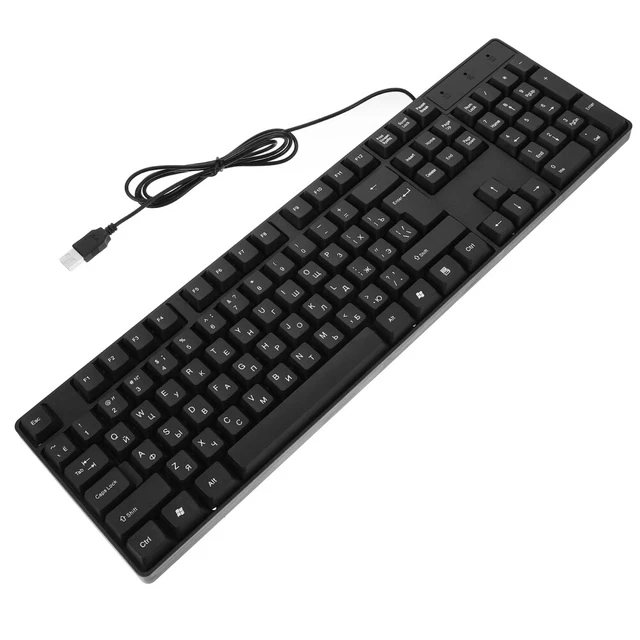
Best Overall: Lenovo ThinkPad T16
The Lenovo ThinkPad T16 is the best overall laptop with a full-size keyboard for most U.S. buyers.
It is designed for business work, but it also suits home users who type often. The keyboard has a dedicated number pad, useful navigation keys, and a layout that favors long work sessions.
Why the ThinkPad T16 is the top pick
The T16 offers a strong mix of:
- Comfortable key spacing
- A dedicated numeric keypad
- A large 16-inch display
- Good business support options
- Durable construction
- Many processor, memory, and storage configurations
- A wide palm rest for better wrist support
ThinkPad keyboards are known for clear key shapes and useful travel. “Key travel” means how far a key moves when pressed. More travel can make typing feel less flat, although personal taste varies.
The T16 also has a centered keyboard area with the number pad placed on the right. This makes it useful for spreadsheet work and number-heavy tasks.
Who should buy it?
The ThinkPad T16 is a good fit for:
- Office workers
- Accountants
- Programmers who enter data
- College students with numeric coursework
- Remote workers
- Writers who want a large typing area
- People who prefer business laptops
It is less appealing if you want a very light laptop or a gaming-focused design. Its larger body makes room for the keyboard, but that also increases its size.
Which configuration should you choose?
For general office work, look for:
- An Intel Core Ultra 5 or AMD Ryzen 5 processor
- At least 16 GB of RAM
- At least a 512 GB solid-state drive
- A display with at least 1920 × 1200 resolution
- A backlit keyboard if you work at night
For heavier work, consider 32 GB of RAM. This helps with large spreadsheets, virtual machines, photo work, and many open browser tabs.
Do not pay for a high-end processor if your work is limited to email, documents, web apps, and spreadsheets. A midrange chip is usually enough for those tasks.
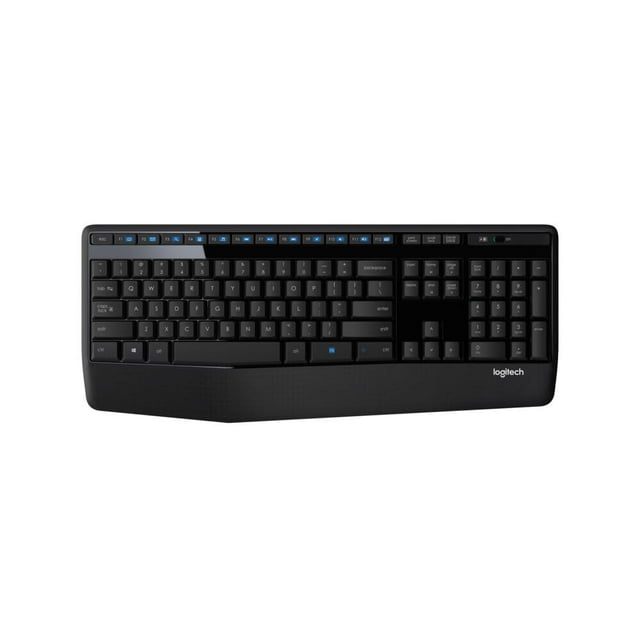
Best Affordable Option: Acer Aspire 5 15.6-Inch
The Acer Aspire 5 is often the best low-cost laptop with a full-size keyboard. Many 15.6-inch versions include a dedicated number pad, but the layout can vary by configuration.
Its main advantage is value. It often costs much less than a business laptop while still offering enough power for common tasks.
What the Aspire 5 does well
The Aspire 5 is suited to:
- Web browsing
- Microsoft Office
- Google Workspace
- Online classes
- Basic bookkeeping
- Video calls
- Streaming
- Light photo editing
It is a practical choice for a family laptop or a student who needs a number pad but does not need premium materials.
What you give up
A lower price can mean:
- A less rigid chassis
- A dimmer display on some versions
- More plastic construction
- Shorter or less consistent keyboard travel
- Fewer business support options
- More variation between retail configurations
Acer sells many Aspire 5 versions. Check the exact model number, RAM, storage, display resolution, and keyboard photos.
Recommended minimum specifications
For a budget laptop that should last several years, aim for:
- 8 GB of RAM at minimum
- 16 GB if the laptop supports it
- A 512 GB SSD
- A recent Intel Core i5, AMD Ryzen 5, or similar processor
- A 1080p or 1920 × 1200 display
- Wi-Fi 6 or newer when available
Avoid very low-end processors and 4 GB of RAM if you plan to keep many browser tabs open. These systems can feel slow even during simple work.
Best Business Laptop: HP EliteBook 860
The HP EliteBook 860 is a strong business alternative to the ThinkPad T16. It combines a large display with a numeric keypad and business-focused features.
It is especially useful for people whose employer provides device support, security tools, or managed Windows computers.
Why choose the EliteBook 860?
The EliteBook 860 typically offers:
- A 16-inch business laptop design
- A dedicated number pad
- A comfortable work-focused keyboard
- Windows business features
- Enterprise security options
- A broad selection of processors and displays
- Support options aimed at business buyers
The exact keyboard can differ between configurations. Confirm that the selected model has the number pad before buying.
Best users for this laptop
Choose the EliteBook 860 if you:
- Work for a company with HP device support
- Need a larger screen for office work
- Use spreadsheets every day
- Want a professional design
- Need business security and warranty options
- Prefer HP’s keyboard and software tools
The main drawback is price. A business laptop can cost more than a consumer model with similar processor specifications. The extra cost may still make sense if warranty service, security, and long-term support matter to you.

Best for Heavy Work: Lenovo ThinkPad P16
The Lenovo ThinkPad P16 is the best choice when you need a full-size keyboard and more performance than a standard office laptop can provide.
It is a mobile workstation rather than a basic notebook. It can be configured with stronger processors, more memory, and professional graphics options.
What makes the P16 different?
The ThinkPad P16 is designed for demanding work such as:
- Computer-aided design
- 3D modeling
- Engineering software
- Large data projects
- Video production
- Software development
- Virtual machines
- Professional graphics applications
It includes a large keyboard with a numeric keypad. Its bigger chassis also allows more room for cooling and high-performance components.
Important trade-offs
A workstation laptop is not automatically better for every buyer. The P16 is usually:
- Heavier
- More expensive
- Less convenient to carry
- More power-hungry
- More than most office users need
If you only use Word, email, web apps, and simple spreadsheets, a ThinkPad T16 is likely a better fit.
Buy the P16 when your software needs specific processor, graphics, memory, or certification requirements. Check the software maker’s recommended specifications before choosing a graphics card.

Best Large-Screen Value: HP 17-Inch Laptops
A 17.3-inch HP laptop can be a good choice if screen size matters more than portability.
Many models in this category include a number pad. The larger chassis gives the keyboard more space and makes text, spreadsheets, and dashboards easier to view.
Benefits of a 17-inch laptop
A large laptop screen can help with:
- Split-screen work
- Wide spreadsheets
- Online learning
- Home office use
- Reading documents
- Managing several windows
- Using a number pad without cramped keys
The large display may reduce the need for an external monitor.
Limitations
A 17-inch laptop is not ideal for frequent travel. It may not fit well on small desks, airplane trays, or narrow work areas.
Display quality also varies. A large screen can still look dull or narrow if it uses a low-quality panel. Look for a resolution of at least 1920 × 1080. A 1920 × 1200 display gives extra vertical space and can be more useful for documents.

How to Choose the Best Full-Size Keyboard Laptop
The keyboard is only one part of the decision. Use the following checklist before you buy.
1. Confirm the number pad
Look at the keyboard photo. Do not rely only on the words “full keyboard.”
Some product pages use “full-size keyboard” to describe a standard keyboard without a number pad. The safest proof is a clear image showing a separate numeric section.
2. Check the U.S. layout
For U.S. buyers, look for:
- U.S. English keyboard
- QWERTY layout
- A full-width Enter key
- Correct placement of the symbols you use
- A dedicated number pad
International layouts can have different key sizes and positions. Marketplace listings may use stock photos, so confirm the keyboard in the written specifications or ask the seller.
3. Choose the right screen size
Use this simple guide:
| Screen size | Full-size keyboard likelihood | Best use |
|---|---|---|
| 13–14 inches | Low | Travel and portability |
| 15.6 inches | High | Budget and home office use |
| 16 inches | High | Best balance for most users |
| 17.3 inches | High | Large-screen desk work |
A 16-inch laptop is often the sweet spot. It gives enough width for a number pad without the bulk of many 17-inch models.
4. Consider keyboard comfort
Look for:
- Backlighting
- Clear key labels
- A firm deck with little flex
- Separate arrow keys
- A full-size number pad
- Adequate key travel
- A comfortable palm rest
Backlighting helps in dark rooms, but it does not prove that a keyboard is comfortable. If possible, test the laptop in a store or buy from a retailer with a clear return policy.
5. Pick enough RAM
RAM affects how many programs and browser tabs a laptop can handle at one time.
- 8 GB: Basic work and school use
- 16 GB: Best starting point for most buyers
- 32 GB: Large spreadsheets, creative work, development, and virtual machines
For most new Windows laptops, 16 GB is the safer choice. It gives more room for future software updates.
6. Select a suitable processor
For basic use, a recent Intel Core 3, Core 5, AMD Ryzen 5, or similar chip is often enough.
For heavier work, consider:
- Intel Core Ultra 7
- AMD Ryzen 7
- Intel Core i7
- Professional workstation processors
Processor names change over time. Compare the exact generation and model, not only the brand name.
7. Do not ignore the display
The keyboard may be your main reason for buying, but you will look at the screen for hours.
Aim for:
- At least 1920 × 1080 resolution
- A matte screen if you work under bright lights
- Good viewing angles
- Adequate brightness
- A 16:10 aspect ratio if you want more vertical space
A 16:10 screen displays more lines of a document than a 16:9 screen with a similar diagonal size.
8. Check ports and charging
A full-size keyboard laptop should also fit your desk setup.
Useful ports may include:
- USB-A
- USB-C
- HDMI
- Headphone jack
- Ethernet
- SD or microSD card slot
USB-C does not always support charging, video output, or docking. Check the manufacturer’s specifications for each port.

Full-Size Keyboard vs. External keyboard
a laptop with a full-size keyboard is convenient, but it is not always the best ergonomic setup.
An external keyboard may be better if you:
- Work at a desk every day
- Need a mechanical number pad
- Want a separate mouse and monitor
- Need adjustable keyboard height
- Prefer a split or ergonomic layout
A laptop keyboard keeps the number pad with the screen and battery. An external keyboard gives more freedom but adds another item to carry.
For occasional numeric entry, an inexpensive USB or Bluetooth number pad may let you choose a lighter laptop. For constant numeric work, a built-in number pad is usually more convenient.

Common Mistakes to Avoid
Buying by screen size alone
A 15.6-inch screen does not guarantee a number pad. Always inspect the keyboard.
Choosing a low-end model with too little RAM
A cheap laptop with 4 GB of RAM may struggle with modern web pages and video calls. Choose 8 GB at minimum and 16 GB when possible.
Ignoring the display resolution
A large screen with a low resolution can make text and spreadsheets feel cramped. Look for at least 1920 × 1080.
Assuming every model in a product family is the same
Laptop families often include many versions. One may have a number pad, while another may not. Processor, memory, display, battery, and keyboard options can all change.
Forgetting portability
A full-size keyboard requires a wider laptop. A 17-inch model may be comfortable at home but tiring to carry.
Buying from an unclear marketplace listing
Check the seller, return policy, warranty, keyboard layout, and exact model number. A low price may reflect a refurbished, imported, or incorrectly listed product.
Which Full-Size Keyboard Laptop Should You Buy?
Choose the Lenovo ThinkPad T16 if you want the best balance of typing comfort, size, durability, and business features.
Choose the Acer Aspire 5 if price matters most and you need a number pad for basic work.
Choose the HP EliteBook 860 if you want a business laptop with enterprise support and a large display.
Choose the Lenovo ThinkPad P16 if you need workstation-level performance for engineering, design, development, or professional graphics.
Choose a 17-inch HP laptop if the computer will stay mostly at home and you want the largest practical screen.
Before ordering, verify three details on the exact listing: the number pad, the U.S. keyboard layout, and the memory capacity. Those checks prevent most buying mistakes.

Frequently Asked Questions
What is the best laptop with a full-size keyboard for typing?
The Lenovo ThinkPad T16 is one of the strongest choices for long typing sessions. It has a large keyboard, a dedicated number pad, and a design aimed at extended office use.
Do all 15.6-inch laptops have a number pad?
No. Many do, but some 15.6-inch laptops use a centered keyboard without a numeric keypad. Check product photos and specifications before buying.
Is a 16-inch laptop too large to carry?
A 16-inch laptop is larger than a 14-inch model, but it can still be practical for commuting. Weight matters more than screen size alone. Check the listed weight, charger size, and bag fit.
Is a full-size keyboard better for Excel?
A number pad can make numeric entry faster and more comfortable. It does not improve Excel calculations by itself, but it can reduce the need to use the number row.
Can I add a number pad to a laptop?
Yes. You can connect an external USB or Bluetooth number pad. This is useful when your preferred laptop is light and portable but does not include built-in numeric keys.
Does a backlit keyboard matter?
A backlit keyboard helps you see the keys in dim rooms. It does not necessarily indicate better typing quality. Treat backlighting as a useful feature, not a measure of keyboard comfort.
Conclusion
The Lenovo ThinkPad T16 is the best overall laptop with a full-size keyboard for most U.S. buyers. It combines a dedicated number pad with a large screen, comfortable typing layout, and business-focused design.
The Acer Aspire 5 offers a lower-cost route. The HP EliteBook 860 adds business features. The ThinkPad P16 is better for demanding professional work, while a 17-inch model makes sense for mostly stationary use.
The most important step is simple: check the exact keyboard photo and specifications before you buy. Confirm the number pad, U.S. layout, RAM, display resolution, and return policy.

Everett Ashford is a tech reviewer at mytechgrid.com specializing in SSDs, cameras, TVs, earbuds, headphones, and other consumer electronics. He provides honest, data-driven reviews based on hands-on testing and real-world performance analysis. Everett simplifies complex tech details to help readers make smart, confident buying decisions.