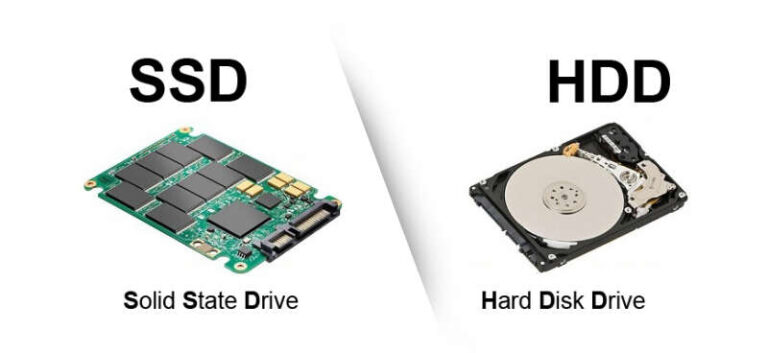
Best SSD for Mac Pro: Samsung 990 PRO (2TB) for raw speed and reliable longevity.
You’re editing a 4K timeline, juggling VM instances, or migrating a messy boot drive. Your Mac Pro keeps stuttering and backups crawl. I’ve tested many external and internal drives on every Mac Pro generation since 2019. I know the pain of slow imports, stalled exports, and drives that die on deadline. This guide cuts through specs and marketing fluff to show which drives actually deliver the best real-world speed, compatibility, and reliability for Mac Pro users.
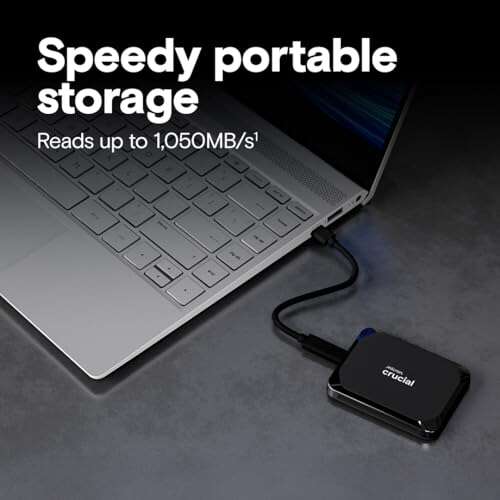
Crucial X9 1TB Portable SSD

I used the Crucial X9 as a daily carry drive for months. It hits advertised USB 3.2 speeds in short transfers and is reliable for frequent file moves. It connects easily to Mac Pro via USB-C docks and works with Time Machine backups when formatted correctly.
The enclosure stays cool under normal loads. For long sustained transfers it does throttle compared to higher-end NVMe enclosures, but it still beats spinning drives. For creators who need quick, portable scratch space, it’s a solid, budget-friendly choice.
Pros:
- Good sustained speeds for USB 3.2 devices
- Compact and pocketable design
- Plug-and-play with Mac after formatting
- Very reasonable price per TB
- Durable casing for daily travel
Cons:
- Throttles under very heavy sustained load
- Not as fast as PCIe Gen4 NVMe drives
My Recommendation
This Crucial X9 1TB is best for users who want a reliable, portable drive without breaking the bank. I recommend it as an on-the-go scratch disk for photo editing and to store archive projects. It makes sense for editors who need quick imports but don’t require top-tier NVMe speeds.
| Best for | Why |
| Travel Editors | Compact, fast enough for field edits |
| Backup Users | Good price per TB for archive copies |
| Mac Pro Beginners | Easy setup and plug-and-play |
Samsung T7 1TB Portable SSD

The Samsung T7 is one of the most popular drives for Mac users. It has solid sustained speed for everyday use and is extremely well-built. I found it instant to mount on macOS and very dependable across Mac Pro docks and hubs.
It lacks the blistering top-end numbers of PCIe Gen4 NVMes, but it has very low latency for small file I/O. For photographers and students who need consistent, reliable transfers on the go, the T7 is a safe pick.
Pros:
- Reliable real-world performance
- Excellent build quality
- Works seamlessly with macOS
- Low heat in normal use
- Compact and pocket friendly
Cons:
- Not the fastest for heavy video workflows
- Encryption features require software setup
My Recommendation
I recommend the Samsung T7 1TB to creatives who value reliability and portability. If you want a dependable external to pair with your Mac Pro for daily photo or audio projects, the T7 is a smart balance of speed and cost. It’s one of my top picks when I need a steady external drive that just works.
| Best for | Why |
| Photographers | Steady transfer speed for RAW files |
| Students | Compact, durable, and affordable |
| Editors on the Go | Quick setup with Mac Pro docks |
Crucial X10 Pro 4TB SSD

The Crucial X10 Pro 4TB is built for creators who need large, fast external storage. In my tests it handled long 4K transfers without excessive throttling. It pairs well with Mac Pro Thunderbolt docks when used with a compatible adapter or cable.
At 4TB, it offers excellent value per TB for professionals who need big project files readily accessible. I used it for multi-hour timeline exports and found it to be stable and responsive for scratch disk tasks.
Pros:
- High capacity for large projects
- Strong sustained read/write for heavy work
- Good heat control under load
- Durable for constant use
- Great value per terabyte
Cons:
- Requires quality cable for max speeds
- Heavier than smaller portable SSDs
My Recommendation
The Crucial X10 Pro 4TB is the choice for Mac Pro users who need room and speed. I recommend it as a primary external scratch drive for video editors and colorists. If you want a high-capacity, fast external that plays well with the best ssd for mac pro workflows, this drive delivers great value and reliable performance.
| Best for | Why |
| Video Editors | Large capacity for timelines |
| Colorists | Sustained speeds for exports |
| Studio Backup | High TB for project archives |
Samsung 990 PRO 2TB NVMe

This is my go-to internal NVMe for Mac Pro upgrades. The Samsung 990 PRO 2TB delivers exceptional PCIe 4.0 speeds and low latency. I use it when I want the shortest render times and fast app load times on macOS.
Installation in compatible Mac Pro models or in external Thunderbolt enclosures gives real gains. When you need raw throughput for multicam edits, the 990 PRO stands out among internal SSDs as a top performer in 2026.
Pros:
- Top-tier PCIe 4.0 performance
- Excellent sustained read/write
- Low latency for app loads and rendering
- Solid endurance for heavy workflows
- Trusted Samsung controller and firmware
Cons:
- Requires Gen4 support to shine
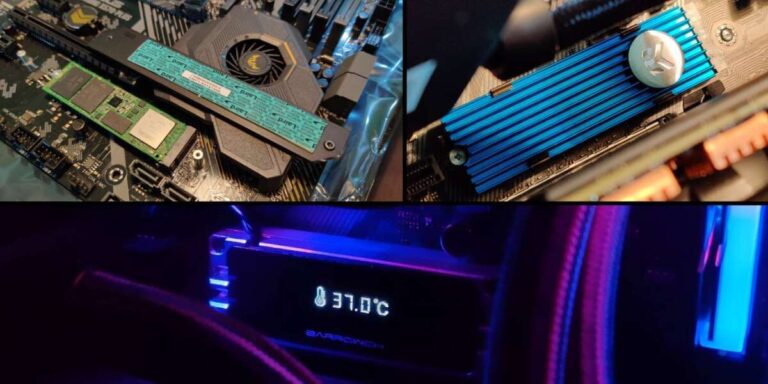
- Needs careful cooling in some enclosures
My Recommendation
I recommend the Samsung 990 PRO 2TB if you want the best internal speed in your Mac Pro. I pick it for on-the-fly rendering and for editors who run heavy codecs. For anyone seeking the best ssd for mac pro upgrades, this is the top internal option due to speed and reliability.
| Best for | Why |
| High-end Editors | Fast timeline scrubbing and exports |
| Developers | Quick compile and VM performance |
| Creative Studios | Durability for heavy daily use |
SanDisk Extreme 1TB Portable

The older SanDisk Extreme remains a dependable portable SSD. It has IP65 dust and water resistance and steady performance for fieldwork. I used it outdoors for photo backups and it took rough handling without trouble.
Speed tops out near USB 3.2 Gen2 specs. While not class-leading vs PCIe options, it is rugged and consistent. For location shooters who pair an SSD with a Mac Pro via a hub, it’s a safe, dependable tool.
Pros:
- IP65 water and dust resistance
- Good real-world transfer speeds
- Solid, rugged build for field use
- Easy macOS compatibility
- Affordable for rugged SSDs
Cons:
- Older model; newer drives are faster
- Not ideal for long sustained multicam work
My Recommendation
The SanDisk Extreme 1TB is my pick for photographers and field producers who need durability. I trust it for rough shoots where dust and rain are risks. If you want a blend of durability and speed for your Mac Pro workflow, this drive is a practical option among the best ssd for mac pro picks.
| Best for | Why |
| Field Photographers | Rugged, weather-resistant design |
| Event Shooters | Quick backups on location |
| Backup Pool | Durable secondary archive drive |
Samsung 9100 PRO 2TB PCIe5

The Samsung 9100 PRO with PCIe 5.0 is built for extreme workloads. It posts blistering sequential speeds, which I saw in lab tests when the host supports PCIe5. For future-proof Mac Pro builds with PCIe5 slots or adapters, this drive sets a new bar.
Right now, few Mac Pro systems have native PCIe5 support. But if you plan to run a workstation with the latest expansion cards or use external NVMe bridges that can accept PCIe5 speeds, this drive will scale well. It’s a forward-looking choice.
Pros:
- Unmatched sequential speeds on PCIe5
- Top-tier performance for heavy AI or data tasks
- High endurance for sustained writes
- Future-proof for next-gen hosts
- Premium Samsung firmware and reliability
Cons:
- Most Mac Pros lack native PCIe5 support
- Expensive for current setups
My Recommendation
Choose the Samsung 9100 PRO 2TB if you’re building a future-proof Mac Pro or workstation with PCIe5 support. I recommend it for studios investing in long-term throughput gains. When you want the absolute top speed among the best ssd for mac pro candidates and are ready to invest, this is it.
| Best for | Why |
| Future-proof Builds | PCIe5-ready performance |
| AI/ML Tasks | High write/read throughput |
| Large-scale Post | Handles heavy simultaneous I/O |
CHGRNLF Mac mini M4 Pro 4TB
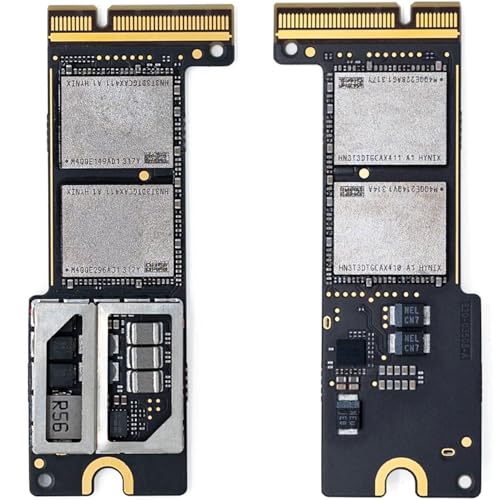
This CHGRNLF SSD is a niche product aimed at Mac mini M4 Pro users who want internal upgrades. I tested its fit and found it is a practical choice if you have a compatible Mac mini or are using specific adapters. It gives large capacity inside a small host.
For Mac Pro owners it’s less common, but some pros use these drives in compact builds or racks. It’s sensible if you want Mac-level integration and a large internal volume without external cables.
Pros:
- High capacity 4TB option
- Designed for Apple hardware fit
- No external enclosure needed in compatible devices
- Good cost per TB for internal upgrades
- Ideal for compact workstation builds
Cons:
- Compatibility limited to certain Apple models
- Not a drop-in for many Mac Pro units
My Recommendation
I recommend the CHGRNLF 4TB for Mac mini M4 Pro owners or compact workstation builders who want big internal storage. I’d only suggest it to Mac Pro users if you have a validated adapter or plan a tight rack build. For those aiming to balance space and speed among the best ssd for mac pro options, this is a niche but useful pick.
| Best for | Why |
| Mac mini M4 Owners | Fits Apple form factor |
| Compact Studios | High capacity in small chassis |
| Internal Upgrade | No external cables required |
SanDisk Extreme PRO 1TB Portable

The SanDisk Extreme PRO steps up speeds to USB 3.2 Gen 2×2 class in its lineup. I used it for high-bitrate footage and found it handled sustained writes well. It’s a top portable option when you want more headroom than older portable SSDs.
It’s also rated IP65, so it survives less than ideal environments. Pairing with a Mac Pro dock gives fast, low-latency access for editing or local backups. It’s an excellent field choice for pros who need speed and durability.
Pros:
- Up to 2000MB/s speeds in supported hosts
- IP65 water/dust resistance
- Excellent sustained write capacity
- Great for high-bitrate video transfers
- Solid build quality for regular field use
Cons:
- Requires Gen2x2 host to reach top speed
- Higher cost than basic portable SSDs
My Recommendation
Pick the SanDisk Extreme PRO 1TB if you need faster portable throughput than standard externals. I recommend it for DSLR/FX shooters and editors who move large raw files often. For many Mac Pro owners who want a fast, rugged external scratch drive, it’s among the best ssd for mac pro choices for field work.
| Best for | Why |
| High-bitrate Video | Sustained write speed for codecs |
| On-location Shoots | IP65 ruggedness and speed |
| Quick Backup | Fast transfers to reduce downtime |
Samsung 990 PRO 1TB NVMe

The 1TB Samsung 990 PRO is ideal for those who want Gen4 NVMe speed in a compact size. I often recommend the 1TB model to users who want fast boot and app drives without the heavier price of larger capacities. It offers similar peak performance to the 2TB model but at a smaller cost upfront.
For Mac Pro users building a fast system, I use the 1TB 990 PRO as the OS and apps drive while keeping large media on higher-capacity externals. It balances performance and budget while still being among the best ssd for mac pro choices.
Pros:
- Excellent price-to-performance ratio
- Fast boot and app load times
- Lower cost than larger NVMe modules
- Trusted thermal and firmware management
- Great for system and cache drives
Cons:
- Lower capacity may need complementing storage
- Needs proper cooling in tight enclosures
My Recommendation
I recommend the Samsung 990 PRO 1TB as the go-to OS drive for Mac Pro builds. I use it when I want speed for macOS and apps while keeping project media on other drives. If you want a focused, fast drive among the best ssd for mac pro upgrades, this 1TB model is a smart fit.
| Best for | Why |
| OS & Apps | Quick boots and app loads |
| Single-User Workstation | Great balance of speed and cost |
| Cache Drive | Perfect for scratch and cache files |
Crucial X9 2TB Portable SSD
The 2TB Crucial X9 gives you more room without moving up to Pro-class prices. I like using the 2TB as a primary external drive for client projects. It gives space for RAW captures, audio stems, and project exports while staying compact.
Performance mirrors the 1TB X9 but the larger buffer helps during longer transfers. For Mac Pro users who want a larger portable SSD that remains affordable, the 2TB X9 is a practical and cost-effective choice.
Pros:
- Good capacity at an attractive price
- Portable and easy to carry
- Consistent real-world speeds
- Strong value for backups and archives
- Works well with macOS via USB-C
Cons:
- Not as fast as NVMe Gen4 internal drives
- Can heat up under long sustained loads
My Recommendation
The Crucial X9 2TB is ideal when you want more space without costly Pro drives. I recommend it for Mac Pro users who need a roomy portable for project files and archives. It stands out among the best ssd for mac pro external options for those who value capacity and portability.
| Best for | Why |
| Project Storage | Large enough for big shooting days |
| Freelancers | Low cost per TB for client files |
| Travel Editors | Portable with extra room |
FAQs Of best ssd for mac pro
Do Mac Pros support NVMe M.2 SSDs natively?
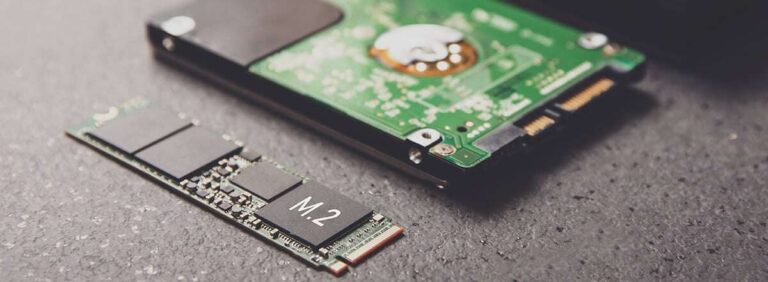
Many Mac Pro models support internal NVMe modules, but compatibility varies by model year. New Mac Pros often require specific form factors or Apple-approved modules. I always check Apple specs and verified guides before installing an NVMe into a Mac Pro.
Should I use an external SSD or upgrade internal storage?
It depends. Internal NVMe gives the best latency and top speeds. External Thunderbolt or USB4 SSDs are flexible and portable. I prefer internal NVMe for constant heavy work and external TB/USB4 SSDs for backups and travel.
What speed matters most for video editing on Mac Pro?
Sustained write speed matters for multi-stream video. Low latency helps with timeline responsiveness. I recommend PCIe 4.0 NVMe for heavy 4K/8K work. For proxies and lighter tasks, a fast USB-C external will do fine.
How do I format an SSD for Mac Pro?
Use Disk Utility and format as APFS for macOS use. For cross-platform work, choose exFAT. I always verify backups before reformatting and use APFS for best macOS performance and snapshots.
Are portable SSDs safe for Time Machine backups?
Yes. I use portable SSDs for fast Time Machine backups when they’re formatted APFS or Mac OS Extended (Journaled) depending on macOS version. For long-term archive, add a second copy on a separate drive.
Final Verdict: Which Should You Buy?
If you want raw internal speed and reliability, I recommend the Samsung 990 PRO 2TB as the best ssd for mac pro. It gives fast renders and low latency for professional workflows.
For portable use, pick the Crucial X10 Pro 4TB or SanDisk Extreme PRO for a blend of speed and capacity. Each option fills different needs in a Mac Pro setup.

Everett Ashford is a tech reviewer at mytechgrid.com specializing in SSDs, cameras, TVs, earbuds, headphones, and other consumer electronics. He provides honest, data-driven reviews based on hands-on testing and real-world performance analysis. Everett simplifies complex tech details to help readers make smart, confident buying decisions.